
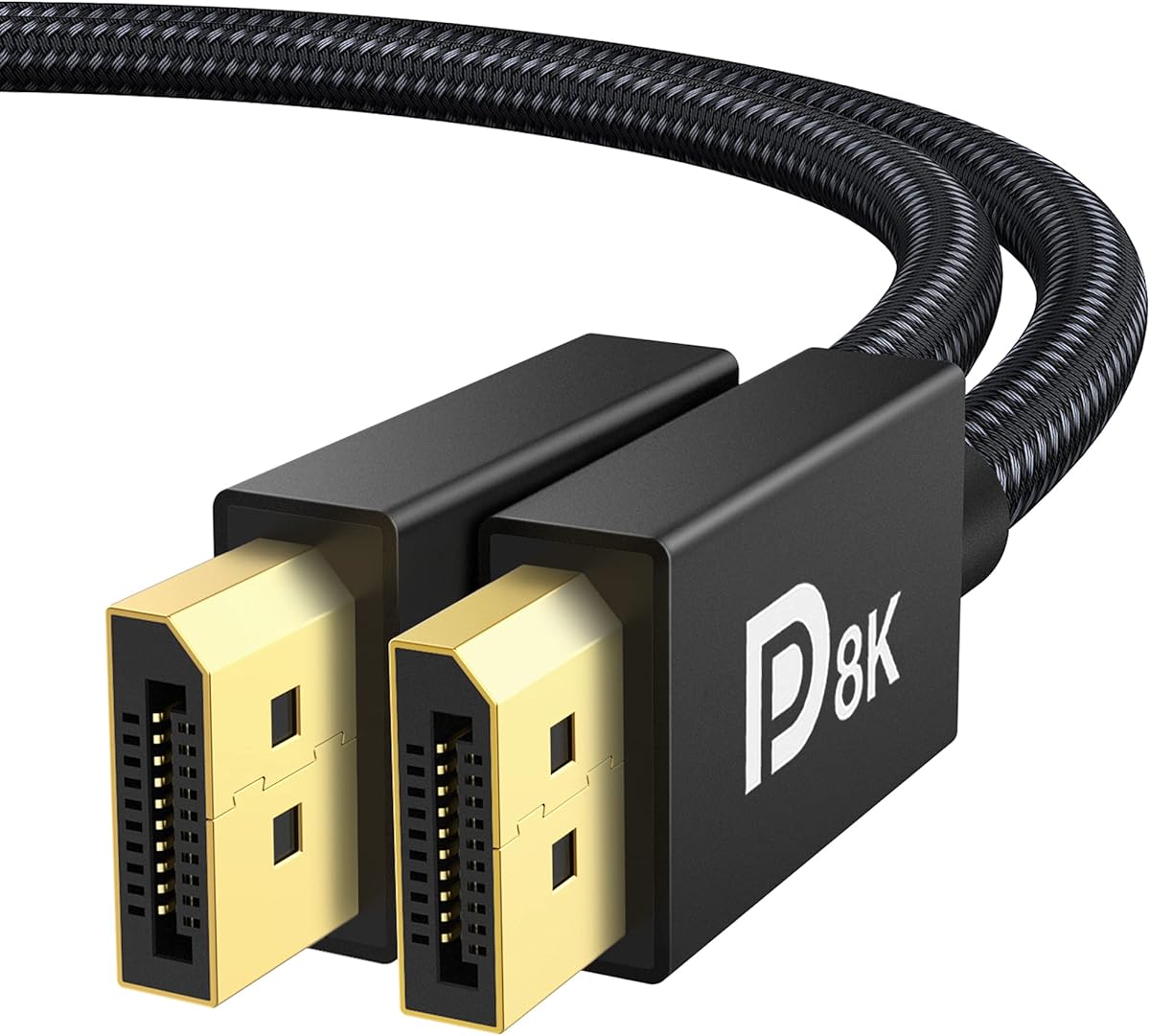
UGREEN 16K 6.6FT DisplayPort Cable 2.1
4.7Editor score
54Gbps bandwidth support
Nylon braided durable jacket
Compatible with FreeSync and GSync
This guide compares the top ten Displayport Cable for Gaming options including performance bandwidth and build quality to help you choose the right connection.
Finding the right Displayport Cable for Gaming is essential for unlocking the full potential of your high-performance setup. A quality cable ensures stable signal transmission and supports the latest standards.
We evaluated ten top-rated cables based on bandwidth certification durability and compatibility with modern graphics cards and monitors. Our analysis focuses on real-world gaming performance and reliability.
Each pick highlights specific strengths for different needs from budget-friendly options to premium certified models. Keep in mind that availability and pricing can change over time so check current details.
4.7Editor score

4.7Editor score

4.6Editor score
The following table provides a side-by-side comparison of all ten products featured in this guide to help you quickly identify key specifications and compatibility details.



The Silkland 80Gbps DisplayPort Cable 2.1 stands out as a top choice for gamers seeking maximum performance. With its VESA certification and support for resolutions up to 4K@240Hz it delivers a robust connection for high refresh rate setups.
We may earn a commission when you buy through this link, at no additional cost to you.
This cable supports UHBR20 and Dynamic HDR10+ ensuring that visual fidelity remains high even in demanding AAA titles. The triple shielding and 28AWG tinned copper conductors provide stable transmission with minimal interference.
While it lacks a locking latch which some users prefer for stability the plug and play design is convenient. The nylon exterior offers durability against bending and wearing which is crucial for long term use.
This cable is ideal for users with RTX 4090 or AMD 7900XTX cards who need reliable DP 2.1 performance. We recommend it for serious gamers prioritizing bandwidth and certification.
The cable supports uncompressed 4K@240Hz and 8K@60Hz ensuring smooth gameplay without compression artifacts.
Built with tinplate blocking electromagnetic interference and triple shielding for consistent data transfer.
We may earn a commission when you buy through this link, at no additional cost to you.
The UGREEN 16K 6.6FT DisplayPort Cable 2.1 offers excellent value for gamers looking to upgrade without overspending. It supports high resolutions like 16K@30Hz and 8K@240Hz making it versatile for future hardware.
We may earn a commission when you buy through this link, at no additional cost to you.
VESA certification ensures reliable performance while the triple shielding and aluminum alloy housing help maintain signal stability. The nylon braided jacket is durable and resistant to rust and heat dissipation.
Although it has lower bandwidth than 80Gbps options it remains sufficient for most current gaming needs. The lack of a secure latch means accidental tugs could be an issue but this is manageable with careful cable management.
This cable is a solid choice for mid-range setups or those on a budget who still want DP 2.1 features. It works well with popular monitors and cards like RTX 4090 and AMD 7900XTX.
Supporting 16K@30Hz and 8K@240Hz ensures compatibility with upcoming high resolution monitors.
Double nylon braided jacket is ten times more durable than PVC for long lasting use.
We may earn a commission when you buy through this link, at no additional cost to you.
The IVANKY VESA Certified 80Gbps DisplayPort Cable 2.1 delivers premium performance for enthusiasts seeking the highest bandwidth available. It supports resolutions up to 16K@60Hz and includes support for UHBR20.
We may earn a commission when you buy through this link, at no additional cost to you.
Features like Dolby eARC and 3D enhance multimedia experiences while triple shielding and 30AWG tinned copper ensure stable transmission. The aluminum alloy housing resists rust and aids heat dissipation effectively.
While the latch free design prevents accidental damage it may lack the security of a locking mechanism. However the slim profile and flexibility make it easy to route in tight spaces.
This cable is ideal for high-end setups requiring top-tier bandwidth and audio quality. We recommend it for users with RTX 5090 or similar cards needing future-proof connectivity.
Supports Dolby eARC and 32-bit audio for immersive sound in gaming and movies.
30AWG tinned copper and triple shielding provide stable signal transmission with minimal loss.
We may earn a commission when you buy through this link, at no additional cost to you.
The Highwings 80Gbps Displayport Cable 2.1 is engineered to deliver exceptional performance for high refresh rate gaming. It supports stunning resolutions including 16K@60Hz and 4K@240Hz ensuring smooth visuals.
We may earn a commission when you buy through this link, at no additional cost to you.
Built with triple-layer shielding and 28AWG tinned copper conductors this cable provides maximum EMI resistance and stable signal transmission. The double nylon braiding enhances durability and prevents artifacts.
It includes Dynamic HDR and 32-bit audio which help capture critical in-game sounds and visual details. While it lacks a locking latch the slip-resistant grip design offers better handling during installation.
This cable is best suited for users wanting maximum bandwidth for next-gen consoles or PCs. The lifetime support adds value and ensures long-term reliability for your investment.
Dynamic HDR delivers incredible contrast and detail especially in dark game scenes.
Secure slip-resistant grip and double nylon braiding ensure longevity and easy handling.
We may earn a commission when you buy through this link, at no additional cost to you.
The IVANKY VESA Certified 8K DisplayPort Cable 1.4 is an excellent choice for users who need reliable 4K@240Hz performance without the latest 2.1 requirements. It supports high resolutions and Dynamic HDR effectively.
We may earn a commission when you buy through this link, at no additional cost to you.
Crafted from 30AWG tinned copper it offers flexibility and a slimmer profile than 28AWG cables. The nylon braided jacket withstands over 28000 bends ensuring long-term reliability.
While it does not support DP 2.1 bandwidths it maximizes the performance of graphics cards and monitors up to 32.4 Gbps. The latch-free design prevents equipment damage during unplugging.
We recommend this for gamers with RTX 4080 or 4070 cards needing stable 4K@240Hz connections. It is a solid option for those who prioritize flexibility and VESA certification.
Supports 4K@240Hz and 5K@60Hz with Dynamic HDR for enhanced game visuals.
30AWG tinned copper offers more flexibility and a slimmer profile for easy routing.
We may earn a commission when you buy through this link, at no additional cost to you.
The Silkland 54Gbps 16K DisplayPort Cable 2.1 offers a balance of performance and affordability for those entering the DP 2.1 ecosystem. It supports high resolutions like 16K@60Hz and 4K@240Hz.
We may earn a commission when you buy through this link, at no additional cost to you.
It features a groove design for convenient cable removal in tight spaces and triple shielding for high resistance against EMI. The 28AWG tinned copper ensures stable signal transmission.
While it lacks a locking latch the groove design helps prevent accidental disconnection during use. The durable nylon braided jacket provides protection against wear and tear.
This cable is ideal for gamers seeking VESA certified 2.1 features at a competitive price. It is a great value for upgrading to higher refresh rates.
Groove design makes unplugging the cable easier especially in confined spaces.
Triple shielding and 28AWG tinned copper reduce interference and improve stability.
We may earn a commission when you buy through this link, at no additional cost to you.
The Silkland 80Gbps DisplayPort Cable 2.1 Secure Latch is designed for gamers who need a reliable physical connection. The upgraded locking latch prevents accidental disconnection which is critical for active setups.
We may earn a commission when you buy through this link, at no additional cost to you.
With 80Gbps bandwidth it supports high resolutions like 16K@60Hz and 4K@240Hz ensuring smooth gameplay. The triple shielding and 26AWG tinned copper conductors provide stable high-speed transmission.
The secure latch requires a button press to release which adds a step to disconnecting but ensures stability during play. The double-braided nylon exterior offers durability against bending.
This model is best for users concerned about cable stability or pet interference. It delivers top-tier performance with added physical security for the connection.
The upgraded locking latch prevents signal interruptions from accidental tugs or pets.
80Gbps bandwidth supports uncompressed resolutions and HDR10+ for immersive visuals.
We may earn a commission when you buy through this link, at no additional cost to you.
The Capshi 8K 4K DisplayPort Cable 1.4 is a solid choice for gamers needing reliable 4K@144Hz performance. VESA certification ensures it meets strict standards for video transmission.
We may earn a commission when you buy through this link, at no additional cost to you.
It supports Dynamic HDR and displays error correction which helps maintain visual fidelity during gameplay. The 30AWG tinned copper offers flexibility and a slimmer profile than standard cables.
While it lacks 2.1 bandwidths it remains effective for most current hardware. The 24K gold-plated connectors ensure longevity and prevent artifacts or sync issues.
This cable is best for budget conscious gamers with RTX 4070 or 4080 cards. It provides a stable connection without breaking the bank.
Dynamic HDR optimizes dark scenes and enhances details for tactical advantages in FPS.
30AWG tinned copper makes the cable more flexible and slimmer for easier routing.
We may earn a commission when you buy through this link, at no additional cost to you.
The Ubluker 10K 8K DisplayPort 2.1 Cable offers robust capabilities for future high-resolution displays. With 54 Gbps bandwidth and 12bit color depth it delivers high quality transmission.
We may earn a commission when you buy through this link, at no additional cost to you.
It supports DSC display flow compression and HDCP encryption ensuring secure and efficient signal transfer. The cable is backward compatible with previous versions for broad flexibility.
While it lacks some premium build features the performance specs are strong for a DP 2.1 cable. It is suited for those looking ahead to next-gen hardware.
We recommend this for users seeking advanced color depth and bandwidth features at a reasonable price. It bridges the gap between current and future standards.
12bit color depth provides richer colors and gradients for immersive gaming visuals.
Supports 10K and 8K resolutions ensuring longevity for upcoming monitor releases.
We may earn a commission when you buy through this link, at no additional cost to you.
The Acer 8K DisplayPort Cable 6.6FT is engineered for elite performance with industrial-grade build quality. It supports 8K@60Hz and 4K@240Hz with robust shielding and aluminum reinforcement.
We may earn a commission when you buy through this link, at no additional cost to you.
MST Multi-Stream Technology allows daisy-chaining for complex multi-monitor setups. The heavy-duty nylon braided jacket and reinforced shell provide exceptional resistance to wear and oxidation.
While it is not DP 2.1 it maximizes current 1.4 bandwidth effectively. The professional grade construction ensures stability for demanding workflows and gaming sessions.
This cable is ideal for professionals and gamers who prioritize durability and multi-monitor capabilities. It delivers reliability and premium build quality.
MST-Ready daisy-chaining allows a single connection to drive multiple monitors efficiently.
Industrial grade build with reinforced shell resists wear and oxidation for long life.
We may earn a commission when you buy through this link, at no additional cost to you.
Choosing the right cable requires understanding key specifications like bandwidth and version compatibility. This section details what to consider for gaming performance.
Bandwidth determines how much data can be sent per second. Higher bandwidth supports higher resolutions and refresh rates. For 4K gaming at 120Hz or above you need at least 54Gbps.
Look for cables offering 54Gbps or higher to ensure headroom for future hardware upgrades.
DisplayPort 2.1 supports significantly higher bandwidth than 1.4. If your GPU supports 2.1 ensure the cable matches this standard to avoid bottlenecks.
Always verify your monitor and GPU specs before buying a 2.1 cable.
VESA certification guarantees the cable meets official standards for performance. Certified cables are tested to ensure they support their claimed specs reliably.
Prioritize VESA Certified cables to avoid fake performance claims.
A durable jacket such as nylon braiding protects against bending and wear. Metal shielding reduces interference which is crucial for high-speed signals.
Choose cables with triple shielding and sturdy connectors for longevity.
Some cables offer locking latches to prevent accidental disconnections. Others are latch-free for easier handling. Choose based on your setup needs.
Consider latches if cables are frequently disturbed by pets or movement.
Advanced cables support HDR10+ and high-fidelity audio pass-through. These features enhance visuals and sound in supported games.
Ensure the cable supports HDCP 2.2 or 2.3 for copy-protected content.
Cables come in various lengths and flexibilities. Thinner cables are easier to route in tight cases but may sacrifice shielding.
Balance length needs with build quality to ensure signal stability.
Newer GPUs like RTX 5090 or AMD 7900XTX may require 2.1 bandwidth. Check that your cable supports the output capabilities of your card.
Ensure your GPU supports 2.1 before purchasing a 2.1 cable.
Plug the cable directly into your GPU and monitor without using adapters to ensure full performance. Adapters can reduce bandwidth and introduce signal loss.
Route cables carefully to avoid sharp bends or kinks that can damage internal conductors. Use cable ties to keep them organized and protected.
Clean the connectors with a soft cloth if they appear dusty. Avoid using liquids directly on the metal parts to prevent corrosion.
No, a high-quality DP 1.4 cable can handle 4K 144Hz. However, if you plan to use 160Hz or above you may need DP 2.1 bandwidth.
80Gbps cables support higher resolutions and refresh rates than 54Gbps cables. They enable uncompressed 8K and higher refresh rates for future hardware.
Yes, VESA certification ensures the cable meets performance standards. This reduces the risk of signal loss or compatibility issues with high-end gear.
HDMI is suitable for gaming but often has lower refresh rate support than DisplayPort. Always check your monitor and GPU port capabilities.
A well-built nylon-braided cable can last several years. Avoid bending it sharply or pulling by the cable to extend its lifespan.
Yes, some DP 2.1 cables support MST for daisy-chaining multiple monitors. Check product details to confirm this feature.
The ten options reviewed provide strong choices for gamers ranging from budget to premium. The Silkland 80Gbps and UGREEN 16K options lead the list.
Prioritize bandwidth and certification to match your GPU and monitor needs. Ensure you choose a cable that supports your target resolution.
Check current prices and availability before purchasing as stock can vary. Investing in a quality cable ensures stable performance.