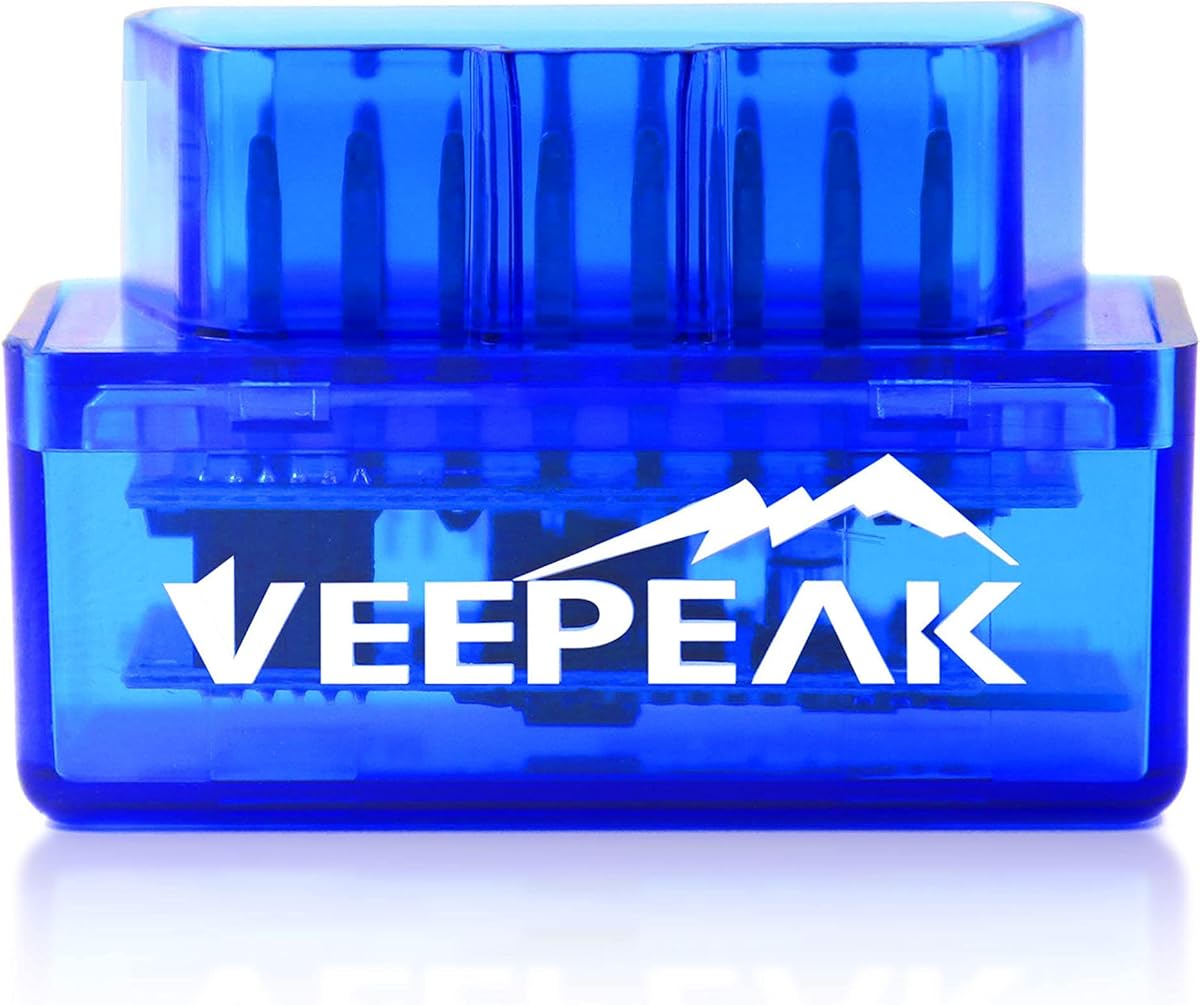
Veepeak Mini Bluetooth OBD2 Scanner Code Reader for Android (NOT for iOS)
4.4Editor score
Compact design for easy storage
Classic Bluetooth connection for Android
Reads engine codes and live data
This guide compares the top Android Obdii Scanner Tool options for 2026, highlighting features, compatibility, and performance to help you choose the right
Finding the right Android Obdii Scanner Tool can save you money on mechanic visits. These devices connect to your vehicle to read error codes and monitor performance in real time. A good scanner offers reliable connectivity and broad vehicle coverage.
We compared ten popular models based on compatibility, app support, and diagnostic depth. Each option was evaluated for ease of use and value. The list covers budget friendly readers to professional grade tools.
Each pick shows key strengths and limitations based on product data. Prices and availability may change over time. Check the latest details before making your decision to ensure the best fit for your needs.
4.4Editor score

4.5Editor score

4.4Editor score
This table provides a side-by-side comparison of all ten selected Android Obdii Scanner Tool options. Use this to quickly identify key specs and compatibility features that matter most for your vehicle.


The Veepeak OBDCheck BLE is a solid entry-level tool for Android users seeking basic diagnostics. With a 4.5 rating, it offers reliable generic OBD-II functions without complex setup.
We may earn a commission when you buy through this link, at no additional cost to you.
It supports Bluetooth LE for seamless connection within compatible apps like Torque or Car Scanner. Users can read and clear trouble codes and view live sensor data effectively.
Keep in mind this device excludes ABS and SRS diagnostics. You will need to manage app subscriptions separately for advanced features.
Choose this if you need an affordable wireless solution for routine check engine light issues on most 1996+ vehicles.
Bluetooth LE allows easy pairing directly from your app without cluttering your phone settings.
Works with many popular third-party apps giving you choice over your diagnostic interface.
We may earn a commission when you buy through this link, at no additional cost to you.
The OBDLink MX+ stands out with robust OEM support for major manufacturers. Rated 4.6 stars, it delivers professional grade capabilities suitable for serious enthusiasts.
We may earn a commission when you buy through this link, at no additional cost to you.
It clears engine lights and accesses parameters like ABS and TPMS. The device includes battery protection and firmware updates to maintain performance.
Verification of your vehicle model is recommended before purchase. Advanced features depend on specific make and model compatibility.
Ideal for users who need deeper diagnostics and reliable connectivity across Windows, Android, and iPhone.
Enhanced support for Ford, GM, and Toyota systems provides deeper insight than generic tools.
Flexible connection options mean you can use it on phone or desktop as needed.
We may earn a commission when you buy through this link, at no additional cost to you.
The Veepeak OBDCheck BLE+ improves upon the original with support for advanced data streams. Users appreciate its ability to access EV metrics with the right app.
We may earn a commission when you buy through this link, at no additional cost to you.
It supports both BLE and classic Bluetooth for broader Android compatibility. Live sensor data helps monitor transmission temperature and similar details.
Keep in mind that ABS and TPMS diagnostics require specific paid apps. Special resets like EPB are not supported.
A smart upgrade for those needing slightly deeper insights without moving to expensive tools.
Compatible apps can show state of health for hybrid or electric vehicle batteries.
Classic Bluetooth ensures compatibility with older Android apps that lack LE support.
We may earn a commission when you buy through this link, at no additional cost to you.
BlueDriver delivers professional diagnostics without subscriptions. It includes verified repair reports to help you understand exactly what to fix.
We may earn a commission when you buy through this link, at no additional cost to you.
It reads codes for ABS, SRS, and TPMS systems beyond just the engine. The app supports many major brands like Ford and GM.
While it does not support diesel vehicles, it covers most gas cars since 1996. The one-time purchase model adds significant value.
Highly recommended for users seeking reliable repairs and professional insight without recurring fees.
Fixes are matched to your VIN so you see confirmed solutions rather than generic advice.
Once you buy the device you get free app updates without ever paying a subscription.
We may earn a commission when you buy through this link, at no additional cost to you.
The ANCEL AD310 is a compact and affordable option for basic engine diagnostics. It requires no external power and reads codes directly on its screen.
We may earn a commission when you buy through this link, at no additional cost to you.
It supports all OBDII protocols and covers most vehicles from 1996 onward. The durable cable ensures it stays connected during checks.
Keep in mind it only handles emission related codes and does not connect to phones. Verify compatibility if your vehicle is unusual.
Perfect for casual users who want a simple tool to check engine lights without apps.
Plug into the port and the screen instantly shows code results without setup.
Thick insulation on the cable prevents damage even if dropped on the garage floor.
We may earn a commission when you buy through this link, at no additional cost to you.
The FOXWELL NT301 offers live data graphing similar to pro tools. It helps you diagnose issues in real time without needing a phone.
We may earn a commission when you buy through this link, at no additional cost to you.
It supports smog readiness checks with visual indicators and includes built-in audio feedback. The bright screen remains readable in daylight.
This device requires no setup or subscriptions and offers lifetime updates. It focuses on emission testing and engine troubleshooting.
Great for DIYers who prefer a dedicated handheld tool over smartphone apps.
Graphs let you spot fluctuating sensor values quickly to identify intermittent problems.
Green yellow and red LEDs instantly show if your car is ready for smog tests.
We may earn a commission when you buy through this link, at no additional cost to you.
The BlueDriver Next-Gen version updates the classic tool with support for select trucks and newer models. It keeps the same no subscription promise.
We may earn a commission when you buy through this link, at no additional cost to you.
It offers expanded coverage for 2024+ Nissan and Mazda models. You still get technician verified reports and wireless connectivity.
Note that ratings are slightly lower than the Pro model which may indicate compatibility quirks. Verify support for specific new cars.
A good choice if you need truck diagnostics alongside standard passenger vehicle support.
Includes compatibility with common light-duty trucks like Silverado and F-250.
App updates include new vehicle profiles so it stays current over time.
We may earn a commission when you buy through this link, at no additional cost to you.
The XTOOL A30D offers bidirectional control allowing you to test components like fuel pumps remotely. It provides full system access via your phone.
We may earn a commission when you buy through this link, at no additional cost to you.
It includes 19 reset functions for services like TPMS and oil changes. The app shows up to eight PIDs simultaneously on graphs.
FCA vehicles need a separate subscription for authentication. This tool is robust for complex diagnostics and routine maintenance.
Ideal for advanced users who want professional reset tools and active testing.
Send commands to open valves or activate relays without manual labor.
Handle common maintenance resets like brake caliper relearn or SAS calibration easily.
We may earn a commission when you buy through this link, at no additional cost to you.
The Veepeak Mini is an ultra compact option designed specifically for Android users. It uses classic Bluetooth and focuses on core engine diagnostics.
We may earn a commission when you buy through this link, at no additional cost to you.
It allows live sensor data viewing and code clearing for most 1996+ vehicles. You will need a compatible app like Torque or Car Scanner.
Avoid if you use an iPhone since it is not compatible. It is also limited to engine codes only.
Best for budget conscious Android users needing a simple plug-in reader.
One of the most cost effective tools available for basic read and clear tasks.
Its small profile fits easily in your glove box or pocket without bulk.
We may earn a commission when you buy through this link, at no additional cost to you.
This OBD2 Scanner offers modern Bluetooth 5.4 for faster connections and a dedicated free app. It covers broad compatibility across many brands.
We may earn a commission when you buy through this link, at no additional cost to you.
Data is displayed in clear charts so beginners can interpret results easily. It supports multiple languages including English and Spanish.
The app helps suggest possible fixes after reading codes. Ensure your car is running for pairing.
A versatile tool for users who prioritize connection speed and clear visual feedback.
Latest Bluetooth standards mean less lag when streaming live sensor data.
Includes guides and videos to help you interpret codes confidently.
We may earn a commission when you buy through this link, at no additional cost to you.
Choosing the right Android Obdii Scanner Tool depends on your vehicle and diagnostic needs. Here are key factors to consider.
Connectivity options vary between Bluetooth LE and classic Bluetooth. Most modern devices use LE for better battery efficiency and easier pairing within apps.
Ensure the connection type matches your device OS to avoid pairing issues.
Many scanners require third-party apps to function. Check if the device supports your preferred app or comes with a dedicated app.
Some features like advanced diagnostics may need paid app subscriptions.
Basic tools read engine codes while professional models access ABS, SRS, and TPMS systems. Decide which modules you need based on your vehicle type.
Deep diagnostics often cost more but prevent expensive misdiagnoses.
Most scanners support 1996+ vehicles but compatibility varies by make. Some tools enhance OEM protocols for Ford or Toyota systems.
Check your specific car model compatibility before purchasing.
Routine maintenance like oil or brake resets may require specific tools. Advanced models offer multiple reset functions built-in.
If you perform regular DIY maintenance look for dedicated reset options.
Some tools charge monthly fees while others are one-time purchases. Evaluate total cost of ownership over time.
Choose one-time purchase tools if you want long-term value.
Some tools come with built-in displays while others rely on your phone screen. Mobile apps offer better visualization options.
A built-in screen helps if you prefer standalone usage.
Vehicle protocols change so updates are essential. Choose tools with free lifetime updates.
Support ensures your tool stays effective over time.
Connect your scanner to the OBDII port usually under the dashboard. Turn the ignition to power the device.
Launch the app and follow pairing instructions. Allow location access if required.
Read codes to diagnose issues and clear them after repairs. Store the tool in a dry place to protect from moisture.
Many tools require one-time purchases with no fees. Some offer advanced features via paid apps. Check the product details carefully for subscription requirements.
Basic readers usually cannot access ABS or airbag systems. Professional models do support these systems. Choose a device that matches your diagnostic needs.
Most devices draw power only when the ignition is on. Leaving them plugged in may drain the battery over time. Unplug after use to be safe.
Some support both Android and iOS. Others work only with Android. Always check device compatibility before purchasing.
Regular updates ensure your scanner supports new vehicles and protocols. Most tools offer free updates. Keep your app current for best results.
Some tools let you reset codes after repairs. Always verify repairs before clearing codes. Reappearing codes indicate unresolved issues.
We reviewed ten options including budget readers and professional tools. Each offers unique benefits for different needs.
Prioritize diagnostic depth and app support when choosing. Ensure compatibility with your vehicle before buying.
Prices and availability may change. Verify the latest details before your purchase.