
Dell Precision 7780 Mobile Workstation
4.8Editor score
128GB DDR5 RAM capacity
NVIDIA RTX ADA 3500 GPU
17.3-inch FHD display
Finding the right laptop for Adobe Premiere Pro requires balancing raw processing power with reliable graphics performance. Video editors need machines that can handle high-resolution footage without lagging during complex timeline operations.
Our team analyzed ten leading workstation and creator laptops currently available in the market. We evaluated processor speed, graphics capabilities, memory capacity, and display quality to ensure smooth playback and rendering.
Each pick below highlights specific strengths for different budget levels and professional needs. Remember that pricing fluctuates frequently so always check current offers before making your final purchase decision today.
4.8Editor score

4.7Editor score

4.5Editor score
As an Amazon Associate we earn from qualifying purchases.
This side-by-side comparison breaks down the core specifications of each laptop to help you decide quickly. We focused on processors, graphics cards, memory, and storage to show which devices offer the most value for video editing tasks.




The Dell Precision 3581 serves as an excellent entry point for professionals needing robust power without breaking the bank. Its renewed condition offers significant savings while maintaining core performance metrics essential for video editing tasks.
We may earn a commission when you buy through this link, at no additional cost to you.
At its heart lies a 13th-generation Intel Core i7 processor with 14 cores. This architecture handles heavy timeline scrubbing and background rendering smoothly. The 32GB DDR5 RAM ensures that multiple browser tabs and applications run simultaneously without lag.
While the RTX A500 is not a top-tier GPU, it provides reliable support for Adobe Premiere Pro acceleration. It is sufficient for 1080p editing and light 4K work. The 1TB SSD gives ample room for project files and cache data.
This laptop is ideal for students or freelancers starting out in video production. The balance of modern processing power and professional durability makes it a smart choice. Just ensure you check battery expectations before buying.
The multi-core processor handles complex effects efficiently. This reduces wait times during export operations significantly.
Dell workstations are built for daily stress. The chassis withstands transport and long editing sessions well.
We may earn a commission when you buy through this link, at no additional cost to you.
The Dell Precision 7680 stands out as a flagship workstation designed for intensive workloads. It delivers exceptional performance for video editing tasks. The i9 processor ensures you never feel constrained by software demands.
We may earn a commission when you buy through this link, at no additional cost to you.
Its CAMM RAM architecture is a significant innovation. This design allows faster speeds and thinner profiles than traditional modules. It supports seamless multitasking even when handling large assets in Premiere Pro. The i9 processor handles encoding tasks rapidly.
Connectivity is extensive with Thunderbolt 4 and HDMI ports. You can connect multiple 4K monitors for a multi-screen workflow. The anti-glare display provides clear visuals under studio lights. This makes reviewing footage accurate and comfortable.
This machine suits professionals who need raw power and reliability. It is perfect for rendering complex effects. While it carries a higher cost, the performance gains justify it. Consider this for serious production work.
CAMM technology improves data throughput drastically. This reduces bottlenecks during heavy editing sessions.
Optimized for Adobe software stability. This ensures crashes are minimized during critical deadlines.
We may earn a commission when you buy through this link, at no additional cost to you.
The Dell Precision 7780 is a true powerhouse for high-end video production needs. It features a massive amount of memory. This allows you to work with massive multi-cam timelines without dropping frames.
We may earn a commission when you buy through this link, at no additional cost to you.
Its NVIDIA RTX ADA 3500 GPU is optimized for professional apps. The 12GB VRAM handles complex rendering tasks. This includes 3D effects and color grading. The 17.3-inch display provides ample workspace for your interface.
The Intel Core i9 processor ensures raw speed. It accelerates exports and encoding significantly. Windows 11 Pro adds enterprise security features. This is vital for protecting client data in transit.
This laptop is best for large studios or independent producers. If you need maximum performance, this is the choice. It justifies its cost with extreme capabilities. Prioritize it if your budget allows.
128GB RAM handles extreme multitasking. You can run Premiere and After Effects simultaneously.
RTX ADA series ensures stability. This prevents crashes during long render times.
We may earn a commission when you buy through this link, at no additional cost to you.
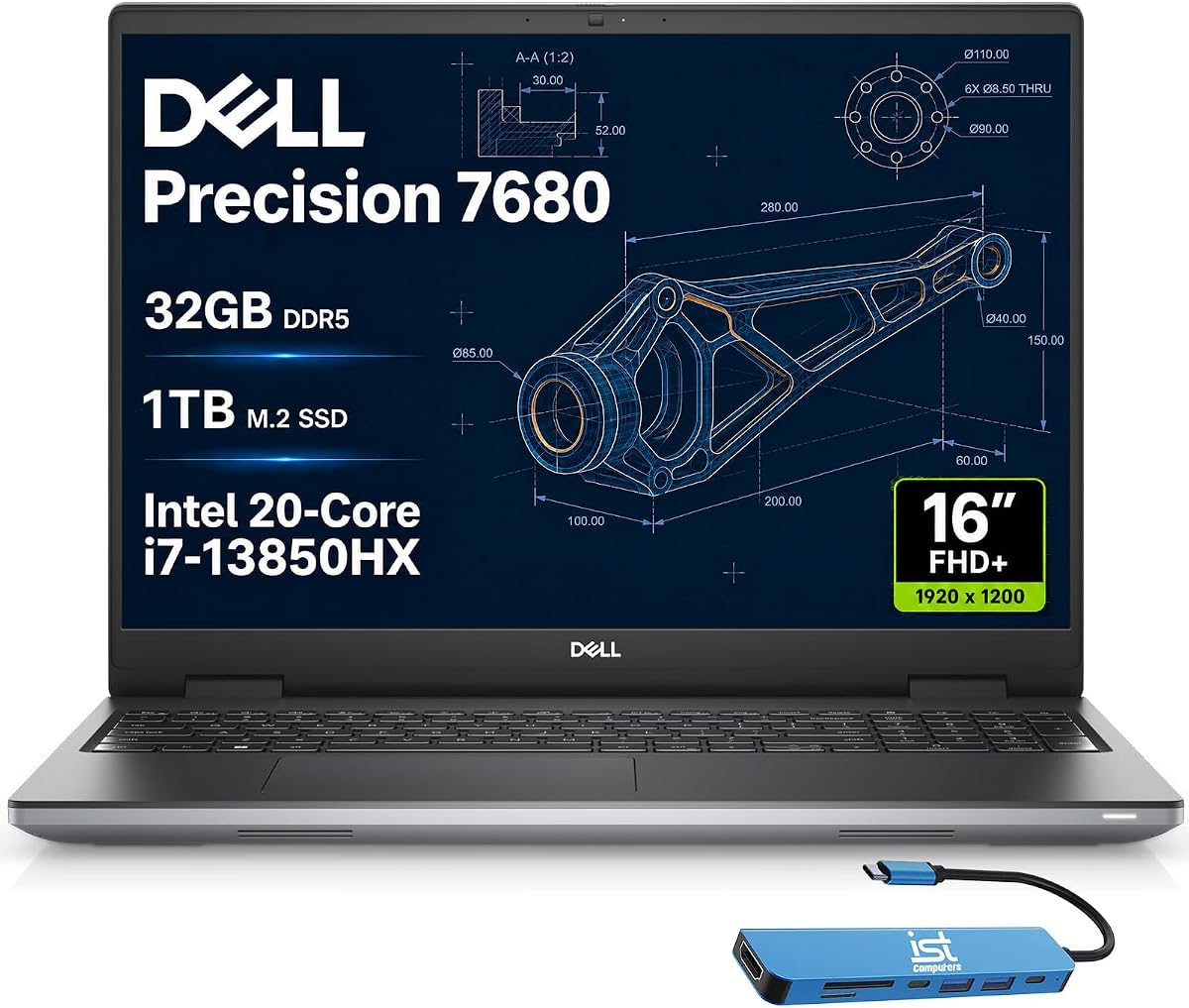
This version of the Dell Precision 7680 offers a balanced mix of power and value. It features a potent i7 processor. This handles most video editing workflows smoothly without the extreme cost of the i9 model.
We may earn a commission when you buy through this link, at no additional cost to you.
The 32GB DDR5 RAM ensures fluid multitasking. You can keep multiple applications open while editing. The SSD speeds up boot times and file access. The 16-inch screen offers a comfortable workspace.
It includes ISV certifications for professional stability. This means it is tested with Adobe software. Connectivity options are robust for external drives. The backlit keyboard aids typing in dark studios.
This model fits professionals seeking workstation quality. It is suitable for daily editing tasks. While the price is higher than laptops, the durability makes it worthwhile. Choose this for reliable performance.
ISV certification prevents software conflicts. This ensures a smooth editing experience always.
NVMe SSDs reduce project load times. This speeds up your overall workflow significantly.
We may earn a commission when you buy through this link, at no additional cost to you.
This configuration enhances storage capabilities significantly for the Dell Precision 7680. The 2TB SSD allows you to store large raw footage locally. The 64GB RAM handles heavier timelines than standard configurations.
We may earn a commission when you buy through this link, at no additional cost to you.
The RTX 1000 GPU provides reliable acceleration for 1080p editing. It supports color grading tools well. The Pro Support Plus warranty offers peace of mind for business users. It ensures quick service if hardware fails.
Windows 11 Pro enables advanced management tools. This is useful for enterprise environments. The build quality ensures durability during transport. The numeric keypad aids data entry tasks.
Ideal for users needing local storage for many projects. This reduces reliance on external drives. The extra RAM supports future-proofing. Select this if data capacity is your priority.
2TB SSD holds more footage. This minimizes the need for external hard drives.
Pro Support Plus reduces downtime risk. You get expert help quickly when needed.
We may earn a commission when you buy through this link, at no additional cost to you.
The Dell Precision 5550 offers an affordable entry into workstation territory. Its renewed status makes it budget-friendly for students. It maintains professional build quality. The 32GB RAM is sufficient for basic editing needs.
We may earn a commission when you buy through this link, at no additional cost to you.
While the 10th gen Core i7 is older, it still handles 1080p tasks. It is reliable for simple cuts and titles. The 1TB SSD ensures fast loading speeds. The 15.6-inch screen is decent for color accuracy.
It is not suited for high-end rendering. You may face delays with complex effects. However, for basic editing or learning, it works well. The portable form factor is a bonus.
This laptop suits beginners or casual users. It provides a reliable platform for learning Premiere. The price makes it accessible. Choose this if you need a cheap professional machine.
Renewed units cut costs drastically. This lets you afford better RAM within budget.
Professional build withstands wear. This is better than consumer plastic designs.
We may earn a commission when you buy through this link, at no additional cost to you.
The HP 17 Laptop is a consumer-focused machine with a large screen. It is best for light editing tasks. The AMD Ryzen 5 offers decent efficiency. The 17.3-inch display gives more vertical space.
We may earn a commission when you buy through this link, at no additional cost to you.
Its 8GB RAM limits heavy multitasking. You should expect to close other apps while editing. The 256GB SSD is small for video footage. You will need external drives. Storage expansion is possible.
Performance is adequate for 1080p simple edits. Rendering complex effects will take longer. It is a good starter laptop for casual use. The privacy shutter adds security for video calls.
This option suits students on tight budgets. It is useful for learning basic editing. Upgrade RAM if possible for better flow. Consider it only for non-professional workflows.
17.3 inches offers room. This helps with timeline visibility.
Up to 9 hours power. This allows editing away from outlets.
We may earn a commission when you buy through this link, at no additional cost to you.
The Apple 2025 MacBook Pro redefines mobile creative performance. Its M5 chip delivers unmatched efficiency. Video editors enjoy smooth playback without heat. The XDR display ensures color accuracy.
We may earn a commission when you buy through this link, at no additional cost to you.
Unified memory architecture manages resources smartly. This allows high performance with 16GB. The SSD is fast and reliable. Battery life supports full editing sessions on the go. Apple Intelligence aids workflow.
Its port options are limited but essential. Thunderbolt 4 supports high-speed transfers. The display brightness stands out in studios. Build quality remains premium and durable. Mac integrates with iPhone seamlessly.
Best for editors who value efficiency and screen quality. It is a top choice for travel. While RAM is fixed, it is optimized. Choose this for reliable Apple performance.
M5 handles rendering faster. This reduces wait time during exports.
High brightness ensures accurate grading. This helps in various lighting conditions.
We may earn a commission when you buy through this link, at no additional cost to you.
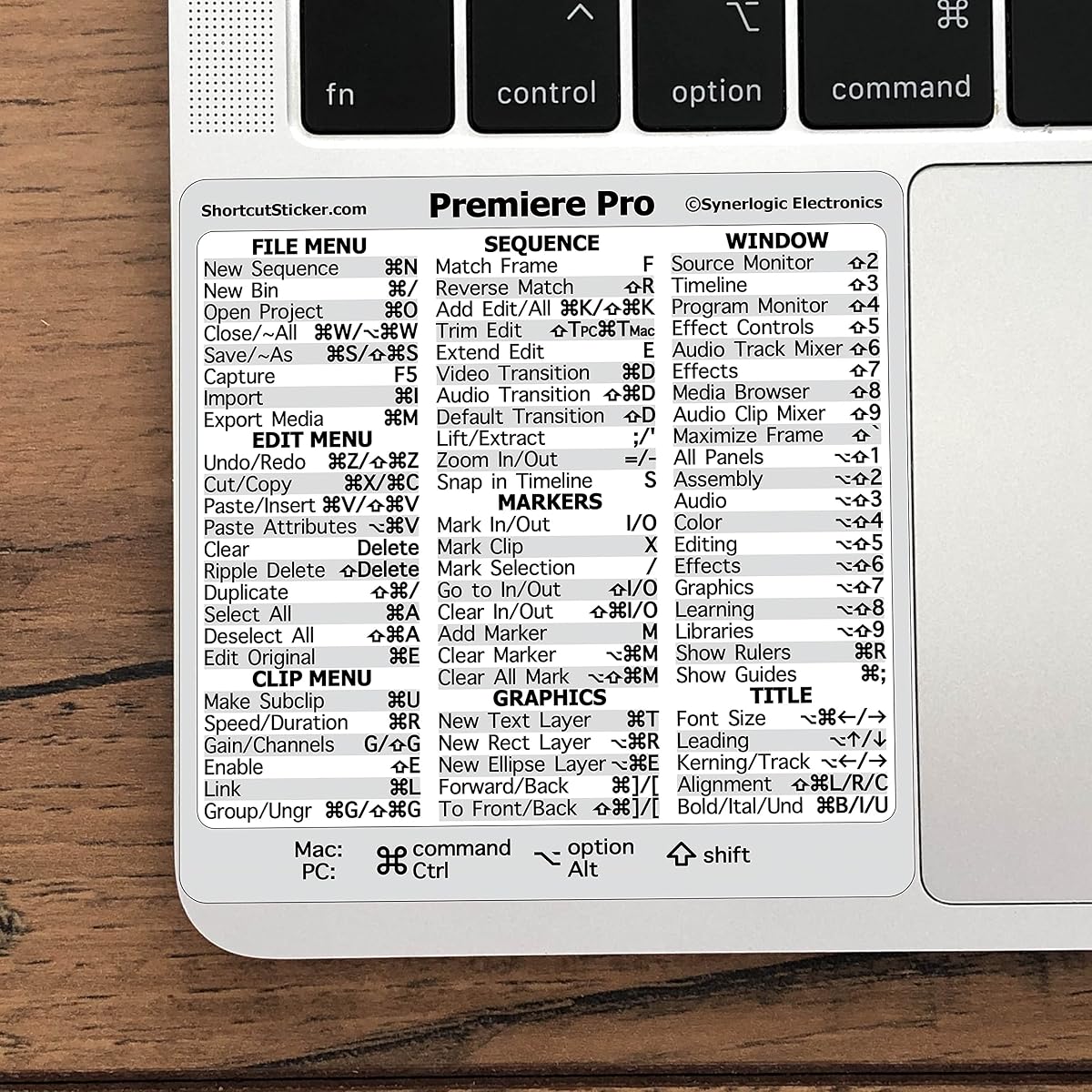
This sticker is a vital accessory for any video editor. It speeds up editing workflows significantly. Essential shortcuts are placed directly on your keyboard. This removes the need to memorize key combos.
We may earn a commission when you buy through this link, at no additional cost to you.
Its durable vinyl material withstands wear. The design is clean and professional. It works on any PC or Mac layout. This ensures compatibility with your existing hardware setup. It is easy to apply.
You will learn commands faster using this aid. It reduces frustration during tight deadlines. While it is not a performance upgrade, it optimizes workflow. The price is minimal for the value.
Ideal for beginners or new software adopters. It helps maintain speed on all systems. Use it alongside your hardware upgrade. Consider this for your final toolkit.
Instant access cuts learning curves. This keeps your focus on creativity.
Works on both Mac and PC. This flexibility suits mixed environments.
We may earn a commission when you buy through this link, at no additional cost to you.
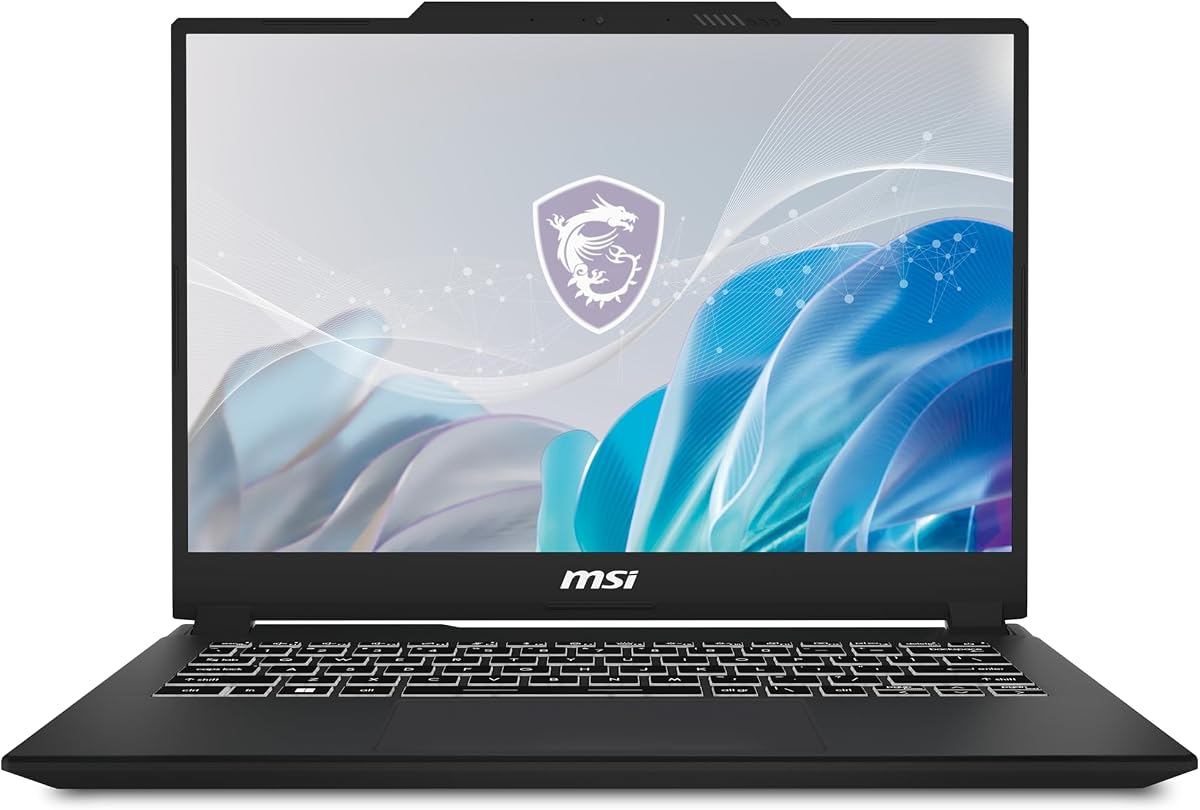
The msi Creator M14 is a compact powerhouse for creators. Its 14-inch chassis is highly portable. The 2.8K display offers sharp details for design. This is great for color grading on the go.
We may earn a commission when you buy through this link, at no additional cost to you.
It features a Core i7 processor and RTX 4050. This combo handles 1080p editing well. The 16GB RAM is standard for this class. The Cooler Boost system maintains performance during rendering. Windows 11 supports modern workflows.
You may face limits with very heavy projects. The 16GB RAM caps multitasking potential. But for travel and casual editing, it excels. The screen quality is a standout feature here.
Suits travelers who need quality screens. It is excellent for field work. Ensure you plan for storage. Choose this if portability is your main goal.
2.8K screen shows clear details. This helps in precise editing work.
Cooler Boost manages heat well. This keeps speeds steady during use.
We may earn a commission when you buy through this link, at no additional cost to you.
Selecting a laptop for video editing requires attention to specific hardware components. We have outlined the most critical factors to help you make an informed decision that matches your workflow needs.
The CPU is the engine of your editing workflow. Look for Intel Core i7 or i9 processors from the 13th or 14th generation. AMD Ryzen 7 or 9 chips are also excellent alternatives. These multi-core CPUs handle timeline playback and encoding faster.
Prioritize a processor with at least 10 cores for smooth performance. Higher clock speeds reduce rendering times and improve general responsiveness.
A dedicated GPU accelerates effects and color grading. For Premiere Pro, an NVIDIA GeForce RTX card is ideal due to its CUDA support. Professional RTX cards offer better stability for 4K work. Integrated graphics are usually insufficient for professional timelines.
Ensure the GPU has at least 4GB of VRAM. More VRAM helps when working with high-resolution footage or multiple external monitors.
RAM determines how many applications you can run simultaneously. 16GB is the minimum for basic editing. 32GB is recommended for 4K projects. More RAM prevents lag when scrubbing complex timelines.
Choose a laptop with expandable RAM slots if possible. This allows you to upgrade later without replacing the entire machine.
Video files require significant storage space. An NVMe SSD is essential for fast read and write speeds. Look for at least 1TB of storage to hold raw footage. Slow hard drives will bottleneck your performance.
Consider models with dual drive slots. This lets you keep your operating system separate from large media files.
A high-resolution screen is vital for accurate color work. Aim for at least 1920×1200 pixels. IPS panels offer better viewing angles. Color accuracy is critical for professional grading.
Check for HDR support if you plan to work with high dynamic range footage. A matte finish reduces glare in bright studio environments.
Video editors need fast data transfer ports. Thunderbolt 4 or USB-C supports fast external drives. HDMI ports are necessary for external monitors. SD card slots simplify importing footage directly from cameras.
Ensure the laptop has enough ports for your current gear. You do not want to carry excessive dongles around.
Editing drains battery quickly. Look for models with efficient processors. Apple Silicon offers exceptional battery efficiency. Windows laptops vary based on screen size.
Always edit plugged in for best performance. But good battery life ensures you can work unplugged during short breaks.
Professional machines need to survive travel. Metal chassis protects internal components better than plastic. Check for MIL-STD testing certification. A sturdy build ensures longevity.
Consider warranty options like onsite support. This helps if hardware fails during critical production periods.
To maximize performance, always update your graphics drivers regularly. Adobe Premiere Pro benefits from the latest optimizations. This ensures smooth playback and compatibility with new features.
Manage your cache files carefully to save disk space. Set your media cache location to a separate drive if possible. This keeps your main system drive clean and fast.
Keep your laptop cool during long rendering sessions. Avoid using it on soft surfaces like beds. Use a cooling pad if the fans struggle to keep up with the load.
Yes, most laptops on this list support 4K editing. Models with high-end GPUs and 32GB RAM handle it best. Lower-end options may require proxy workflows for smooth playback.
For 1080p editing, 16GB is acceptable. For 4K and multitasking, 32GB is recommended. More RAM prevents lag when running other apps like After Effects simultaneously.
Windows offers more hardware choices. Macs offer better battery life and screen quality. Both run Premiere Pro efficiently. Choose based on your preference for operating system.
Yes, a dedicated GPU is crucial. It accelerates effects and playback. Integrated graphics often struggle with complex timelines and high-resolution projects.
Higher resolution helps with color grading. Aim for at least 1920×1200. Good color accuracy ensures your edits look right on other displays.
Many workstations allow upgrades. Check the manual before buying. Some thin laptops have soldered storage. Always consider your total storage needs upfront.
We have reviewed ten distinct options ranging from high-end workstations to budget-friendly choices. The Dell Precision 7780 stands out for power while the HP 17 offers affordability for beginners.
When choosing, prioritize the CPU and GPU for rendering speed. Ensure you have enough RAM for your workflow needs. A good screen is vital for accurate color work on your projects.
Prices and models change frequently. Verify the latest specs before finalizing your order. Investing in the right machine now saves you frustration during future production deadlines.