
5X Magnifying Glass with Clip
3.6Editor score
10×6 inch large viewing area
Flexible gooseneck adjustment
Lightweight detachable design
Finding the right magnifying glasses for computer monitors can transform your digital experience. Whether you need help reading small text or enjoying movies, the right tool reduces eye strain and improves comfort during extended screen time.
We evaluated ten distinct products ranging from clip-on lenses to full screen amplifiers. Each option was assessed for optical clarity, build quality, adjustability, and suitability for different monitor sizes and user needs.
Each pick below details specific strengths and ideal use cases. Keep in mind that availability and pricing fluctuate frequently so checking the linked product pages ensures you get the most current information before purchasing.
3.6Editor score

3.2Editor score

3.4Editor score
As an Amazon Associate we earn from qualifying purchases.
The following table offers a side-by-side comparison of all ten selected products. Review the key specifications to determine which magnifier aligns best with your specific monitor size and usage requirements.


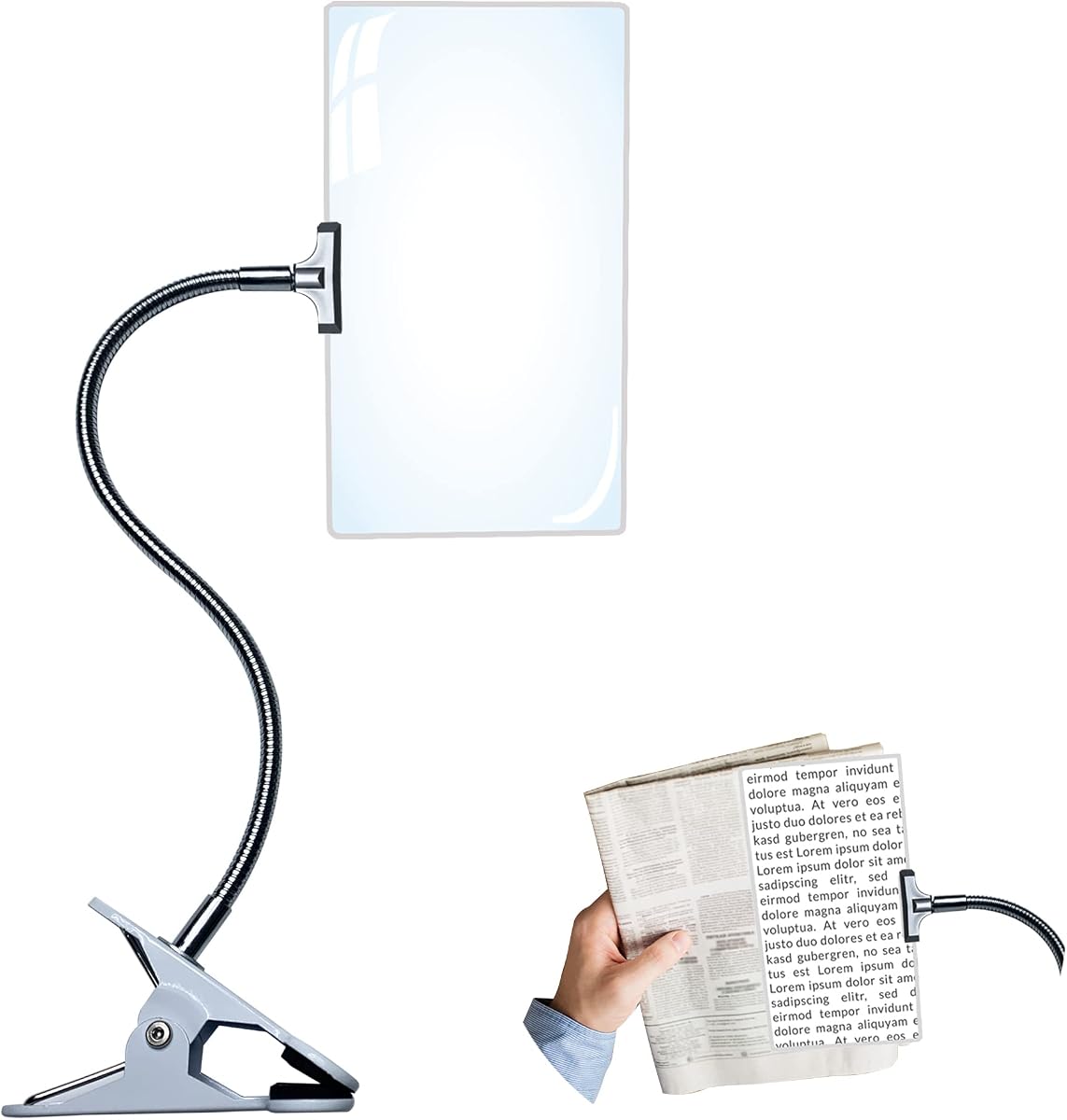
The 5X Magnifying Glass with Clip offers an accessible entry point for those needing assistance with text. Its optical grade PVC lens delivers a clear image with minimal distortion for daily tasks. Users appreciate the large viewing area which covers most text without constant movement.
We may earn a commission when you buy through this link, at no additional cost to you.
A key strength is the flexible gooseneck allowing 360-degree adjustment. This ensures the lens sits exactly where needed whether on a desk or bed. The detachable design adds versatility allowing users to switch between clip-on and handheld modes easily.
Trade-offs include the plastic lens which may scratch easier than glass. While suitable for hobbyists and reading it is not designed for screen use. The lightweight build is comfortable but may feel less durable over time.
This product is ideal for seniors or crafters needing a simple low cost magnifier. It works well for reading books or inspecting small details without investing in complex electronics.
The detachable clip mechanism allows secure mounting on various surfaces while enabling quick conversion to a handheld tool.
With a 10×6 inch lens users can view full pages or large crafting sections without constant repositioning.
We may earn a commission when you buy through this link, at no additional cost to you.
This 21 inch Screen Magnifier is specifically designed to fit laptop and desktop displays. It uses an HD acrylic Fresnel lens to magnify the screen 3 to 5 times. The 3D effect provides a more immersive viewing experience for movies and games.
We may earn a commission when you buy through this link, at no additional cost to you.
The adjustable angle design allows users to set the lens for standing or reading positions. Its collapsible nature makes it easy to store or take while traveling. Since it requires no power it is energy efficient and simple to use.
A notable limitation is the need for low light environments to avoid glare. Direct sunlight or bright overhead lights can reduce effectiveness. Additionally it may not suit users with severe vision impairments.
Best for casual users wanting to reduce eye strain during video consumption. It serves well as a gift for seniors or students needing occasional screen enlargement.
The lens curvature aligns with the human eye to reduce fatigue during extended watching sessions.
The lightweight build folds down compactly making it easy to pack for travel or storage.
We may earn a commission when you buy through this link, at no additional cost to you.
This screen magnifier offers broad compatibility with laptops and mobile phones. The high definition optical lens ensures clarity for video or text tasks. Its wooden frame adds a touch of elegance and durability to the design.
We may earn a commission when you buy through this link, at no additional cost to you.
Six branch points with pivot rotation allow versatile positioning for reading newspapers or watching content. The design prevents radiation exposure from devices while maintaining focus. It serves as a stylish addition to any workspace.
The higher price may be a consideration for budget focused buyers. Limited rating data makes it harder to gauge long-term satisfaction. However the material quality suggests reliability.
Ideal for users needing a premium look with multi-device support. It works well for those who switch between laptops and phones during the day.
The frame adapts to various screen sizes ensuring flexibility across different gadgets.
By increasing viewing distance the device helps reduce exposure to harmful radiation from screens.
We may earn a commission when you buy through this link, at no additional cost to you.
The YOCTOSUN Magnifying Glasses provide five optical lenses for varied magnification needs. The acrylic resin lenses are durable and scratch resistant ensuring longevity. Three LED lights with adjustable brightness offer excellent visibility for detailed tasks.
We may earn a commission when you buy through this link, at no additional cost to you.
A rechargeable battery system reduces the need for frequent battery replacements. The ergonomic frame with rubber nose bridge distributes weight evenly for comfort. This makes it suitable for long work sessions without fatigue.
Wearing a headset can feel restrictive for some users. It is designed for close work like repair or crafts not screen viewing. The need to swap lenses manually can be cumbersome.
Best for hobbyists and professionals requiring hands-free precision work. The included lighting makes it valuable for dark environments.
Switching between lenses allows customization for different tasks from sewing to watch repair.
The LED lights reduce shadows making intricate work easier without external lamps.
We may earn a commission when you buy through this link, at no additional cost to you.
This magnifier features four detachable lenses offering a range of magnification strengths. The adjustable LED light allows precise illumination of the work area. A rechargeable battery ensures long use without interruption.
We may earn a commission when you buy through this link, at no additional cost to you.
The ergonomic frame mimics regular glasses reducing pressure on the nose and temples. An elastic headband secures the unit firmly during movement. Cleaning cloth inclusion protects the lenses from scratches.
Each lens has a fixed focal length requiring distance adjustment. This might slow down workflow compared to zoom options. The weight may be noticeable over several hours of use.
Perfect for jewelers or crafters needing high precision. The adjustable light direction is a significant benefit for varied angles.
Adjusting the light direction ensures the task area is always well lit.
Acrylic resin lenses resist wear and tear making the tool long lasting.
We may earn a commission when you buy through this link, at no additional cost to you.
These glasses feature blue light blocking technology to protect eyes during screen use. The polycarbonate lens is durable and lightweight for all day wear. Bright LEDs on both sides of the frame improve visibility.
We may earn a commission when you buy through this link, at no additional cost to you.
USB charging makes it convenient to power up without buying batteries. The ergonomic design ensures comfort even during prolonged use. It is suitable for reading or crafting tasks.
Magnification is limited to 2X which may not suffice for very small text. The design is not meant for screen enlargement. The blue light filter helps but may tint the view slightly.
Ideal for users sensitive to blue light or needing basic magnification. The lightweight build makes it a practical daily tool.
Built-in technology reduces eye strain from artificial light and electronic devices.
The USB rechargeable battery allows easy topping up at any standard port.
We may earn a commission when you buy through this link, at no additional cost to you.
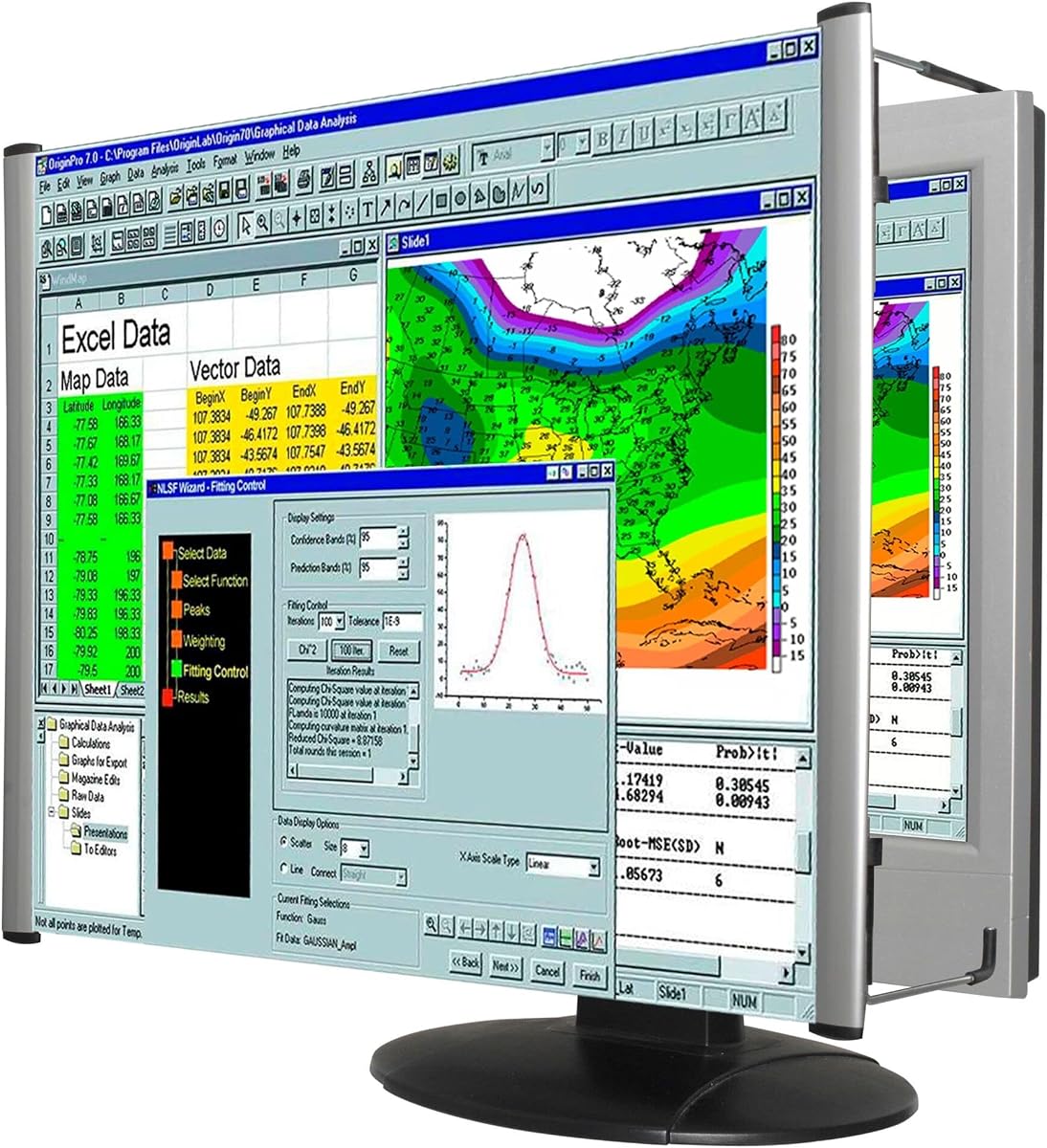
The Kantek filter is designed for professional environments needing reliable screen enlargement. Its Fresnel lens with antiglare coating enhances readability in bright offices. It is fully assembled for quick setup.
We may earn a commission when you buy through this link, at no additional cost to you.
Adjustable magnification allows users to customize the view. The lightweight design reduces strain on the monitor stand. It fits standard widescreen ratios effectively.
The higher price point may deter casual users. It is specifically for desktop monitors not laptops. Compatibility must be checked before purchase.
Best for corporate settings or users with specific ergonomic needs. It offers a polished and reliable solution for visual tasks.
Built for office environments ensuring durability and consistent performance.
The coating minimizes reflections improving contrast and text clarity.
We may earn a commission when you buy through this link, at no additional cost to you.
This magnifier offers hands-free reading with a secure alloy clamp. The bendable hose allows precise positioning for text or detailed tasks. It is designed to sit stably on desktops without slipping.
We may earn a commission when you buy through this link, at no additional cost to you.
High definition lenses ensure clarity for small text or labels. The multi-use helper fits various tasks from sewing to repair work. Its portable nature allows movement between desks.
The hose might require adjustment after long periods. It is not designed for screen enlargement. The clamp may not fit all desk thicknesses.
Ideal for office workers needing occasional assistance. The secure hold and portability make it a practical choice.
The alloy spring clamp ensures the tool stays in place during use.
Easy to move around allows flexibility for different tasks.
We may earn a commission when you buy through this link, at no additional cost to you.
Designed for low vision seniors this tool offers full page magnification. The Fresnel lens provides an undistorted view of books or newspapers. A flexible gooseneck allows 360-degree positioning.
We may earn a commission when you buy through this link, at no additional cost to you.
The lightweight detachable lens is comfortable for extended use. It can be clamped securely to desks or beds. The plastic construction ensures it won't shatter easily.
Plastic may scratch over time reducing clarity. It relies on a stable surface for optimal use. Not suitable for screen tasks.
Perfect for elderly users needing simple reading assistance. The hands-free design reduces wrist strain significantly.
The secure clamp and lightweight build accommodate physical limitations.
Large area allows reading whole lines without moving the tool.
We may earn a commission when you buy through this link, at no additional cost to you.
This MAXVIEW filter offers a professional upgrade for office monitors. It uses an optical grade acrylic lens with tint for contrast enhancement. The patented design is lightweight and easy to adjust.
We may earn a commission when you buy through this link, at no additional cost to you.
Users can change magnification by altering distance to the display. It fits widescreen monitors effectively without obscuring tools. The elegant build complements modern workspaces.
Not suitable for visually impaired users as the tint may restrict visibility. Bright light can cause reflections. Installation instructions must be followed carefully.
Best for general office use needing a subtle enhancement. The adjustable design provides flexibility for different tasks.
The design prioritizes ease of use and comfort for daily office work.
A light tint on the lens helps make text stand out against backgrounds.
We may earn a commission when you buy through this link, at no additional cost to you.
Selecting the right magnifier requires evaluating lens type size adjustability and specific needs. This section breaks down the key factors to ensure you find a tool that enhances your viewing experience.
Optical glass offers the highest clarity but is heavier and more fragile. Acrylic or plastic Fresnel lenses are lighter and more affordable but may scratch easier. Choose based on durability needs and budget.
Prioritize optical materials for critical viewing tasks or budget-friendly plastics for casual use.
Magnification typically ranges from 1.5X to 5X. Higher magnification is better for small text but reduces field of view. Ensure the level matches your vision needs without blocking too much of the screen.
Select a magnification that balances detail with coverage for comfortable usage.
Some magnifiers fit specific monitor sizes like 22 inches. Others work universally across laptops and phones. Check the dimensions and aspect ratio to ensure a proper fit without obstructing keyboard access.
Verify compatibility with your device dimensions before purchasing.
Flexible goosenecks allow precise positioning while clamps offer stability. Desktop stands free up hands but occupy space. Adjustable angles are crucial for comfortable reading or screen viewing.
Choose a mounting style that suits your workspace and mobility needs.
Integrated LED lights assist in low light conditions and reduce eye strain. Rechargeable batteries offer convenience while disposable ones are simpler to replace. Brightness levels should be adjustable for comfort.
Ensure the lighting is bright enough to illuminate your task without glare.
Collapsible designs are ideal for travel or moving between rooms. Heavier models may be stable but harder to transport. Consider how often you will move the magnifier.
Select a portable option if you plan to use the device in multiple locations.
Lightweight materials and ergonomic shapes reduce fatigue during long sessions. Adjustable straps or frames help secure the device. Comfort is key for extended usage periods.
Prioritize ergonomic features to prevent discomfort during daily use.
Prices vary significantly from budget clip-ons to professional filters. Higher cost often indicates better build quality or specialized features. Balance your budget with the required features.
Invest in a product that offers the necessary features for your specific tasks.
Start by positioning the magnifier at a comfortable distance from your eyes. Adjust the angle and height so your view is clear without strain. Secure any clamps or stands to prevent movement during use.
Clean lenses gently with a soft cloth to avoid scratches. Avoid harsh chemicals that could damage the coating. Store the device in a protective case when not in use to extend its lifespan.
Regularly check the stability of clamps or mounts. Tighten any loose components to ensure safety. If using LED lights, keep the battery charged to maintain visibility during tasks.
For a 24-inch monitor look for magnifiers rated 21 to 22 inches to avoid obstruction. Ensure the visual area of the lens matches your screen dimensions. This prevents keyboard blockage and maintains usability.
Optical magnifiers are simpler and do not require power. Digital options offer zoom features but cost more and need charging. Choose based on your need for advanced features versus simplicity.
Yes but ensure the clamp does not scratch the surface. Use a protective film or soft padding if possible. Avoid excessive force to prevent damage to the screen.
Typically a full charge lasts between 3 to 7 hours depending on brightness. Rechargeable models reduce long-term costs. Check the specific battery life before purchase.
Yes it reduces eye strain during extended use. Many magnifiers now include coatings to filter harmful light. This feature is valuable for frequent computer users.
Use a microfiber cloth to wipe away dust. Apply lens cleaner sparingly if needed. Avoid paper towels that might scratch the surface.
They assist with small text but are not medical devices. Consult an eye specialist for severe conditions. Some models are rated specifically for low vision users.
Most work on LCD and LED screens. Avoid using on curved or touch screens without checking compatibility. Verify the fit before purchasing.
We covered ten top options ranging from budget clip-ons to professional monitors. The 21 inch Screen Magnifier stands out for versatility while the Kantek models offer reliability for workspaces.
Prioritize features like lens material and adjustability based on your specific needs. Comfort and portability should guide your choice for daily usage.
Always check current prices and availability before buying. Prices may vary so visiting the product pages ensures the best deal at this time.