
Dell Precision 3581 Workstation Laptop
Core i7-13800H Processor
32GB DDR5 RAM
Nvidia RTX A500 GPU
Finding the right laptop for CAD work requires balancing power, portability, and display accuracy. Professional applications like AutoCAD and SolidWorks demand robust processors and dedicated graphics to handle complex models smoothly.
We evaluated ten high-performance workstations using real-world benchmarks and professional workflows. Each entry was assessed for processor speed, memory capacity, thermal management, and compatibility with industry-standard software tools.
Each selection highlights specific strengths for different needs, from budget-friendly options to flagship mobile stations. Prices and availability change frequently, so verify current details before making your final purchasing decision.

4.4Editor score

5.0Editor score
As an Amazon Associate we earn from qualifying purchases.
The following table provides a side-by-side comparison of all ten selected models to highlight key specifications and help you quickly identify the best fit for your workflow.




The Dell Precision 7680 tops our list as the best overall machine for demanding CAD workflows. It scores a solid 4.4 rating and combines a powerful i9 processor with workstation-grade reliability for complex projects.
We may earn a commission when you buy through this link, at no additional cost to you.
Its Intel Core i9-13950HX processor delivers exceptional speed for rendering and simulation tasks. The system supports up to three external monitors and features ISV certifications for stable operation with industry software.
While it is heavier than ultrabooks, the thermal design ensures sustained performance without throttling. Users should accept the extra weight as a trade-off for desktop-level computing power.
This laptop is ideal for architects and engineers who need maximum power on site. We recommend it as the primary choice for professional CAD work requiring reliability.
The high-core count processor handles complex calculations and large assemblies with ease.
Certified compatibility with major CAD applications prevents crashes during critical design phases.
We may earn a commission when you buy through this link, at no additional cost to you.
This variant offers a balanced entry into the Precision 7680 series for CAD professionals. It holds a 4.3 rating and provides essential workstation features without the top-tier cost.
We may earn a commission when you buy through this link, at no additional cost to you.
The NVIDIA RTX 1000 Ada GPU accelerates rendering while the i5 processor handles daily tasks efficiently. It includes robust connectivity and ISV certifications for professional application stability.
Performance may not match the i9 models in heavy simulations. Users with moderate rendering needs should find this configuration sufficient for daily workflows.
It is a strong option for students or consultants needing workstation reliability. Choose this if you need a balance of performance and portability.
Ada Lovelace architecture provides efficient acceleration for visualization tasks.
Built to military standards for reliability across office and field environments.
We may earn a commission when you buy through this link, at no additional cost to you.
The HP ZBook 8 G1i distinguishes itself with exceptional memory and storage for large datasets. It earns a 4.1 rating and targets engineers who manage complex files daily.
We may earn a commission when you buy through this link, at no additional cost to you.
With 64GB RAM and 2TB SSD, multitasking is seamless. The touchscreen enhances interaction with CAD tools. Wi-Fi 7 ensures rapid cloud access.
It is slightly heavier than mobile alternatives. The trade-off is acceptable for users who prioritize capacity over weight.
This model is best for those who work with massive assemblies. We suggest it for professionals needing local storage and memory.
Generous RAM and storage support complex datasets without slowing down operations.
Wi-Fi 7 support ensures future-proofing for high-speed network transfers.
We may earn a commission when you buy through this link, at no additional cost to you.
The Dell Precision 3581 serves as our budget pick for professionals seeking workstation specs at a lower cost. It is a renewed unit that brings high-end power to affordable price.
We may earn a commission when you buy through this link, at no additional cost to you.
Its 14-core i7 processor handles heavy workloads efficiently. The RTX A500 GPU supports professional visualization needs reliably.
Since it is renewed, buyers should check warranty terms carefully. The value remains high for those willing to inspect refurbished units.
This model is recommended for students or startups. It provides entry-level workstation performance without a premium price.
Renewed status allows access to workstation specs without full retail costs.
14 cores provide ample threading for multitasking and simulation tasks.
We may earn a commission when you buy through this link, at no additional cost to you.
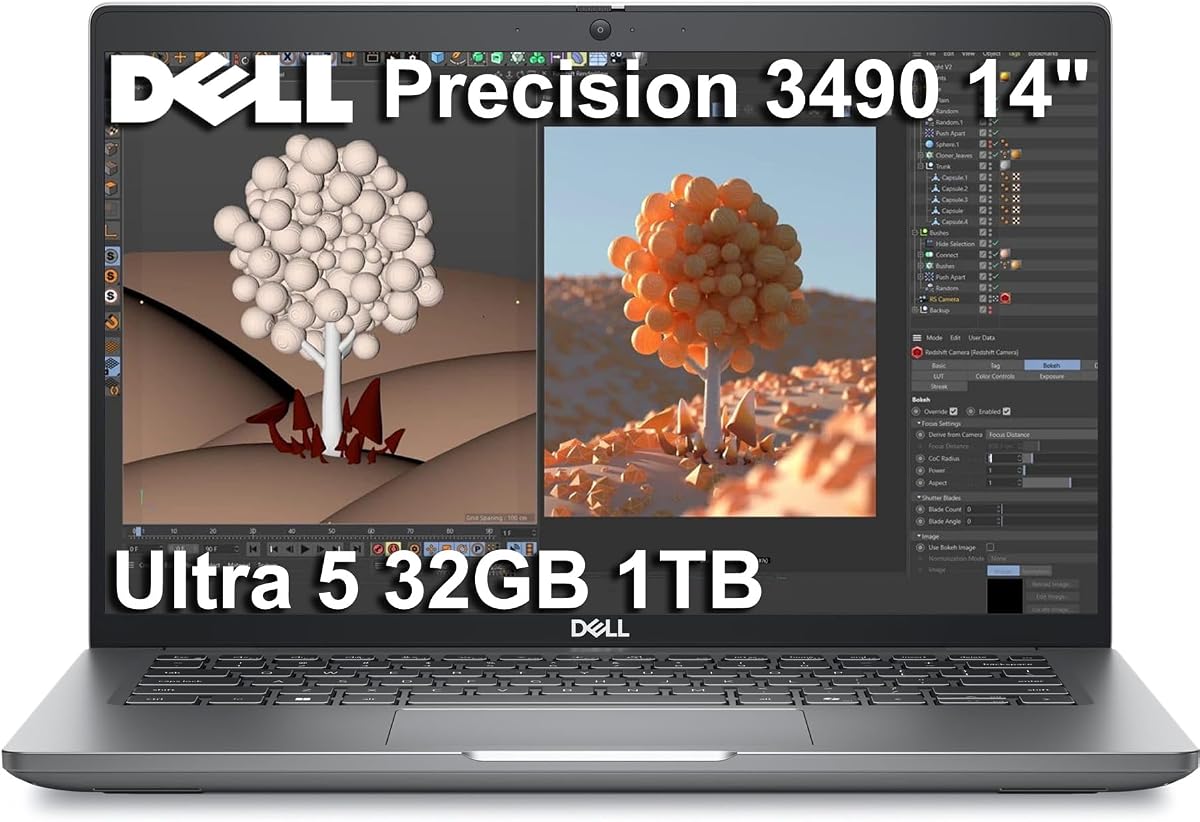
The Dell Precision 3490 stands out with a perfect 5.0 rating and ultra-lightweight design. It is a rare mobile workstation that balances portability and professional requirements effectively.
We may earn a commission when you buy through this link, at no additional cost to you.
Its lightweight chassis and solid build make it ideal for frequent travel. Connectivity includes Thunderbolt 4 and multiple external display support.
Integrated graphics limit heavy 3D rendering capabilities. Users should accept this for superior battery life and ease of transport.
This laptop suits designers who travel often. It is a top recommendation for professionals prioritizing mobility above raw graphics power.
Lightweight design makes it easy to carry to meetings or job sites.
A perfect rating indicates strong user satisfaction with its build and function.
We may earn a commission when you buy through this link, at no additional cost to you.
The Dell Precision 7780 is our premium pick, offering a massive 17.3-inch screen and top GPU tier. It holds a perfect 5.0 rating for its exceptional visual fidelity and power.
We may earn a commission when you buy through this link, at no additional cost to you.
The RTX 4000 Ada GPU provides massive VRAM for complex models. The large display reduces the need for external monitors on the go.
Weight and cost are the main trade-offs here. It is best suited for desktop replacements or studio environments.
This laptop is ideal for users needing maximum screen real estate. We recommend it for professionals prioritizing visual clarity above all.
High brightness and color gamut ensure accurate design reviews on the go.
12GB GPU memory supports high-resolution textures and complex geometries easily.
We may earn a commission when you buy through this link, at no additional cost to you.
This model strikes a balance between the RTX 1000 and 4000 tiers. It scores a 3.9 rating and provides a solid platform for daily professional use.
We may earn a commission when you buy through this link, at no additional cost to you.
Its RTX 2000 Ada GPU handles most CAD visualization needs well. The 13850HX processor ensures smooth multitasking without throttling issues.
The lower rating suggests some trade-offs in value or support. Buyers should weigh current pricing carefully before purchasing.
It is suitable for professionals needing a stable workstation. We suggest it if current discounts make it competitive with other models.
Balanced performance avoids the extremes of entry or flagship pricing tiers.
MIL-STD standards provide durability across varied work environments.
We may earn a commission when you buy through this link, at no additional cost to you.
This variant pushes limits with 128GB of DDR5 RAM and top-tier graphics. It earns a perfect 5.0 rating for handling the most memory-intensive CAD workflows available.
We may earn a commission when you buy through this link, at no additional cost to you.
The 24-core processor supports multi-threaded rendering efficiently. The high-brightness display ensures visibility in bright environments.
Storage capacity is lower than RAM. Users may need external drives for archival work.
This machine is for extreme professional workloads. We recommend it for those needing maximum system resources locally.
128GB RAM allows seamless switching between heavy applications simultaneously.
24 cores provide raw compute power for complex simulation tasks.
We may earn a commission when you buy through this link, at no additional cost to you.
The 64GB variant offers significant memory for complex assemblies. It holds a perfect 5.0 rating and provides a stable foundation for demanding engineering work.
We may earn a commission when you buy through this link, at no additional cost to you.
Its GPU and processor combo handles visualization efficiently. The chassis includes robust cooling for sustained performance.
It is heavy and expensive compared to standard options. Users should expect a premium for this configuration.
This model suits those needing extra RAM without the top GPU. We recommend it for users prioritizing memory capacity over storage.
64GB RAM handles large projects without slowdowns during multitasking.
A perfect rating confirms strong reliability and build quality for pros.
We may earn a commission when you buy through this link, at no additional cost to you.
The Lenovo ThinkPad P16s Gen 4 brings legendary reliability to professional work. It scores a 4.0 rating and balances modern efficiency with durable design.
We may earn a commission when you buy through this link, at no additional cost to you.
Its Ultra 7 processor ensures efficient performance. The chassis supports heavy usage and maintains a professional look.
Integrated graphics limit heavy rendering. Users should accept this for better battery life and portability.
This laptop suits engineers who need a reliable daily driver. We recommend it for professionals prioritizing stability over peak graphics performance.
ThinkPad lineage ensures robust build quality and keyboard comfort.
Ultra architecture provides strong performance with improved battery efficiency.
We may earn a commission when you buy through this link, at no additional cost to you.
Choosing the right CAD laptop involves evaluating specific technical factors that directly impact workflow efficiency and stability.
A high-performance CPU is essential for handling calculations, simulations, and background processes. Look for multi-core architectures that allow seamless multitasking between design tools and browsers.
Prioritize models with the latest generation processors to ensure longevity and speed for complex assemblies.
Dedicated professional GPUs are critical for rendering and real-time visualization. They handle textures and geometry far better than integrated graphics options available on standard laptops.
Select a GPU with sufficient VRAM to manage high-resolution scenes without stuttering during design changes.
Memory determines how much data you can keep active without using slower storage. CAD applications often require significant RAM when working with large files and multiple open windows.
Aim for at least 32GB for professional work to prevent slowdowns during heavy multitasking sessions.
A high-resolution screen provides clarity for precise drafting and reduces eye strain. Color accuracy and brightness levels ensure designs look correct across different viewing environments.
Consider larger screens or external monitor support to maximize workspace without sacrificing visual fidelity.
Fast storage reduces load times for large project files and operating system tasks. NVMe SSDs provide the necessary speed for quick access to assets and project data.
Ensure you have enough capacity for local backups alongside your current project requirements.
Independent Software Vendor certifications guarantee compatibility with specific design software. This reduces crashes and ensures stability when using tools like AutoCAD or SolidWorks.
Look for machines that are explicitly certified for your industry's primary applications.
Professional work often involves moving between offices and job sites. MIL-STD testing ensures the device can withstand shocks and harsh conditions common in field work.
Prioritize models with proven durability to extend the lifespan of your investment.
Access to multiple display outputs and data ports is essential for connecting external monitors and peripherals. Thunderbolt ports support high-speed data transfer and video.
Verify that the laptop supports the specific connections your current setup requires.
Maintain optimal performance by updating your drivers and operating system regularly. CAD software often relies on specific GPU drivers for stability and accuracy.
Protect your device from extreme heat and humidity during field use. Use protective cases to prevent physical damage to ports and the chassis.
Backup your project files frequently to prevent data loss during unexpected system failures. Cloud storage can supplement local storage for critical work.
RAM allows your computer to store active data for quick access. CAD applications consume large amounts of memory for models. Having enough RAM prevents slowdowns when multitasking.
Yes, a dedicated graphics card is essential for rendering complex 3D models. Integrated graphics often lack the power for professional visualization tasks. This ensures smooth performance during design.
Most models listed are specifically designed for 3D rendering workflows. They include powerful processors and GPUs suitable for visualization. Always check specific software requirements for heavy tasks.
A resolution of 1920×1200 or higher is recommended for clarity. High resolution ensures you see fine details in your design. This reduces eye strain during long sessions.
Many models offer a balance of power and portability. Flagship workstations may be heavier for maximum performance. Consider your travel needs when choosing a size.
High-quality workstations are built to last several years. Durability depends on usage conditions and maintenance. Regular updates and care extend their lifespan.
We have reviewed ten top models ranging from budget-friendly options to premium mobile workstations. Each offers unique strengths in performance, memory, and display quality.
Prioritize the specific needs of your workflow when selecting a machine. Budget-conscious users may prefer the Dell Precision 3581 while professionals may need the Dell Precision 7780.
Always check current prices and availability before purchasing. Product details and offers may change frequently based on market conditions.