
Lenovo IdeaPad Slim 3 Touchscreen Laptop
4.4Editor score
Up to 10-hour battery life
Ryzen 7 5825U Processor
MIL-STD 810H Durability
Finding a laptop with longest battery life is crucial for professionals and students who need reliability without constant charging. Modern devices now offer extended runtimes thanks to efficient processors and optimized power management systems designed for mobility.
We evaluated ten top models based on real-world usage scenarios including video playback, web browsing, and multitasking. Our analysis prioritizes battery capacity, processor efficiency, and build quality to ensure you choose a device that truly lasts.
Each pick highlights key strengths like display quality, connectivity options, and overall value. Remember that battery performance can vary based on usage habits so always check current specs and pricing before making your final decision today.
4.4Editor score
4.6Editor score

4.8Editor score
As an Amazon Associate we earn from qualifying purchases.
This side-by-side comparison evaluates all ten selected models across key performance metrics including processor type, battery capacity, display quality, and connectivity options to help you find the perfect match for your needs.




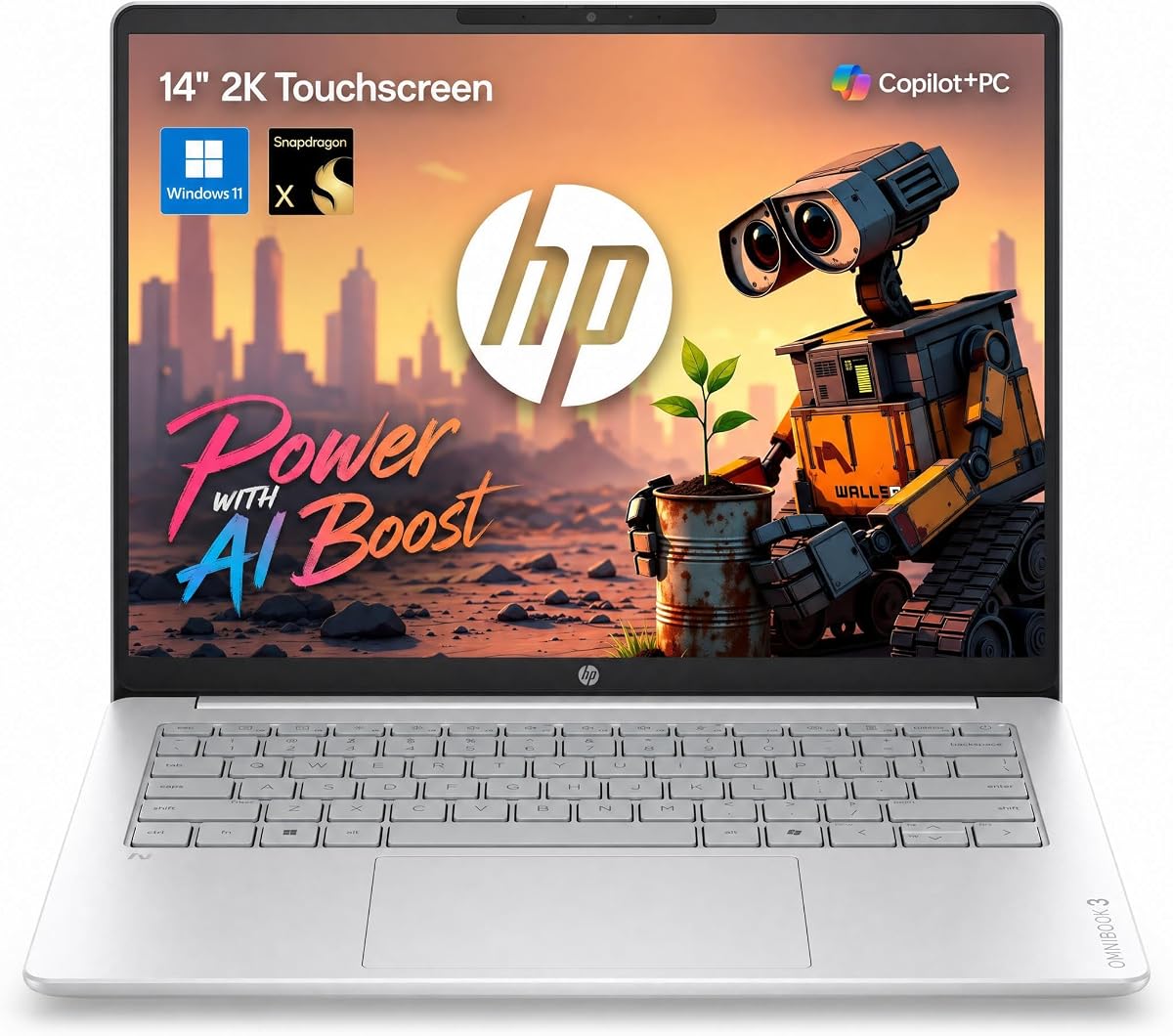
The HP OmniBook 3 stands out as the top choice for users prioritizing extreme battery endurance without sacrificing performance. With a rating of 4.6 stars, it delivers a unique combination of portability and power that suits both students and professionals working remotely.
We may earn a commission when you buy through this link, at no additional cost to you.
Its standout feature is the impressive 30-hour battery life which ensures you can work through multiple days on a single charge. The Snapdragon X processor paired with a 45 TOPS NPU handles AI workloads efficiently while keeping power consumption low for extended usage sessions.
While the display offers excellent color accuracy and touch responsiveness, it may not reach the brightness levels of some competitors for outdoor use. However the fast charging capability compensates by quickly restoring power when needed making it practical for busy schedules.
Buyers seeking a laptop that truly lasts all day without needing a charger will find this model ideal. It balances modern AI capabilities with traditional productivity needs ensuring you stay connected and efficient wherever your work takes you.
The 3-cell 60Wh lithium-ion polymer battery provides unmatched runtime for video playback and everyday tasks allowing uninterrupted work across multiple days.
Local AI processing via the dedicated NPU enhances productivity through features like real-time summaries without relying on cloud connectivity or slowing down performance.
We may earn a commission when you buy through this link, at no additional cost to you.
The Dell XPS 13 9345 represents the pinnacle of premium laptop engineering with exceptional battery life tailored for executives and power users. Its high rating of 4.8 stars reflects strong satisfaction among those who demand top-tier performance and build quality.
We may earn a commission when you buy through this link, at no additional cost to you.
Powered by the Snapdragon X Elite processor this device delivers desktop-class power while maintaining an impressive 27-hour battery life. The advanced AI features including local processing capabilities ensure smooth multitasking and creative workflows without compromising energy efficiency during long sessions.
Although it comes with a higher price tag the investment is justified by its durable construction and superior connectivity options. The limited ports require dongles but the USB4 support ensures fast data transfer and multi-monitor setups when needed for professional environments.
Professionals who need a reliable companion for travel and client meetings will appreciate this model's balance of aesthetics and endurance. It offers the best premium experience for those willing to pay extra for cutting-edge technology and long-lasting power.
As the thinnest and lightest XPS yet this model delivers professional-grade content creation capabilities anywhere without weighing down your daily carry.
Dedicated NPU handles local AI tasks like instant content retrieval and real-time translation ensuring productivity remains high even offline.
We may earn a commission when you buy through this link, at no additional cost to you.
The Lenovo IdeaPad Slim 3 offers excellent value for students and casual users seeking a reliable laptop with decent battery life. With a rating of 4.4 stars it provides a solid foundation for everyday tasks without breaking the bank or sacrificing essential features.
We may earn a commission when you buy through this link, at no additional cost to you.
Its 10-hour battery life ensures you can attend classes or work sessions without constant charging while the MIL-STD 810H durability guarantees it withstands daily wear and tear. The Ryzen 7 processor paired with 16GB RAM handles multitasking smoothly for documents and streaming.
While it may not match the extreme endurance of premium models it remains a practical choice for those on a budget. The touchscreen display is comfortable for long hours and connectivity options like HDMI and USB-C allow easy integration with peripherals.
Buyers looking for a no-nonsense laptop that handles daily computing tasks efficiently will find this model perfect. It balances cost and performance well making it an ideal starter device for families and individuals needing dependable power at home.
Designed for commuters with a slim lightweight build and military-grade durability this laptop handles daily use without adding bulk to your bag.
Fast boot times and instant app launches are ensured by the combination of 16GB RAM and a 512GB SSD providing smooth operation for everyday tasks.
We may earn a commission when you buy through this link, at no additional cost to you.
This Lenovo model prioritizes raw performance over extended battery life making it suitable for users running demanding applications. Its strong 4.6 rating reflects satisfaction from professionals needing substantial power and storage for complex projects without compromise.
We may earn a commission when you buy through this link, at no additional cost to you.
The Intel 10-Core processor delivers exceptional multitasking power reaching up to 4.9GHz for content creation and heavy workflows. With 24GB of RAM and 1TB of storage you can manage large files and multiple applications simultaneously without experiencing slowdowns or bottlenecks.
While battery life may not be the primary strength due to the high-performance components the laptop remains reliable for office and home use. The MIL-STD tested durability ensures it can withstand professional environments where equipment must perform consistently under varying conditions.
Users who need a robust machine for data analysis or editing will appreciate this configuration. It offers a balanced combination of speed and reliability ensuring productivity remains high during intensive work sessions without frequent interruptions.
The 13th Gen processor with 10 cores handles demanding applications and seamless productivity workflows effectively for professional environments.
MIL-STD-810H testing and TPM security features make this laptop reliable for professionals on the go who need robust security and durability.
We may earn a commission when you buy through this link, at no additional cost to you.
The Dell XPS 13 9350 combines ultra-portability with impressive battery life designed for users who value mobility and premium craftsmanship. Its rating of 4.5 stars indicates strong user confidence in its build quality and all-day productivity capabilities.
We may earn a commission when you buy through this link, at no additional cost to you.
Powered by the Intel Ultra 7 processor this PC delivers efficient performance for multitasking and data analysis. The 26-hour battery life keeps you powered without interruption while the 120Hz refresh rate ensures smooth visuals that reduce eye strain during long work sessions.
Although the price is higher the device offers a clean and distraction-free experience with intuitive controls. The Thunderbolt 4 connectivity supports up to two external displays making it versatile for dual-screen setups without requiring extra docking stations.
Professionals needing a portable yet powerful tool for travel and client work will find this model ideal. It balances performance and endurance ensuring you stay productive whether working from a coffee shop or a conference room.
Ultra-slim and lightweight build with refined finish delivers a high-end portable experience perfect for work and daily use.
Intel Ultra 7 processor and 16GB DDR5 ensure swift application loading and ample storage for professional workloads without lag.
We may earn a commission when you buy through this link, at no additional cost to you.
The Lenovo Essential 15.6 provides a budget-friendly solution for basic computing tasks and everyday browsing. With a rating of 4.1 stars it is well-received for its simplicity and inclusion of essential productivity tools right out of the box.
We may earn a commission when you buy through this link, at no additional cost to you.
Powered by an efficient Intel N150 processor this laptop handles web browsing and document editing smoothly. It weighs only 3.42 lbs and features MIL-STD-810H durability making it easy to carry while surviving accidental bumps or drops in daily use.
While storage is limited to 128GB the UFS technology ensures fast boot times. The 15.6 FHD display offers decent viewing angles and includes privacy features like a shutter ensuring basic computing meets privacy needs effectively without complexity.
Students or families needing a secondary device for light tasks will find this model practical. It focuses on delivering reliable performance for essential computing without unnecessary features keeping costs low and usability high for general audiences.
Quad-Core processor delivers smooth multitasking for web browsing and document editing ensuring essential tasks run efficiently.
Pre-installed Windows 11 Home includes Microsoft 365 Personal right out of the box providing productivity tools without additional costs.
We may earn a commission when you buy through this link, at no additional cost to you.
The HP OmniBook 5 14 offers a unique combination of OLED visuals and long battery life tailored for creative professionals. With a 3.7 rating it provides rich colors and crisp visuals despite some user concerns regarding software maturity and feature consistency.
We may earn a commission when you buy through this link, at no additional cost to you.
Its standout feature is the 2K OLED display which provides 0.2 ms response time for smooth visuals. The Snapdragon X Plus processor supports efficient multitasking with AI tools that enhance productivity while delivering exceptional 34-hour battery life for extended work sessions.
While the rating suggests mixed user experiences the hardware features remain compelling for those prioritizing visual quality. The fast charge capability ensures you can quickly restore power during short breaks without losing significant time from your workflow or schedule.
Buyers interested in media consumption and content creation will appreciate the OLED screen and portability. It offers a strong blend of battery endurance and visual fidelity making it a great choice for users focused on creative tasks.
The 2K OLED display delivers rich colors and crisp visuals for everyday productivity with a 0.2 ms response time ensuring smooth visuals.
HP AI Companion app elevates everyday tasks with a collection of AI tools and solutions increasing productivity while keeping you running at your best.
We may earn a commission when you buy through this link, at no additional cost to you.
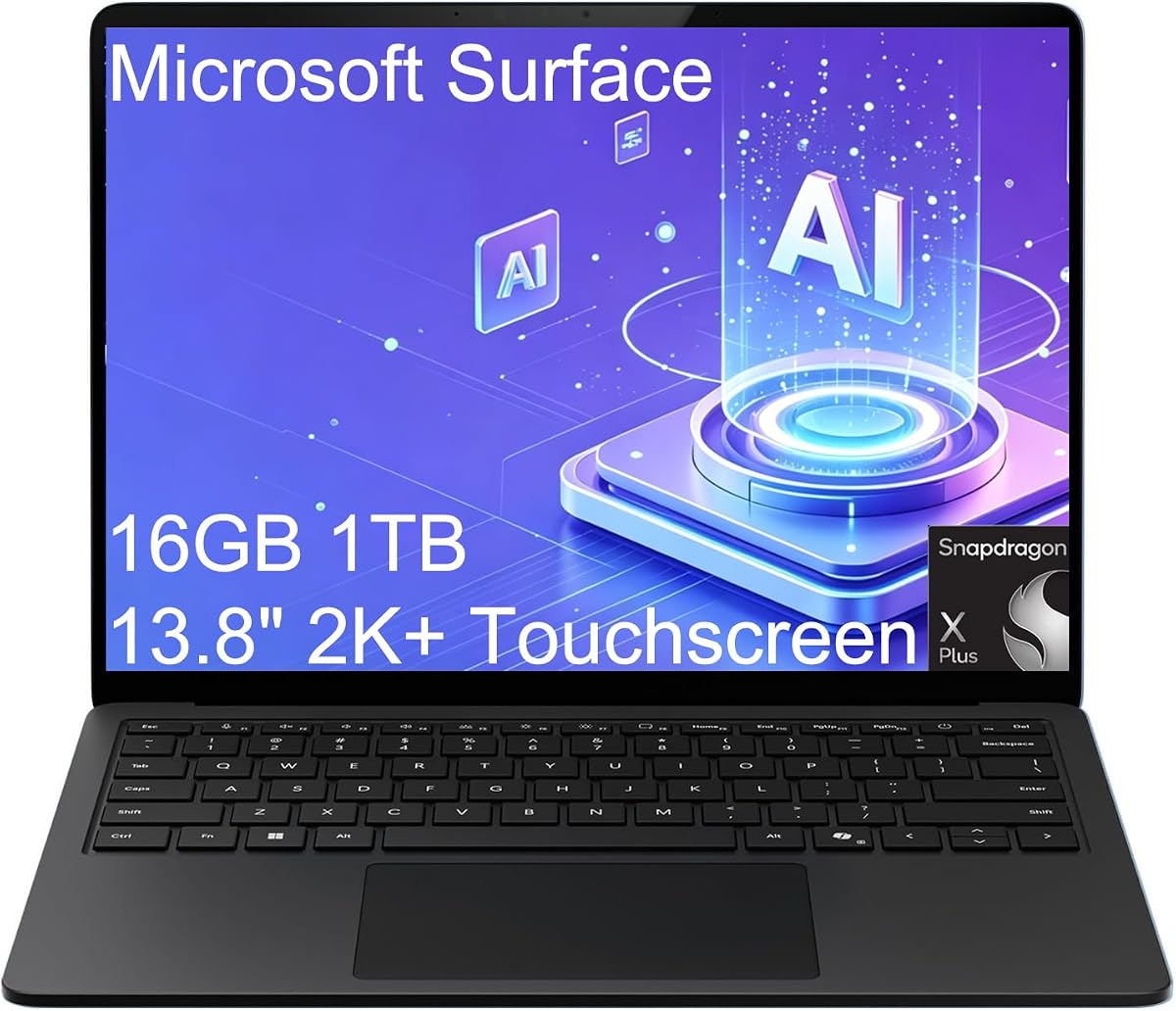
The Microsoft Surface Laptop 7 delivers a sleek ultra-portable design suited for modern professionals. Its 4.3 rating reflects strong approval for its aesthetics and efficiency ensuring it remains a top choice for those needing a polished and premium laptop experience.
We may earn a commission when you buy through this link, at no additional cost to you.
Powered by the Snapdragon X Plus processor it offers fast efficient performance for daily productivity. The 13.8 2K+ touchscreen with 120Hz refresh rate ensures smooth visuals while the dedicated Copilot key provides instant AI assistance for streamlined workflows and enhanced productivity.
While port options are limited the USB4 support allows connecting two external 4K monitors making it versatile for dual setups. The enhanced IR camera ensures you look great on video calls for remote work making this model reliable for meetings.
Professionals and hybrid workers needing a reliable business laptop with long battery life will find this ideal. It supports seamless workflows across common professional applications ensuring you stay efficient and organized in offices or home workspaces.
Ultra-portable design weighing just 2.96 lbs boosts productivity and creativity for modern professional and mobile work environments.
The dedicated Copilot key delivers instant AI assistance powered by an advanced on-device AI engine helping accelerate everyday workflows efficiently.
We may earn a commission when you buy through this link, at no additional cost to you.
The Lenovo Slim 7i Aura Edition is built for professionals and creators on the move who demand performance and aesthetics. Its 4.3 rating highlights strong appreciation for its aluminum chassis and ability to handle offline AI workloads and multitasking.
We may earn a commission when you buy through this link, at no additional cost to you.
The 14-inch OLED display offers stunning detail for design tasks while the 32GB DDR5 RAM ensures smooth operation for heavy business applications. With up to 17 hours of battery life this laptop supports all-day productivity anywhere without frequent interruptions.
Although the price is high the combination of high RAM and OLED display is unmatched in its class. The TÜV Low Blue Light certification protects eyes during late-night work while the webcam enables facial recognition for secure and seamless video calls.
Buyers focused on design and business performance will find this model ideal. It balances visual quality with powerful specs ensuring you stay productive and creative whether working from a studio or a client site.
The 14-inch 100% DCI-P3 OLED display offers stunning detail for creators and professionals needing color accuracy on the go.
The dedicated NPU delivers 47 TOPS for offline AI processing enhancing productivity with features like Recall and real-time translation.
We may earn a commission when you buy through this link, at no additional cost to you.
The HP OmniBook 3 14 offers one of the longest battery lives available at a competitive price point. Its 4.1 rating indicates strong value for those prioritizing endurance and visual quality without needing the latest high-end processing power.
We may earn a commission when you buy through this link, at no additional cost to you.
With up to 41 hours of battery life this model ensures you can work for days on a single charge. The 2K OLED display provides rich colors and crisp visuals perfect for content consumption while the Snapdragon X processor delivers essential performance for on-the-go productivity.
While storage is limited to 256GB the fast Gen4 SSD ensures efficient file access. AI features like Otter.ai and Copilot+ PC experiences enhance productivity without requiring additional subscriptions or cloud dependency making this a practical choice.
Users seeking a reliable everyday laptop with extreme battery life will find this model perfect. It offers an exceptional balance of visual quality and endurance making it suitable for students and professionals needing a dependable companion.
Enjoy up to 41 hours and 45 minutes of battery life ensuring you stay powered and connected all day without needing a charger.
With Otter.ai and Copilot+ PC experiences you can record audio generate meeting summaries and access AI assistants with a single button press.
We may earn a commission when you buy through this link, at no additional cost to you.
Choosing the right laptop requires understanding key factors that directly impact battery life performance and usability.
Processors like Snapdragon X and Intel Ultra series offer better power efficiency than traditional high-performance chips. Look for models with dedicated NPUs for AI tasks as they reduce CPU load and extend battery life significantly.
Prioritize processors designed for efficiency if you need extreme battery runtime without sacrificing daily task performance.
Battery life depends on both the physical capacity of the battery and the efficiency of the hardware. Models with 60Wh batteries often last longer than those with larger cells due to optimized power management.
Check manufacturer claims for real-world usage estimates rather than theoretical numbers to ensure accurate expectations.
High-resolution OLED displays consume more power than LCDs but provide better visuals. Consider a model with adaptive brightness and high contrast to balance power usage and visual comfort.
Select a display that meets your visual needs without draining battery unnecessarily during regular tasks.
Adequate RAM prevents performance issues during multitasking while SSDs consume less power than traditional drives. Aim for at least 16GB RAM and fast NVMe storage to ensure smooth operation and energy efficiency.
Investing in sufficient memory ensures your laptop runs efficiently and maintains battery life throughout the day.
Modern connectivity standards like USB4 and Wi-Fi 6 allow faster data transfer and better wireless management. These features reduce power consumption compared to older standards ensuring more efficient performance.
Choose laptops with the latest connectivity to benefit from improved speed and power efficiency in your daily workflow.
Lightweight laptops are easier to carry and typically have smaller batteries that align with portability goals. However ensure the weight reduction does not compromise battery capacity or build quality.
Opt for a balance between portability and battery runtime to ensure you can carry it easily while staying powered.
Build quality affects longevity and reliability. MIL-STD tested models ensure your device survives daily wear and tear protecting your battery and internal components from damage.
Select a durable laptop to ensure your investment lasts longer and maintains performance over time.
Optimized operating systems and software features can significantly extend battery life by managing background processes. Windows 11 with AI features provides power management tools that optimize usage automatically.
Ensure your chosen laptop supports the latest OS features to maximize battery efficiency and productivity.
Start by adjusting screen brightness to a comfortable level to conserve battery power during daily tasks. Use dark mode in applications to reduce power consumption on OLED displays for better efficiency.
Enable power-saving modes when not actively gaming or editing high-resolution videos. These modes adjust CPU performance and background activity to extend battery life significantly during routine work.
Store your laptop in a cool dry place to prevent battery degradation over time. Avoid extreme temperatures and ensure software updates are installed regularly to maintain optimal battery health.
Most models in this category range from 10 to 41 hours depending on usage. For example the HP OmniBook 3 offers 41 hours while standard laptops average around 10 hours of mixed usage.
Yes processors like Snapdragon X and Intel Ultra provide efficient performance suitable for daily tasks. They balance power and efficiency ensuring productivity remains high without draining battery quickly.
Adjust screen brightness enable power-saving modes and close unused applications. Using dark mode on OLED screens and ensuring software updates helps optimize power consumption effectively.
Premium models often use better materials and optimized components to extend battery life. However some budget models also offer impressive endurance making it important to compare specs before purchasing.
Yes modern laptops have safety features preventing overcharging. Using the laptop while plugged in is safe though removing the charger occasionally helps maintain battery health over time.
OLED screens consume more power than standard LCDs but provide richer visuals. Adjusting brightness or using adaptive brightness settings can help balance visual quality with energy efficiency effectively.
Choosing the best laptop with longest battery life depends on your specific needs from extreme endurance to performance. Our top picks like the HP OmniBook 3 and Dell XPS 13 9345 offer exceptional power for professionals and students.
Prioritize factors such as processor efficiency and build quality when making your decision. Understanding your usage patterns ensures you select a device that truly meets your demands without sacrificing performance or reliability.
Prices and availability may change so check current listings before buying. Ensure the features match your workflow to get the most value from your investment in long-lasting power.