
Lenovo V15 Business Laptop
4.4Editor score
Intel N150 Processor
8GB DDR5 RAM
RJ-45 Ethernet Port
Finding a laptop with a built-in Ethernet port is crucial for professionals who need stable, secure, and fast wired network connections. Whether for remote work, gaming, or enterprise use, having RJ-45 connectivity eliminates Wi-Fi instability and ensures consistent performance.
We evaluated ten top-rated business and productivity laptops that include native Ethernet ports without requiring adapters. Our analysis covers processor power, memory capacity, display quality, and port variety to help you choose the right machine for your workflow.
Each selection highlights specific strengths like durability, security features, or value. While prices fluctuate based on sales and configuration, these models consistently deliver reliable wired networking. Always verify current specs before purchasing to ensure they meet your exact requirements.
4.4Editor score

4.5Editor score

5.0Editor score
As an Amazon Associate we earn from qualifying purchases.
This side-by-side comparison highlights the key specifications of ten laptops featuring native Ethernet ports, helping you quickly identify the best fit for your performance and connectivity needs.





The Lenovo V15 Business Laptop stands out as a cost-effective solution for users requiring wired network access without compromising essential business features. With a solid 4.4-star rating, it delivers reliable performance for everyday productivity tasks like web browsing, document editing, and video conferencing.
We may earn a commission when you buy through this link, at no additional cost to you.
Its Intel N150 processor paired with 8GB DDR5 RAM ensures smooth multitasking for light office workloads. The 15.6-inch Full HD anti-glare display provides comfortable viewing, while the inclusion of a native Ethernet port guarantees stable internet connectivity crucial for remote employees in areas with poor Wi-Fi signals.
While the base model includes 128GB SSD storage which may require external drives for large files, the system supports upgrades up to 2TB. Users should note the plastic construction feels less premium than higher-end business laptops but remains adequate for standard daily use.
This model is ideal for small business owners or students seeking a budget-friendly machine that includes an Ethernet port out of the box. Its combination of Windows 11 Pro security features and modern connectivity options makes it a practical choice for stable, cost-conscious computing.
The integrated RJ-45 Gigabit Ethernet port ensures users maintain a secure and stable internet connection without needing external adapters dongles or wireless networks.
Equipped with DDR5 RAM, this laptop offers faster data processing speeds and improved energy efficiency compared to older DDR4 memory configurations found in budget devices.
We may earn a commission when you buy through this link, at no additional cost to you.
The Lenovo V15 Gen 4 offers a compelling mix of modern hardware features at a competitive price point. Rated at 4.4 stars, this business-class laptop handles multitasking efficiently thanks to its 16GB of LPDDR5 memory and a spacious 512GB storage drive.
We may earn a commission when you buy through this link, at no additional cost to you.
Powered by an AMD Ryzen 3 7320U processor, it delivers smooth performance for office applications and media consumption. The inclusion of a native Ethernet port ensures reliable wired networking for critical work environments, while the MIL-SPEC testing confirms durability against drops and harsh conditions.
Privacy-conscious users will appreciate the webcam shutter and TPM 2.0 security chip which protect sensitive data from unauthorized access. However, the display brightness is moderate and may struggle in very bright environments, and the lack of discrete graphics limits heavy gaming or rendering tasks.
This laptop is best suited for corporate employees or students who need a durable machine with robust security and wired connectivity. Its combination of ample memory and standard Ethernet support makes it a versatile tool for demanding professional workflows.
Built-in TPM 2.0 hardware security and a physical webcam shutter protect user privacy and secure enterprise data against potential cyber threats effectively.
Testing against MIL-SPEC 810H standards ensures the chassis can withstand everyday wear and tear making it suitable for travel and field work.
We may earn a commission when you buy through this link, at no additional cost to you.
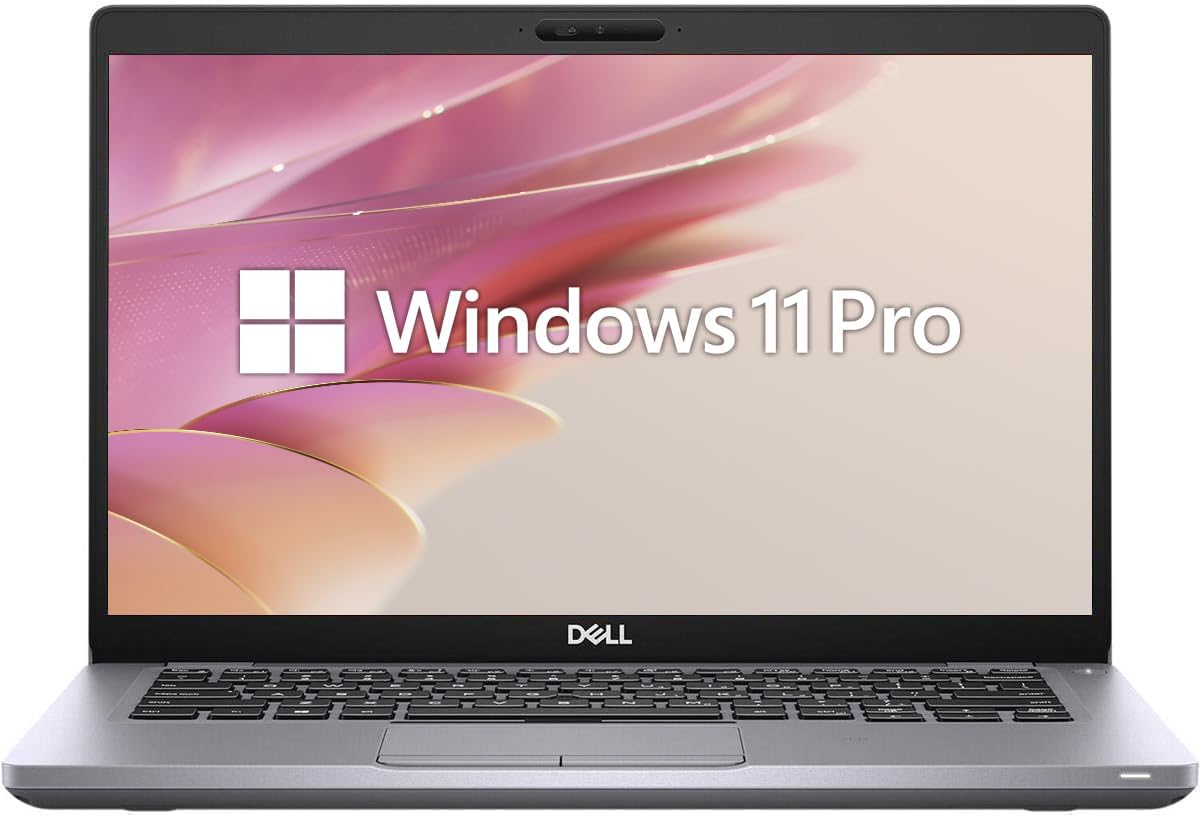
The Dell Latitude 3420 is an exceptional choice for professionals needing a powerful and portable laptop with built-in wired networking. With a high 4.5-star rating, this renewed model offers enterprise-grade reliability at a fraction of the cost of new premium devices.
We may earn a commission when you buy through this link, at no additional cost to you.
Its 11th Gen Intel Core i5-1135G7 processor paired with 16GB of DDR4 RAM handles demanding multitasking and creative applications efficiently. The 14-inch anti-glare display strikes a perfect balance between screen real estate and portability, while the included RJ-45 port supports stable data transfers.
Although this is a renewed unit which means cosmetic imperfections may vary, Dell's thorough refurbishment process ensures functional reliability. Users should be aware that battery life may be shorter than brand-new models so keeping the charger handy during long meetings is advisable.
This model is recommended for office workers and developers who prioritize performance and connectivity features like Ethernet and USB-C. Its robust chassis and comprehensive port selection make it an ideal workstation for secure and efficient daily productivity tasks.
The 11th Gen Intel Core i5 processor delivers significant performance improvements for virtualization and multitasking compared to previous generations.
Comprehensive ports including Type-C and HDMI alongside the Ethernet jack allow easy connection to external monitors and docking stations without adapters.
We may earn a commission when you buy through this link, at no additional cost to you.
The Dell Latitude 5410 serves as a dependable workhorse for business users who value storage capacity and durability. While its rating is slightly lower, it provides essential business features including a native Ethernet port and a spacious 512GB SSD for extensive file storage.
We may earn a commission when you buy through this link, at no additional cost to you.
Equipped with a 10th Gen Intel Core i5 processor and 16GB RAM, this laptop manages daily office applications and web browsing with ease. The Full HD display offers clear visuals for spreadsheets and documents, and the robust metal construction ensures longevity in demanding environments.
Users may find the older processor architecture less efficient than newer models for heavy tasks but it remains sufficient for standard productivity. The lack of USB-C charging means relying on traditional barrel plugs which limits flexibility for modern charging setups.
This model is best suited for organizations seeking a cost-effective business laptop that includes Ethernet connectivity. Its combination of ample storage and sturdy build makes it a practical choice for users prioritizing reliability over cutting-edge speed.
The 512GB SSD provides plenty of space for storing documents, media, and software applications ensuring quick access to critical files.
A wide array of ports including HDMI and Ethernet allows seamless integration into office docking setups without needing extra hubs.
We may earn a commission when you buy through this link, at no additional cost to you.
The Lenovo 15.6" V15 G6 Business Laptop represents a modern entry-level option for those needing reliable wired networking. Rated at 4.4 stars, it integrates the latest DDR5 memory technology to ensure efficient performance for basic business tasks and web browsing.
We may earn a commission when you buy through this link, at no additional cost to you.
Powered by an Intel N100 processor, it handles everyday productivity smoothly without overheating. The 15.6-inch Full HD display provides clear visuals, while the inclusion of Gigabit Ethernet ensures stable connections for remote meetings. Security features like a camera shutter protect user privacy effectively.
While the non-backlit keyboard may limit usability in low-light settings, the sturdy construction meets MIL-STD-810H durability standards for travel and field use. Users requiring more processing power should consider higher-end models but this serves well for general office use.
This laptop is ideal for students or small business owners looking for a secure and portable device with Ethernet capabilities. Its modern memory architecture and robust build quality make it a practical choice for daily professional tasks.
DDR5 RAM provides faster data bandwidth and better power efficiency allowing for smoother multitasking on budget-friendly devices.
Meeting military-grade testing standards ensures the laptop can withstand shocks and vibrations making it reliable for mobile workers.
We may earn a commission when you buy through this link, at no additional cost to you.
This variant of the Lenovo V15 Gen 4 emphasizes security and reliability for professional environments. With a 4.4-star rating, it combines a robust security suite with fast memory to handle daily business applications and secure data transmission efficiently.
We may earn a commission when you buy through this link, at no additional cost to you.
The AMD Ryzen 3 7320U processor supports smooth multitasking while the 16GB LPDDR5 RAM ensures responsiveness during heavy usage. Native Ethernet connectivity allows stable file transfers and secure network access crucial for corporate environments where wireless signals may be unstable.
While storage is limited to 256GB which may require cloud solutions for backups, the TPM 2.0 chip provides hardware-level encryption for sensitive data. The webcam shutter adds a physical layer of privacy for remote workers concerned about unauthorized access.
This laptop is best suited for corporate IT managers or employees needing a secure and durable machine. Its focus on data protection and wired connectivity makes it a solid choice for professional use requiring consistent performance.
Firmware TPM 2.0 ensures critical data is encrypted at the hardware level protecting against theft or unauthorized access effectively.
The AMD Ryzen 3 processor delivers balanced performance for office tasks while maintaining good power efficiency during long work hours.
We may earn a commission when you buy through this link, at no additional cost to you.
The Lenovo ThinkPad P14s stands as a top-tier option for professionals demanding maximum performance and stability. With a perfect 5.0-star rating, it integrates an advanced Ryzen AI processor and 32GB of RAM to support complex workflows like CAD and data analysis seamlessly.
We may earn a commission when you buy through this link, at no additional cost to you.
Built for demanding environments, this laptop includes a native Gigabit Ethernet port to ensure reliable connectivity during critical tasks. The ISV-certified design ensures compatibility with professional software like AutoCAD and Revit making it ideal for engineers and architects who need precision.
While the price reflects its premium status, the investment is justified by its robust build and high-speed storage. Users may find it slightly heavier than standard ultrabooks but the durability and performance capabilities outweigh the weight trade-off for workstation users.
This model is recommended for enterprise professionals and power users who require superior processing power and reliable connectivity. Its combination of high-end specs and security features makes it a reliable asset for mission-critical business operations.
Verified compatibility with professional software ensures stability and performance for complex engineering and design applications.
Built-in NPU accelerates AI-driven tasks locally enhancing productivity for content creation and machine learning workflows.
We may earn a commission when you buy through this link, at no additional cost to you.
The HP 14 Business Laptop offers a budget-friendly solution for users needing basic productivity tools. With a 4.1-star rating it includes a one-year subscription to Office 365 making it ready for document creation and email tasks out of the box.
We may earn a commission when you buy through this link, at no additional cost to you.
Powered by an Intel N150 processor this model handles light web browsing and basic applications well. Its lightweight design and compact 14-inch form factor make it easy to carry for students or casual users on a tight budget.
However, users should note that this specific model lacks a native Ethernet port requiring an adapter for wired connections. The limited 4GB RAM may slow down performance with many open tabs so upgrading memory may be necessary for heavier use.
This laptop is best suited for students or home users needing a portable and affordable device. While it lacks some advanced connectivity features its value for money and included software make it a practical choice for casual tasks.
A one-year Office 365 subscription allows immediate access to essential tools like Word and Excel for work or school.
Compact dimensions and light weight make this device easy to carry in a backpack for travel or commuting daily.
We may earn a commission when you buy through this link, at no additional cost to you.
The Lenovo V15 Gen 4 with the Intel Core i5-13420H processor delivers impressive speed for demanding workflows. Rated at 4.3 stars it combines high-performance computing with a native Ethernet port ensuring stable connectivity for intensive business applications and multitasking.
We may earn a commission when you buy through this link, at no additional cost to you.
With 16GB of RAM and a fast 512GB SSD this system handles multiple browser tabs and heavy software simultaneously without lag. The Full HD display provides clear visuals for long work sessions while the included numeric keypad enhances data entry efficiency.
Although battery life is average compared to ultrabooks the performance gain from the H-series processor justifies the trade-off for stationary work. Users may find the device slightly heavier which might affect portability but the stability of the build remains high.
This laptop is ideal for power users who need robust processing capabilities along with reliable wired connections. Its combination of modern CPU architecture and extensive connectivity makes it a strong candidate for professional environments.
The 13th Gen Intel Core i5 processor offers significant speed boosts for multitasking and demanding applications.
A full array of ports including HDMI and Ethernet allows easy connection to external monitors and peripherals.
We may earn a commission when you buy through this link, at no additional cost to you.
The HP 17 Business Laptop offers a large viewing area ideal for multitasking and media consumption. With a 4.5-star rating it features a spacious 17.3-inch display and powerful AMD Ryzen 5 processor ensuring smooth performance for complex business tasks.
We may earn a commission when you buy through this link, at no additional cost to you.
Equipped with 16GB RAM and a 512GB SSD this laptop handles demanding workloads efficiently. The inclusion of a native Ethernet port ensures stable network connectivity for secure data transfer and video conferencing without wireless interference.
While the large screen enhances productivity it makes the device less portable and heavier than standard laptops. Users should consider their need for mobility before choosing this model as it is best suited for a desk-based workstation setup.
This laptop is recommended for users who prioritize screen real estate and performance over portability. Its combination of modern features like AI Copilot and reliable connectivity makes it a robust tool for professional and home office use.
The 17.3-inch screen provides ample workspace for viewing multiple windows side-by-side enhancing productivity effectively.
Built-in Windows Copilot features offer AI assistance for streamlining workflows and managing tasks efficiently.
We may earn a commission when you buy through this link, at no additional cost to you.
Selecting the right laptop with an Ethernet port requires evaluating several key factors to ensure you get a device that meets your specific connectivity and performance needs.
Not all modern laptops include built-in Ethernet ports due to thin designs. Always verify that the product description explicitly mentions an RJ-45 port or Gigabit Ethernet to avoid needing extra adapters.
Check for ports that support standard network speeds so you can maintain stable connections for remote work or large file transfers.
Performance depends heavily on the CPU and memory capacity. For multitasking and professional software choose models with at least 16GB of RAM and a modern processor like Intel Core i5 or AMD Ryzen 5.
Balanced hardware ensures smooth operation during video calls and document editing without lagging or freezing unexpectedly.
Modern business laptops use SSDs instead of older hard drives which significantly boost boot times and file access speeds. Look for options with 512GB storage or higher to accommodate large files and applications comfortably.
Upgradable storage options allow you to expand capacity as your data grows over time without buying a new device.
A sharp Full HD display with anti-glare coating helps reduce eye strain during long work hours. Consider 14-inch models for portability or 15-inch options if you need more screen real estate for spreadsheets.
Ensure brightness levels are sufficient for your environment to maintain visibility even in well-lit rooms or offices.
Business laptops often undergo rigorous testing to withstand drops and temperature extremes. Models certified with MIL-STD standards offer greater protection during travel or field work.
Sturdy chassis materials like aluminum or reinforced plastics extend the lifespan of your device in daily professional settings.
Enterprise-grade laptops include hardware security chips like TPM 2.0 and physical webcam shutters to protect sensitive data and privacy. These features are vital for handling confidential client information securely.
Regular security updates from the manufacturer ensure your device stays protected against emerging cyber threats and vulnerabilities.
Windows 11 Pro offers advanced features like BitLocker encryption and Remote Desktop which are useful for business environments. Ensure the laptop comes with a legitimate license to access these tools legally.
Pro versions also facilitate easier domain joining and network management making them preferable for corporate deployment scenarios.
Connect your Ethernet cable firmly to the RJ-45 port on the side of your laptop to ensure a secure connection. If the light indicator next to the port is active you have established a successful wired network link.
Keep the Ethernet port clean by using a dry cloth or soft brush to remove dust and debris regularly. Dust buildup can cause connection issues or damage the pins over time affecting network stability.
When traveling avoid bending the Ethernet cable excessively as it may damage the internal wiring. Store the cable loosely coiled in your bag to maintain its integrity and extend its lifespan for reliable daily use.
Not all modern laptops include a built-in Ethernet port due to sleek designs. Many rely on Wi-Fi or USB adapters. Always check product specs to confirm the presence of an RJ-45 port before purchasing.
Yes, a wired Ethernet connection typically offers faster and more stable speeds compared to Wi-Fi. It provides consistent latency and bandwidth which is crucial for remote work and large file transfers.
Absolutely. USB-C to Ethernet adapters allow you to add wired connectivity to laptops without a built-in port. These are inexpensive and widely available for most modern devices.
Businesses prefer Ethernet for its security and stability. Wired connections reduce the risk of hacking and maintain consistent network performance which is vital for video conferencing and data protection.
Cat5e or Cat6 cables are standard for Gigabit Ethernet speeds. Using high-quality cables ensures optimal data transfer rates and minimizes signal interference for reliable connectivity.
Restart your router and laptop to refresh network settings. Check that the cable is firmly connected and not damaged. Verify network settings in your operating system to ensure the connection is active.
Choosing the right laptop with an Ethernet port ensures you maintain stable and secure network connections for professional tasks. The models reviewed offer a mix of performance durability and connectivity options to suit various business needs.
Prioritize features like processor power and build quality alongside the Ethernet port to maximize productivity and device longevity. Ensure your chosen model aligns with your daily workflow requirements and security standards.
Always verify current specifications and availability as product details may change. Investing in a reliable laptop with native wired networking will support your remote work and enterprise operations efficiently.