
BENFEI USB C Hub 5-in-1
4.6Editor score
100W Power Delivery support
Soft silicone cable design
4K 30Hz HDMI output
Three USB ports included
Compare the top HDMI Hub for PC options for 2026. This guide evaluates connectivity, video quality, and performance across ten leading models.
Finding the right HDMI Hub for PC can transform your workstation. Modern laptops often lack ports, making reliable hubs essential for connecting monitors, peripherals, and charging cables simultaneously.
We compared ten highly rated models based on video resolution, data speeds, build quality, and compatibility. Our analysis focuses on real-world performance for work, gaming, and media consumption.
Each pick highlights specific strengths like dual monitor support or power delivery. Note that availability and offers change frequently, so check current listings before purchasing your ideal hub.
4.6Editor score

4.5Editor score

4.4Editor score
This table compares key specifications across all ten reviewed hubs to help you find the exact connectivity profile your PC setup requires for optimal performance.






The Anker Laptop Docking Station Dual Monitor stands out with a solid 4.5 rating for its robust 8-in-1 design. It delivers reliable dual HDMI video output and fast charging for demanding users needing maximum connectivity.
We may earn a commission when you buy through this link, at no additional cost to you.
Its two HDMI ports allow you to connect two external monitors for productivity or a projector and monitor for presentations. The included Ethernet port ensures stable networking, while the SD card reader handles quick data transfers for creative workflows.
One limitation is its Linux incompatibility, which may affect users on that platform. Also, macOS users will see identical displays on external monitors rather than extended desktops. These trade-offs are acceptable for its overall performance and feature set.
Ideal for Windows professionals and Chromebook users who need a comprehensive hub. The 85W charging keeps laptops powered while working, making it a strong all-in-one solution for home offices and remote workstations.
This hub supports dual displays via two HDMI ports, significantly expanding your screen real estate for multitasking and complex workflows without needing multiple docking stations.
With support for up to 85W pass-through charging, this hub ensures your laptop stays fully powered during heavy tasks, eliminating the need for extra power bricks.
We may earn a commission when you buy through this link, at no additional cost to you.
The BENFEI USB C Hub 5-in-1 is a top budget choice with a 4.6 rating, offering premium features at an accessible price. Its silicone cable design and powerful charging make it ideal for mobile professionals.
We may earn a commission when you buy through this link, at no additional cost to you.
It supports 100W Power Delivery, ensuring your laptop stays charged while connected. The soft silicone cable resists knots and wear, enhancing durability during travel. Three USB ports provide ample connectivity for mice, keyboards, and drives.
While it caps at 4K 30Hz, this is sufficient for most productivity tasks. The shorter cable length may limit placement flexibility. However, these minor trade-offs are acceptable given its affordability and build quality.
Perfect for MacBook and Chromebook users seeking an affordable yet reliable hub. The robust build and high wattage support make it a standout budget pick for everyday work and travel needs.
The industry-leading silicone woven cable prevents tangling and breakage, ensuring a hassle-free connection experience even with frequent daily use and travel.
Supporting 100W pass-through charging means you can power high-demand laptops like the MacBook Pro while using all other hub ports simultaneously.
We may earn a commission when you buy through this link, at no additional cost to you.
The DisplayPort to Dual HDMI Adapter earns a premium badge with its dual 4K 60Hz support and MST technology. It is a powerful tool for users needing extended displays and high refresh rates from a single DisplayPort.
We may earn a commission when you buy through this link, at no additional cost to you.
It allows extended mode on Windows, enabling different content on each monitor. The aluminum housing dissipates heat efficiently, ensuring stable performance during long sessions. No drivers are required, simplifying setup for Windows and Mac users.
It requires a DisplayPort 1.4 source, which might not be available on all laptops. It also cannot work with other hubs. These requirements are standard for high-performance MST adapters, limiting it to direct PC connections.
Best for gaming and professional setups needing crisp visuals on two screens. The robust design and high resolution support make it a top choice for power users who demand top-tier video performance.
Using Multi-Stream Transport technology, this adapter lets you extend your desktop across two monitors instead of mirroring, boosting productivity for multitasking workflows.
Both HDMI ports support 4K at 60Hz, delivering smooth visuals suitable for video editing, gaming, and professional design work without motion blur.
We may earn a commission when you buy through this link, at no additional cost to you.
The Anker USB C Hub 7in1 is a compact powerhouse with a 4.5 rating, offering 4K 60Hz output and extensive connectivity. It fits perfectly in travel bags while delivering desktop-level functionality for professionals.
We may earn a commission when you buy through this link, at no additional cost to you.
It includes SD and TF card slots, ideal for photographers needing quick data transfers. Two USB-A ports and a USB-C data port offer versatile peripheral support. The 85W charging keeps devices powered during intensive tasks.
The USB-C port is for data only, limiting its use as a display source. However, this is common in many hubs. The compact design may limit port spacing, but it remains highly functional for most setups.
Excellent for creative professionals needing card readers and high-res video. Its balance of size, speed, and features makes it a top contender for those prioritizing portability without sacrificing performance.
This hub supports 4K resolution at 60Hz via HDMI, ensuring smooth, detailed video playback for presentations and media consumption without stuttering or lag.
With both SD and TF card slots, you can quickly import photos and videos from cameras and drones without needing separate adapters or external readers.
We may earn a commission when you buy through this link, at no additional cost to you.
The Anker USB C Hub 5-in-1 is a travel-friendly choice with a 4.4 rating, combining essential ports in a lightweight package. It delivers solid video and charging performance for users on the go.
We may earn a commission when you buy through this link, at no additional cost to you.
Its 85W pass-through charging ensures laptops stay powered during long meetings or flights. Two USB-A ports handle common peripherals like mice and drives. The 4K HDMI output works well for projectors and monitors.
It caps at 30Hz and lacks Ethernet, which may affect gamers needing high refresh rates. However, for general business use, these limitations are minimal. Its size and reliability make it a trusted travel companion.
Ideal for business travelers needing a reliable hub with charging and video. The balance of essential ports and portability makes it a strong choice for frequent flyers and remote workers.
Designed for mobility, this hub fits easily in laptop bags and adds minimal weight, ensuring you never feel encumbered during business trips or daily commutes.
Supports up to 85W charging to keep your laptop running all day without needing a separate power brick, simplifying your setup for travel.
We may earn a commission when you buy through this link, at no additional cost to you.
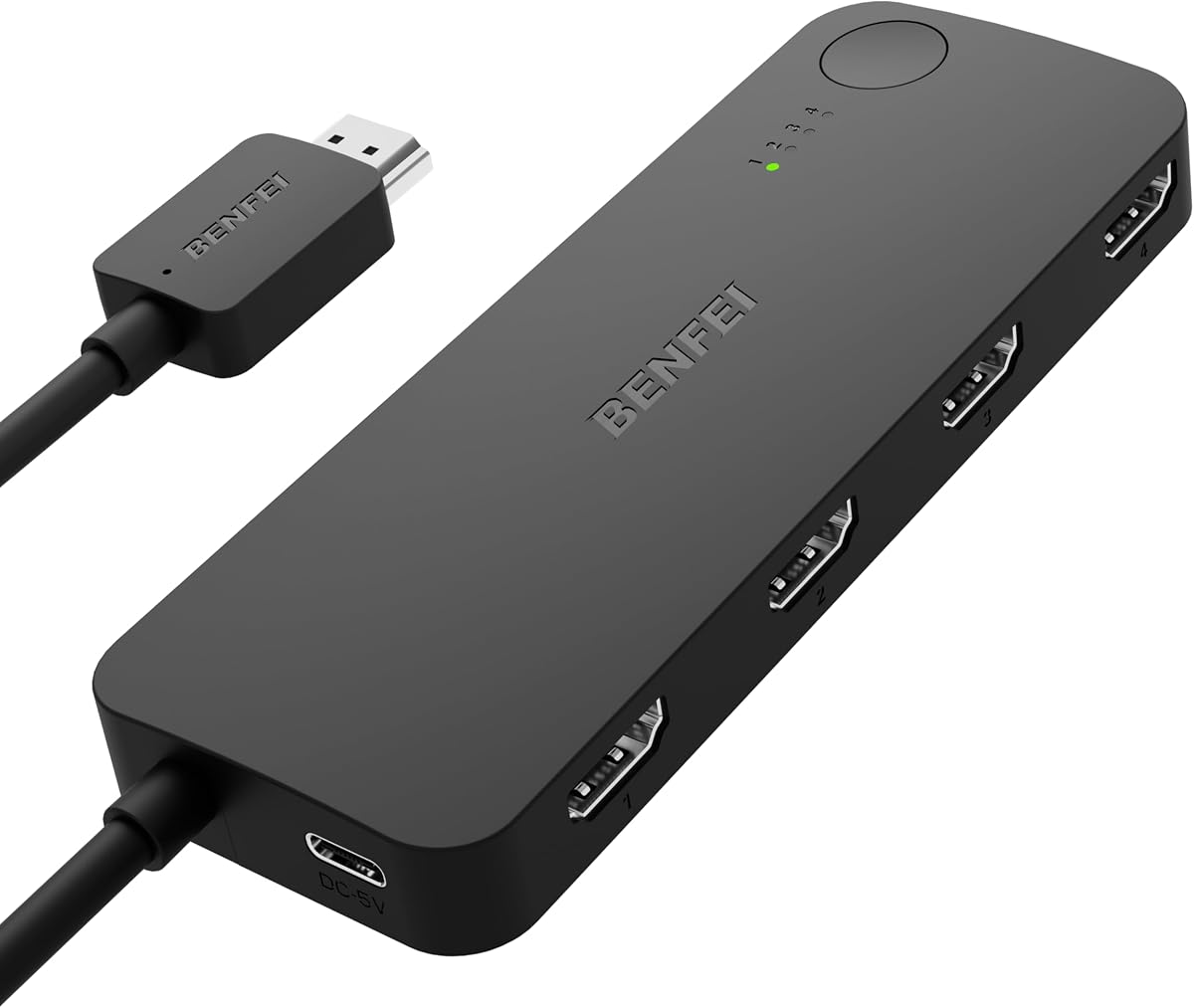
The BENFEI HDMI Switch 4 in 1 is a unique hub for gamers with a 4.0 rating, allowing smooth switching between multiple consoles and PCs. It supports high refresh rates for competitive gaming.
We may earn a commission when you buy through this link, at no additional cost to you.
Its Adaptive Equalization technology ensures stable signal over long cables, reducing dropouts. Compatible with PS5 and Xbox, it simplifies living room setups. Four inputs let you connect multiple devices without unplugging.
It is a switch, not a splitter, meaning it shows one device at a time. It also requires external power, adding to cable clutter. However, for gaming setups, its performance is valuable.
Best for gamers needing multiple console connections. The high refresh rate support and reliable signal make it an excellent addition to entertainment centers and gaming stations.
Supporting 2K at 144Hz and 4K at 60Hz, this switch ensures smooth gameplay for modern consoles without frame drops or input lag.
Adaptive Equalization adjusts signal levels automatically, maintaining image quality over long cable runs and preventing connection instability.
We may earn a commission when you buy through this link, at no additional cost to you.
The VIENON USB 3.0 to HDMI is designed for legacy systems with a 4.0 rating. It connects older desktops without HDMI ports to modern monitors, making it useful for budget offices.
We may earn a commission when you buy through this link, at no additional cost to you.
It includes a driver on a removable disk, ensuring compatibility without internet access. USB 3.0 and 2.0 ports support standard peripherals. A USB-C power port ensures stable operation with multiple devices.
It is limited to 1080p, which is standard for legacy USB adapters. Driver installation adds a step to setup. These are acceptable trade-offs for extending the life of older hardware.
Perfect for older desktops needing video output. Its straightforward connectivity and legacy support make it a practical choice for cost-effective workstation upgrades.
This adapter is built to work with older PCs that lack native HDMI ports, providing a budget-friendly solution to upgrade visual displays.
Drivers are included on a removable disk, allowing installation even on air-gapped systems without internet access for secure environments.
We may earn a commission when you buy through this link, at no additional cost to you.
The NEWCARE HDMI Switch 3 in 1 is a simple hub with a 4.1 rating, ideal for basic switching needs. It supports 4K resolution and includes a cable for immediate use.
We may earn a commission when you buy through this link, at no additional cost to you.
Three HDMI inputs allow connection of multiple devices like PCs and consoles. Manual button switching makes it intuitive without complicated apps. The included HDMI cable saves extra purchases.
It lacks a remote, requiring manual toggling. External power is also needed for stable operation. These are standard for entry-level switches, keeping costs low for basic setups.
Best for small home offices needing quick device toggling. The straightforward design and included accessories make it a practical pick for simple connectivity tasks.
With a simple plug-and-play design and included HDMI cable, you can set up your multi-device environment in minutes without extra hardware.
Physical buttons let you switch inputs quickly, offering a reliable and straightforward experience without relying on wireless remotes or apps.
We may earn a commission when you buy through this link, at no additional cost to you.
The Acer USB C Hub 7 in 1 is a reliable choice with a 4.5 rating, known for supporting Linux. Its aluminum design and 100W charging make it a robust option for daily tasks.
We may earn a commission when you buy through this link, at no additional cost to you.
It includes SD and MicroSD slots for easy media access. Four data ports support various peripherals, and the 100W charging ensures laptops stay powered. Aluminum housing helps with heat dissipation.
The HDMI output is limited to 30Hz, which is standard for USB-C hubs. Ethernet is missing, but the USB-C port offers data flexibility. These are minor limits for a well-rounded hub.
Ideal for Linux users and ChromeOS. The reliable build and comprehensive ports make it a strong choice for professionals needing cross-platform compatibility and solid connectivity.
Unlike many hubs that skip Linux support, this Acer hub works seamlessly across Windows, Mac, ChromeOS, and Linux, offering true versatility.
The high-quality aluminum housing conducts heat away from internal chips, ensuring stable performance during long usage sessions without thermal throttling.
We may earn a commission when you buy through this link, at no additional cost to you.
The StarTech USB-A 3.0 Adapter is a robust hub with a 4.5 rating, designed for IT pros. It uses standard USB-A ports to add dual video outputs to older systems.
We may earn a commission when you buy through this link, at no additional cost to you.
It supports 4K 30Hz on one monitor and 1080p 60Hz on another, enabling extended desktops. Driver installation is required but straightforward. The three-year warranty offers peace of mind.
It is limited to Windows, excluding Mac and Linux users. Driver requirements may be a hurdle in locked-down environments. However, its durability and support make it valuable for office use.
Best for Windows desktops needing extra screens without USB-C. The IT-grade reliability and extensive warranty make it a smart choice for corporate and home office setups.
This adapter adds two HDMI ports via a standard USB-A connector, letting you extend your desktop without needing newer USB-C hardware.
Backed by a three-year warranty and 24/5 technical support, this hub offers reliable long-term service for professional environments.
We may earn a commission when you buy through this link, at no additional cost to you.
Selecting the right HDMI hub requires evaluating your device ports, display needs, and charging requirements. Here are key factors to consider.
Check your monitor capabilities to decide between 4K 30Hz or 60Hz. Higher refresh rates matter for gaming, while 30Hz is sufficient for office work. Ensure the hub supports HDMI 2.0 for 4K.
Prioritize hubs matching your screen specs to avoid flickering or limited resolution.
PD pass-through charging lets you power your laptop while using the hub. Look for 60W or higher for most laptops. This feature eliminates the need for extra chargers.
Always verify your laptop's charging requirements match the hub's output wattage.
Evaluate how many USB, SD, and Ethernet ports you need. A hub with too few ports may leave devices unplugged. More ports add versatility but can increase size.
Count your current devices to ensure the hub offers enough connections for your daily workflow.
Ensure the hub works with your OS and laptop port type. Some hubs exclude Linux or Mac. USB-C hubs usually require DP Alt Mode for video output.
Check manufacturer compatibility lists before purchasing to avoid driver issues.
Aluminum housings dissipate heat better than plastic, keeping performance stable. Silicone cables resist knotting. High-quality connectors ensure lasting durability.
Invest in premium materials for long-term reliability, especially for daily use.
Shorter cables are more portable but may limit placement. Longer cables offer flexibility but add bulk. Choose based on whether you travel or stay at a desk.
Consider your typical setup environment to balance convenience and reach.
Hubs range from affordable to premium. Determine which features are essential versus nice-to-have. High-end hubs justify cost with better build and higher speeds.
Focus on value rather than just lowest price to avoid replacements.
Most USB-C hubs are plug-and-play, but USB-A adapters may require drivers. Install drivers beforehand to prevent downtime. Drivers often need admin rights.
Check if drivers are auto-installed or need manual setup for your OS.
Connect the hub to your laptop via USB-C or USB-A, ensuring the port supports data and video. Plug external monitors into HDMI ports and peripherals into USB slots.
Always connect a power adapter if the hub requires external power. Ensure your charger provides enough wattage to avoid underpowering the hub.
Avoid yanking cables forcefully. Keep the hub ventilated to prevent overheating. Regularly update your laptop drivers for optimal compatibility.
No, many hubs support 4K at 30Hz. Ensure the hub specifies 60Hz for smooth motion. This depends on HDMI version and bandwidth capabilities of the hub and laptop.
No, USB-C hubs require a USB-C port with DP Alt Mode. For USB-A laptops, use a USB-A to HDMI adapter or a USB-A hub with video output.
Most work, but some hubs limit functionality like dual extended screens. Always check compatibility lists. macOS often requires USB-C with DP Alt Mode support.
Flickering usually indicates insufficient power or cable issues. Use a high-quality HDMI cable and ensure the hub receives enough power from your charger or laptop.
Yes, using MST adapters or specific docking stations. Most standard hubs support up to two displays. For three, look for MST or multi-display docking solutions.
Not always. Simple hubs work without power. Complex hubs with many ports often need external power for stable operation. Check the product details for requirements.
Connect the hub and monitor, then go to Display Settings in Windows. Choose Extend These Displays. Ensure your graphics drivers are updated for proper detection.
Yes, USB-C is becoming standard. Hubs supporting USB4 and Thunderbolt offer higher speeds. Investing in modern hubs ensures compatibility with upcoming laptops and devices.
The top picks like the Anker Laptop Docking Station and BENFEI USB C Hub cover diverse needs. Select based on your OS, monitor count, and power requirements.
Prioritize hubs matching your specific video and charging needs. Avoid buying features you won't use. Balance cost and quality for best long-term value.
Prices change frequently, so check current listings before purchasing. This guide helps narrow options for a tailored setup that fits your workflow and budget.