
Highwings 8K HDMI 2.1 Cable 2-Pack
4.7Editor score
Certified 48Gbps bandwidth
Dual pack value option
Durable nylon braiding
Discover the top HDMI Cable for Roku Ultra options tested for speed and reliability. This guide compares ten certified high-speed cables for your streaming
Finding the right HDMI Cable for Roku Ultra ensures your streaming box delivers crisp visuals and immersive audio without glitches. High-speed cables support modern features like 4K at high refresh rates and enhanced audio return channels for home theater sound.
We compared ten certified high-speed HDMI cables based on bandwidth, build quality, and compatibility with next-gen devices. Each product was evaluated for signal stability, durability, and support for features like VRR and dynamic HDR to ensure smooth performance.
Every pick highlights specific strengths such as budget-friendly pricing, premium materials, or extra length options. While ratings are high across the board, note that prices and availability change frequently so check current listings before buying your next cable.
4.7Editor score
4.8Editor score

4.8Editor score
This side-by-side comparison outlines key specifications for all ten cables to help you find the right fit for your Roku Ultra setup and display capabilities.

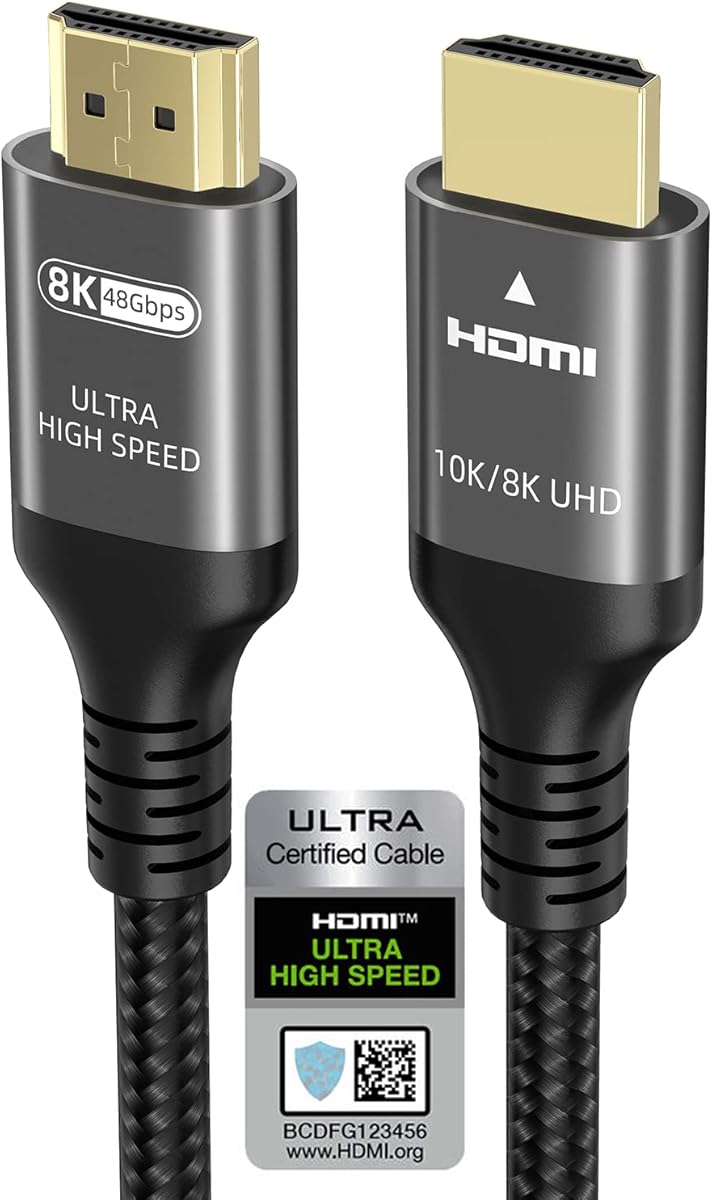


The Highwings 8K HDMI 2.1 Cable stands out as a top performer for the Roku Ultra with its certified high-speed capabilities and robust construction. It delivers 48Gbps bandwidth ensuring that your 4K streaming or gaming sessions run smoothly without signal drops or stuttering.
We may earn a commission when you buy through this link, at no additional cost to you.
This cable supports advanced features like Variable Refresh Rate and Auto Low Latency Mode which are crucial for gamers using consoles alongside their streaming boxes. The military-grade tensile nylon material and upgraded anti-bending design mean it can withstand frequent plugging and bending better than many competitors.
While it lacks the extra length of some options and comes as a single unit, the performance per dollar is exceptional. The rigorous lab testing ensures every part works flawlessly so you get a reliable connection that maintains picture integrity over time.
If you want a balance of performance and durability without paying premium prices this is the ideal choice for your Roku Ultra. It future-proofs your setup for upcoming 8K content while providing immediate benefits for high refresh rate viewing and gaming.
Variable refresh rate and low latency modes ensure smooth gameplay by syncing the display refresh rate with the source output reducing screen tearing.
The military-grade tensile nylon material protects the internal wires from wear while the anti-bending tail prevents fraying at the connector ends.
We may earn a commission when you buy through this link, at no additional cost to you.
Getting two certified Ultra High Speed HDMI cables for a low price makes this Highwings 2-Pack an unbeatable budget option for any home theater setup. Each cable delivers 48Gbps bandwidth and supports 8K at 60Hz ensuring you can connect your Roku Ultra and console to different displays simultaneously.
We may earn a commission when you buy through this link, at no additional cost to you.
The aluminum alloy shell provides strong protection for the connector pins against bending and damage which is vital for maintaining a clean signal path. These cables also support Variable Refresh Rate and other gaming features so you are not compromising on performance even with the budget-friendly price.
The main limitation is the fixed 6.6ft length which might not reach long distances across a large room. However for most standard setups this length is sufficient and having a spare cable on hand is incredibly useful for future expansions or replacements.
This pack is perfect for renters or homeowners who want reliable connectivity without overspending on expensive branded cables. The dual pack ensures you have a backup ready and both cables pass rigorous tests to deliver consistent quality over years of use.
Having a spare cable immediately available saves time and hassle if your current cable gets damaged or if you need to move devices to a different TV.
The aluminum alloy shell around the connector adds durability and helps prevent accidental bending that could expose or break the internal pins.
We may earn a commission when you buy through this link, at no additional cost to you.
The Ubluker 10K 8K 4K HDMI Cable is designed for users who want verified performance and support for the highest possible resolution standards. It carries an official HDMI certification label ensuring it meets strict requirements for bandwidth and signal quality which gives peace of mind for critical viewing.
We may earn a commission when you buy through this link, at no additional cost to you.
This cable supports features like SBTM and dynamic HDR which enhance picture quality by optimizing contrast and brightness per scene. It also handles advanced audio formats like eARC and Dolby Atmos so your soundbar receives full resolution audio from your Roku Ultra without compression.
While it performs similarly to other high-speed cables the main advantage is the official certification which guarantees compliance with HDMI Forum specifications. The 10K support ensures it is future proof even if displays beyond 8K become available in the coming years.
Choose this cable if you prioritize verified standards and need a reliable connection for high-resolution displays or soundbars. It offers a solid combination of compatibility features and quality assurance that works well with both current and next-generation devices.
Official HDMI certification means the cable has been independently tested to meet specific performance benchmarks ensuring reliable signal transmission.
Support for eARC and formats like Dolby Atmos ensures that your sound system gets the highest quality audio directly from your streaming device.
We may earn a commission when you buy through this link, at no additional cost to you.
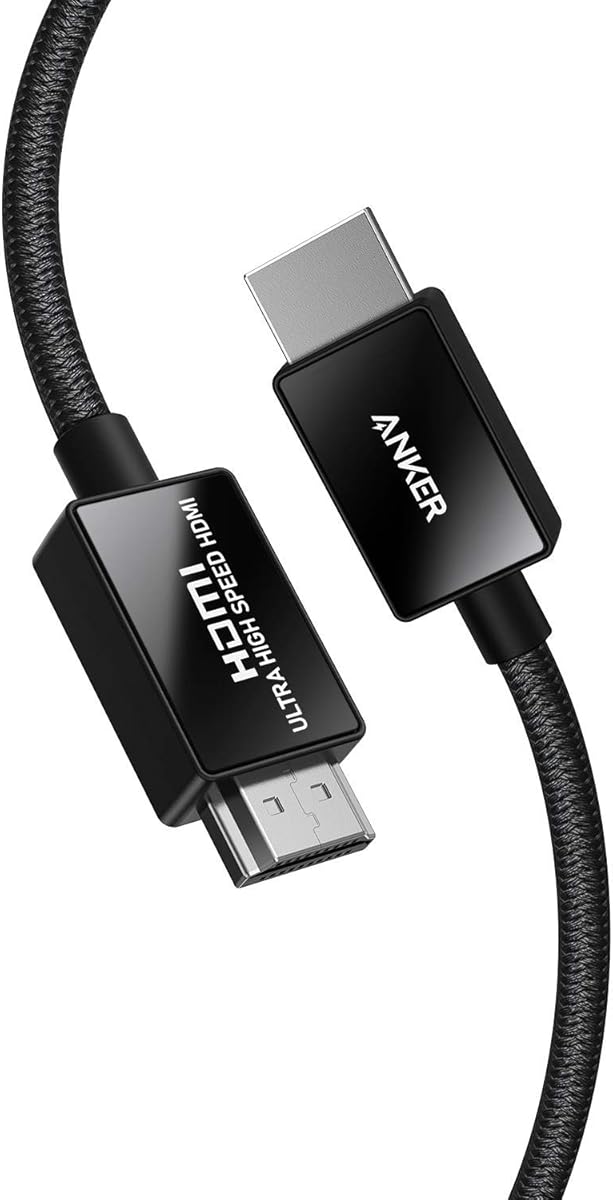
Anker is known for quality accessories and this HDMI 2.1 Cable reflects that with robust materials like carbon steel connectors and gold-plated pins. The 18-month warranty provides extra assurance and the company stands behind the durability and performance of this product for your Roku Ultra setup.
We may earn a commission when you buy through this link, at no additional cost to you.
It supports 48Gbps bandwidth and 8K at 60Hz making it suitable for high-end streaming and gaming needs. The design minimizes electromagnetic interference to ensure your wireless devices remain unaffected by the cable's operation while delivering a stable signal to your display.
The higher price compared to generic options might be a consideration but the build quality and warranty make it a safer investment. The double-braided nylon finish adds flexibility and strength reducing the risk of internal damage from bending or twisting over time.
This cable is ideal for users who value brand reputation and want a long-lasting connection without worrying about future compatibility issues. The combination of premium materials and strong support makes it a reliable choice for demanding home entertainment systems.
The carbon steel connectors and gold-plated pins resist corrosion and ensure a stable electrical connection even after thousands of plug and unplug cycles.
Anker provides an 18-month warranty which covers defects and ensures customer support is available if you experience any issues with the cable.
We may earn a commission when you buy through this link, at no additional cost to you.
Silkland offers a unique E-Braid technology that uses a double-layer fishnet winding and nylon braiding to enhance durability and signal integrity. This design helps eliminate black screens and flickering while maintaining flexibility for easy routing behind entertainment centers or furniture.
We may earn a commission when you buy through this link, at no additional cost to you.
The ferrite magnetic beads integrated into the cable further reduce electromagnetic interference ensuring a clean signal from your Roku Ultra to your TV. It supports high refresh rates like 4K at 144Hz which is beneficial if you use the cable for gaming PCs alongside your streaming setup.
As a newer brand Silkland provides a competitive option that rivals established names in terms of features and certification. The exclusive braiding style offers a different aesthetic and functional approach to cable protection that many users find appealing for visible installations.
Consider this cable if you want something distinctive with proven durability and advanced interference protection. It delivers all the key features needed for high-quality streaming and gaming with a focus on long-term reliability and performance consistency.
The double-layer fishnet winding and nylon braiding provide extra strength against bending and pulling forces that typically damage standard HDMI cables.
These beads are positioned to reduce electromagnetic interference which helps maintain signal quality in environments with many wireless devices.
We may earn a commission when you buy through this link, at no additional cost to you.
Acer brings its gaming expertise to this HDMI 2.1 Cable offering features like Variable Refresh Rate and Auto Low Latency Mode for smoother gameplay. The high-purity copper core ensures stable signal transmission while the braided jacket resists daily wear and bending during regular use.
We may earn a commission when you buy through this link, at no additional cost to you.
Support for 8K at 60Hz and 4K at 240Hz makes it suitable for high-end displays and consoles. It also handles immersive audio formats like Dolby Atmos and Vision so your soundbar can deliver full-quality audio from your Roku Ultra and gaming devices.
The price is very competitive compared to similar high-speed cables from other brands making it an attractive option for budget-conscious gamers. The universal compatibility ensures it works seamlessly with Roku Fire TV and various monitors and TVs without requiring extra adapters.
This cable is perfect for users who want robust gaming performance without paying a premium for brand names. The combination of high bandwidth and essential gaming features ensures your setup is ready for both streaming movies and intense gaming sessions.
Variable Refresh Rate helps reduce screen tearing by synchronizing the display's refresh rate with the output of your gaming console or PC.
The support for Dolby Atmos and eARC ensures you get immersive sound from your soundbar or receiver when streaming high-quality content.
We may earn a commission when you buy through this link, at no additional cost to you.
UGREEN delivers a high-end HDMI 2.1 Cable with certified Ultra High Speed capabilities and robust construction using nickel-plated connectors and an aluminum alloy case. It supports 8K at 60Hz and 4K at 240Hz ensuring your Roku Ultra can handle the latest video standards without any compromises.
We may earn a commission when you buy through this link, at no additional cost to you.
The Dynamic HDR feature enhances picture quality by adjusting brightness and contrast on a per-frame basis for more lifelike scenes. Enhanced audio features like eARC allow you to connect soundbars directly to your TV for full-resolution audio from your streaming devices.
While it comes at a higher price than basic options the durability and performance justify the cost for users seeking the best possible setup. The nylon braided jacket adds flexibility and resistance to wear ensuring the cable remains functional for years even with frequent handling.
Choose this cable if you want top-tier performance and build quality for your home theater or gaming setup. It is a premium solution that future-proofs your investment with support for the highest bandwidth and visual features currently available.
Dynamic HDR adjusts image quality scene by scene to provide more accurate colors and contrast which makes movies and shows look more vivid.
Nickel-plated connectors resist corrosion and oxidation while the aluminum alloy case protects against physical damage and ensures consistent signal quality.
We may earn a commission when you buy through this link, at no additional cost to you.
Zeskit offers a 5ft certified 2.1 8K HDMI cable that is perfect for setups where space is limited and you need a shorter run between your Roku Ultra and TV. The hologram sticker verifies its certification status ensuring you get the bandwidth and features required for modern high-resolution content.
We may earn a commission when you buy through this link, at no additional cost to you.
It supports essential features like Dolby Vision and Atmos along with VRR and ALLM which are critical for gaming and high-quality streaming. The compact length reduces cable clutter making it easier to manage wires behind a TV stand without excess slack trailing on the floor.
The trade-off is the higher price per foot compared to longer cables since shorter lengths often cost more due to specific market demand. However for a tidy entertainment setup the convenience of not having to hide extra cable length makes it a practical choice for many users.
Use this cable if you need a clean and short connection without compromising on the latest HDMI 2.1 capabilities. It delivers all the necessary performance features for 4K at 120Hz and dynamic HDR in a space-saving design.
A shorter cable length helps keep your entertainment center looking clean and organized by eliminating excess slack that needs to be bundled or hidden.
The hologram sticker allows you to verify the cable meets official Ultra High Speed standards ensuring you get the performance you pay for.
We may earn a commission when you buy through this link, at no additional cost to you.
The Stouchi Ultra High Speed HDMI Cable features a slim 4ft design that is ideal for very tight spaces where a standard length would be too bulky or messy. Despite its size it still supports 48Gbps bandwidth and features like Dynamic HDR and eARC for high-quality streaming and gaming on your Roku Ultra.
We may earn a commission when you buy through this link, at no additional cost to you.
The slim braided cord is easier to route through tight conduits or narrow slots compared to thicker cables. Gold-plated connectors ensure a stable connection and resist corrosion while triple tin shielding minimizes interference for reliable signal transmission.
This cable is best suited for scenarios where your TV and streaming device are very close together such as on a wall mount or small console. The shorter length reduces the cost of copper used in manufacturing which allows for a competitive price despite the premium feature set.
Opt for this cable if you need a compact solution that does not compromise on performance or connectivity features. It is a practical choice for minimalists who want to reduce clutter without sacrificing audio or video quality in their home setup.
A slim cable profile makes it easier to route cables behind wall-mounted TVs or through narrow wall openings without creating bulky bumps.
Triple tin shielding helps block external electromagnetic signals from interfering with the video or audio data being transmitted through the cable.
We may earn a commission when you buy through this link, at no additional cost to you.
The BlueRigger 8K HDMI Cable offers a generous 15ft length which is perfect for larger rooms where your Roku Ultra sits far from the television. It maintains full 48Gbps bandwidth and supports 8K at 60Hz ensuring you do not lose signal quality even with the extended length.
We may earn a commission when you buy through this link, at no additional cost to you.
Built with solid copper wires and 24K gold-plated connectors it resists corrosion and ensures a stable signal over long distances. The lifetime warranty indicates strong confidence in the product durability making it a worry-free investment for your home entertainment needs.
Handling a longer cable requires a bit more planning to avoid tangles and ensure a clean setup but the flexibility provided is worth it for many users. The price is higher than shorter options but the extra length and warranty provide excellent value for specific layout requirements.
Choose this cable if you need to run cables across a large room or through hidden pathways without signal degradation. It is the most versatile option for complex setups where standard lengths simply will not reach your display device.
High-quality copper cores are essential for maintaining signal integrity over longer runs so that picture quality remains consistent from source to display.
A lifetime warranty offers complete peace of mind meaning you can replace the cable at no cost if it fails due to manufacturing defects.
We may earn a commission when you buy through this link, at no additional cost to you.
Selecting the right HDMI cable ensures your Roku Ultra can deliver the best possible video and audio quality to your display.
The most critical factor is the bandwidth capacity of the cable. For modern streaming and gaming look for cables certified as Ultra High Speed with 48Gbps bandwidth. This ensures your Roku Ultra can support features like 4K at 120Hz and dynamic HDR without dropping frames or showing black screens.
Always check for official HDMI certification labels or QR codes to verify the cable meets these speed standards. Avoid older cables that claim to support 4K but lack the necessary bandwidth for high refresh rates which can cause stuttering during fast scenes.
Choose a length that reaches from your device to your TV with a little extra slack for routing. Longer cables can introduce signal loss if not built with high-quality shielding so ensure any cable longer than 6 feet is properly rated for high-speed transmission.
Measure your setup carefully before buying to avoid excess cable clutter. If you need a very long run like 15 feet verify that the specific model supports high bandwidth over that distance without requiring signal amplifiers.
Look for cables with braided nylon jackets and reinforced anti-bending designs near the connectors. These features protect the internal wires from wear and tear and frequent plugging which is common in living room setups where devices are moved regularly.
Gold-plated or nickel-plated connectors are also important as they resist corrosion and ensure a stable connection over time. Check for warranties of at least one year which indicates the manufacturer trusts the longevity of their product.
If you use a soundbar or AV receiver ensure the cable supports Enhanced Audio Return Channel or eARC. This feature allows uncompressed audio formats like Dolby Atmos and DTS:X to be transmitted from your TV to your audio system for the best sound quality.
Verify that the cable is compatible with HDCP 2.2 and 2.3 standards which are required for streaming protected content. Without this support you might see blank screens or error messages when trying to play premium video content.
For gaming setups ensure the cable supports Variable Refresh Rate and Auto Low Latency Mode. These features reduce screen tearing and input lag which makes a noticeable difference in competitive games and action-heavy titles played on consoles or PCs.
Check the maximum supported refresh rate for your display. If you have a TV that supports 144Hz or higher the cable must support these rates at 4K resolution to prevent bottlenecking your system performance.
Always ensure the cable is officially certified by the HDMI Forum as Ultra High Speed. This certification guarantees that the cable meets specific performance benchmarks for bandwidth, signal quality, and feature support which generic cables might not meet.
Review the product details for backward compatibility with HDMI 2.0 and 1.4 devices. This ensures the cable will work with your existing older TVs or monitors while still supporting the latest features on new devices.
Cable prices vary based on length, materials, and brand reputation. While you do not need the most expensive option to get good performance, extremely cheap cables may lack proper shielding or certification which can lead to connection issues.
Compare the cost per foot and included features like warranties when making a decision. A slightly higher upfront cost for a durable cable with a long warranty can save money in the long run by avoiding frequent replacements.
Pay attention to the connector housing and whether it has a slim profile. This is important if your TV or streaming device has tightly spaced ports where bulky connectors might block adjacent inputs or prevent other cables from fitting.
Check if the connector design allows for flexible bending without stressing the internal wires. A strain relief bend near the connector end helps prevent fractures that can cause intermittent signal loss or failure over time.
Start by connecting one end of the cable securely to the HDMI port on your Roku Ultra device. Push the connector in until it clicks or feels firmly seated ensuring the gold pins are making full contact for a stable signal transmission.
Attach the other end to the HDMI input on your TV or soundbar making sure to match the port if you have specific inputs labeled for ARC or eARC. This ensures the audio and video signals are routed correctly to the connected components.
To maintain longevity avoid bending the cable sharply at the connectors which can damage the internal wires. Route the cable along the edges of your furniture or use cable ties to secure it loosely allowing enough slack for comfortable movement without strain.
Yes for the best performance you should use an Ultra High Speed HDMI 2.1 cable with 48Gbps bandwidth. This ensures support for 4K at 120Hz and dynamic HDR which standard cables may not fully support. Always look for official certification to guarantee quality and feature compatibility.
Cable length can impact signal quality if the cable is not properly shielded or rated for high bandwidth. Quality cables with solid copper cores and proper shielding maintain signal integrity even at lengths of 15 feet or more. Ensure the cable is certified for high-speed transmission to avoid drops.
HDMI 2.1 supports much higher bandwidth up to 48Gbps compared to 18Gbps in 2.0. This allows for higher resolutions like 8K and faster refresh rates like 4K at 120Hz. It also adds features like Variable Refresh Rate and Auto Low Latency Mode which are crucial for modern gaming.
Look for an official HDMI certification label on the packaging or the cable jacket itself. Many manufacturers include a QR code that you can scan with a smartphone app to verify that the cable meets the Ultra High Speed standards set by the HDMI Forum.
Yes most HDMI 2.1 cables are backward compatible with older devices like 1.4 or 2.0. They will work with these devices but will only deliver the maximum performance supported by the older hardware. This ensures you can upgrade one component without replacing your entire setup.
Audio issues often stem from incorrect port selection or HDCP handshake problems. Ensure the cable supports eARC if you are using a soundbar and that both devices support HDCP 2.2 or higher. Try reseating the connectors to ensure a tight connection and restart both devices.
No the color of the cable jacket has no impact on performance as it is purely cosmetic. Focus on the internal materials like copper core and shielding instead. The color helps you identify cables visually but does not affect signal quality or speed.
A high-quality HDMI cable with proper shielding and durable materials can last many years without issues. Look for products that promise thousands of bend tests and offer a warranty of at least a year. Proper installation without sharp bends will further extend its usable life.
Finding the right HDMI cable for your Roku Ultra ensures you get the clearest picture and best sound without worrying about compatibility issues. Our top picks like the Highwings 2-Pack for value and the UGREEN model for premium features offer reliable performance across different needs and budgets.
Prioritize bandwidth and certification when making your choice to future-proof your setup against new streaming and gaming demands. The additional cost of a certified Ultra High Speed cable is worth the assurance that it will handle 4K and 8K content without glitches or signal drops.
Keep in mind that prices and stock levels change frequently so check current listings before making your purchase. Whether you need a short cable for a compact setup or a long one for a large room there is an option in this guide to suit every home entertainment configuration.