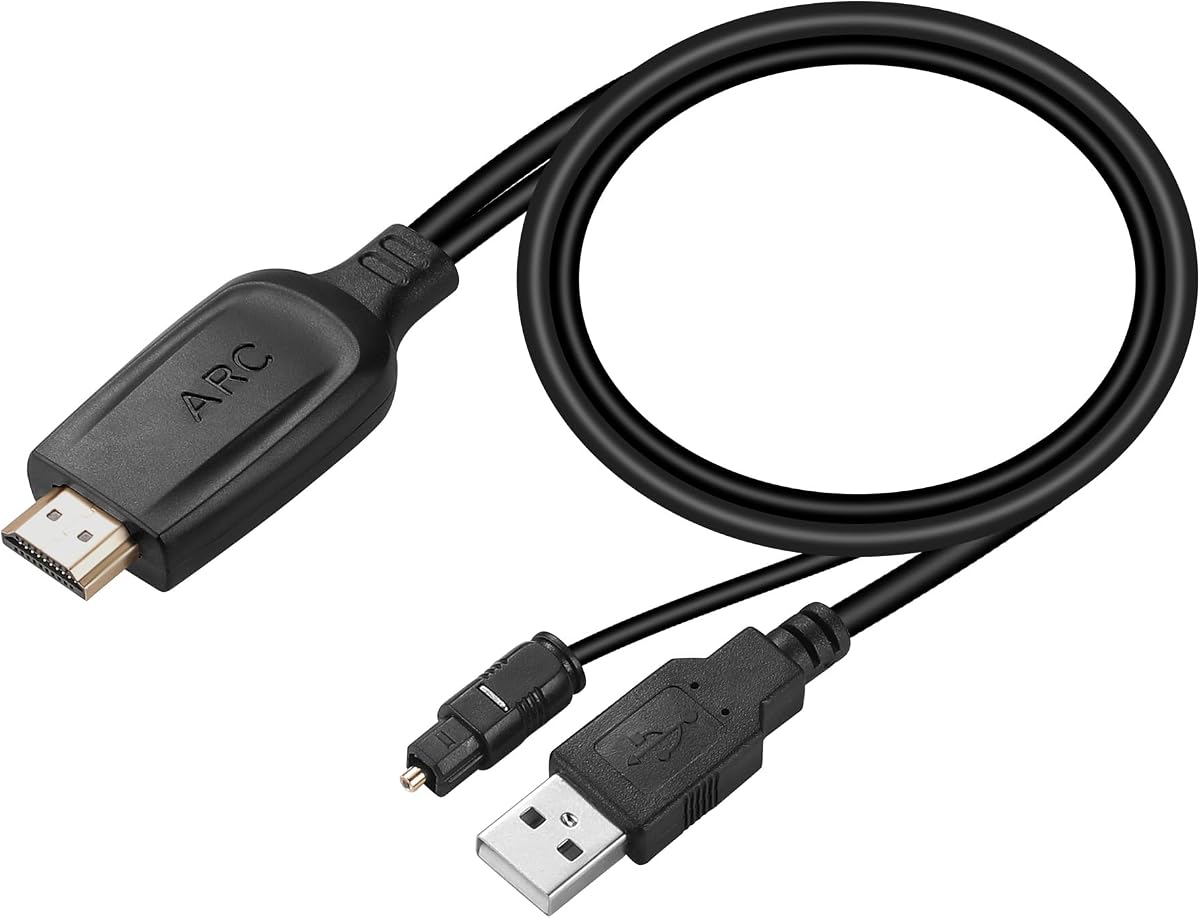
Unstincer 192KHz HDMI ARC to Optical Audio Converter
4.2Editor score
Supports 192kHz sampling rate
Includes built-in optical cable
Plug and play setup
Compare the top 10 HDMI Arc Adapter for Soundbar options for 2026 to find the perfect audio extractor for your home theater setup.
Connecting your modern TV to a legacy soundbar often requires the right adapter. HDMI Arc adapters solve this by routing audio from your display to external speakers. They ensure high fidelity without needing expensive new equipment.
We evaluated ten leading models based on audio quality, compatibility, and ease of setup. Each product was reviewed for its ability to handle eARC and ARC signals effectively. This list covers both optical and analog output solutions.
Every pick highlights key features and potential limitations you should know. Prices fluctuate frequently so check the current listing before buying. Our goal is to help you find the reliable adapter for your needs.
4.2Editor score

4.9Editor score

4.1Editor score
This side-by-side comparison shows the key specifications and features for each model to help you decide quickly.


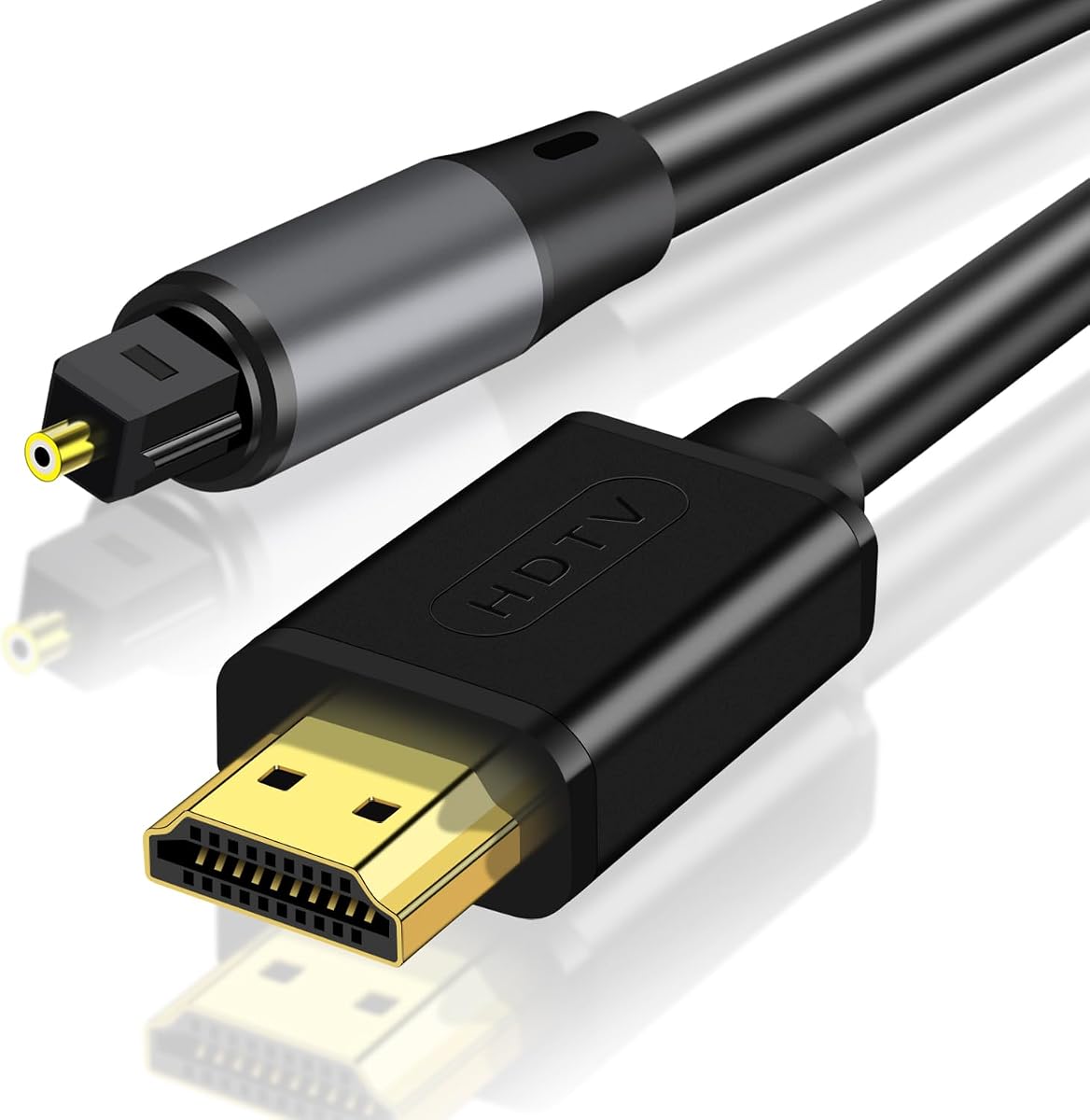
This extractor pulls audio directly from your TV eARC port for clean optical output. It rates well for its ability to bridge modern TVs with older audio gear. The design focuses purely on delivering a stable signal without extra ports.
We may earn a commission when you buy through this link, at no additional cost to you.
It supports high-quality audio up to 192kHz which ensures your music sounds clear. You can simply connect it to the designated ARC port on your TV and power it via USB. The LED status light confirms when the signal is active.
Note that optical connections do not support CEC so you must adjust volume on the soundbar itself. This is standard for this type of device but worth noting if you want a one-remote setup. It requires a specific HDMI port on your TV.
Buy this if you have an old soundbar with only optical input and need a reliable way to get TV audio to it. It is a straightforward solution for home theater enthusiasts who want to avoid buying new expensive receivers.
This adapter bridges the gap between modern TVs and older soundbars effectively.
It delivers a pure optical signal without clutter or interference from other ports.
We may earn a commission when you buy through this link, at no additional cost to you.
This converter handles both L/R and 3.5mm outputs simultaneously for versatile speaker connections. It uses a high-quality aluminum housing which helps dissipate heat during extended use. The sampling rate support ensures high fidelity audio transmission.
We may earn a commission when you buy through this link, at no additional cost to you.
You can connect it to various devices like consoles and Blu-ray players alongside TVs. It works well when you need to route audio to analog speakers or headphone bases. Digital noise reduction technology keeps the sound clear during playback.
Ensure your TV is set to PCM output format for best results since it does not decode digital RAW formats. The lack of CEC support means you will need to adjust volume on the output device directly. Check your TV settings first.
Choose this if you need flexible analog outputs for different speaker types. It is a solid choice for users who want a durable adapter that supports high sample rates and multiple audio devices.
Simultaneous L/R and 3.5mm outputs let you connect various speaker types easily.
Aluminum housing and digital noise reduction ensure consistent audio delivery.
We may earn a commission when you buy through this link, at no additional cost to you.
This converter solves the problem when TVs lack optical interfaces by providing a clean digital output. It supports 24-bit 192kHz audio sampling which ensures high fidelity sound for your home audio system. Most major TV brands are compatible with this unit.
We may earn a commission when you buy through this link, at no additional cost to you.
Setup is straightforward by connecting the USB cable to your TV and the optical cable to your soundbar. You need to enable CEC on your TV for ARC to work correctly. The output is clean and ready for active speakers.
Keep in mind that optical ports do not support volume control so you must use the soundbar remote. Ensure you set your TV audio output to the correct format like PCM or Dolby. This prevents silence issues after connection.
Buy this if you have a Samsung or LG TV with ARC that needs optical output for an older soundbar. It is an effective solution for upgrading your audio setup without replacing existing gear.
Supports 24-bit 192kHz sampling for studio-quality sound transmission.
Works with most major brands including Samsung LG and Sony models.
We may earn a commission when you buy through this link, at no additional cost to you.
This ARC audio extractor connects your TV to a sound system via a built-in optical cable. It is designed specifically for TVs with ARC interfaces and delivers clear pure sound quality. The package includes everything you need to get started immediately.
We may earn a commission when you buy through this link, at no additional cost to you.
It supports multiple audio formats including Dolby 5.1 and DTS 5.1 for immersive entertainment. An LED indicator shows the status of the HD interface so you know it is working. Just connect the USB to your TV and plug in the cables.
Remember to set your TV audio format to PCM for stereo or Dolby for surround. The optical cable cannot carry CEC signals so you must control volume on your soundbar. This is a common limitation for this type of adapter.
If you need an affordable solution that handles surround formats well this is a great choice. It offers solid performance and convenience for home theaters and meeting rooms at a low cost.
Includes necessary cables for an immediate plug and play experience.
Supports Dolby and DTS 5.1 formats for immersive viewing.
We may earn a commission when you buy through this link, at no additional cost to you.
This extractor transforms digital audio from your TV eARC port into optical and coaxial dual outputs. It breaks the limitations of standard sound ports delivering cinema-grade audio to external speakers. The independent ARC status indicator helps you verify the current mode quickly.
We may earn a commission when you buy through this link, at no additional cost to you.
The chip supports high sampling rates up to 24-bit 192kHz for accurate audio reproduction. It works well with headphones for quiet listening without disturbing others. You get both optical and coaxial to ensure broad compatibility with various DACs.
Make sure to manually enable eARC on your TV and use a high pin standard HDMI cable. Volume control is not supported so you adjust it on your audio device directly. This unit is backward compatible with standard ARC too.
Buy this if you want premium flexibility with dual digital outputs for your home theater. It is an excellent upgrade for older systems needing reliable eARC connection and high resolution audio.
Optical and coaxial ports offer broad compatibility with audio equipment.
Supports high bandwidth for lossless multi-channel digital audio transmission.
We may earn a commission when you buy through this link, at no additional cost to you.
This adapter transforms digital audio signals from your TV into optical outputs with a long cable. The 6.6ft length gives you flexibility to place your soundbar away from the TV. It works with most TVs that support eARC or ARC ports.
We may earn a commission when you buy through this link, at no additional cost to you.
It supports high-resolution 24-bit 192kHz audio to unleash high-end audio potential. Setup is effortless with zero software required just connect the cables and power. You can enjoy cinematic sound through TV apps and connected devices easily.
Ensure you set your TV audio output to the ARC device and USB is plugged in. The optical connection does not support CEC so you adjust volume on the soundbar directly. Restart devices if there is no sound after setup.
Choose this if you need a long optical cable for a flexible home theater setup. It offers high resolution audio transmission and is compatible with most major audio systems.
A 6.6ft optical cable allows for convenient soundbar placement.
True plug and play with no drivers or apps needed for operation.
We may earn a commission when you buy through this link, at no additional cost to you.
This adapter pulls digital audio from your HDMI ARC port and sends it to your soundbar. It features gold-plated connectors that resist corrosion for clean signal transmission. The slim design tucks neatly behind any TV stand for a tidy setup.
We may earn a commission when you buy through this link, at no additional cost to you.
It decodes multiple formats including PCM Dolby and DTS 5.1 for full surround sound. The LED lights show power and signal status at a glance so you know it works. It fits any TV with an HDMI ARC port easily.
Note that it is not compatible with HDMI eARC so check your TV port. You will need to adjust volume on your playback device since optical does not carry control. Setup involves enabling ARC in your TV settings.
Buy this for reliable audio conversion and a great build quality. It is the top choice for most users needing a durable and versatile ARC to optical adapter.
Gold-plated connectors ensure long-lasting and clean audio transmission.
Decodes PCM and DTS 5.1 for immersive surround audio experiences.
We may earn a commission when you buy through this link, at no additional cost to you.
This converter turns your TV HDMI eARC signal into high-quality optical audio. It features clear channel indicators for surround formats so you know what is playing. The 192kHz sampling rate ensures you get studio-grade audio fidelity.
We may earn a commission when you buy through this link, at no additional cost to you.
It is perfect for football parties and gaming with PS5 or Xbox setups. Advanced audio processing extracts pure digital audio while eliminating delay. It works well with wireless headphones and home theater systems easily.
Ensure your TV port has the eARC or ARC logo before connecting. Volume must be adjusted on the soundbar as CEC is not supported. This is standard for optical converters but something to remember.
Buy this for synchronized audio with gaming and sports viewing. It delivers clear immersive sound without delay for family sports nights.
Supports Dolby 5.1 and DTS 5.1 with clear channel indicators.
Delivers clear synchronized audio for PS5 and Xbox consoles.
We may earn a commission when you buy through this link, at no additional cost to you.
This converter routes HDMI ARC audio to standard Toslink optical or 3.5mm AUX. It perfectly connects smart TVs to legacy audio devices and headphones. Bonus accessories include a USB power cable and HDMI 2.0 cable saving time.
We may earn a commission when you buy through this link, at no additional cost to you.
It supports PCM and 5.1 channel surround sound via SPDIF. The 192KHz 24bit resolution delivers immersive audio experiences. Setup is hassle free with just a few simple steps for instant use.
Note that aux jack output does not support 5.1 so use SPDIF for surround. Volume control does not work via TV remote so use playback devices. This is standard for all similar optical adapters.
Choose this if you need both optical and analog connections. It is a versatile option for connecting new TVs to old speaker systems.
Converts ARC to both Toslink and 3.5mm AUX simultaneously.
Includes USB and HDMI cables to reduce extra purchase costs.
We may earn a commission when you buy through this link, at no additional cost to you.
This adapter transforms digital audio from your TV HDMI ARC port into optical outputs. It offers a 6.6ft cable for flexible placement in your home theater. It solves the common problem of TVs lacking other audio output ports.
We may earn a commission when you buy through this link, at no additional cost to you.
It supports high-resolution 24-bit 192kHz audio for immersive sound. Setup is true plug and play with zero software required. Connect it between your TV ARC port and your optical sound system.
Make sure to set audio output to ARC device and check settings. USB power must be plugged into a power port. If no sound restart your TV and audio devices for help.
Buy this for effortless setup and high resolution audio transmission. It unleashes the potential of high-end audio systems for cinematic immersion.
Zero software required for simple plug and play operation.
Supports 24-bit 192kHz audio for superior sound quality.
We may earn a commission when you buy through this link, at no additional cost to you.
Selecting the right adapter involves understanding your TV ports and soundbar inputs.
Check if your soundbar supports optical or analog inputs. Some adapters offer both Toslink and 3.5mm outputs.
Choose an adapter that matches your speaker connections exactly to ensure compatibility.
Verify your TV has the correct port labeled ARC or eARC. Adapters are specific to these interfaces.
Ensure the adapter supports eARC for higher bandwidth if your TV has it.
Look for 192kHz sampling rates to get high fidelity audio. Check support for PCM or Dolby formats.
This ensures you get the best sound from your TV apps and devices.
Most adapters need external USB power for stable operation. Some use the TV USB port.
Ensure you have a convenient power source near your TV setup.
Consider the included optical cable length to reach your soundbar. Longer cables give you flexibility.
If your setup is large verify the adapter includes a long enough cable.
Understand that optical outputs often do not support CEC for volume. You may need a separate remote.
This is a standard limitation so check if you can adjust volume manually.
Adapters with metal housing dissipate heat better. Look for gold-plated connectors to reduce corrosion.
Higher quality materials ensure longer lifespan and stable audio signals.
Select models that do not require software drivers for use. LED indicators help confirm status.
Easy setup saves time and ensures immediate functionality.
Connect the HDMI input cable to the ARC port on your TV and the adapter. Plug the USB power cable into your TV or a wall adapter.
Run the optical or analog output cable from the adapter to your soundbar or speaker system.
Enable ARC on your TV audio settings and set the format to PCM or Dolby. Adjust volume on your soundbar device directly.
Yes you should use a high speed HDMI cable that meets the specifications. Ensure the cable is connected to the port labeled ARC or eARC on your TV.
Generally no because optical connections do not support CEC volume control. You must adjust the volume directly on your soundbar or amplifier remote.
Check that your TV is set to ARC output and the adapter is powered. Verify your audio format is set to PCM or compatible surround sound.
ARC offers standard audio return while eARC provides higher bandwidth for lossless sound. Ensure your TV and adapter support the specific version needed.
Yes these adapters are designed to connect modern TVs to legacy soundbars with optical inputs. Just confirm your soundbar has a Toslink port.
Most optical converters do not support Dolby Atmos. They typically handle PCM Dolby 5.1 and DTS 5.1 formats for standard surround.
No most adapters are plug and play with no drivers needed. Just connect the HDMI and USB cables to start using it.
We reviewed ten top models offering diverse features for different needs. Our top picks cover budget and premium options for all users.
Prioritize compatibility with your TV ARC port and soundbar inputs. Look for high sampling rates for best audio quality.
Prices change often so check current listings before purchasing your adapter today.