
CELL2JACK Cellphone to Home Phone Adapter
4.2Editor score
Extends cell service to landlines
Reduces radiation exposure
Works with all phone types
This guide compares the top free home VoIP phone service adapters for 2026, evaluating features, call quality, and ease of setup to help you choose the right
Finding reliable communication tools is essential for modern households. These adapters convert your existing landline phones into smart devices using internet connectivity. They offer cost savings and flexible calling options for various user needs.
We evaluated ten leading models based on performance, features, and user feedback. Our analysis covers compatibility, setup complexity, and overall value. Each selection represents a strong option for different household requirements.
Every pick highlights key benefits and potential limitations. Prices and availability change frequently so check current listings before buying. This guide helps you make an informed decision for your home setup.
4.2Editor score
4.3Editor score

4.5Editor score
This side by side comparison highlights the core specifications of each adapter. It helps you quickly identify which model fits your specific networking and calling requirements.



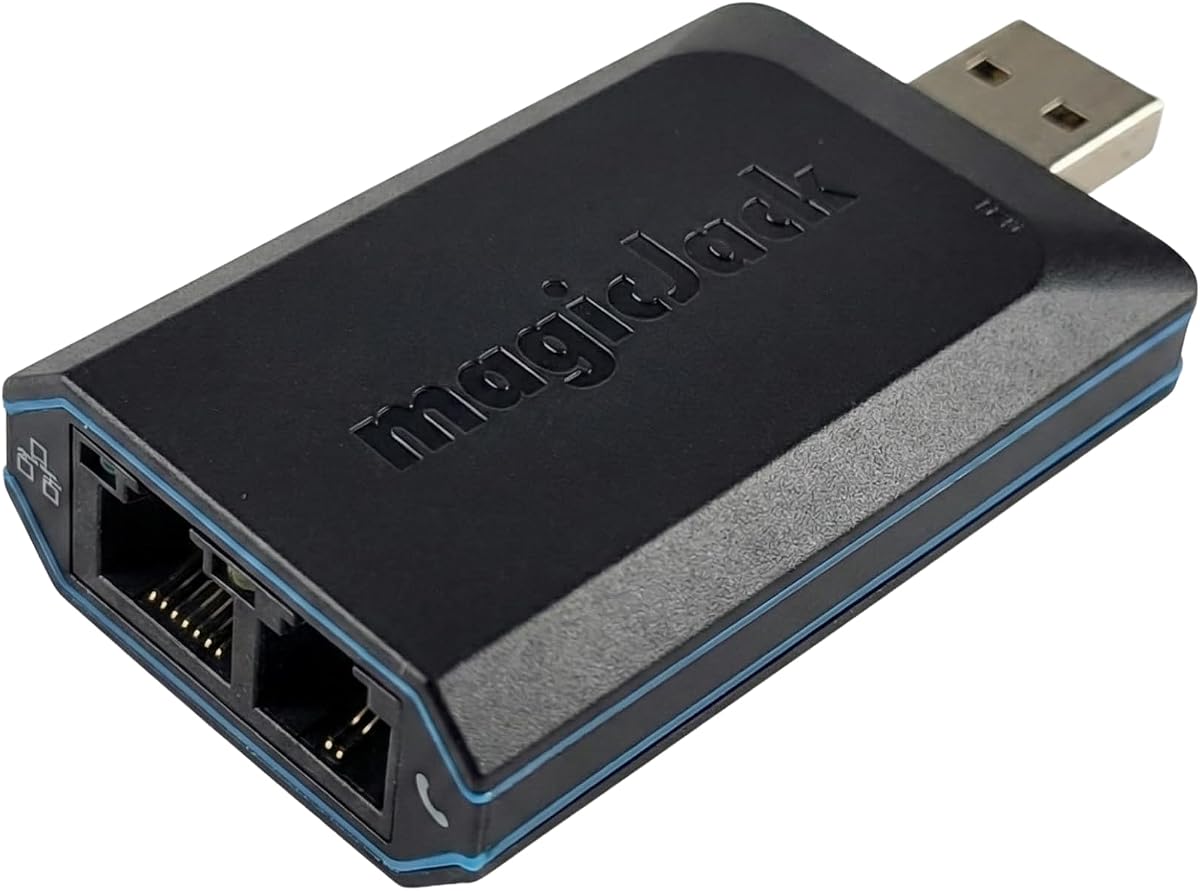
The magicJack VOIP Phone Adapter stands out as a top choice for budget conscious users. It offers unlimited calling to the US and Canada without a monthly bill. This device converts standard phones into smart internet enabled tools easily.
We may earn a commission when you buy through this link, at no additional cost to you.
Its standout quality is the inclusion of a mobile app for on the go use. You can make calls from your smartphone and sync them with your home phone. The upgraded voice quality ensures clear communication even on busy networks.
Trade-offs include reliance on internet connectivity which may affect call stability. International calling rates are not free but remain low compared to traditional services. These issues are acceptable given the significant monthly savings offered.
This adapter is ideal for remote workers and households seeking cost effective communication. It is a strong recommendation for anyone wanting to reduce phone bills while keeping existing hardware.
The mobile app allows you to take your home number anywhere.
Eliminating monthly bills saves money over time compared to traditional plans.
We may earn a commission when you buy through this link, at no additional cost to you.
CELL2JACK transforms your home phone into a smart hub using Bluetooth. It allows you to make and receive mobile calls through your landline without new hardware. This is unique for health conscious households aiming to reduce radiation exposure.
We may earn a commission when you buy through this link, at no additional cost to you.
Key strengths include its ability to improve signal strength by placing your phone in a strong spot. It works with corded, cordless, and rotary phones seamlessly. Voice assistants like Siri are accessible directly through the landline phone.
The device relies on an existing cell plan which means no savings on call charges. Battery life depends on your connected phone model. These trade-offs are minor compared to the health and convenience benefits provided.
Buyers looking to modernize old phones while protecting health will find this useful. It is an economical bridge between mobile tech and traditional home setups.
Minimizes electromagnetic pollution by keeping phones away from constant use.
Place your phone where reception is best for clearer calls indoors.
We may earn a commission when you buy through this link, at no additional cost to you.
This adapter delivers professional grade features suitable for small offices or power users. It supports two phone lines and includes robust security encryption. The build quality reflects Grandstream reputation as a trusted industry provider.
We may earn a commission when you buy through this link, at no additional cost to you.
Key strengths include automated provisioning and failover protection for reliable service. It handles fax over IP which is rare in consumer devices. The wide range of caller ID formats ensures compatibility with most systems.
Setup may be complex for non technical users compared to simpler plug and play models. The cost is higher but justified by the dual port and advanced capabilities. These factors make it a premium choice.
Users needing multiple lines or high security should choose this model. It is recommended for those who value reliability and advanced telephony features.
TLS and SRTP encryption protect your calls and account details effectively.
Supports T.38 standard for sending faxes over internet connections.
We may earn a commission when you buy through this link, at no additional cost to you.
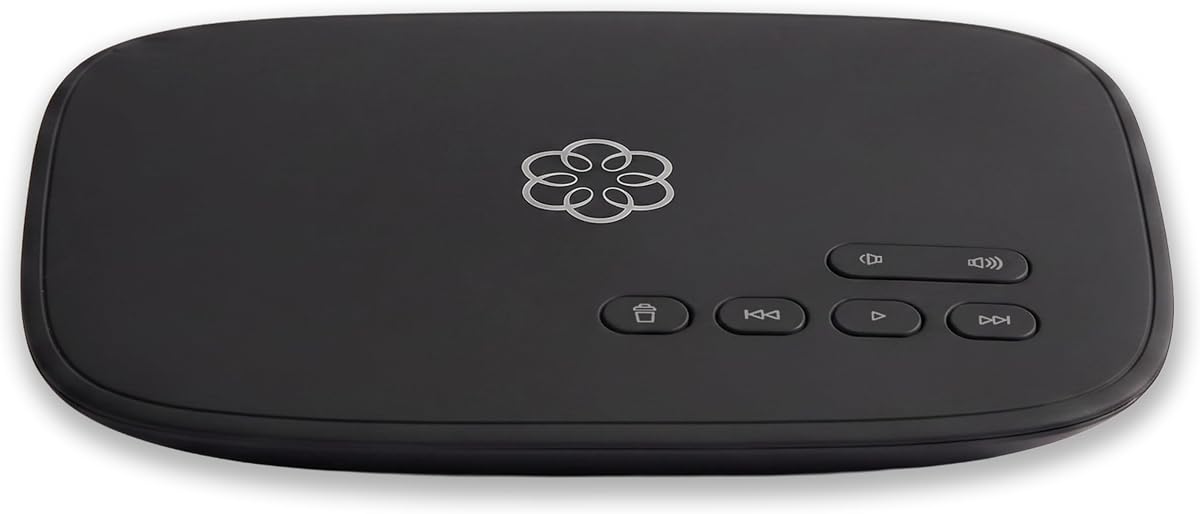
Ooma Telo is rated highly for overall satisfaction and value. It provides crystal clear nationwide calling with a focus on user experience. The device integrates well with home security sensors for enhanced safety.
We may earn a commission when you buy through this link, at no additional cost to you.
PureVoice HD technology ensures superior audio quality for every call. You can extend the service to mobile via the Ooma Mobile HD app. The setup is quick and works with existing home phones.
Users should note that monthly taxes and fees apply despite the free calling. The service depends on stable internet connectivity. These are standard for VoIP but worth considering during budgeting.
This device is perfect for households wanting security integration with their phone service. It offers a reliable alternative to traditional providers with modern features.
PureVoice HD delivers consistent high quality audio for better calls.
Connects to home security sensors to alert you of activity.
We may earn a commission when you buy through this link, at no additional cost to you.
The Ooma Telo Air adds wireless convenience to the standard Telo model. It allows you to place the device anywhere in your home without cabling. This is especially useful for larger spaces where Ethernet is hard to reach.
We may earn a commission when you buy through this link, at no additional cost to you.
It works seamlessly with Starlink internet ensuring broad compatibility. The calling features include unlimited US calls and text alerts. Voice quality remains high thanks to the Ooma PureVoice HD technology.
This model is limited to use within the US which restricts international flexibility. The price is higher than the wired version but justified by the Wi Fi ease. These limitations are minor for most domestic users.
Buyers needing placement flexibility should consider this wireless version. It offers the same great voice quality with added convenience.
Eliminates cable constraints by allowing device placement anywhere.
Compatible with Starlink and standard broadband connections equally.
We may earn a commission when you buy through this link, at no additional cost to you.
This single port adapter is designed for users who need one reliable line. It supports advanced security features and zero configuration setup with UCM systems. It is an affordable entry into reliable VoIP services.
We may earn a commission when you buy through this link, at no additional cost to you.
It supports 3 way conferencing and T.38 fax which adds utility. The automated provisioning options make deployment easy for businesses. Call features like transfer and forwarding are included out of the box.
The single port limitation means it cannot support multiple phones directly. Some advanced telephony features may require external configuration. These trade-offs are acceptable for basic home or small office use.
If you need a single dependable line this model is ideal. It balances cost and performance well for most standard users.
Uses UCM series for instant provisioning without manual entry.
TLS and SRTP encryption keep your lines private and safe.
We may earn a commission when you buy through this link, at no additional cost to you.
The OBi110 is designed for those who prioritize specific network features. It allows free calls on the OBiTALK network which connects devices easily. It offers robust calling features like caller ID and speed dial.
We may earn a commission when you buy through this link, at no additional cost to you.
You can manage endpoints and add services through the device interface. The visual and tone based message waiting indicators are practical. It also supports anonymous caller blocking for added privacy.
It does not support Google Voice which limits some flexible calling options. The feature set is narrower than higher end models. These constraints make it suitable for specific niche users.
Buyers already invested in the OBi ecosystem will find this useful. It provides a simple way to manage local and network calls.
Connect to other OBi devices for free network to network calls.
Up to 99 speed dial entries make contacting frequent contacts easy.
We may earn a commission when you buy through this link, at no additional cost to you.
Grandstream is a trusted brand deployed by major service providers globally. This model offers a reliable single port solution for home users. It includes TLS encryption to protect calls and accounts effectively.
We may earn a commission when you buy through this link, at no additional cost to you.
Setup is simplified through automated provisioning options like XML files. It supports 3 way voice conferencing for better meeting capabilities. The black corded design fits standard desk setups well.
It is limited to a single port which may not suit larger households. The design is basic compared to more modern white devices. These factors are acceptable given the reliability and security provided.
This device is recommended for users who value brand reliability over style. It ensures stable service for daily communication needs.
Used by large providers worldwide for consistent performance.
Advanced encryption keeps your voice data private and secure.
We may earn a commission when you buy through this link, at no additional cost to you.
This portable adapter allows you to take your service anywhere easily. It is a refurbished unit tested and certified to work like new. You get unlimited local and long distance calls to the US and Canada.
We may earn a commission when you buy through this link, at no additional cost to you.
The device comes with all relevant accessories needed for setup. It fits into travel bags for use on the go. The no monthly bill structure helps keep costs predictable.
As an older model it may lack the latest software updates. Warranty details are not as extensive as new units. These are reasonable trade-offs for the portability and cost savings.
Frequent travelers or students will find this option convenient. It brings home phone service on the road effectively.
Small form factor fits easily in luggage for mobile use.
Refurbished option offers savings while maintaining functionality.
We may earn a commission when you buy through this link, at no additional cost to you.
This adapter supports SIP V2 protocol for flexible internet calling. It includes two ports for multiple devices which is rare at this price point. The design is compact making it ideal for small offices or homes.
We may earn a commission when you buy through this link, at no additional cost to you.
It supports QoS capabilities ensuring good voice quality on shared networks. The setup process is straightforward without complex configurations. It offers an affordable alternative to expensive traditional services.
User ratings are lower than competitors which may indicate variability. Features are basic and lack advanced security. These factors should be weighed against the low price point.
Budget conscious users seeking portability should consider this model. It provides core functionality for those willing to accept trade-offs.
Small size fits easily on any desk or shelf.
Dual ports allow connection of two separate phones or routers.
We may earn a commission when you buy through this link, at no additional cost to you.
Selecting the right adapter depends on your specific communication needs and technical comfort level.
Ensure the adapter supports the specific VoIP service you plan to use. Some devices are tied to specific providers while others are open for any SIP provider. Check the product details for required protocols.
Choose an adapter that matches your existing service plan to avoid extra fees.
Decide if you need one or multiple phone ports. Single port units are compact while dual port units allow two phones. This affects how many devices can connect directly.
Select based on the number of physical phones you need to connect.
Look for models with plug and play capabilities if you are not tech savvy. Automated provisioning saves time and reduces errors. Complex setups may require networking knowledge.
Opt for easy setup devices to get online quickly without stress.
Security is vital to protect your calls from interception. Look for TLS and SRTP encryption options in the specifications. Open protocols are generally safer for private communications.
Prioritize adapters with built-in encryption to keep data secure.
Consider if you want to take your home number on your phone. Many adapters now offer companion mobile apps for use on the go. This allows seamless transition between home and mobile devices.
Choose an option with a mobile app if you travel often.
High definition audio improves the clarity of your conversations. Look for technologies like Wideband Audio or PureVoice HD. Good codecs help maintain quality even with variable bandwidth.
Select adapters that support advanced codecs for better sound.
Consider extra features like fax support or smart home integration. These can add value depending on your specific household needs. Not all adapters include fax capabilities which is important for some users.
Evaluate which extra features matter most for your daily use.
Check the warranty period to ensure you are protected against defects. A longer warranty indicates confidence in product quality. Good customer support helps resolve issues quickly after purchase.
Look for models with solid warranty terms for peace of mind.
Start by connecting the adapter to your router using an Ethernet cable. Plug your phone into the adapter using a standard phone cord. Power on the device and wait for the status lights to indicate readiness.
For best performance place the adapter in a cool and dry area. Avoid locations near heat sources or direct sunlight. Ensure ventilation is sufficient to prevent overheating during long use.
Regularly update the firmware if available to access new features and security patches. If you experience issues reset the device by power cycling it. Keep the area free of dust to maintain internal components.
No traditional landline subscription is required for most adapters. They rely on internet connections instead of telephone wires. This allows you to save money while keeping your existing phones.
A stable broadband connection is sufficient for most calling. Typically speeds of 100 kbps per call are recommended. Ensure your router supports QoS for better call quality.
Many adapters support international calling but at different rates. Check your provider's rate card before making long distance calls. Some include limited international minutes in basic plans.
Contact your provider to initiate number porting. They will guide you through transferring your landline number to the new service. Keep your old service active during the process.
Some models support T.38 fax protocols for sending faxes online. Check the specifications to ensure fax capability is included. Standard analog fax machines connect directly to the port.
Most adapters support emergency 911 services but rules apply. Provide your physical address to the provider for accurate dispatch. Be aware that power outages may affect service availability.
Choosing the right adapter depends on your household size and technical needs. The top picks offer a range of options from budget friendly to high performance. Each device brings unique features to modernize your home phone.
Prioritize security and call quality when making your final selection. Consider if mobile integration is important for your lifestyle. A good adapter should fit seamlessly into your existing routine.
Always check current listings and prices before purchasing to ensure the best deal. This guide aims to simplify the process of finding the right adapter. With the right choice you can enjoy reliable and affordable communication.