
XIAOWTEK Wireless Earbuds
4.9Editor score
Bluetooth 5.4 chip
Four ENC microphones
Fifty hour playtime
Discover the top earbuds for Teams meetings with clear mics and noise cancellation. We compare ten models for call quality and comfort for professionals.
Finding the right earbuds for Teams meetings is essential for remote work success. You need clear voice transmission, reliable connectivity, and comfort for long calls without distraction or fatigue.
We evaluated ten top models based on microphone quality, noise cancellation, battery life, and software integration. Each option offers unique strengths for different work environments and device setups.
Every pick highlights specific features that matter for conferencing. Note that availability and specifications may change over time. Always verify details on the official product page before purchasing.
4.9Editor score
3.5Editor score

4.2Editor score
This side-by-side comparison highlights key specifications across ten leading earbuds designed for professional conferencing. Use this table to quickly identify which model matches your priorities for call clarity and device compatibility.



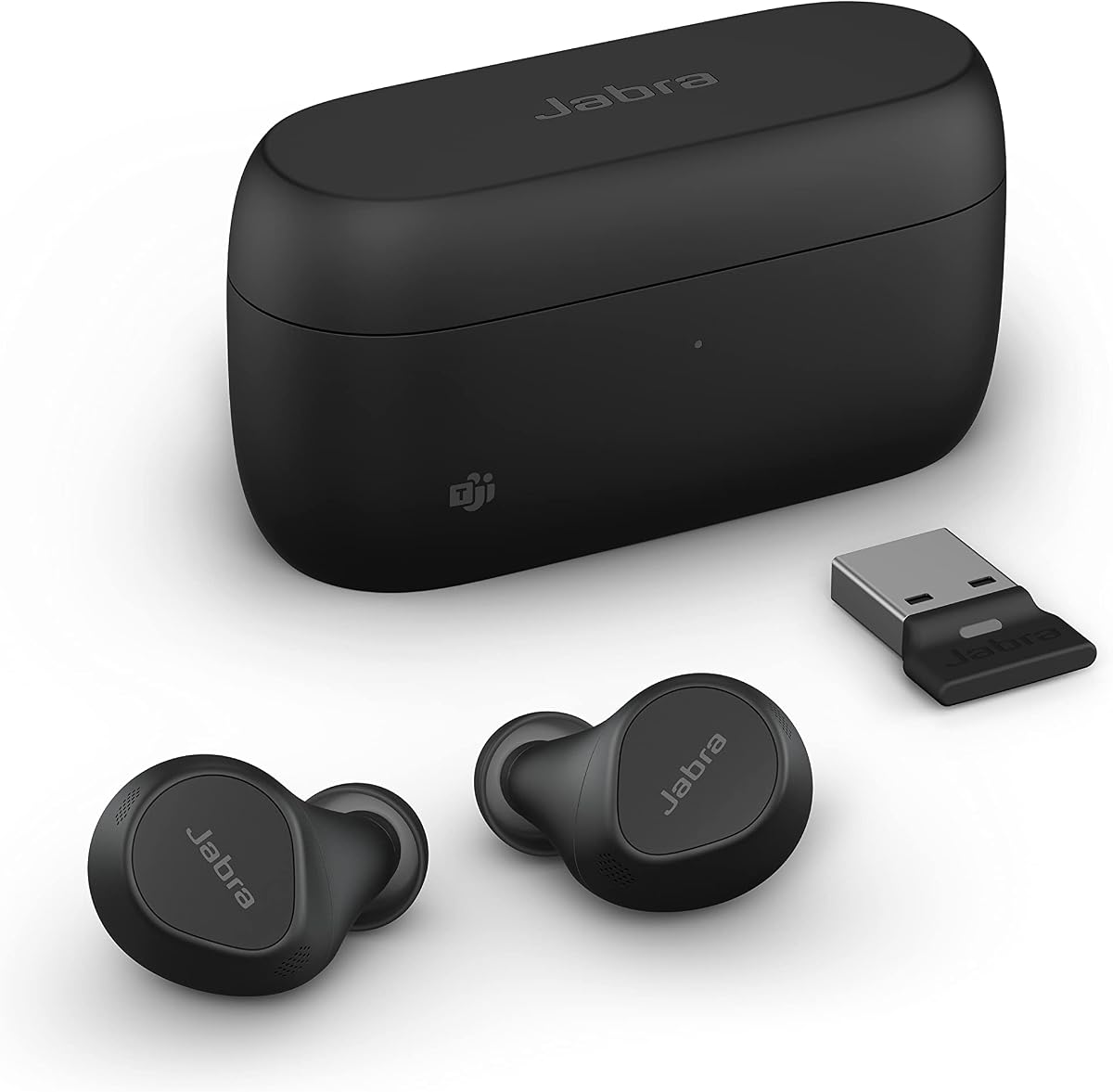
The Jabra Evolve2 True Wireless earbuds deliver enterprise-grade performance with built-in certification for Microsoft Teams and other major platforms. Users appreciate the clear call quality enabled by advanced voice technology.
We may earn a commission when you buy through this link, at no additional cost to you.
Four microphones work alongside clever algorithms to isolate your voice from background noise. Bone conduction sensors detect when you speak, ensuring only your voice gets transmitted during conversations.
While effective, these earbuds come at a higher cost than consumer models. The price reflects their professional focus and durability rather than just audio playback quality or battery longevity.
Business professionals who rely on consistent meeting connectivity should consider these earbuds. The certification ensures seamless integration with company systems and meeting software for productive workdays.
Microsoft Teams certification guarantees compatibility and optimized settings for corporate meetings without requiring manual configuration.
MultiSensor Voice Technology combines microphones with physical sensors to prioritize your voice over surrounding ambient noise effectively.
We may earn a commission when you buy through this link, at no additional cost to you.
These earbuds offer impressive features for a budget price point, making them accessible for remote workers seeking reliable call quality. The inclusion of latest generation Bluetooth provides stable connectivity for meetings.
We may earn a commission when you buy through this link, at no additional cost to you.
Four environmental noise cancellation microphones help filter out background noise during calls. This technology ensures your voice remains clear even in noisy home offices or busy environments.
Battery life is a standout feature with fifty hours of total playback time available. However, long-term software support may not match established brands with dedicated mobile applications and updates.
Users needing a cost-effective solution for daily Teams calls will find this model valuable. The waterproof rating adds versatility for active professionals or those working in varied environments.
Bluetooth 5.4 ensures lower power consumption and stronger signal penetration for uninterrupted connection during video calls.
A fifty-hour total battery life reduces charging frequency, keeping you connected through multiple long meetings without interruption.
We may earn a commission when you buy through this link, at no additional cost to you.
The Soundcore Liberty 5 Pro Max sets a new standard with AI note-taking capabilities that transcribe and summarize meetings directly from the charging case. This innovation helps professionals keep track of action items efficiently.
We may earn a commission when you buy through this link, at no additional cost to you.
Call quality is exceptional thanks to ten sensors and the Thus AI Chip processing voice signals accurately. This technology ensures clarity even in extremely noisy environments like busy offices or coffee shops.
However, the AI features require a subscription plan for full functionality. The combination of advanced hardware and recurring service costs places this model firmly in the premium category for serious users.
Professionals handling confidential information will appreciate the strong privacy standards and local encryption options. These features make it suitable for business contexts where data security is critical.
The built-in AI note-taker transcribes conversations to generate summaries and action items directly for faster workflow management.
Security standards ensure your conversations remain private with local encryption and compliance to industry certifications.
We may earn a commission when you buy through this link, at no additional cost to you.
Dell Pro Plus Earbuds are designed for professional users needing reliable voice clarity without heavy customization. The AI-based noise-canceling microphone ensures your voice is heard clearly during calls.
We may earn a commission when you buy through this link, at no additional cost to you.
Adaptive ANC allows you to switch between blocking noise or maintaining awareness of your surroundings with a simple pinch. This flexibility is useful in dynamic office environments where awareness matters.
The focus on communication comes with comfortable design suitable for long wear. However, software support relies on basic controls rather than a dedicated mobile app for advanced customization.
Users looking for straightforward performance tied to business laptops may find this option appealing. It delivers consistent call quality essential for daily Teams meetings and phone conversations.
AI voice recognition filters background noise to deliver best-in-class call quality without complex configuration.
Pinch gestures manage calls and noise modes instantly without needing to interact with your phone screen.
We may earn a commission when you buy through this link, at no additional cost to you.
Logitech Zone True Wireless earbuds include a USB receiver for reliable connectivity on computers where Bluetooth may be inconsistent. This ensures seamless connection for calls without interference.
We may earn a commission when you buy through this link, at no additional cost to you.
With six microphones and beamforming technology, these earbuds deliver high-quality voice transmission. Certification for Teams ensures optimized performance for video conferencing software.
While offering strong call features, user feedback varies regarding comfort and battery consistency. The Logi Tune app provides customization but may require additional setup for optimal performance.
Professionals needing a reliable connection on laptops and desktops will appreciate the USB option. This hybrid connectivity bridges the gap between mobile convenience and office workstation reliability.
Bluetooth and USB receiver options ensure stable connection across smartphones and computers for flexible working setups.
Advanced beamforming and noise reduction isolate your voice clearly from surrounding office or home noise.
We may earn a commission when you buy through this link, at no additional cost to you.
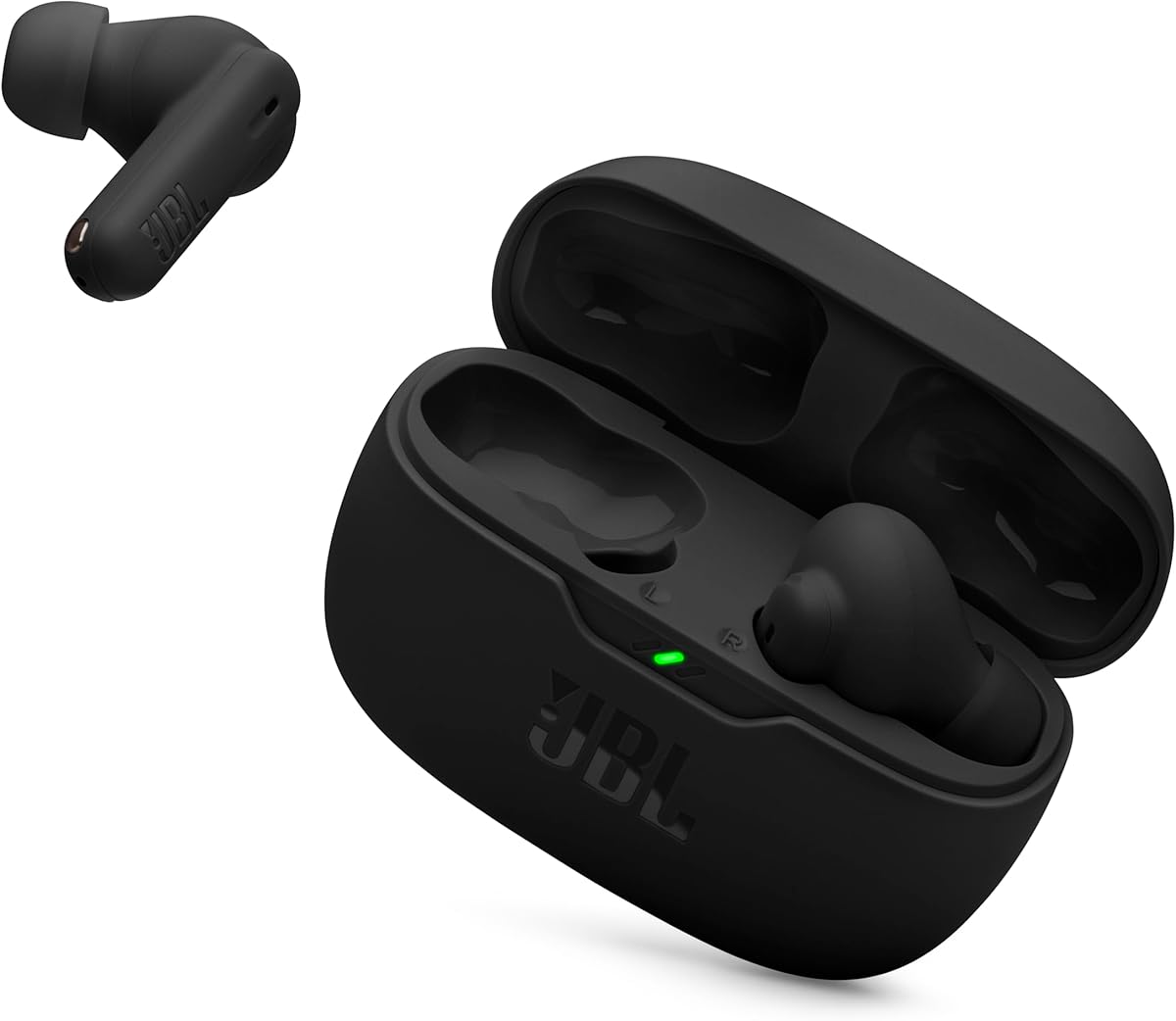
JBL Vibe Beam 2 brings a well-known audio brand to the workplace with reliable call quality and balanced sound. Four microphones on each bud ensure clear voice pickup during meetings.
We may earn a commission when you buy through this link, at no additional cost to you.
Smart Ambient mode lets you hear your surroundings when needed without removing earbuds. This feature supports awareness while staying engaged in conversations or calls.
Battery life provides ten hours on a single charge which suits typical workdays. The quick charge feature delivers extra playtime in minutes when you are running low on power.
Casual users who prioritize ease of use over advanced features will find these suitable. They offer a good balance of performance for standard video calls and casual listening.
JBL Pure Bass delivers rich sound while four microphones ensure clear communication for work conversations.
Ten minutes of charging provides hours of use to prevent interruptions during busy schedules.
We may earn a commission when you buy through this link, at no additional cost to you.
TOZO Hybrid ANC offers extensive battery life with sixty-eight hours total playtime. This ensures earbuds remain ready for extended use without frequent charging interruptions.
We may earn a commission when you buy through this link, at no additional cost to you.
Six microphones support environmental noise cancellation for clearer calls. The IPX8 rating adds robust protection against sweat and water for versatile daily use.
While performance is solid, software features are simpler compared to premium brands. Users focused on basic call quality may prefer more advanced customization tools.
Long-term users seeking endurance will value this model's capacity. It is suitable for professionals who spend many hours on calls and need reliable hardware.
Sixty-eight hours of total playtime reduces charging frequency for continuous productivity throughout long days.
IPX8 waterproofing handles sweat and rain making these earbuds suitable for active or varied environments.
We may earn a commission when you buy through this link, at no additional cost to you.
The Soundcore P30i offers a unique charging case that functions as a phone stand. This design supports hands-free viewing during breaks between meetings or video playback.
We may earn a commission when you buy through this link, at no additional cost to you.
Adaptive noise cancelling adjusts levels based on your environment automatically. Four microphones enhanced by AI algorithms help maintain clear voice transmission during calls.
Battery life provides up to ten hours per charge which meets standard workday needs. The case adds significant total playback time for extended daily use without recharging.
Hybrid workers who commute or travel may appreciate the convenience features. It blends utility with comfort for professionals needing flexibility outside the office.
The integrated phone stand enables hands-free viewing of meeting notes or videos without extra accessories.
Adaptive technology automatically selects optimal noise cancellation levels for your specific surroundings.
We may earn a commission when you buy through this link, at no additional cost to you.
TAGRY Hybrid ANC earbuds provide eighty hours of total battery life. This capacity supports heavy users who need extended use without frequent recharging interruptions.
We may earn a commission when you buy through this link, at no additional cost to you.
An earhook design ensures a secure fit for active professionals. Transparency mode allows awareness of surroundings while maintaining call functionality during meetings.
Hi-Res audio quality delivers detailed sound for music and meetings. However, physical earhooks may feel bulky to users preferring a discreet appearance.
Those needing secure fit and high battery capacity will find this model useful. It suits active professionals who require stability during workouts or movement.
Soft earhooks keep earbuds in place securely during active movement or workouts without discomfort.
Eighty hours total playback allows weeks of use between charges reducing charging dependency.
We may earn a commission when you buy through this link, at no additional cost to you.
JLab Work Buds feature a detachable boom mic for clear voice pickup. This design suits users needing high call clarity without relying solely on in-ear microphones.
We may earn a commission when you buy through this link, at no additional cost to you.
A USB-C charging dock keeps devices organized on a desk. Fifty-five hours of total playtime ensures reliable performance throughout the week without interruptions.
Multipoint Bluetooth connects to multiple devices simultaneously. The boom mic adds bulk but provides superior call quality compared to standard in-ear designs.
Workstation users needing a dedicated headset feel device will appreciate this model. It bridges the gap between traditional headsets and modern wireless convenience.
A detachable boom mic ensures consistent and clear audio for calls regardless of background noise levels.
USB-C dock charges earbuds and mic while keeping desk space organized for professional setups.
We may earn a commission when you buy through this link, at no additional cost to you.
Selecting the right earbuds requires evaluating several technical factors that impact call quality and productivity in professional settings.
Microphone quality is the most critical factor for meeting success. Look for earbuds with multiple microphones and advanced noise cancellation technologies like beamforming or environmental noise cancellation to isolate your voice from ambient noise.
Prioritize models with specific certification or AI processing that enhances clarity during calls.
Certification ensures your earbuds work seamlessly with specific platforms like Microsoft Teams or Zoom. Certified devices offer optimized audio profiles and easier access to call controls within the application.
Always check for official certification badges if you rely on specific enterprise software.
Battery life impacts how often you need to charge your earbuds. Look for total playtime that covers your typical workday plus commute time to avoid interruptions.
Quick charging features are also valuable for adding hours of use during short breaks.
Bluetooth version and multipoint support determine how smoothly you can switch between devices. Newer Bluetooth versions offer better stability and lower latency for voice calls.
Multipoint lets you connect to your laptop and phone simultaneously without manual re-pairing.
Active noise cancellation helps you focus on meetings without external distractions. Adaptive ANC adjusts levels automatically based on your environment for comfort and clarity.
Transparency modes are also useful for staying aware of your surroundings when needed.
Comfort is essential for long meetings. Adjustable ear tips and ergonomic designs reduce fatigue during extended wear sessions.
Test multiple sizes to find a fit that seals well without causing discomfort.
Companion apps allow you to customize settings and manage call features easily. Look for features like EQ adjustment and firmware updates to maintain performance.
Basic controls without apps may limit your ability to personalize the experience.
Pair your earbuds with your device using Bluetooth or a USB dongle. Ensure the correct audio output is selected in Teams settings for optimal call routing.
Use touch or physical controls to manage calls without touching your screen. Familiarize yourself with gestures for muting or switching noise modes to stay uninterrupted.
Clean ear tips regularly with a soft cloth to maintain hygiene and sound quality. Store earbuds in their case when not in use to protect them from damage.
Yes, many earbuds are designed specifically for conferencing. They offer clear microphones and stable connections suitable for daily use. Check for certification to ensure compatibility with platform features.
Microphone quality matters more for meeting success. You need clear voice transmission to communicate effectively. Battery life supports continuity but clarity ensures understanding.
Certified models display platform logos like Microsoft Teams on packaging or product pages. This guarantees optimized settings and seamless integration with meeting software for professionals.
Many models support Bluetooth multipoint to connect to multiple devices. This allows switching between a laptop and phone without manual pairing steps for better workflow.
Noise cancellation helps reduce distractions during calls. It isolates your voice and blocks background noise. Adaptive versions adjust levels automatically for comfort in varying environments.
Ideally battery life should cover a full workday plus travel. Ten hours or more per charge is recommended. Look for quick charging features for flexibility.
Prices vary widely based on features. Budget options provide basic clarity while premium models offer advanced AI or certification. Choose based on your specific needs.
The Jabra Evolve2, XIAOWTEK, and Soundcore Liberty 5 Pro Max lead the list for different priorities. Enterprise needs favor Jabra while budget users find value in XIAOWTEK.
Prioritize microphone quality and certification for productive meetings. Comfort and battery life support long-term daily use without interruptions or fatigue during work hours.
Always check current availability and product updates before purchasing. Specifications evolve quickly and staying informed ensures you choose the right model for your workflow needs.