
XIAOWTEK Wireless Earbuds
4.9Editor score
Bluetooth 5.4 connectivity
50 hours total playtime
Four ENC noise cancelling mics
Compare the top earbuds for laptop conference calls including noise cancelling microphones battery life and connectivity features for remote work professionals
Finding the right earbuds for laptop conference calls is essential for remote professionals who need clear audio and reliable connectivity during daily meetings.
We compared ten top-rated models based on microphone quality battery life and compatibility with common video conferencing platforms used in modern workplaces.
Each selection highlights key strengths and potential trade-offs so you can choose the best fit for your specific work environment and budget needs.
4.9Editor score

3.9Editor score

4.2Editor score
This side-by-side comparison highlights the core specifications and unique features of each model to help you find the ideal audio solution for your laptop setup.



The XIAOWTEK Wireless Earbuds offer an impressive combination of features at a budget-friendly price making them ideal for frequent conference calls.
We may earn a commission when you buy through this link, at no additional cost to you.
Equipped with Bluetooth 5.4 and four microphones with ENC technology these buds ensure your voice is transmitted clearly even in moderately noisy environments.
While they lack advanced active noise cancellation for listening the focus on call clarity and battery performance makes them a practical choice for professionals.
If you need reliable connectivity and long listening sessions without breaking the bank these earbuds deliver outstanding value for everyday work use.
Four microphones combined with ENC technology isolate your voice from background noise ensuring colleagues hear you clearly.
With 50 hours of total playtime you can go days without charging the case ensuring uninterrupted productivity.
We may earn a commission when you buy through this link, at no additional cost to you.
These wireless earbuds utilize the latest Bluetooth 5.4 chipset to provide a stable and low latency connection perfect for video conferencing.
We may earn a commission when you buy through this link, at no additional cost to you.
The built-in ENC noise cancellation helps maintain voice clarity during calls while the 36 hours of battery life covers multiple work days.
Although they are not specialized for audio the ergonomic design ensures comfort during extended wear and the LED display tracks power easily.
They represent a solid middle ground between cost and performance suitable for remote workers who need consistent daily connectivity.
Bluetooth 5.4 ensures a stronger signal penetration and lower power consumption for reliable connections during meetings.
Intuitive touch controls allow you to manage calls and music without reaching for your laptop or phone.
We may earn a commission when you buy through this link, at no additional cost to you.
The Soundcore P30i stands out with its strong active noise cancellation and adaptive technology that tailors sound to your environment.
We may earn a commission when you buy through this link, at no additional cost to you.
Four microphones enhanced by AI algorithms ensure clear voice transmission while the 45 hours of total battery keeps you powered through the week.
While the case includes a unique stand for phone viewing this feature adds bulk and the ANC might interfere slightly with mic input.
These earbuds are best for users who need strong isolation from distractions and reliable call performance in various settings.
Adaptive ANC automatically adjusts levels based on external sound for optimized comfort and focus during meetings.
The soundcore app allows you to customize EQ settings and update firmware for a personalized audio experience.
We may earn a commission when you buy through this link, at no additional cost to you.
For those who prefer simplicity and reliability the Panasonic ErgoFit Wired Earbuds offer a classic solution without battery or pairing worries.
We may earn a commission when you buy through this link, at no additional cost to you.
The integrated microphone and call controller on the cable allow you to manage meetings directly without touching your laptop or phone.
While modern laptops may require a USB-C to 3.5mm adapter the consistent audio quality and secure fit make these great for focused work.
They are an excellent choice for users who want a zero hassle audio option that works perfectly for every call.
High quality TPE materials and bending resistance ensure these earbuds withstand daily office use.
Balanced sound profile delivers clear highs and deep lows for both music and voice calls.
We may earn a commission when you buy through this link, at no additional cost to you.
These wired earbuds provide a no fuss way to handle calls and audio without worrying about battery life or Bluetooth interference.
We may earn a commission when you buy through this link, at no additional cost to you.
The multifunction remote lets you answer calls and adjust volume quickly while the 24K gold plating ensures a strong connection.
Available in a two pack they offer great value for shared office use or as a backup pair for critical meetings.
If you prioritize clear audio and simplicity over wireless convenience these earbuds are a smart and cost effective choice.
Integrated microphone filters out noise to deliver clear conversations on Zoom and Skype calls.
Ergonomic inclined design keeps earbuds secure and comfortable even during long meetings.
We may earn a commission when you buy through this link, at no additional cost to you.
The JLab Work Buds are built specifically for professionals with a detachable boom mic that ensures top tier voice clarity.
We may earn a commission when you buy through this link, at no additional cost to you.
Bluetooth multipoint lets you switch between your laptop and phone seamlessly while the 55 hours of battery keeps you connected all week.
While the design is heavier than standard buds the focus on business features like the boom mic makes them stand out.
These are the ideal choice for remote workers who need a headset that rivals dedicated office headsets for call quality.
Noise-canceling boom mic delivers crystal clear voice even in noisy environments.
Connect to two devices simultaneously to switch between calls and audio effortlessly.
We may earn a commission when you buy through this link, at no additional cost to you.
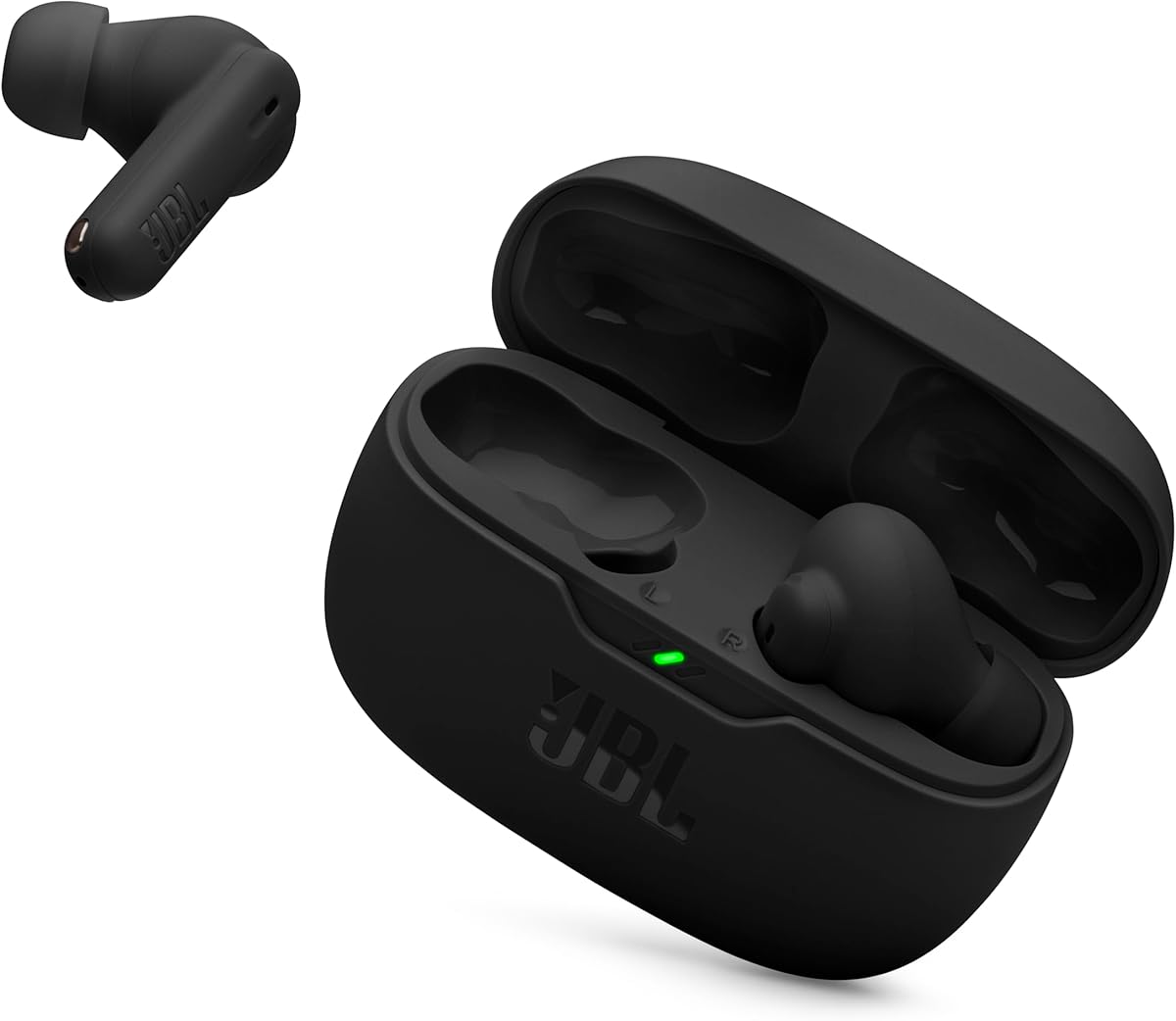
JBL Vibe Beam 2 earbuds bring signature Pure Bass sound and active noise cancelling to a compact and comfortable design.
We may earn a commission when you buy through this link, at no additional cost to you.
Four microphones work together to transmit your voice clearly while the 40 hours of battery supports long workdays.
The smart ambient mode allows you to hear surroundings when needed making them versatile for office environments.
These are great for users who want excellent music quality alongside reliable call performance and noise isolation.
Dual mics on each earbud pick up voice clearly and cancel ambient noise.
Ten minutes on USB-C gives three hours of playtime for quick top ups.
We may earn a commission when you buy through this link, at no additional cost to you.
The Dell Pro Plus EB525 earbuds are engineered for workspace use with an AI-based mic that filters background noise intelligently.
We may earn a commission when you buy through this link, at no additional cost to you.
Adaptive ANC adjusts to your environment while touch controls let you manage calls and music with simple gestures.
Although they are premium priced the focus on business features and seamless connectivity makes them ideal for corporate setups.
Choose these if you need a professional audio solution that prioritizes voice clarity and productivity.
AI algorithms recognize your voice and filter noise for best in class call quality.
On-device touch controls make switching modes and handling calls easy.
We may earn a commission when you buy through this link, at no additional cost to you.
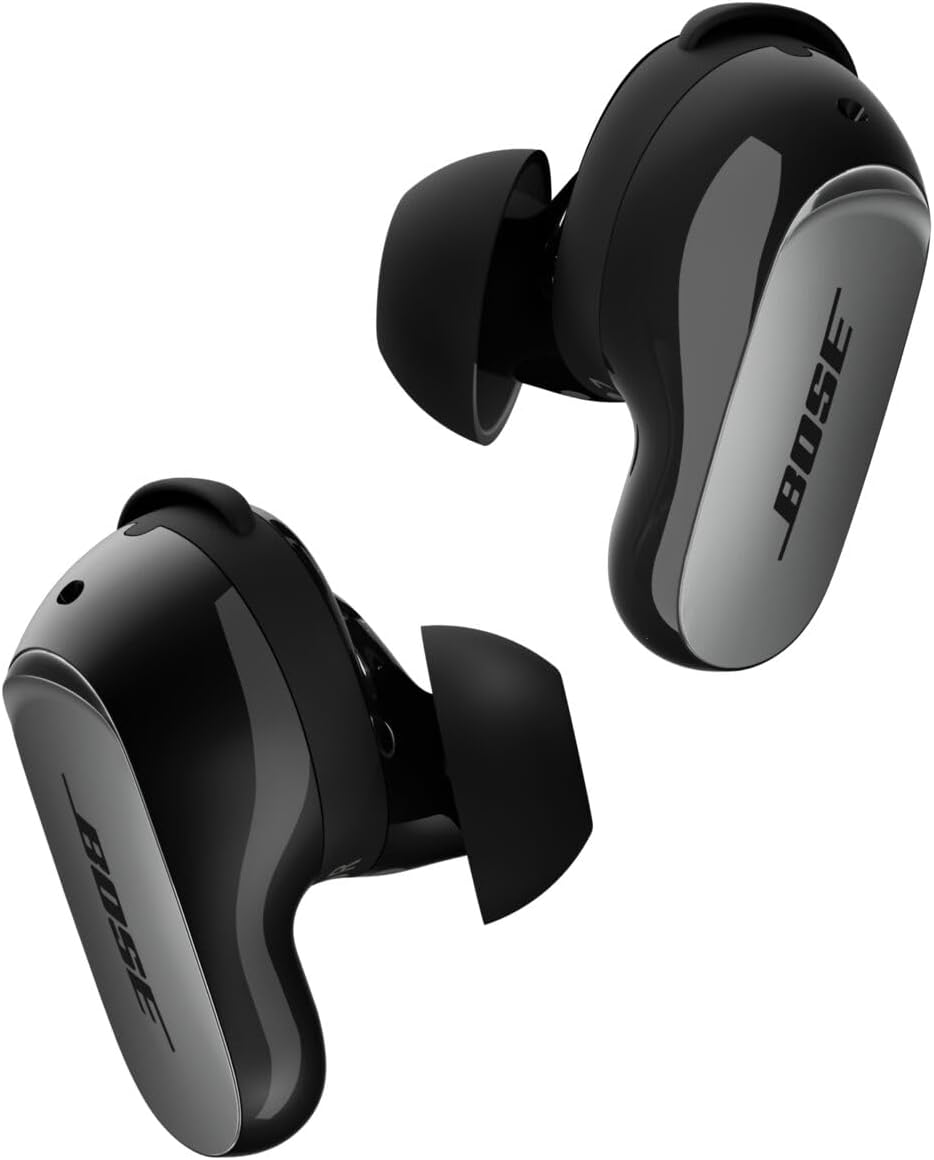
Bose QuietComfort Ultra earbuds deliver world-class noise cancellation and immersive audio for unmatched focus and sound quality.
We may earn a commission when you buy through this link, at no additional cost to you.
SpeechClarity technology filters wind and background noise while multipoint connectivity switches between devices without interruption.
Despite higher cost and shorter battery life the call quality and comfort make them a top choice for professionals.
These are perfect for users who prioritize premium noise isolation and clear calls in loud environments.
SpeechClarity technology uses noise-rejecting mics to focus on your voice.
CustomTune analyzes your ears for personalized noise cancellation and sound.
We may earn a commission when you buy through this link, at no additional cost to you.
Soundcore Liberty 5 Pro Max earbuds set a new standard with AI Note-Taker technology and whisper-clear call capabilities.
We may earn a commission when you buy through this link, at no additional cost to you.
The advanced microphones ensure your voice is heard in any environment while the encryption standards protect confidential conversations.
Although the Note-Taker requires a subscription the call performance and security features justify the investment for business users.
Select these if you need the highest call quality and advanced privacy features for professional communication.
Ten sensors and Thus AI Chip ensure your voice is heard in 100 dB+ noise.
AES-256 encryption and compliance standards protect your data from access.
We may earn a commission when you buy through this link, at no additional cost to you.
Selecting the right earbuds requires evaluating microphone quality connectivity and battery life to match your specific work needs.
Look for earbuds with dedicated noise cancelling microphones or environmental noise cancellation to ensure your voice is clear.
This feature filters out background sounds so colleagues hear you without distraction during calls.
Choose models with Bluetooth 5.0 or higher for stable connections and lower latency during video conferences.
Multipoint connectivity allows you to switch between devices like laptops and phones seamlessly.
Aim for at least 20 hours of total battery life to avoid frequent charging during workdays.
Longer battery ensures uninterrupted meetings and reliable performance throughout the week.
ANC helps you focus by blocking external noise but consider if it affects call quality.
For noisy environments ANC is valuable for concentration but check its impact on microphone clarity.
Ergonomic designs with multiple ear tip sizes ensure a secure and comfortable fit for long wear.
Comfort prevents fatigue and reduces distractions during extended meetings or work sessions.
Verify compatibility with your laptop and video conferencing software for smooth integration.
Most modern models support common platforms but checking specs ensures a hassle-free setup.
Touch or physical controls make managing calls and volume easy without interrupting workflow.
Intuitive controls enhance productivity and simplify daily use of your earbuds.
Advanced models offer encryption and secure handling of call data to protect sensitive information.
This is critical for professionals handling confidential client or company data during calls.
Pair your earbuds with your laptop using Bluetooth settings ensuring your computer supports Bluetooth or has an adapter.
Adjust ear tip sizes for a secure fit that blocks external noise and keeps audio clear during calls.
Regularly clean the microphones and ear tips with a dry cloth to maintain sound quality and hygiene.
Yes you can use wired earbuds with a 3.5mm jack or USB adapter. Wired options avoid battery issues and ensure stable connections for meetings.
Microphone quality and noise cancellation are crucial. Look for models with multiple mics or ENC to filter background noise effectively.
Most modern Bluetooth earbuds work with Zoom Skype and Teams. Verify compatibility in product specs before purchasing.
ANC helps in noisy environments but check if it affects mic quality. Some models optimize ANC for call clarity.
Enable Bluetooth on both devices and pair them. Multipoint allows switching without reconnecting manually.
Aim for 20 hours or more total battery life to avoid charging during the day and ensure reliability.
Waterproof models protect against sweat and spills making them durable for daily use in various environments.
Ensure earbuds fit snugly and keep mics clean. Some apps offer EQ settings to enhance voice clarity.
Whether you need budget reliability or premium features these earbuds cover diverse needs for remote professionals.
Prioritize microphone quality and battery life to ensure seamless communication throughout your workday.
Always check current availability and features to match your specific laptop setup before purchasing.