
Replacement Remote for Dish Upgraded Network 54.1 54.2 54.3 54 Series UHF
4.5Editor score
Voice search compatible
UHF wireless connectivity
Easy pairing process
This guide compares the top Dish Network replacement remotes for 2026, evaluating compatibility, features, and user feedback to help you choose the right
Finding a reliable replacement remote for your Dish Network receiver can be frustrating when the original unit fails or gets lost. A good replacement should offer seamless compatibility, responsive buttons, and essential features like voice search or backlit keys to enhance your viewing experience.
We have carefully evaluated ten highly rated options available on the market today. Our comparison focuses on connectivity types, pairing processes, build quality, and user reviews to ensure you find a remote that works flawlessly with your specific receiver model.
Each pick in this list highlights specific strengths such as budget friendliness, premium features, or universal compatibility. Please note that product availability and pricing may change over time, so verify details before making your final purchase decision.
4.5Editor score

4.6Editor score

4.6Editor score
The following table provides a side-by-side comparison of all ten remotes, highlighting their key specifications and compatibility to help you quickly identify the right fit for your setup.


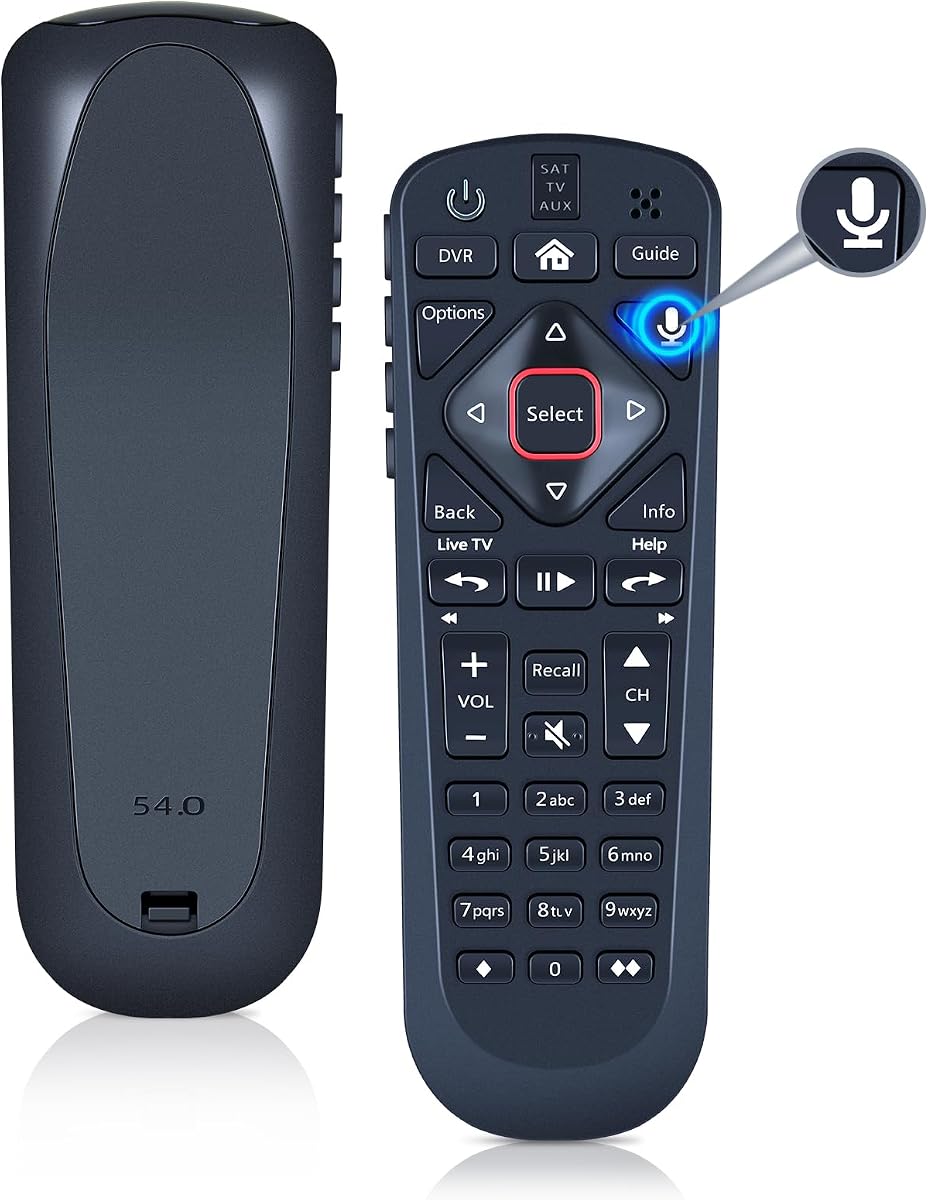


This remote stands out as the top choice for Hopper users due to its premium features like backlit keys and a remote locator. With a strong rating from users, it delivers reliable performance and essential tools for modern entertainment systems.
We may earn a commission when you buy through this link, at no additional cost to you.
The backlit keys automatically illuminate when you pick up the remote in low light, making navigation effortless at night. Additionally, the remote locator feature lets you find misplaced units by pressing a button on your DVR, saving time and frustration.
While it requires internet connectivity for full search functionality, this is a minor trade-off for the convenience of voice commands and app launches. The personalization options allow you to program hot keys for frequently used actions like recording or captioning.
Anyone using a Hopper family receiver should consider this model for its seamless integration and user-friendly design. It offers a complete replacement experience that closely mirrors the functionality of the original equipment.
The automatic backlight ensures you can see all buttons clearly without needing external light sources in dark viewing rooms.
The locator button on the DVR triggers the remote to beep and blink, helping you find it quickly under cushions or behind furniture.
We may earn a commission when you buy through this link, at no additional cost to you.
This replacement remote offers excellent value for users seeking an affordable upgrade without sacrificing core functionality. It supports UHF connectivity and voice search, making it a strong contender for those on a budget who still want modern features.
We may earn a commission when you buy through this link, at no additional cost to you.
The pairing process is straightforward, involving simple button presses on the receiver and remote to establish a connection. UHF wireless technology ensures reliable signal transmission even when the remote is not pointed directly at the receiver.
While it lacks premium features like backlit keys, it covers all essential functions needed for daily use. The reliable service guarantee provides peace of mind should any issues arise after purchase.
Ideal for cost-conscious buyers, this remote delivers solid performance and compatibility with the 54 series receivers. It is a practical choice for replacing a lost or broken unit without overspending.
UHF technology allows control from any angle without line of sight, improving usability in various seating arrangements.
Built-in voice search lets you find content quickly by speaking commands, reducing the need to navigate manually with arrow keys.
We may earn a commission when you buy through this link, at no additional cost to you.
This remote is designed specifically for Hopper users who need a reliable and feature-rich replacement. With a high rating and compatibility across all Hopper models, it offers a premium experience with backlit keys and customizable controls.
We may earn a commission when you buy through this link, at no additional cost to you.
The remote finder function allows you to locate the device by pressing a button on the receiver, which is incredibly useful in dark environments. Backlit keys ensure you can see all commands clearly without straining your eyes.
Customization options let you program hot keys for specific apps or actions like closed captioning, enhancing workflow efficiency. While it is tailored for Hopper systems, this focus ensures optimized performance within that ecosystem.
For Hopper owners seeking a polished and dependable remote, this model is a top recommendation. It balances premium features with practical design to deliver a seamless control experience.
Designed to work with all Hopper, Joey, and Wally receivers, ensuring broad compatibility within the Dish ecosystem.
Programmable hot keys allow you to launch favorite apps or functions with a single press, saving time during use.
We may earn a commission when you buy through this link, at no additional cost to you.
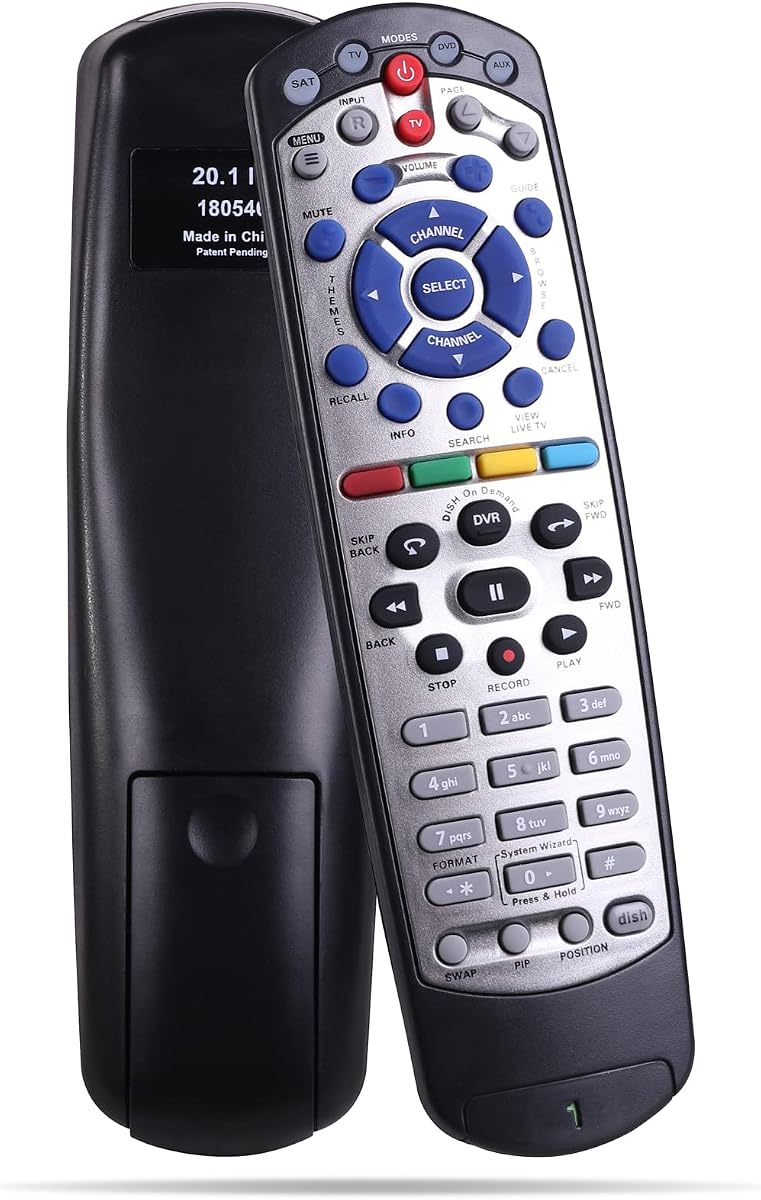
This IR remote is a straightforward replacement for older 20.1 receiver models. It provides essential control functions with a simple design, making it suitable for users who do not need advanced wireless features.
We may earn a commission when you buy through this link, at no additional cost to you.
Setup involves pairing and selecting the correct code for your TV brand, which is outlined in the included manual. While it lacks learning capabilities, it covers standard commands needed for basic operation of the receiver.
The one year warranty offers some protection against defects, adding value to the purchase. However, users must ensure line of sight between the remote and receiver for it to function properly.
Best suited for legacy setups, this remote offers a cost-effective solution for maintaining control over older Dish equipment. It is a practical choice when advanced features are not required.
The manual provides clear instructions for pairing and code selection, simplifying the initial configuration process.
Infrared technology ensures reliable signal transmission as long as there is an unobstructed path to the receiver.
We may earn a commission when you buy through this link, at no additional cost to you.
This remote provides voice search capabilities and UHF wireless connectivity for 54 series receivers. It is designed to offer modern control features at a reasonable price point for users looking to upgrade their setup.
We may earn a commission when you buy through this link, at no additional cost to you.
The pairing process is guided through the receiver's menu, allowing you to connect the remote quickly. UHF connectivity ensures signals reach the receiver even through obstacles or from different angles in the room.
Users should note that this model is not compatible with the Hopper 3 receiver, so checking compatibility is essential. Beyond that limitation, it covers all necessary functions for daily viewing and navigation.
For 54 series owners, this remote delivers a balance of functionality and value. It is a strong option if you need voice control without investing in a premium branded unit.
Voice search helps you find programs faster without typing, enhancing the overall user experience with minimal effort.
UHF signals work through walls and furniture, offering flexibility in how you position yourself while using the remote.
We may earn a commission when you buy through this link, at no additional cost to you.
This replacement remote features a built-in microphone for voice search, making it convenient for users who prefer speaking commands. It is compatible with the upgraded 54 series receivers and includes straightforward pairing steps.
We may earn a commission when you buy through this link, at no additional cost to you.
The built-in microphone supports voice search, allowing you to find shows and programs quickly without manual navigation. Pairing requires adding batteries and following menu prompts on the receiver to establish a secure connection.
A six month warranty is offered, providing assurance against early failures. While batteries are not included, the remote is ready to use once powered, and it integrates well with the Hopper ecosystem.
For those wanting voice control functionality, this remote is a practical and accessible option. It simplifies content discovery and navigation while maintaining compatibility with key receiver models.
The built-in microphone enables hands-free search, making it easier to find content without typing on the remote.
Pairing steps are intuitive, guiding you through settings to connect the remote to your receiver efficiently.
We may earn a commission when you buy through this link, at no additional cost to you.
This remote supports both IR and UHF modes, offering flexibility for different receiver setups. It is designed to manage multiple TV locations, making it suitable for multi-room installations within a home.
We may earn a commission when you buy through this link, at no additional cost to you.
The ability to support both TV1 and TV2 locations enhances its utility as a universal control device. IR and UHF modes allow you to switch based on distance and obstacles, ensuring reliable signal transmission.
While it offers robust features, it may require some configuration to optimize for your specific environment. Users looking for comprehensive control over multiple receivers will appreciate the versatility it provides.
Ideal for households with multiple TVs, this remote consolidates control into a single device. It balances advanced functionality with ease of use for diverse viewing needs.
Support for both TV1 and TV2 locations allows centralized control across different rooms in your home.
Switching between IR and UHF modes ensures you maintain control regardless of room layout or distance.
We may earn a commission when you buy through this link, at no additional cost to you.
This replacement remote is tailored for 20.1 receivers and offers immediate use without complex programming. It is designed for quick setup and reliable performance, making it a convenient choice for lost or broken units.
We may earn a commission when you buy through this link, at no additional cost to you.
Installation simply requires new batteries, and the remote stores settings in both the device and receiver. High-quality keys provide a comfortable and responsive typing experience that feels similar to the original unit.
The lack of programming saves time during setup, allowing you to start using the remote right away. It focuses on core functionality to ensure stability without unnecessary complexity.
For owners of older 20.1 models, this remote offers a straightforward and effective replacement. It prioritizes ease of use and compatibility with your existing receiver settings.
No programming steps are required, meaning you can use the remote instantly after inserting batteries.
The ergonomic feel and high-quality keys make it comfortable to hold and press for extended viewing periods.
We may earn a commission when you buy through this link, at no additional cost to you.
This 2-pack option provides excellent value for households needing multiple remotes for different rooms or devices. Each unit is rigorously tested to ensure it performs like the original remote for 20.1 receivers.
We may earn a commission when you buy through this link, at no additional cost to you.
Setup is straightforward with a model number that can be configured quickly for your TV. The compact design makes it easy to hold and store, while the one year warranty adds reliability to your purchase.
Rigorously tested before shipment, each remote is inspected for functionality to prevent defects upon arrival. This attention to quality ensures consistent performance across both units in the pack.
Ideal for multi-room setups, this pack allows you to control multiple receivers or keep a spare readily available. It offers a practical solution for managing your entertainment system efficiently.
Buying two remotes at once saves money and provides a spare for backup or additional TV locations.
Each item is tested before shipping to ensure reliable operation and reduce the risk of returns.
We may earn a commission when you buy through this link, at no additional cost to you.
This IR remote is designed to match the original functions for 20.1 satellite receivers. It offers a straightforward replacement with a one year warranty, ensuring peace of mind for users needing a reliable control device.
We may earn a commission when you buy through this link, at no additional cost to you.
Setup is required before use, with the manual guiding you through pairing and code selection for your TV. Once configured, it performs like the original unit, allowing seamless control of your receiver and connected devices.
Standard AAA batteries are easy to replace, ensuring long-term usability. The one year warranty provides protection against early failure, adding value to the purchase decision.
For users looking for a standard and reliable remote, this model is a solid choice. It offers basic functionality that works well for everyday viewing without unnecessary complexity.
This remote replicates all standard commands from the original, ensuring consistent control over your receiver and accessories.
The included manual provides clear steps for setup, making the configuration process manageable for any user.
We may earn a commission when you buy through this link, at no additional cost to you.
Choosing the right replacement remote involves understanding your receiver model, desired features, and budget. This guide outlines key factors to consider before making your purchase.
Ensure the remote matches your specific receiver model such as Hopper, Joey, or older 20.1 units. Mismatched devices may not function correctly or lack critical features.
Always verify compatibility lists provided by the manufacturer before buying to avoid returns or setup issues.
Decide between infrared (IR) and wireless (UHF) options based on your viewing setup. UHF allows control through obstacles and from different angles, while IR requires line of sight.
If you sit far from the receiver or have furniture blocking the signal, UHF is the better choice for convenience.
Voice search features allow you to find content by speaking commands, which can be faster than typing. Not all replacement remotes support this, so check for microphone availability.
If you frequently search for shows, a voice-enabled remote adds significant value to your experience.
Backlit keys illuminate automatically in dark environments, making it easier to find buttons at night. This feature is common in higher-end models but useful for any home theater setup.
Consider this if you watch TV in low light conditions often to avoid using external lights.
Most remotes use AAA batteries, but some models may include power-saving features that extend battery life. Check if batteries are included in the box or need separate purchase.
Choosing a model with low power consumption can reduce long-term maintenance costs and inconvenience.
Look for remotes with at least a one year warranty to protect against defects. Reliable sellers should also offer responsive customer service for pairing or compatibility issues.
A solid warranty ensures you have recourse if the remote stops working shortly after purchase.
A durable remote should feel comfortable in the hand and have responsive keys that do not stick. High-quality plastics and well-designed layouts improve usability over time.
Reading user reviews can help gauge build quality and durability of the buttons and casing.
Some remotes require setup steps such as entering codes or pairing with the receiver before they function. Others work instantly with batteries installed.
If you prefer simplicity, choose a remote that offers quick or no setup options to save time.
Begin by inserting fresh batteries into the battery compartment, ensuring the polarity matches the indicators inside. Most remotes use two AAA batteries which are standard and easy to replace when needed.
If your remote requires pairing, follow the on-screen prompts on your receiver to sync the device. This typically involves pressing a combination of buttons and selecting menu options to establish a secure connection.
To extend the life of your remote, avoid dropping it or exposing it to moisture and extreme heat. Clean the buttons occasionally with a dry cloth to remove dust and oils that may affect responsiveness.
Not necessarily. Replacement remotes are designed for specific receiver models like Hopper or 20.1. Always check the compatibility list provided by the seller before purchasing to ensure it matches your device.
Most remotes require you to press a specific button combination like Home twice and navigate to settings. Follow the on-screen wizard on your receiver to connect the remote to your device.
Most replacement remotes do not include batteries, so you will need to purchase AAA batteries separately. Check the product details to confirm what is included in the box before ordering.
IR remotes require a direct line of sight to the receiver, while UHF remotes work through obstacles like furniture. UHF is generally more flexible for various seating arrangements.
Yes, some universal remotes can be programmed to work with Dish receivers. However, dedicated Dish remotes often offer better integration and specialized features like remote locator.
With proper care, most replacement remotes can last several years. Battery life depends on usage frequency, but the device itself should remain functional for extended periods.
We have reviewed ten top options ranging from budget friendly to premium models to suit different needs. The Dish 54.0 Remote Control stands out as the Editor's Choice for its backlit keys and reliable features.
Prioritize compatibility and connectivity type when making your choice to ensure seamless integration with your existing setup. Voice search and backlit keys are valuable upgrades that enhance daily usability.
Remember to check current availability and prices before purchasing since they may fluctuate over time. Selecting the right remote will restore full control and improve your viewing experience immediately.