
Switch Cooling Fan with Bottom Cooling
4.0Editor score
Vertical stand design
Adjustable USB speed
Compatible with OLED
This guide compares the top 10 cooling fan Nintendo Switch dock accessories to help you prevent overheating, extend console life, and improve thermal performanc
Keeping your Nintendo Switch cool during extended gaming sessions is crucial for performance and longevity. A quality cooling fan Nintendo Switch dock accessory helps dissipate heat efficiently, ensuring smooth gameplay without unexpected shutdowns or throttling issues.
We evaluated ten top-rated cooling solutions based on fan speed, noise levels, build quality, and compatibility with original and OLED models. Our analysis focuses on real-world thermal management, ease of installation, and additional features like LED displays or game card storage.
Each pick highlights key strengths and potential drawbacks to help you choose the right cooler for your setup. Note that product availability and pricing may change over time, so check current listings before purchasing to ensure you get the best value available.
4.0Editor score

4.6Editor score

4.4Editor score
Compare all ten cooling fan Nintendo Switch dock accessories side by side to find the perfect match for your console model and gaming habits.



This cooling fan ranks as our top pick due to its comprehensive feature set and reliable performance. With a 4.6 rating from users, it offers real-time temperature and RPM displays that help you monitor thermal conditions during intense gaming sessions.
We may earn a commission when you buy through this link, at no additional cost to you.
The adjustable speed range from 510 to 6000 RPM ensures you can balance noise and cooling power effectively. Below 2400 RPM, it operates nearly silently, making it ideal for casual play. The fixed pad and Micro USB cable simplify setup without requiring extra tools.
While it uses Micro USB instead of the newer USB-C standard, this is a minor inconvenience given the robust cooling performance. The high-speed setting may produce some noise, but this is expected when maximizing airflow for demanding games.
Ideal for Switch owners seeking a professional-grade cooler that prevents overheating during long play sessions. The lifetime warranty adds peace of mind, making this a smart investment for protecting your console hardware.
The LED display shows exact temperatures and fan speeds, letting you adjust cooling dynamically based on game demands.
Includes fixed pads and joystick caps, providing added value beyond just the cooling function itself.
We may earn a commission when you buy through this link, at no additional cost to you.
This TNP model delivers strong cooling through three built-in fans, targeting heat dissipation directly at the console surface. It is designed specifically for the original Switch dock, improving airflow where stock ventilation falls short during extended gaming.
We may earn a commission when you buy through this link, at no additional cost to you.
The Turbo and Normal options allow flexibility depending on session intensity. Installation is straightforward since it connects directly to the dock's USB port without extra cables. The compact footprint ensures it fits neatly on entertainment units.
Despite its functionality, user ratings suggest potential quality control issues. Some users may find the turbo mode louder than expected, though this is typical for multi-fan systems pushing high airflow.
Best suited for original Switch owners prioritizing raw cooling power over aesthetic refinement. Its affordability and multi-fan design make it a practical choice for budget-conscious gamers needing reliable heat management.
Three fans work in tandem to lower console temperature quickly, reducing thermal throttling during heavy gaming.
Tailored to the original dock structure, ensuring stable placement without wobble or obstruction of ports.
We may earn a commission when you buy through this link, at no additional cost to you.
Looking ahead, this NEWDERY dock offers dual-fan cooling specifically tuned for the upcoming Switch 2 hardware. It features automatic operation upon connection and three cooling levels to maintain stability during demanding titles without manual intervention.
We may earn a commission when you buy through this link, at no additional cost to you.
Additional utility comes from six game card slots and USB expansion ports for controllers or smartphones. The RGB lighting adds a vibrant aesthetic touch, enhancing the visual appeal of any modern gaming setup.
As a newer product, long-term durability remains to be seen compared to established models. The Switch 2 compatibility means it is future-proof but currently limited in immediate utility for existing console users.
An excellent forward-thinking choice for those planning to upgrade. The combination of cooling, storage, and connectivity makes it a comprehensive solution rather than just a simple fan accessory.
Dual fans ensure Switch 2 systems stay cool under load, supporting stable performance in next-gen titles.
USB ports allow charging of peripherals directly from the dock, reducing cable clutter around the TV.
We may earn a commission when you buy through this link, at no additional cost to you.
This GLDRAM accessory stands out for its premium build and exact fit with the 2021 OLED dock. The turbo fans blow inward directly onto the base, dissipating heat effectively while maintaining a sleek appearance with integrated blue lighting.
We may earn a commission when you buy through this link, at no additional cost to you.
Storage is a major plus with fourteen game card slots on top, keeping your collection organized and accessible. The Type-C cable aligns with modern standards, and installation is simple without tools.
It is designed exclusively for the OLED model, so check compatibility before purchasing. The blue light turns on with the fan, enhancing the gaming ambiance without distractions.
Premium Switch OLED owners seeking both function and form will appreciate this unit. The combination of cooling efficiency and high-capacity storage makes it a top-tier choice for serious collectors.
Blue light syncs with fan operation, creating a cohesive look that matches the official dock design.
Fourteen slots hold numerous game cards, reducing the need for external organizers or cases.
We may earn a commission when you buy through this link, at no additional cost to you.
Dobe offers a streamlined cooling solution that complements the white OLED dock perfectly. Its high-speed fan accelerates air circulation to dissipate heat quietly, ensuring the console remains cool during long sessions.
We may earn a commission when you buy through this link, at no additional cost to you.
The Type-C power input matches the official adapter style, providing a clean connection. Blue LED lighting turns on in sync with the fan, adding a subtle visual enhancement without overwhelming brightness.
Lacking storage slots, it focuses purely on thermal management. While this simplifies the design, users needing game card organization may prefer models with additional utility.
Ideal for those wanting a discreet, effective cooler that matches the OLED aesthetic. Its quiet operation ensures uninterrupted gameplay, making it suitable for shared living spaces.
White finish blends seamlessly with the OLED dock, maintaining a clean and unified look.
Focuses on low noise operation, perfect for late-night gaming without disturbing others.
We may earn a commission when you buy through this link, at no additional cost to you.
This budget-friendly unit prioritizes efficiency with a 3000 RPM fan that cools the dock quickly. Its white design and blue LED light match modern setups, while the compact build saves space on entertainment centers.
We may earn a commission when you buy through this link, at no additional cost to you.
Installation is plug-and-play via USB power from the dock. While it lacks speed adjustments, the single-speed fan provides consistent airflow sufficient for average gaming needs.
The simplicity may appeal to users who want basic cooling without extra complexity. However, heavy gamers might find adjustable speeds preferable for varying thermal demands.
Great value for casual gamers needing a reliable cooling attachment. Its stylish look ensures it doesn't detract from your setup while keeping hardware safe.
High RPM fan delivers immediate temperature drops after hours of intensive gameplay.
Slim profile ensures it fits tightly against the dock without taking up extra room.
We may earn a commission when you buy through this link, at no additional cost to you.
The Bewinner model uses three internal fans to maximize ventilation efficiency. Turbo and normal speed settings let you adapt cooling to game intensity, while the superior material ensures durability over time.
We may earn a commission when you buy through this link, at no additional cost to you.
Its compact design makes it easy to set up and move between consoles. USB power means no extra adapters are required, keeping your setup clean and functional.
Without visual indicators like LEDs, you rely on button presses to manage settings. This minimalism works well for users who prioritize function over aesthetics.
Recommended for those seeking balanced performance at a reasonable price. The three-fan system offers solid protection against overheating for most game titles.
Dual modes allow tailoring airflow to specific gaming scenarios for optimal heat management.
Focuses on core cooling needs without unnecessary frills, delivering reliable results.
We may earn a commission when you buy through this link, at no additional cost to you.
OSTENT provides effective cooling with three fans aimed at quickly reducing console temperatures. It connects via the dock's USB port, eliminating the need for external power sources.
We may earn a commission when you buy through this link, at no additional cost to you.
Turbo and normal modes offer flexibility for casual versus hardcore sessions. The small size ensures portability, making it easy to transport between locations.
Build quality varies compared to premium units, and turbo mode noise can be noticeable. However, for the price, it delivers significant value for basic cooling needs.
Best for budget gamers prioritizing cost-effective thermal protection. If you need a basic fan without high-end features, this is a viable option.
Balances cost and cooling efficiency for users on a tight budget.
Multiple fans ensure rapid temperature drops when switching to turbo mode.
We may earn a commission when you buy through this link, at no additional cost to you.
This versatile fan works with both Switch OLED and Steam Deck, offering adjustable speeds from 510 to 6000 RPM. Below 2400 RPM, it runs nearly silent, making it suitable for various gaming environments.
We may earn a commission when you buy through this link, at no additional cost to you.
The package includes a fixed stabilizer pad and joystick caps, enhancing its value proposition. USB power simplifies setup, and the anti-slip pad protects the console from scratches.
Micro USB connectivity may feel outdated compared to USB-C options, but it remains functional. The vertical stand design ensures stable airflow without taking up extra desk space.
An excellent budget pick for those with multiple consoles. Its wide compatibility and included accessories make it a practical choice for versatile setups.
Works seamlessly with Switch OLED and Steam Deck, broadening its utility beyond one console.
Includes joystick caps and stabilizer, offering more than just cooling functionality.
We may earn a commission when you buy through this link, at no additional cost to you.
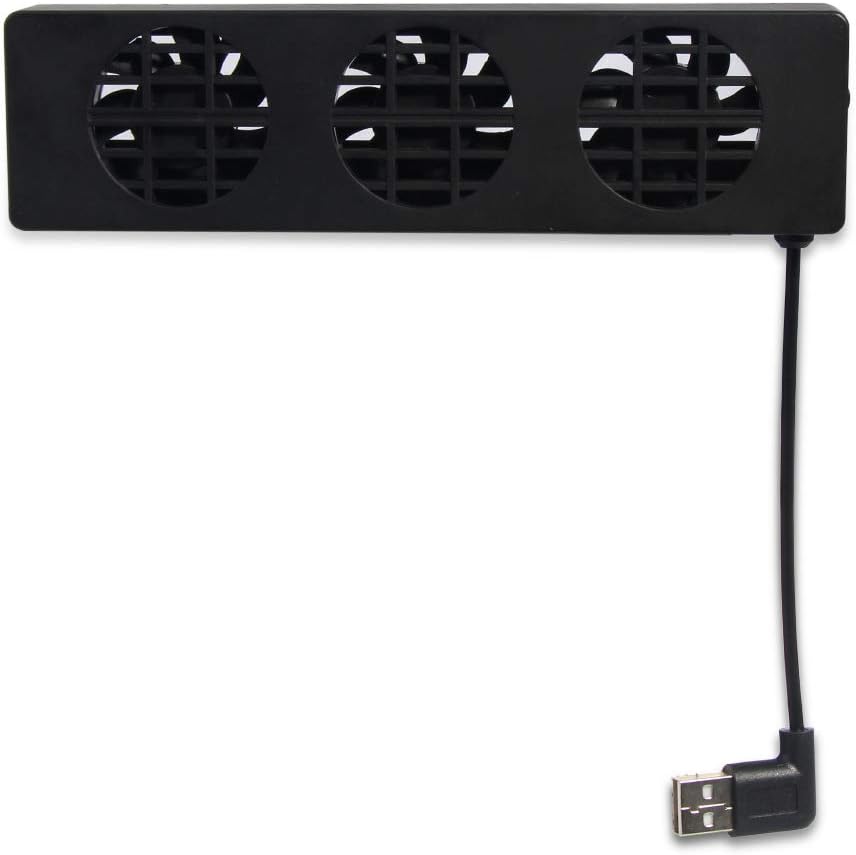
This Japanese import offers a compact cooling solution designed specifically for OLED docks. Its black finish provides a professional look, while the small size ensures it blends into the background.
We may earn a commission when you buy through this link, at no additional cost to you.
Installation is straightforward for compatible docks. The imported nature may mean limited documentation in English, but basic functionality remains intuitive.
Import options often provide unique designs unavailable elsewhere. However, ensure your dock model matches before purchasing to avoid fit issues.
Best for collectors seeking unique or regional hardware. If you value distinctive aesthetics alongside cooling, this import model is a standout choice.
Provides access to regional designs not typically found on local retail shelves.
Minimalist design ensures it complements the console rather than distracting from it.
We may earn a commission when you buy through this link, at no additional cost to you.
Selecting the right cooling fan requires considering compatibility, features, and your gaming habits.
Ensure the fan matches your exact Switch model, whether it is original, OLED, or future variants. Mismatched docks can lead to poor fit or inadequate airflow coverage.
Always verify the product description lists your specific dock version to avoid return hassles.
Look for adjustable speeds so you can balance cooling performance with noise levels. High speeds offer better thermal management but may disturb others.
Prioritize models that operate silently at lower RPMs for casual gaming.
USB-C is preferred over Micro USB for future-proofing and cable management. Ensure the power source comes directly from the dock to avoid extra adapters.
Consistent power ensures stable fan performance without interruptions.
Features like LED displays, game card slots, or RGB lighting add utility and aesthetics. Decide which extras enhance your experience versus just adding cost.
Focus on essentials if budget is tight, but consider storage for collectors.
Durable materials like ABS plastic ensure the unit withstands daily use without breaking. Check customer reviews for longevity feedback.
A solid build protects both the cooler and your console from potential damage.
Simple plug-and-play setups without tools save time and frustration. Look for products that slide in smoothly without obstructing ports.
Ease of installation encourages consistent use and better thermal protection.
A warranty like lifetime coverage indicates manufacturer confidence in quality. Responsive customer service helps resolve issues quickly.
Prioritize brands offering clear support channels for peace of mind.
Higher price does not always mean better cooling. Compare specs and user ratings to find the best value for your needs.
Balance cost with essential features to avoid overpaying for unnecessary extras.
Install the fan by sliding it onto the back or bottom of your dock, ensuring the air intake aligns with ventilation grills.
Connect the power cable to the dock's USB port before starting your console to allow immediate thermal management.
Regularly dust the fan blades and vents to maintain optimal airflow and prevent overheating during extended use.
If you game for long hours or in warm environments, a fan helps prevent overheating and throttling. It extends hardware lifespan by keeping temperatures within safe limits consistently.
Generally, external accessories do not void warranty unless they damage the console. Use official or well-reviewed products to avoid potential issues with support claims.
Quality fans operate under 30 dB at normal speed, which is barely audible. Turbo modes may increase noise but are usually acceptable for gaming sessions.
No, dock designs differ significantly. Ensure the fan is listed compatible with your specific dock model for proper fit and safety.
Yes, by preventing thermal throttling, fans can help maintain consistent processor speeds. This leads to smoother gameplay and reduced input delay.
USB-C is preferable for modern setups and durability. However, Micro USB works effectively if you already have spare cables available.
We highlighted ten top cooling fan Nintendo Switch dock accessories tailored to different needs from budget-friendly to premium features.
Prioritize compatibility and adjustable speeds to ensure your console stays cool without unwanted noise or clutter.
Check current listings for the latest pricing and availability before making your final purchase decision.