
Razer Laptop Cooling Pad Adaptive Smart
4.4Editor score
Smart automatic fan speed control
Airtight pressure chamber design
3-port USB hub integrated
Gaming laptops generate immense heat during intense sessions, requiring effective cooling solutions to maintain performance. A quality cooling fan helps prevent thermal throttling and extends device lifespan significantly.
We evaluated ten top-rated cooling pads based on fan power, noise levels, build quality, and compatibility with MSI models. Our analysis focuses on real-world thermal reduction and user experience.
Each pick highlights key strengths and ideal use cases to help you choose wisely. Note that product details and availability may vary over time, so verify before purchasing.
4.4Editor score

5.0Editor score

4.4Editor score
As an Amazon Associate we earn from qualifying purchases.
This side-by-side comparison highlights key specifications for all ten models to simplify your decision process.
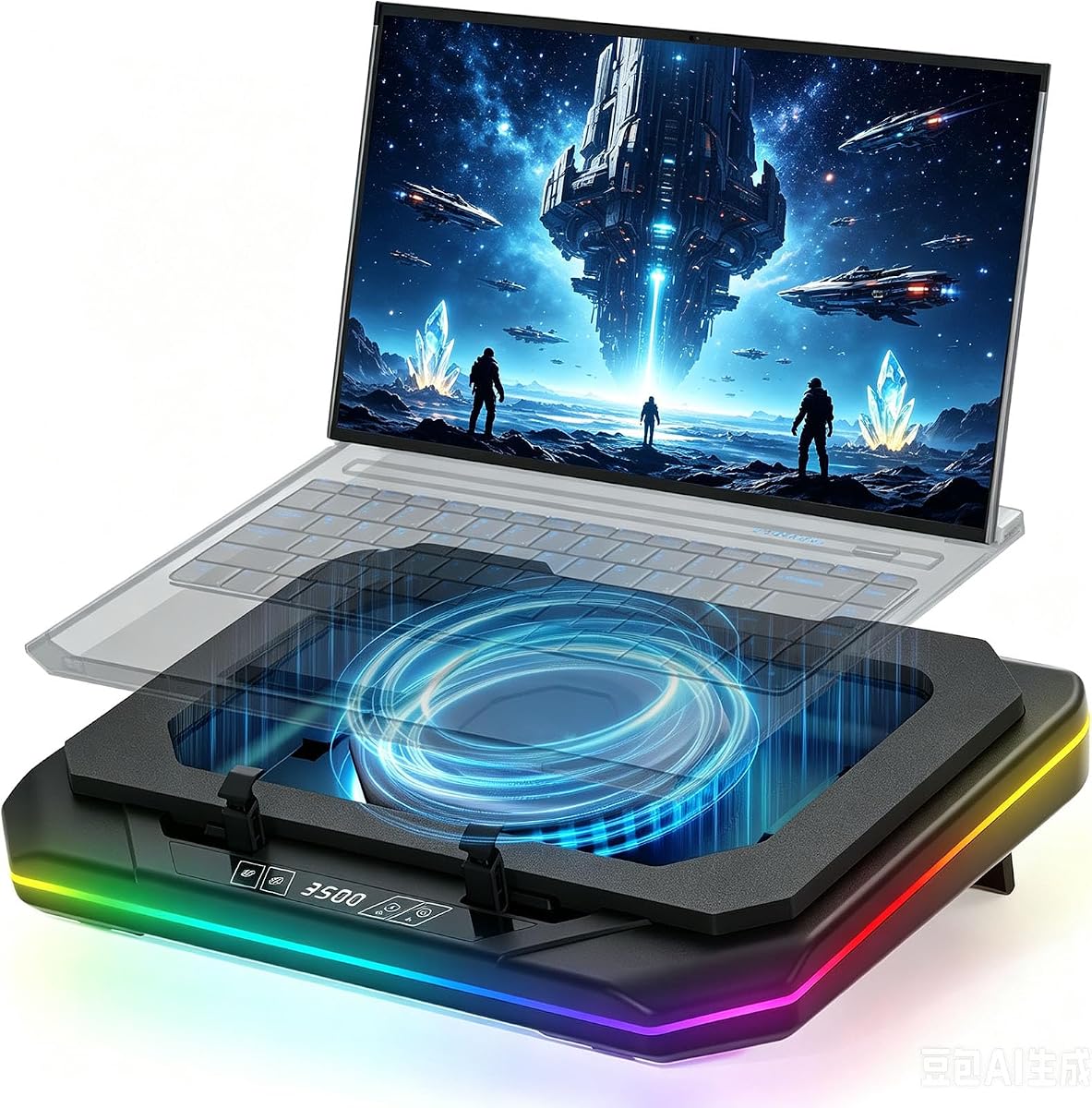


This Razer cooling pad stands out with its adaptive smart cooling that adjusts fan speeds based on system load. It earns a strong rating among enthusiasts seeking premium thermal control.
We may earn a commission when you buy through this link, at no additional cost to you.
The airtight pressure chamber ensures cool air is directed efficiently into your laptop intake. Integrated magnetic frames fit various MSI sizes while maintaining seal integrity.
While expensive, the build quality and software integration justify the cost for serious users. Custom fan curves offer granular control over noise and performance trade-offs.
Buy this if you value smart thermal management and premium build. It suits MSI laptops needing precise cooling without manual adjustments.
Fan speeds adapt automatically to idle or full load conditions for optimal efficiency.
Remappable buttons and Chroma RGB lighting enhance user control and visual appeal.
We may earn a commission when you buy through this link, at no additional cost to you.
The havit HV-F2056 offers reliable cooling at a budget-friendly price. Its three quiet fans provide solid airflow for standard gaming sessions.
We may earn a commission when you buy through this link, at no additional cost to you.
Its slim profile and light weight make it ideal for travelers. Two adjustable height settings improve posture during extended use.
It lacks advanced controls like RGB or software integration but delivers core functionality well. The metal mesh provides stable support for most MSI models.
Choose this for simple cooling needs without extra features. It balances cost and performance effectively for everyday users.
Slim design protects your investment wherever you go with minimal bulk.
Doubles as a stand with two height settings to reduce strain.
We may earn a commission when you buy through this link, at no additional cost to you.
This MSI-specific cooling pad is praised for its heat dissipation capabilities. Users report up to forty degree temperature drops in under two minutes.
We may earn a commission when you buy through this link, at no additional cost to you.
Its retractable side panels and foldable footrests support laptops from fourteen to eighteen inches. The turbofan ensures consistent high performance even during demanding tasks.
Noise levels can reach sixty decibels on max speed which may disturb quiet environments. However, speed control helps balance cooling and noise effectively.
Buy this for maximum cooling power on large gaming laptops. It delivers professional-grade performance for thermal issues.
Super powerful turbofan runs at high RPMs for rapid heat reduction.
Dense filtration mesh seals dust to protect internal components.
We may earn a commission when you buy through this link, at no additional cost to you.
Designed for MSI Vector and GP models this pad ensures stable cooling under load. It shares the same high-performance turbofan design as the Raider variant.
We may earn a commission when you buy through this link, at no additional cost to you.
The RGB lighting adds visual flair while retractable panels keep laptops secure. Its sealed wind pressure design enhances airflow efficiency significantly.
Users should note noise levels rise with fan speed. Lowering the speed helps maintain quiet operation when high cooling isn't necessary.
This model suits MSI Vector owners needing serious thermal management. It balances features and performance well.
Pressure chamber design directs air precisely into laptop intakes.
12V adapter ensures fans run at full strength without throttling.
We may earn a commission when you buy through this link, at no additional cost to you.
The Kootek pad uses five fans to cover different laptop zones effectively. This distribution helps cool hotspots more evenly across the chassis.
We may earn a commission when you buy through this link, at no additional cost to you.
Six adjustable heights support ergonomic setups. Dual USB ports let you connect peripherals without extra adapters.
While the fans are quiet, the LEDs might be bright in dark rooms. You can control fan modes to balance performance and visibility.
Choose this for flexible cooling coverage and stand features. It works well for 12 to 17 inch devices.
Five fans distributed across pad target multiple heat zones.
Six height adjustments reduce neck strain during long use.
We may earn a commission when you buy through this link, at no additional cost to you.
This cooling pad uses nine fans for aggressive airflow across large laptops. It includes an LCD display for real-time speed monitoring.
We may earn a commission when you buy through this link, at no additional cost to you.
Eight adjustable height stands offer ergonomic flexibility. The RGB light modes add customizable visual effects for gaming setups.
Managing nine fans can be complex and power draw is significant. Users may need dedicated power sources for peak performance.
Buy this for maximum cooling and visual customization. It suits large laptops needing intense airflow.
LCD display and touch buttons simplify fan and RGB adjustments.
Nine core fans ensure high airflow even under heavy loads.
We may earn a commission when you buy through this link, at no additional cost to you.
The V12 Ultra stands out with intelligent software control that adjusts fans to workload. It cuts CPU and GPU temps significantly during gaming.
We may earn a commission when you buy through this link, at no additional cost to you.
Memory foam seals optimize airflow into bottom intakes. A 36W adapter ensures consistent power for cooling without draining laptop battery.
Setup involves downloading software which adds complexity. Manual controls exist but may bypass some automation features.
Choose this for smart automation and high cooling power. It suits users comfortable with software setup.
Download software for automatic fan speed adjustments based on workload.
Three tilt options support comfortable typing angles during long sessions.
We may earn a commission when you buy through this link, at no additional cost to you.
This llano V12 features a high-density dust filter protecting laptop internals from debris. It includes a scroll wheel for precise fan speed control.
We may earn a commission when you buy through this link, at no additional cost to you.
The chassis supports laptops up to nineteen inches comfortably. RGB lighting offers multiple modes to sync with gaming setups.
Noise can increase significantly at maximum speeds. Users should balance fan settings based on room acoustics.
Buy this for dust protection and hub integration. It suits MSI laptops needing steady maintenance and cooling.
Removable mesh filters extend cooler and laptop lifespan effectively.
Three ports solve limited connectivity on modern gaming laptops.
We may earn a commission when you buy through this link, at no additional cost to you.
This pad reduces temperatures by up to twenty degrees while keeping noise low. Its sealed airflow design works well with gaming laptops.
We may earn a commission when you buy through this link, at no additional cost to you.
A spring-loaded bracket grips laptops securely without screws. It supports multiple angles for ergonomic comfort.
USB-C powered means fewer cables but requires high-speed port. The base is slim which aids portability but stability varies.
Buy this for quiet effective cooling with USB convenience. It suits light setups needing portability.
Optimized fan design cools hard at low speeds around 35 dBA.
Auto-grips laptop securely for easy placement.
We may earn a commission when you buy through this link, at no additional cost to you.
The llano V12 cooler features a real-time LED fan speed display. It delivers fast thermal drops during gaming with its large turbofan.
We may earn a commission when you buy through this link, at no additional cost to you.
Baffles hold laptops securely while height adjustment reduces neck strain. An included dust filter protects internal components.
Setup is straightforward but noise levels depend on fan speed. Users may need to balance cooling and noise based on environment.
Buy this for LED control and strong cooling. It fits most 15 to 21 inch laptops.
Real-time display shows fan speed for easy monitoring.
Fits laptops from 15 to 21 inches seamlessly.
We may earn a commission when you buy through this link, at no additional cost to you.
Selecting the right cooling fan involves balancing performance, noise, and ergonomics to fit your setup.
Higher RPM fans deliver more airflow which helps dissipate heat during intense gaming sessions. Look for turbofans rated above 2000 RPM for optimal results.
Choose fans with higher RPM to ensure effective cooling under load.
Cooling pads generate noise from fans especially at high speeds. Consider models rated under 40 dBA for quiet environments or adjustable speed settings.
Select models with low dBA ratings or adjustable speed to reduce noise.
Ensure the pad supports your laptop size and intake placement. MSI laptops often have bottom intakes which benefit from sealed air duct designs.
Verify size compatibility and intake design match your MSI laptop.
Adjustable height settings improve posture by raising the screen. Look for stands with multiple tilt options to reduce neck strain during long sessions.
Prioritize adjustable heights to improve posture during extended use.
Built-in hubs expand connectivity for peripherals. Check if the hub supports data transfer to avoid needing extra cables.
Look for data USB ports to avoid extra peripheral cables.
Some pads use USB power while others need wall adapters. Dedicated adapters ensure full performance but reduce portability.
Choose dedicated adapters for peak performance and USB for convenience.
Dust filters protect internal components from debris. Models with removable mesh allow easy cleaning to maintain efficiency over time.
Opt for models with removable dust filters for easier maintenance.
RGB lighting adds visual flair but may increase power consumption. Select pads with memory modes to save settings between sessions.
Choose memory RGB modes to preserve lighting settings.
Position the cooling pad on a flat surface and align the laptop intake vents with the fans. Ensure seals or foam contacts the bottom surface for maximum airflow.
Use adjustable height settings to lift the laptop screen for better posture. Connect USB peripherals if available to reduce port clutter.
Clean the dust filters monthly with compressed air to maintain cooling efficiency. Store the pad flat when not in use to avoid warping.
Yes, a good cooling pad can reduce thermal throttling by lowering chassis temperatures. This helps sustain higher performance during extended gaming sessions.
Noise varies but many modern pads operate below 40 dBA at moderate speeds. Higher performance fans may reach 50 dBA or more under full load.
Pads with sealed designs work best for bottom intakes. Side intake laptops benefit more from stand lift than direct fan airflow.
Software adds automation but manual controls suffice for most users. Smart modes help adjust speeds without constant monitoring.
Some newer pads support USB-C but many need USB-A adapters. Verify power requirements before buying to avoid incompatibility issues.
Clean filters every month to maintain airflow efficiency. Dust buildup reduces cooling performance over time.
The top picks balance performance, noise, and features to suit different needs. Budget options provide basic cooling while premium models offer smart thermal control.
Prioritize models with sealed airflow designs and ergonomic stands for best results. Noise tolerance and port needs also influence your choice.
Check current availability and compatibility before buying to ensure a perfect fit. Your MSI laptop will run smoother with the right cooling solution.