
Switch 2 Pro Controller Charging Station, LED Indicator Dual Charger Stand
3.5Editor score
Dual charging station for Pro Controllers
Fast stable 5V22A charging
Space-saving desktop stand design
This guide compares the top controller charging docks for Switch 2 to help you find the best station for fast charging and organized gameplay setups.
Finding the right controller charging dock for Switch 2 is essential for serious gamers. You need a station that charges multiple controllers quickly while keeping your setup neat and organized for long sessions.
We compared ten real products based on charging speed, compatibility, and design features. Our analysis focuses on magnetic alignment, LED indicators, and safety protections to help you choose the best option for your needs.
Each pick shows specific strengths like RGB lighting or multi-device support. Prices and availability change frequently so please check the current listings before making your final purchase decision today.
3.5Editor score

4.7Editor score

4.7Editor score
We reviewed ten top-rated charging docks to help you find the perfect match for your gaming setup. Below you will see a detailed side-by-side comparison of key features and compatibility options.



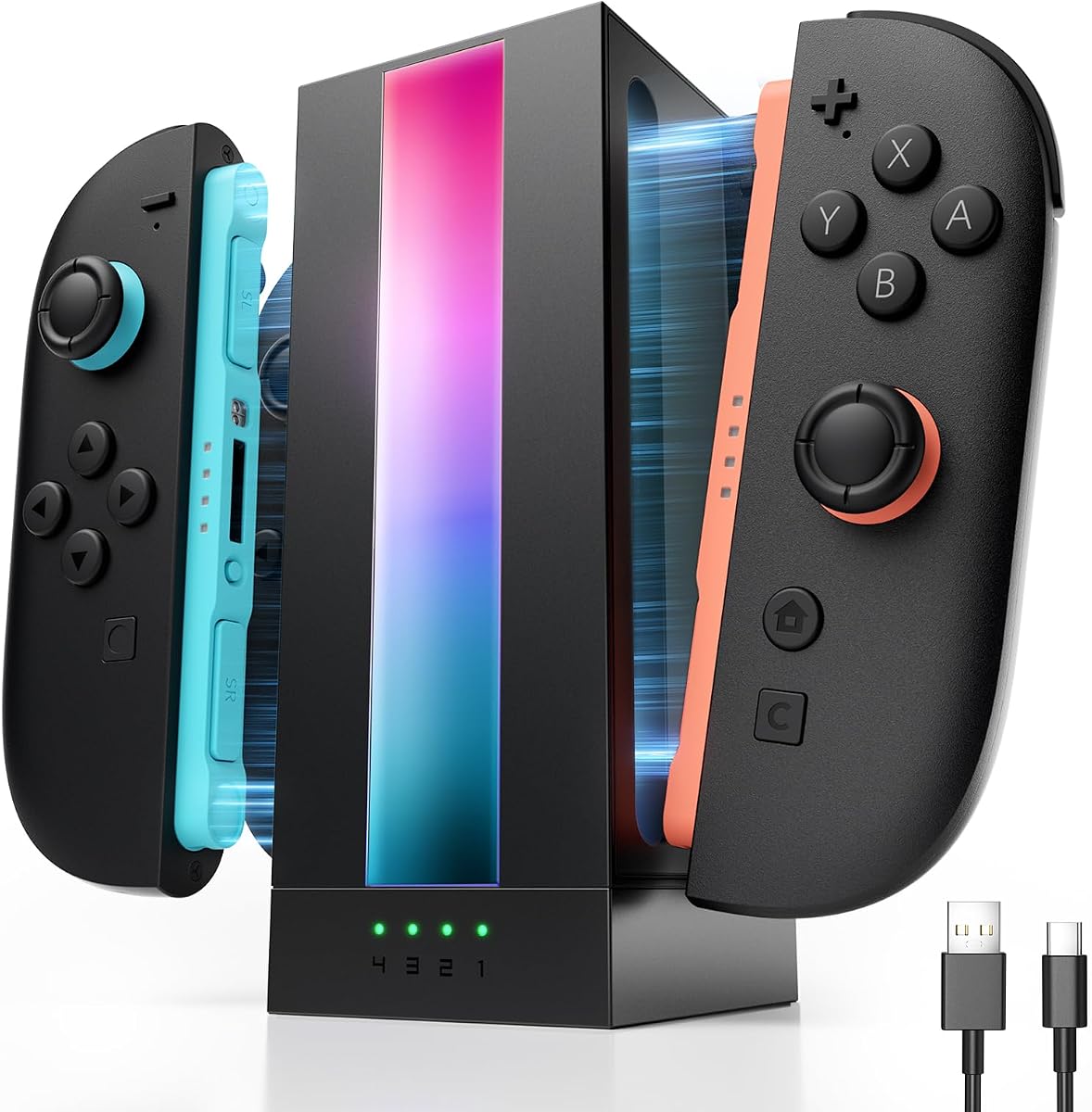
This FASTSNAIL charging dock is designed specifically for the Nintendo Switch 2 Joycon controllers released in 2025. It holds a top rating for its magnetic alignment feature that makes charging easy and quick.
We may earn a commission when you buy through this link, at no additional cost to you.
The standout feature is the dual-direction magnetic dock that holds controllers securely without needing to distinguish between positive and negative pads. You can charge up to four Joycons simultaneously which is perfect for multiplayer nights.
Some users might find the RGB lighting distracting in dark rooms though it can be turned off with a long press. The memory function is great as it remembers your last lighting setting automatically when powered on.
This dock is the ideal choice for Switch 2 owners who want a clean organized desk setup with fast charging capabilities. It offers excellent value and reliable performance for everyday gaming needs.
The magnetic alignment ensures controllers dock instantly without fumbling with cables or ports. This reduces wear on the connector and speeds up your charging routine significantly.
Charge up to four Joycons at the same time with dedicated slots. This eliminates battery anxiety during long gaming marathons or family game nights.
We may earn a commission when you buy through this link, at no additional cost to you.
This simple dual charger focuses on core functionality for Switch 2 Pro Controllers. It charges two units at once with a stable 5V2A power input to keep your gaming ready.
We may earn a commission when you buy through this link, at no additional cost to you.
It offers a clean design with LED indicators that show red for charging and green for fully charged. This straightforward approach works well for gamers who want reliable charging without extra features.
The lack of Joycon slots means it does not fit everyone who uses both controller types. However for its price point and focus on the Pro controller make it a great value option.
Choose this if you need a budget friendly way to keep your Pro Controllers charged and organized on your desk without spending extra on unnecessary lights or features.
Designed specifically for Switch 2 Pro Controllers this stand charges two units simultaneously. It simplifies your setup by handling your primary controllers efficiently.
LED indicators let you see the charging status at a glance. Green means full power while red shows the dock is actively charging your device.
We may earn a commission when you buy through this link, at no additional cost to you.
The SUPCASE dock is a premium option for Switch 2 Joycon owners who want maximum capacity and style. It features four charging slots with magnetic alignment to hold controllers securely.
We may earn a commission when you buy through this link, at no additional cost to you.
Dual-side charging means you can place Joycons either way without worrying about polarity. The RGB lights add a personalized touch to your gaming space with nine different modes to choose from.
It is slightly more expensive than basic models but the safety features justify the cost. The smart chip automatically stops charging when full to prevent overcharging and extend battery life.
This dock is perfect for those who want a high end organized charging station with visual flair and reliable safety protection for their valuable Switch 2 Joycons.
Place Joycons in any orientation for charging without fumbling for correct alignment. The magnetic design ensures they lock in place securely every time.
Built-in smart chips detect full charge and cut power automatically. This protects your controllers from overheating or overcharging damage over long term use.
We may earn a commission when you buy through this link, at no additional cost to you.
This dock supports Switch Pro and Switch 2 Pro controllers along with PS5 and Xbox Series controllers. It is a great choice for households with multiple gaming systems needing one charger.
We may earn a commission when you buy through this link, at no additional cost to you.
Removable Type-C adapters make it easy to dock controllers without plugging and unplugging cables repeatedly. This feature reduces wear on the ports and simplifies the charging process significantly.
Note that it does not support PowerA or other third-party controllers so check your model before buying. The LED indicators provide clear feedback on charging status for each slot.
Select this dock if you need a versatile charging solution that handles multiple controller types across different consoles with reliable protection and durable adapters.
Compatible with Switch PS5 and Xbox controllers to handle all your gear from one spot. This versatility saves space and simplifies your charging routine.
Removable Type-C adapters allow for quick drop-in charging. You avoid constant plugging and unplugging which extends the life of controller ports.
We may earn a commission when you buy through this link, at no additional cost to you.
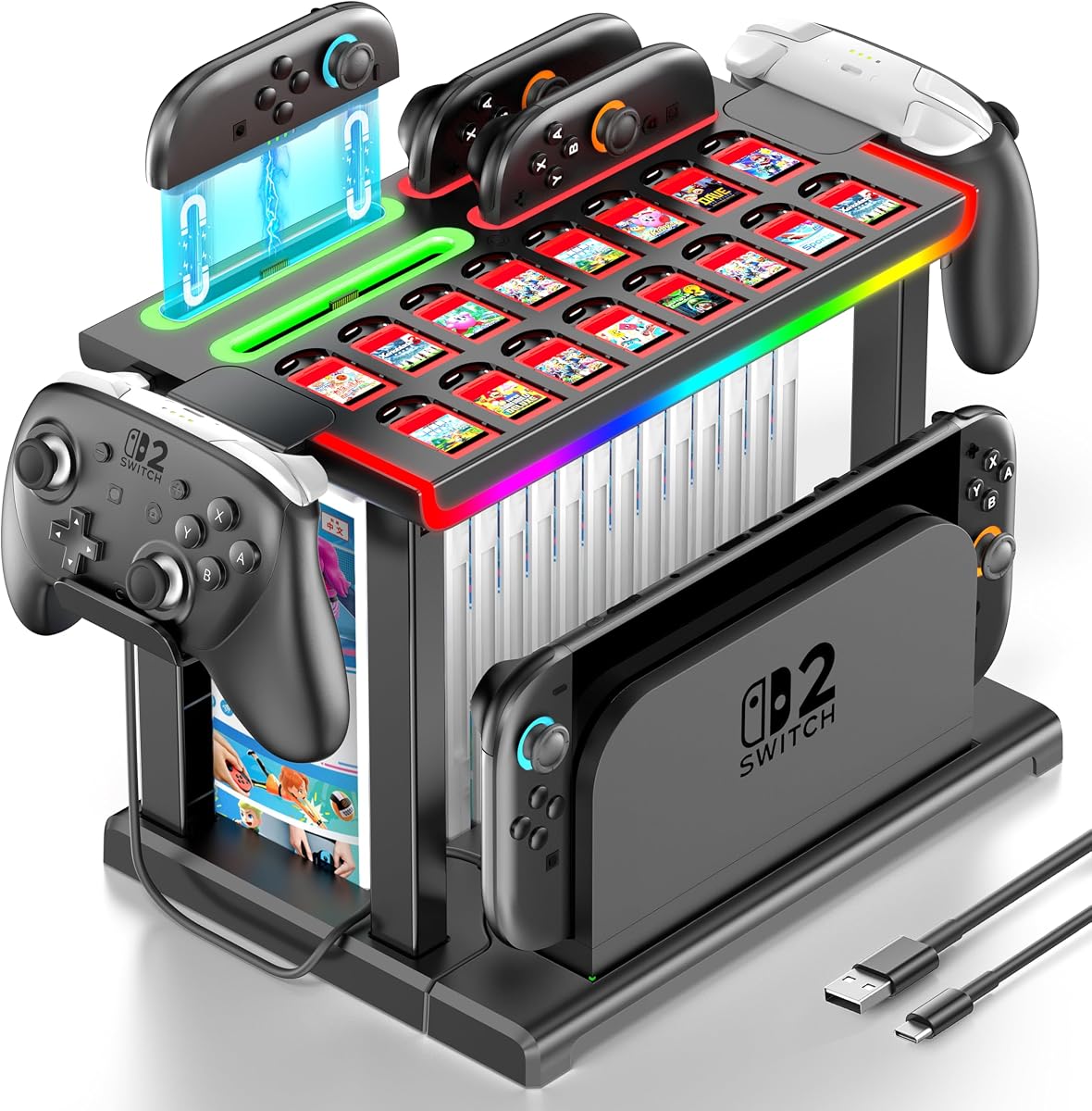
This organizer station combines charging with game storage to keep your gaming area tidy. It holds up to 16 game cases and 4 Joycons simultaneously making it very practical.
We may earn a commission when you buy through this link, at no additional cost to you.
The RGB lighting offers seven single-color modes and two breathing modes to match your mood. This adds style to your setup and helps identify the dock in the dark.
Keep in mind that the Switch 2 TV dock is not included so you will need to plan your space accordingly. Installation is tool-free and simple following the manual instructions.
Buy this if you want a comprehensive storage solution that charges controllers and holds games all in one stylish unit with customizable lighting features.
Store up to 16 game cases and 16 cards alongside your controllers. This massive capacity reduces clutter on your desk or entertainment center.
Seven lighting colors and breathing modes let you match the dock to your room style. It enhances the gaming atmosphere with dynamic visual effects.
We may earn a commission when you buy through this link, at no additional cost to you.
The PowerA charging base is designed to work with Switch Pro Controllers and PowerA Wireless Switch controllers simultaneously. It offers a straightforward way to keep devices powered up.
We may earn a commission when you buy through this link, at no additional cost to you.
Its bold design fits well with any gaming setup while providing necessary LED indicators for status. It handles both Joy-Con and wireless charging which adds flexibility to your options.
While it lacks advanced features like RGB it works reliably for standard charging needs. The compatibility with PowerA controllers makes it a great pair if you use their wireless variants.
Choose this base if you prefer a trusted brand and need a simple reliable charger for your Switch Pro or PowerA Wireless controllers.
Charge both Joy-Con and wireless controllers at once with this base. It adapts to different controller types for convenience in one unit.
LED lights clearly indicate when controllers are fully charged. This prevents overuse and keeps your devices ready for the next session.
We may earn a commission when you buy through this link, at no additional cost to you.
This charger supports Nintendo Switch Joycons Pro controllers and even PS5 controllers in one station. It allows charging four joycons and two pro controllers at the same time.
We may earn a commission when you buy through this link, at no additional cost to you.
You can power it through the game console USB hub or wall charger for flexibility. The USB-type c charging port makes setup easy and compatible with various power sources.
Built-in protection IC chip ensures safety against overcharging and short circuits. The fireproof panel adds a layer of security for safe charging of your expensive devices.
Pick this station if you need a versatile six-in-one charger that handles multiple brands with robust safety features and simple plug and play operation.
Power the dock from console USB hub or wall charger as needed. This flexibility ensures you can charge anywhere without hunting for adapters.
Built-in IC chip and fireproof panel prevent electrical risks. Your controllers stay safe from overcharge and short circuit damage during use.
We may earn a commission when you buy through this link, at no additional cost to you.
This HEATFUN dock offers a straightforward solution for charging Pro and Switch 2 controllers. It features dual USB-C adapters for easy drop-in charging without extra cables.
We may earn a commission when you buy through this link, at no additional cost to you.
It is compatible with PS5 and Xbox Series controllers too so you can mix and match controllers. The compact low-standby design fits neatly on any desk without taking much space.
The LED indicators provide instant feedback on whether a controller is charging or fully charged. It uses 5V2A power input for stable and efficient charging performance.
Choose this dock if you want a simple uncluttered way to charge your Switch 2 or other USB-C controllers with a clean and compact footprint.
Includes USB-C adapters for quick drop-in charging. This reduces wear on ports and makes docking faster than plugging a cable each time.
Works with PS5 and Xbox Series controllers as well. It is a great central charging point for a multi-console gaming setup.
We may earn a commission when you buy through this link, at no additional cost to you.
This charger supports up to 10 charging slots for Joycon and Pro controllers. It can charge multiple Joycon and Pro controllers simultaneously which is ideal for large groups or serious collectors.
We may earn a commission when you buy through this link, at no additional cost to you.
The dock includes 11 vibrant RGB modes including marquee and breathing effects. You can customize the lighting to suit your gaming style and save the last setting automatically.
It features two extra USB 2.0 ports for data transfer or charging other devices. This organizer station keeps your desktop tidy while providing ample capacity for all your controllers.
Buy this dock if you need maximum charging capacity and extra USB ports alongside customizable lighting and organizer storage for a complete setup.
Support up to 10 Joycon and Pro controllers at once. This huge capacity means you rarely run out of charged controllers for game nights.
Includes two USB 2.0 ports for data or charging phones. These add-ons extend the functionality of the station beyond just controllers.
We may earn a commission when you buy through this link, at no additional cost to you.
This dock is built exclusively for the Switch 2 JoyCon controllers released in 2025. It charges four Joycons at high speed in just about 2.5 hours for quick turnarounds.
We may earn a commission when you buy through this link, at no additional cost to you.
Each port has an independent LED indicator so you know exactly which controllers are charging. The dynamic RGB light bar adds a stylish modern touch to your desk.
It is not compatible with older Switch models so make sure you have the new Joycons before buying. The safety chip protects against overcharging and overheating for long-term durability.
Choose this dock if you need a dedicated fast charger for your Switch 2 Joycons with clear status lights and stylish RGB design.
Designed specifically for 2025 Switch 2 JoyCon. This ensures perfect fit and fast charging optimized for the new controller hardware.
Each port has its own LED for clear status. You avoid confusion about which Joycons need power at any time.
We may earn a commission when you buy through this link, at no additional cost to you.
Choosing the right dock depends on your specific needs and setup. Consider these factors to ensure you get a station that offers reliable performance and convenience.
Determine how many controllers you need to charge at once. If you have multiple friends over or need backup batteries for long sessions a 4-slot dock is often better than a 2-slot one. Look for docks that support both Joycons and Pro controllers if you need both types.
Prioritize docks with enough slots to keep all your active controllers powered so you never have to stop playing to charge a device.
Check the power input requirements like 5V2A to ensure fast and stable charging. Some docks require external adapters that are not included which affects total cost. Look for quick charge claims like 2.5 hours for full battery to minimize downtime.
Select a dock that supports your required wattage for efficient charging without slowing down due to low power input sources.
Magnetic drop-in docks let you place controllers without worrying about cable orientation. This feature saves time and reduces wear on the USB ports. Look for dual-side charging where polarity doesn't matter for even faster setup.
Choose magnetic docks to streamline your charging routine and protect your controller ports from repeated plugging stress.
LED lights are essential for knowing which controllers are charging or full. Some docks offer RGB lighting that adds style and ambiance to your setup. Check if the RGB modes can be turned off to avoid distractions during gameplay.
Look for clear indicators and customizable lighting to balance status visibility with your desired gaming atmosphere.
Ensure the dock matches your exact controller model like Switch 2 Joycon or Pro. Some stations also support PS5 or Xbox controllers for households with multiple systems. Check if PowerA or third-party controllers are supported if you use those.
Select a dock that covers all your controller types so you do not need separate chargers for different devices.
Look for smart chips that prevent overcharging and overheating to protect your expensive controllers. Fireproof materials or overcurrent protection add layers of safety for your setup. Check for certifications that ensure the dock meets electrical safety standards.
Always prioritize docks with built-in safety protections to avoid battery damage and ensure safe charging operations.
Consider the size of the dock to ensure it fits on your desk or TV stand. Compact designs with non-slip pads prevent sliding and scratches on surfaces. High-quality plastic or metal materials ensure durability over time.
Choose a dock that balances size and stability to fit your space and stay securely in place.
Some docks include extra USB ports for charging other devices or storage for game cases. Look for memory functions on lights or tool-free installation for added convenience. Consider if cable management options help keep your setup neat.
Extra features like storage or extra USB ports can add significant value and help you organize your gaming area better.
Connect the dock to a reliable 5V2A power adapter for fast charging. Ensure the adapter fits securely and is plugged into a wall outlet rather than a low-power USB port to avoid slow charging times.
Place your controllers in the dock with proper alignment. If using a magnetic dock simply drop them in to let magnets secure the connection. Watch the LED indicators to confirm they are charging properly.
Clean the dock regularly with a dry cloth to avoid dust buildup in ports. Avoid exposing it to direct sunlight or extreme temperatures to preserve the plastic and electronic components for long life.
Most docks do not include the power adapter so you will need to use a separate 5V2A USB adapter. Check the product details before buying to ensure you have the right power source for efficient charging.
Some docks support both Pro and Joycon controllers simultaneously while others are dedicated to one type. Review the compatibility list before purchasing to make sure it fits all your controller needs.
Full charge time typically ranges between 2 to 3 hours depending on the dock model. Look for docks that advertise fast charging speeds around 2.5 hours for quicker turnaround times.
Most docks only support official Switch 2 controllers so third-party models may not work. Always confirm the compatibility list to ensure your specific controllers are supported before buying.
Typically red means the controller is charging while green indicates it is fully charged or on standby. Some docks may have different color codes so check the manual for your specific model.
Yes most RGB docks allow you to turn off the lights with a button press or long press. This helps reduce distractions or save energy when you do not need the lighting effects.
Most quality docks include smart chips that stop charging automatically when the battery is full. This safety feature prevents overcharging and helps extend the battery lifespan of your controllers.
You should remove controllers from the dock before playing since they charge only when docked. Some docks have storage options to keep controllers nearby but they must be unplugged for use.
We have reviewed the top 10 controller charging docks for Switch 2 to help you find a station that keeps your devices powered and your setup organized. The FASTSNAIL Magnetic Dock stands out for its ease of use and capacity.
Choose a dock that fits your controller types and desired features like RGB or extra USB ports. Safety and charging speed are critical factors to prioritize to protect your valuable controllers over time.
Prices and availability may change so check the latest listings before you finalize your purchase. Ensure you have the correct power adapter ready to start charging right away after installation.