
Wathai 2 Pack 120mm
4.7Editor score
Affordable price point
Standard 120mm fit
PVC construction
2 pack value
Keeping your computer case clean is essential for longevity and performance. Dust filters prevent debris from clogging fans and heatsinks. Choosing the right filter ensures efficient cooling without restricting airflow to your critical components.
We evaluated ten leading dust filters based on material quality, mesh density, and ease of installation. Our analysis covers magnetic frames, DIY cut-to-fit options, and standard screw-in models suitable for various PC builds.
Each pick highlights key features like washability, compatibility, and durability. Prices fluctuate frequently, so check current listings before purchasing. These recommendations help you maintain a clean and quiet computing environment.
4.7Editor score

4.8Editor score

4.6Editor score
As an Amazon Associate we earn from qualifying purchases.
Below is a detailed side-by-side comparison of all ten selected filters. This table helps you quickly identify specifications, sizes, and mounting options to find the perfect fit for your specific computer case.




This magnetic dust filter earns our top recommendation with its excellent design and build quality. It features a 360mm by 120mm dimension suited for standard cooling systems. The ultra-fine mesh provides reliable protection against dust accumulation while maintaining clear airflow paths.
We may earn a commission when you buy through this link, at no additional cost to you.
Users appreciate the flexible PVC construction which resists deformation over time. The magnetic frame allows for quick placement without screws or drilling. This makes swapping filters for maintenance exceptionally convenient for any desktop user.
While excellent for standard sizes, ensure your case supports magnetic attachment. It might not stick well to non-metal surfaces. The mesh design balances filtration and ventilation effectively to prevent overheating risks.
Ideal for gamers or workstation builders prioritizing quiet operation and cleanliness. This filter helps extend fan life by keeping debris away. We recommend it for those needing reliable protection without permanent modifications.
The ultra-fine mesh design blocks particles that could otherwise jam fans or accumulate on components.
The magnetic frame allows you to remove the filter quickly for washing or replacement.
We may earn a commission when you buy through this link, at no additional cost to you.
This budget friendly set offers great value for users needing basic protection. Each pack contains two filters sized specifically for standard 120mm cases. They help maintain cleanliness without costing much money.
We may earn a commission when you buy through this link, at no additional cost to you.
Made from quality PVC these filters are robust and long lasting. They effectively minimize dust buildup on internal components. Users also report a reduction in fan noise due to better airflow balance.
The main trade off is the lack of magnetic features or extra quantity. You may need to secure them manually if your case lacks screw holes. But for the price the protection level is impressive.
Recommend this for DIY enthusiasts or office PCs needing simple upgrades. It extends fan lifespan effectively. We suggest buying multiple packs if you need coverage for multiple intake points.
At this price point it offers excellent protection for your components.
The filter design helps stabilize airflow to reduce unnecessary noise.
We may earn a commission when you buy through this link, at no additional cost to you.
This premium DIY kit provides maximum flexibility for unique case configurations. It includes two large sheets of mesh cuttable to any size you need. Perfect for custom builds or non-standard intake vents.
We may earn a commission when you buy through this link, at no additional cost to you.
The included magnetic strips ensure secure placement on metal surfaces. This allows easy removal for cleaning without tools. The 1mm holes balance dust blocking with airflow efficiency.
While versatile the installation takes time to measure and cut correctly. Ensure you use scissors cleanly to avoid fraying edges. This product is best for those wanting full control.
Ideal for custom PC builders or console owners needing dust guards. It extends hardware life by preventing debris. We recommend this for advanced users valuing customization.
The large sheet can be trimmed to fit any shape or size intake.
Strong magnetic strips keep the mesh firmly in place.
We may earn a commission when you buy through this link, at no additional cost to you.
This set features sturdy aluminum frames that outlast plastic alternatives. The ultra fine stainless steel mesh ensures high durability against wear. Ideal for users needing robust protection.
We may earn a commission when you buy through this link, at no additional cost to you.
Included screws make installation straightforward and secure. The design protects both components and fingers from fan blades. This adds safety in homes with children or pets.
Installation involves drilling or using existing screw holes which may be tedious. It is not tool free like magnetic options. However the robustness is worth the effort.
Recommended for server racks or heavy duty workstation builds. It prevents cable damage too. We advise it for priority physical safety and longevity.
The aluminum frame resists breaking or deforming over time.
The grill structure blocks fingers from reaching spinning fan blades.
We may earn a commission when you buy through this link, at no additional cost to you.
This filter offers flexible protection for custom or varied setups. The 400x300mm size allows cutting to any shape needed. It is ideal for modern PC cases with magnetic panels.
We may earn a commission when you buy through this link, at no additional cost to you.
PVC material is waterproof making cleaning extremely easy. Simply rinse under water to remove dust. This saves time and keeps performance consistent.
The fine mesh balances dust capture and airflow. However cutting requires care to ensure edges fit snugly. This may not fit perfectly without trimming.
Suitable for custom builds requiring versatile solutions. It keeps sensitive components like GPUs safe. We suggest it for those wanting easy maintenance.
The PVC material allows for quick and easy cleaning with water.
By keeping dust out it ensures components stay cool during use.
We may earn a commission when you buy through this link, at no additional cost to you.
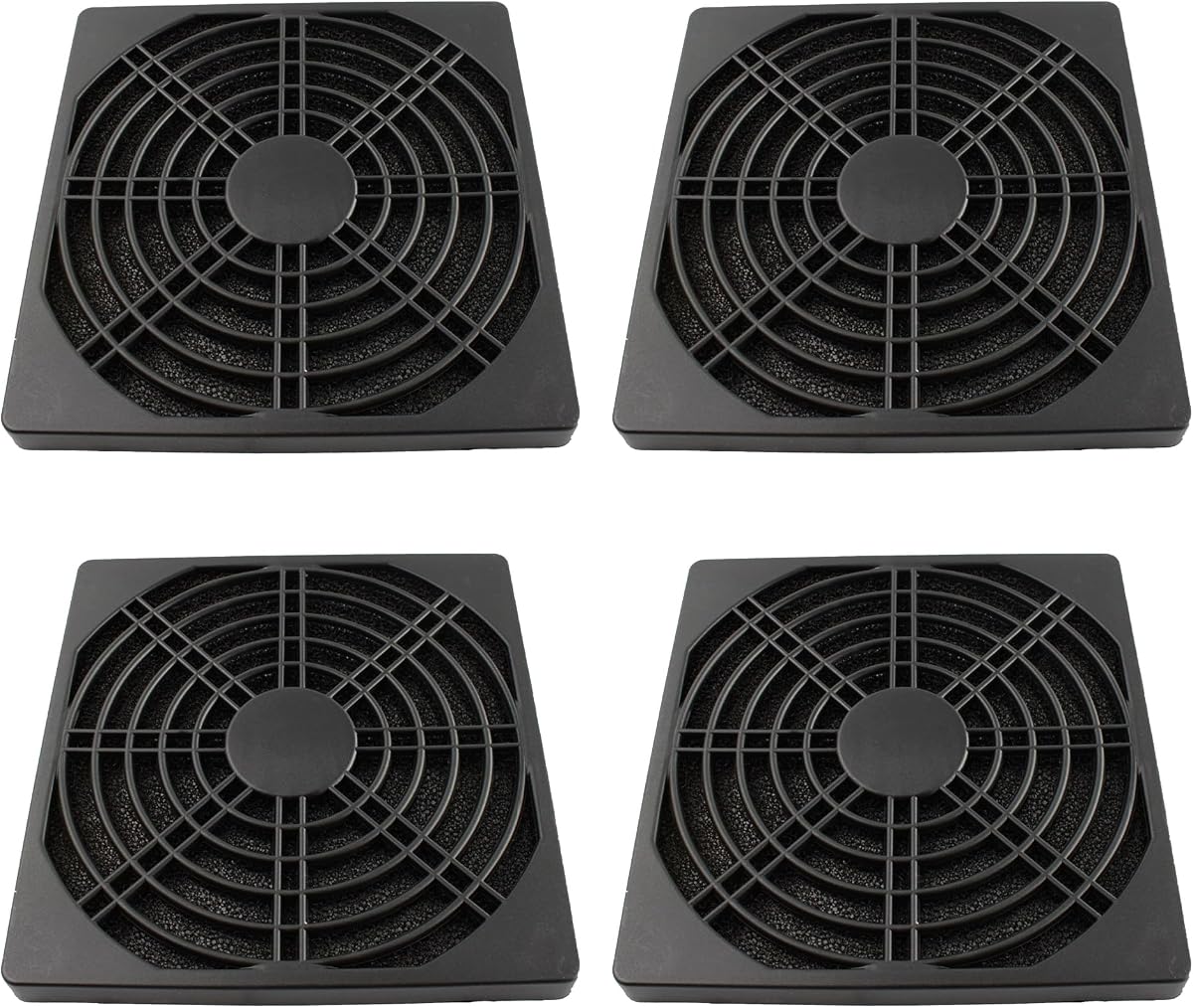
This pack provides four filters for multi fan setups. They fit standard 120mm square fans perfectly. Users can protect multiple intake points at once.
We may earn a commission when you buy through this link, at no additional cost to you.
Made from quality plastic these filters are sturdy. The design allows maximum airflow while filtering dust. This helps maintain system performance effectively.
The square shape is standard but may not fit curved vents. Ensure your case aligns with standard fan mounts. Otherwise it is a solid reliable choice.
Recommended for general desktop users needing bulk protection. It extends fan life. We advise this for simple and effective coverage.
You get four filters so you can cover multiple intake spots.
The mesh allows enough air through without letting dust in.
We may earn a commission when you buy through this link, at no additional cost to you.
This bulk pack offers the highest quantity for the lowest cost. Twelve filters ensure you have spares or coverage for large cases. Ideal for users with many PC units.
We may earn a commission when you buy through this link, at no additional cost to you.
PVC construction ensures decent durability. It effectively traps dust on fans. The design minimizes noise by stabilizing airflow.
The simple design requires mounting screws or adhesive to stay put. It is not a magnetic or frame style option. But the value is hard to beat.
Recommended for offices or workshops with multiple machines. It keeps components clean efficiently. We suggest it for bulk coverage needs.
Getting twelve units means you have plenty for many computers.
The price per filter is very low compared to others.
We may earn a commission when you buy through this link, at no additional cost to you.
This filter specifically targets 140mm fans which are common in high-end cases. The 5-pack offers excellent value for full coverage. It is a strong choice for larger builds.
We may earn a commission when you buy through this link, at no additional cost to you.
The magnetic frame ensures tool-free installation. The 0.5mm holes capture fine dust effectively. This protects hardware while ensuring clean air flow.
It is not compatible with standard 120mm fans so check your size. But if you need 140mm this is the best option. It is durable and washable.
Ideal for gaming rigs with large intake fans. It keeps dust off components. We recommend it for larger fan setups.
Designed specifically for larger 140mm fans which need protection.
The magnetic frame sticks to metal without screws.
We may earn a commission when you buy through this link, at no additional cost to you.
This comprehensive set includes ten filters plus all necessary screws. It saves you from buying mounting hardware separately. The design maximizes airflow for cooling needs.
We may earn a commission when you buy through this link, at no additional cost to you.
The 0.8mm grid traps hair and dust effectively. It is washable and easy to clean. This ensures long-term use without degradation.
Installation requires screws which may be less convenient for magnetic users. But it offers a permanent and stable mount. The airflow efficiency is impressive.
Ideal for homes with pets needing robust protection. It helps prevent overheating. We recommend this for complete hardware safety.
You get 40 screws which covers all 10 filters easily.
The mesh design maintains over 68 percent of fan airflow.
We may earn a commission when you buy through this link, at no additional cost to you.
This four pack offers a balanced mix of quantity and convenience. The magnetic frame allows easy placement on metal cases. It is great for standard fan setups.
We may earn a commission when you buy through this link, at no additional cost to you.
Washable PVC ensures the filters last a long time. It helps reduce noise by smoothing airflow. This improves overall system comfort.
Must be hand washed which is simple but requires time. Do not bend or use a washing machine. It is a durable option.
Recommended for typical desktop users needing reliable dust protection. It keeps fans clean. We suggest it for standard 120mm systems.
The magnetic frame makes installation and removal very easy.
The filter stabilizes air to reduce fan noise.
We may earn a commission when you buy through this link, at no additional cost to you.
Selecting the right dust filter depends on your case type and maintenance preferences. This guide outlines key factors to consider before purchasing.
Always measure your intake vents and fan mounts before buying. Most filters target 120mm or 140mm sizes but some offer custom cut options. Ensure the product dimensions match your case specifications perfectly.
Check if your case supports magnetic mounts or if you need screws. Compatibility prevents installation headaches.
Magnetic frames allow tool-free installation and easy removal. They are best for cases with metal chassis. Screw-in frames offer more permanent stability for environments without magnetic surfaces.
Choose magnetic for convenience or screws for security.
Finer meshes block smaller dust but restrict airflow more. Look for a balance like 0.8mm holes which keep dust out while maintaining cooling. High airflow is critical for gaming PCs.
Prioritize mesh that allows enough air for your cooling needs.
PVC and plastic are common but aluminum frames last longer. Choose durable materials that resist bending or wear over time. This ensures the filter remains effective for years.
Strong materials protect against physical damage.
Filters should be easy to wash to remove accumulated dust. Waterproof PVC rinses quickly under water. Avoid filters that are hard to detach from the case.
Simple cleaning routines keep performance consistent.
Consider how many filters you need for your case. Buying in bulk often reduces cost per unit. Ensure the pack includes screws or strips if needed.
Bulk packs are often the most economical.
Custom builds may need DIY cut-to-fit options for unique vents. Standard builds prefer pre-cut 120mm or 140mm sizes. Identify your build type first.
Match the product to your specific hardware needs.
Reputable brands often offer better warranties and customer support. Check reviews for long-term reliability. Support helps if you encounter fit issues.
Trust established brands for better quality assurance.
First remove the old filters carefully from your computer case. Use a vacuum or compressed air to clear any loose dust from the area before applying new ones.
Second align the new filters with the intake vents. Secure them using the provided screws or magnetic strips. Ensure a tight seal to prevent air leaks.
Third clean the filters regularly every few months. Remove and rinse waterproof filters under water. Let them dry completely before reinstallation.
High quality filters are designed to balance dust protection and airflow. Most products listed maintain over 68 percent airflow efficiency. This ensures your fans can still pull in cool air without overheating.
It is recommended to clean filters every two to three months. This prevents dust buildup from blocking ventilation. Check your environment more often if it is very dusty.
For non-magnetic cases use screw-in models or adhesive strips. Some magnetic filters come with adhesive backing to attach to plastic. Check the mounting options before buying.
No filters must match the fan size such as 120mm or 140mm. Custom cut options exist for irregular sizes. Always measure your intake vent width.
Yes filters often stabilize airflow which can reduce fan noise. This leads to a quieter operating environment. Proper sealing also prevents air turbulence noise.
No most PVC filters should only be hand washed. Machine washing can damage the mesh or frame. Hand washing under tap water is sufficient and safe.
Our top picks highlight the best solutions for different needs and builds. The Computer Case Fan Dust Filter stands out for its design and ease of use.
Prioritize compatibility and ease of cleaning when making your choice. Magnetic options save time while screws offer stability. Select based on your specific case type.
Remember to check current prices and availability before purchasing. Deals change frequently and stock levels vary. Investing in quality filters protects your hardware effectively.