
NGHTMRE for NES Classic Edition/Mini Controller
3.7Editor score
Extended 10ft cable for comfort
Sensitive buttons for precision control
Compatible with 2016 Model
This guide compares ten top Classic Nes Controller Replacement options to help you find the perfect wired or wireless alternative for your retro gaming setup.
Finding the right Classic Nes Controller Replacement can transform your retro gaming experience. Whether you need a wired connection or wireless freedom, the right controller ensures precise input and durability for long sessions.
We evaluated ten highly rated products based on build quality, compatibility, cable length, and user feedback. Each option offers unique features tailored to different consoles and gaming preferences.
Each pick highlights key strengths and potential limitations to help you decide. Prices and availability change frequently, so verify current details before purchasing your new gaming accessory.
3.7Editor score

4.5Editor score

4.8Editor score
This side-by-side comparison highlights key specifications across all ten products to help you quickly identify the best fit for your specific console and gaming needs.


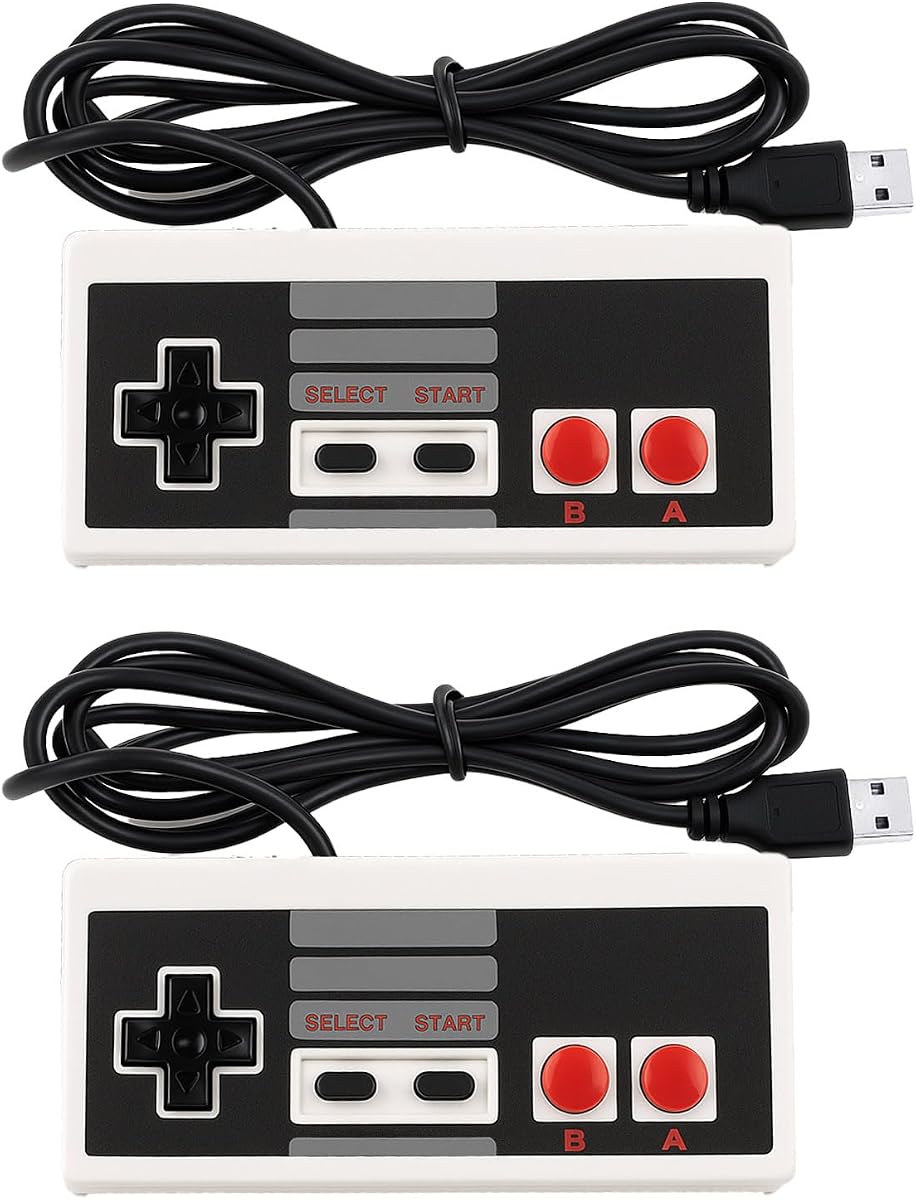


The NGHTMRE controller offers a budget friendly solution for players needing replacements for their Nintendo Classic Edition. With a 3.7 rating, it delivers solid performance for the price point.
We may earn a commission when you buy through this link, at no additional cost to you.
Its standout feature is the extended 10ft cable, allowing players to sit further away from the screen. The buttons are designed to be sensitive for precise control during gameplay sessions.
Users note that this pack works exclusively with the 2016 model featuring the HDMI socket. While the cable is long, it might require management to avoid tangling during active play.
This controller is ideal for families or casual gamers seeking affordable upgrades without sacrificing core functionality. It provides a reliable way to restore full multiplayer capability to the console.
The 10ft cable lets you sit back and enjoy games comfortably without being tied close to the display.
Responsive buttons ensure you maintain precision control even during fast paced retro gaming moments.
We may earn a commission when you buy through this link, at no additional cost to you.
This ZAMPAM pair targets PC and Mac users looking for wireless gaming flexibility. Rated 4.0 stars, they offer a modern twist on classic controller design with rechargeable power.
We may earn a commission when you buy through this link, at no additional cost to you.
The controllers use 2.4GHz wireless technology with a range up to 10 meters. You can customize buttons and activate turbo functions for enhanced gameplay in supported emulators.
Note that these are not compatible with the NES Classic Edition or Super Nintendo systems. You must configure keys using software like joystick mapper for optimal use on your computer.
Gamers who use RetroPie or Linux setups will appreciate the versatility and long battery life. While not for the classic console, they serve well as modern replacements for emulator play.
Enjoy a 10 meter wireless range that lets you play from anywhere in your room without tethers.
A single charge provides around 100 hours of playing time ensuring long sessions without interruption.
We may earn a commission when you buy through this link, at no additional cost to you.
The XYAB controller promises a classic design for modern systems with a 6-foot cable for flexibility. However its 1.0 rating suggests potential quality or compatibility concerns to consider carefully.
We may earn a commission when you buy through this link, at no additional cost to you.
It features a responsive D-pad and A/B buttons for precise control during retro gaming. The ergonomic design aims to reduce fatigue during extended play on Windows or macOS.
While marketed as plug-and-play with no drivers required user feedback may vary regarding actual performance. This product is ideal for collectors seeking a vintage look for emulator setups.
Given the low rating proceed with caution and verify return policies before purchase. It remains an option for those prioritizing style and basic functionality over brand reputation.
The retro gamepad design brings back the authentic feel of vintage gaming on modern hardware.
Simply plug into your PC or Mac and start playing immediately without driver installation steps.
We may earn a commission when you buy through this link, at no additional cost to you.
With a 4.8 rating, this happymaxplus pack stands out for AV console users seeking reliable replacements. It features 9 Pin ports specifically designed for models like AV 620 HD 821.
We may earn a commission when you buy through this link, at no additional cost to you.
The controllers include a continuous fire function giving you an edge in rapid-fire games. The durable construction ensures longevity and the plug-and-play design makes setup effortless for gamers.
While these are compatible alternatives and not first-party manufactured they perform well with confirmed setups. Verify compatibility with your specific console model before purchasing to ensure full functionality.
These are excellent for families or friends wanting to share gaming moments. The two pack allows for simultaneous multiplayer sessions enhancing the social aspect of retro gaming.
Dominate challenges with a continuous fire button that aids rapid-fire action and precision gameplay.
Designed specifically for AV 620 HD 621 and HD 821 consoles with a standard 9 Pin port.
We may earn a commission when you buy through this link, at no additional cost to you.
This ZENANBiBi 2-pack targets PC Mac and Linux users seeking authentic NES-style controllers. Its 3.8 rating reflects decent performance across multiple systems for emulator gaming experiences.
We may earn a commission when you buy through this link, at no additional cost to you.
The controllers feature a 5.6ft cable for comfortable distance and replicate the classic feel. They connect via USB 2.0 and work instantly without needing extra driver installations on your device.
You can play iconic titles like Super Mario and Tetris with smooth performance. However note that these are not compatible with the NES Classic Mini Wii or Switch systems.
They are perfect for retro gaming enthusiasts building a library on Raspberry Pi or RetroPie. The two controller bundle ensures you are ready for multiplayer fun with friends or family.
Designed to replicate the classic NES controller feel for nostalgic gameplay on modern systems.
Simply connect via USB 2.0 and start playing immediately on supported operating systems.
We may earn a commission when you buy through this link, at no additional cost to you.
This adapter allows you to use NES or SNES controllers on the NES Classic or Wii U systems. Rated 3.9 stars it bridges the gap between vintage hardware and modern consoles.
We may earn a commission when you buy through this link, at no additional cost to you.
It supports both NES Classic Edition controllers and SNES controllers without extra drivers. The built-in turbo feature enhances gameplay and you can exchange the D-pad and left stick easily.
Ideal for collectors who want to reuse their original controllers on newer systems. It eliminates the need to buy new controllers if you already have compatible hardware available at home.
Make sure your controllers match the supported types before purchasing. This solution offers flexibility and value for those invested in legacy controller ecosystems.
Works seamlessly with both NES Classic Edition controllers and SNES controllers for flexibility.
Enjoy enhanced gameplay with a built-in turbo function for faster button inputs during play.
We may earn a commission when you buy through this link, at no additional cost to you.
This eXtremeRate housing transforms your Switch Joy-Con into a classic NES-style device. With a 4.4 rating it appeals to users seeking aesthetic upgrades and better D-pad functionality.
We may earn a commission when you buy through this link, at no additional cost to you.
The ergonomic D-pad improves left Joy-Con performance for precision games. The soft-touch grip feels good in hand and resists slipping during long play sessions due to its anti-sweat design.
Installation requires moderate experience and tools like screwdrivers included in the package. Watch video guides carefully to ensure a proper fit and avoid damage to your Switch console.
This is perfect for players wanting to customize their controller look without buying a new console. It brings back 80s style while maintaining modern functionality and comfort.
The custom designed D-pad greatly improves function for games requiring precise directional inputs.
Anti-sweat and slip-free grip ensures comfort and control even during extended gaming play.
We may earn a commission when you buy through this link, at no additional cost to you.
This bundle offers a controller power supply and two 6FT extension cables for your console. Rated 2.4 stars it aims to solve common missing part issues for players upgrading their setup.
We may earn a commission when you buy through this link, at no additional cost to you.
The cables let you sit back comfortably while the power supply ensures reliable operation. It is a convenient one-stop solution for those who lost original accessories or need extras.
User ratings suggest variable quality so check reviews for recent updates before buying. While useful for basics it might not offer the same longevity as dedicated controller replacements.
Ideal for emergency replacements or casual play when you need immediate access to a working controller. It provides essential components to get you gaming again without extra purchases.
The 6FT extension cables allow you to play from a comfortable distance away from the screen.
Includes a power supply to ensure your console gets consistent energy for reliable performance.
We may earn a commission when you buy through this link, at no additional cost to you.
RDS Industries offers this licensed controller designed to extend control and improve comfort. With a 4.5 rating it delivers superior quality materials for users wanting official standard reliability.
We may earn a commission when you buy through this link, at no additional cost to you.
The textured silicone material provides a comfortable grip that enhances precision during gameplay. Its ergonomic shape extends your control making it easier to handle during intense gaming sessions.
As a licensed accessory it meets Nintendo quality standards better than unbranded third-party options. The red color adds a vibrant touch to your setup while maintaining authentic performance.
This is the top choice for those who prioritize official licensing and durability. It ensures you get a reliable replacement that respects the original design and functionality.
Made with superior quality materials ensuring durability and comfort for daily gaming use.
The design creates a comfortable grip that extends your control and provides more precision.
We may earn a commission when you buy through this link, at no additional cost to you.
This KIWITATA 2-pack offers SNES-style controllers for PC and Mac emulator play. Rated 4.3 stars it features anti-sweat finishes and ergonomic design suitable for long sessions.
We may earn a commission when you buy through this link, at no additional cost to you.
The cross direction key adopts a frosted concave design to prevent slipping during intense gameplay. It supports Windows Linux Mac and Raspberry Pi with a standard USB 2.0 connection.
Note that you may need to manually set buttons within your emulator. It is designed specifically for classic SNES titles rather than original NES controllers or consoles.
This is a great option for retro enthusiasts focusing on Super Nintendo games on modern systems. The bundle ensures you have controllers ready for two-player action instantly.
Frosted concave design on cross keys prevents slipping for a comfortable grip during play.
Compatible with Windows Linux Mac and Raspberry Pi for versatile retro gaming setups.
We may earn a commission when you buy through this link, at no additional cost to you.
Choosing the right replacement involves checking compatibility cable type build quality and additional features. This guide breaks down key factors to simplify your decision.
First verify whether the controller works with your specific console model like the 2016 NES Classic or PC emulators. Some options are designed for HDMI sockets while others fit AV ports.
Always check the product description to confirm it supports your exact device before purchasing to avoid returns.
Wired controllers come with varying cable lengths from 6ft to 10ft. Longer cables offer more freedom to sit back while shorter ones reduce clutter.
Decide if you prefer wireless freedom with rechargeable batteries or the simplicity of a stable wired connection.
Responsive buttons are critical for retro gaming precision. Look for reviews mentioning sensitive or sturdy buttons that don't require heavy pressing.
Ergonomic designs reduce hand fatigue during long sessions so check grip materials like silicone or textured plastic.
Sturdy materials ensure the controller withstands active gaming. Third-party products often vary in quality so favor those with higher ratings or warranty assurances.
Avoid products made from brittle plastics that might crack under stress or frequent use over time.
Features like turbo buttons or continuous fire can enhance gameplay for specific titles. Some adapters allow using SNES controllers on NES systems.
Consider whether these extras match your gaming style or if a simple plug-and-play design suffices for your needs.
Many products come in 2-packs for multiplayer or bundles including power supplies. Buying in pairs saves money compared to single units.
Check if the bundle includes necessary accessories to ensure you have everything needed to start playing right away.
Licensed products guarantee quality standards while third-party options may offer better value. Weigh the pros and cons based on your budget and expectations.
Reputable brands often provide better customer support and warranty options if issues arise after purchase.
Read verified buyer feedback to spot common issues like compatibility problems or durability concerns. High ratings generally indicate better satisfaction.
Focus on reviews that mention actual use with your console to get realistic expectations of performance.
Connect the controller to your console via USB or the designated port ensuring it matches your system. Plug it in firmly to avoid loose connections that cause lag or unresponsiveness.
Test all buttons including directional inputs and turbo features if available using a demo game or emulator menu. Adjust key mappings in settings if your controller does not auto-configure correctly.
Keep cables organized to prevent tripping or tangling and store controllers in a cool dry place when not in use. Regularly clean the surface with a dry cloth to maintain grip and button sensitivity.
Most third-party controllers work with the 2016 HDMI model but always check compatibility in the product details. Some older 1985 models require different adapters or may not support USB options. Verify before buying to ensure seamless plug-and-play functionality.
Yes using a dedicated adapter like the MAYFLASH NES/SNES adapter allows you to connect SNES controllers. This expands your options and lets you use existing hardware instead of buying new ones. Ensure the adapter matches your console model.
These are designed for emulator play on computers where USB input is standard. They work well with RetroPie or RetroArch but often lack the specific pinout needed for the NES Classic console directly.
A 6ft to 10ft cable provides comfortable distance to sit back and avoid screen strain. Longer cables give more freedom but ensure they don't create tripping hazards in your gaming area.
Wireless options typically use rechargeable Lithium Ion batteries that last around 100 hours. Some models require USB charging while others come with batteries that you can swap out for convenience and continuous play.
Turbo features help in games requiring rapid button presses like shooters or shooters. While not essential for all titles they add convenience. Check if your games benefit from automatic rapid-fire capabilities.
Use a dry soft cloth to wipe the surface and avoid liquids. For sticky buttons a slightly damp cloth with mild soap can help but ensure the controller dries completely before reconnecting it to your system.
Try unplugging and replugging the USB cable or restarting the console. For wireless models check battery levels. If issues persist the controller may be defective so contact the seller for support or replacement options.
This guide highlighted ten distinct options ranging from budget packs to premium licensed controllers. Each pick balances price compatibility and features to meet different gaming needs effectively.
Prioritize compatibility with your console model first then consider cable length and build quality. Wireless options offer freedom while wired controllers provide stability and simplicity for retro play.
Prices and availability fluctuate so verify current details before purchasing. Use this guide to find a reliable replacement that restores your classic gaming experience without hassle.