
MSI PRO MP341CQ E12
4.2Editor score
UWQHD resolution at 120Hz
TÜV certified eye care features
Adaptive Sync for smooth gaming
Finding a cheap ultrawide monitor can transform your workspace without breaking the bank. These displays offer expansive screen real estate ideal for multitasking and immersive entertainment experiences at home.
We evaluated ten top models based on refresh rate, resolution, panel type, and ergonomic features to find the best value options available right now for diverse user needs.
Each pick below highlights key strengths and trade-offs to help you decide quickly. Please note that product availability and pricing can change frequently so check current listings before buying.
4.2Editor score

4.4Editor score

4.6Editor score
As an Amazon Associate we earn from qualifying purchases.
This side-by-side comparison highlights key specifications across all ten models to help you quickly identify which display best fits your specific workflow and entertainment needs.


The SANSUI 34-Inch Curved Gaming Monitor stands out for its incredible speed and affordable pricing. It delivers a stunning 200Hz refresh rate that ensures fluid motion during competitive gaming or fast-paced video playback. This model combines modern AI features with traditional gaming specs to offer a unique value proposition for budget conscious buyers.
We may earn a commission when you buy through this link, at no additional cost to you.
Its UWQHD resolution provides crisp detail across the wide screen while the fast VA panel delivers deep blacks and strong contrast. The inclusion of HDMI 2.1 and VRR support means it can handle next-gen console output smoothly. AI features like Blue light reduction and Crosshair overlay add functional depth without needing complex menu navigation.
While the lack of speakers is a drawback for standalone media use the robust gaming performance makes up for it. The ergonomic stand offers tilt but lacks height adjustment which may limit comfort for some desk setups. Overall the trade-offs are reasonable given the high refresh rate and feature set available at this price point.
This monitor is ideal for gamers who prioritize speed and immersion without spending a fortune. It also suits productivity users who want a wide screen for multitasking. We highly recommend it for those seeking the best refresh rate performance in the cheap ultrawide monitor category today.
Built-in AI tools like sniper scope and crosshair overlays give competitive players an edge without software setups. These features are accessible via on-screen controls for quick adjustments during intense sessions.
With HDMI 2.1 and VRR support this display handles variable refresh rates from modern consoles smoothly. This ensures tearing-free visuals and maximum frame utilization during high-end gaming experiences.
We may earn a commission when you buy through this link, at no additional cost to you.
MSI delivers reliable performance with the PRO MP341CQ E12 which balances cost and capability effectively. This monitor offers a solid 120Hz refresh rate and UWQHD resolution making it a strong contender for daily work and casual gaming alike. The inclusion of eye care certifications makes it a thoughtful choice for long work sessions.
We may earn a commission when you buy through this link, at no additional cost to you.
Adaptive Sync ensures smooth visuals by matching refresh rates with your GPU to prevent tearing. Built-in speakers add convenience for media consumption without extra peripherals. Firmware update support indicates MSI is committed to maintaining performance and compatibility over the lifespan of the device.
The stand only offers tilt which might require a VESA mount for better ergonomics. While contrast is decent it does not reach the levels of higher-end OLED or Mini LED options. These limitations are acceptable considering the price point and overall feature richness provided.
Buyers seeking a dependable and versatile cheap ultrawide monitor should consider this MSI model. It fits well in home offices and student dorms where budget constraints matter. The balance of refresh rate resolution and eye care features makes it a standout value pick.
TÜV Rheinland certified Flicker Free and Low Blue Light features reduce eye strain during extended usage. This is essential for professionals who spend hours reviewing documents or coding on a single screen.
HDMI 2.0b and DisplayPort 1.4a ports ensure compatibility with most modern GPUs and consoles. Firmware updates allow you to optimize performance later which is a rare bonus in budget monitors.
We may earn a commission when you buy through this link, at no additional cost to you.
The LG 34WR55QK-B offers a premium experience with features often reserved for higher price tiers. Its USB Type-C port with power delivery simplifies laptop setups by handling video and charging in one cable. This makes it an ideal choice for modern professionals who value clean desk aesthetics and efficient workflows.
We may earn a commission when you buy through this link, at no additional cost to you.
HDR10 support enhances color depth and contrast for media consumption and design work. The stand offers full height tilt adjustment ensuring comfort during long hours. Reader Mode reduces blue light exposure providing a comfortable environment for text-heavy tasks and document review sessions.
While the 100Hz refresh rate is smooth for general use it falls short for competitive gaming enthusiasts. The lack of Picture-by-Picture limits dual source multitasking options for users who need to monitor two inputs simultaneously. However the overall build quality and ergonomic focus justify these trade-offs.
This monitor is perfect for creatives and office workers who prioritize color quality and ergonomic comfort. It bridges the gap between affordable and premium displays with its robust feature set. We recommend it for anyone seeking a reliable workhorse with modern connectivity options.
USB Type-C with up to 65W power delivery allows single cable connection for laptops. This reduces cable clutter and keeps your workspace organized while maintaining full display functionality.
Adjustable height and tilt combined with Reader Mode reduce physical strain. The HDR10 support ensures visuals remain vibrant and accurate which is vital for design and content creation tasks.
We may earn a commission when you buy through this link, at no additional cost to you.
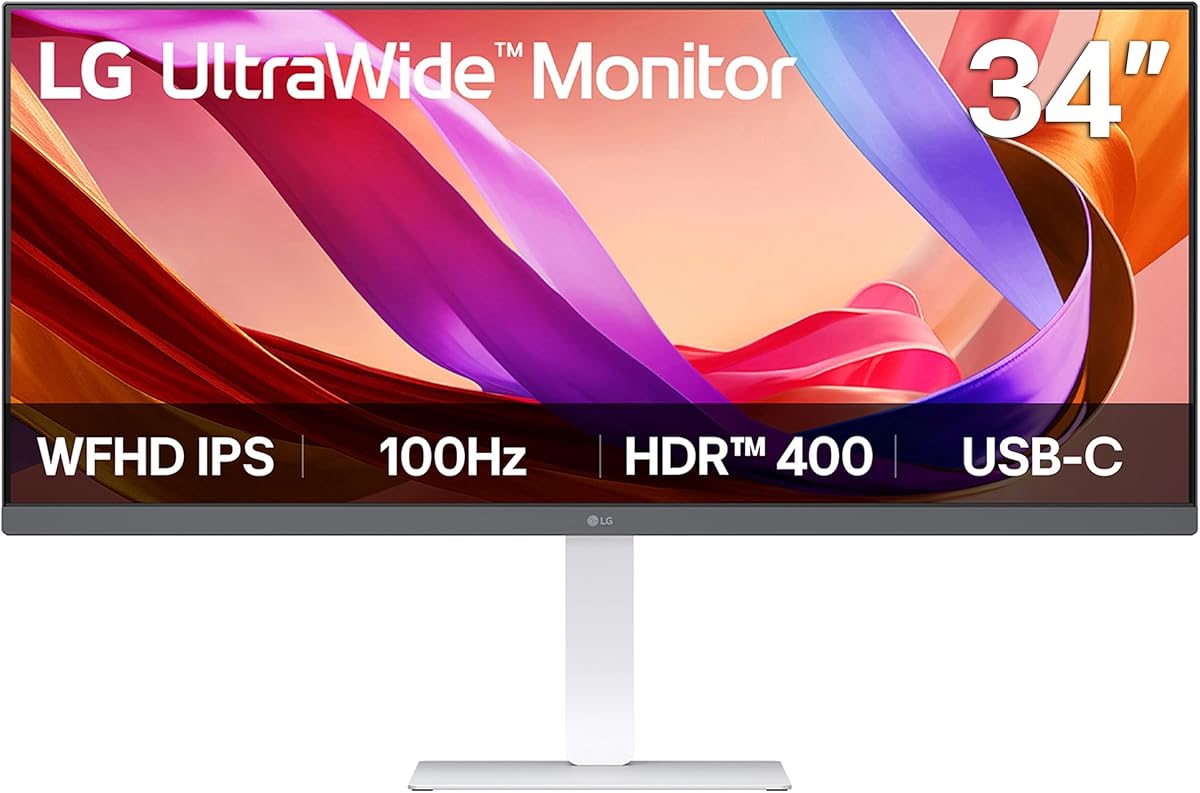
LG's 34U530A-W provides a clean and modern aesthetic with its white finish and narrow bezels. It uses an IPS panel for consistent colors across wide viewing angles which is great for collaborative work. The DisplayHDR 400 certification ensures better brightness and contrast than standard SDR monitors.
We may earn a commission when you buy through this link, at no additional cost to you.
Its USB Type-C port supports both display output and data transfer making it versatile for various devices. The stand includes height tilt and swivel adjustments for superior ergonomics compared to many budget options. Waves MaxxAudio speakers provide decent sound for everyday use without needing external setups.
The WFHD resolution is lower than UWQHD models which may limit text clarity on smaller fonts. This makes it less ideal for heavy data work or photo editing compared to higher resolution competitors. However it remains a strong option for general browsing and media streaming tasks.
Users who prioritize color accuracy and ergonomic flexibility over raw resolution will appreciate this model. It fits well in home offices where style and comfort are key. For general productivity and entertainment it offers a balanced package at a competitive price point.
IPS technology ensures vibrant and consistent colors from any angle. This is particularly useful for presentations and collaborative environments where multiple people view the screen simultaneously.
The white finish offers a fresh alternative to typical black monitors. It blends seamlessly with modern minimalist decor and helps create a bright and clean workspace environment.
We may earn a commission when you buy through this link, at no additional cost to you.
The LG 34U650A-B is designed to streamline desktop setups with powerful USB-C capabilities. It delivers up to 96W charging which can power most high-end laptops through a single cable. The curved IPS panel combines wide viewing angles with an immersive form factor suitable for extended use.
We may earn a commission when you buy through this link, at no additional cost to you.
The Switch App transforms your screen into a multitasking hub allowing easy layout customization. HDR10 support ensures vibrant media consumption while sRGB coverage guarantees accurate colors for design work. The stand is slim yet functional keeping desk space free for keyboards and other essentials.
While the curve enhances immersion it can introduce slight color shift at extreme angles compared to flat IPS. Gaming performance is adequate but lacks specialized modes like overdrive tuning for competitive titles. These factors make it more suited for professional and creative workflows than gaming.
Prospective buyers who need a reliable and efficient workspace will find this monitor compelling. It balances connectivity ergonomics and color quality effectively. We recommend it for professionals who value cable reduction and screen real estate over gaming-specific features.
USB-C with 96W power delivery means your laptop can run without a separate charger. This simplifies your desk and reduces cable clutter significantly for a cleaner professional environment.
The Switch App lets you split the screen into up to six sections with hotkeys. This feature boosts productivity by letting you manage multiple apps without complex setup or additional monitors.
We may earn a commission when you buy through this link, at no additional cost to you.
Samsung's ViewFinity S50GC stands out with its minimal bezel design which enhances immersion and aesthetic appeal. The ambient light sensor adjusts brightness based on room lighting to reduce eye strain automatically. PBP and PIP features allow you to view two inputs simultaneously making it great for multitasking scenarios.
We may earn a commission when you buy through this link, at no additional cost to you.
With 3000:1 contrast ratio it offers deep blacks typical of VA panels. AMD FreeSync ensures smooth visuals for casual gaming without tearing. The Eye Saver Mode and Flicker Free technologies make it a comfortable choice for long work sessions at home or in office settings.
The stand only allows tilt limiting ergonomic flexibility for some users. HDR10 adds some dynamic range but is not as impactful as on premium HDR displays. These compromises are acceptable given the sleek design and reasonable price for a high resolution screen.
This monitor is ideal for users who want a clean and modern look without sacrificing utility. It suits those who need dual source viewing and decent gaming performance. We recommend it for home offices where aesthetics and versatility are top priorities.
The ambient light sensor adjusts screen brightness automatically based on lighting conditions. This helps maintain comfort during varying times of day without requiring manual settings adjustments frequently.
Picture-by-Picture and Picture-in-Picture modes let you split the screen for two inputs. This is perfect for monitoring emails while working on projects or streaming while gaming simultaneously.
We may earn a commission when you buy through this link, at no additional cost to you.
The Samsung ViewFinity S50GC offers robust dual input viewing capabilities ideal for complex workflows. Its thin bezel design ensures a seamless look even when used in multi-monitor setups. AMD FreeSync and HDR10 provide a balanced experience for both work and casual entertainment needs effectively.
We may earn a commission when you buy through this link, at no additional cost to you.
PBP allows you to run two applications from separate sources at full resolution. This reduces window switching and boosts productivity significantly during tasks that require reference data. The Eye Saver Mode minimizes blue light exposure helping reduce fatigue during late night sessions.
While the stand is basic the VESA mount option allows for flexible positioning with third party arms. HDR10 adds some depth but is not the primary selling point of this model. These factors make it a strong value pick for office environments and home users alike.
Buyers who frequently switch between multiple devices will find the dual input feature invaluable. It suits multitaskers who need to monitor multiple streams of information continuously. We recommend it for productivity-focused users who prioritize screen flexibility over gaming specs.
With PBP you can connect a laptop and desktop simultaneously without losing resolution. This enables smooth workflow integration across devices for professionals who manage multiple systems daily.
Eye Saver Mode and Flicker Free technology reduce strain significantly. These features are critical for users who spend all day reading or writing on a single screen.
We may earn a commission when you buy through this link, at no additional cost to you.
CRUA offers impressive value with the 34 Inch 165Hz UWQHD IPS monitor that delivers fast speeds and color accuracy. The 165Hz refresh rate makes it suitable for fast-paced gaming and smooth video playback. IPS technology ensures vibrant colors that are consistent across the whole screen effectively.
We may earn a commission when you buy through this link, at no additional cost to you.
With 120% sRGB coverage colors pop without needing complex calibration. AMD FreeSync helps eliminate tearing for a fluid experience in most titles. Built-in speakers and multiple ports offer convenience for setups that do not have external audio systems.
The stand only supports tilt which limits ergonomics compared to height-adjustable options. While customer service is responsive warranty terms should be checked carefully before purchasing. These trade-offs are minor considering the high speed and color quality provided for the price.
This monitor is best suited for gamers who want IPS quality without paying premium prices. It also works well for content creators who need accurate colors on a budget. We recommend it for buyers seeking high refresh rates and wide color gamuts efficiently.
IPS technology at 165Hz combines speed and color accuracy for gaming. This avoids the ghosting often seen in cheaper VA panels while maintaining vivid visuals.
120% sRGB coverage ensures rich and accurate hues for photos and videos. This makes the monitor useful for casual editing work in addition to gaming and entertainment tasks.
We may earn a commission when you buy through this link, at no additional cost to you.
The Acer Nitro ED300C X1 provides unmatched speed for its incredibly low price point. Its 200Hz refresh rate ensures ultra-smooth motion which is rare in budget gaming monitors. AMD FreeSync Premium further enhances visual fidelity by minimizing tearing and stuttering effectively.
We may earn a commission when you buy through this link, at no additional cost to you.
The 1800R curve wraps around your field of view for immersive racing and flight sim titles. While resolution is lower than UWQHD models the pixel density is still sufficient for 29-inch screens. Response time is fast enough for casual competitive gaming without noticeable ghosting or smearing.
The stand is basic with tilt only which may require a VESA arm for comfort. Lower resolution might not suit text-heavy work but fits fine for gaming and media. This makes it a niche choice focused purely on performance per dollar ratio.
Buyers on a tight budget who prioritize speed over clarity will find this model ideal. It suits competitive gamers looking to maximize frame rates without overspending. We recommend it for entry-level setups focused on high refresh rate gaming experiences.
AMD FreeSync Premium ensures low frame rate compensation and dynamic refresh sync. This reduces stutter even when frame rates drop below standard refresh limits during intense gaming moments.
1800R curvature wraps tightly around your vision for a more engaging experience. This geometry helps keep your eyes focused on the center and improves peripheral awareness in games.
We may earn a commission when you buy through this link, at no additional cost to you.
KTC offers a compelling package with the 34 Inch Ultrawide Curved Gaming Monitor which features a high contrast HVA panel. The 180Hz refresh rate and 4000:1 contrast ratio ensure deep blacks and smooth motion during gaming sessions. Its robust ergonomic stand adds significant value by supporting full adjustments for comfort.
We may earn a commission when you buy through this link, at no additional cost to you.
With 125% sRGB coverage and HDR support the display delivers vibrant and lifelike colors. Multiple input options including HDMI 2.0 and DP 1.4 ensure compatibility with various devices easily. The three-year warranty and responsive support further solidify its position as a reliable long-term choice.
Response times are average and may show minor ghosting in very fast scenes. The OSD menu could be more intuitive but once set up the monitor performs consistently well. These minor issues do not detract from the overall high performance and feature set offered here.
This monitor is a top pick for gamers who want contrast and speed in a single device. It suits home theater setups where deep blacks are preferred over bright highlights. We recommend it for users seeking a balanced high-end feature set at a reasonable price.
HVA panel technology provides a 4000:1 contrast ratio for deep blacks. This enhances movie watching and dark gaming scenes by making shadows appear richer and more detailed.
Height swivel pivot and tilt adjustments allow you to find the perfect viewing angle. This flexibility is rare in budget monitors and helps reduce physical strain during long use.
We may earn a commission when you buy through this link, at no additional cost to you.
Selecting the right monitor involves balancing resolution refresh rate and ergonomics to fit your specific needs and budget constraints effectively.
Ultra wide monitors typically use 21:9 aspect ratios which provide wider horizontal space than standard screens. UWQHD resolution at 3440×1440 offers sharper images than WFHD at 2560×1080 and is preferred for productivity tasks that require more vertical clarity and detail.
For the best balance of cost and quality look for UWQHD panels in this category as they offer high clarity without premium pricing.
Refresh rate determines how many frames the screen displays per second which directly affects motion smoothness. Gamers should target at least 120Hz to 180Hz refresh rates for competitive play while 60Hz to 100Hz suffices for office work and casual media consumption at home.
Short response times below 5ms reduce ghosting during fast action so check specs if you plan to play quick shooters or racing simulations regularly.
VA panels offer deeper blacks and higher contrast ideal for dark room viewing while IPS panels provide better color accuracy and wider viewing angles for collaborative environments. Each type has trade-offs so choose based on whether you prioritize immersion or color consistency for your work.
If you edit photos or design graphics lean toward IPS for color uniformity but if you watch movies choose VA for better contrast in dark settings.
Modern monitors should include HDMI 2.0 or 2.1 ports and DisplayPort 1.4 to support high resolutions and refresh rates on your devices. USB Type-C ports with power delivery are a major plus as they allow single-cable charging and video connection for laptops.
Ensure your graphics card matches the ports provided by the monitor to avoid performance bottlenecks during gaming or content creation workflows.
A good stand should offer height tilt and swivel adjustments to reduce neck strain during long sessions. Many budget models lack height adjustment so check if VESA mounting compatibility is available for third-party monitor arms to improve flexibility and comfort.
Investing in ergonomic adjustments early prevents back pain and improves posture which is essential for daily users who spend hours staring at the screen.
Features like flicker-free technology and low blue light modes protect your eyes during extended use and reduce fatigue over time. Look for monitors with TÜV certifications to ensure these features meet international health standards for screen usage at home or in office settings.
These settings are vital for anyone who works late hours or spends many hours reading text on a large screen daily.
Picture-by-Picture and Picture-in-Picture modes let you view two inputs simultaneously without switching windows constantly. This feature is highly valuable for streamers traders or professionals who need to monitor reference data while performing primary tasks on their main screen.
Check if the monitor software supports easy switching between inputs to maximize efficiency in complex workflows.
Reliable brands often provide better support and longer warranty periods which protect your investment against hardware failures or defects. Always review the warranty terms before buying to ensure you have coverage for at least three years of use and support.
Strong warranty support adds peace of mind and ensures you can get replacements quickly if the panel develops dead pixels or other issues early.
Place the monitor at eye level using adjustable stands or VESA mounts to ensure optimal viewing posture and reduce neck strain. Proper alignment helps maintain comfort during extended use periods and prevents long-term physical issues.
Use display settings to calibrate brightness and contrast according to your ambient lighting conditions for best viewing comfort and accuracy. Many models include presets that can be toggled to adapt to different tasks and lighting environments easily.
Keep the screen clean with a soft microfiber cloth and avoid harsh chemicals that could damage the coating or panel. Dust and smudges can reduce visibility so cleaning weekly ensures your display remains sharp and clear throughout its lifespan.
UWQHD at 3440×1440 offers the best balance of clarity and affordability in this category. It provides sharp text and detail for productivity without the cost of 4K displays. Lower WFHD resolution is budget friendly but may show pixelation in detailed work.
Yes many budget models support high refresh rates and adaptive sync technologies like AMD FreeSync. These features ensure smooth and tear-free gameplay for casual and competitive gamers alike. Check response times to minimize ghosting effects during fast scenes.
Curved screens enhance immersion by wrapping the display around your field of view reducing eye strain. Flat screens offer better color consistency for collaborative work. Choose based on whether you prioritize immersive gaming or wide color accuracy.
Monitors with IPS panels and high sRGB coverage can handle basic video editing effectively. Look for color accuracy and resolution to ensure timeline clarity. Professional color grading may require more expensive calibrated displays but entry work is feasible.
Some budget models include USB-C with power delivery to simplify laptop setups with single cable connections. Not all cheap monitors have this feature so verify specs if you need it for your workflow. USB-C hubs can also bridge this gap if needed.
Use a soft dry microfiber cloth to wipe the screen gently without applying pressure. Avoid liquids and harsh cleaners that could damage the panel surface. Cleaning weekly removes dust and fingerprints for clear visibility.
The SANSUI 34-Inch Curved Gaming Monitor and MSI PRO MP341CQ E12 stand out as top value options offering speed and versatility for various users.
Prioritize refresh rate and resolution based on whether you game or work to find the right balance for your specific needs effectively.
Always check current listings and warranty details before purchasing to ensure you get the best deal and protection for your investment today.