
Canon MegaTank G3270
4.1Editor score
Up to 6000 black pages
Compact wireless design
1.35 inch LCD display
Finding the right cartridge free printer can transform how you handle daily printing tasks at home or in a small office setting. These devices eliminate the need for traditional ink cartridges by using refillable tanks that offer significantly more pages per print cycle.
We compared ten top models based on their ink capacity, print speeds, connectivity options, and overall reliability scores from verified users. Each device was evaluated on its ability to deliver consistent quality while minimizing ongoing costs for families and professionals alike.
Every pick highlights specific strengths like wireless scanning or high volume output so you can match the right machine to your workload. Note that prices fluctuate frequently so check the current listings before making your final purchase decision.
4.1Editor score

4.3Editor score

3.9Editor score
As an Amazon Associate we earn from qualifying purchases.
The following table offers a side by side view of key specifications and capabilities for each cartridge free printer model to help you choose.





This HP model leads the category with a promise of up to three years of ink in the box making it ideal for steady household printing needs without frequent refills. Users report consistent performance with clear text and vibrant colors even after extended use cycles.
We may earn a commission when you buy through this link, at no additional cost to you.
The standout feature is the mess-free refill system where you simply plug bottles into the tank and let them drain without squeezing or spilling. This design reduces waste and frustration while the built-in scanner and copier functions handle multi tasking efficiently.
Trade-offs include slightly slower page rates compared to higher end models and the lack of automatic two sided printing which may increase paper costs for large documents. However for typical home use these limitations are minor given the significant ink savings.
Families and remote workers who value reliability and low ongoing costs should prioritize this unit. It balances convenience with performance so that you can focus on tasks rather than managing ink levels constantly.
The refill system prevents spills and makes adding ink straightforward for users of all technical skill levels.
With enough ink for thousands of pages the initial investment pays off quickly through reduced replacement purchases.
We may earn a commission when you buy through this link, at no additional cost to you.
Affordability meets functionality in this Epson model which delivers solid print quality and generous ink capacity for a competitive price point. It stands out as a top choice for budget conscious buyers who still need reliable color printing capabilities.
We may earn a commission when you buy through this link, at no additional cost to you.
Users appreciate the hands free voice activated printing feature that integrates well with smart home systems to streamline document workflows. The high capacity tanks mean you print up to thousands of pages before needing a replacement reducing both cost and waste.
The main drawback is the absence of a touchscreen interface which makes navigation rely on physical buttons and mobile app controls instead. For many users this simplifies the design and keeps costs down without sacrificing core performance metrics.
Students and small office managers seeking an efficient entry level solution will find this model fits their needs perfectly. It provides the essential features required for daily tasks while maintaining a low cost of ownership over time.
Hands free printing allows you to send jobs quickly without needing to interact with physical buttons on the device.
By reducing cartridge waste this printer supports environmental goals while saving money on frequent ink replacements.
We may earn a commission when you buy through this link, at no additional cost to you.
This premium unit combines speed with superior photo quality to handle demanding home office tasks without compromising on output fidelity. Users love the fast print speeds and the clarity of text and images produced by its advanced ink technology.
We may earn a commission when you buy through this link, at no additional cost to you.
The 1.44 inch color display simplifies navigation and settings adjustments making it easier to manage jobs directly from the device screen. With zero warmup time and a robust duty cycle it remains responsive even during bursts of heavy printing activity.
The higher upfront investment compared to entry models is offset by the extended three year ink supply and faster performance rates. While the footprint is slightly larger the convenience and speed make it worthwhile for active workspaces.
Professionals and creatives who need quick turnarounds and vivid color results will appreciate this model’s capabilities. It offers a professional grade experience at a home price point making it a standout choice for serious users.
Zero warmup time ensures your printer starts working immediately when you send a job to avoid waiting periods.
The color screen provides clear visual feedback for settings and status updates without needing a connected device.
We may earn a commission when you buy through this link, at no additional cost to you.
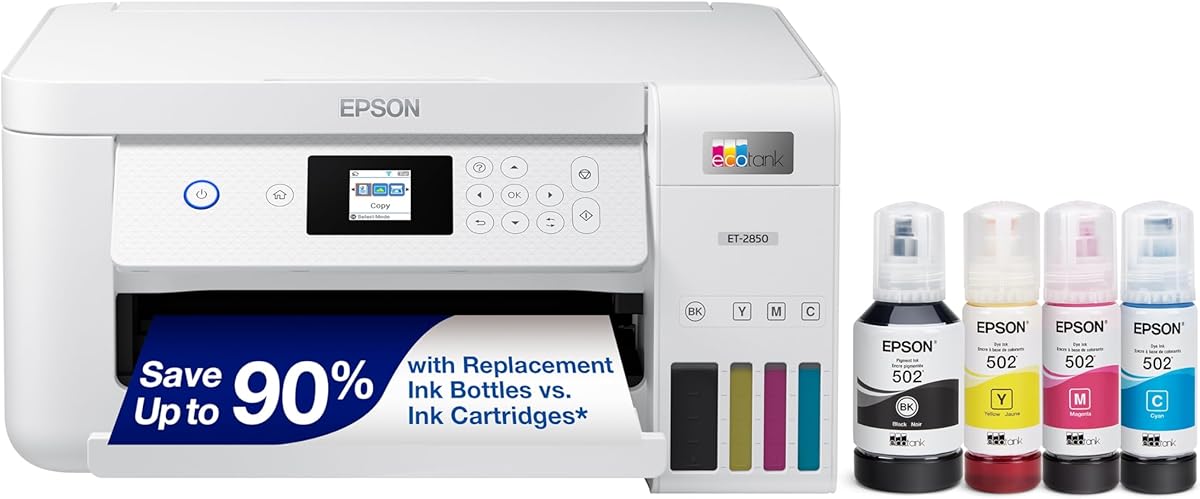
The ET-2850 adds auto two-sided printing to its feature set which helps save paper and reduce manual flipping during large document jobs. It maintains the core benefits of the EcoTank line while adding a useful productivity tool for everyday office use.
We may earn a commission when you buy through this link, at no additional cost to you.
Users highlight the ease of refill and the sharpness of text which benefits from Epson’s Heat-Free technology that conserves energy and reduces heat. The wireless connectivity ensures seamless integration with laptops and phones for quick access from anywhere in the house.
While it does not include a color display the physical buttons and app support make navigation straightforward for most users. The price sits in the mid range offering a balance of features that justify the cost over time.
Small business owners or families with frequent duplex printing needs will find this model particularly useful. It strikes a practical balance between cost and convenience making it a smart choice for versatile printing environments.
Auto duplex printing cuts paper usage in half for double sided documents which saves money and helps the environment.
Heat-Free technology reduces power consumption while maintaining high print quality for text and graphics.
We may earn a commission when you buy through this link, at no additional cost to you.
This model is designed for reliability with a sturdy build that supports consistent output over long periods. While user ratings vary it remains a popular choice for those who prioritize durability and steady ink capacity in a home office environment.
We may earn a commission when you buy through this link, at no additional cost to you.
The wireless color printing works well for most common document types ensuring vibrant graphics and readable text for internal memos or reports. It supports standard mobile app connectivity to allow easy management of jobs from a phone or tablet.
The higher price point may deter budget focused shoppers but the included scanner and large ink tanks add value to the overall package. Users report fewer maintenance issues compared to older models which contributes to its steady reputation.
Home office professionals who need a dependable workhorse for moderate to heavy use should consider this unit. It offers a solid middle ground between entry level features and advanced capabilities for versatile workloads.
The sturdy construction helps ensure long term performance even with regular daily printing tasks and scanning.
Wireless options simplify network setup so that any device on your home network can access the printer easily.
We may earn a commission when you buy through this link, at no additional cost to you.
Canon’s entry model offers an unbeatable price for those needing a reliable color printer without breaking the bank. It is a top pick for students and casual home users who want the benefits of refillable tanks at a low entry cost.
We may earn a commission when you buy through this link, at no additional cost to you.
With up to six thousand black pages available from one set of ink it delivers exceptional value for text heavy documents. The compact footprint ensures it fits neatly on desks without dominating workspace area which is key for smaller rooms.
The lack of automatic two-sided printing is a minor inconvenience but manual duplex is simple enough for most occasional document needs. Most users find the cost savings more than make up for this slight manual step when printing reports or notes.
Budget conscious buyers who still want color capabilities should strongly consider this model for its efficiency and simplicity. It removes the hassle of cartridge purchases while maintaining a user friendly interface for everyday tasks.
The low upfront cost combined with high page yields makes this one of the most affordable options in the market.
Its compact size allows it to fit into small home offices or dorm rooms without taking up too much surface area.
We may earn a commission when you buy through this link, at no additional cost to you.
This model emphasizes steady performance and environmental benefits with a focus on reducing waste and energy usage during operation. It appeals to users who want a reliable printer that aligns with green values while providing decent color output for home use.
We may earn a commission when you buy through this link, at no additional cost to you.
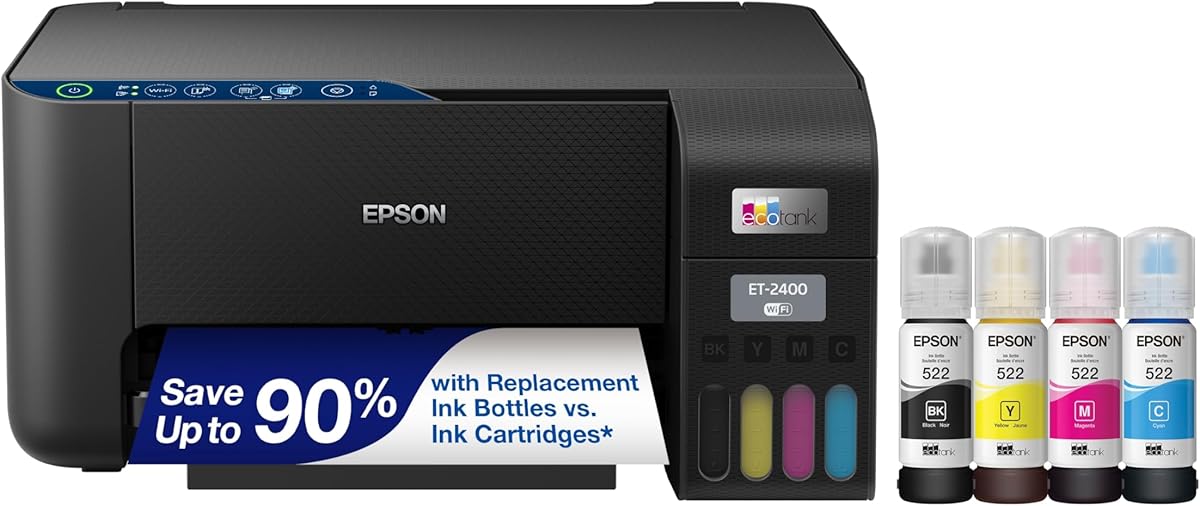
The Heat Free technology ensures that the printer consumes less energy and produces less heat which extends the life of internal components. Users appreciate the straightforward refill process and the generous ink supply that supports continuous printing for months.
Basic controls and lower print speeds may not suit fast paced environments but they are perfectly adequate for routine school or home tasks. The balance of features keeps the price reasonable while ensuring consistent quality for standard documents.
Eco conscious households or small work groups with moderate needs will find this printer a practical addition. It provides the essential functions required for daily tasks while keeping costs and waste low over the long term.
Lower energy consumption helps reduce utility bills while making the printer more environmentally friendly during use.
Consistent performance ensures that you can rely on the printer for routine tasks without frequent interruptions.
We may earn a commission when you buy through this link, at no additional cost to you.
This version offers a solid mix of speed and reliability with a ten ISO page per minute black print rate that handles text documents quickly. It is well suited for users who prioritize clear black text output for reports and study materials.
We may earn a commission when you buy through this link, at no additional cost to you.
The Heat Free technology ensures reliable operation with reduced heat generation which helps maintain quality over extended use sessions. Wireless capabilities allow seamless integration into existing home networks making it easy to print from multiple devices at once.
While color speed is more modest than black speeds this model still delivers vibrant graphics for presentations or personal projects when needed. The lack of a color display is not a significant issue for users who are comfortable using app controls.
Students and home office workers who need quick access to black and white documents will find this model efficient. It balances performance and ease of use without requiring excessive technical knowledge to operate.
Fast black printing speeds ensure that routine documents are ready quickly reducing wait times during busy periods.
Wireless setup allows multiple devices to connect easily without the need for cables or dedicated ports.
We may earn a commission when you buy through this link, at no additional cost to you.
This model emphasizes long term reliability with a three year ink supply that minimizes the need for frequent replacements during heavy use. It stands out as a dependable option for households or offices that print regularly but do not need the fastest speeds.
We may earn a commission when you buy through this link, at no additional cost to you.
Users report high satisfaction with the refill process and the generous page yield which supports extensive document creation without interruptions. The Smart Panel app adds convenience by allowing management of print jobs and settings directly from a mobile device.
While the speed is average for its class it provides enough throughput for most standard tasks without significant delays. The build quality ensures that the printer remains consistent over time even under moderate daily workloads.
Families or small businesses with steady printing demands should consider this unit for its balance of capacity and reliability. It offers a hassle free experience that keeps focus on work rather than maintenance or refilling.
The Smart Panel app simplifies printing and scanning tasks from a phone allowing quick access without using a computer.
With enough ink for thousands of pages you can print for years without worrying about running out of supplies.
We may earn a commission when you buy through this link, at no additional cost to you.
This renewed model offers high performance features at a reduced cost making it ideal for buyers who want premium speed without paying full price. It includes auto two-sided printing and fast black speeds that cater to busy home offices needing quick turnarounds.
We may earn a commission when you buy through this link, at no additional cost to you.
The 1.44 inch color display provides intuitive navigation while the generous ink supply ensures you print thousands of pages without refills. Users appreciate the combination of speed and convenience that allows seamless printing for large reports or presentations.
While being a renewed unit may raise concerns about quality it has been tested to meet standard performance benchmarks for reliability. The faster speeds and duplex feature justify the investment for those who value productivity and time savings.
Tech savvy users and small businesses looking for efficiency and speed should find this model a smart purchase. It delivers professional level output and convenience at a value price point for those ready to adopt modern printing.
Fast black speeds and auto duplex reduce the time required for multi page jobs boosting overall workflow efficiency.
A color display and mobile support make managing jobs simple and accessible from any device in the home.
We may earn a commission when you buy through this link, at no additional cost to you.
Selecting the right cartridge free printer requires evaluating several key factors to ensure it fits your workflow and budget needs.
Check the estimated page count the included ink can produce to ensure it matches your monthly printing volume. Higher yield tanks reduce refill frequency and save money over time for busy households.
Look for models offering at least one year of included ink to minimize early replacement costs after purchase.
Print speed measured in pages per minute affects how quickly documents are ready especially for large batches. Faster models reduce wait times and improve efficiency during busy work sessions.
Prioritize models with at least ten pages per minute for black text if you often print multi-page reports or homework.
Wireless and mobile printing capabilities allow you to send jobs from phones or laptops without physical connections. Modern apps like AirPrint and Mopria make setup easy for most users.
Ensure the printer supports the protocols you use regularly to avoid compatibility issues with your devices.
Automatic two-sided printing saves paper and reduces manual handling for double-sided documents. This feature is useful for environmentally conscious users and those printing reports.
Verify if the model includes duplex as a standard feature if saving paper is a priority for your workflow.
Color displays make it easier to navigate settings and monitor status without needing a computer. Physical buttons offer a simple alternative for users who prefer tactile controls.
Choose a model with a clear interface that suits your technical comfort level for easier daily operation.
Some models require more frequent printhead cleaning or alignment to maintain quality while others handle it automatically. Consider how much time you can dedicate to upkeep.
Look for heat-free or durable printhead designs that reduce wear and the need for service over years.
Measure your workspace to ensure the printer fits comfortably without overcrowding your desk or table. Compact designs are better for limited spaces like dorm rooms or small offices.
Select a size that balances necessary features with the available room in your home office setup.
A solid warranty protects against defects and can save money on unexpected repairs or replacements early. Check the terms for coverage duration and what it includes.
Prefer models from brands with reliable customer support networks in case you encounter technical issues.
Start by placing the printer on a stable surface and connect it to your wireless network via the built-in app or buttons. Follow the on-screen instructions to install drivers and register the device for remote management.
When refilling ink use the provided bottles and insert them into the designated tank until the level indicator signals full. Avoid touching the nozzles and keep the caps on bottles when not in use to prevent drying.
Run regular maintenance checks through the software to ensure printheads stay clear and print quality remains consistent. Print a test page weekly to catch any issues early before they affect larger document batches.
Yes they are significantly cheaper because each bottle yields thousands of pages compared to a few hundred per cartridge. This reduces the frequency of purchases and lowers the overall cost per page over time.
Most models come with enough ink to last between one and three years depending on usage frequency. Light users may stretch this to five years while heavy office use might consume it in less than a year.
It is best to use genuine ink from the manufacturer to maintain quality and avoid voiding the warranty. Third party inks may clog the printhead or cause inconsistent color over time.
Most models support AirPrint and standard drivers for macOS allowing seamless printing from iPhones and Macs. Check the product specifications for exact compatibility with your operating system before buying.
The printer will typically pause and alert you via the app or display when ink levels are low. You can refill quickly without losing the job so it resumes once ink is added.
Use the built-in maintenance tool in the printer’s settings to run a cleaning cycle. This ensures nozzles stay clear and print quality remains sharp for all documents.
The top three picks offer distinct advantages with the HP Smart Tank for simplicity and the Epson ET-2903 for premium speed and the Canon MegaTank for value.
Prioritize ink capacity and connectivity features that match your daily tasks to ensure the printer supports your workflow without interruptions.
Remember that prices vary over time so check current listings before finalizing your purchase to secure the best available deal today.