
Brother HL-L2405W Wireless Compact Monochrome Laser Printer
4.1Editor score
Fast 30ppm print speed
Dual-band wireless connectivity
250-sheet paper tray
Compare the top Brother laser printers for business and home use. This guide reviews ten models for speed, connectivity, and reliability to help you choose.
Choosing the right Brother laser printer ensures efficient document handling for your home office or small business. These devices deliver crisp monochrome or vibrant color outputs with reliable connectivity options for modern workflows.
We evaluated ten top models based on print speed, paper handling, wireless capabilities, and overall value. Each selection balances performance with affordability to meet diverse printing needs without compromising quality or consistency over time.
Every pick highlights specific strengths like duplex printing or mobile app support. Prices vary by retailer and change frequently so always verify current offers before making your final purchasing decision today.
4.1Editor score

4.1Editor score

4.0Editor score
This side-by-side comparison reviews ten Brother laser printer models to highlight their unique strengths and specifications for informed decision making.



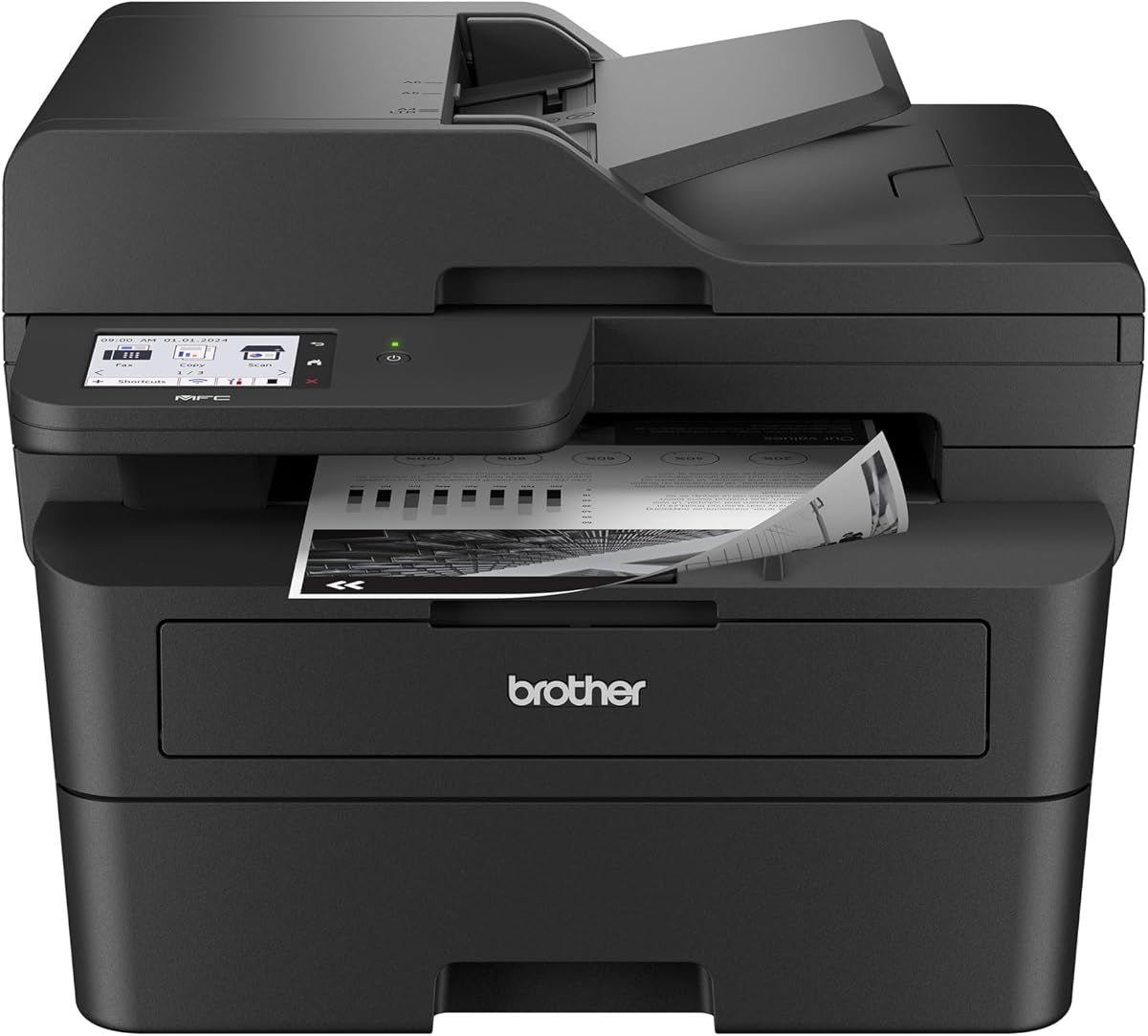


The Brother DCP-L2640DW stands out as a top choice for small businesses needing reliable monochrome printing. With a strong rating and versatile connectivity it handles high volumes efficiently.
We may earn a commission when you buy through this link, at no additional cost to you.
Its 36ppm speed ensures quick document turnaround while the dual-band wireless keeps your network stable. The 50-page ADF simplifies scanning multi-page contracts without manual page turning.
Though it lacks color options the focus on speed and reliability makes it ideal for text-heavy offices. The compact design saves valuable desk space in crowded work areas.
Buy this if you need a fast all-in-one laser printer for daily business tasks. It balances performance and ease of use effectively for most small office environments.
The included auto document feeder lets you scan stacks of paper quickly without manual intervention.
Print from your phone using the Brother Mobile Connect app for seamless workflow integration.
We may earn a commission when you buy through this link, at no additional cost to you.
Ideal for home offices the Brother HL-L2405W offers essential laser printing at a budget friendly price point. It delivers crisp black and white documents quickly.
We may earn a commission when you buy through this link, at no additional cost to you.
Its wireless capabilities allow multiple users to connect securely to your network. The 250-sheet tray reduces refills during busy work periods significantly.
Without duplex printing you lose double-sided efficiency but the low upfront cost compensates for small needs. It remains simple to set up and maintain over time.
Choose this for basic home printing needs where cost is the primary concern. It provides solid performance for students and freelancers needing quick output.
Quick wireless pairing gets you printing documents within minutes of unboxing.
Works with Alexa to enable voice commands for basic print management tasks.
We may earn a commission when you buy through this link, at no additional cost to you.
The Brother MFC-L3720CDW delivers vibrant color laser quality alongside robust scanning and fax features. It suits businesses needing professional marketing materials in house.
We may earn a commission when you buy through this link, at no additional cost to you.
With a large touchscreen managing tasks is intuitive and quick. Wireless connectivity supports remote printing from tablets or laptops easily.
Premium pricing reflects the color capabilities and full suite of tools. Toner usage is higher but output quality justifies the expense for branding.
Invest in this if color fidelity and fax functions are critical for your workflow. It combines versatility and quality for professional business environments.
Sharp graphics and vivid colors make this ideal for client-facing documents.
Customizable shortcuts on the display streamline frequent printing tasks.
We may earn a commission when you buy through this link, at no additional cost to you.
This model combines speed and space saving design in a single compact unit. It handles high volume monochrome tasks efficiently without taking up much room.
We may earn a commission when you buy through this link, at no additional cost to you.
Automatic duplex printing helps reduce paper waste and keeps costs down for text documents. Wireless options ensure seamless connectivity across all your devices.
Lacking a scanner means you need separate equipment for digitizing documents. However the print speed and size make it a strong choice for limited spaces.
Select this if you need fast duplex printing and minimal space usage. It is perfect for tight home offices with focused printing requirements.
Small dimensions allow placement on small desks without cluttering the workspace.
Auto double-sided printing saves paper and reduces manual page flipping.
We may earn a commission when you buy through this link, at no additional cost to you.
The Brother HL-L3220CDW brings color laser power to home offices needing professional printouts. It balances color quality with functional duplex and wireless support.
We may earn a commission when you buy through this link, at no additional cost to you.
Its 19ppm speed is adequate for moderate use while the large paper tray reduces refills. Mobile connectivity ensures you can print from devices anywhere.
Color toner costs are higher than mono options so budget accordingly. Still it offers good value for businesses needing visual appeal in documents.
Pick this if you need color prints without enterprise complexity. It suits freelancers and small teams requiring professional color marketing materials.
Vibrant outputs enhance presentations and marketing materials effectively.
Print directly from smartphones using compatible mobile apps easily.
We may earn a commission when you buy through this link, at no additional cost to you.
This highly rated model offers essential functions in a tiny footprint. It handles printing scanning and copying efficiently for busy home workspaces.
We may earn a commission when you buy through this link, at no additional cost to you.
With 36ppm speed you save time on urgent documents. The touchscreen simplifies navigation making it user friendly for all staff.
While it lacks fax capabilities the rest of its feature set covers daily needs. The compact design fits easily on most desks.
Opt for this if you need high ratings and compact efficiency. It provides a balanced solution for small offices needing speed and ease.
Clear touchscreen makes accessing copy settings simple for all users.
Fast output minimizes wait times during high-volume work periods.
We may earn a commission when you buy through this link, at no additional cost to you.
Designed for professional use this model features a large touchscreen and cloud capabilities. It streamlines workflows by integrating popular services directly.
We may earn a commission when you buy through this link, at no additional cost to you.
Energy efficiency reduces operational costs over time while maintaining fast print speeds. Cloud integration lets you manage tasks remotely with ease.
Higher cost reflects advanced features but justifies itself for active business use. Mono printing suits text heavy environments effectively.
Choose this for advanced workflow automation and screen real estate. It is ideal for modern small offices prioritizing digital integration and efficiency.
Direct app access simplifies saving documents to online storage services.
Efficient fuser design lowers electricity usage during operation.
We may earn a commission when you buy through this link, at no additional cost to you.
The Brother HL-6210DW handles heavy workloads with extreme speed and security. It is built for offices needing consistent uninterrupted printing throughout the day.
We may earn a commission when you buy through this link, at no additional cost to you.
With massive paper capacity and expandable trays it minimizes downtime for refills. Advanced security features protect sensitive business data effectively.
Its size is substantial which may not suit small spaces. However performance and reliability make it a powerhouse for larger teams.
Invest in this if speed and security are top priorities. It supports high-volume needs without sacrificing safety or consistency.
50ppm output ensures large jobs finish quickly.
Triple layer security keeps data safe during transmission.
We may earn a commission when you buy through this link, at no additional cost to you.
This color multifunction unit combines printing scanning copying and faxing in one. It suits businesses needing traditional fax capabilities alongside modern connectivity.
We may earn a commission when you buy through this link, at no additional cost to you.
The touchscreen offers clear control over complex tasks. Mobile app support ensures staff can print from anywhere securely.
Large size and cost reflect its full feature set. It is a comprehensive solution for growing teams requiring diverse output types.
Select this for all-in-one convenience with fax. It suits teams needing color and fax capabilities in a single reliable unit.
Built-in fax eliminates need for separate legacy devices.
App allows full device control remotely.
We may earn a commission when you buy through this link, at no additional cost to you.
This inkjet offers a budget friendly alternative to laser for basic needs. It handles printing scanning and copying with ease.
We may earn a commission when you buy through this link, at no additional cost to you.
Its compact size fits small desks while wireless keeps connections easy. However print speed is slower than laser models listed.
Ink costs may rise over time so factor in supply prices. It remains a solid choice for low-volume home use.
Pick this if budget is critical and volume is low. It suits light home printing needs without demanding high speed.
Small footprint allows placement in tight home offices.
Low entry cost helps save money upfront.
We may earn a commission when you buy through this link, at no additional cost to you.
Choosing the right laser printer requires evaluating key factors like speed connectivity and cost.
Print speed determines how fast documents leave the printer. Faster speeds save time for busy offices handling high volumes.
Look for 30ppm or higher for business use while home offices may prefer lower speeds.
Decide if you need printing only or copy scan and fax features. Multi-function units save space but cost more.
Single function printers are simpler and cheaper if scanning needs are minimal.
Modern printers need strong wireless options like dual-band Wi-Fi and Ethernet. Ensure compatibility with all office devices.
Check for mobile app support to print from phones and tablets easily.
Tray capacity affects how often you refill paper. Large trays suit high-volume workflows.
Consider auto document feeders for scanning stacks of documents quickly.
Duplex printing saves paper by printing on both sides automatically. This reduces long term costs.
Ensure the model supports auto-duplex to avoid manual flipping pages.
Toner prices vary by model and page yield. Calculate cost per page before buying.
Higher yield cartridges save money over time even if upfront cost is higher.
Measure your available desk space before purchasing. Compact models suit small homes.
Ensure the printer fits under desks or on shelves comfortably.
Check that drivers support your current operating systems. Compatibility is key.
Most Brother printers support Windows and Mac but verify specific versions.
Set up the printer by connecting it to your network using wireless or Ethernet. Install drivers on your computer to enable communication.
Load paper into the tray and ensure it is aligned correctly. Replace toner when the device prompts you.
Clean the glass regularly and run calibration tests to maintain quality. Keep it in a cool dry place away from dust.
Yes most modern Brother models support macOS including recent updates. Always check the product page for specific OS compatibility.
You can use compatible third party toner but Brother recommends genuine toners. Using third party may void your warranty if issues occur.
Navigate to the menu settings on the touchscreen and select reset options. This clears saved data and restores defaults.
Monochrome printers only output black and white while color printers use multiple toners for full color images. Color models cost more to buy and operate.
Yes most Brother laser printers support mobile printing via apps and cloud services. You can print from phones or tablets wirelessly.
Open the access panels and gently remove jammed paper. Avoid tearing it and check rollers for debris.
We reviewed ten top Brother laser printers highlighting speed features and value for different needs. Whether you need compact or high-volume performance there is a match.
Prioritize speed and paper handling if volume is high. For home use compact and budget friendly options suffice.
Always verify current prices and availability as these change regularly. Compare models to find the best fit for your specific workflow.