
Brailliant BI 40X Braille Display
5.0Editor score
40-cell refreshable display
Bluetooth 5 technology
32GB internal storage
This guide compares the top Braille Displays for Blind Users across various price points to help you find the perfect tactile reading and writing tool.
Finding the right Braille Displays for Blind Users is crucial for maintaining independence and access to digital information. Whether you are a student, professional, or lifelong learner, having the correct tool ensures you can read, write, and navigate technology efficiently.
We evaluated ten distinct products ranging from high-end refreshable displays to affordable manual slates. Our comparison considers connectivity, portability, build quality, and specific use cases to provide a comprehensive overview of the current market offerings.
Each section highlights unique strengths and potential limitations to help you make an informed decision. Please note that product availability and pricing can fluctuate frequently, so verify current details before finalizing your purchase.
5.0Editor score


3.4Editor score
The following table provides a side-by-side look at the ten products analyzed in this guide. Each entry includes key specifications to help you quickly compare features like cell count, material, and connectivity options.




The Brailliant BI 20X Braille Display stands out as a versatile tool for blind users seeking a reliable digital companion. It offers a 20-cell refreshable display that allows for efficient reading and writing without needing a full computer screen.
We may earn a commission when you buy through this link, at no additional cost to you.
Its standout feature is the ability to connect to five Bluetooth devices and one USB device simultaneously. This flexibility makes it easy to switch between a phone, tablet, or computer seamlessly. The device also includes onboard KeySoft Lite apps, providing tools like an editor, calculator, and access to online libraries.
While the price is significant compared to manual slates, the functionality it provides justifies the investment for active users. The USB-C charging and 16GB storage add modern conveniences that enhance daily usability.
This device is best suited for students or professionals who need constant access to digital text. If you prioritize portability and connectivity, the Brailliant BI 20X is a strong recommendation for your accessibility toolkit.
Connecting to multiple devices at once allows users to switch contexts without unplugging cables or re-pairing Bluetooth connections.
Onboard apps like the Editor and Calculator mean users can perform tasks directly on the device without needing a secondary computer.
We may earn a commission when you buy through this link, at no additional cost to you.
The Brailliant BI 40X Braille Display offers an enhanced experience with a wider 40-cell refreshable display. This larger surface area allows users to read more text at once, reducing the need to scroll frequently through documents.
We may earn a commission when you buy through this link, at no additional cost to you.
Powered by Bluetooth 5 technology, this model ensures faster and more stable wireless connections. It supports the same multi-device setup as the 20X but with improved performance. The 32GB internal storage provides ample room for storing books, notes, and other digital content.
The primary trade-off is the higher cost and slightly larger physical size. However, for users who spend significant time reading complex texts, the additional cells offer a meaningful productivity boost that justifies the expense.
This display is ideal for power users who demand top-tier performance and capacity. If you need maximum screen real estate and storage for extensive digital libraries, the Brailliant BI 40X is the superior choice.
A 40-cell display lets you see more words per line, making it easier to read code or complex formatting without constant navigation.
Bluetooth 5 technology reduces lag and dropouts, ensuring a smooth connection even in environments with many wireless signals.
We may earn a commission when you buy through this link, at no additional cost to you.
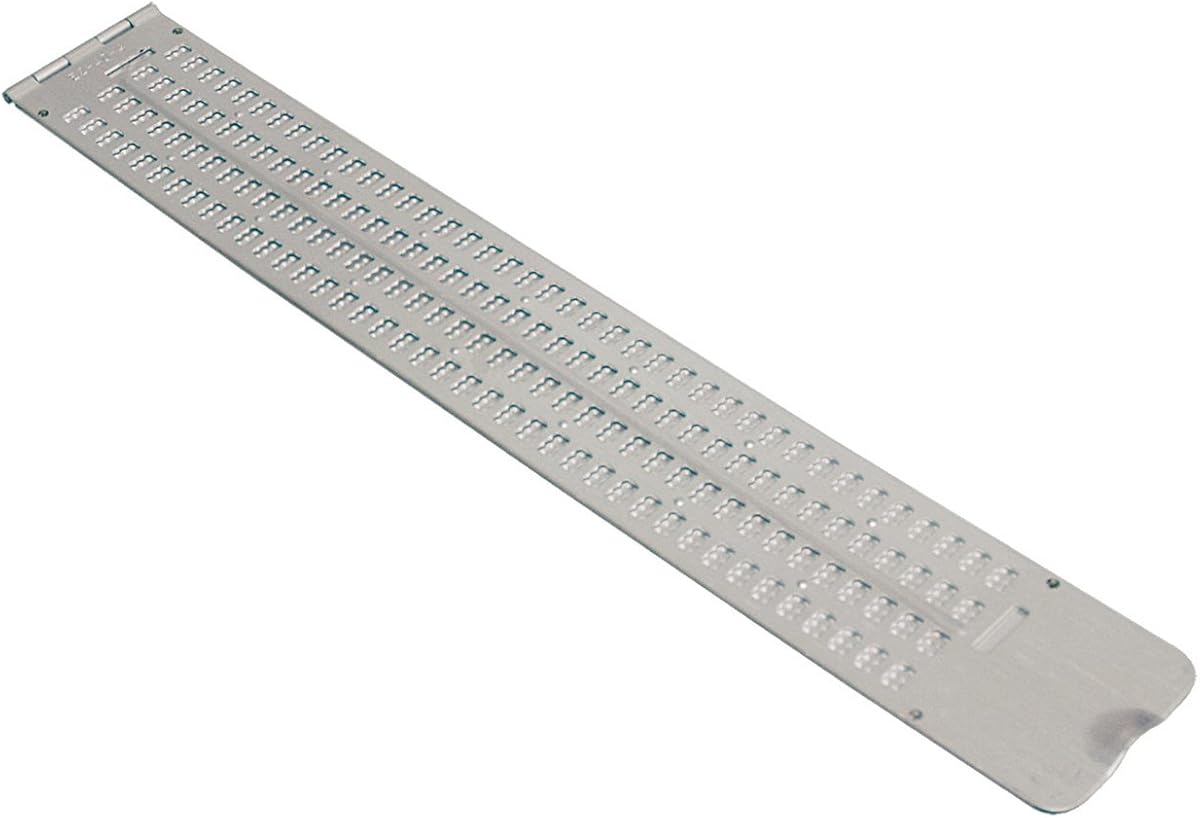
For those seeking a low-cost entry point into braille writing, the Braille Slate with 13 lines and 36 cells is an excellent option. It functions as a traditional manual tool where you punch dots into paper to create permanent braille text.
We may earn a commission when you buy through this link, at no additional cost to you.
The slate is made of durable aluminum, ensuring it can withstand regular use in classrooms or offices. The pins down orientation means the raised dots are on the bottom, allowing you to feel the finished work by flipping the paper over. It includes a free stylus so you can start writing immediately.
While it lacks the digital connectivity of electronic displays, its simplicity is a strength. There are no batteries to charge or settings to configure. It is purely a tactile writing instrument that focuses on the core skill of braille literacy.
This slate is perfect for beginners, students learning the basics, or anyone needing a simple way to take handwritten notes. If you want a reliable, no-fuss tool at an accessible price, this model is highly recommended.
Using a manual slate helps build fundamental braille literacy skills by requiring tactile engagement with every letter you write.
Aluminum construction ensures the slate lasts for years without the risk of electronic components failing or requiring replacement.
We may earn a commission when you buy through this link, at no additional cost to you.
The Braille Store Business Card Slate is designed for quick, small-scale writing tasks. Its compact size makes it easy to carry in a pocket or bag, perfect for jotting down short notes or labels.
We may earn a commission when you buy through this link, at no additional cost to you.
A unique feature is the built-in signature guide, which helps users emboss their name perfectly straight. This is particularly useful for creating business cards or professional labels. The ultra-thin aluminum construction keeps it lightweight and durable.
Because the writing area is limited to four lines, this slate is not suitable for long texts or assignments. However, for its intended purpose of brief messages and professional identification, it performs exceptionally well.
Choose this slate if you need a specialized tool for personal branding or quick annotations. It is a practical addition for anyone who wants to create professional braille labels on the go.
The signature guide ensures that business cards and labels look polished and aligned, enhancing professional presentation.
Its small dimensions allow it to fit easily in a pocket or wallet, ensuring you can write whenever inspiration strikes.
We may earn a commission when you buy through this link, at no additional cost to you.
This Full-Page Slate accommodates a standard letter-size sheet of paper, allowing you to write a full page without repositioning the slate. This is a significant advantage for students or professionals drafting long documents or letters.
We may earn a commission when you buy through this link, at no additional cost to you.
Constructed from thick, durable plastic, the slate produces braille quietly, which is considerate in shared workspaces like classrooms. The right side features embossed line numbers to help you resume writing exactly where you left off after an interruption.
The size can be unwieldy for travel, but it remains manageable for desk work. The plastic construction is well-known for being gentler on paper and quieter than metal alternatives, making it suitable for frequent use.
If you regularly need to write multiple pages of notes or assignments, this slate is an essential tool. It removes the frustration of constantly shifting paper and ensures a smooth, quiet writing experience.
Writing a full page without moving the slate saves time and prevents errors that occur when re-aligning paper.
Plastic material creates less noise than metal slates, making it ideal for quiet environments like libraries or meetings.
We may earn a commission when you buy through this link, at no additional cost to you.
The Braille Slate Pocket offers a compact solution for writing and reading braille on the move. With four lines and 40 cells each, it provides a good balance of width and portability for quick tasks.
We may earn a commission when you buy through this link, at no additional cost to you.
Unlike some models where pins face down, this slate features pins up, allowing you to read what you have written immediately without flipping the paper. The lightweight aluminum construction ensures it fits easily into a briefcase or backpack.
While it is not designed for full-page documents, its capacity is sufficient for shopping lists, short messages, or reminders. The material is durable enough to handle daily transit in a bag without significant wear.
Choose this slate if you need a reliable tool for daily commutes or brief writing sessions away from home. It combines sufficient writing space with the convenience of a pocket-sized device.
The pins-up design allows you to read your notes immediately after writing, speeding up the review process.
Aluminum construction ensures the slate survives daily transport in a backpack without breaking or becoming too heavy.
We may earn a commission when you buy through this link, at no additional cost to you.
The Hable One Portable Braille Keyboard connects directly to your smartphone or tablet, allowing you to type and navigate using braille. It features eight tactile buttons that simulate a braille cell for accurate input.
We may earn a commission when you buy through this link, at no additional cost to you.
A major strength is that no prior braille knowledge is required to start using it. Free onboarding calls and tutorials help users master the device quickly. It works seamlessly with built-in screen readers, making it private and secure.
The device boasts exceptional battery life, lasting over a month on a single charge. This reduces the need for frequent charging, ensuring it is always ready for use. Its small size keeps it unobtrusive in public spaces.
This keyboard is perfect for users who rely heavily on mobile devices for communication and navigation. If you want to type privately and efficiently on your phone, the Hable One is a highly accessible solution.
Typing with a braille keyboard keeps your screen content private, as others cannot see the text appearing on your phone.
Guided tutorials make it easy for beginners to learn the interface quickly without needing a formal braille course.
We may earn a commission when you buy through this link, at no additional cost to you.
The Handheld Manual Label-Maker is designed specifically for organizing and marking items in a braille format. It allows you to emboss braille letters and numbers onto vinyl labeling tape for kitchen, office, or personal storage.
We may earn a commission when you buy through this link, at no additional cost to you.
Operating it is straightforward: you spin a dial to select a letter and squeeze a trigger to make the braille symbol. The included half-inch tape roll ensures you can start labeling immediately. The device is lightweight and durable for daily use.
While the process requires manual pressure, the result is a clear, tactile label that helps identify items quickly. The dial is embossed in braille on the upper rim for easy selection without needing to read print.
This tool is essential for anyone managing a space that requires braille labels. If you want to label jars, folders, or cables efficiently, this label-maker provides a convenient and accessible solution.
The spin dial and trigger mechanism allow for quick creation of labels without needing a printer or computer.
Braille labels help keep your home and workspace organized and independent by making items easy to identify by touch.
We may earn a commission when you buy through this link, at no additional cost to you.
These Transparent Braille Computer Keyboard Overlays turn a standard PC keyboard into a bilingual typing tool. They feature clear Lexan material that allows the original key legends to show through while adding braille characters.
We may earn a commission when you buy through this link, at no additional cost to you.
The 3M adhesive ensures the stickers do not slip or curl, which is crucial for maintaining accuracy while typing. Installation is a simple peel-and-stick process, making it an easy way to upgrade an existing workspace without buying new hardware.
The main benefit is that both blind and sighted users can use the same keyboard. This is helpful in shared offices or homes where different accessibility needs exist. However, careful placement is needed to ensure alignment.
If you need to type on a computer and want to retain sighted functionality, these overlays are a smart choice. They are an economical way to make your current keyboard more inclusive and accessible.
Bilingual keys allow sighted and visually impaired users to share the same computer without needing to swap keyboards.
High-quality adhesive ensures the stickers stay flat and in place even with frequent typing and hand movement.
We may earn a commission when you buy through this link, at no additional cost to you.
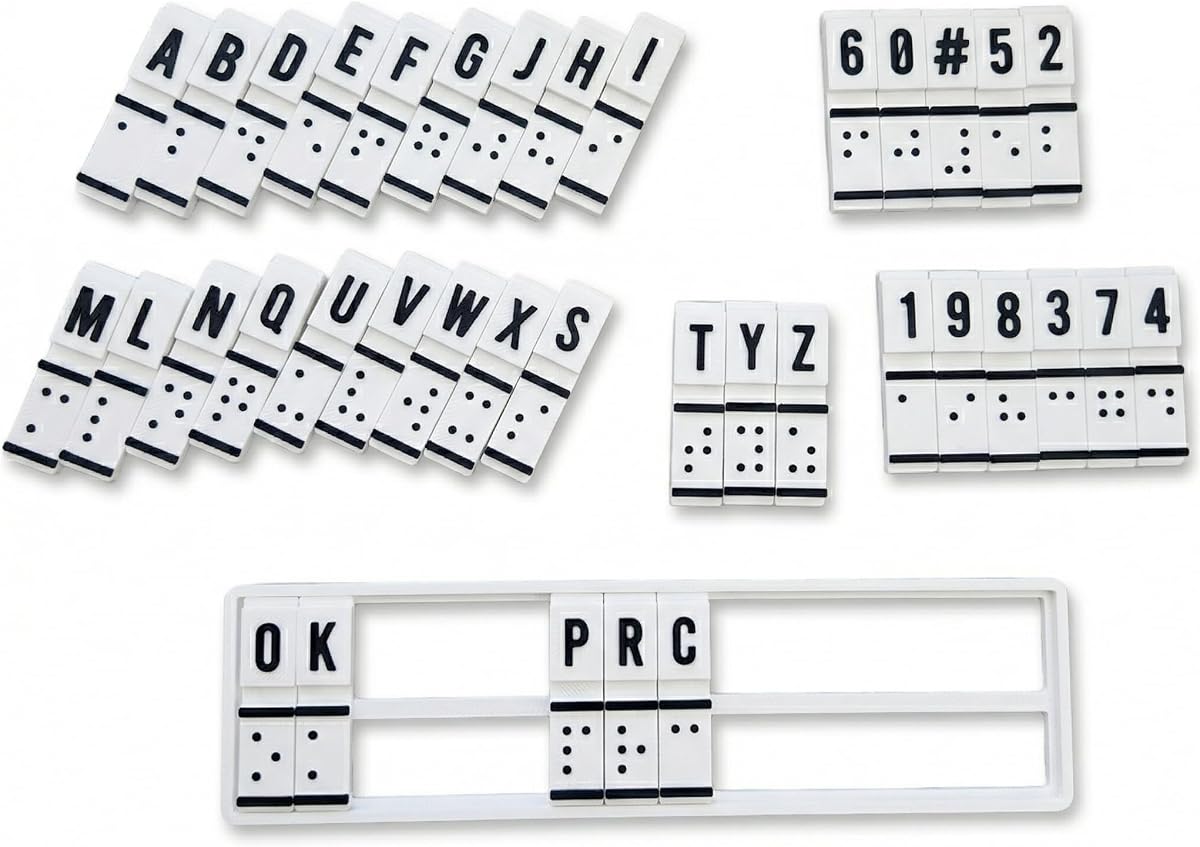
The Braille Learning Training Translation Machine is designed as an educational aid for beginners and educators. It combines braille education with hands-on training, allowing users to practice dot patterns and convert text manually.
We may earn a commission when you buy through this link, at no additional cost to you.
This device relies on raised braille cells and manual mechanisms, meaning it does not require electronics or batteries. Users can feel, create, and read braille directly, which helps build muscle memory and confidence in literacy skills.
While it may lack the sophistication of high-end devices, its focus on fundamental learning is valuable for students or rehabilitation specialists. It provides a tangible way to understand the structure of braille without screen distraction.
Consider this tool for self-study, classroom teaching, or family-assisted practice. If your goal is to master the basics of braille literacy, this interactive trainer offers a focused and accessible experience.
Physical interaction with raised cells helps users memorize dot patterns and improve reading speed over time.
The lack of complex electronics makes it easy for students to practice independently without technical support.
We may earn a commission when you buy through this link, at no additional cost to you.
Selecting the right braille tool depends on your specific needs, budget, and usage environment. This guide outlines the key factors to consider before making a purchase.
Electronic displays like the Brailliant series connect to computers and phones via Bluetooth or USB, offering dynamic access to digital content. Manual slates require physical embossing and are better for static writing tasks without power sources.
Choose electronic displays for digital access and manual tools for simple, portable writing needs.
The number of braille cells on a display determines how much text you can see at once. A 20-cell display is compact, while a 40-cell display provides more context and reduces scrolling frequency for complex documents.
Opt for larger cell counts if you read long texts frequently, but consider smaller sizes for portability.
Weight is a critical factor for daily commuters or students. Electronic devices vary from lightweight to bulky depending on battery size. Manual slates can be surprisingly heavy if made of aluminum, while plastic options are lighter.
Prioritize lightweight materials if you plan to carry the device in a backpack or pocket regularly.
For electronic displays, check battery life and charging options. USB-C charging is standard on modern devices, allowing you to use common cables. Some models last up to 20 hours on a single charge, which is sufficient for a full day of work.
Ensure the device supports modern charging standards to avoid compatibility issues with your existing cables.
Manual slates are often made of aluminum or plastic. Aluminum is sturdy and long-lasting but may be heavier. Plastic is lighter and quieter during embossing but might wear down faster with heavy use.
Select the material that best fits your environment; aluminum for durability, plastic for quiet operation.
Electronic displays often come with onboard apps or specific software for accessing libraries like Bookshare or BARD. Verify that the device is compatible with your operating system and screen reader software.
Always check software compatibility to ensure seamless integration with your existing digital tools.
Prices range significantly from a few dollars for simple slates to thousands for advanced refreshable displays. Determine your budget by weighing the features you truly need against the cost of premium technology.
Invest in higher-end models only if you require advanced connectivity and daily professional use.
Electronic displays may require an initial learning period to master keyboard shortcuts and apps. Manual slates are intuitive for basic writing but require physical effort for long tasks. Consider your technical comfort level when choosing.
If you are new to braille technology, start with simpler tools before moving to complex displays.
For electronic displays, pair the device with your smartphone or computer via Bluetooth settings. Ensure the device is fully charged before first use to maintain optimal performance. Follow the provided tutorials to learn basic navigation and shortcuts.
When using manual slates, align your paper securely within the guides to prevent slipping. Use the stylus with consistent pressure to create clear, tactile dots. Always close the slate carefully to protect the pins and paper from damage.
To maintain longevity, store electronic devices in protective cases when not in use. Clean manual slates with a dry cloth to remove dust and debris. Regularly check battery connections and update software to ensure all features remain functional.
Electronic braille displays are often worth the investment for users who need daily access to digital text and documents. They offer connectivity that manual tools cannot match, allowing for seamless reading of emails and web content.
Pins up slates allow you to read what you have written immediately as the raised dots face up. Pins down slates require you to flip the paper over to feel the braille, which is traditional for certain writing styles.
Yes, most braille slates are designed to work with standard paper sizes. Always ensure the paper is smooth and not too thick to avoid damaging the stylus or the slate itself during embossing.
Yes, electronic braille displays are designed to work with popular screen reader software. They act as a tactile output device that translates the screen reader audio into braille for silent reading.
Braille slate pins are generally durable and can last for many years with proper care. Avoid pressing the stylus too hard or dropping the slate, as this can bend or break the pins.
A braille label maker is highly useful for organizing home items like kitchen jars and office folders. It helps you identify objects quickly by touch without needing to rely on visual labels.
A 40-cell display allows you to see more text at once, reducing the need to scroll frequently. This makes it easier to read complex documents or code where context across the line is important.
Blind users can type on standard keyboards using screen readers and voice commands. However, braille overlays provide tactile feedback for accuracy and allow for silent typing without audio feedback.
We have explored ten distinct options ranging from advanced electronic displays to simple manual slates. The Brailliant BI series offers robust features for digital integration, while manual slates provide reliable, low-cost tools for handwritten notes.
When choosing, prioritize the features that align with your daily routine. If you need constant digital access, invest in a compatible electronic display. For occasional writing or basic learning, a manual slate may suffice.
Remember that product availability and pricing can change frequently. Always check current listings and reviews before finalizing your purchase to ensure you are getting the most up-to-date version of the product.