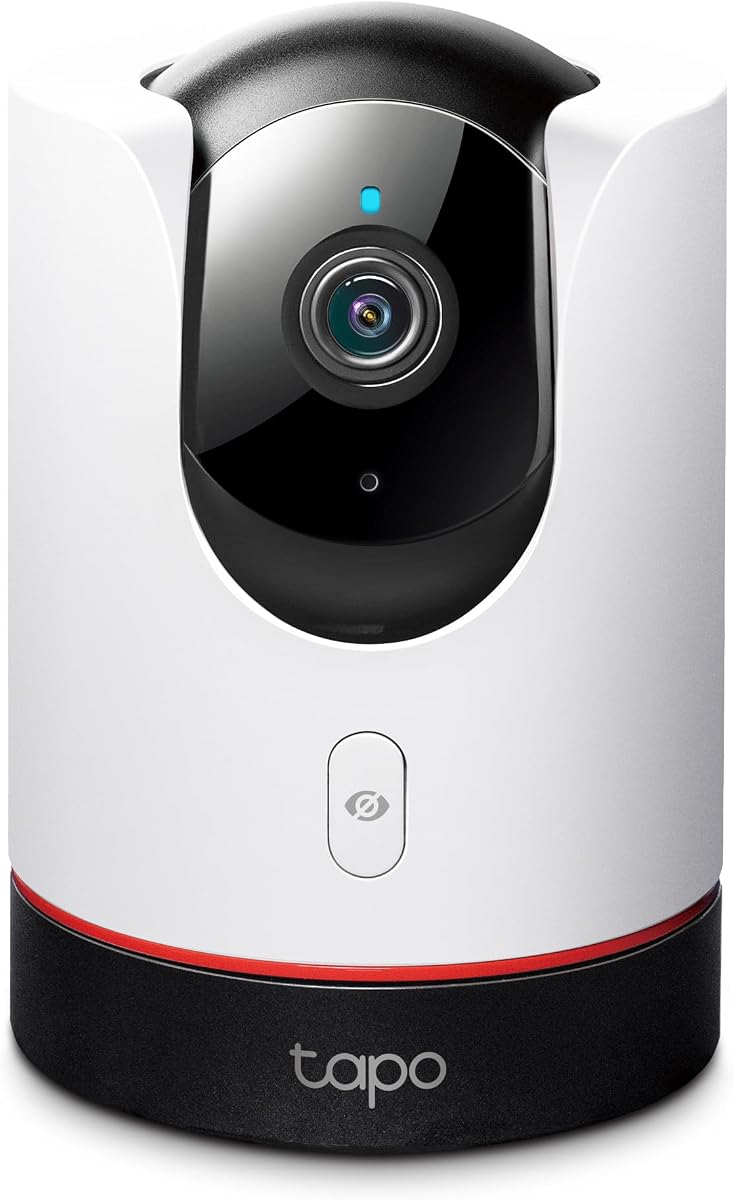
TP-Link Tapo C225
4.5Editor score
360-degree pan tilt view
2K QHD video resolution
Physical privacy shutter mode
This guide compares the top ten Apple Homekit security cameras for October 2026, evaluating features, privacy, video quality, and ecosystem integration to help
Securing your home requires reliable tools that integrate seamlessly with your existing smart ecosystem. Apple Homekit security cameras offer robust privacy and local processing, ensuring your footage stays protected while providing real-time alerts and automations for peace of mind.
We evaluated ten leading models based on video clarity, night vision capabilities, and smart detection features. Each product was assessed for its compatibility with Homekit Secure Video, storage options, and overall ease of installation to ensure a comprehensive comparison.
Every pick in this list highlights unique strengths, from budget-friendly indoor units to premium outdoor hubs. Prices and availability change frequently, so verify current details before purchasing to ensure you get the best value for your specific home security needs.
4.5Editor score
4.3Editor score
4.3Editor score
This side-by-side comparison highlights the key specifications and capabilities of the top ten Apple Homekit security cameras available today. Review these details to understand how each model differs in video quality, connectivity, and smart features.
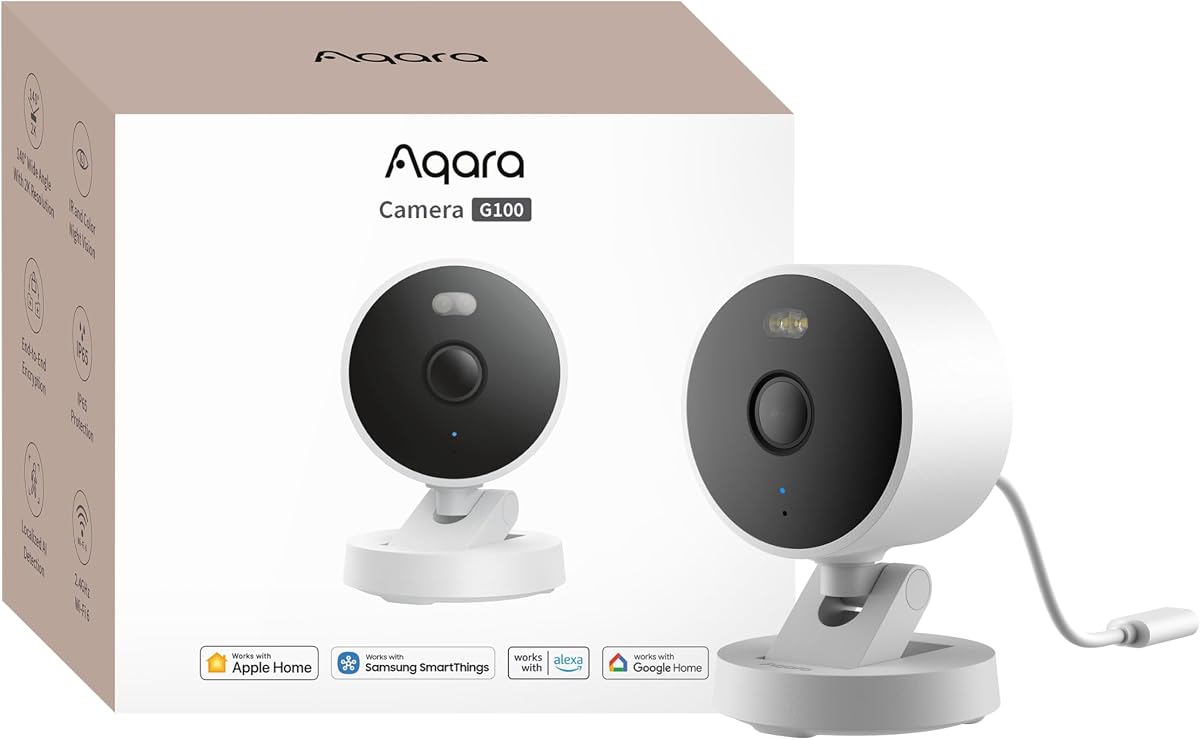



The Aqara G100 stands out as a versatile security solution that balances performance with flexibility. It earns a strong rating for its ability to operate seamlessly both indoors and outdoors while supporting HomeKit Secure Video for encrypted storage.
We may earn a commission when you buy through this link, at no additional cost to you.
This camera features a 2K sensor that captures sharp details during the day and offers two distinct night vision modes. The spotlight color vision illuminates intruders for color footage, while the IR mode provides covert monitoring without alerting potential threats.
While the G100 is robust, users should note that HomeKit Secure Video limits the resolution to 1080p. Additionally, the power adapter is not included in the box, requiring a separate purchase for installation.
It is ideal for homeowners who need a reliable camera that works across multiple ecosystems. If you value privacy and want local or cloud storage options, the G100 delivers excellent value.
You can choose between color spotlight vision for visibility or infrared for stealthy monitoring depending on the situation.
Beyond Apple HomeKit, it streams to Google and Alexa displays, making it a versatile choice for mixed smart homes.
We may earn a commission when you buy through this link, at no additional cost to you.
The Eve Cam is built exclusively for Apple HomeKit Secure Video, prioritizing user privacy above all else. It offers a straightforward indoor solution that ensures your footage remains encrypted and under your control.
We may earn a commission when you buy through this link, at no additional cost to you.
Its main strength lies in local data processing, meaning video analysis happens on your device rather than in the cloud. This design reduces data exposure and provides a secure way to monitor your home without third-party access.
However, the Eve Cam is limited to indoor environments and requires an active iCloud+ subscription for HomeKit Secure Video features. Users must weigh the privacy benefits against the recurring service costs.
If privacy is your top priority and you live within the Apple ecosystem, the Eve Cam provides a trustworthy monitoring solution for indoor spaces.
Video data is analyzed locally on your home network, ensuring your personal footage never leaves your control.
Notifications and live views are optimized for iPhone, iPad, and Apple Watch devices for seamless daily use.
We may earn a commission when you buy through this link, at no additional cost to you.
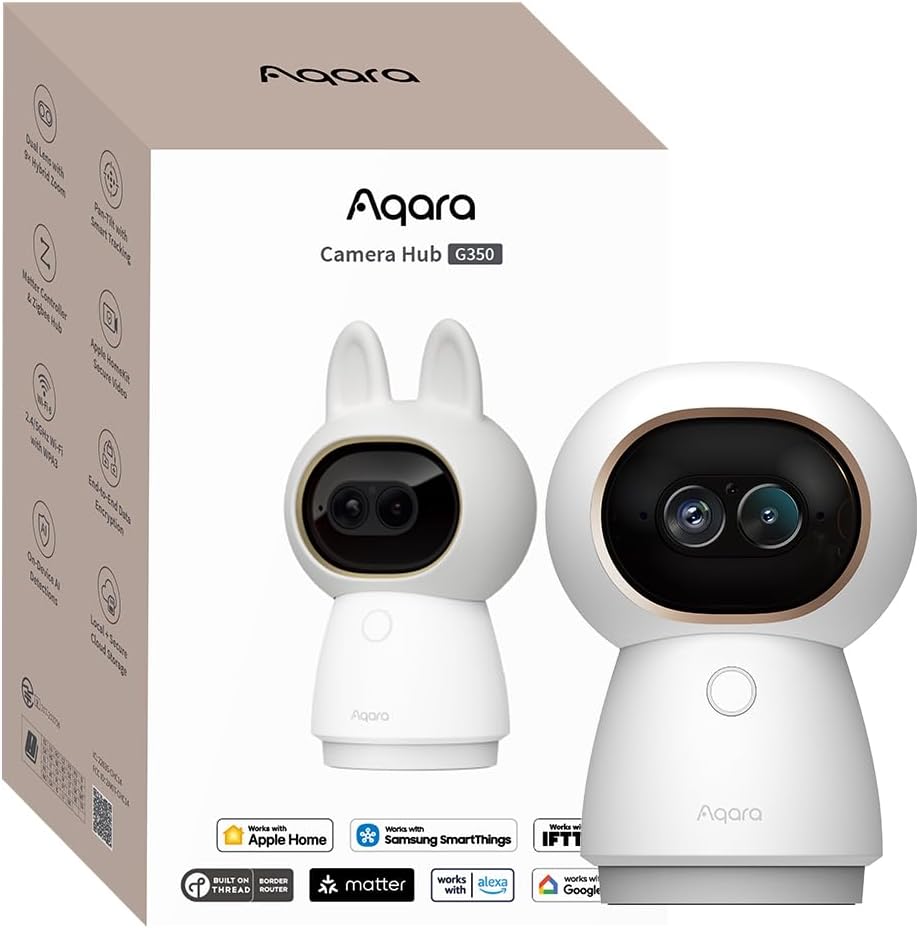
The Aqara G350 is a powerhouse for indoor surveillance, combining 4K clarity with a unique dual-lens system. It ranks high for its ability to zoom in on details while maintaining a wide panoramic view of the room.
We may earn a commission when you buy through this link, at no additional cost to you.
Its AI capabilities go beyond simple motion detection. The camera supports local recognition for faces, pets, and even specific gestures, allowing you to trigger smart scenes with a wave of your hand or a specific sign.
While it offers advanced features, full control is best achieved through the Aqara Home app. Additionally, the premium price may be a consideration for budget-conscious buyers, though the added value of a hub justifies it for many.
This camera is perfect for those who demand high-resolution details and smart automation without relying on external cloud processing for every action.
Combine a wide-angle lens with a telephoto lens to get both context and detailed views simultaneously.
Use simple hand gestures to trigger automations, adding a fun and interactive layer to your security setup.
We may earn a commission when you buy through this link, at no additional cost to you.
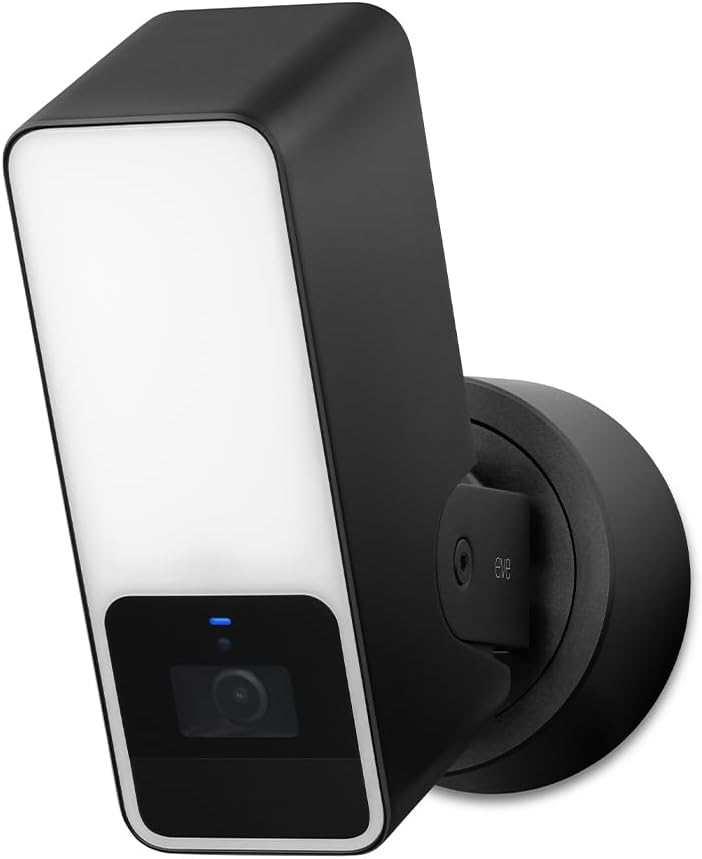
The Eve Outdoor Cam is designed for maximum security with a built-in floodlight that illuminates your property when motion is detected. It offers a secure way to monitor entry points while deterring potential intruders effectively.
We may earn a commission when you buy through this link, at no additional cost to you.
True to the Eve brand, it focuses heavily on data security, ensuring that all video is encrypted and stored locally. The floodlight can be dimmed and paired with an infrared sensor for reliable night vision coverage.
Installation requires a neutral wire, which might be a barrier for some older electrical setups. Additionally, the higher price point reflects its premium build and privacy features, which may not be necessary for all users.
It is an excellent choice for homeowners seeking a rugged, privacy-first outdoor solution that integrates deeply with HomeKit for reliable protection.
The built-in floodlight acts as a strong deterrent while providing clear video footage even in total darkness.
No cloud registration or tracking means your data stays within your home network and Apple ecosystem.
We may earn a commission when you buy through this link, at no additional cost to you.
The TP-Link Tapo C225 proves that you do not need to spend a fortune to get high-quality HomeKit security. It is a highly rated indoor camera that offers pan and tilt functionality along with crisp 2K video.
We may earn a commission when you buy through this link, at no additional cost to you.
One of its standout features is the physical privacy mode, which physically blocks the lens when you are home. This design ensures peace of mind, knowing that no one can view your space when it is not needed.
While it offers excellent local storage options, cloud features require a subscription. Users must also set up a Tapo account to configure the camera, which adds a step to the initial setup process.
For budget-conscious buyers who still want top-tier performance and privacy controls, the Tapo C225 is an exceptional value in the Apple HomeKit market.
A physical switch blocks the lens to ensure absolute privacy when you are inside your home.
The sensor captures detailed images in very low light conditions, providing clearer night vision than standard cameras.
We may earn a commission when you buy through this link, at no additional cost to you.
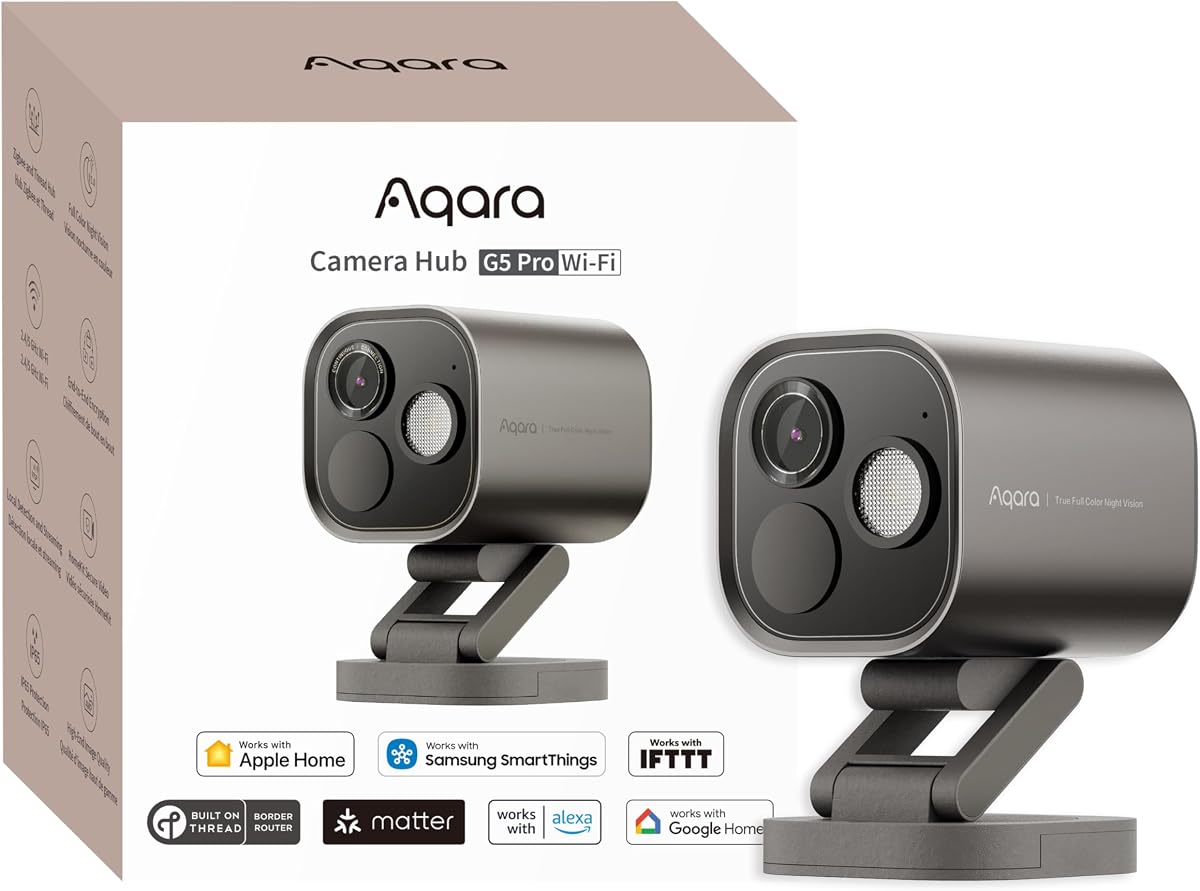
The Aqara G5 Pro acts as both a security camera and a smart home hub, making it a central piece for automation. It offers a 4MP resolution that delivers high-quality footage even in challenging lighting conditions.
We may earn a commission when you buy through this link, at no additional cost to you.
Its true color night vision is a major advantage, allowing you to see details in low light without relying on infrared. The camera also processes AI locally to detect faces, packages, and even abnormal sounds like crying.
Because it acts as a hub, you can connect multiple Zigbee and Thread devices to it. This reduces the need for separate hubs but requires a stable Wi-Fi connection and power outlet to function correctly.
This model is perfect for users who want a powerful camera that also serves as the brain of their smart home automation system.
Connect up to 80 Zigbee devices or 40 Thread devices to manage your entire smart home from one point.
Receive alerts for specific sounds like alarms or baby crying without needing to watch a live video feed.
We may earn a commission when you buy through this link, at no additional cost to you.
The Logitech Circle View is a dedicated outdoor camera designed to withstand the elements while providing reliable HomeKit integration. Its weatherproof housing and wide lens make it a solid choice for monitoring driveways or entryways.
We may earn a commission when you buy through this link, at no additional cost to you.
It features Logitech's TrueView technology, which optimizes video quality for high contrast scenes. This means you get clear footage even when there are bright shadows or sunny spots that typically cause glare on other cameras.
However, the camera is wired for power and does not offer pan or tilt capabilities. Once installed, its view is fixed, so placement is critical to ensure you capture the area you care about.
For those seeking a durable outdoor camera with a wide angle view and simple privacy controls, the Circle View is a reliable investment.
Specialized sensors handle bright and dark areas simultaneously to prevent washed-out highlights or dark shadows.
A simple button on the back instantly disables the camera for quick privacy checks when guests arrive.
We may earn a commission when you buy through this link, at no additional cost to you.
The Aqara E1 brings accessible 2K resolution and 360-degree monitoring to the HomeKit market. It is a compact indoor camera that can track motion and maintain a full view of the room without manual adjustments.
We may earn a commission when you buy through this link, at no additional cost to you.
Its motor allows for pan and tilt movements, making it easy to follow activity across the space. The camera supports local automation features like audio detection for barking or crying, which triggers alerts without needing constant video recording.
While it uses a standard USB-C port, the power adapter is not included in the box. Users also need to purchase a microSD card separately to enable continuous local recording without a subscription.
This camera is an ideal pick for those looking for an affordable, high-resolution solution that offers broad coverage and useful smart features.
The motorized base tracks motion automatically, ensuring you do not miss activity in corners of the room.
Process sound and motion locally to trigger events quickly without relying on cloud processing time.
We may earn a commission when you buy through this link, at no additional cost to you.
The eufy E30 offers a powerful 4K recording experience that is ideal for monitoring pets and family members in detail. Its ability to track movement ensures that pets never stay out of frame during active moments.
We may earn a commission when you buy through this link, at no additional cost to you.
It features a built-in spotlight for color night vision, which allows you to see accurate colors even in the dark. The camera supports local storage via an SD card, enabling you to save footage without paying monthly fees.
While the camera supports HomeKit, the resolution is limited to 1080p when connected to Apple devices. This is a common restriction across HomeKit Secure Video but does not affect performance when viewing via the eufy app.
For pet owners who want high-definition visuals and flexible tracking without a subscription, the E30 is a top contender in the indoor market.
The camera automatically follows moving subjects to keep pets and children in focus during playback.
The integrated light turns on to capture color video in the dark instead of standard black and white infrared.
We may earn a commission when you buy through this link, at no additional cost to you.
The Aqara G5 Pro PoE combines advanced surveillance with network simplicity through Power over Ethernet. It is a robust outdoor camera that provides 4MP resolution and acts as a central hub for smart home devices.
We may earn a commission when you buy through this link, at no additional cost to you.
By using a single Ethernet cable for both power and data, it eliminates the need for separate power outlets near outdoor mounts. This setup provides a cleaner installation and ensures a stable network connection at all times.
You will need a PoE switch to use this feature, which adds a hardware requirement for the setup. However, the stability and clean wiring make it worth the effort for serious security setups.
This model is best for users who prioritize network stability and want a high-performance hub that integrates directly into their existing network infrastructure.
Transmit power and video over one cable for a simplified and reliable outdoor installation setup.
Use the latest Wi-Fi security standard to ensure your camera connection is protected from external threats.
We may earn a commission when you buy through this link, at no additional cost to you.
Choosing the right camera depends on understanding your specific needs and the technical requirements of the HomeKit ecosystem. This guide breaks down the essential factors to consider.
Resolution determines how much detail you can see in your footage. While 1080p is the standard limit for HomeKit Secure Video, cameras with higher native sensors often produce sharper images by downscaling better. Look for cameras with large sensors and wide apertures to ensure better performance in low light.
Prioritize cameras with at least 2K or 4K native sensors even if they cap at 1080p on Apple devices for clearer details.
Most cameras offer infrared night vision, but advanced models include color night vision using spotlights. Color vision is superior for identifying details like clothing color or faces at night. Ensure the camera has good infrared range if you monitor dark areas.
Select a model with color night vision or IR lights that cover the specific area you need to monitor.
AI detection helps filter out false alarms from trees or shadows. Look for cameras that can distinguish between people, pets, and vehicles. Local processing is preferred for speed and privacy, as it does not rely on cloud servers to analyze footage.
Choose cameras with local AI to ensure faster alerts and better privacy for your home.
HomeKit Secure Video stores footage in iCloud, which requires a subscription. Some cameras support local microSD storage or RTSP streaming for additional recording. Check if you need continuous recording or just event-based clips to decide on storage.
Consider models with local storage options if you want to reduce cloud storage fees or keep data offline.
Modern cameras often support Wi-Fi 6 or Thread for faster and more stable connections. Some also act as bridges for other smart devices. Ensure your home network supports these protocols to get the best performance from your camera.
Look for Wi-Fi 6 or Thread support to ensure stable streaming and integration with other smart devices.
Most cameras are wired to a power outlet, but some require specific adapters. Outdoor models may need PoE or a neutral wire. Verify the installation requirements before buying to avoid extra costs or complicated setups.
Check if the camera needs a specific adapter or wire type to ensure it fits your installation space.
End-to-end encryption is standard for HomeKit Secure Video, but some brands offer extra local processing. Ensure the camera does not send video to external servers unless you opt in. Privacy shutters are also a great feature for indoor cameras.
Opt for cameras with physical privacy shutters and local processing to maximize your security and privacy.
While some cameras are affordable, others offer premium features like dual lenses or hubs. Consider the long-term value of the device including subscription costs for cloud storage. A higher upfront cost may save money on subscriptions later.
Evaluate the total cost of ownership including hardware and subscription fees to find the best value for your budget.
Start by downloading the manufacturer app and scanning the QR code to pair the camera. Once connected, add it to the Home app to enable HomeKit Secure Video and access it on your devices.
Place the camera in a secure location away from direct sunlight or extreme weather. Ensure the network signal is strong to avoid buffering. Use a microSD card for continuous recording if supported.
Regularly update the camera firmware to keep it secure. Clean the lens gently with a soft cloth to maintain video clarity. Adjust motion zones in the app to reduce false alarms.
Yes, every camera listed supports HomeKit Secure Video which stores footage locally in iCloud. This feature requires an active iCloud subscription and a Home hub. The video is encrypted and only accessible by you.
HomeKit Secure Video limits resolution to 1080p to optimize bandwidth and iCloud storage usage. However, cameras with higher sensors still produce better quality. You can view higher resolutions via the manufacturer app.
No, a Home hub like HomePod or Apple TV is required to control cameras remotely and use HomeKit Secure Video. Without it, the camera will not function fully within the Apple ecosystem.
Most cameras work without subscriptions using local storage. However, HomeKit Secure Video requires an iCloud+ subscription. Some brands offer optional cloud plans for extra features.
Many of these cameras support third-party integrations like Alexa or Google. Models like the Aqara series support RTSP or Matter for broader compatibility. Always check the specific product specs for details.
Yes, most cameras do not include SD cards in the box. You will need to purchase a compatible high-speed microSD card to enable local continuous recording.
We have reviewed ten top cameras ranging from budget-friendly indoor units to premium outdoor hubs. Each model offers unique strengths in resolution and privacy features for every home type.
Prioritize features like local processing and night vision to ensure you get reliable performance. Balance your budget with the features you need most to avoid overspending on unneeded extras.
Remember that prices and availability change frequently. Always check current deals and verify the latest compatibility before making your final purchase decision.