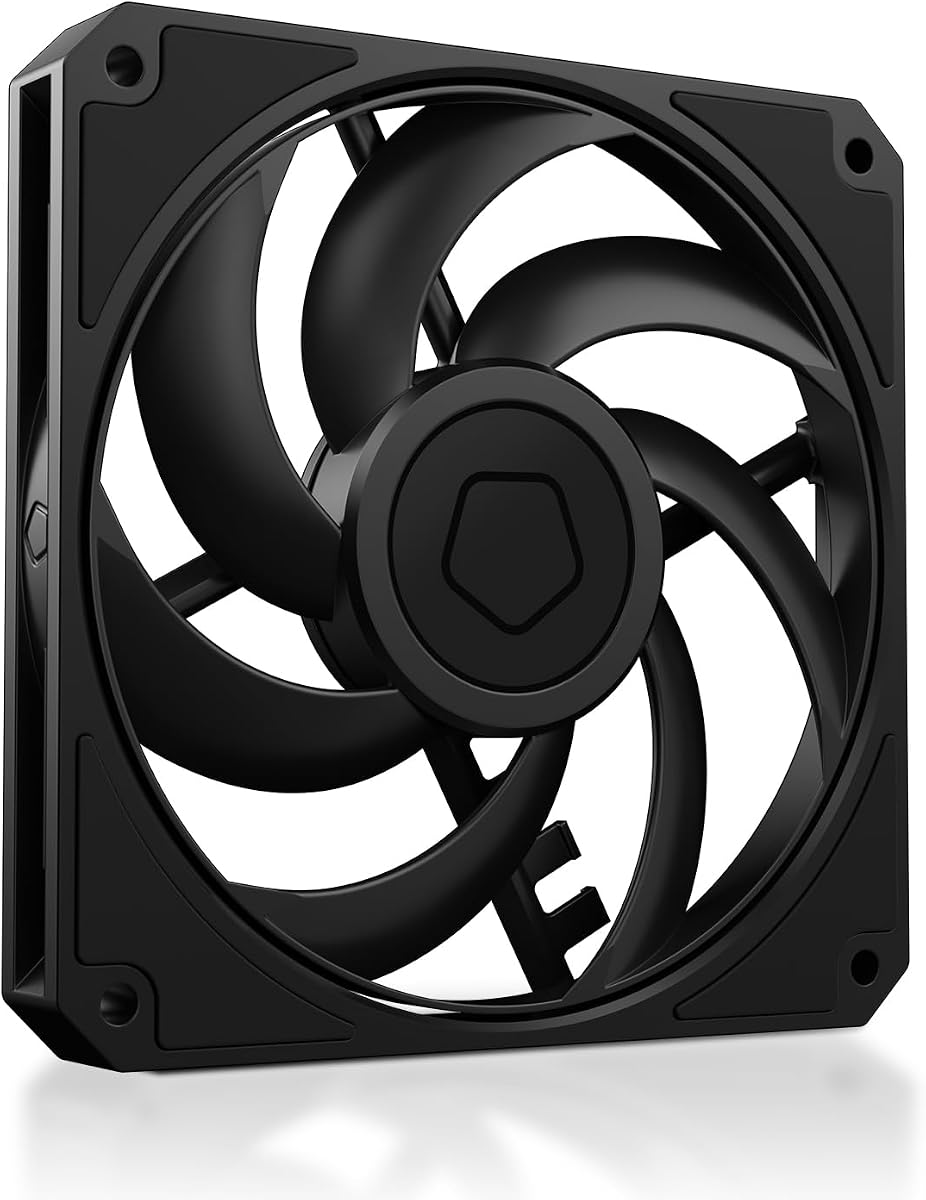
ID-COOLING AM-120-SLIM
4.8Editor score
Ultra-slim 15mm profile
High 59.6 CFM airflow
Hydraulic bearing operation
Discover the top 10 best low profile case fans for compact builds. This guide compares airflow, noise, and performance for small form factor systems.
When building a compact PC, finding cooling that fits tight spaces is essential. Low profile case fans provide powerful airflow in slim 15mm designs to ensure your system stays cool without sacrificing space.
We compared ten top-rated slim fans from leading brands based on static pressure, noise levels, and build quality. Each model offers unique features for HTPCs, Mini-ITX builds, and restricted radiator mounts.
Every pick highlights real-world performance and installation benefits to help you choose the right fan for your setup. Keep in mind that availability and stock levels may vary by region and retailer.
4.8Editor score

4.9Editor score

4.8Editor score
This side-by-side comparison highlights the key specifications and performance metrics of each selected slim fan to help you decide which fits your specific cooling needs.



The Noctua NF-A12x15 PWM stands out as a premium slim fan engineered for whisper-quiet operation in tight spaces. With a near-perfect rating, it delivers impressive cooling performance without noise.
We may earn a commission when you buy through this link, at no additional cost to you.
Its award-winning A-series design uses Flow Acceleration Channels to streamline airflow and reduce turbulence significantly. This advanced frame ensures superior acoustic performance while maintaining high static pressure for radiators.
While the price point is higher than budget options, the longevity and reliability justify the investment for serious builders. The included Low-Noise Adaptor allows for even quieter 1400 RPM operation when needed.
Ideal for users seeking silence and efficiency in Mini-ITX or HTPC builds, this fan is a top-tier choice. It ensures your compact system runs cool and quiet for years to come.
The frame design minimizes resonance and vibration, resulting in a smoother and quieter fan experience across all speeds.
With an MTTF exceeding 150,000 hours, this fan promises durable performance even in demanding thermal environments.
We may earn a commission when you buy through this link, at no additional cost to you.
This chromax.Black.swap edition offers the same incredible performance as the standard model but with a sleek all-black design. It earns its premium badge by combining top-tier engineering with customizable aesthetics.
We may earn a commission when you buy through this link, at no additional cost to you.
The fan maintains Noctua's hallmark quiet operation while delivering robust airflow and static pressure. The chromax.Black.swap edition includes a variety of colored anti-vibration pads to match your build theme perfectly.
Its ability to stop at 0% PWM makes it ideal for semi-passive systems where silence is paramount during idle periods. The build quality ensures smooth operation and longevity over thousands of hours.
For enthusiasts who want black aesthetics and silence, this is the definitive choice. It blends form and function seamlessly for a premium computing experience.
Self-adhesive pads in multiple colors allow you to personalize the fan to match your PC's color scheme effortlessly.
The PWM control allows the fan to halt completely at low loads for zero noise during light usage scenarios.
We may earn a commission when you buy through this link, at no additional cost to you.
The ID-COOLING AM-120-SLIM is an outstanding budget option that punches above its weight in cooling performance. It delivers incredible airflow and static pressure in a slim 15mm profile.
We may earn a commission when you buy through this link, at no additional cost to you.
With a high RPM range of 500 to 2500, it offers flexible speed control via PWM. The hydraulic bearing reduces friction and extends lifespan significantly compared to basic sleeve bearings.
While it may be slightly noisier at maximum speeds, it remains quiet enough for most home and office builds. It provides exceptional value for builders needing effective cooling without overspending.
This fan is perfect for budget-conscious SFF builders who refuse to compromise on thermal performance. It ensures your components stay cool even in tight chassis environments.
Designed with pressure in mind, it pushes air effectively through restricted radiators and dense heatsink fins.
The motherboard-controlled speed adjusts automatically to system temperature, balancing cooling and noise levels effectively.
We may earn a commission when you buy through this link, at no additional cost to you.
This pack of three fans is a practical solution for systems requiring multiple slim fans. ARCTIC optimizes these fans for static pressure to work efficiently in radiator and heatsink mounts.
We may earn a commission when you buy through this link, at no additional cost to you.
The PST daisy chain feature allows you to connect multiple fans to a single motherboard header, simplifying cable management significantly. This makes installation cleaner and faster for multi-fan setups.
While noise levels are higher than premium models, they are manageable for most users who prioritize airflow over absolute silence. The value proposition is unmatched for bulk cooling needs.
Ideal for budget builders needing to cool multiple small areas, this pack saves money and time. It delivers reliable performance for SFF cases with tight airflow constraints.
Connect up to five fans on one header easily without needing extra splitters or cables.
Enhanced blade design pushes air harder against resistance, perfect for radiator mounting.
We may earn a commission when you buy through this link, at no additional cost to you.
This FLX version offers a different approach with three fixed speeds controlled by included adaptors. It uses a 3-pin connector for compatibility with older headers and power supply connections.
We may earn a commission when you buy through this link, at no additional cost to you.
Users can choose between 1850 RPM for cooling or 950 RPM for near-silent operation. This manual flexibility is great for systems where automatic PWM might not be available or desired.
It maintains Noctua's high build quality and acoustic performance. The supplied adaptors allow easy tuning without needing complex software or hardware setups.
Perfect for those preferring simplicity and universal compatibility, this fan ensures reliable performance. It works well for HTPC builds that prioritize silence over complex controls.
The 3-pin connector works with a wide range of headers and power supplies, making it very versatile.
Lower RPM settings reduce noise to near-inaudible levels while still providing necessary airflow.
We may earn a commission when you buy through this link, at no additional cost to you.
Another variant of the acclaimed A12x15 series, this PWM model offers robust control for standard motherboards. It brings Noctua's engineering excellence to compact cases reliably.
We may earn a commission when you buy through this link, at no additional cost to you.
Its Flow Acceleration Channels ensure quiet and efficient cooling. The included anti-vibration mounts and screws simplify installation effectively.
While the cost is higher than budget options, it delivers a level of quality that justifies the investment for many users. It is a dependable choice for daily usage.
If you need consistent and silent cooling without extra features, this is a solid option. It fits perfectly into space-restricted setups without compromising performance.
All necessary mounting hardware is included, reducing the need for additional purchases.
Delivers steady airflow and pressure regardless of orientation or mounting position.
We may earn a commission when you buy through this link, at no additional cost to you.
be quiet! focuses on silent operation with this model. While not strictly 15mm, its design fits many slim contexts. The seven blades reduce noise while maximizing airflow.
We may earn a commission when you buy through this link, at no additional cost to you.
Its rifle bearing is built for a lifespan of 80,000 hours. It operates at very low minimum RPM for exceptionally quiet performance during idle times.
German engineering ensures consistent quality across production. It balances performance and noise levels effectively for general use.
A great choice for users who value quiet and quality over extreme slimness. It is reliable for general case cooling in standard enclosures.
Optimized blades move more air with less turbulence for a quieter experience.
Robust bearing technology ensures the fan runs smoothly for many years.
We may earn a commission when you buy through this link, at no additional cost to you.
This fan offers a balanced performance at an affordable price. It uses vibration-absorbing pads to reduce friction and noise significantly.
We may earn a commission when you buy through this link, at no additional cost to you.
The S-FDB bearing helps maintain quiet operation over time. It supports automatic control via 4-pin PWM for responsive cooling.
With 52 CFM airflow, it provides effective cooling for its size. It is ideal for those needing slim fans without spending extra.
Perfect for budget builds needing reliable cooling, this fan works well for cases and coolers. It helps maximize heat dissipation effectively.
Corner pads absorb noise and vibration, improving overall acoustic performance.
Superior fluid dynamic bearing technology ensures smooth spinning and low noise.
We may earn a commission when you buy through this link, at no additional cost to you.
This 92mm model is designed for compact low-profile CPU coolers. It delivers strong performance in small chassis like HTPCs and ITX builds.
We may earn a commission when you buy through this link, at no additional cost to you.
With 2500 RPM, it pushes significant air for its size. The chromax.black.swap design adds aesthetic appeal with color options for mounting pads.
It stops at 0% PWM for semi-passive operation. This is ideal for minimal noise during light loads.
Best for niche 92mm requirements, it provides premium quality. It ensures reliable cooling in the tightest spaces available.
Designed specifically for 92mm coolers to fit where others cannot.
Noctua A-series design ensures top performance and acoustic comfort.
We may earn a commission when you buy through this link, at no additional cost to you.
This fan offers a larger 140mm footprint for better airflow in slim chassis. It is pressure-optimized for efficiency and includes PST for easy cabling.
We may earn a commission when you buy through this link, at no additional cost to you.
With 47 CFM, it cools large radiators effectively. The quiet motor ensures low noise during operation.
Its 16mm height fits many low-profile constraints. It is a robust choice for larger small form factor systems.
Ideal for users needing 140mm cooling without standard depth, it performs well. It provides effective cooling for demanding configurations.
Optimized for high static pressure to overcome resistance in radiators.
Improved engine technology keeps noise levels low during high RPM.
We may earn a commission when you buy through this link, at no additional cost to you.
Selecting the right slim fan involves understanding dimensions, airflow, and noise targets for your specific build.
Always check the thickness and depth of the fan to ensure it fits within your case or cooler constraints. Standard slim fans are 15mm thick, but some are 14mm or 16mm depending on the model.
Measure the available space carefully to avoid compatibility issues during installation in tight enclosures.
Airflow is measured in CFM and indicates total air volume, while static pressure (H2O) measures force against resistance. Fans with high static pressure work best on radiators and heatsinks.
Choose a fan with high CFM for unrestricted intake and high static pressure for blocked paths like radiators.
Noise is measured in dB(A) and correlates with speed in RPM. Look for fans with lower dB ratings if silence is your priority over maximum cooling.
Fans that support PWM can lower RPM automatically during idle to reduce noise effectively.
PWM fans use 4-pin connectors for automatic speed control, while FLX fans use 3-pin connectors for fixed speeds. Check your motherboard header compatibility before buying.
PWM connectors are generally preferred for modern boards to manage heat and noise efficiently.
Bearing types like rifle, hydraulic, or fluid dynamic bearings affect lifespan and noise. Higher quality bearings reduce vibration and extend service life significantly.
Look for models with long MTTF ratings like 150,000 hours to ensure the fan lasts for years of use.
While functionality is key, color and design matter for custom builds. Some premium fans offer customizable pads or all-black designs to match your system style.
Consider if you need aesthetic features or just basic performance when selecting your fan.
Features like daisy chaining (PST) or anti-vibration mounts add convenience and reduce noise transmission to the chassis frame.
These features can simplify your build process and improve overall system acoustics without extra cost.
Fans range from budget packs to premium single units. A 3-pack might be cheaper per fan than buying singles, but quality varies significantly between brands.
Balance your budget against the performance needs of your specific cooling application.
Install the fan ensuring the airflow direction matches your case intake or exhaust requirements. Most fans have arrows on the frame indicating airflow direction.
Secure the fan using anti-vibration pads or screws to reduce noise transmission to the chassis frame.
Periodically dust the blades with a soft brush or compressed air to maintain airflow efficiency and prevent overheating over time.
Not always. While their size often requires higher RPM to match airflow, premium models use optimized blades to maintain low noise. Always check dB ratings for silent operation.
Standard slim fans are usually 120x120x15mm. Some may be 140mm wide or 16mm thick, so checking dimensions is vital for compatibility.
For automatic speed control, you need a 4-pin PWM header. If you have only a 3-pin header, a 3-pin fan or adaptor will still work for basic operation.
Yes, stacking two slim fans can increase cooling. However, ensure your case has enough depth to accommodate the double setup safely without touching other components.
Slim fans often have optimized blades to push air through dense heatsinks or radiators. This helps them perform better in restricted airflow environments.
Check the cooler's recommended fan size. Most low-profile coolers specify 120mm slim fans, but dimensions may vary slightly by brand and model.
The top picks include the ID-COOLING AM-120-SLIM for budget value, the Noctua NF-A12x15 PWM for overall excellence, and the chromax.Black.swap for premium aesthetics.
Prioritize airflow and static pressure if you have dense radiators. For general cases, focus on noise levels and ease of installation.
Remember to check current stock and compatibility before purchasing to ensure the perfect fit for your build.