
WD 2TB My Passport
4.6Editor score
Slim durable design
Password protection
Hardware encryption
Ransomware defense
This guide compares the top encrypted secure external hard drives for 2026, focusing on hardware encryption, FIPS validation, and rugged protection for data
Securing sensitive data requires robust solutions like encrypted secure external hard drives. These devices protect information through hardware encryption, ensuring only authorized users can access files. Choosing the right drive involves evaluating encryption standards, durability, and compatibility.
We compared ten top-rated models based on encryption strength, build quality, and user feedback. Our analysis focuses on FIPS validation, transfer speeds, and physical resistance to environmental hazards. This list helps you find the perfect drive for personal or professional needs.
Each pick highlights unique features like brute-force defense or cross-platform support. Real-world performance and security certifications guide our recommendations. Prices fluctuate regularly, so verify current offers before purchasing to ensure the best value for your investment.
4.6Editor score

4.5Editor score

4.8Editor score
This comparison table details the core specifications of each drive to help you make an informed decision. Focus on encryption type, capacity, and physical features to match your specific security and storage requirements effectively.



The Apricorn 1TB Aegis Padlock stands out as a top choice for secure data storage. It features military-grade FIPS validated encryption that protects your files without needing extra software. With a 4.5-star rating, users appreciate its reliability and robust security features.
We may earn a commission when you buy through this link, at no additional cost to you.
Its Super fast USB 3.0 connection ensures data transfer speeds are up to 10 times faster than USB 2.0. The sealed epoxy coating protects against physical attacks, while the wear-resistant keypad ensures long-term usability. Brute force self-destruct adds an extra layer of safety.
Despite its high security, the drive is heavy and costs more than standard external drives. The physical keypad adds bulk but is necessary for hardware encryption. These trade-offs are acceptable for users prioritizing absolute data security over portability.
Ideal for professionals handling sensitive data, this drive offers peace of mind. Its combination of speed, durability, and advanced encryption makes it a reliable investment. Choose this for critical files where security is non-negotiable.
FIPS PUB 197 validated encryption ensures your data meets strict government security standards without needing admin rights.
The tough epoxy coating and rugged design protect against physical attacks and harsh environments during travel.
We may earn a commission when you buy through this link, at no additional cost to you.
This Apricorn model offers FIPS 140-2 Level 2 validation, making it suitable for strict regulatory environments. The 2TB capacity provides ample storage for large files. Users praise its PIN access control and integrated USB cable for convenience.
We may earn a commission when you buy through this link, at no additional cost to you.
The 256-bit AES XTS hardware encryption ensures data remains secure. Brute force self-destruct features protect against unauthorized attempts. The integrated cable reduces clutter and ensures you always have the right connection available when traveling.
Its larger size and US manufacturing contribute to the cost. Setup can be complex for casual users due to security protocols. However, for organizations needing compliance, these factors are justified by the enhanced security level.
Best for corporate or government use, this drive balances capacity and compliance. Its robust features ensure data integrity and privacy. Choose it if FIPS validation is a requirement for your data protection needs.
Level 2 validation meets strict security standards required by many government and enterprise contracts.
The included USB cable is built-in, ensuring you never lose the accessory and simplifies cable management.
We may earn a commission when you buy through this link, at no additional cost to you.
The Apricorn 5TB Aegis Fortress L3 provides the highest FIPS Level 3 validation available. This ensures maximum protection for highly sensitive data. Users value the separate admin and user modes which add granular control over access.
We may earn a commission when you buy through this link, at no additional cost to you.
With 5TB of storage, it handles massive archives securely. Two read-only modes prevent accidental data modification. The rugged design ensures it survives tough conditions, while brute-force defense secures against hacking attempts.
Its price and weight are significant drawbacks for personal users. Level 3 validation is often overkill for standard needs. However, for critical enterprise data, these specs justify the investment and bulk involved in carrying it.
Ideal for high-security environments, this drive offers unmatched protection. Its capacity and validation make it a top pick for critical infrastructure. Choose it when security compliance outweighs portability concerns.
FIPS Level 3 adds physical security features, making it the gold standard for sensitive data protection.
Separate admin and user modes allow fine-grained management of who can write or read files on the drive.
We may earn a commission when you buy through this link, at no additional cost to you.
The WD 2TB My Passport offers a balance of affordability and security for everyday users. With password protection and hardware encryption, it secures files without complex setup. Its slim design makes it easy to carry anywhere.
We may earn a commission when you buy through this link, at no additional cost to you.
Included device management software helps back up files and defend against ransomware. This adds a layer of protection beyond simple encryption. Users appreciate the 3-year limited warranty and reliable performance for standard tasks.
It lacks the rigorous hardware keypad of higher-end models. Security relies partly on software which can be bypassed. For casual users, this is acceptable, but high-risk users may prefer physical authentication options.
Perfect for home users or students, this drive provides essential security. Its balance of cost and features makes it a top budget choice. Choose it for general file protection without breaking the bank.
Integrated software helps detect and defend against malicious attacks that try to lock your personal files.
The slim durable design fits in pockets or bags, making it ideal for daily travel to work or school.
We may earn a commission when you buy through this link, at no additional cost to you.
This model expands storage to 5TB while keeping security features consistent. Password protection and hardware encryption are standard. Users value the extra space for photos and videos while maintaining data privacy.
We may earn a commission when you buy through this link, at no additional cost to you.
Device management software includes ransomware defense, offering proactive security. The drive is slim and durable, fitting well in travel bags. The 3-year limited warranty provides peace of mind for long-term use.
It relies on software for management, unlike hardware-only solutions. This adds convenience but may require OS compatibility. For bulk storage needs, this trade-off is often acceptable for most users.
Best for media collectors and casual users needing more space. It balances capacity and basic security effectively. Choose this if you need a large archive with standard encryption without the bulk of rugged models.
5TB of space holds thousands of photos, videos, or documents, making it ideal for media libraries.
Included software monitors backups and alerts you to suspicious activity, protecting your data from malware.
We may earn a commission when you buy through this link, at no additional cost to you.
The Apricorn 2TB Aegis Padlock DT offers separate admin and user modes for flexibility. It uses 256-Bit encryption to secure data effectively. Users like the recovery PINs and programmable brute-force defense.
We may earn a commission when you buy through this link, at no additional cost to you.
Data recovery PINs help restore access if passwords are lost. This adds safety against lockouts. The configurable brute-force defense allows you to set how many attempts before the drive locks.
Configuration can be complex for new users. It requires attention to detail during setup. However, this flexibility makes it superior for environments needing custom security policies.
Great for small businesses with unique security needs. Its customizable features adapt to specific workflows. Choose this if you need more control than standard drives offer.
Data recovery PINs ensure you are not locked out permanently if you forget your primary password.
Programmable brute-force defense lets you set rules for locking attempts, balancing security and usability.
We may earn a commission when you buy through this link, at no additional cost to you.
This desktop model is ideal for office environments needing FIPS 140-2 Level 2 validation. Its solid aluminum enclosure provides durability and professional look. Users value OS compatibility across Windows and Mac.
We may earn a commission when you buy through this link, at no additional cost to you.
Admin and user modes help organize access. Brute force self-destruct features ensure that lost drives do not leak data. The high security level supports strict compliance needs.
Its desktop form factor means less portability. It is heavier than portable options. For fixed workstations, this is a benefit as it is less likely to be misplaced.
Perfect for office setups where security is key. Its durability and validation make it reliable for shared environments. Choose it for desktops requiring verified encryption standards.
Compatible with any OS, making it easy to use across mixed Windows and Mac offices.
The solid aluminum enclosure resists physical tampering and adds a professional look to desks.
We may earn a commission when you buy through this link, at no additional cost to you.
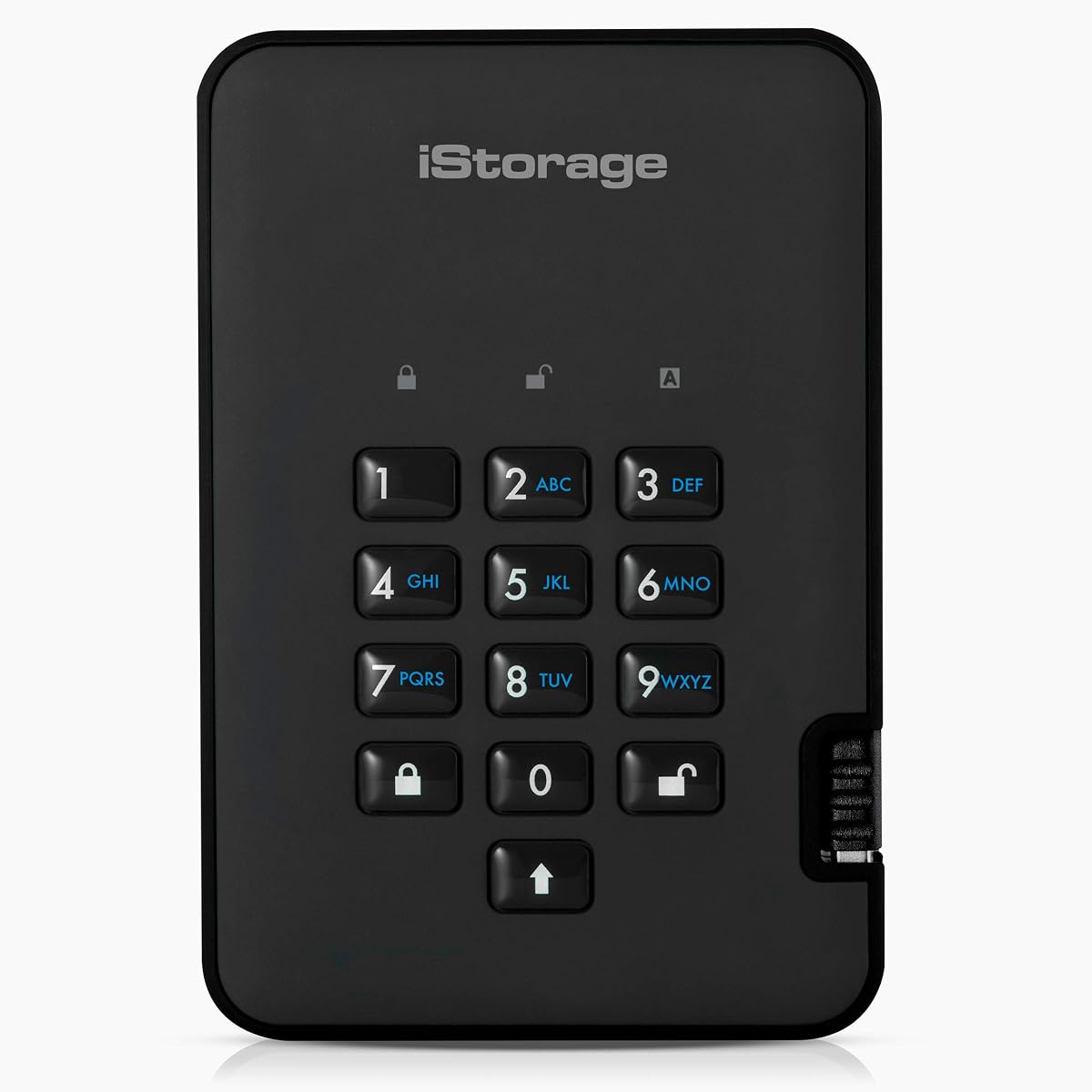
The iStorage diskAshur2 is perfect for protecting digital assets against physical hazards. It features dust and water resistance, making it reliable for field work. Hardware encryption keeps files safe without software.
We may earn a commission when you buy through this link, at no additional cost to you.
Transfer speeds reach up to 160MB/s read, ensuring fast access. Compliance with GDPR and HIPAA helps meet legal standards. The secure microprocessor ensures that PIN data is protected.
The interface requires entering a PIN every time, which can be slower. It is also pricier than standard drives. However, the ruggedness justifies the cost for demanding environments.
Great for outdoor or industrial use where durability matters. Its compliance features make it suitable for sensitive projects. Choose it when physical protection and encryption are equally important.
IP56 certification ensures the drive survives dust and water splashes, perfect for rugged field use.
Helps ensure compliance with data regulations like GDPR and HIPAA, simplifying legal requirements.
We may earn a commission when you buy through this link, at no additional cost to you.
The DataLocker DL4 FE offers FIPS 140-3 Validated protection, a top-tier standard for security. TAA compliance makes it ideal for government procurement. The SSD format provides faster speeds than traditional drives.
We may earn a commission when you buy through this link, at no additional cost to you.
A touchscreen simplifies setup for complex passwords. Remote management via SafeConsole allows audit capabilities. Its USB-C USB-A connectivity ensures compatibility with modern devices.
Its cost is high due to advanced security standards. Remote features require separate licensing. However, for strict government or enterprise needs, these features are essential.
Ideal for government contractors requiring top-tier compliance. Its SSD speed and validation make it a premium choice. Choose it when you need maximum security and speed.
Screen guided setup simplifies entering complex passwords, ensuring hassle-free operation for users.
Remote audit capabilities allow admins to monitor devices, ensuring centralized security control.
We may earn a commission when you buy through this link, at no additional cost to you.
The Apricorn 4TB Aegis Padlock SSD combines speed and security. It offers 350 mBPS read and write speeds, ideal for large file transfers. Users value the separate admin and user modes for control.
We may earn a commission when you buy through this link, at no additional cost to you.
Brute force defense protects against unauthorized access attempts. The high capacity supports extensive data needs. It maintains the robust security typical of Apricorn drives.
Its cost and weight are significant. This is not a budget option. However, the performance and security justify the investment for professionals.
Best for professionals needing fast secure storage. Its speed and reliability make it a top choice. Choose this for high-performance encrypted storage.
SSD technology delivers much faster transfer speeds compared to traditional hard drives for quick access.
Brute force defense ensures that repeated login attempts are detected and blocked automatically.
We may earn a commission when you buy through this link, at no additional cost to you.
Choosing the right encrypted secure external hard drive involves evaluating several critical factors to ensure your data remains safe and accessible.
Look for hardware encryption like 256-bit AES XTS to ensure data is scrambled without relying on software. FIPS validation adds an extra layer of trust for sensitive data needs.
Prioritize drives with hardware encryption and FIPS standards for maximum security and compliance.
Durability matters if you travel frequently. Look for epoxy coatings, aluminum enclosures, or IP ratings like IP56 for dust and water resistance to protect the drive from damage.
Select a rugged design if you plan to transport the drive in challenging environments.
Choose capacity based on your data storage needs. Options range from 1TB to 5TB or more. Consider how much space you require now versus future growth.
Match the storage size to your file volume to avoid overpaying for unused space.
USB 3.0 and USB 3.1 offer faster data transfer speeds. USB-C ports are becoming standard for modern devices. Ensure the drive fits your current setup.
Opt for USB 3.0 or higher to ensure fast file transfers and compatibility.
Drives with PIN pads or keypads offer hardware authentication. Others rely on software. Keypads ensure security even if the drive is plugged into an untrusted computer.
Hardware keypad authentication offers superior protection compared to software passwords.
Prices vary based on security features and capacity. Secure drives cost more than standard models. Balance your security needs with what you can afford.
Invest in the best security features your budget allows to protect your data.
Ensure the drive works with your operating system like Windows or Mac. Some drives require formatting that might affect compatibility.
Choose OS-independent drives to avoid issues when switching between systems.
A longer warranty indicates confidence in product durability. Look for 3-year or longer coverage to protect your purchase against defects.
Prioritize drives with strong warranties to safeguard your investment.
First, plug the drive into your computer and enter the PIN or password to access files. Do not remove the drive without safely ejecting it to prevent data corruption.
Keep the drive in a cool, dry place when not in use. Avoid dropping it or exposing it to extreme temperatures to maintain its integrity.
Regularly update any management software if provided. This ensures compatibility with your OS and maintains security features.
Hardware encryption uses built-in chips to encrypt data automatically without needing a computer. Software encryption requires a program to run on the computer. Hardware is more secure since it works even when plugged into untrusted systems.
Most modern drives are compatible with Mac systems, but some may require formatting. Check the product specifications to ensure full OS support before purchasing.
Level 3 offers higher physical security features and protection. It is generally better for highly sensitive data. Level 2 is sufficient for many standard enterprise needs.
Use recovery PINs if your drive supports them. Otherwise, contact the manufacturer. Some drives may require a factory reset which erases data.
Most secure drives come pre-encrypted. Software encryption can be added to standard drives, but hardware encryption offers superior protection.
TAA compliance ensures the product meets Trade Agreements Act standards for government procurement. It is essential for government contractors needing regulated hardware.
Plug in the drive and use the provided software or Windows File History to copy files. Regularly update backups to keep data secure and current.
We highlighted ten top models ranging from budget options to high-security FIPS drives. The Apricorn 1TB Aegis Padlock offers the best balance of speed and security. WD drives provide affordable secure options for casual users.
Prioritize hardware encryption and FIPS validation for sensitive data. For high-capacity needs, consider SSD models for speed. Always verify warranty and support terms before buying.
Prices change regularly so check current offers before purchasing. Secure your data today with a drive that fits your specific security requirements.