
Canon imageCLASS LBP6030w
3.8Editor score
Compact space-saving design
Wireless mobile printing
Low energy consumption
Discover the top laser printers with cheap toner options for 2026. This guide compares models from Brother, Canon, and HP to help you save on printing costs.
Finding a laser printer with cheap toner is essential for anyone looking to reduce office expenses without sacrificing print quality. High upfront costs often hide long-term expenses, making cartridge prices a critical factor in your decision. We evaluate models designed to minimize ongoing supply costs while maintaining reliable performance.
This curated list examines ten standout printers known for their affordability and efficient toner usage. We compare features like wireless connectivity, duplex printing, and subscription services that further lower costs. Each product is selected based on real-world reliability and user feedback regarding supply longevity.
Every pick highlights key strengths and potential trade-offs to help you choose the right fit for your needs. Prices and availability fluctuate frequently, so verify current details before purchasing. Our goal is to provide a clear roadmap for smart printing investments in the current market.
3.8Editor score

4.1Editor score

4.5Editor score
This table provides a side-by-side comparison of all ten selected laser printers. It highlights essential specifications to help you quickly identify the best match for your specific printing needs and budget constraints.




The Brother HL-L2405W stands out as a top contender for those seeking a laser printer with cheap toner. It delivers sharp, crisp prints quickly while offering flexible connection options for home offices. Its compatibility with subscription services further reduces long-term costs.
We may earn a commission when you buy through this link, at no additional cost to you.
This model offers consistent premium print quality suitable for various document types. The dual-band wireless ensures stable connectivity across multiple devices. Users can manage supplies and track usage remotely, which simplifies maintenance and reduces downtime.
While it lacks automatic duplexing, the manual feed slot supports specialty paper printing. The compact footprint saves space without compromising functionality. Brother's customer support adds peace of mind for new owners.
Ideal for home users needing reliable performance, this printer balances cost and quality effectively. Its refresh subscription trial makes toner management effortless. For consistent black-and-white output, it remains a strong recommendation.
Subscription services allow users to save up to 50% on genuine toner, making long-term usage highly affordable.
Dual-band wireless and USB interfaces ensure seamless printing from any device in your workspace.
We may earn a commission when you buy through this link, at no additional cost to you.
The Canon imageCLASS LBP6030w is ideal for small spaces requiring reliable printing at a minimal cost. Its compact design fits easily on desks or shelves, making it perfect for home users. While basic, it handles daily document tasks efficiently.
We may earn a commission when you buy through this link, at no additional cost to you.
Wireless connectivity allows printing from anywhere within your network. The printer uses less power in energy saver mode, reducing electricity bills. Its simplicity ensures easy operation without complex configuration steps.
Though the paper tray holds fewer sheets, it suits low-volume needs. Toner costs are manageable with the 125 cartridge offering decent yield. The one-year warranty provides initial protection against defects.
This printer is perfect for students or individuals with light printing requirements. Its affordability makes it a strong entry point. For basic needs without extra features, it delivers solid value.
Its small footprint makes it suitable for cramped desks or shared workspaces where space is limited.
Using less than two watts in sleep mode helps reduce overall environmental impact and energy costs.
We may earn a commission when you buy through this link, at no additional cost to you.
The Brother MFC-L2820DW delivers dynamic multi-functionality for small offices needing speed and versatility. With copy, scan, and fax capabilities, it consolidates essential tasks into one device. Its refresh subscription trial further enhances cost savings.
We may earn a commission when you buy through this link, at no additional cost to you.
Print speeds reach up to 36 ppm, ensuring quick turnaround for busy users. The intuitive touchscreen simplifies navigation through various functions. Cloud app support allows direct printing from storage services.
While the initial investment is higher, the efficiency gains justify the expense. The auto document feeder saves time on multi-page tasks. Security features protect sensitive data during transmission.
Perfect for teams requiring robust features, this printer excels in performance. Its ability to handle high volumes without slowdowns makes it a top choice. For comprehensive office needs, it stands out.
Auto document feeder and duplexing reduce manual intervention, speeding up large document processing.
Cloud app integration enables seamless access to documents stored online for quick retrieval and printing.
We may earn a commission when you buy through this link, at no additional cost to you.
The Canon imageCLASS MF3010 VP offers solid performance for environments preferring wired stability. It includes a high-yield toner in the box, reducing immediate replacement needs. The ID card copy feature adds convenience for small tasks.
We may earn a commission when you buy through this link, at no additional cost to you.
Energy saver mode ensures low power consumption during idle times. Scan quality is decent for basic document digitization. The wired connection minimizes potential network interference issues.
While wireless is absent, this model suits secure or static workstations. Its simplicity allows quick integration into existing systems. The compact design fits well on shared desks.
Ideal for schools or offices needing straightforward printing and scanning. The included toner provides immediate value. For reliable functionality without frills, it remains a practical choice.
Starting with a high-yield toner reduces initial setup costs and ensures immediate readiness.
Basic color scanning at 600 dpi supports digitizing important documents effectively.
We may earn a commission when you buy through this link, at no additional cost to you.
The Brother HL-L2460DW balances speed and efficiency for modern home offices. Automatic duplex printing saves paper and reduces waste significantly. Its subscription trial ensures you never run out of toner unexpectedly.
We may earn a commission when you buy through this link, at no additional cost to you.
With 36 ppm speed, it handles larger jobs swiftly. The dual-band wireless connects reliably to various devices. The large paper tray minimizes refilling frequency during busy periods.
Though it lacks advanced features like faxing, its focus on core tasks is effective. The compact design fits nicely in limited spaces. Support options are accessible for troubleshooting.
Best for users prioritizing paper savings and speed. Its connectivity options make remote printing easy. For consistent high-volume needs, it delivers reliable performance.
Automatic duplex printing reduces paper usage by up to half compared to single-sided printing.
Mobile apps allow tracking toner usage and ordering supplies without needing physical access.
We may earn a commission when you buy through this link, at no additional cost to you.
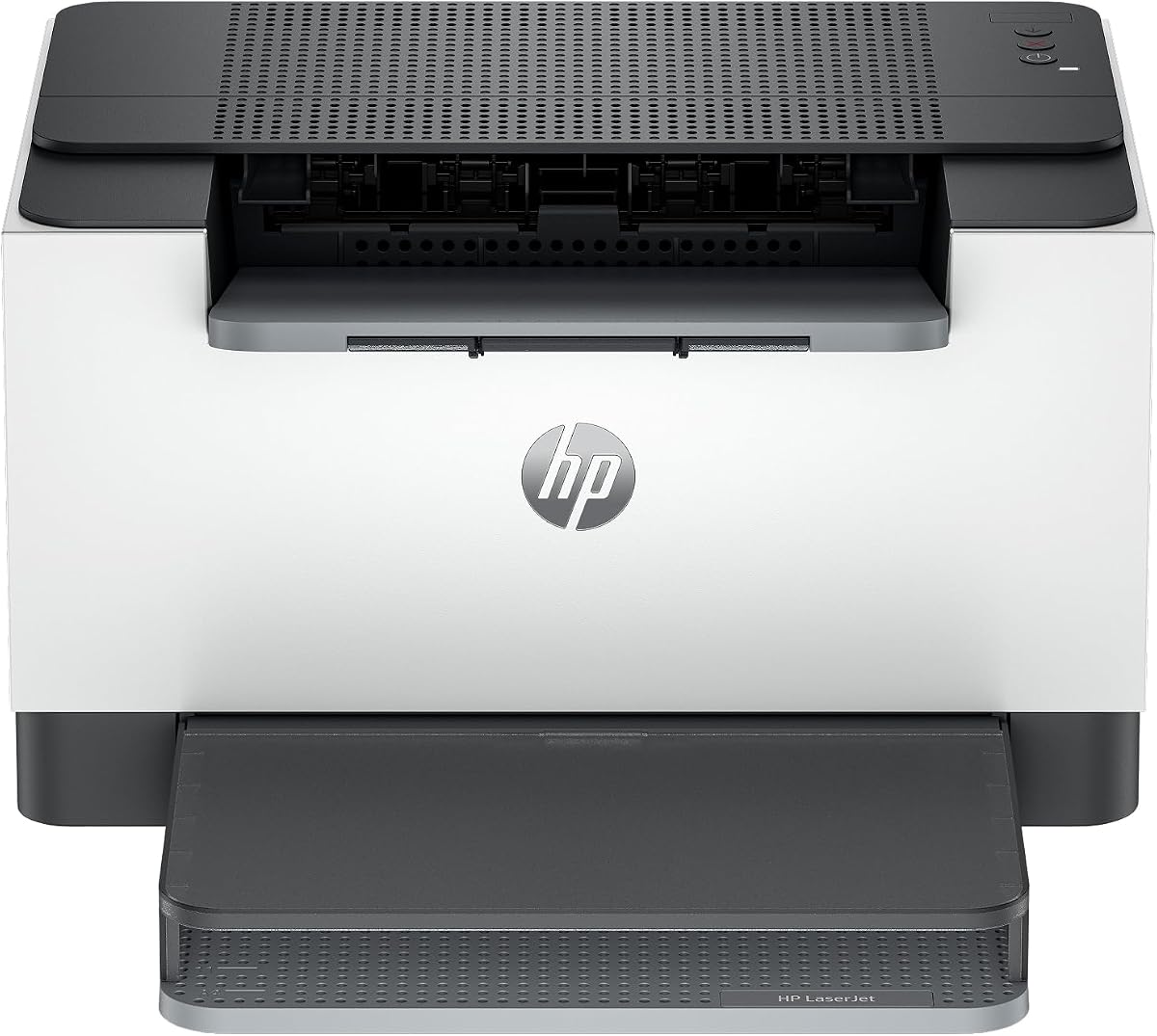
The HP LaserJet M110w fits perfectly into small teams needing professional output. Its wireless self-reset maintains connectivity even during network hiccups. HP Smart app streamlines repetitive tasks effectively.
We may earn a commission when you buy through this link, at no additional cost to you.
Setup is straightforward, allowing quick deployment. It supports various devices including Chromebooks and Macs. Built-in security helps protect data during print jobs.
Note that cartridge chips are strictly enforced to ensure compatibility. While limiting third-party options, it guarantees consistent print quality. The compact size saves valuable desk space.
Perfect for startups or home offices with limited tech staff. Its ease of use reduces downtime. For secure, small-volume printing, it is a strong contender.
HP Smart app simplifies scanning and printing through intuitive mobile commands.
Self-resetting Wi-Fi ensures uninterrupted printing even if the network drops momentarily.
We may earn a commission when you buy through this link, at no additional cost to you.
The HP LaserJet M209dw offers speed and flexibility for small teams. Instant Ink eligibility means cartridges arrive before you run out. This subscription model can significantly lower total cost of ownership.
We may earn a commission when you buy through this link, at no additional cost to you.
Two-sided printing is fast, ensuring efficient output. Dual-band Wi-Fi with self-reset minimizes connectivity issues. Strong security features protect business documents from potential threats.
While it requires commitment to a subscription, the convenience is high. The printer handles up to 19 two-sided pages per minute. Setup is quick for immediate productivity.
Ideal for offices needing automated supply management. Its performance matches larger models at a smaller footprint. For secure, efficient printing, it excels.
Instant Ink delivers toner automatically when levels run low, preventing workflow interruptions.
Fast two-sided printing ensures rapid completion of large documents.
We may earn a commission when you buy through this link, at no additional cost to you.
The Canon imageCLASS LBP122dw is a space-saving solution for duplex printing. It combines speed with wireless convenience. Its compact design fits almost anywhere, making it ideal for small rooms.
We may earn a commission when you buy through this link, at no additional cost to you.
Using genuine high-capacity toner reduces replacement frequency. The Canon PRINT app enables remote tasks easily. With 30 ppm speed, it handles daily output efficiently.
The single function limits its utility compared to all-in-one models. However, for pure printing needs, it remains effective. Its cost-efficiency is strong for home offices.
Best for users needing fast, automatic two-sided printing without extra bulk. Its wireless options support modern workflows. For simple, fast output, it works well.
Its small footprint frees up valuable desk space while maintaining powerful performance.
Automatic two-sided printing saves paper and creates professional documents automatically.
We may earn a commission when you buy through this link, at no additional cost to you.
The HP LaserJet MFP M235sdw is built for offices prioritizing security and speed. Its strong security features protect against potential attacks. Ethernet inclusion ensures stable wired connections when needed.
We may earn a commission when you buy through this link, at no additional cost to you.
Duplex printing is fast, finishing projects quickly. Mobile and wireless options support diverse device environments. The scan and copy functions handle essential tasks reliably.
While setup may take time, the features justify the effort. The 28 ppm speed suits moderate office demands. Its compact design fits standard office cubicles.
Ideal for secure environments needing versatile functionality. It balances connectivity and performance well. For business document handling, it delivers robust results.
Built-in security safeguards documents from unauthorized access during transmission.
Ethernet and wireless options ensure flexible integration into existing networks.
We may earn a commission when you buy through this link, at no additional cost to you.
The Brother HL-L2480DW earns its top rating with high efficiency and reliability. It handles high-volume needs effortlessly with a large paper tray. The refresh subscription trial ensures cost-effective toner management.
We may earn a commission when you buy through this link, at no additional cost to you.
Its touchscreen simplifies complex tasks and navigation. Dual-band wireless provides stable connections for all devices. Automatic duplexing reduces paper waste effectively.
While larger than basic models, its multi-functionality justifies the size. Support options remain comprehensive for long-term use. The speed ensures quick turnaround for busy offices.
Best for small offices needing top-tier performance. Its combination of speed, features, and toner savings is unmatched. For reliability and quality, it stands out.
A 250-sheet tray minimizes interruptions by holding more paper than standard models.
With 36 pages per minute, it ensures rapid completion of large workloads.
We may earn a commission when you buy through this link, at no additional cost to you.
Selecting the right laser printer involves evaluating several factors beyond initial cost. Understanding these elements ensures you minimize long-term expenses while maximizing productivity.
Toner yield refers to the number of pages a cartridge produces before replacement. Higher yield cartridges cost more upfront but often result in lower cost per page. Always calculate the cost per page by dividing the cartridge price by its rated yield.
Prioritize printers offering high-yield compatible cartridges to ensure long-term savings.
Many manufacturers now offer subscription services that deliver toner automatically when needed. These services often include discounts and prevent running out of supplies. Check if the printer is compatible with such programs before buying.
Consider subscription options if you prefer convenience and predictable monthly costs.
Print speed measured in pages per minute affects how quickly you can complete tasks. Faster models are crucial for busy offices but may cost slightly more. Ensure the speed matches your daily volume requirements.
Choose a speed that balances efficiency with your specific workload needs.
Wireless, Ethernet, and USB options determine how devices connect to the printer. Wireless is essential for mobile printing while Ethernet provides stability. Look for dual-band support to avoid interference.
Select connectivity that fits your network setup and device variety.
The paper tray capacity affects how often you need to refill sheets. Larger trays reduce interruptions during heavy printing sessions. Ensure the printer supports paper types you frequently use.
Opt for trays that match your expected print volume and paper types.
All-in-one models combine printing, scanning, copying, and sometimes faxing. These save space and money versus buying separate devices. Decide which features you actually need versus optional extras.
Include multifunction features only if they align with your workflow.
Energy-saving modes reduce power consumption when the printer is idle. This lowers electricity bills and environmental impact over time. Look for models with auto-sleep features.
Energy efficiency contributes to lower operating costs over the lifespan.
A reliable warranty protects against defects and unexpected failures. Check what support options are available online or via phone. Good support reduces downtime if issues arise.
Prioritize brands with comprehensive warranties and accessible customer service.
Begin by unboxing carefully and removing all protective tape and plastic films. Follow the on-screen setup instructions to connect to your network securely. Ensure firmware is updated to avoid compatibility issues.
Regularly clean the exterior and internal rollers to prevent jams. Use only recommended paper types to avoid damage and poor print quality. Keep the printer in a cool, dry environment away from direct sunlight.
Monitor toner levels and order replacements before running out. Use genuine or compatible cartridges to protect print heads. Periodically run cleaning cycles to maintain consistent output quality.
Many printers work with third-party cartridges to save costs, but check compatibility first. Some brands may void warranties or update firmware to block them. Always read user reviews before buying alternatives.
Replacement frequency depends on print volume and cartridge yield. Most standard cartridges last between 1,000 and 3,000 pages. High-yield options last longer and reduce replacement costs.
Wireless allows flexible placement and mobile printing without cables. Ethernet provides a stable, secure connection ideal for office networks. Some printers support both simultaneously for maximum flexibility.
Many modern laser printers offer automatic duplexing to save paper. This feature prints on both sides automatically without manual intervention. Check product specs for duplex availability before purchasing.
Most modern printers support AirPrint or Android protocols without driver installs. Just ensure your device connects to the same network. Check the manufacturer's app for additional features.
These services monitor your usage and ship new cartridges automatically. Some include discounts on genuine supplies and recycling. They simplify supply management and reduce unexpected costs.
Faster printers save time for heavy workloads but may cost more. Evaluate your daily volume to decide if the speed pays off. Light users may find standard speeds sufficient.
The main factors are cartridge price and page yield. Higher yield cartridges usually lower the cost per page despite higher upfront cost. Compare total costs over the printer's lifespan.
We reviewed ten excellent models balancing cost, speed, and features for your needs. Top picks like the Brother HL-L2405W and Canon imageCLASS LBP6030w offer exceptional value across different budgets.
Prioritize long-term savings through subscription services and high-yield toners. Consider your print volume and connectivity needs to select the right fit. Balancing these elements ensures maximum efficiency.
Prices and stock change frequently so check current details before buying. This guide helps you make an informed decision for reliable printing. Enjoy professional results while keeping costs low.