
LG 24G411A-B
4.5Editor score
144Hz overclock refresh rate
1ms motion blur reduction
G Sync compatible technology
Finding the right display for competitive gaming requires balancing speed clarity and synchronization technology. A 24 Inch G Sync Monitor offers the perfect blend of size and performance for esports enthusiasts. These displays ensure smooth visuals without tearing during intense gameplay sessions.
We evaluated ten leading models based on refresh rates response times and color accuracy. Our comparison focuses on how well each screen handles fast-paced action and integrates with NVIDIA graphics cards. You will see detailed breakdowns of features that matter most to gamers.
Each pick highlights specific strengths like budget friendly pricing or premium build quality. We include full specifications and direct links so you can verify current stock and deals. Prices and availability fluctuate so always check the product page before making your final decision.
4.5Editor score

4.7Editor score

4.4Editor score
As an Amazon Associate we earn from qualifying purchases.
This side by side comparison lists all ten selected monitors with their key specifications and links. It helps you quickly identify which model fits your budget and performance requirements without navigating multiple pages.


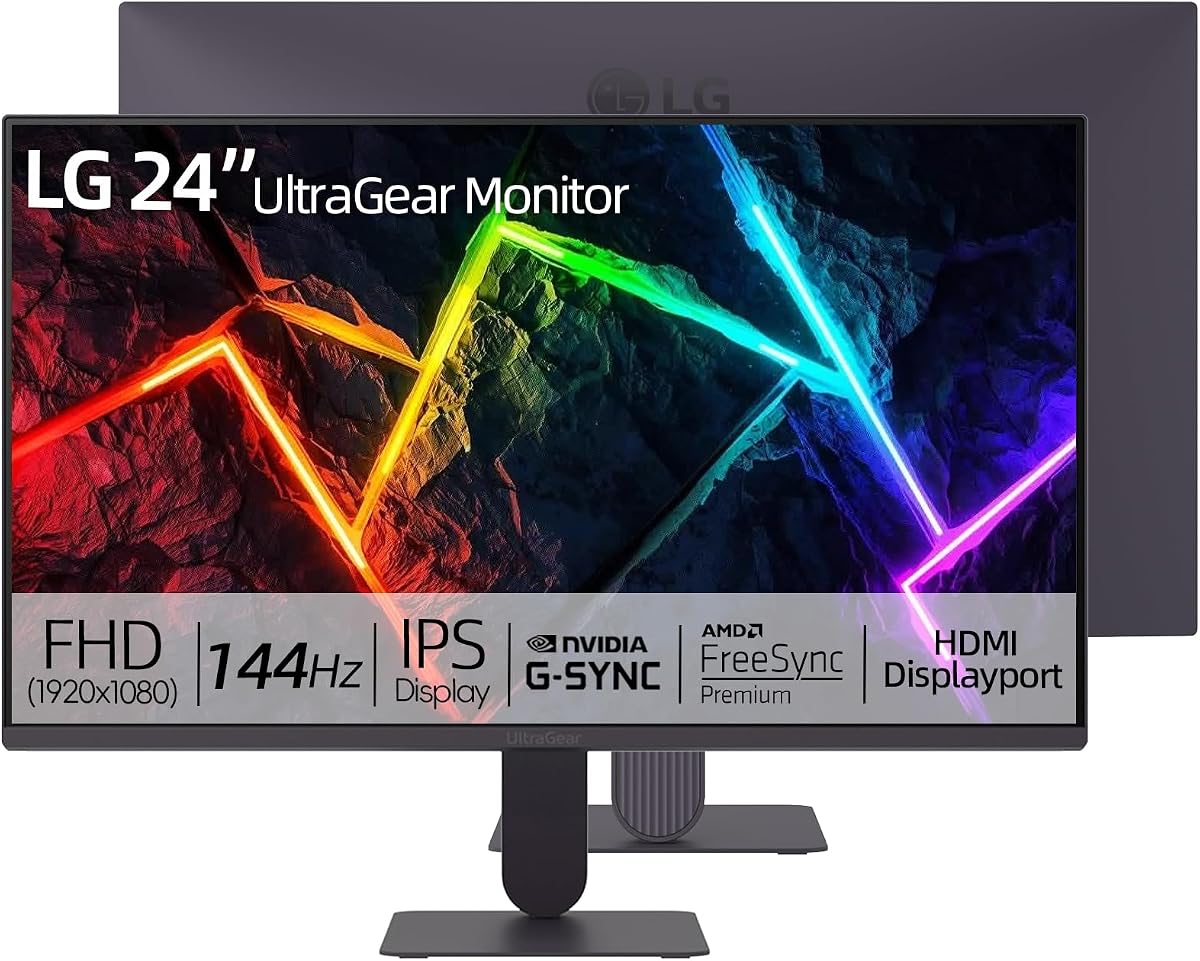


This LG model stands out as an entry-level option for competitive gaming. It carries a strong rating from users who value speed without breaking the bank. The IPS panel ensures colors remain consistent across viewing angles.
We may earn a commission when you buy through this link, at no additional cost to you.
The 144Hz refresh rate paired with G Sync compatibility makes this a reliable choice for smooth gameplay. Motion blur reduction helps keep fast moving targets sharp during intense shooters. You get essential features like Dynamic Action Sync to lower input lag.
While it lacks advanced ergonomic adjustments the slim stand keeps your desk clear. The HDR10 support adds some pop but is not meant for high contrast scenes. For pure gaming utility the performance per dollar is hard to beat.
Buyers looking for a straightforward G Sync compatible display will find this ideal. It fits well in budget builds while still delivering professional level frame rates. Check the latest price to confirm current availability before ordering.
The IPS panel delivers wide viewing angles and fast response times crucial for gaming.
Official G Sync support ensures tear-free visuals when paired with NVIDIA graphics cards.
We may earn a commission when you buy through this link, at no additional cost to you.
Dell delivers a high performance display with this SE2426HG model. It boasts a massive 240Hz refresh rate that outpaces many competitors in the category. Users praise its ability to handle rapid motion without blur or stutter.
We may earn a commission when you buy through this link, at no additional cost to you.
The Fast IPS technology ensures colors stay vivid even at high speeds. TÜV certification means it reduces blue light which helps during long sessions. HDMI VRR support adds flexibility for console gaming too.
One limitation is the lack of explicit G Sync branding though it supports variable rates. The stand offers tilt adjustment but lacks height control which might frustrate some. Still the raw speed makes it a top pick.
Competitive gamers who prioritize frame rates above all else should choose this. It is an excellent choice for esports titles where every millisecond counts. Verify current stock to ensure you get the latest batch.
The high refresh rate provides ultra smooth motion ideal for competitive shooters.
IPS technology offers better color accuracy than VA or TN panels at this price.
We may earn a commission when you buy through this link, at no additional cost to you.
ASUS positions this TUF monitor as a premium solution for serious players. It combines high refresh rates with a robust ergonomic stand for comfort. The inclusion of G Sync ensures smooth performance with NVIDIA systems.
We may earn a commission when you buy through this link, at no additional cost to you.
Fast IPS technology delivers crisp visuals with a 0.3ms response time. The stand allows full height adjustment which reduces strain during marathon sessions. You also get a bonus Adobe subscription adding value beyond gaming.
While it costs more than basic models the build quality justifies the investment. The DisplayWidget Center simplifies settings adjustments using a mouse instead of buttons. Some may find the menu system dense but it offers deep control.
Professionals and enthusiasts wanting a complete package will appreciate these features. The blend of performance and ergonomics is rare in this size class. Check the current deal to see if the price matches your budget.
Motion blur reduction works alongside variable refresh rates for sharper images.
Height adjustment ensures you can set the monitor at eye level for comfort.
We may earn a commission when you buy through this link, at no additional cost to you.
This LG variant adds audio convenience with built-in stereo speakers. It maintains the core gaming specs like 144Hz and G Sync compatibility. The design remains sleek with minimal bezels for an immersive view.
We may earn a commission when you buy through this link, at no additional cost to you.
The speakers are useful for casual listening or voice chat without a headset. IPS panel ensures rich colors for both work and play. Height adjustment is available which helps with desk ergonomics.
Audio output is decent but not a replacement for dedicated speakers. The 144Hz speed is standard but sufficient for most modern titles. If you need extra sound this feature sets it apart from rivals.
Users wanting an all-in-one desktop solution will find this practical. It simplifies cable management by removing the need for external audio. Verify the current price to see if it fits your financial plan.
Stereo speakers provide basic sound for system notifications and media.
Synchronization with NVIDIA GPUs prevents screen tearing during intense action.
We may earn a commission when you buy through this link, at no additional cost to you.
ASUS pushes speed with this 200Hz refresh rate model. It targets users who want higher frame rates than the standard 144Hz. The anti-glare matte screen helps reduce reflections in bright rooms.
We may earn a commission when you buy through this link, at no additional cost to you.
The 0.3ms response time ensures quick pixel transitions for sharp motion. It supports both G Sync and FreeSync for broad compatibility. Multiple OS support means it works well with Macs too.
Specific reviews are less available which makes it a newer option. The color gamut is good but not the most vibrant on the list. It is a strong choice for those prioritizing raw speed.
Gamers looking for a fast display without the premium price tag should check this. The matte finish is great for office environments with overhead lighting. Compare the current price with other high refresh models before buying.
The high rate offers smoother motion for fast-paced competitive games.
Matte coating reduces reflections so you focus on the gameplay.
We may earn a commission when you buy through this link, at no additional cost to you.
This LG model earns high praise from users for its balance of features. The IPS display delivers rich colors with 99% sRGB coverage. G Sync compatibility ensures fluid visuals on supported graphics cards.
We may earn a commission when you buy through this link, at no additional cost to you.
Dynamic Action Sync and Black Stabilizer add tactical advantages in games. VESA mounting allows you to use a third party arm for flexibility. The design is clean with thin bezels on all sides.
The stand only tilts which might be restrictive for some setups. Despite this the visual quality and performance ratings are excellent. It is a strong contender for pure gaming setups.
Buyers prioritizing color accuracy and high ratings will appreciate this unit. The VESA mount option saves desk space for other peripherals. Always check the latest price to ensure it is a good deal.
Users consistently praise this model for reliability and visual clarity.
Standard mounting holes let you install the monitor on any compatible arm.
We may earn a commission when you buy through this link, at no additional cost to you.
This LG model offers a perfect rating from verified buyers. It features an IPS panel with HDR10 for richer visual performance. The design focuses on minimal bezels to maximize the field of view.
We may earn a commission when you buy through this link, at no additional cost to you.
G Sync support ensures smooth gameplay with NVIDIA graphics cards. VESA mounting is available for flexible setup options. The crosshair feature assists with aiming accuracy in shooters.
Ergonomic adjustments are limited to tilt which is standard for this tier. The price is higher than budget models but the quality reflects the cost. It is ideal for those who want a flawless experience.
Perfect reviews indicate high reliability and customer satisfaction. If you need a dependable monitor for daily use this is a great choice. Confirm the current price to match your financial expectations.
A flawless review score indicates consistent quality and satisfaction.
Synchronization with NVIDIA GPUs eliminates tearing for smooth gameplay.
We may earn a commission when you buy through this link, at no additional cost to you.
ASUS delivers a high refresh model with this 200Hz display. The Fast IPS panel ensures quick response times and vibrant colors. Eye care tech reduces strain during long working or gaming sessions.
We may earn a commission when you buy through this link, at no additional cost to you.
G Sync compatibility ensures smooth visuals with NVIDIA cards. Multiple ports allow easy connection to various devices. The design is sleek with a focus on performance metrics.
Color depth is standard but sufficient for most gaming needs. The stand is basic which limits positioning options. Still the speed makes it a strong candidate for competitive play.
Users wanting a high refresh rate without overspending will find this ideal. It is a solid choice for those who prioritize speed over extra features. Check the current price for the best deal.
The panel offers fast response times while maintaining color accuracy.
Flicker-free and low blue light tech protects eyes during long use.
We may earn a commission when you buy through this link, at no additional cost to you.
This LG unit delivers a perfect rating from satisfied customers. The ultra-slim bezels offer an immersive visual experience. It balances speed and color accuracy effectively for gaming and work.
We may earn a commission when you buy through this link, at no additional cost to you.
G Sync support ensures tear-free visuals with NVIDIA cards. HDR10 adds depth to compatible content. The design is minimalist which suits modern desk setups perfectly.
The stand tilts but lacks height adjustability which may limit positioning. Despite this the visual quality and performance are top notch. It is a strong option for focused setups.
Buyers seeking a clean look and reliable performance should consider this. The slim design helps when using multiple monitors together. Verify the current price to ensure it fits your budget.
A flawless score reflects consistent quality and user satisfaction.
Minimal borders maximize the screen area for a cleaner look.
We may earn a commission when you buy through this link, at no additional cost to you.
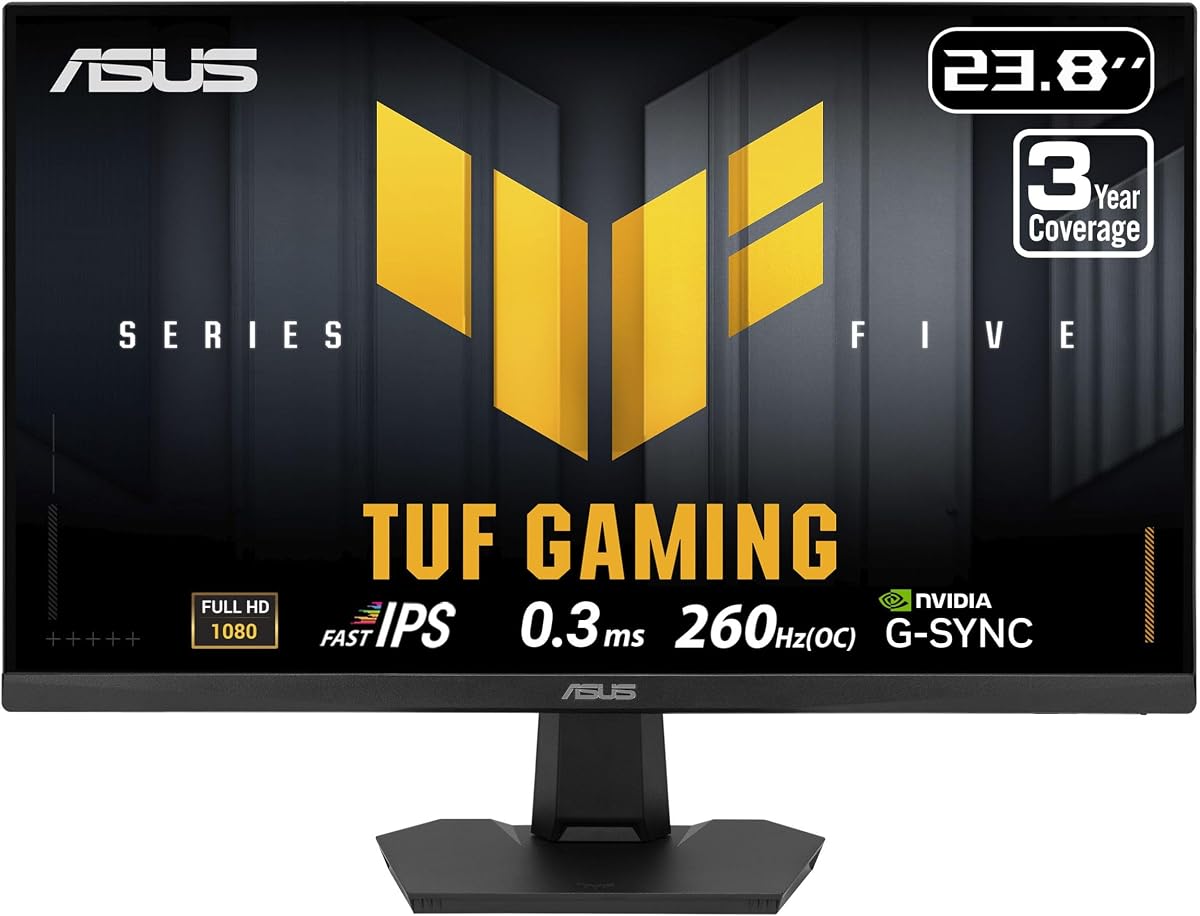
This ASUS model reaches an extreme refresh rate of 260Hz. It targets high-end gamers who need every possible advantage in speed. The 0.3ms response time ensures minimal lag during fast actions.
We may earn a commission when you buy through this link, at no additional cost to you.
G Sync compatibility works alongside ELMB Sync for smooth visuals. Built-in speakers offer convenience for quick audio. It also includes a Creative Cloud subscription adding value for creators.
The price is higher than most alternatives on this list. Availability may be limited due to high demand. It is the best choice for those seeking maximum performance.
If you need the fastest possible refresh rate this is the top pick. The build quality and features justify the cost for pros. Check current availability before committing to the purchase.
The highest rate on this list for unmatched smoothness.
A three month subscription to Adobe apps adds extra value.
We may earn a commission when you buy through this link, at no additional cost to you.
Choosing the right G Sync monitor involves balancing several key factors. This guide explains what to look for to match your gaming style and budget.
Refresh rate determines how many frames per second the screen can display. Higher rates like 240Hz or 260Hz provide smoother motion than 144Hz. Competitive gamers benefit most from higher speeds.
Aim for at least 144Hz for smooth gameplay. Go higher if your PC can support it.
Response time is how quickly a pixel changes color. Fast times like 0.3ms or 1ms reduce motion blur and ghosting. This is critical for fast-paced shooters.
Look for response times under 1ms for the clearest visuals during action.
IPS panels offer the best color accuracy and viewing angles. Fast IPS variants improve speed to match gaming needs. VA and TN are alternatives but IPS is preferred for quality.
Choose an IPS panel for vibrant colors and wide viewing angles.
G Sync compatibility prevents screen tearing and stuttering. Ensure the monitor supports your GPU brand. Variable Refresh Rate support enhances the experience further.
Verify G Sync compatibility to ensure smooth visuals with your graphics card.
Stand adjustability impacts long-term comfort. Height and tilt options help reduce neck strain. VESA mounts offer more flexibility for arm installations.
Select a monitor with height adjustment to reduce strain during long sessions.
sRGB coverage affects color accuracy. 99% or higher ensures rich visuals for gaming. HDR support adds depth for compatible content.
Look for at least 99% sRGB coverage for vibrant and accurate colors.
Ports like HDMI and DisplayPort matter for device support. Ensure the monitor has the right version for your graphics card. Multi-monitor setups need multiple inputs.
Check for DisplayPort 1.4 or HDMI 2.1 for high bandwidth needs.
Budget models offer core features at lower costs. Premium models add ergonomics and higher refresh rates. Balance your needs against your financial limits.
Prioritize features you use most rather than paying for unused extras.
Proper setup begins with adjusting the stand height so the top of the screen is at eye level. This reduces neck strain and ensures you can see the whole display without tilting your head.
Keep the screen clean using a soft microfiber cloth. Avoid harsh chemicals that might damage the coating. Dust accumulation can reduce clarity over time so wipe it gently once a week.
Update your graphics drivers regularly to ensure G Sync features work correctly. Adjust in-game settings to match the monitor's refresh rate for the smoothest experience possible.
G Sync is a technology that synchronizes your monitor with your graphics card to prevent tearing. It ensures frames display exactly when they are ready for a smoother experience. Without it you might see horizontal lines on screen during fast action.
To fully utilize a 240Hz monitor your PC must output that many frames per second. Less powerful systems still benefit from the speed but you might not see the full refresh rate. Check your hardware specs before buying.
A 24 inch screen is standard for competitive gaming because it allows easy tracking of the whole view. It balances detail and peripheral visibility well. Most esports pros prefer this size for tournaments.
The main difference is how many frames the screen refreshes per second. 240Hz offers smoother motion than 144Hz but requires more GPU power. You will notice the difference in fast-paced shooters.
HDR10 adds better contrast and color depth to compatible games. It makes bright areas brighter and dark areas darker for a richer look. However support varies by game and monitor brightness level.
Yes many G Sync compatible monitors also support AMD FreeSync. This offers flexibility if you change graphics cards later. Check the product details to confirm dual support before buying.
Enable G Sync in the NVIDIA Control Panel or AMD Radeon Software. Make sure variable refresh rate is on in the monitor's OSD menu. This ensures synchronization works correctly during games.
The monitors listed here cover a wide range of needs from budget friendly to high performance. Each option offers strong G Sync compatibility for smooth gameplay without tearing. Our top picks provide the best balance of speed and value.
When choosing prioritize refresh rate and response time if you play competitive titles. For a mix of work and play look for IPS color accuracy and ergonomics. Your personal setup will dictate the best choice.
Prices and availability change so always verify the latest info before purchasing. Use the provided links to check current deals directly. We hope this guide helps you find the perfect monitor for your needs.