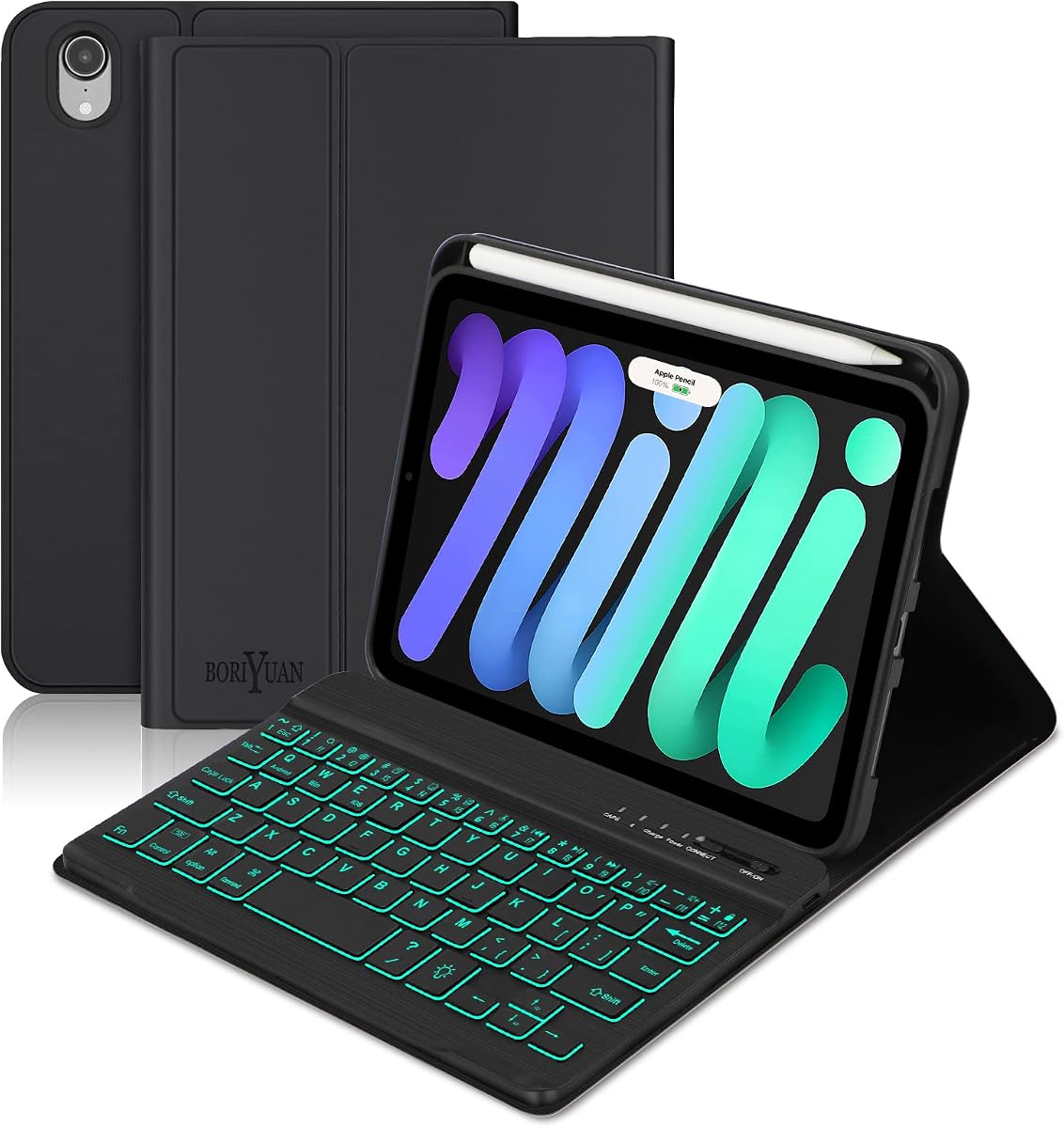
iPad mini 7th Gen Keyboard Case 2021
4.2Editor score
Detachable wireless keyboard
Slim folio cover design
Built-in pencil holder
Finding the right iPad Mini Folio Case with Keyboard can transform your tablet into a powerful workstation. These accessories combine protection with typing comfort, making them ideal for professionals and students alike who need mobility without sacrificing functionality in their daily tasks.
We evaluated ten leading models based on build quality, typing experience, trackpad responsiveness, and overall value. Each product was analyzed for compatibility with the latest iPad Mini generations, ensuring that readers can find a reliable solution that fits their specific device model perfectly.
Each pick in this list highlights unique strengths, from budget-friendly options to premium trackpad experiences. Please note that product availability and pricing can change frequently, so verifying details on the retailer site before purchasing is always recommended for the best outcome.
4.2Editor score

4.3Editor score

4.6Editor score
As an Amazon Associate we earn from qualifying purchases.
The following table provides a side-by-side comparison of all ten reviewed products, highlighting their key specifications to help you make an informed decision based on your specific needs.


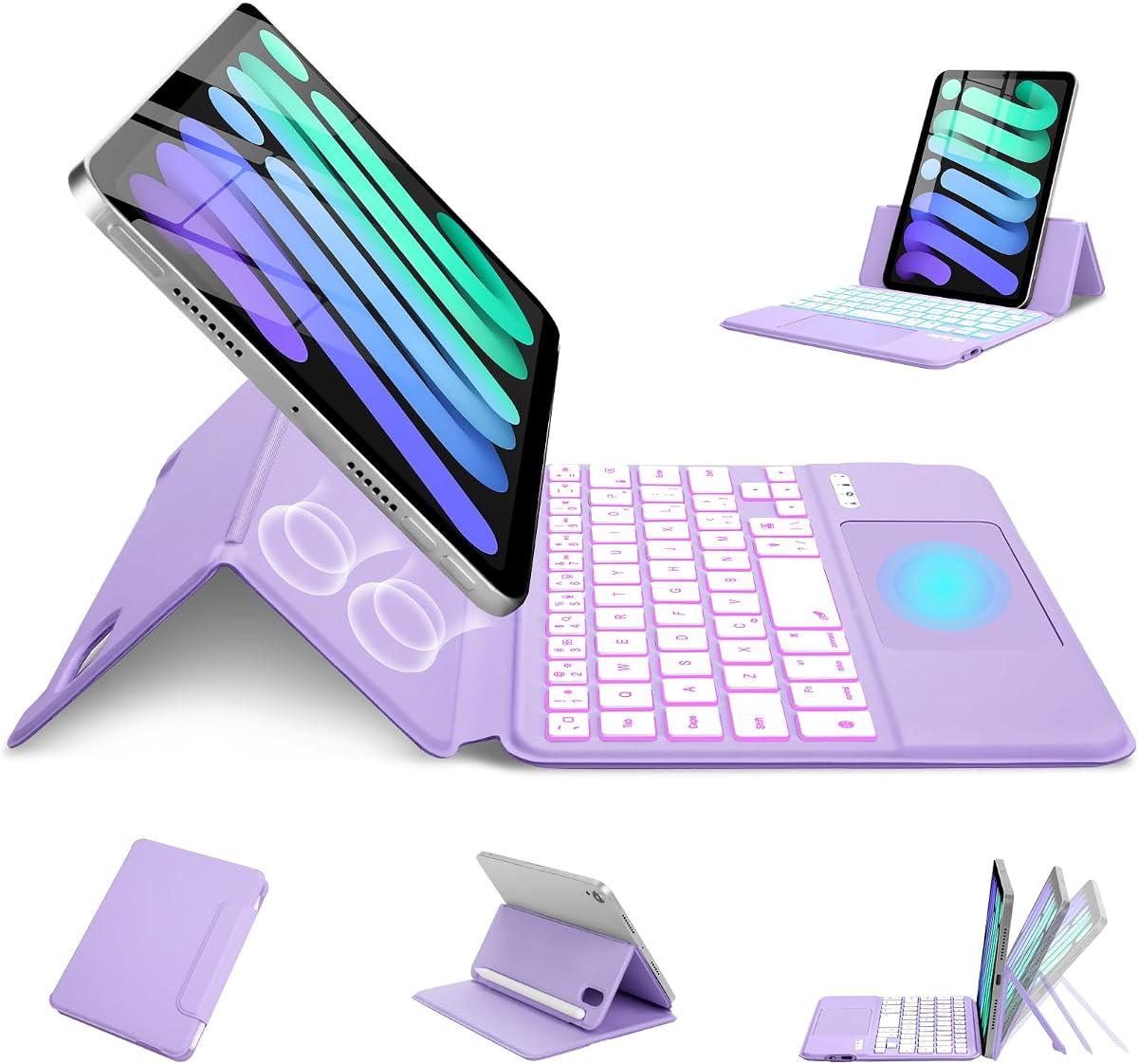
The Dexnor iPad Mini Case with Keyboard ranks high among top contenders for users seeking a laptop-like experience. With a strong 4.3 rating, it stands out for its floating cantilever stand and comprehensive trackpad support.
We may earn a commission when you buy through this link, at no additional cost to you.
Its standout features include a durable aluminum alloy hinge that supports customizable angles for various tasks. The multi-touch trackpad supports gestures like scroll and pinch, enabling seamless navigation without a mouse. The 150-hour battery life ensures you can work long hours between charges.
Some users might find the 1.3cm keys a bit small for extended typing sessions. The compact design is great for portability but requires an adjustment period if you prefer full-size keys.
This case is ideal for professionals who need to turn their iPad Mini into a workstation. If trackpad functionality and stand stability are priorities, the Dexnor model offers the best overall value in this category.
The precision trackpad allows for precise cursor control and multi-finger gestures, making document editing and web browsing significantly more efficient.
The aluminum hinge not only adds a premium look but also ensures the stand stays sturdy during use, preventing unwanted movements while typing.
We may earn a commission when you buy through this link, at no additional cost to you.
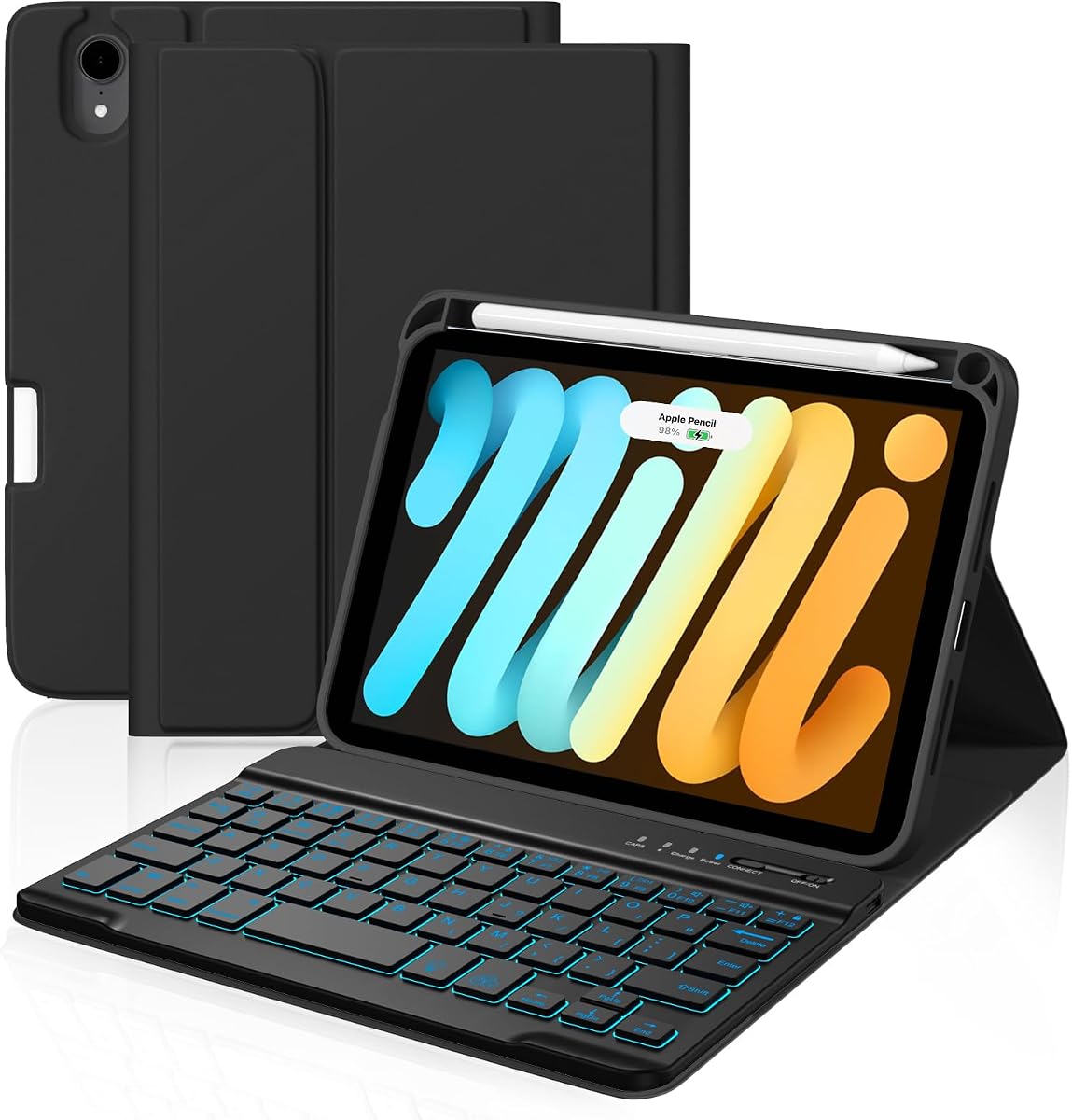
For those looking for a cost-effective solution, this keyboard case delivers excellent value without sacrificing essential features. It combines a protective folio cover with a detachable keyboard that can be used wirelessly.
We may earn a commission when you buy through this link, at no additional cost to you.
The 420mAh battery supports long usage, and the 7 color backlight lets you customize your typing environment. The included silicone shell offers added protection against bumps and scratches. The pencil holder is a convenient addition for stylus users.
However, the Micro USB charging port is less convenient than modern Type-C options. The hinge provides basic angles but lacks the advanced adjustability of premium models.
This is a perfect choice for students or casual users who need basic typing functionality on a budget. It provides solid protection and typing capabilities for everyday tasks.
Being able to remove the keyboard gives you the flexibility to use the tablet in handheld mode when typing is not required.
The PU leather exterior and soft shell interior ensure your device is well protected, maintaining a stylish appearance while in use.
We may earn a commission when you buy through this link, at no additional cost to you.
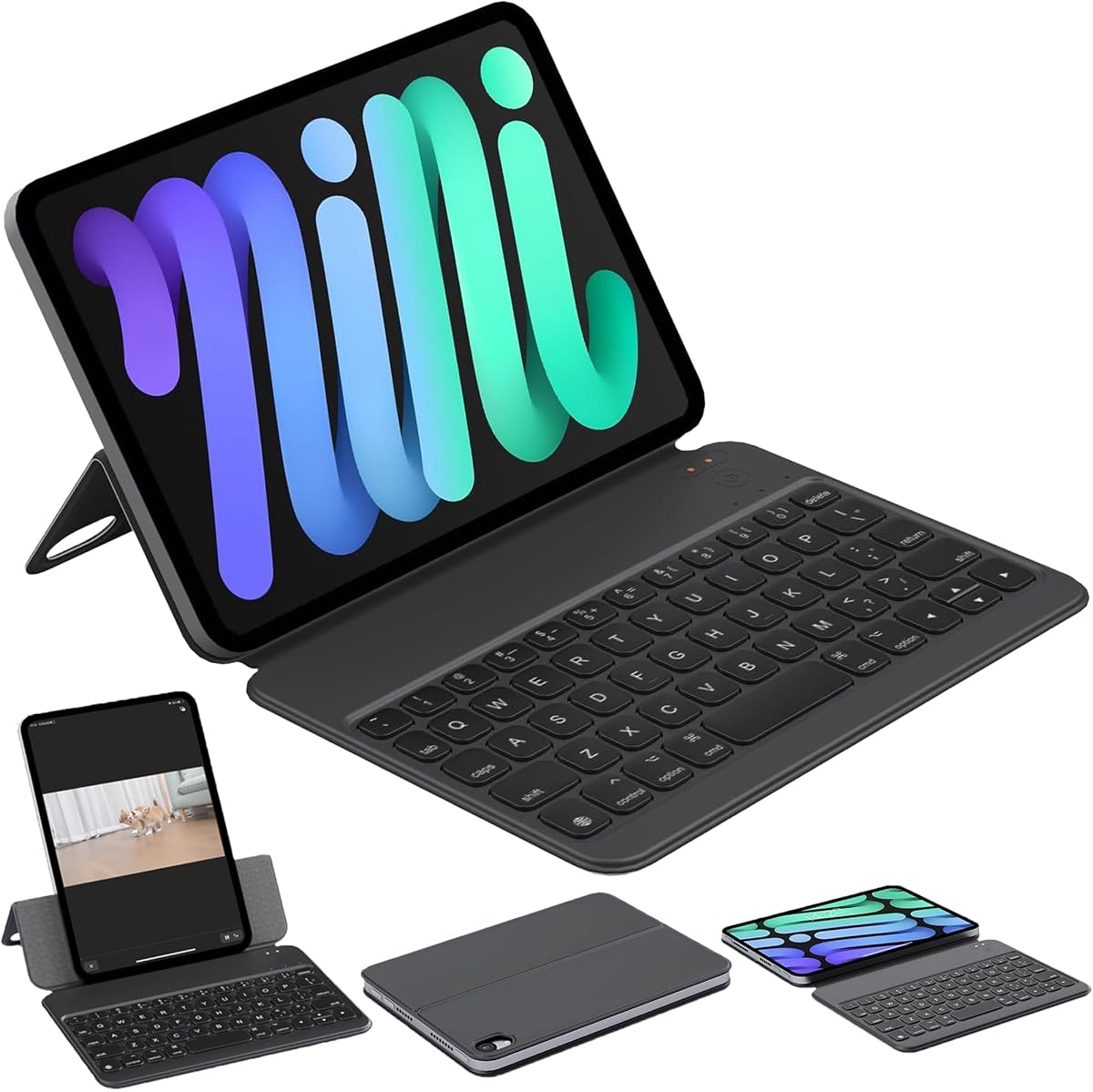
The Magic-Style Keyboard Case sets the standard for premium iPad Mini accessories with its focus on weight reduction and usability. It is rated 4.6 by users who appreciate its slim form and robust features.
We may earn a commission when you buy through this link, at no additional cost to you.
The case weighs only 110g and is just 1.4mm thick, making it nearly invisible on the back of your tablet. The smart trackpad supports multi-finger gestures, enhancing productivity. The breathing mode backlight adds a unique visual touch.
While the premium price might be a consideration, the build quality and features justify the cost. The compact key spacing might take some getting used to, but the function shortcuts streamline daily operations.
Recommended for users who prioritize portability and a high-end feel. This case transforms the iPad Mini into a sleek laptop alternative without adding significant bulk.
Every gram counts for travelers, and this case delivers a minimal footprint that doesn’t hinder handheld use when detached.
The multi-touch trackpad and breathing backlight create an immersive typing environment that feels intuitive and modern.
We may earn a commission when you buy through this link, at no additional cost to you.
The HOU Keyboard Case focuses on minimalism, weighing only 240g with an 8mm profile. It is designed for users who want a lightweight solution without compromising on stability.
We may earn a commission when you buy through this link, at no additional cost to you.
The 30 high-strength magnets ensure the case stays securely attached to your iPad. The gravity-sensing auto lock feature is particularly useful for preventing accidental touches in reading modes. The infinitely adjustable shaft provides stable support for various angles.
However, the lack of a trackpad limits its utility as a laptop replacement compared to other models. The rating suggests some users may face minor connectivity or fit issues.
If weight is your primary concern and you type directly on the screen less, this case offers a solid balance of protection and functionality.
The slim profile makes it easy to slip into a bag, ideal for commuters who value a lightweight setup.
The gravity sensor ensures that when folded, the keyboard keys stay inactive, preventing unwanted input while you read.
We may earn a commission when you buy through this link, at no additional cost to you.
ZAGG Slim Book provides a familiar laptop-style setup for the iPad Mini. Its detachable keyboard design offers flexibility, allowing you to use the case or the keyboard independently.
We may earn a commission when you buy through this link, at no additional cost to you.
The keyboard keys are designed for comfortable typing, and the magnetic hinge offers a variety of viewing angles. The case itself provides sturdy protection while maintaining a clean look.
The lack of an integrated trackpad means you need a separate mouse for precise cursor control. Bluetooth pairing can sometimes require a bit of patience to connect.
This is a great option for users who prefer the classic laptop setup and want the ability to detach the keyboard for pure tablet use.
The detachable keyboard allows you to use the iPad as a standalone tablet when typing is not needed, freeing up the desk.
The durable case shields the device from daily wear and tear, ensuring your investment stays safe during transit.
We may earn a commission when you buy through this link, at no additional cost to you.
The typecase Keyboard Case stands out for its 360 rotating hinge, which supports seven different modes including presentation and reading. It offers a comprehensive typing and navigation experience.
We may earn a commission when you buy through this link, at no additional cost to you.
With an 11-color backlight, you can match the keyboard to your mood. The trackpad supports scrolling and cursor control, and the hinge has been tested for 20,000 cycles to ensure durability.
The rotating mechanism, while versatile, adds some bulk to the profile. The battery life is adequate but not exceptional compared to competitors.
Ideal for users who need a wide range of viewing angles and want a colorful, customizable typing experience.
The 360 rotating design allows you to switch seamlessly between typing and presentation modes without removing the device.
The wide range of backlight colors lets you personalize your device, making it a stylish accessory for any setting.
We may earn a commission when you buy through this link, at no additional cost to you.
GreenLaw offers a stylish option with its 360 rotation and multi-gesture trackpad. The case is designed for users who want both protection and a premium typing feel.
We may earn a commission when you buy through this link, at no additional cost to you.
The multi-gesture trackpad enhances navigation, allowing for smooth control of documents and apps. The 7-color backlight adds flair, and the Type-C interface simplifies charging.
The sleep function may be sensitive, waking the device when you don't expect it. Also, ensure you have a Type-C cable handy as one is not included.
This case is a strong choice for creative professionals who need a versatile setup and appreciate vibrant design options.
The multi-gesture trackpad provides intuitive control, making it easy to scroll through long documents or switch between apps.
The vibrant backlight colors make this case stand out, offering a playful yet functional aesthetic for your device.
We may earn a commission when you buy through this link, at no additional cost to you.
Ultra Magic features a unique anti-yellowing fabric material that keeps the case looking fresh over time. The responsive touchpad and magnetic backplate add to the usability.
We may earn a commission when you buy through this link, at no additional cost to you.
The hinge supports angles up to 130 degrees, allowing for comfortable typing on various surfaces. The fabric material repels dirt, reducing maintenance needs.
Fabric surfaces can attract dust more than leather or plastic, which might require regular cleaning. The rating reflects some users finding the fit or feel less than perfect.
This case is suitable for users who prioritize a soft touch and want a material that resists discoloration.
The anti-yellowing fabric ensures the case retains its professional look even after extended use in sunny environments.
The magnetic backplate ensures a secure connection, preventing the keyboard from slipping during active typing sessions.
We may earn a commission when you buy through this link, at no additional cost to you.
This generic option offers a high capacity battery for up to 80 hours of use. The stain-resistant case ensures that the cover stays clean even with heavy use.
We may earn a commission when you buy through this link, at no additional cost to you.
The detachable keyboard can be magnetically connected, and the pencil holder supports multiple types of stylus including the Pencil Pro. This makes it a versatile tool for students and professionals.
While the design is basic, the functionality is solid. The lack of a trackpad means you will need to rely on touch or a separate mouse for cursor control.
Ideal for budget-conscious users who still want reliable battery life and a protective cover with a keyboard.
With up to 80 hours of battery, you can work for days without needing to recharge the keyboard, perfect for travel.
The pencil holder supports various Apple Pencil models, ensuring you can keep your stylus secure alongside your keyboard.
We may earn a commission when you buy through this link, at no additional cost to you.
MePadKey offers an affordable entry into the trackpad category. It supports 1-finger to 3-finger gestures, making it easy to navigate your iPad Mini efficiently.
We may earn a commission when you buy through this link, at no additional cost to you.
The tap to click feature can be enabled in settings for a more responsive experience. The slim design folds like a book, making it easy to carry in a pocket or small bag.
The setup process for the tap to click might need some initial fiddling to get right. The materials feel functional but not premium compared to higher-end cases.
This case is a good choice for users who want basic trackpad functionality without paying a premium price.
Enabling tap to click reduces the need for physical clicks, making navigation smoother and less fatiguing over time.
The book-like folding mechanism keeps the device secure and compact, ensuring it fits easily into any travel bag.
We may earn a commission when you buy through this link, at no additional cost to you.
Selecting the right keyboard case requires balancing features like trackpad support, battery life, and build quality with your budget and usage needs.
A case with an integrated trackpad significantly enhances productivity by allowing mouse-like control. If you plan to use your iPad for detailed editing or navigation, a trackpad model is essential.
Prioritize cases with multi-touch support for the best experience.
Look for rechargeable keyboards with at least 40 to 100 hours of battery life. Type-C charging is now the standard and offers faster charging times.
Choose a model with a reliable battery to avoid frequent recharging interruptions.
Premium materials like leather or anti-yellowing fabric ensure the case looks good over time. Check for sturdy hinges that can withstand daily rotation.
Invest in a case with robust construction to protect your device from bumps.
Always verify the model number of your iPad Mini before purchasing. Cases for the 6th and 7th generations are not interchangeable with older models.
Ensure the case lists your exact model number to guarantee a perfect fit.
Adjustable hinges and cantilever stands provide better ergonomics. Models with 360 rotation offer the most versatility for viewing.
Choose a hinge system that supports comfortable angles for your workspace.
Backlit keys are crucial for typing in low light. Models with multiple colors and brightness levels add personal flair.
Look for adjustable backlight options to suit different environments.
A built-in pencil holder keeps your Apple Pencil secure and ready. Some cases also support wireless charging for the Pencil.
Ensure the case has a reliable slot if you use a stylus.
Prices range from budget-friendly options to premium models. Determine which features are non-negotiable for your workflow to find the best value.
Compare features against price to get the most bang for your buck.
Connect the keyboard to your iPad via Bluetooth or magnetically according to the user manual. Ensure your iPad is fully charged before pairing to avoid interruptions.
Clean the keyboard regularly with a soft, lint-free cloth to remove dust. Avoid harsh chemicals that could damage the keys or screen.
When not in use, close the case to activate sleep mode and save battery. Store the device in a cool, dry place to prevent wear.
No, these cases are designed specifically for the 6th and 7th generation iPad Mini 8.3-inch models. Older models have different dimensions and are not compatible with these cases. Always check your iPad model number in settings before purchasing.
Many of these cases feature detachable keyboards that allow you to use the iPad independently. Some models have a separate folio cover that you can use alone. Check the product details to see if it supports detachable use.
Most models offer between 40 to 150 hours of usage depending on brightness and usage. Some high-capacity options can last longer on a single charge. Recharging is usually done via USB-C cable.
Several models include a magnetic holder that supports the Apple Pencil. However, wireless charging compatibility depends on the specific design. Some cases allow you to charge while attached, others require removal.
Warranty periods vary by manufacturer but typically range from 12 to 24 months. Some brands offer lifetime technical support as well. Always check the seller's return policy and warranty terms.
Yes, most keyboard cases come with adjustable backlight brightness levels. You can usually toggle between different brightness settings using function keys on the keyboard for comfort.
No, these cases are not waterproof. Spills can damage the keyboard electronics. It is recommended to keep liquids away from the device to prevent accidental damage.
Check the model number on the back of your iPad or in the Settings app. The case details will list specific model numbers like A2567 or A2993. Match this number to ensure compatibility.
The top picks for iPad Mini Folio Cases with Keyboards offer a range of features to suit different needs. The Dexnor model stands out for its trackpad and stand, while the budget-friendly options provide basic functionality.
Prioritize a case that offers the right balance of battery life and features like trackpad support. Consider how you will use the device daily to make the best choice for your workflow.
Prices and availability can change, so verify the latest details on the retailer site. Investing in a quality case will protect your iPad and enhance your productivity for years to come.