
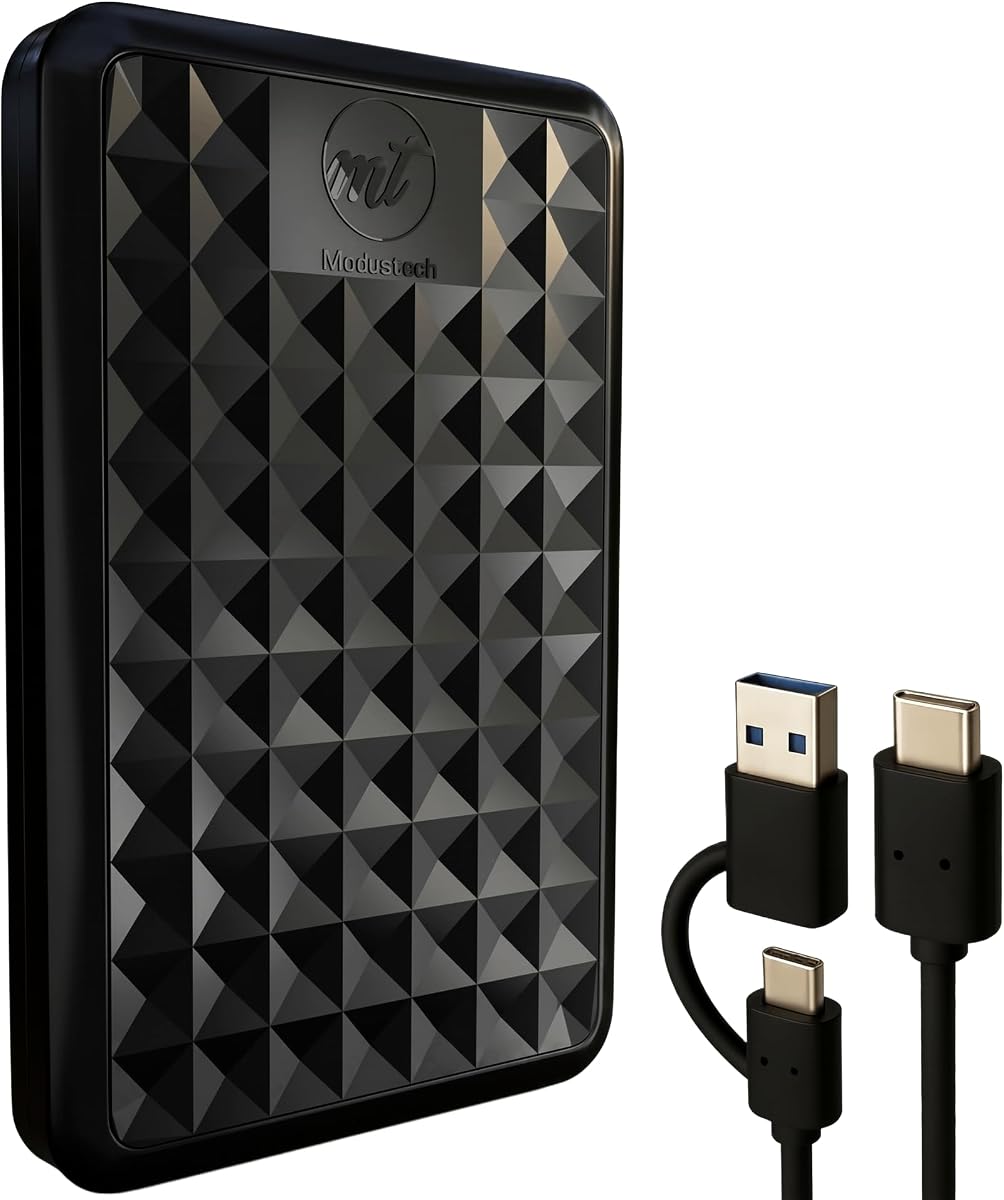
Maxone 1TB Ultra Slim Portable External Hard Drive
4.4Editor score
Ultra Slim Metal Design
USB 3.0 Fast Transfer
No Software Required
Discover the top external hard drives for Chromebook storage expansion. We compare capacity, speed, and compatibility to help you choose the right portable
Finding the right external hard drive for Chromebook can be challenging due to limited local storage. Modern Chromebooks rely heavily on cloud storage but offline access requires reliable hardware. A portable drive offers an easy solution to back up files and expand your available space.
We evaluated ten popular portable hard drives based on compatibility, speed, and durability. Each product was analyzed for USB connectivity, file system support, and ease of use with Chrome OS. Our goal is to provide a clear comparison to streamline your purchasing decision.
Each pick highlights specific strengths like budget friendliness or high capacity. Note that prices and availability change frequently across online retailers. Always verify current specs before buying to ensure the drive meets your specific storage needs and budget constraints.
4.4Editor score

4.7Editor score

4.6Editor score
The following table provides a side-by-side comparison of all ten reviewed external hard drives. Each entry includes key specifications and direct links to verify current availability and pricing details.




The WD 2TB Elements Portable External Hard Drive stands out as a reliable choice for Chromebook users needing extra storage. With a strong rating of 4.7 stars, it delivers consistent performance for file backups and media storage. Its compact design fits easily into laptop bags for travel.
We may earn a commission when you buy through this link, at no additional cost to you.
Key strengths include SuperSpeed USB 3.2 Gen 1 technology which supports transfer speeds up to 5Gbps. This ensures files move quickly between your Chromebook and the drive. The drive offers vast capacities up to 6TB allowing you to store photos, videos, and documents without running out of space.
One trade-off is that it comes preformatted for Windows so reformatting may be needed for Mac or Chrome OS systems. This is a standard limitation for many drives in this price range. The benefit of fast speeds and high capacity outweighs the minor setup step.
If you need dependable storage that grows with your needs this drive is an excellent investment. It works seamlessly with Chromebooks once formatted to the correct file system. We recommend it for anyone seeking a balance of performance and capacity.
Vast capacities up to 6TB allow you to store photos, videos, music, and important documents with room to grow.
SuperSpeed USB 3.2 Gen 1 interface provides real-world transfer speeds up to 5Gbps for quick file access.
We may earn a commission when you buy through this link, at no additional cost to you.
The Maxone 1TB Ultra Slim Portable External Hard Drive is an excellent budget-friendly option for Chromebook owners. It features a sturdy all-aluminum design that helps dissipate heat and ensures durability during travel. Users appreciate its slim profile which fits easily into pockets.
We may earn a commission when you buy through this link, at no additional cost to you.
Performance is powered by USB 3.0 technology offering transfer speeds up to 5 Gbit/s. This is significantly faster than USB 2.0 allowing for efficient backups. The drive runs cool and quiet due to its metal construction which is ideal for quiet work environments.
A minor downside is the lack of USB-C natively which might require an adapter for newer Chromebooks. However the included 19-inch cable provides flexibility for connection. The three-year warranty adds peace of mind for long-term use.
For those seeking value without sacrificing speed this drive is highly recommended. It handles daily backups and file transfers efficiently. We suggest it for users who prioritize affordability and build quality.
All-Aluminum anti-scratch model delivers remarkable strength and durability keeping the drive running cool and quiet.
Powered by USB 3.0 technology enabling super fast transfer speed at up to 5 Gbit/s.
We may earn a commission when you buy through this link, at no additional cost to you.
The Seagate 2TB Portable Hard Drive offers premium reliability for Chromebook users requiring consistent storage solutions. It is designed for plug and play simplicity allowing you to connect and start transferring data immediately. The included 18-inch USB 3.0 cable is notably long for added flexibility.
We may earn a commission when you buy through this link, at no additional cost to you.
Key features include automatic recognition on connected computers eliminating the need for manual drivers. The drive supports drag and drop functionality making backups straightforward. Users benefit from Seagate's reputation for producing durable external storage devices.
While it has less capacity than some competitors the 2TB size is sufficient for most personal backup needs. The long cable helps when using the drive on a desk rather than directly at the laptop port. This convenience is a significant plus.
We recommend this drive for users who value ease of use and brand trust. It simplifies the backup process with minimal setup. It is an ideal choice for professionals needing dependable storage on the go.
This USB drive provides plug and play simplicity with the included 18 inch USB 3.0 cable.
To get set up connect the portable hard drive to a computer for automatic recognition no software required.
We may earn a commission when you buy through this link, at no additional cost to you.
The 500 GB External Hard Drives Portable model is perfect for users needing a lightweight and portable storage solution. Weighing only 0.35 Lbs it is easy to carry in a pocket or laptop bag. It supports USB 3.0 for transfer speeds up to 133MB/s read.
We may earn a commission when you buy through this link, at no additional cost to you.
This drive supports a wide range of devices including PS4 and Xbox One allowing for gaming backups. It comes ready to use without software installation making it convenient for quick setups. The slim design ensures it does not add bulk to your gear.
A trade-off is the 500GB capacity which fills up faster than 1TB drives for large video libraries. However for document storage or music collections it provides ample space. The price is generally lower than higher capacity alternatives.
We suggest this drive for travelers or gamers needing a compact backup option. It connects reliably to Chromebooks once formatted correctly. Consider this if portability is your top priority over massive storage.
The small lightweight design offers up to 500GB capacity weighing only 0.35 Lbs for easy portability.
Theoretical read speed is as high as 110MB/s to 133MB/s allowing fast data transfers.
We may earn a commission when you buy through this link, at no additional cost to you.
The Aiolo Innovation 500GB External Hard Drive is designed for versatility across multiple devices including Android and Chrome OS. It includes a USB to Type C adapter which is useful for modern Chromebooks without USB-A ports. The noise-free solution ensures quiet operation during file transfers.
We may earn a commission when you buy through this link, at no additional cost to you.
The motherboard is wrapped in an aluminum anti-interference layer to increase heat dissipation and protect data. This design choice improves longevity and stability during prolonged use. The drive is lightweight and fits comfortably in a pocket for portability.
While the 500GB capacity is modest it suits users with moderate storage needs. The inclusion of the Type C adapter adds value compared to standard drives. Users appreciate the stable and fast downloading capabilities across consoles and PCs.
We recommend this drive for users needing cross-platform compatibility. It connects smoothly to Chromebooks with the adapter. Consider this if you need a reliable drive that works with both Android and Mac systems.
Compatible with PS4, Xbox one, Windows, Linux, Mac, and Android for stable fast downloading.
Hard drive chip wrapped with aluminum anti-interference layer to increase heat dissipation.
We may earn a commission when you buy through this link, at no additional cost to you.
The Facet 500GB External Hard Drive stands out for native USB-C compatibility which fits perfectly with modern Chromebooks. It ships with a 2-in-1 cable including a tethered USB-A adapter for older devices. The drive is preformatted in exFAT making it readable by Windows and Mac without setup.
We may earn a commission when you buy through this link, at no additional cost to you.
With USB 3.1 Gen 1 connectivity it delivers transfer speeds up to 100MB/s which is fast enough for backups. The shock-resistant casing protects data during travel. At 160g it is exceptionally light for easy carrying in a jacket pocket.
A minor trade-off is that the USB 3.1 speed is slightly slower than newer USB 3.2 options. However for everyday document storage this performance is sufficient. The convenience of plug-and-play on Chrome OS is a major advantage.
We suggest this drive for Chromebook users wanting immediate usability. It avoids the need for reformatting on Mac systems. Ideal for those who prioritize native USB-C support and portability.
Facet ships with a USB-C to USB-C cable and tethered USB-A adapter for modern laptops and tablets.
Preformatted in exFAT and ready to use the moment you plug it in for Windows Mac and Chrome OS.
We may earn a commission when you buy through this link, at no additional cost to you.
The 1TB Portable External Hard Drive USB3.0 is a reliable choice for users needing a balance of capacity and speed. It specifically lists Chromebook compatibility which makes it suitable for school or work projects. The slim design fits easily in your palm for portability.
We may earn a commission when you buy through this link, at no additional cost to you.
With USB 3.0 upgrade support transfer speeds are up to five times faster than USB 2.0. This allows backing up massive data in seconds. The drive is bus-powered requiring no external AC power cord. It includes a USB to type C adapter for modern connections.
While it lacks advanced backup software the plug and play simplicity is efficient for most users. The 1TB capacity handles large files like videos and documents. It also works with Xbox and PS4 for media storage.
We recommend this drive for users wanting straightforward storage expansion. It is ideal for Chromebooks needing extra local space. Choose this if you value compatibility with consoles and simple setup.
Compatible with Windows, Mac, Linux, Android, Chromebook, TV, PS4, Xbox series consoles and more.
Super fast transfer speed with upgrade USB 3.0 up to 5 Gbit/s ten times faster than USB 2.0.
We may earn a commission when you buy through this link, at no additional cost to you.
The UnionSine 1TB Ultra Slim Portable External Hard Drive offers robust protection for your data. It features an upgraded version with a mirror logo strip combined with striped non-slip design. The motherboard adopts a noise-free solution ensuring quiet operation in libraries or offices.
We may earn a commission when you buy through this link, at no additional cost to you.
Data transfer is handled by USB 3.0 and USB 2.0 interfaces enabling blazing-fast speeds. The aluminum anti-interference layer increases heat dissipation and protects data from interference. The rounded corners of the shell are designed for comfortable holding during use.
One limitation is the lack of native USB-C connectivity which may require an adapter for newer Chromebooks. However the 1TB capacity is practical for most needs. The three-year warranty reflects confidence in its build quality.
We suggest this drive for users prioritizing durability and speed. It is suitable for those who work in noisy environments. Consider this if you need a reliable drive with strong heat protection.
Motherboard adopts JMicron 578 noise-free solution giving you a quiet working environment.
Hard disk chip wrapped with aluminum anti-interference layer to increase heat dissipation.
We may earn a commission when you buy through this link, at no additional cost to you.
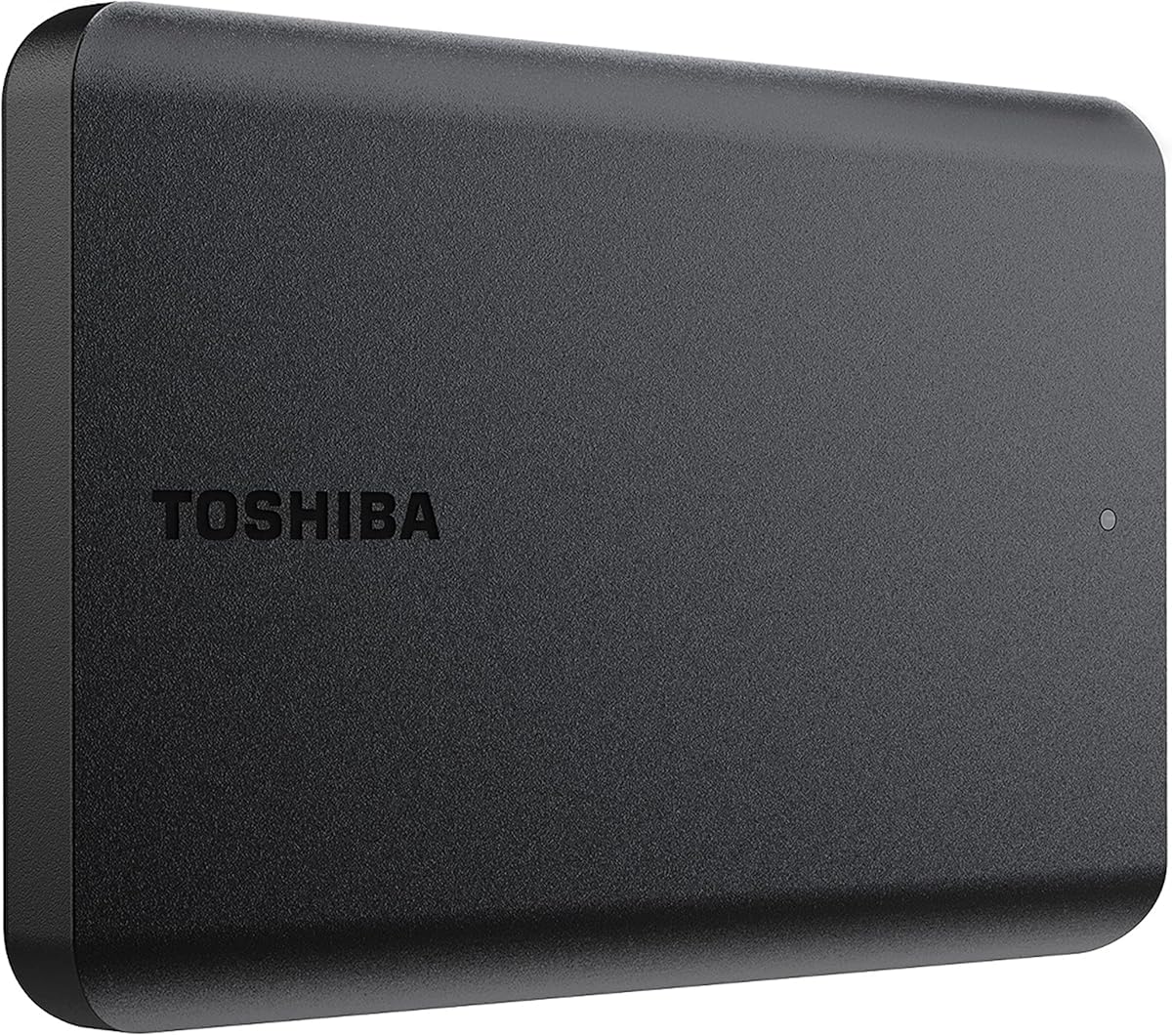
The Toshiba Canvio Advance 1TB offers more than just storage with included automatic backup software. This free download helps you back up your content efficiently on Windows PCs. The compact design features a stylish textured finish that fits your lifestyle and looks professional.
We may earn a commission when you buy through this link, at no additional cost to you.
Password protection software is also included to help prevent unauthorized access to your data. This adds an extra layer of security for sensitive files. The drive is compatible with USB 3.0 and USB 2.0 for broad connectivity options.
A downside is that the backup software is only available for Windows which limits functionality for Chromebooks. However the hardware itself works reliably with Chrome OS once formatted. The aesthetic design makes it stand out among standard plastic drives.
We recommend this drive for users prioritizing security and style. It is a good choice for professionals needing password protection. Consider this if you value design and Windows-based features.
Automatic backup software to easily back up your content (free download, for Windows PC only).
Password protection software to help prevent unauthorized access to your data.
We may earn a commission when you buy through this link, at no additional cost to you.
The Toshiba Canvio Basics 2TB provides high capacity storage for users with large media libraries. It features a sleek profile design with a matte smudge-resistance finish that keeps the drive looking clean. The plug and play functionality makes it easy to add more storage capacity to your Chromebook.
We may earn a commission when you buy through this link, at no additional cost to you.
USB 3.0 and USB 2.0 compatibility ensures it works with many older and newer devices. No external AC power cord is needed making it truly portable. It is pre-formatted for Windows but reformatting is required for Mac or Chrome OS use.
A trade-off is the lack of software which keeps the drive simple but requires manual setup for backups. However the 2TB size is substantial for storing extensive document archives. It is reliable and affordable for basic storage needs.
We suggest this drive for users needing maximum space in a simple package. It works well for Chromebooks after formatting. Ideal for those who want a no-fuss drive with high capacity.
Quickly add more storage capacity to your PC and other compatible devices up to 2TB.
Sleek profile design with a matte smudge-resistance finish for durability.
We may earn a commission when you buy through this link, at no additional cost to you.
Choosing the right external drive depends on your specific storage needs and connectivity options. The following factors will help you narrow down the best choice for your workflow.
Capacity ranges from 500GB to 6TB depending on the model. For basic documents and photos 500GB or 1TB may suffice. If you work with large video files or backups 2TB or more is recommended to avoid frequent transfers.
Choose capacity based on your current usage and future needs to prevent running out of space quickly.
Modern Chromebooks often feature USB-C ports while older models use USB-A. Ensure the drive includes a compatible cable or adapter. USB 3.0 and USB 3.1 offer faster speeds than USB 2.0.
Verify the drive has the correct physical connector or an included adapter for seamless connection.
Drives often come preformatted as NTFS for Windows which requires reformatting for Mac or Chrome OS. exFAT is the preferred format for cross-platform compatibility without losing data.
Check the product description to see if the drive is preformatted for your operating system.
Speed is determined by the USB interface speed and drive technology. Look for SuperSpeed USB 3.0 or higher which supports up to 5 Gbps. This ensures quick backups and fast file access.
Prioritize USB 3.0 models over older USB 2.0 versions for better performance.
Portable drives are often carried in bags making durability important. Metal enclosures offer better heat dissipation and shock resistance compared to plastic. Look for shock-resistant features if you travel often.
Choose a drive with a sturdy build quality to withstand daily wear and tear.
Some drives include backup or password protection software which adds value. Ensure any included software supports Chrome OS if needed. Most basic drives are plug and play without requiring extra software.
Decide if you need advanced features like password protection or automatic backups.
Prices vary significantly based on capacity and brand. A 1TB drive is often more affordable than a 2TB model. Check for warranty terms which can range from one year to three years.
Select a drive that fits your budget while offering adequate warranty protection.
Connect the drive to your Chromebook using the included USB cable. If the drive is not automatically recognized check the Settings menu to ensure it is detected. You may need to format the drive to exFAT for Chrome OS compatibility which erases existing data.
Once connected the drive will appear in the Files app. Drag and drop files to transfer data. To safely remove the drive always click the eject icon in the file manager to prevent data corruption.
Store the drive in a protective case when not in use to prevent scratches and damage. Avoid exposing the drive to extreme heat or moisture which can cause hardware failure. Keep the drive away from strong magnets to protect data integrity.
Most drives are plug and play but may require formatting to work with Chrome OS. If a drive is preformatted as NTFS you will need to reformat it to exFAT for Mac or Chromebook compatibility. Ensure you back up any data before formatting.
Yes you can manually backup files via drag and drop in the Files app. Chrome OS does not support automatic third party backup software but you can schedule backups manually. Ensure the drive has enough space for your full data set.
Most 2.5 inch portable drives are bus-powered via USB and do not need an external power adapter. Larger desktop drives usually require a separate power cord. Check product specifications to confirm if a power adapter is included.
USB 3.1 offers faster transfer speeds up to 10 Gbps compared to USB 3.0 at 5 Gbps. However for most external hard drives the speed is limited by the disk technology not the USB standard. Both versions are generally compatible with each other.
Compatibility depends on the file system format. Drives formatted in exFAT work on both Windows and Mac systems. If a drive is NTFS it will be read-only on Mac unless you install third party software. Reformatting may be necessary for cross-platform use.
When connected the drive should appear in the sidebar of the Files app. You can check the drive's health by looking for error messages during transfer. If it is not recognized try reconnecting the cable or restarting the Chromebook.
Chrome OS supports storing some Android games on external storage but most apps run internally. For Linux games you may need to mount the drive manually. It is best to check specific game requirements before relying on external storage.
It is not safe to unplug the drive without ejecting first. Doing so can cause data corruption or loss. Always click the eject icon in the file manager before physically disconnecting the cable.
We have reviewed ten top external hard drives suitable for Chromebook users including the WD 2TB Elements and Seagate 2TB Portable Hard Drive. These options offer a range of capacities and speeds to meet diverse storage needs.
Prioritize USB-C compatibility if your Chromebook lacks USB-A ports to avoid extra adapters. Always verify the drive's file system to ensure it works with Chrome OS without requiring complex setup.
Prices and stock vary by retailer so check current offers before purchasing. Choosing the right drive ensures your files are backed up safely and accessible wherever you go.