
Canon PIXMA TR4720
3.9Editor score
Affordable entry price
Built-in fax function
Compact home design
This guide compares the top ten all in one printer with fax models for home and office use evaluating speed quality connectivity and value to help you choose.
Finding a reliable all in one printer with fax can streamline your workflow by combining printing scanning copying and faxing into a single device. These machines save space and reduce costs while ensuring you stay connected with clients and colleagues efficiently.
We analyzed ten top-rated models based on print quality speed connectivity options and user feedback. Each product was evaluated for its ability to handle high-volume tasks while maintaining crisp text and vibrant colors across various document types.
Each pick highlights key features pros and cons to help you decide which model fits your specific needs. Please note that prices and availability change frequently so verify current details before making your final purchase decision today.
3.9Editor score

3.9Editor score

4.3Editor score
This side-by-side comparison outlines the key specifications and capabilities of each model to help you quickly identify the best fit for your office or home environment.






The HP OfficeJet Pro 9125 stands out as a powerful all in one printer with fax ideal for offices needing professional results. It earns a solid 3.9 rating from users who appreciate its balance of speed and smart features.
We may earn a commission when you buy through this link, at no additional cost to you.
Key strengths include print speeds up to 22 ppm black which ensures documents are ready quickly. The AI optimization removes unwanted web content for cleaner prints while the 2.7-inch touchscreen simplifies navigation. Wolf Pro Security protects sensitive data and dual-band Wi-Fi keeps connections stable.
Trade-offs include reliance on HP Instant Ink which may incur fees after the trial and firmware blocking non-HP cartridges. These limitations ensure quality but reduce flexibility for users preferring third-party supplies.
This model suits small to medium offices needing reliable fax and professional color output. Its durability and smart tools make it a strong choice for teams prioritizing efficiency and security.
HP AI streamlines web pages and emails for precise printing without wasted paper.
Wolf Pro Security bolsters network protection against cyber threats.
We may earn a commission when you buy through this link, at no additional cost to you.
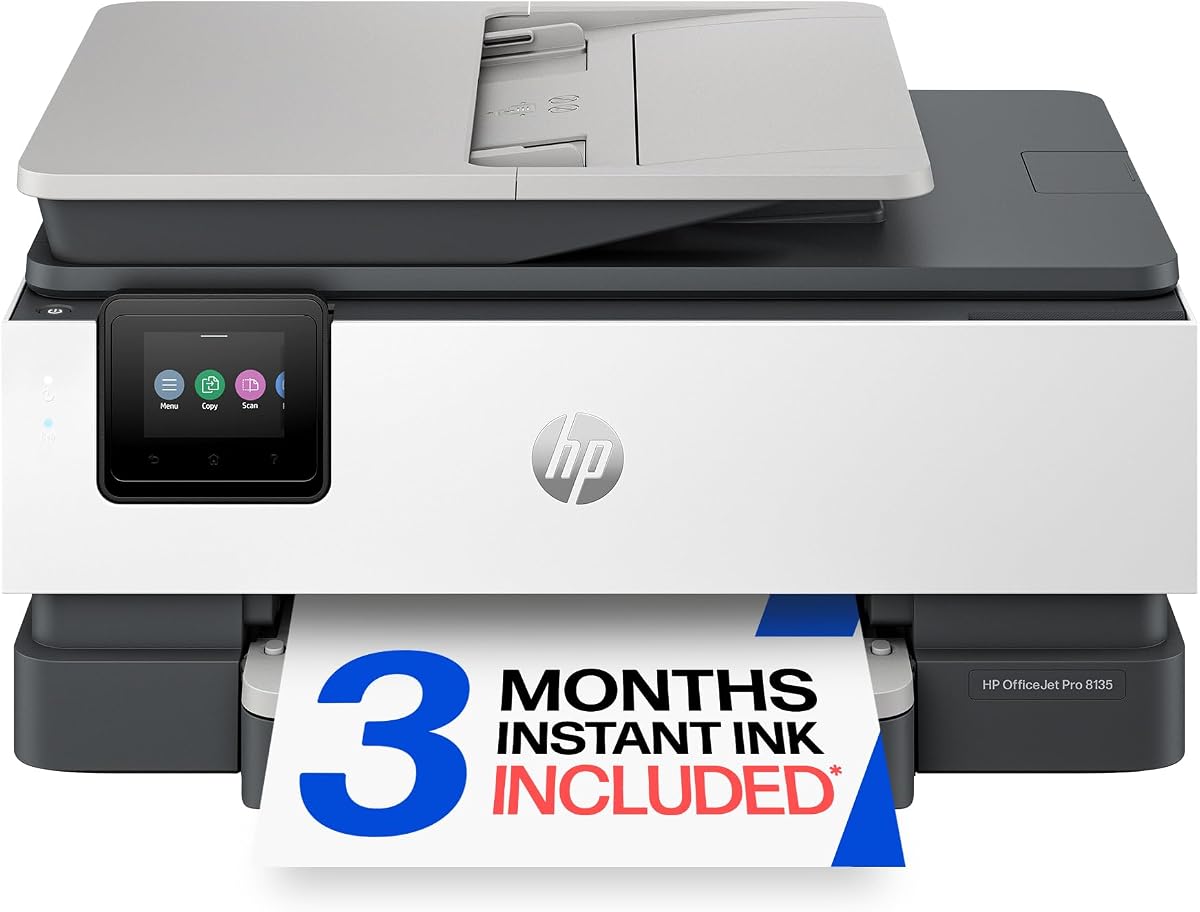
The HP OfficeJet Pro 8135 delivers reliable performance for home offices needing fax and document management. It holds a 3.9 rating from users valuing its balance of features and affordability.
We may earn a commission when you buy through this link, at no additional cost to you.
Strengths include a 3-month Instant Ink trial reducing initial costs while AI optimization ensures professional prints. The 2.7-inch touchscreen and HP app enable easy control from smartphones. Wolf Essential Security safeguards data and dual-band Wi-Fi maintains stable connections.
Users may find color speeds slower at 10 ppm and reliance on Instant Ink after the trial. Proprietary cartridge checks limit supply options but help maintain print quality.
Ideal for remote workers and small teams needing all-in-one functionality without enterprise costs. Its compact design and smart tools fit well in home environments.
HP app allows mobile printing scanning and faxing from anywhere.
Instant Ink subscription saves up to 50% on ink costs.
We may earn a commission when you buy through this link, at no additional cost to you.
The Epson EcoTank ET-4800 offers a cartridge-free approach with high-capacity ink tanks for long-term savings. It carries a 3.8 rating from users prioritizing cost efficiency and environmental impact.
We may earn a commission when you buy through this link, at no additional cost to you.
Key strengths include refillable ink bottles reducing waste and Micro Piezo Heat-Free Technology delivering sharp text and vibrant photos. The flatbed scanner ensures reliable copying for various documents. EcoFit bottles make refilling easy without spills.
The higher upfront cost and limited fax details in specs may deter some users. Ink levels need monitoring though refills are straightforward.
Best for high-volume users wanting low operational costs and eco-friendly design. Its reliability suits offices needing frequent printing without cartridge replacements.
High-capacity tanks eliminate expensive cartridges and reduce waste.
Micro Piezo technology produces sharp results without heat.
We may earn a commission when you buy through this link, at no additional cost to you.
The HP OfficeJet Pro 8125 provides essential all-in-one features at an accessible price point. It holds a 3.9 rating from users seeking cost-effective solutions for home offices.
We may earn a commission when you buy through this link, at no additional cost to you.
Strengths include a 3-month Instant Ink trial and AI optimization for precise prints. The 2.7-inch touchscreen simplifies navigation while HP Essential Security protects data. Wireless printing supports flexible workflows.
Trade-offs include slower 20 ppm speeds and proprietary cartridge checks limiting options. Users should budget for potential subscription costs after the trial.
This model fits budget-conscious users needing fax and basic color printing. Its compact size and smart tools suit smaller workspaces.
Low upfront cost makes it accessible for small home offices.
Wolf Essential Security bolsters network protection against threats.
We may earn a commission when you buy through this link, at no additional cost to you.
The HP Smart Tank 7603 combines a reliable inks up to three years of HP Ink included making it a top choice for high-volume users. It earns a 3.9 rating from users appreciating the convenience.
We may earn a commission when you buy through this link, at no additional cost to you.
Key strengths include mess-free refills reducing spills and a high page yield of up to 8000 color pages. The magic touch control panel simplifies operations while mobile printing supports flexible workflows.
Trade-offs include a higher upfront cost and reliance on included ink limits. Users should monitor usage to maximize value before refills.
Best for families and home offices needing frequent fax and print without supply worries. Its cartridge-free design ensures long-term savings.
Bottles plug in and drain without squeezing or spilling ink.
Up to 8000 color pages reduce refill frequency.
We may earn a commission when you buy through this link, at no additional cost to you.
The HP OfficeJet Pro 9135 is designed for offices needing high volume and speed. It earns a top 4.0 rating from users valuing its robust performance and capacity.
We may earn a commission when you buy through this link, at no additional cost to you.
Strengths include print speeds up to 25 ppm black and dual 250-sheet trays reducing reloads. The 4.3-inch touchscreen simplifies navigation while single-pass duplex scanning saves time. Wolf Pro Security protects data.
Trade-offs include higher costs and reliance on Instant Ink after the trial. Proprietary cartridge checks limit flexibility but ensure quality.
Ideal for busy teams needing reliable fax and professional output. Its speed and capacity support demanding workflows.
Two 250-sheet trays minimize frequent reloading.
Single-pass duplex scanning cuts document processing time.
We may earn a commission when you buy through this link, at no additional cost to you.
The Canon PIXMA TR4720 offers essential fax and printing features for home use. It holds a 3.9 rating from users valuing its simplicity and compact design.
We may earn a commission when you buy through this link, at no additional cost to you.
Strengths include an auto document feeder for easy multi-page tasks and Alexa integration for smart reorder notifications. Auto duplex printing saves paper and its wireless connectivity supports mobile printing.
Trade-offs include slower 8.8 ipm speeds and a 100-sheet tray limiting volume. It suits light users needing reliable fax capabilities.
Best for home users needing a compact fax and print solution. Its affordability and smart features make it accessible.
Alexa tracks ink and orders smart supplies automatically.
Design fits easily in small home office spaces.
We may earn a commission when you buy through this link, at no additional cost to you.
The Canon PIXMA TR8620a integrates voice control and smart features for home offices. It earns a 4.0 rating from users appreciating its ease of use.
We may earn a commission when you buy through this link, at no additional cost to you.
Strengths include voice-activated printing via Alexa and smart reorder notifications preventing low-ink issues. A 200-sheet capacity supports higher volume and a Micro SD slot aids direct printing.
Trade-offs include higher costs and limited fax specifications in details. Users should consider volume needs when choosing.
Ideal for tech-savvy users needing voice control and reliable fax. Its design supports flexible workflows.
Alexa allows voice print discovery and control.
Alexa notifies and orders ink to prevent interruptions.
We may earn a commission when you buy through this link, at no additional cost to you.
The HP OfficeJet Pro 8139 offers a generous one-year Instant Ink trial supporting home offices. It holds a 4.0 rating from users valuing extended ink support.
We may earn a commission when you buy through this link, at no additional cost to you.
Strengths include a 1-year trial reducing early costs and AI optimization for precise prints. The 2.7-inch touchscreen simplifies navigation while HP App supports mobile printing.
Trade-offs include higher costs and reliance on Instant Ink after the trial. Proprietary cartridge checks limit supply choices.
Best for users wanting long-term ink savings. Its speed and smart tools fit home workspaces.
One-year Instant Ink trial covers extended early printing.
HP AI removes unwanted web content for cleaner prints.
We may earn a commission when you buy through this link, at no additional cost to you.
The Brother MFC-L2820DW offers laser speed and reliability for offices needing fax and document management. It earns a 4.3 rating from users valuing its performance and compact design.
We may earn a commission when you buy through this link, at no additional cost to you.
Strengths include print speeds up to 36 ppm black and a 50-page ADF for multi-page tasks. Cloud app integration enables secure printing while a refresh trial reduces supply worries.
Trade-offs include monochrome-only output and subscription reliance after the trial. It suits users prioritizing speed over color.
Best for small offices needing fast laser fax capabilities. Its footprint and efficiency support demanding workflows.
Up to 36 ppm ensures fast document processing.
Support for Google Drive Dropbox and other apps.
We may earn a commission when you buy through this link, at no additional cost to you.
Choosing the right all in one printer with fax requires understanding your specific needs and comparing key factors like speed connectivity and ink costs.
Print speed measured in pages per minute is vital for offices handling high volumes. Look for models with at least 20 ppm black to ensure documents are ready quickly.
Prioritize faster speeds if you frequently produce reports or presentations.
Ink costs can exceed the printer price over time. Compare cartridge prices and check for instant ink or subscription trials to reduce long-term expenses.
Tank-based systems like EcoTank may offer lower costs but higher upfront investment.
Dual-band Wi-Fi and Ethernet ensure stable connections in busy networks. Mobile apps enable printing from smartphones or tablets remotely.
Verify Bluetooth or Airprint support if you use Apple devices frequently.
Built-in fax remains essential for many businesses sending contracts or legal documents. Ensure the model supports clear transmission and receives faxes reliably.
Check if it includes features like email forwarding for digital faxing.
Protect sensitive data with models offering secure printing and network encryption. Wolf Pro Security helps shield devices from cyber threats.
Choose devices with authentication features if multiple users access the printer.
Adequate tray capacity reduces frequent reloading. Look for models with at least 250 sheets to accommodate larger jobs.
Dual trays allow mixing paper types for flexible workflows.
A larger touchscreen simplifies navigation and setup. Look for models with intuitive interfaces to reduce training time.
Voice or app control adds convenience for modern workflows.
Consider warranty length and customer support quality for long-term reliability. Check user reviews for real-world durability insights.
Duty cycle ratings indicate how many pages the printer can handle monthly.
Begin by connecting the printer to your network using the touchscreen menu and ensure firmware is updated for security and performance.
Load paper trays correctly and set fax numbers in the settings to avoid transmission errors. Test a sample page to confirm all functions are operational.
Regularly clean the scanner glass and printheads using manufacturer-recommended tools to prevent smudges. Keep ink cartridges sealed when not in use to prevent drying.
Many modern all-in-one printers include built-in fax capabilities using phone lines. Some models also support email-to-fax services for digital workflows. Verify the model specs to ensure fax support matches your needs.
Inkjet printers use liquid ink and are ideal for color photos. Laser printers use toner and excel at fast text document production. For fax use laser models often provide better durability.
Instant Ink subscriptions deliver ink automatically before you run out based on page usage. This can save costs but requires ongoing monthly fees after the trial period.
Most modern all-in-one printers support mobile printing via dedicated apps or AirPrint. Ensure your printer is connected to the same Wi-Fi network for seamless operation.
Look for secure printing network encryption and firmware updates to protect data. Some models offer advanced security suites to prevent unauthorized access.
Many models feature automatic duplex printing to save paper. Check the specs to confirm if both printing and scanning duplex features are included.
Regularly clean the printhead and use manufacturer-recommended paper types. Replace cartridges or ink before they run empty to avoid nozzle clogging.
Some models feature recycled materials and energy-saving modes. Tank systems reduce cartridge waste while instant ink programs help minimize shipping.
This guide highlights ten reliable models offering fax and all-in-one functionality for home and office use. Top picks like the HP OfficeJet Pro 9125 and Brother MFC-L2820DW lead in speed and durability.
Prioritize speed ink costs and security features based on your daily needs. High-volume users should consider tank or laser models for better long-term value.
Prices and availability change frequently so verify current deals before purchase. Check warranty terms and user reviews to ensure the model fits your specific requirements.