
Dell Optiplex 9020
3.6Editor score
Intel Quad-Core i5
500GB HDD Storage
8GB DDR3 RAM
This guide compares the top desktop computers for kids featuring performance, durability, and value across ten verified models for home learning.
Selecting the right desktop computer for kids requires balancing performance with ease of use and safety features that protect young users during study and play.
We evaluated ten verified models based on processing power, storage capacity, display quality, and overall reliability to help you find a system that grows with your child.
Each pick highlights key strengths and trade-offs so you can make an informed decision while keeping in mind that prices and availability may change over time.
3.6Editor score

4.5Editor score

4.2Editor score
The following table provides a side-by-side comparison of all ten models including key specifications, ratings, and direct links to product pages.




This HP All-in-One desktop offers a balanced performance with a clear display ideal for schoolwork and creative projects in a clutter-free setup.
We may earn a commission when you buy through this link, at no additional cost to you.
Its Intel N100 processor handles daily tasks smoothly while the 21.5 inch screen delivers sharp visuals for reading documents or watching educational videos.
While storage is adequate for basic use families may need cloud solutions for large media libraries and the non-touch limit restricts interactive learning apps.
It is an excellent choice for students needing a reliable system that looks sleek and provides essential peripherals right out of the box.
The integrated monitor and PC tower reduce cable clutter making it perfect for smaller desks or shared family spaces.
Wi-Fi 6 support ensures fast internet speeds for video calls and online learning without needing a physical ethernet connection.
We may earn a commission when you buy through this link, at no additional cost to you.
This renewed Dell package provides essential computing power at a low entry price making it accessible for families on a tight budget.
We may earn a commission when you buy through this link, at no additional cost to you.
The Intel Quad-Core i5 processor manages multiple browser tabs and school applications without significant lag despite its older architecture generation.
Storage speed may feel slow compared to modern SSDs but the included monitor bundle adds value by removing the need to buy separate display hardware.
It is a practical starting point for children who need a functional PC for basic homework and browsing without expensive advanced features.
Buying the monitor and PC together saves money and simplifies setup compared to sourcing components separately.
Certified renewed units undergo testing to ensure functionality while offering cost savings compared to brand new machines.
We may earn a commission when you buy through this link, at no additional cost to you.
This Lenovo All-in-One system combines premium specs like 16GB RAM and a fast SSD to handle demanding software and long-term usage comfortably.
We may earn a commission when you buy through this link, at no additional cost to you.
The larger 23.8 inch display provides more screen real estate for multitasking between research and writing or creative editing tasks.
While the price is higher than budget options the extra memory ensures smooth performance even as software demands increase over several years of use.
Families seeking a durable and powerful machine for serious academic work will find this model offers a significant upgrade in capability.
The 16GB of RAM allows for seamless multitasking enabling students to run multiple apps without slowdown.
Built for business environments this model brings enterprise grade durability and stability to the home setting.
We may earn a commission when you buy through this link, at no additional cost to you.
The HP Elite Desktop stands out for its massive storage capacity allowing users to keep large files and media libraries locally.
We may earn a commission when you buy through this link, at no additional cost to you.
With 16GB of RAM this system handles multitasking well ensuring that switching between programs remains fluid during active use.
The inclusion of RGB peripherals adds a touch of fun and style that might appeal to younger users who value aesthetics.
However the HDD drive means boot times and app launches are slower than modern SSDs so patience is required during initial setup.
A terabyte of space is ideal for storing extensive photo collections and large project files without external drives.
The RGB keyboard and mouse add visual flair making the workspace feel more engaging for creative activities.
We may earn a commission when you buy through this link, at no additional cost to you.
This Dell system offers exceptional storage with a 2TB hard drive ensuring that families never run out of space for documents and media.
We may earn a commission when you buy through this link, at no additional cost to you.
The combination of 16GB RAM and a solid i5 processor provides a stable environment for productivity tasks and everyday computing.
While the drive speed is not as quick as an SSD the sheer volume of storage makes it a strong candidate for heavy data usage.
It is best suited for users who prioritize capacity over raw speed and want a dependable workstation for long term use.
Two terabytes provide double the space of standard drives accommodating growing digital libraries easily.
The robust build ensures consistent performance for daily tasks without frequent interruptions or crashes.
We may earn a commission when you buy through this link, at no additional cost to you.
This HP desktop features a 500GB SSD which significantly improves boot times and application responsiveness compared to traditional hard drives.
We may earn a commission when you buy through this link, at no additional cost to you.
With 16GB of RAM and an 8th generation i5 processor it delivers reliable performance for schoolwork and light gaming.
The package includes necessary peripherals like a webcam and speakers making it a complete solution for remote learning and communication.
It is a strong contender for families wanting modern speed and features at a renewed price point without compromising on memory.
SSD technology reduces wait times allowing kids to focus on tasks without frustrating delays.
Built-in speakers and webcam facilitate easy video conferencing and media consumption without extra hardware.
We may earn a commission when you buy through this link, at no additional cost to you.
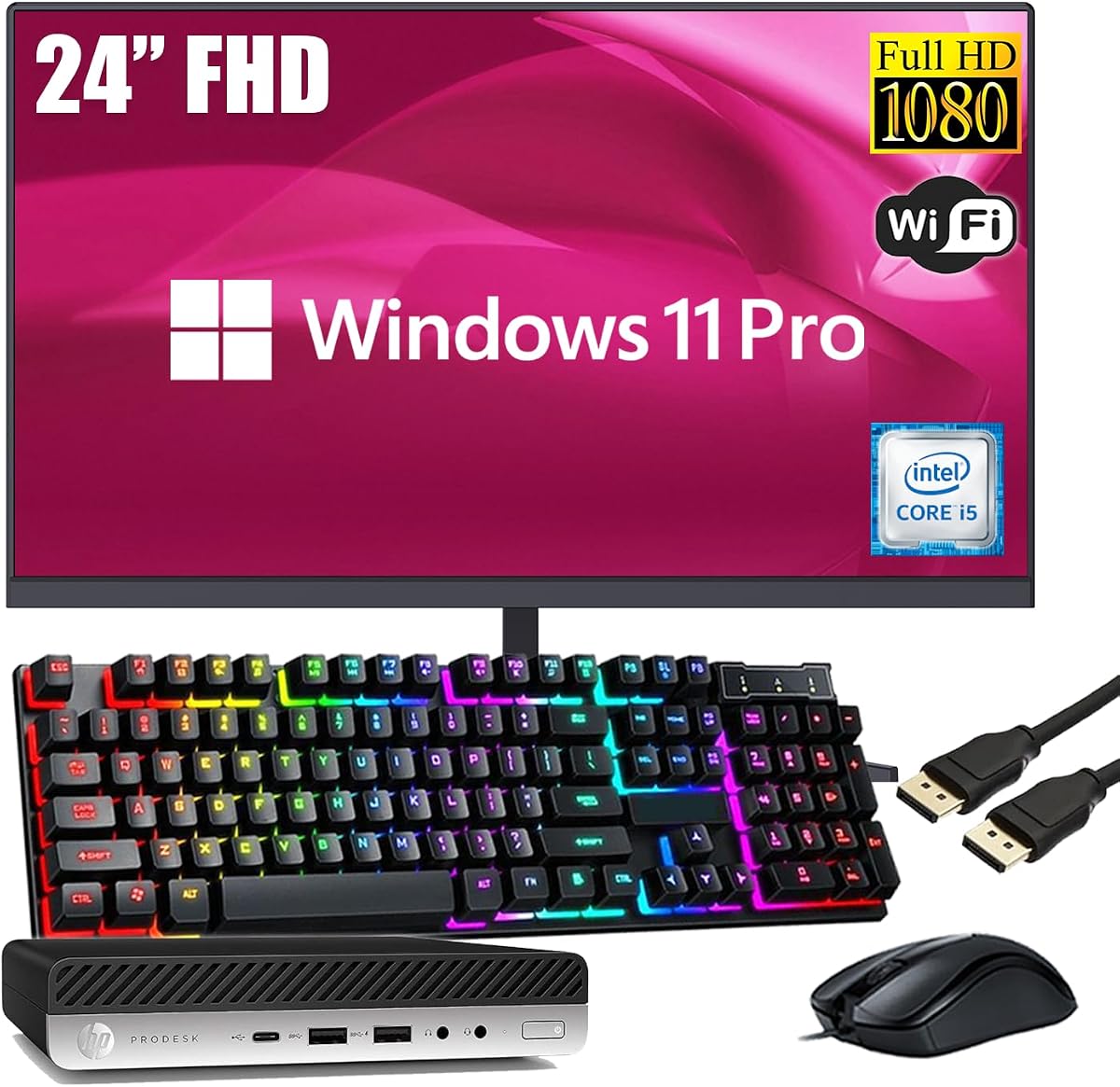
The HP ProDesk Mini offers a footprint-friendly solution ideal for small desks while maintaining respectable performance for general use.
We may earn a commission when you buy through this link, at no additional cost to you.
Its SSD storage ensures quick access to files and the Intel i5 processor handles daily tasks with consistent reliability.
While the 8GB RAM may limit heavy multitasking it is sufficient for most school apps and web browsing needs effectively.
This unit is perfect for those with limited space who want a modern Windows 11 Pro system with essential connectivity options.
The small form factor leaves more room on the desk for books and writing materials.
USB-C connectivity supports current devices and peripherals for flexible connectivity.
We may earn a commission when you buy through this link, at no additional cost to you.
This Lenovo model features the efficient N305 processor which delivers strong performance for its size with excellent power efficiency.
We may earn a commission when you buy through this link, at no additional cost to you.
The combination of 16GB RAM and a 512GB NVMe SSD ensures that both memory and storage speed are top notch for the year.
The borderless display adds a professional and modern look that elevates the overall appeal of any study or home setup.
It is a premium choice for families who value design and speed over saving a few dollars on older hardware configurations.
The thin bezel design creates an immersive viewing experience for media and reading.
PCIe NVMe SSD technology delivers the fastest boot and load times available today.
We may earn a commission when you buy through this link, at no additional cost to you.
This Dell package is an entry level option designed for those who need a functional PC without extra advanced specifications or costs.
We may earn a commission when you buy through this link, at no additional cost to you.
It includes a DVD drive and a small monitor which covers basic reading and writing tasks for younger students effectively.
While the hardware is older and the screen is smaller it still runs Windows 11 Pro for standard school apps and web use.
It serves well as a secondary device or for younger children who do not yet require large high performance systems.
Low cost allows multiple households to provide computing access to children without financial strain.
Built-in DVD capability supports legacy discs for educational content that still uses physical media.
We may earn a commission when you buy through this link, at no additional cost to you.
The Lenovo IdeaCentre combines modern efficiency with solid storage speed making it a practical and reliable choice for everyday home computing.
We may earn a commission when you buy through this link, at no additional cost to you.
Its N100 processor is optimized for low power and high efficiency ensuring it stays cool while handling typical web and office tasks.
The 512GB SSD offers generous space for apps and files while the compact design fits easily into any room layout.
Families looking for a clean simple and modern system that performs well for the price will find this model highly suitable.
Low power consumption means lower energy bills and less heat generation in the home.
The 512GB SSD provides fast load times and ample space for digital files.
We may earn a commission when you buy through this link, at no additional cost to you.
Choosing the right desktop computer for a child involves balancing performance needs with budget and physical constraints in the home.
The processor acts as the brain of the computer and determines how quickly tasks are completed. For kids, a modern Core i5 or equivalent is sufficient for schoolwork and basic browsing.
Look for at least a quad-core processor to ensure smooth operation when multiple apps are open at once.
RAM affects how many programs can run simultaneously without slowing down the system. Eight gigabytes is a good minimum while 16GB offers future proofing.
Higher memory helps when switching between homework apps video calls and games without needing to close programs.
Solid State Drives are significantly faster than traditional hard drives and make the computer feel more responsive. A 512GB SSD provides ample space for most users.
Prioritize SSD storage over large HDD capacity to ensure the system remains fast and boot times are quick.
A clear and sharp screen reduces eye strain and makes reading text easier during long study sessions. Look for Full HD resolution of at least 1920×1080.
IPS panels offer better viewing angles and colors which are important for creative projects or watching educational content.
Windows 11 is the current standard and provides security features and parental controls essential for home use. Ensure the model comes with a genuine license.
Having the latest OS ensures compatibility with most modern apps and security updates for the safety of online browsing.
Wi-Fi 6 support provides faster internet speeds which are necessary for video conferencing and streaming content. Check for USB ports to connect peripherals.
Ensure there are enough ports for a mouse keyboard and external storage drives so everything can be connected easily.
All-in-One PCs save space by combining the monitor and tower into one unit which is ideal for smaller desks or shared spaces.
Consider how much desk space is available before choosing between a bulky traditional PC and a compact All-in-One design.
Children may be rough on equipment so choose models from reputable brands known for durability. Renewed units should come with a warranty.
A warranty provides peace of mind that if the system fails within the coverage period it can be repaired or replaced.
When setting up the computer, place it on a stable surface away from liquids and direct sunlight to prevent overheating and physical damage. Connect all cables securely and ensure ventilation holes are not blocked.
Encourage your child to use a screen protector if available and take regular breaks to prevent eye strain. Teach them to save work frequently and use cloud storage for important files.
Keep the system clean by dusting the keyboard and monitor regularly with a soft cloth. Install software updates as they appear to maintain security and performance over time.
The Dell Optiplex 9020 is the best budget option offering a full bundle with monitor at an accessible price. It provides sufficient performance for basic homework tasks and is certified renewed with a warranty.
A mid range processor with 8GB of RAM is usually enough for online learning. The HP All-in-One models in this guide are excellent for video calls and streaming educational content.
All-in-One desktops are great because they reduce cable clutter and save space on the desk. They are easier to clean and less likely to be accidentally knocked over than separate towers.
Solid State Drives are best because they boot up quickly and are more durable against movement. A 512GB SSD gives plenty of room for school projects and games.
Yes, Windows 11 includes robust security tools and parental controls that help manage screen time and content access. It ensures the system stays updated against threats.
Many of these models allow for upgrades to memory or storage. However, All-in-One models are more difficult to open so check the specs before purchasing if you plan to upgrade.
We have reviewed ten top desktop computers for kids ranging from budget bundles to premium All-in-One systems that meet diverse needs.
Prioritize a fast SSD and modern processor to ensure the machine remains useful as your child grows and their software needs become more complex.
Remember to check current prices and availability on Amazon as these values change frequently and new models are added to the market.