
Rongta Bluetooth Shipping Label Printer
4.0Editor score
Affordable entry price
Automatic label detection
Compact portable design
This guide compares the top 10 Label Printer for Pirate Ship models for efficiency, compatibility, and ease of use in your shipping workflow.
Finding the right Label Printer for Pirate Ship can transform your shipping workflow and save valuable time each day. These devices offer direct thermal printing without ink, ensuring crisp labels that scan reliably across all major platforms.
We evaluated ten top-rated models based on connectivity options, print speed, and platform compatibility. Our analysis focuses on real-world performance for small businesses managing high-volume shipping needs efficiently.
Each pick highlights key strengths and potential trade-offs to help you choose wisely. Prices and availability change frequently, so verify current details on the product pages before making your final decision.
4.0Editor score

4.6Editor score

4.3Editor score
This side-by-side comparison highlights key specifications across all ten models to help you identify the best fit for your specific shipping volume and connectivity needs.






This Bluetooth thermal printer stands out for its reliability and speed. It delivers crisp labels at 150mm/s and supports both fanfold and roll labels. The dual connectivity options make it versatile for various office setups.
We may earn a commission when you buy through this link, at no additional cost to you.
Its advanced thermal direct technology ensures clear 203 DPI prints without ink. The device works with major platforms like Amazon and Shopify. Users benefit from high efficiency during peak shipping hours.
While it requires an app for mobile printing, this ensures stable connections. Mac users must use USB for Bluetooth limitations. These minor constraints do not outweigh its overall performance.
Ideal for small businesses needing consistent quality, this model delivers. It fits well on desks and supports diverse labeling needs. A reliable choice for efficient shipping operations.
Bluetooth connectivity allows wire-free label creation and printing from phones or tablets.
Thermal technology eliminates ongoing ink and toner expenses for long-term savings.
We may earn a commission when you buy through this link, at no additional cost to you.
This model balances performance and ease of use effectively. The FlashLabel Pro app offers extensive templates for various labeling tasks. Its direct thermal technology ensures sharp prints without maintenance hassles.
We may earn a commission when you buy through this link, at no additional cost to you.
Built-in overheat protection supports long runs without interruptions. The compact design fits neatly on any workspace. Users appreciate the included starter labels for immediate use.
Printing is restricted to black and white, which suffices for shipping. The offline capability helps maintain productivity during connectivity issues. Overall, it offers robust functionality for its category.
Best for businesses prioritizing reliability and straightforward operation. It handles high-volume shipping well. A solid investment for consistent label output.
Simple setup and intuitive apps minimize learning curves for new users.
Supports widths from 1.57 to 4.3 inches for diverse needs.
We may earn a commission when you buy through this link, at no additional cost to you.
The JADENS printer delivers consistent quality thanks to its Japanese print head. It handles both fanfold and roll labels seamlessly. The setup is streamlined with included drivers and videos.
We may earn a commission when you buy through this link, at no additional cost to you.
Its compatibility with major platforms like ShipStation and eBay is excellent. Users find the calibration feature useful for changing label sizes. The warranty provides peace of mind for buyers.
Mobile printing requires app downloads rather than direct Bluetooth. This adds a slight step but ensures stability. The trade-off is acceptable given the print quality.
A strong contender for mixed-label environments. It balances cost with performance effectively. Recommended for sellers needing reliable label output.
203 DPI resolution ensures barcodes and text remain sharp and scannable.
Includes instructional videos and one-year warranty for user confidence.
We may earn a commission when you buy through this link, at no additional cost to you.
This commercial-grade printer is built for heavy-duty daily use. Its Rollo Ship app offers exclusive shipping rates, reducing costs. The 150mm/s speed keeps up with high demand easily.
We may earn a commission when you buy through this link, at no additional cost to you.
Direct thermal technology ensures clear, visible labels. The 203 DPI head produces reliable barcodes and text. It supports various sizes, making it versatile beyond just shipping.
USB-only connectivity limits wireless options but ensures stability. The premium price reflects its robust build. It suits businesses needing consistent performance and cost savings.
Ideal for enterprises prioritizing durability and efficiency. It handles large volumes without faltering. A top choice for professional shipping environments.
Rollo Ship app provides access to discounted shipping rates directly.
Create thank-you stickers, QR codes, and business labels effortlessly.
We may earn a commission when you buy through this link, at no additional cost to you.
With 180mm/s speed, this printer handles rapid shipping demands. The FlashLabel Pro app offers over 3000 templates for customization. Its compact design fits easily into tight spaces.
We may earn a commission when you buy through this link, at no additional cost to you.
It supports both fanfold and roll labels up to 4.2 inches. The built-in USB drive simplifies driver installation. Users enjoy fast setup and immediate printing capabilities.
Bluetooth requires app usage, which adds a minor step. The speed compensates for this convenience. It suits users needing both style and function.
Great for mobile and desktop users alike. It balances aesthetics with performance. A smart pick for modern small businesses.
180mm/s speed minimizes wait times during busy shipping periods.
Thousands of templates and icons enable unique, professional labels.
We may earn a commission when you buy through this link, at no additional cost to you.
This model offers essential features at a budget-friendly price. The automatic label detection simplifies setup significantly. It supports iOS and Android phones via the Rongta app.
We may earn a commission when you buy through this link, at no additional cost to you.
Its compact build makes it ideal for small offices. The 150mm/s speed ensures decent efficiency. Users appreciate its portability for various locations.
While it lacks advanced customization, it fulfills core needs. The driver setup is straightforward for Windows and Mac. It serves well for entry-level shipping tasks.
Perfect for startups or low-volume sellers. It provides value without compromising reliability. A practical choice for basic labeling needs.
Auto-detection eliminates manual label calibration and adjustment.
Direct phone printing lets you label from anywhere.
We may earn a commission when you buy through this link, at no additional cost to you.
This printer stands out for its Ethernet networking capability. It supports ZPL software, enhancing integration options. The commercial design ensures reliability in busy environments.
We may earn a commission when you buy through this link, at no additional cost to you.
It accepts fanfold and roll labels with wide thickness tolerance. The included starter labels help users start immediately. Its speed matches standard commercial expectations.
Bluetooth is absent, limiting wireless options. Ethernet provides stable network access for shared offices. This suits structured business setups more than casual home use.
Ideal for teams needing networked label access. It offers advanced connectivity features. A robust tool for scalable operations.
Ethernet support allows seamless integration into office networks.
ZPL support offers advanced programming and customization options.
We may earn a commission when you buy through this link, at no additional cost to you.
The MUNBYN printer offers a unique web-based editor for desktop. It provides 3500+ elements for creative label design. Mobile users get a dedicated app for Bluetooth printing.
We may earn a commission when you buy through this link, at no additional cost to you.
It supports specialty papers like glitter and rainbow options. OCR text recognition helps import existing documents easily. The 203dpi precision ensures crisp output.
Some UPS paper incompatibility may exist. Using genuine labels ensures optimal performance. These quirks do not hinder its overall utility.
Great for branding and varied labeling tasks. It balances creativity with functionality. A strong option for custom needs.
Chrome editor allows label creation without installing software.
Specialty papers enable unique branding and aesthetic labels.
We may earn a commission when you buy through this link, at no additional cost to you.
This printer uses direct thermal technology for ink-free printing. Its labels resist fading, ensuring long-term readability. The support team offers live chat and remote help.
We may earn a commission when you buy through this link, at no additional cost to you.
It handles widths from 1 to 4.6 inches flexibly. Both mobile and desktop users have clear connection paths. The design suits both business and personal use.
Color printing requires separate purchases, which adds cost. The speed and clarity remain competitive. It fits well in eco-conscious setups.
Ideal for users valuing support and sustainability. It balances function with helpful service. A trustworthy option for varied needs.
Engineered thermal paper resists smudging and fading over time.
Dedicated support team ensures quick resolution of issues.
We may earn a commission when you buy through this link, at no additional cost to you.
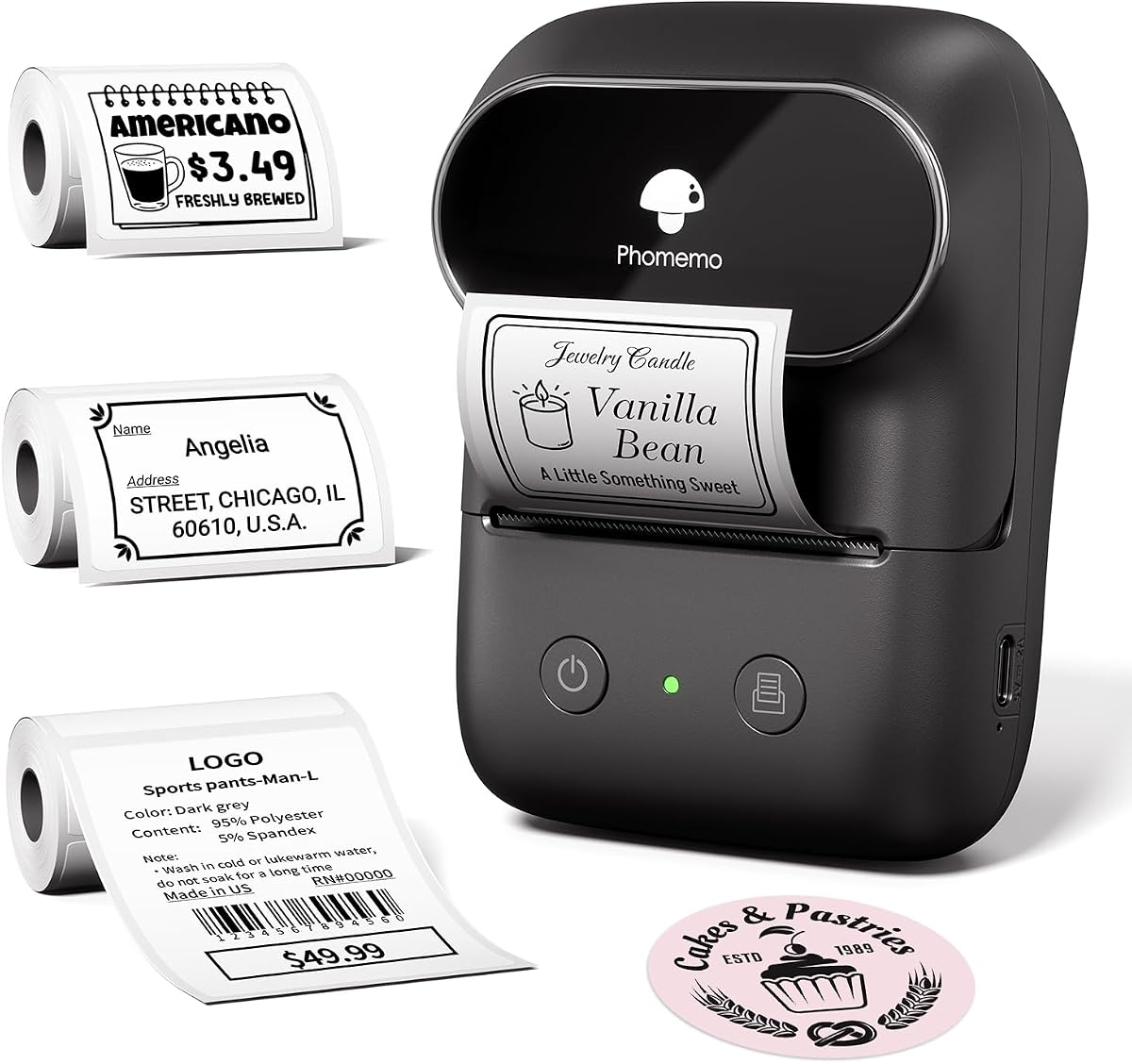
This portable unit comes with three rolls of tape. Its rechargeable battery supports up to 6000 prints per charge. It is lightweight and fits easily in bags.
We may earn a commission when you buy through this link, at no additional cost to you.
The app includes voice input and OCR features. It supports 0.75 to 2-inch labels. Users can create custom designs quickly. It is best for smaller label needs.
Its width limitation may not suit shipping labels. The compact design makes it ideal for organizing. It serves home and office well.
Best for supplementary labeling tasks. It offers convenience and portability. A handy tool for everyday organization.
6000 prints per charge ensure uninterrupted mobile use.
Voice and OCR features speed up label creation.
We may earn a commission when you buy through this link, at no additional cost to you.
Selecting the right Label Printer for Pirate Ship requires evaluating several critical factors to ensure seamless integration with your existing workflow.
Modern Label Printer for Pirate Ship models offer Bluetooth, USB, or Ethernet connections. Bluetooth enables wireless printing from mobile devices, while USB ensures stable desktop links. Ethernet supports networked environments for shared office use.
Choose connectivity based on your primary devices and workspace layout to avoid interruptions.
Higher print speeds like 150mm/s reduce wait times during peak hours. Resolution of 203 DPI ensures barcodes and addresses remain scannable. Speed and clarity together define operational efficiency.
Prioritize speed for high volume and resolution for reliable scanning success.
Verify the printer supports your required label widths, typically 1.57 to 4.2 inches. Some models accommodate smaller sizes like 1 inch. Matching width avoids wasted paper and extra costs.
Always check width ranges to ensure all your label types fit.
Quality apps provide templates, OCR tools, and direct platform links. Apps like FlashLabel Pro or Munbyn Editor streamline label creation. Good software reduces manual setup time significantly.
Look for apps with intuitive design and platform integration to boost productivity.
Ensure the printer integrates with your sales platforms like Amazon, Shopify, or Etsy. Most models support standard shipping formats. Platform support avoids export hurdles or extra steps.
Confirm platform compatibility with your specific marketplace needs before purchasing.
Commercial-grade models offer reinforced construction for continuous use. Compact designs save desk space. Overheat protection extends lifespan during heavy-duty tasks.
Invest in durable builds to handle daily shipping demands effectively.
Some printers support fanfold and roll labels. Others may need specific brands for best results. Understanding label requirements prevents compatibility issues.
Check media type flexibility to avoid recurring supply constraints.
A one-year warranty and responsive support teams add value. Some companies offer live chat or remote help. Support ensures quick issue resolution when downtime occurs.
Choose brands with strong support for long-term reliability and peace of mind.
Start by downloading the official app or drivers. Connect your printer via Bluetooth or USB, then pair it. Calibrate the printer to detect label size automatically before printing.
Regularly clean the printhead with a soft cloth to avoid smudging. Use recommended thermal labels to maintain print quality. Avoid exposing the device to extreme heat or humidity.
Update firmware regularly to ensure compatibility and performance. Store the printer in a dry place when not in use. These practices extend its lifespan and keep outputs sharp.
While many models accept various brands, using genuine labels often ensures better performance. Some printers may not recognize specific paper types. Always check compatibility in the manual to avoid issues.
No, these printers use direct thermal technology that applies heat directly to the label. This eliminates the need for ink cartridges or toner, reducing ongoing costs and maintenance.
Yes, most models support mobile printing via dedicated apps. Download the app from the App Store or Google Play, pair via Bluetooth, and print directly from your phone or tablet.
Common models support widths from 1.57 to 4.2 inches. This covers standard 4×6 shipping labels and smaller sizes. Verify width ranges for your specific needs before purchase.
Some printers allow switching between Bluetooth and USB. Others may need a reset to switch devices. Check the manual for device pairing instructions and limits.
Yes, most models are compatible with Mac via USB or Bluetooth. Some apps may require specific versions. Always confirm macOS support in product details.
Clean the printhead and ensure proper label alignment. Check paper thickness compatibility in the settings. Adjusting print density may also improve clarity.
Direct thermal printing is already eco-friendly due to no ink waste. Some brands offer recycled thermal paper options. Look for energy-efficient features in the specs.
This guide covers ten top models offering diverse features for varying needs. Each delivers reliable printing to streamline shipping operations efficiently.
Prioritize connectivity, speed, and platform support based on your business scale. The right choice saves time and enhances label accuracy.
Always check current pricing and availability on product pages before buying. These factors ensure you secure the best value for your investment today.