
2026 WiFi Extender Signal Booster for Home
5.0Editor score
15000 Sq Ft Range
1-Tap WPS Setup
4 Adjustable Antennas
This guide compares the top distance WiFi extender models for home and outdoor use, analyzing range, speed, and reliability to help you choose the right one.
Finding a reliable distance WiFi extender is crucial for modern homes and businesses that need consistent connectivity across large spaces. Weak signals often leave dead zones in remote areas, making it hard to work or stream without interruption. A quality extender bridges this gap by boosting your existing network reach effectively.
We have carefully evaluated ten leading models based on their technical specifications, user feedback, and real-world performance capabilities. Our analysis focuses on coverage area, supported device counts, and ease of setup to ensure you get a solution that meets your specific needs. This list includes options for indoor, outdoor, and specialized bridge applications.
Each pick highlights unique strengths such as Wi-Fi 6 support, weather resistance, or long-range point-to-point links. You will find detailed insights into how each device handles multiple connections and maintains stability over distance. Please note that availability and costs may change so always check the latest details before purchasing.
5.0Editor score

4.1Editor score
4.5Editor score
This side-by-side comparison helps you evaluate key differences between the top ten distance WiFi extender models available today. We focus on coverage limits, speed capabilities, and unique features to simplify your decision-making process.


The TP-Link AX3000 stands out as a top contender for expanding your network reach efficiently. With its WiFi 6 technology, it handles multiple connections smoothly while maintaining strong performance in large homes. The device aims to eliminate dead zones effectively without requiring complex setup steps.
We may earn a commission when you buy through this link, at no additional cost to you.
Its dual-band design delivers speeds up to 2404 Mbps on the 5 GHz band which is ideal for streaming and gaming. The two high-gain directional antennas use Beamforming to focus signals where they are needed most. This ensures reliable connectivity even when devices are far from the router source.
While the extender improves coverage significantly, it does not increase your base internet speed beyond what your plan allows. Users should note that actual speeds may be lower than the source connection due to wireless overhead. However, the improved signal reliability often boosts overall performance noticeably in congested areas.
This model is perfect for households needing seamless whole-home coverage with up to 64 connected devices. Smart Adaptive Roaming helps devices switch to the strongest signal automatically. You can easily set it up using the Tether app which guides you to the best placement spot.
Beamforming technology directs signals toward your devices instead of broadcasting in all directions. This focused approach enhances strength and reliability for better performance in large spaces.
EasyMesh compatibility allows you to expand your network with a unified setup. It connects to any EasyMesh-compatible router to create a smoother roaming experience across your home.
We may earn a commission when you buy through this link, at no additional cost to you.
This extender offers incredible value for users needing wide coverage without breaking the bank. It claims to cover up to 15000 square feet making it suitable for large properties. The design focuses on eliminating dead zones effectively with simple configuration.
We may earn a commission when you buy through this link, at no additional cost to you.
Setup is incredibly fast using the one-tap WPS function which connects your device within seconds. Four external antennas allow you to adjust signal direction for optimal penetration. It supports up to 70 devices ensuring stability even in crowded networks.
The device includes robust security protocols like WEP and WPA/WPA2 to protect your data. While it may lack the latest WiFi 6 features, it delivers stable performance for streaming and gaming. The four modes including Access Point offer flexibility for various network needs.
Ideal for budget-conscious buyers, it provides a reliable solution for boosting internet signals across expansive areas. The ethernet port adds convenience for wired devices needing stable connections. Its universal compatibility ensures it works with almost any standard router.
Just press the WPS button on your router and the extender to connect instantly. This avoids complex password entry or app downloads for quick deployment.
Supports Repeater Bridge Access Point and Router modes to fit different scenarios. This flexibility lets you adapt the device to your specific home layout needs.
We may earn a commission when you buy through this link, at no additional cost to you.
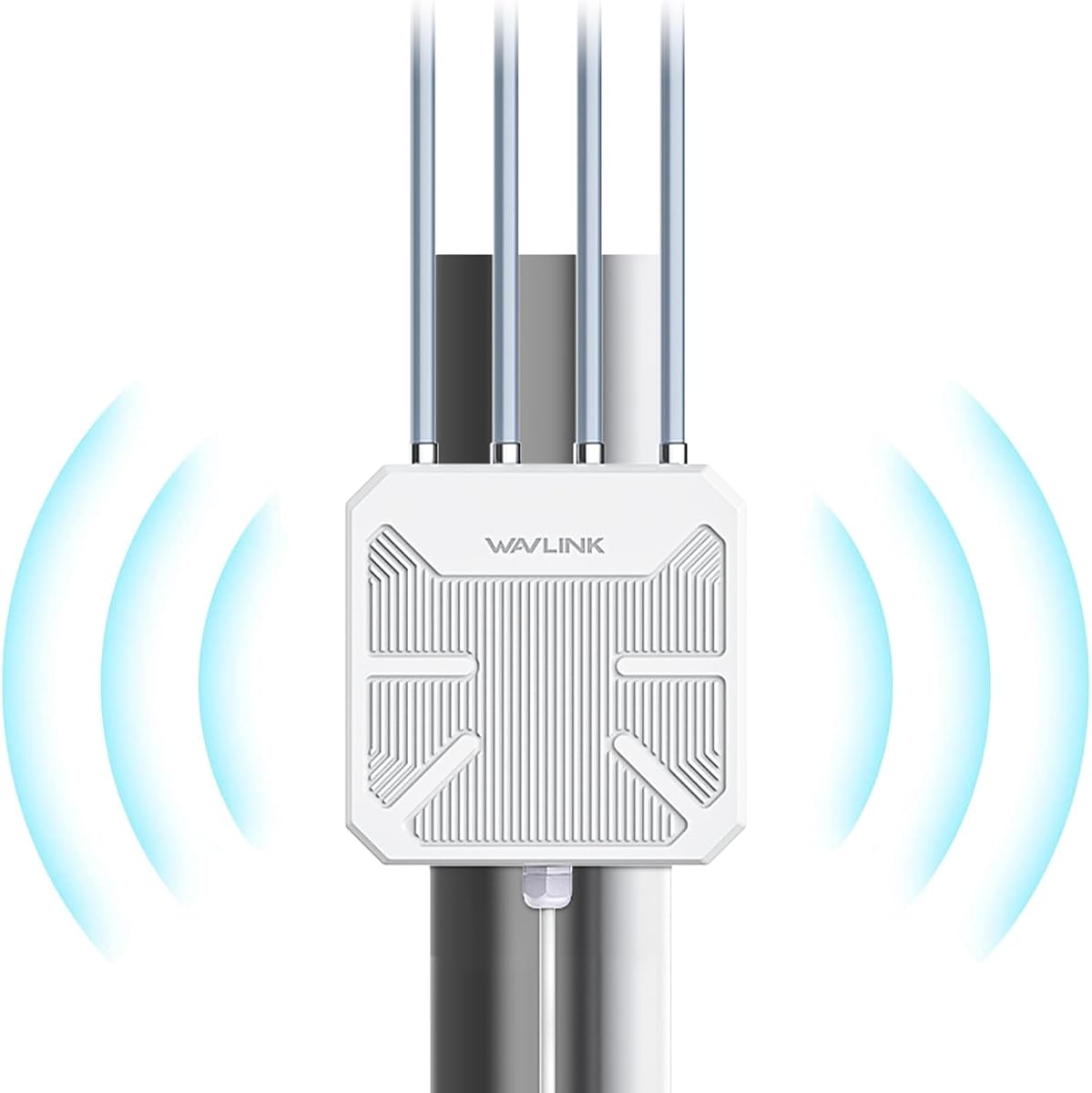
The WAVLINK AX1800 is engineered specifically for challenging outdoor environments where indoor routers fail. It features an IP67 rating that protects against rain dust and extreme temperatures. This makes it ideal for farms estates or large yards needing reliable internet.
We may earn a commission when you buy through this link, at no additional cost to you.
With four high-gain antennas it provides coverage up to 300 meters in line-of-sight conditions. The WiFi 6 speeds support 4K streaming and online gaming even outdoors. It connects seamlessly with Starlink setups for rural properties without cable access.
Powering the device is flexible via PoE which allows installation in remote spots without outlets. You can use a passive adapter or active switch to deliver power over ethernet. This simplifies wiring significantly compared to running power lines separately.
For those needing durable long-range connectivity this model offers unmatched resilience. It supports multiple modes like Mesh and AP to customize your network layout. The included mounting brackets ensure you can aim antennas precisely for best results.
The IP67 casing resists moisture and dust ensuring operation in harsh weather. This durability makes it a reliable choice for permanent outdoor installations.
PoE support lets you place the unit anywhere within Ethernet cable range. The adjustable brackets help you align antennas for maximum signal strength.
We may earn a commission when you buy through this link, at no additional cost to you.
The AC1900 RE550 offers a solid balance of speed and coverage for modern homes. It supports dual-band frequencies to reduce congestion and improve device performance. This model is a reliable choice for those upgrading from older single-band systems.
We may earn a commission when you buy through this link, at no additional cost to you.
Three adjustable external antennas help direct signals effectively to dead zones. You can optimize placement easily using the intelligent signal indicator on the device. This ensures you get the strongest possible connection without technical expertise.
Like other TP-Link models it supports EasyMesh for expanded network capabilities. It includes a gigabit port for wired connections which is vital for gaming or smart TVs. The Tether app simplifies setup and management for everyday users.
While it lacks the latest WiFi 6 features it still delivers strong AC1900 speeds. It handles up to 32 devices comfortably making it suitable for average households. Security is also a priority with Secure-by-Design commitment included in the build.
Three external antennas allow manual tuning of signal direction. This helps overcome physical obstacles like thick walls or large furniture.
The intelligent signal indicator guides you to the best location during setup. It uses LED lights to show connection quality visually for easy placement.
We may earn a commission when you buy through this link, at no additional cost to you.
This extender is designed for those preparing for the future of connectivity with WiFi 7. It pairs with WiFi 7 routers to leverage Multi-Link Operation for lower latency. This technology combines bands to maximize throughput for demanding applications.
We may earn a commission when you buy through this link, at no additional cost to you.
You can expect speeds up to 2594 Mbps on the 5 GHz band which is impressive. It supports 4K and 8K streaming seamlessly without buffering interruptions. Four antennas with beamforming ensure strong signal distribution throughout your home.
Note that it does not support the 6 GHz band which limits some advanced features. However for most current setups it offers significant performance gains over older models. Smart Adaptive Roaming keeps devices connected to the strongest signal automatically.
Setup is straightforward via the Tether app guiding you through placement and security. It supports up to 64 devices making it scalable for smart homes. This choice is best for early adopters wanting top-tier performance now.
MLO combines different frequency bands to reduce latency and increase speed. This creates a more stable connection for gaming and video calls.
Supports 4K and 8K video streaming with high bandwidth capacity. This ensures you never face buffering during high-quality media playback.
We may earn a commission when you buy through this link, at no additional cost to you.
This booster delivers solid performance with its 360-degree coverage and fast processor. It aims to reduce delays during gaming or video calls with high-speed handling. The design focuses on stability for all types of internet usage tasks.
We may earn a commission when you buy through this link, at no additional cost to you.
It supports up to 65 devices ensuring your entire family stays connected simultaneously. The 1-tap setup makes it accessible for users with no technical background. Multiple modes allow flexibility for different network configurations as needed.
Security features include WPA/WPA2 protocols to keep your data safe online. This is essential for protecting smart devices and personal information from threats. The ethernet port provides a reliable option for desktops or consoles.
Ideal for mid-sized homes needing a straightforward upgrade without complexity. It works with 99% of routers on the market. This versatility ensures it fits your existing network hardware perfectly.
Handles 65 connected devices without dropping signals. This ensures all smart devices and personal computers stay online smoothly.
Four external antennas enhance signal penetration through walls. This helps cover more areas effectively without dead zones.
We may earn a commission when you buy through this link, at no additional cost to you.
Hyzom offers an impressive 18000 square feet of coverage making it great for large estates. It aims to eliminate dead zones in basements or garages effectively. The Bionic Chip ensures stable performance for streaming and calls.
We may earn a commission when you buy through this link, at no additional cost to you.
Setup is simple using WPS which avoids complicated password entry. It supports up to 65 devices ensuring stability across your whole home. The ethernet port allows wired connections for critical devices needing reliability.
Security is handled with WPA2-PSK encryption to protect your network from unauthorized access. This is vital for online banking and shopping safety. Trusted by thousands of families it offers a dependable solution for daily use.
Best for those needing massive coverage without buying new routers. It improves existing signals efficiently. Its ease of use makes it a favorite for non-tech-savvy users.
Covers up to 18000 sq ft pushing signals through walls. This reaches every room including difficult areas like basements.
Advanced encryption protects your data while browsing online. This ensures your network stays safe from external threats effectively.
We may earn a commission when you buy through this link, at no additional cost to you.
Eboous provides a robust extender with claims of 6x faster speeds for smooth browsing. The design supports 15000 square feet ensuring consistent coverage indoors and out. Eight antennas help penetrate walls effectively for stronger signals.
We may earn a commission when you buy through this link, at no additional cost to you.
Setup takes minutes with WPS pairing that simplifies connection. It supports 65+ devices making it suitable for busy households. Security protocols protect your network from cyber threats during daily use.
Five operating modes give flexibility for different network layouts. You can use AP mode to turn wired connections into wireless networks easily. This adaptability helps you customize your home setup to specific needs.
Ideal for users wanting fast speeds without complex setups. It works with most standard routers on the market. This ensures compatibility with your existing hardware effortlessly.
Designed to deliver faster speeds across your network. This helps reduce buffering during high-bandwidth tasks like streaming.
Four plus four high-power antennas penetrate walls easily. This ensures signals reach every corner of your property.
We may earn a commission when you buy through this link, at no additional cost to you.
The RE615X is a compact option bringing WiFi 6 to medium-sized homes. It offers speeds up to 1201 Mbps on the 5 GHz band for better throughput. This device focuses on smooth streaming and gaming experiences.
We may earn a commission when you buy through this link, at no additional cost to you.
With two high-gain antennas it covers up to 2100 square feet effectively. Smart Roaming ensures devices switch connections without dropping. The intelligent signal indicator helps you place it for best results.
EasyMesh compatibility allows expansion with other compatible routers. This makes it scalable for growing network needs. The gigabit port supports wired connections for devices needing stability.
Best for users wanting modern WiFi 6 in a smaller form factor. It is reliable for everyday tasks. Setup via Tether app is simple and effective for most users.
Brings modern WiFi 6 performance to a small device. This helps improve connection efficiency in standard homes.
Devices automatically switch to the strongest signal available. This keeps connections stable as you move around your home.
We may earn a commission when you buy through this link, at no additional cost to you.
This bridge is ideal for connecting buildings over long distances without cables. It supports up to 3KM range with clear line of sight. This makes it perfect for farms or remote properties needing network access.
We may earn a commission when you buy through this link, at no additional cost to you.
It operates on 5.8GHz with speeds up to 300Mbps for stable data transmission. Dual ethernet ports allow connecting devices or switches. PoE support simplifies installation by delivering power over the data cable.
The IP65 housing protects the device from rain and dust. This ensures year-round reliability in outdoor conditions. Pre-paired WDS setup makes linking two units straightforward.
Best for industrial or agricultural sites needing building-to-building links. It replaces trenching cables saving labor and costs. Proper alignment ensures consistent high performance over distance.
Connects buildings over 3KM without physical cables. This is ideal for farms or remote properties needing reliable internet.
Units come pre-paired to simplify WDS bridge mode. This reduces setup time and complexity for new users.
We may earn a commission when you buy through this link, at no additional cost to you.
Selecting the right extender involves matching technical specs to your specific coverage needs and environment. This guide breaks down the most important factors to consider for optimal performance.
Look for an extender that supports at least the square footage of your home or target area. Models with claims up to 15000 square feet are ideal for large estates while others may suit smaller apartments. Always check if the stated range includes outdoor capabilities.
Ensure the coverage matches your physical space to avoid leaving any dead zones. This ensures every room gets a reliable signal connection.
Modern devices benefit from Wi-Fi 6 or newer standards which handle multiple connections better. These standards reduce congestion when many devices are active simultaneously. Older models might still work but lack the latest efficiency improvements.
Prioritize Wi-Fi 6 for future-proofing and better performance in crowded networks.
Adjustable external antennas often provide better reach than internal ones. They allow you to direct signals toward areas that need them most. This flexibility is key for penetrating walls and obstacles.
Choose models with adjustable antennas to customize signal direction for your layout.
Simple setup features like WPS one-tap connection save time and frustration. Look for apps that guide you through placement and settings easily. A user-friendly interface ensures you can manage the device without technical knowledge.
Opt for WPS or app-assisted setup to ensure a smooth installation process.
Modern homes have many connected devices like cameras phones and smart appliances. Ensure the extender supports at least 50 devices to avoid performance drops. High capacity models maintain stability even when the network is busy.
Select a device with high capacity support to keep all gadgets connected.
An Ethernet port allows wired connections for devices needing maximum stability. This is crucial for gaming consoles or desktops where wireless lag is unacceptable. It also offers flexibility to convert wired networks to wireless.
Check for a gigabit port to support high-speed wired connections reliably.
For outdoor use choose units with IP65 or higher ratings for water and dust protection. This ensures the device survives rain and temperature changes. Outdoor-specific models often include mounting brackets for secure installation.
Always pick weather-rated models for outdoor deployment to ensure longevity.
If you have a mesh system verify the extender supports that protocol for seamless roaming. This keeps your network name consistent across all nodes. Some units work with EasyMesh while others are proprietary.
Ensure compatibility with your existing router system for unified network management.
Start by placing the extender halfway between your router and the area with weak signal. Use the indicator lights or app to confirm the placement provides a strong connection to the main router.
Connect your devices to the new network name using the credentials you set during setup. For wired devices plug an Ethernet cable into the extender port to get a stable internet link.
Keep the firmware updated via the app to maintain security and performance. Clean the vents regularly to prevent dust buildup which can cause overheating.
It does not increase the raw speed of your internet plan but improves coverage reliability. By reducing signal loss it often results in faster actual data transfer where dead zones existed. It boosts performance by stabilizing connections rather than adding bandwidth.
Only models with weather-resistant ratings like IP65 or IP67 are safe for outdoor use. Standard indoor units may fail quickly in rain or extreme temperatures. Always check the product specs for weatherproof capabilities before mounting outside.
Most support universal compatibility with standard Wi-Fi routers on the market. However some mesh features might only work with specific brands or systems. Check the compatibility list to ensure seamless integration with your current network hardware.
Modern units support between 30 to 70 devices depending on their processing power. High-end models handle smart home gadgets and multiple users simultaneously. Ensure the device meets your household count to avoid connection drops.
WPS is convenient but can have security vulnerabilities if not managed carefully. For best security use WPA2 or WPA3 encryption during setup. Most models allow disabling WPS after the initial connection to harden your network security.
Most units have a physical reset button you hold for ten seconds to factory defaults. This clears settings allowing you to set it up again from scratch. Consult the manual for the exact reset sequence for your specific model.
Yes you can connect multiple units to extend coverage further across large properties. Ensure they are placed correctly so they don't interfere with each other. This daisy-chain method is common for covering vast estates or buildings.
AC models use older Wi-Fi standards while AX models use the newer Wi-Fi 6 technology. AX offers better speed and efficiency for crowded environments. Upgrading to AX ensures better future performance for connected devices.
We have explored ten top-rated models ranging from budget-friendly indoor boosters to rugged outdoor bridges. Each option offers unique strengths whether you need massive coverage or weather resistance. The right choice depends on your specific home size and network needs.
Prioritize compatibility with your current router and the physical layout of your space. Ensure the device supports enough connected gadgets for your daily life. Security and setup ease are also key factors for long-term satisfaction.
Check current availability and ensure the model meets your requirements before purchasing. Models like the TP-Link AX3000 and WAVLINK Outdoor offer proven reliability. Make an informed decision to enjoy seamless internet everywhere.