
RisoPhy Mechanical Gaming Keyboard
4.5Editor score
Clicky blue switches
Full size layout
Spill resistant design
This guide compares the top loud mechanical keyboards for 2026, evaluating clicky switches, build quality, and user feedback to help you find the best model.
Finding a loud mechanical keyboard often means seeking that satisfying tactile click and audible feedback that makes typing feel engaging. These keyboards use specific switch types designed to produce distinct sounds while delivering precise actuation for gaming and productivity tasks alike.
We compared ten popular models based on switch type, build quality, customization options, and user ratings. Our analysis focuses on performance, durability, and value to ensure you get a keyboard that matches your specific needs and setup requirements.
Each pick highlights unique strengths and trade-offs so you can choose confidently. Note that prices and availability can change frequently, so check current listings before making your final purchase decision for your desktop setup.
4.5Editor score

4.6Editor score

4.6Editor score
The following table provides a side-by-side comparison of all ten keyboards analyzed in this guide, highlighting their key specifications and distinguishing features for quick reference.


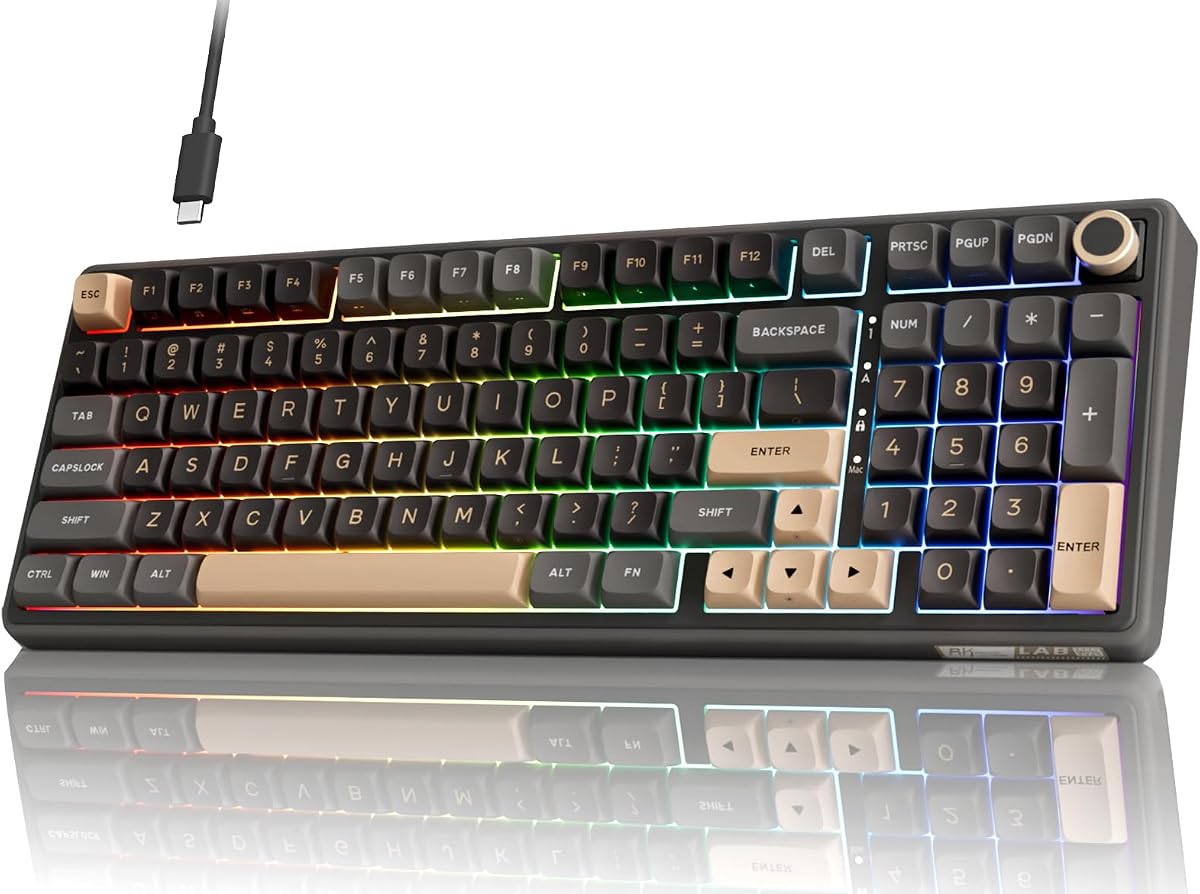


The RisoPhy Mechanical Gaming Keyboard stands out as a top contender for users seeking an affordable loud mechanical keyboard without sacrificing essential features. With a 4.5 rating and blue switches, it delivers the crisp tactile clicks that enthusiasts love while maintaining a budget-friendly price.
We may earn a commission when you buy through this link, at no additional cost to you.
Its full-size 104-key layout includes a number pad and multimedia shortcuts, ensuring versatility for both typing and gaming. The ultra-slim profile and stair-up keycap design reduce hand fatigue during long sessions, while the rainbow backlighting offers 9 modes for personalization.
While the ABS keycaps and plastic construction are not as premium as higher-end models, they are durable enough for daily use. The spill-resistant holes provide practical protection against accidental liquids, which is a significant plus for a keyboard in this price range.
This keyboard is ideal for students or home office users who want audible typing feedback without breaking the bank. If you prioritize sound and value over advanced customization, the RisoPhy delivers a satisfying and reliable typing experience.
The blue switches provide higher accuracy and quicker response with an enjoyable click sound that enhances both gaming and typing experiences.
Four hydrophobic holes allow water to flow away quickly, preventing damage and keeping the keyboard safe from accidental spills.
We may earn a commission when you buy through this link, at no additional cost to you.
The SteelSeries USB Apex 5 earns its Editor's Choice badge by blending mechanical tactile feedback with membrane smoothness through its unique hybrid blue switches. Rated at 4.6, this keyboard offers a distinct typing experience that bridges the gap between gaming performance and comfort.
We may earn a commission when you buy through this link, at no additional cost to you.
Its aircraft-grade aluminum alloy frame ensures unmatched durability, while the OLED smart display allows you to customize gifs, game info, and Discord messages directly on the keyboard. The per-key RGB illumination adds a dynamic visual layer to your desktop setup.
A premium magnetic wrist rest provides full palm support, reducing strain during extended use. Although it comes with a higher price tag and relies on software for full customization, the build quality and innovative features justify the investment for serious gamers and professionals.
If you want a loud mechanical keyboard that stands out visually and functionally, the Apex 5 is a compelling choice. Its combination of sound, style, and sturdy construction makes it a top recommendation for those seeking a premium typing solution.
These switches offer the tactile click of a mechanical switch with the smoothness of a membrane for a comfortable and long-lasting typing feel.
The integrated OLED screen lets you show off custom content like game stats and messages, adding a unique interactive element to your setup.
We may earn a commission when you buy through this link, at no additional cost to you.
The RK ROYAL KLUDGE S108 offers a distinctive premium experience with its vintage typewriter-inspired round keycaps and clicky blue switches. With a 4.6 rating, it captures the nostalgic charm of old-school keyboards while delivering modern gaming performance and durability.
We may earn a commission when you buy through this link, at no additional cost to you.
Built with a sturdy aluminum alloy metal panel, this keyboard resists scratches and maintains a sleek, high-quality look. The full-size layout includes a number pad for productivity, and the detachable wrist rest ensures comfort during long typing sessions.
While the switches are not hot-swappable and software support is limited to Windows, the yellow backlight and customizable macros still offer significant flexibility. The stable clicking touch and precise feedback make it a favorite for those who value tactile engagement.
If you appreciate a unique style and robust construction, the S108 is an excellent choice. It balances retro aesthetics with functional performance, making it a standout option for enthusiasts looking for a loud mechanical keyboard with character.
Inspired by classic typewriters, these vintage keycaps provide a comfortable typing feel and stable clicking touch that sets this keyboard apart.
The aluminum alloy metal panel with a matte finish ensures durability and scratch resistance, giving the keyboard a premium and robust feel.
We may earn a commission when you buy through this link, at no additional cost to you.
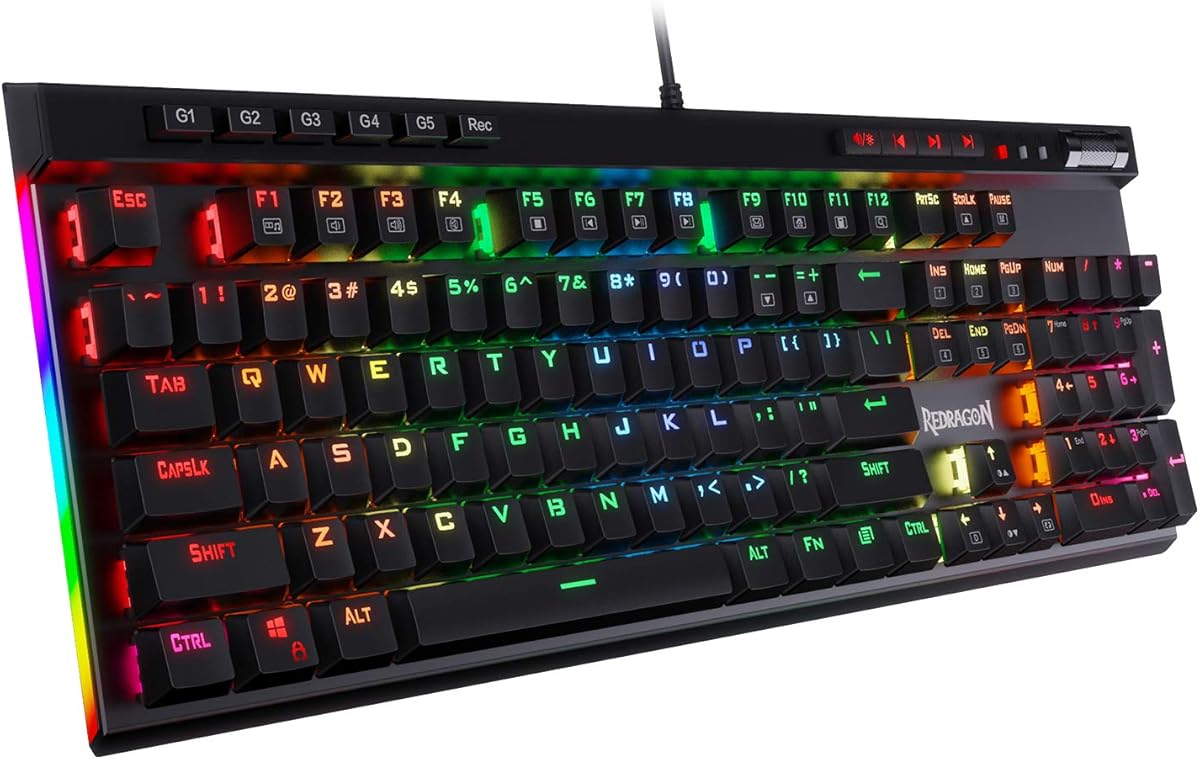
The Redragon K580 is designed for power users who need quick access to macros and media controls. With a 4.6 rating, it offers blue switches that deliver a distinct tactile bump and audible click, ensuring a loud and satisfying typing experience.
We may earn a commission when you buy through this link, at no additional cost to you.
Five dedicated macro keys let you save complex combos directly on the keyboard without software, while the media wheel provides convenient volume and playback adjustments. The upgraded hot-swappable socket accepts almost any switch, giving you flexibility for future customization.
Although the build quality is average and software is optional, the full anti-ghosting ensures accurate inputs during fast-paced games. The double-shot keycaps resist fading, contributing to the keyboard's longevity despite heavy daily use.
If you need a keyboard that supports efficient workflows and loud feedback, the K580 is a strong candidate. Its combination of macro support, media convenience, and clicky switches makes it a practical choice for gamers and streamers alike.
Five dedicated macro keys let you save complex combos or shortcuts directly on the keyboard for quick access during gaming or work.
A dedicated media wheel allows you to easily control play, pause, skip, and volume without needing to reach for external controls.
We may earn a commission when you buy through this link, at no additional cost to you.
The Logitech G413 SE focuses on durability and performance with its PBT keycaps and tactile mechanical switches. Rated at 4.5, this full-size keyboard offers uncompromising performance that competes well with higher-end models in the gaming market.
We may earn a commission when you buy through this link, at no additional cost to you.
The brushed aluminum-magnesium alloy top case serves as a rigid backbone, minimizing flex and ensuring the keyboard feels solid under pressure. White LED lighting provides clear visibility without the distraction of RGB, while FN keys allow quick access to media controls.
With 6-key rollover anti-ghosting, you can trust that every input will register accurately during intense gaming sessions. The PBT keycaps are heat and wear-resistant, promising a longer lifespan than standard ABS alternatives.
If you prioritize a clean, professional look and a robust build, the G413 SE is a reliable choice. It delivers consistent tactile feedback and strong construction, making it a solid option for those who value longevity over flashy features.
Heat and wear-resistant PBT keycaps provide durability and a premium texture that stands up to long-term gaming and typing use.
The brushed aluminum-magnesium alloy top case offers minimal flex and a sleek, sturdy feel that enhances the keyboard's premium build.
We may earn a commission when you buy through this link, at no additional cost to you.
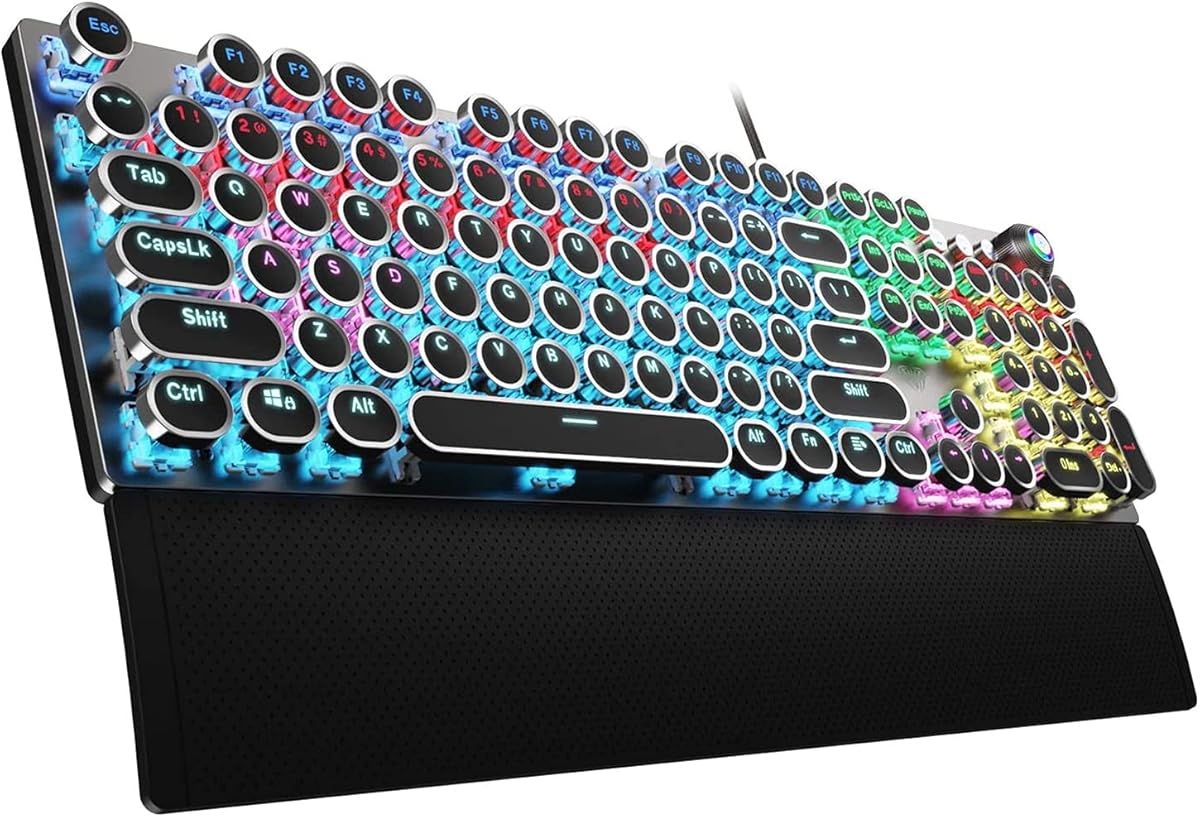
The AULA F2088 brings a unique typewriter style to the table with its round keycaps and mechanical blue switches. Rated at 4.4, this keyboard offers a springier response and crisp click sound that enhances both gaming performance and typing enjoyment.
We may earn a commission when you buy through this link, at no additional cost to you.
A dedicated media control knob makes adjusting volume and backlight effects effortless, while the metal panel and magnetic wrist rest ensure durability and comfort. The stepped floating keycap design fits fingers perfectly, preventing fatigue and wrong typing during long sessions.
Although the keyboard lacks hot-swappable switches and advanced software, its plug-and-play simplicity is a benefit for casual users. The 104-key anti-ghosting layout ensures reliable performance across all simultaneous keystrokes.
If you appreciate a nostalgic aesthetic and straightforward functionality, the F2088 is a great pick. It combines style with essential gaming features, making it a versatile choice for both office work and entertainment.
Double-shot injection molded vintage steampunk round keycaps offer clear backlight and extreme durability while mimicking classic typewriter style.
A dedicated knob controls media volume and backlight effects, allowing quick adjustments without needing to navigate menus or software.
We may earn a commission when you buy through this link, at no additional cost to you.
The AULA F99 Wireless offers tri-mode connectivity, supporting Bluetooth 5.0, 2.4GHz, and USB-C for seamless switching between up to five devices. Rated at 4.5, it is a premium option for users who need versatility alongside customizable performance.
We may earn a commission when you buy through this link, at no additional cost to you.
Equipped with pre-lubed linear switches and a gasket structure, this keyboard provides a smooth typing feel with optimized stability. The PCB single key slotting and five layers of filling silencer effectively counteract cavity noise for a solid, responsive touch.
A built-in 8000mAh battery ensures long battery life, while double-shot PBT keycaps maintain vibrant characters over time. Although the linear switches are not clicky, the customizable RGB and macro support make it a powerful tool for gaming and work.
If you need wireless freedom and customization options, the F99 is a strong contender. Its ability to connect across multiple devices and adjust to your preferences makes it a versatile addition to any multi-device setup.
Bluetooth 5.0, 2.4GHz wireless, and USB-C modes allow you to connect to up to five devices and switch between them effortlessly.
Advanced gasket structure with silicon padding optimizes resilience and stability, making the hand feel softer and more elastic during use.
We may earn a commission when you buy through this link, at no additional cost to you.
The Redragon K668 features four extra hotkeys dedicated to media and system functions, paired with a full-size 108-key layout. Rated at 4.5, it offers a versatile setup for users who need shortcuts without cluttering the main typing area.
We may earn a commission when you buy through this link, at no additional cost to you.
The upgraded hot-swap socket accepts almost any 3-pin or 5-pin switch, allowing for easy customization. Stock Red linear switches keep clicks discreet, making this keyboard suitable for shared spaces where loud noise might be disruptive.
Vibrant RGB modes, including music sync, add a dynamic visual element to your desk. Two sets of mixed color keycaps and ergonomic 2-stage feet further enhance the user experience, offering comfort and personalization.
If you need a quiet yet customizable mechanical keyboard, the K668 is a solid choice. Its balance of extra shortcuts and smooth operation makes it ideal for environments where loud clicky switches are not preferred.
Four dedicated shortcut keys default to mute, calculator, screen lock, and desktop, streamlining access to essential functions.
The upgraded socket accepts almost any 3-pin or 5-pin switch, letting you swap switches without soldering for easy customization.
We may earn a commission when you buy through this link, at no additional cost to you.
The Redragon Mechanical Gaming Keyboard offers a balance of features and affordability with its hot-swappable red switches and programmable backlight modes. Rated at 4.3, it is designed to enhance every experience from late-night tasks to immersive gaming.
We may earn a commission when you buy through this link, at no additional cost to you.
With 11 unique backlights and adjustable brightness, you can set the perfect ambiance for any mood. The double-shot PBT keycaps ensure clear backlight and precise typing, while the anti-ghosting feature allows all keys to work simultaneously.
Macro editing capabilities let you remap keys or combine functions for efficient work and gaming. The inclusion of spare switches and keycaps provides extra value, allowing for quick replacements if issues arise.
If you want a versatile budget keyboard with customization options, this model is worth considering. Its macro support and hot-swap design offer flexibility that many other keyboards in this price range do not provide.
Remap keys, set shortcuts, or combine multiple functions into one key for more efficient workflows in gaming and daily tasks.
11 unique backlights and adjustable brightness levels create a comfortable environment for typing day or night.
We may earn a commission when you buy through this link, at no additional cost to you.
The RK ROYAL KLUDGE R98 Pro is designed for a creamy typing experience with its pre-lubed linear switches and gasket mount. Rated at 4.5, it delivers a pleasant sound and smooth keystroke feel that appeals to enthusiasts seeking a refined tactile response.
We may earn a commission when you buy through this link, at no additional cost to you.
The 96% layout retains a number pad and arrow keys while saving desktop space. Five layers of sound-absorbing foam ensure a thocky, satisfying feel, while the MDA profile PBT keycaps offer a comfortable wraparound typing sensation.
A detachable volume knob allows for quick audio adjustments, and the programmable online driver supports key reassignment and macro settings. Dynamic RGB modes add visual flair, making this keyboard a functional and stylish centerpiece.
If you prefer a compact layout with premium acoustic qualities, the R98 Pro is an excellent option. Its creamy switches and thoughtful design features make it a standout choice for those who value smooth typing and noise control.
Pre-lubed linear cream switches provide a unique look, creamy sound, and excellent smooth keystroke feel for a delightful typing experience.
The gasket mount design optimizes resilience and stability, creating a softer and more elastic hand feel during use.
We may earn a commission when you buy through this link, at no additional cost to you.
Choosing the right loud mechanical keyboard involves balancing switch type, build quality, and additional features to match your specific needs.
Loud mechanical keyboards typically use tactile clicky switches like blues, which provide audible feedback with each keystroke. These switches are ideal for users who enjoy a tactile bump and clear sound signal while typing or gaming. Ensure the switch type matches your preference for feedback and noise levels.
Look for blue or similar clicky switches if you prioritize auditory and tactile engagement. Linear or silent switches will not provide the loud experience you are seeking.
A durable keyboard often features metal plates or high-quality plastics to reduce flex and ensure longevity. Aluminum frames provide a premium feel and better heat dissipation during extended use. Consider the material and construction when evaluating the keyboard's robustness.
Prioritize keyboards with metal panels or sturdy frames if you want a reliable long-term investment. Good build quality also contributes to a more stable typing experience.
Full-size keyboards include a number pad, which is essential for data entry and productivity tasks. Compact layouts like TKL or 96% save desk space but may lack the number pad. Choose the layout based on your workspace and functional requirements.
Select a full-size layout if you need a number pad for frequent typing. Compact options are better if you have limited desk space.
Hot-swappable keyboards allow you to change switches without soldering, giving you flexibility to customize the sound and feel. This feature is valuable if you plan to experiment with different switch types in the future. Not all loud keyboards support this, so check specifications carefully.
Opt for hot-swappable models if you want the freedom to upgrade or modify your keyboard later. This adds significant value to your purchase.
Advanced keyboards offer software support for macros, RGB lighting, and key remapping. These features enhance productivity and personalization, allowing you to tailor the keyboard to your workflow. Some models may have limited software or platform support.
Check if the keyboard supports software customization if you need macros or complex lighting effects. Software compatibility with your OS is also critical.
Wrist rests and adjustable feet help maintain a comfortable typing posture and reduce strain during long sessions. Ergonomic design can prevent fatigue and improve typing accuracy. Consider if the keyboard includes these accessories or allows for aftermarket additions.
Prioritize ergonomics if you type for hours daily. A wrist rest or proper keyboard angle can make a significant difference in comfort.
Wired connections ensure minimal latency and consistent performance, which is vital for gaming. Wireless options offer flexibility but may introduce slight lag or battery concerns. Decide based on whether you value mobility or performance stability.
Choose wired keyboards for competitive gaming to avoid latency. Wireless models are better for flexible setups where cables are undesirable.
Loud mechanical keyboards range from budget-friendly to premium prices. Higher cost often correlates with better build quality and features, but value models exist. Determine your price ceiling and compare features to find the best fit.
Set a budget and compare models within that range. Look for features that matter most to you rather than paying for extras you won't use.
To maximize performance, connect the keyboard directly to a USB port rather than a hub. This ensures stable power delivery and minimizes latency issues that could affect gaming or typing responsiveness. If your keyboard has software, install it to unlock advanced customization features.
Keep the keyboard clean by gently blowing dust from the switches or using a keycap puller for deep cleaning. Spill-resistant models should still be wiped down if liquids contact the surface to prevent damage. Regular maintenance extends the lifespan of the switches and keycaps.
Avoid excessive force when typing or gaming to protect the mechanical switches. While durable, they are designed for consistent pressure rather than heavy pounding. If you plan to swap switches, ensure the board is hot-swappable and use proper tools to avoid bending the pins.
A mechanical keyboard is loud primarily due to its switches, specifically tactile clicky ones like blue switches that produce an audible snap when pressed. The physical housing and keycaps also contribute to the acoustic output. If you want a loud experience, look for clicky switch types.
Yes, loud mechanical keyboards are often excellent for typing because the tactile and audible feedback helps confirm key presses. This can improve typing speed and accuracy over time. Many writers prefer them for the satisfying and engaging typing experience.
Loud keyboards can disturb others in shared spaces like offices or quiet rooms. If you are in a shared environment, consider sound-dampening mods or opt for quieter switches to minimize noise while retaining the mechanical feel. Be mindful of your surroundings when typing.
Yes, you can reduce noise by installing O-rings on the keycaps, adding foam inside the case, or lubricating the switches. These modifications absorb sound vibrations without changing the mechanical nature. However, removing the loud aspect entirely may require switching to different switch types.
Most modern mechanical keyboards are compatible with Mac, though some software features may be limited. Ensure the product supports macOS explicitly if you need advanced customization. Basic typing functionality works across all operating systems.
Mechanical keyboards typically last for 50 million keystrokes per switch, meaning they can serve you for many years with regular use. High-quality models often exceed this rating. Proper maintenance and avoiding physical damage can further extend their lifespan.
We have reviewed ten loud mechanical keyboards that cater to different needs and budgets, from budget-friendly RisoPhy models to premium SteelSeries options. Each offers unique features like clicky switches, robust build quality, and customizable layouts to enhance your desktop experience.
When choosing, prioritize the factors that matter most to you, such as switch type, build quality, and customization options. A keyboard that fits your workspace and usage style will provide the best long-term value and typing satisfaction.
Remember that prices and availability change frequently. Always check current listings before purchasing to ensure you are getting the best deal for the model you choose. Happy typing and gaming with your new loud mechanical keyboard.