
Nano V3.0, Nano Board ATmega328P 5V 16M Micro-Controller Board Compatible with Arduino IDE (Nano x 3 with USB Cable)
4.6Editor score
CH340G Chip Replacement
Fully Compatible with IDE
Compact Breadboard-Friendly Design
This guide compares the top 10 Arduino Nano Board options for 2026, analyzing features, compatibility, and performance to help you find the ideal microcontrolle
The Arduino Nano Board remains a cornerstone for makers needing compact, powerful microcontrollers. Its small size fits easily into wearable tech and embedded systems while supporting the familiar Arduino IDE environment for seamless development across various platforms.
We compared ten leading options based on chip performance, connectivity types, and ease of use. Our analysis covers official boards from Arduino and trusted third-party manufacturers, evaluating compatibility, power options, and community support to ensure reliable results.
Each pick highlights key strengths and ideal use cases for different project types. Prices and availability fluctuate frequently, so always check current listings before purchasing to ensure you get the best value and latest hardware revisions available.
4.6Editor score
4.6Editor score

4.5Editor score
This side-by-side comparison evaluates each board's microcontroller, connectivity, and specific features to help you choose the right model for your project requirements and budget constraints.


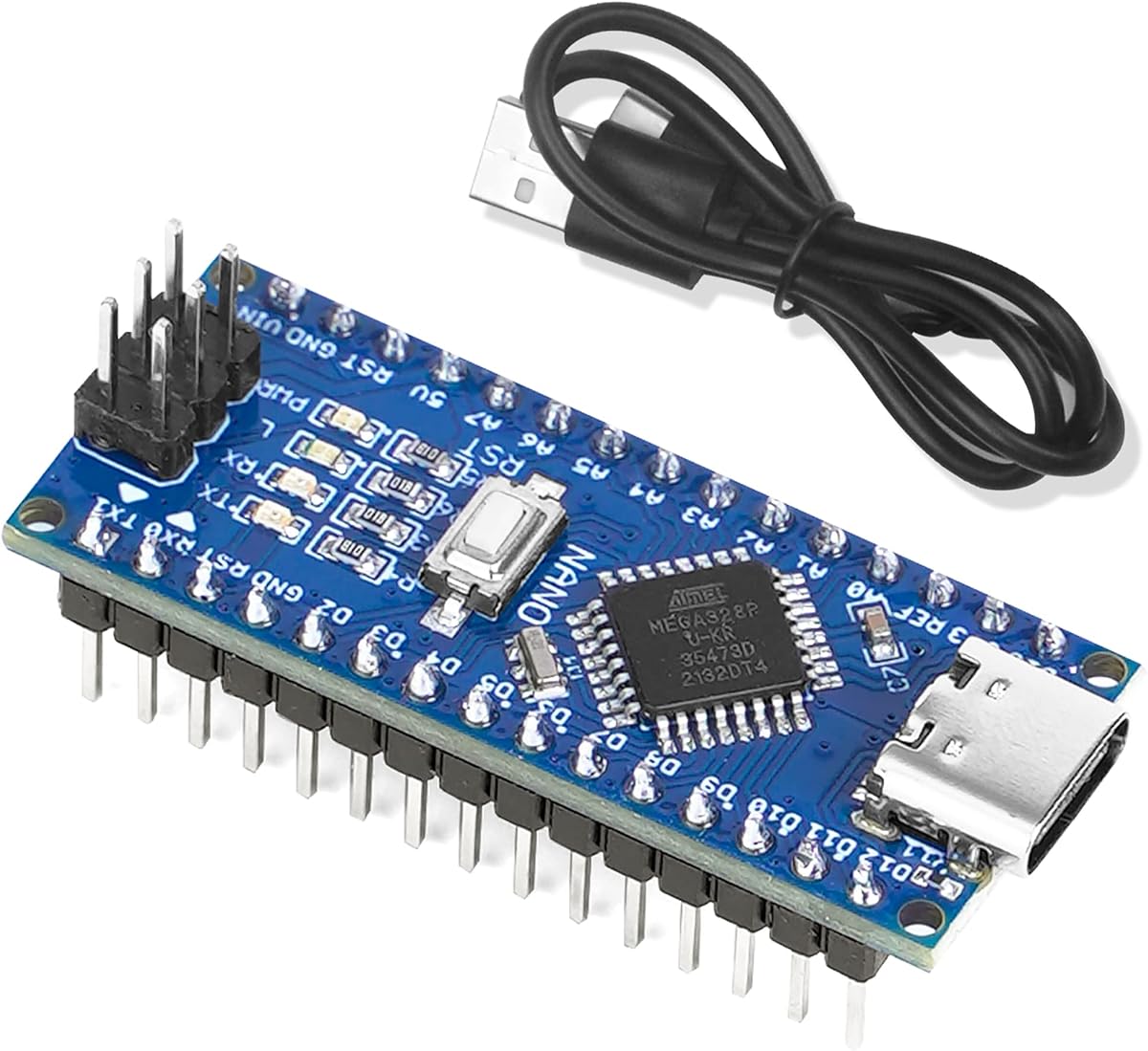
This three-pack option delivers exceptional value for beginners needing multiple boards for prototyping. It carries a solid user rating and uses the reliable ATmega328P chip for standard performance.
We may earn a commission when you buy through this link, at no additional cost to you.
The boards fully support the Arduino IDE and work across Windows Mac and Linux. The CH340G chip simplifies driver setup while maintaining compatibility with existing sketches.
While it lacks the official branding of the original, it functions identically for most hobbyist tasks. The price point makes it ideal for classrooms or large group projects.
Buyers seeking affordable access to multiple microcontrollers should consider this set. It provides the core Nano experience without breaking the bank for extensive testing.
Getting three units for a low price allows extensive experimentation without immediate replacement costs.
The CH340G bridge chip ensures stable connections and simplified installation for most modern operating systems.
We may earn a commission when you buy through this link, at no additional cost to you.
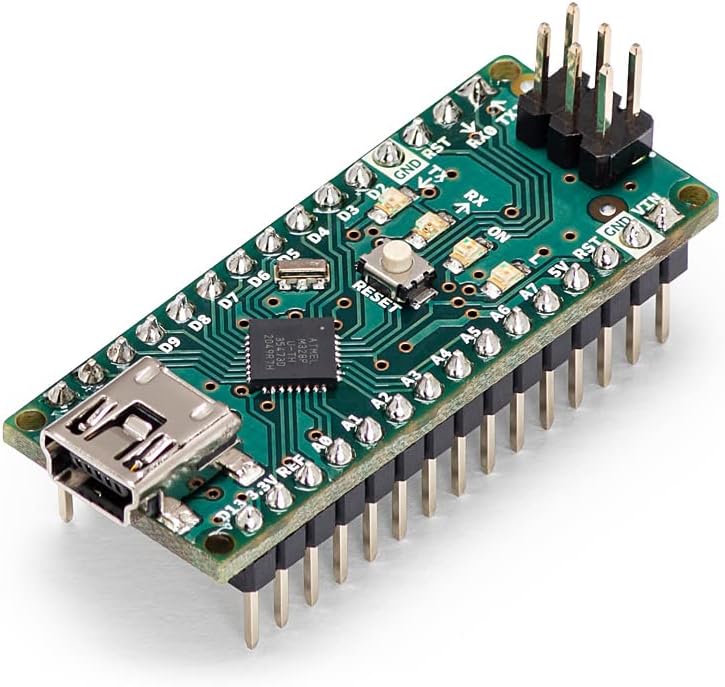
The official Arduino Nano stands as the gold standard for reliability and community trust. Its consistent performance makes it ideal for professional prototypes and critical embedded systems.
We may earn a commission when you buy through this link, at no additional cost to you.
It features the classic ATmega328P chip with 14 digital pins and 8 analog inputs. The Arduino IDE integration is seamless ensuring access to all official libraries.
Users should note it uses the older Mini USB port which requires specific cables. This legacy design remains popular but may be less convenient than newer USB-C alternatives.
Select this board when project integrity and official support matter most. It offers peace of mind for complex builds where failure is not an option.
As an official product it guarantees strict quality control and long-term support from the Arduino team.
Thousands of tutorials and shields exist specifically for this model simplifying integration and debugging.
We may earn a commission when you buy through this link, at no additional cost to you.
This package upgrades the classic Nano experience with modern USB-C connectivity. The presoldered headers save assembly time making it ready for immediate use on breadboards.
We may earn a commission when you buy through this link, at no additional cost to you.
It retains the familiar ATMEGA328P performance while offering better cable durability. The included three-pack supports multiple simultaneous projects or spare replacements.
Like many alternatives it relies on the CH340 chip requiring specific driver setup. This is a minor hurdle given the significant convenience of the USB-C interface.
Ideal for makers updating from older boards or needing modern connectors. The presoldered design reduces initial setup effort significantly for beginners.
USB-C ensures better power delivery and easier cable matching with current computers and accessories.
Headers come fully soldered removing the need for tools or soldering skills before first use.
We may earn a commission when you buy through this link, at no additional cost to you.
The Nano Every brings significant performance improvements over the classic model. It utilizes the ATmega4809 microcontroller for faster execution and larger memory handling.
We may earn a commission when you buy through this link, at no additional cost to you.
Its 48KB flash and 6KB SRAM allow for more complex code and data storage. The USB-C port ensures modern compatibility for power and programming.
While highly compatible there are slight differences in timing and library support for legacy projects. This makes it better for new builds than retrofits.
Choose this for projects needing extra processing power in a small form factor. It bridges the gap between classic Nano and advanced platforms effectively.
The ATmega4809 runs at higher speeds and handles interrupts more efficiently for real-time tasks.
Expanded RAM and Flash enable complex algorithms and sensor data logging without external memory.
We may earn a commission when you buy through this link, at no additional cost to you.
This board merges the Nano form factor with powerful ESP32-S3 wireless capabilities. It enables direct IoT connectivity without external modules or shields.
We may earn a commission when you buy through this link, at no additional cost to you.
Running at 240MHz with dual-core processing it handles data-heavy tasks efficiently. The HID support allows creating custom input devices for computers easily.
Developers can use C++ via Arduino IDE or Python via MicroPython for faster coding. This flexibility suits both hobbyists and advanced application developers.
Opt for this when wireless communication is required in compact projects. It simplifies IoT builds by eliminating extra hardware wiring needs.
Integrated Bluetooth and Wi-Fi remove the need for external breakout boards for network connectivity.
MicroPython compatibility lowers the learning curve for those preferring scripting over compiled code.
We may earn a commission when you buy through this link, at no additional cost to you.
This kit offers a straightforward solution for those needing modern USB-C ports on a budget. It provides two boards ready for standard Arduino development and prototyping.
We may earn a commission when you buy through this link, at no additional cost to you.
The ATmega328P ensures broad library support and performance consistency. The included USB cables simplify initial setup without extra purchases.
While the build quality is functional it may lack the refinement of premium options. Headers must be purchased separately for breadboard integration if not pre-soldered.
Ideal for small projects or educational sets needing two units. It balances cost and convenience for entry-level electronics work.
USB-C offers reversible connection and better power handling than older micro USB standards.
Having two boards allows running parallel tests or creating redundant systems easily.
We may earn a commission when you buy through this link, at no additional cost to you.
Offering three boards in a single package this kit maximizes value for group projects. It retains the classic Nano pinout with updated USB-C connectivity.
We may earn a commission when you buy through this link, at no additional cost to you.
The boards automatically detect the higher voltage source between USB and external supply. This simplifies power management during testing and development phases.
As third-party units they may vary slightly in quality control. However they remain reliable for general hobbyist tasks and learning applications.
Great for classrooms or teams needing multiple units quickly. It ensures everyone has access to a working microcontroller without complex wiring.
Automatic voltage detection ensures seamless switching between battery and USB power sources.
The USB-C port aligns with modern standards reducing cable clutter for developers.
We may earn a commission when you buy through this link, at no additional cost to you.
The Nano R4 represents a major leap in performance with its Renesas RA4M1 chip. It offers massive memory and speed suitable for complex real-time applications.
We may earn a commission when you buy through this link, at no additional cost to you.
Pre-soldered headers save assembly time and ensure reliable connections right out of the box. The Qwiic connector simplifies sensor integration significantly.
The onboard RGB LED aids debugging without external components. This feedback tool is helpful for visual status indication in tight spaces.
Choose this for projects demanding high processing power and expandability. It is ideal for future-proofing embedded systems.
The RA4M1 processor delivers robust computing power for advanced machine learning tasks.
Pre-soldered headers mean no soldering required for breadboard use immediately.
We may earn a commission when you buy through this link, at no additional cost to you.
This version provides the same high-performance R4 internals but lacks pre-attached headers. The castellated edges facilitate direct mounting onto custom printed circuit boards.
We may earn a commission when you buy through this link, at no additional cost to you.
It offers flexibility for professional production where headers are integrated into the final design. Users can solder the loose pins for prototyping as needed.
The Qwiic connector and RGB LED remain consistent with the standard model. This ensures a familiar development experience despite the different mounting style.
Best for manufacturing or custom enclosure designs needing direct soldering. It balances high performance with production flexibility.
Castellated edges allow seamless soldering directly to custom boards for final products.
Loose headers give control over orientation and placement for specific project needs.
We may earn a commission when you buy through this link, at no additional cost to you.
This module offers a compact and affordable entry point for Arduino development. It uses the reliable ATmega328P-AU microcontroller with modern USB-C access.
We may earn a commission when you buy through this link, at no additional cost to you.
OSOYOO boards are known for cost-effectiveness while maintaining functional compatibility. The design supports breadboarding and standard pin assignments perfectly.
Power handling is automated to choose between USB and external sources. This ensures reliable operation across different power conditions.
Select this for single-unit projects requiring small size and modern connectors. It is a practical choice for basic prototyping needs.
The small footprint allows installation in tight spaces without sacrificing core functionality.
Automatic source switching ensures stable power regardless of connection type.
We may earn a commission when you buy through this link, at no additional cost to you.
Choosing the right board requires weighing performance needs against connectivity options and budget constraints.
The core chip determines processing speed and memory capacity. The classic ATmega328P is reliable for simple tasks while the newer ATmega4809 or ESP32-S3 offer more power and wireless features.
Select the chip based on whether your project needs extra RAM, flash, or internet connectivity.
Modern boards often include USB-C which offers reversible connectors and better power delivery. Older models use Mini USB requiring specific cables.
Prioritize USB-C for long-term usability and compatibility with modern computers.
Pre-soldered headers save time but limit custom integration. Loose pins allow soldering directly onto custom PCBs for permanent installations.
Choose pre-soldered for quick prototyping and loose for custom manufacturing.
Official Arduino products ensure strict quality control and warranty support. Third-party clones are cheaper but may vary in consistency.
Buy official boards for critical projects and clones for classroom bulk sets.
Ensure the board supports your power source range. Most Nano boards accept 7-12V inputs with automatic switching logic.
Check voltage specs if using battery packs or unstable power supplies.
Verify compatibility with Arduino IDE and community libraries. Some ESP32 boards support MicroPython for easier coding.
Check language options to match your coding comfort level.
Wearables and robotics need minimal footprints. Standard Nano fits small enclosures well.
Confirm dimensions match your project physical requirements.
Buying multi-packs reduces per-unit cost for experiments. Single units suit specific one-off builds.
Consider future expansion when deciding pack size.
Always plug the USB cable into a stable computer port to avoid voltage drops during code uploads. Use the official drivers if the system fails to recognize the board.
Store the boards in anti-static bags when not in use to protect sensitive components from static discharge and physical damage.
Avoid connecting external components to pins during power on to prevent short circuits. Check your wiring diagrams against the pinout legend before applying power.
Yes all official and most third-party Nano boards are fully compatible with the Arduino IDE. You can simply select the Nano model in the Tools menu to upload sketches.
These are USB-to-serial bridge chips used to communicate with computers. CH340 is common in clones and requires specific drivers while FT232 is found in official boards and is widely supported by default.
Yes you can power it through the VIN pin using 7 to 12 volts. This is common for portable robotics or remote sensor projects where USB is unavailable.
The Arduino Nano ESP32 is ideal for IoT because it has built-in Wi-Fi and Bluetooth. It removes the need for external shields to connect to networks.
If you buy a version without pre-soldered headers you will need to solder them yourself to use it on a breadboard. Most kits include these pins separately.
This usually means the CH340 or CP2102 driver is missing. Install the driver manually from the USB manufacturer's website and restart your IDE.
The Nano typically provides around 200mA through the USB port. For higher currents motors should be powered via external power sources with a common ground.
Yes the Nano can communicate with a Raspberry Pi using serial connections. Many projects use them together for IoT gateways or complex automation systems.
The top picks range from the reliable official Nano to cost-effective USB-C packs like the ELEGOO Presoldered option.
Prioritize connectivity type and chip performance based on whether you need wireless features or standard embedded control.
Prices and stock change often so verify current availability and terms before purchasing any specific model.