
MSI Z370-A PRO
4.5Editor score
Supports up to 64GB RAM
AMD CrossFireX support
Standard ATX form factor
This guide compares the top 10 brand for Z370 motherboard options available in October 2026, analyzing features, performance, and value for builders.
Selecting the right brand for Z370 motherboard is crucial for maximizing the potential of your Intel Coffee Lake processor. A solid board ensures stability, connectivity, and future-proofing for your entire system build.
We have evaluated ten leading models based on their chipset implementation, power delivery, expansion slots, and overall reliability. Our analysis focuses on real-world performance metrics and user feedback to help you decide.
Each pick highlights specific strengths like gaming audio, overclocking support, or budget efficiency. Please note that pricing fluctuates frequently, so verify current costs before making your final purchase decision.
4.5Editor score
4.6Editor score

4.4Editor score
This side-by-side comparison breaks down the key specifications of all ten models to help you visualize differences in connectivity, audio, and power design at a glance.


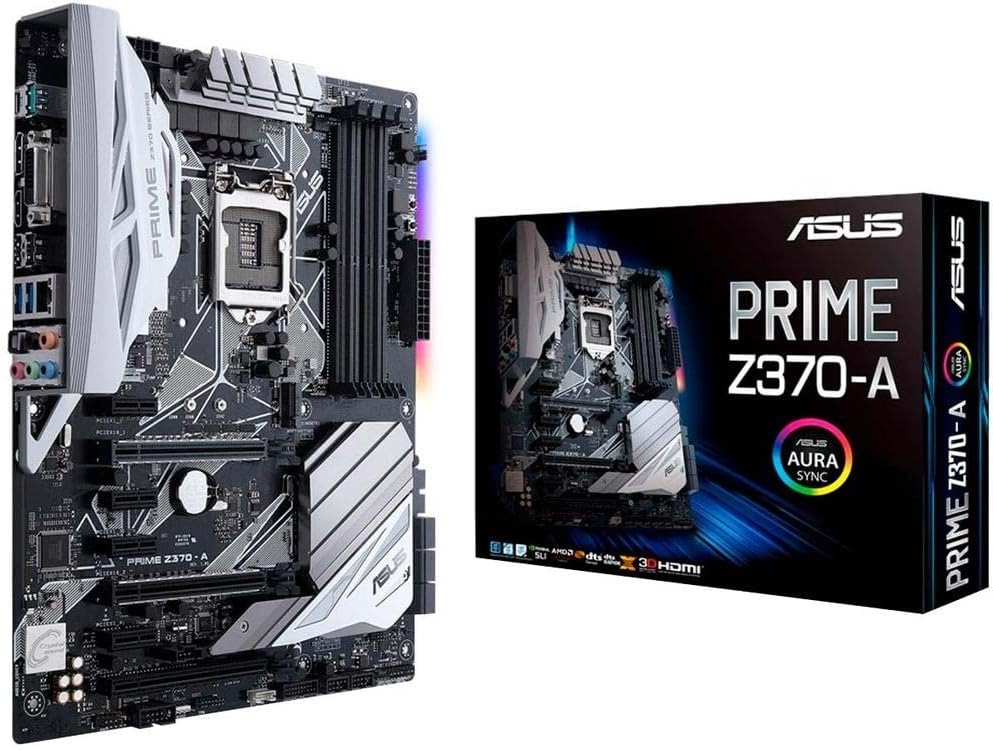
The ASUS Prime Z370-A stands out as the top contender in our roundup. With a 4.6 rating, it delivers robust performance for 8th Gen Intel Core processors while offering exceptional connectivity options.
We may earn a commission when you buy through this link, at no additional cost to you.
Its standout feature is the dual M.2 slot configuration which allows for fast storage expansion without sacrificing PCIe lanes. The USB 3.1 Gen2 support ensures quick data transfer speeds for external drives and peripherals.
While it is priced higher than some competitors, the build quality justifies the cost. The Safe Slot Core technology protects your graphics card from physical damage, making it reliable for heavy gaming setups.
This motherboard is ideal for builders seeking a balance of style and substance. If you prioritize RGB customization and future connectivity like Thunderbolt 3, this model is the strongest recommendation in the Z370 class.
The board features enhanced by ASUS exclusive Realtek S1220A featuring Crystal Sound 3 and driven by Japanese capacitors for warm, immersive sound.
5-Way Optimization with Auto-Tuning and FanXpert 4 automatically tailors overclocking profiles to your unique build for maximum OC performance and dynamic system cooling.
We may earn a commission when you buy through this link, at no additional cost to you.
The MSI Z370-A PRO offers an excellent entry point into the Z370 ecosystem. With a solid 4.5 rating, it supports 8th Gen processors and provides all the essentials for a reliable daily driver.
We may earn a commission when you buy through this link, at no additional cost to you.
Its ability to support up to 64GB of DDR4 memory makes it future-proof for productivity tasks. The VR ready certification ensures low latency for virtual reality applications which is great for immersive gaming.
While it lacks the bells and whistles of premium boards, it focuses on core functionality. The AMD CrossFireX support allows for multi-GPU configurations if you need extra graphical power.
For budget-conscious builders, this board is a smart choice. It delivers stability without breaking the bank, making it perfect for office PCs or budget gaming rigs where cost is a primary concern.
The board is certified for VR readiness ensuring low latency for virtual reality applications which is great for immersive gaming experiences.
With support for up to 64GB of DDR4 memory it is future-proof for productivity tasks and heavy multitasking workflows.
We may earn a commission when you buy through this link, at no additional cost to you.
The Gigabyte Z370 AORUS Gaming 7 brings high-end features to the table. Its 4.4 rating reflects strong user satisfaction particularly regarding its audio and storage capabilities for gaming enthusiasts.
We may earn a commission when you buy through this link, at no additional cost to you.
One of its best attributes is the ESS Sabre DAC which provides studio-quality audio output. This is paired with RGB Fusion lighting that allows for extensive customization of your system aesthetics.
Storage enthusiasts will love the three M.2 connectors. The thermal guard ensures sustained performance even under heavy load without thermal throttling of your SSDs.
This is a premium choice for those who demand the best. If audio fidelity and storage speed are your priorities, this board offers features that few others can match in this price range.
The board features an ESS Sabre DAC which provides studio-quality audio output ensuring immersive sound for gaming and media.
With three M.2 connectors and thermal guards it ensures sustained performance even under heavy load without thermal throttling of your SSDs.
We may earn a commission when you buy through this link, at no additional cost to you.
The ASUS Prime Z390-P is designed for versatility and expansion. With a 4.4 rating, it supports both 8th and 9th Gen Intel Core processors making it compatible with a wider range of CPUs.
We may earn a commission when you buy through this link, at no additional cost to you.
Its standout feature is the six PCIe slots which are ideal for multi-GPU setups or cryptocurrency mining. The Above 4G Decoding ensures that high-end GPUs function correctly within the system.
Connectivity is solid with USB 3.1 Gen2 providing fast transfer speeds. The Safe Slot Core technology prevents damage from heavy graphics cards ensuring longevity of your hardware investment.
This board is excellent for specialized builds requiring maximum expansion. If you plan to run multiple graphics cards or need specific mining capabilities, this motherboard offers the flexibility you need.
The board features six PCIe slots which are ideal for multi-GPU setups or cryptocurrency mining allowing for extreme expandability.
With support for both 8th and 9th Gen Intel Core processors it offers compatibility with a wider range of CPUs.
We may earn a commission when you buy through this link, at no additional cost to you.
The ASUS TUF Z370 Plus Gaming focuses on toughness. With a 4.5 rating, it utilizes military-grade components to ensure long-term reliability under demanding gaming conditions and usage.
We may earn a commission when you buy through this link, at no additional cost to you.
Key features include TUF LANGuard for network stability and TUF Chokes for power efficiency. The Safe Slot ensures your GPU remains secure while the 5-year warranty gives peace of mind.
While it may not have the highest specs, its durability is unmatched. The AURA Sync RGB allows for customization without sacrificing the rugged design of the TUF series.
Choose this if you want a board that lasts. It is perfect for gamers who prioritize build quality and protection for their components against the wear and tear of daily use.
It utilizes military-grade components to ensure long-term reliability under demanding gaming conditions and daily usage stress.
With TUF LANGuard and a five-year warranty it offers peace of mind for long-term system owners.
We may earn a commission when you buy through this link, at no additional cost to you.
The ASUS PRIME Z370-P balances features and value effectively. With a 4.4 rating, it provides dual M.2 slots and USB 3.1 support which covers most common user needs well.
We may earn a commission when you buy through this link, at no additional cost to you.
It includes 5X Protection III hardware-level safeguards that protect against power surges and dust. The FanXpert 4 Core manages cooling efficiently making it a stable choice for everyday computing tasks.
The Safe Slot Core fortifies PCIe slots preventing damage caused by heavyweight GPUs. This adds a layer of physical security to your internal components during transport or heavy use.
This model is ideal for mid-range builds. If you want modern connectivity without paying premium prices, it offers a reliable foundation for your next desktop computer setup.
It includes 5X Protection III hardware-level safeguards that protect against power surges and dust ensuring long-term stability.
FanXpert 4 Core manages cooling efficiently making it a stable choice for everyday computing tasks and silent operation.
We may earn a commission when you buy through this link, at no additional cost to you.
The GIGABYTE Z390 UD is optimized for expansion. With a 4.4 rating, it supports Above 4G Decoding and provides six PCIe slots which is a distinct advantage for multi-card configurations.
We may earn a commission when you buy through this link, at no additional cost to you.
It features a new 10+2 Phases digital PWM design that ensures clean power delivery for the CPU. This stability is crucial when pushing processors to their limits or running intensive workloads.
Smart Fan 5 allows for precise temperature control using hybrid fan headers. The board supports RGB Light strips in full colors allowing you to customize the look of your build easily.
This board is great for specialized tasks like mining or rendering. If you need maximum GPU connectivity and efficient power management, this motherboard is a strong contender in the market.
It features a new 10+2 Phases digital PWM design that ensures clean power delivery for the CPU under high loads.
Smart Fan 5 allows for precise temperature control using hybrid fan headers ensuring quiet operation and cooling.
We may earn a commission when you buy through this link, at no additional cost to you.
The Gigabyte Z370 HD3 is an affordable option for standard builds. With a 4.4 rating, it covers the basics like DDR4 support and an M.2 connector for fast storage needs.
We may earn a commission when you buy through this link, at no additional cost to you.
It uses the Intel ALC892 Codec for audio and includes HDMI output for easy display connectivity. The Dual Channel DDR4 support helps in achieving decent memory bandwidth for daily tasks.
While it does not offer high-end features, it is reliable for general computing. The Intel LAN ensures stable networking which is essential for both gaming and home office environments.
Select this if you are on a strict budget. It provides the necessary foundation for a stable system without unnecessary features that drive up the cost for typical users.
It uses the Intel ALC892 Codec for audio and includes HDMI output for easy display connectivity and monitor support.
The Intel LAN ensures stable networking which is essential for both gaming and home office environments and file transfers.
We may earn a commission when you buy through this link, at no additional cost to you.
The ASRock Z370 EXTREME4 offers solid features for the price. With a 4.3 rating, it includes USB 3.1 Gen2 Type-A and Type-C ports which are rare in budget boards.
We may earn a commission when you buy through this link, at no additional cost to you.
It supports up to 64GB of DDR4 memory across four slots ensuring you have enough RAM for demanding applications. The HDMI support allows for quick setup without a dedicated graphics card.
While its rating is slightly lower than competitors, it remains a strong value proposition. The Type-C port is particularly useful for modern peripherals and high-speed data transfer needs.
This board is suitable for cost-effective builds needing modern ports. If you require USB Type-C and Gen2 speeds without the premium price tag, ASRock delivers a competitive package here.
It includes USB 3.1 Gen2 Type-A and Type-C ports which are rare in budget boards and useful for modern peripherals.
With support for up to 64GB of DDR4 memory across four slots you have enough RAM for demanding applications and multitasking.
We may earn a commission when you buy through this link, at no additional cost to you.
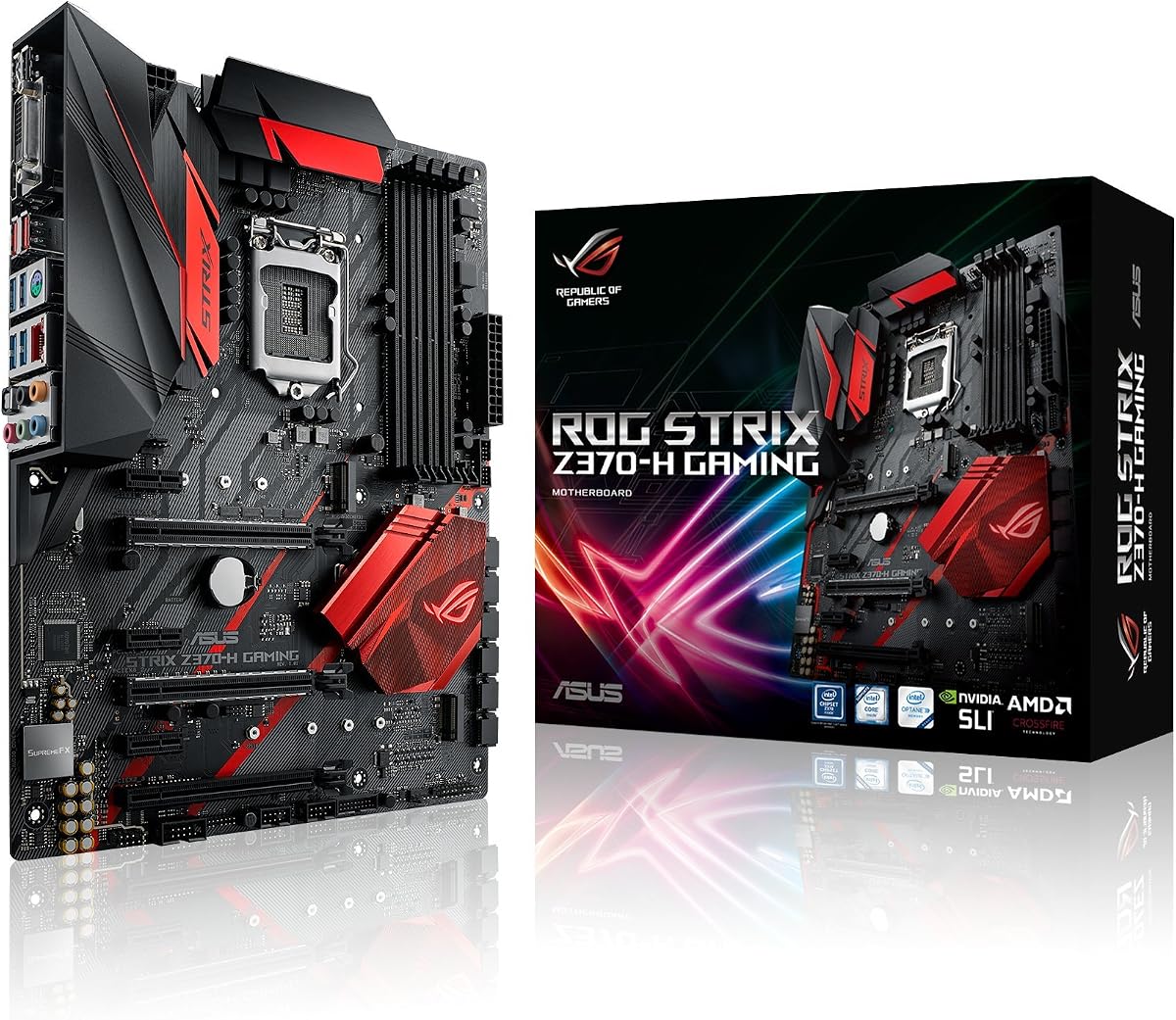
The ASUS ROG Strix Z370-H is built for gamers. With a 4.4 rating, it offers extensive USB connectivity and a clean design that fits well into gaming cases and setups.
We may earn a commission when you buy through this link, at no additional cost to you.
Its USB layout includes many ports for peripherals such as keyboards and mice. The 64GB DDR4 support ensures future compatibility with high-capacity memory modules for heavy multitasking.
While priced higher, the warranty and build quality justify the investment. The AURA Sync lighting adds a gaming vibe that matches well with other RGB components in your system.
Choose this if you want a dedicated gaming experience. It delivers the necessary connectivity and style that gamers look for in a high-performance desktop motherboard.
Its USB layout includes many ports for peripherals such as keyboards and mice and external storage devices.
With 64GB DDR4 support it ensures future compatibility with high-capacity memory modules for heavy multitasking tasks.
We may earn a commission when you buy through this link, at no additional cost to you.
Choosing the right motherboard requires balancing features, budget, and long-term needs to ensure a smooth build experience.
Ensure the motherboard matches your processor generation. Z370 boards are optimized for 8th Gen Intel Core processors and some 9th Gen models depending on BIOS updates.
Always verify CPU support before purchasing to avoid compatibility issues with newer silicon.
Look for at least four DDR4 slots if you plan to upgrade RAM in the future. Most models support up to 64GB which is sufficient for gaming and productivity.
Dual channel memory support is standard and helps improve overall system performance.
M.2 slots are crucial for installing fast NVMe SSDs. Boards with dual M.2 connectors offer better flexibility for storage expansion without using SATA ports.
Check for thermal guards on M.2 slots to prevent overheating during high-speed data transfers.
PCIe slots determine how many graphics cards or capture cards you can add. Most ATX boards offer at least two full-speed slots for CrossFire or SLI configurations.
More PCIe lanes can be vital for specialized workloads like video editing or mining.
USB 3.1 Gen2 ports provide faster data transfer speeds for external drives and peripherals. Type-C ports are increasingly important for modern devices and docking stations.
Rear USB port count varies by model so check for enough connections for your mouse, keyboard, and peripherals.
Audio codecs like Realtek ALC1220 or ESS Sabre DAC offer better sound quality for gaming and media. Look for dedicated audio shielding to reduce electromagnetic interference.
High-end boards often include Japanese capacitors and specialized headers for enhanced audio output.
A robust VRM design ensures stable power delivery to your CPU which is critical for overclocking. Look for boards with multiple digital PWM phases for better efficiency.
Premium heatsinks on the VRM help dissipate heat during long gaming sessions or rendering tasks.
Most manufacturers offer three to five-year warranties. A longer warranty indicates confidence in product durability and quality.
Check for BIOS flashback features which allow updates without a CPU installed adding convenience for future compatibility.
Install the motherboard in a clean static-free environment and use an anti-static wrist strap to prevent electrical damage to components.
Update the BIOS to the latest version using the USB BIOS Flashback tool if available before installing your CPU to ensure full compatibility.
Keep the PC case dust-free with regular cleaning to maintain airflow and prevent overheating of the VRM and chipset areas.
Yes it remains a solid choice for budget builds using 8th Gen Intel processors. While newer chipsets exist the Z370 still provides excellent performance for gaming and general use.
ASUS and Gigabyte lead in reliability and features. Both offer excellent BIOS support and high-quality audio components in their premium models.
Yes Z370 boards fully support overclocking. You can adjust voltage and frequency settings in the BIOS to boost CPU performance.
No only higher-end models offer USB 3.1 Gen2 or Type-C. Budget models may only have standard USB 3.0 ports.
Most Z370 boards support up to 64GB of DDR4 memory. Check the specific model page for details on speed limits.
Some Z370 boards can work with 9th Gen CPUs but it requires a BIOS update. Verify CPU support on the manufacturer website before buying.
Our top picks highlight the ASUS Prime Z370-A for its overall balance and the MSI Z370-A PRO for its affordability.
Prioritize M.2 slots and USB connectivity if you need fast storage and modern peripheral support.
Prices change frequently so check current listings before purchasing to ensure you get the best deal.