
Redragon K618 PRO
4.1Editor score
Tri-mode connectivity support
Dedicated macro zone
Slim low-profile design
Discover the top low profile mechanical keyboards for 2026. We compare ten top rated models for speed, comfort, and wireless performance.
Low profile mechanical keyboards offer a unique blend of traditional tactile feedback and modern slim design. They provide a faster typing experience while reducing strain on your wrists during long work sessions.
We evaluated ten top models based on switch quality, connectivity options, and build durability. Our team analyzed user feedback and technical specs to identify the most reliable options for gamers and professionals.
Each pick highlights specific strengths like wireless stability or customizable firmware. Keep in mind that product availability and stock levels may change over time as manufacturers update their lines.
4.1Editor score

4.3Editor score

4.7Editor score
This side-by-side comparison details the core specifications and unique features of each selected model to help you find the perfect fit for your workflow.



The Redragon K618 PRO is an accessible entry point into low profile mechanical typing. It holds a solid rating from users who appreciate its slim design and quick actuation speeds.
We may earn a commission when you buy through this link, at no additional cost to you.
Its standout feature is the 20 on-the-fly macro keys which let you record combos without installing software. The tri-mode connectivity ensures you can jump between PC and tablet with zero lag.
The linear feedback is smooth but lacks the tactile bump some enthusiasts prefer. However, this design keeps the travel distance short for faster gaming responses and lighter wrist pressure.
This keyboard is ideal for gamers and office workers seeking affordability. If you need basic macros and wireless flexibility without breaking the bank, this model delivers reliable performance.
The low-profile design shortens travel distance for quicker keystrokes. This helps reduce fatigue during long sessions while maintaining responsive feedback.
Tri-mode connectivity allows switching between USB-C, Bluetooth, and wireless. You can move between devices without needing to re-pair every time.
We may earn a commission when you buy through this link, at no additional cost to you.
The Keychron K3 Version 2 stands out for its open-source firmware and unique Mac layout. It is rated highly for productivity users needing reliable wireless stability.
We may earn a commission when you buy through this link, at no additional cost to you.
With open-source QMK firmware, it offers endless possibilities for key remapping. The reinforced aluminum body makes it one of the thinnest mechanical keyboards on the market.
The plastic bottom frame may feel less rigid than all-metal cases. However, the floating keycap design provides a charming look that syncs well with modern desk setups.
This model suits macOS users and tinkerers who want deep customization. Its AI assistant simplifies setup making it a top choice for those prioritizing flexibility.
Open-source QMK firmware allows endless key remapping and shortcuts. You can use the Keychron Launcher web app for a more personalized typing experience.
The K3 has necessary Mac multimedia keys while remaining compatible with Windows. Extra keycaps for both systems are included for easy switching.
We may earn a commission when you buy through this link, at no additional cost to you.
The Keychron K1 Ultra 8K brings professional-grade specs to low-profile designs. It holds an excellent rating for those needing high speed wireless performance and premium materials.
We may earn a commission when you buy through this link, at no additional cost to you.
Tri-Mode connectivity supports up to 8K wired polling and Bluetooth 5.2. This ensures fast responsive performance for high-performance devices without lag.
The hardwood side panels and hot-swap sockets offer a unique premium feel. However, the price reflects these higher-end features compared to standard budget options.
Enthusiasts seeking build quality and speed will find this model satisfying. It is the ideal choice for a desk that demands both aesthetics and raw performance.
The 8K polling rate ensures instant response for gaming and work. It pairs with 2.4GHz and Bluetooth for seamless connectivity options.
Wax-oil treated hardwood side panels add durability and style. Sound-dampening layers help reduce noise and resonance during typing.
We may earn a commission when you buy through this link, at no additional cost to you.
The Cherry MX 10.0N delivers a truly slim profile combined with the reliability of Cherry switches. It is rated highly for users needing a durable and compact gaming setup.
We may earn a commission when you buy through this link, at no additional cost to you.
Its ultra-thin profile combines style and functionality. The Cherry MX Low Profile Speed switches provide linear quiet and responsive feedback for smooth typing.
The integrated stand offers ergonomic typing positions but may add weight. This model is best for wired setups where speed and durability are paramount.
Gaming and work setups benefit from its sturdy metal construction. If you prioritize a sleek aluminum look and fast actuation this keyboard is a strong candidate.
The aluminum housing provides a sturdy and sleek metal construction. It ensures durability while maintaining a lightweight feel on your desk.
MX Low Profile Speed switches are designed for rapid input. Their linear nature ensures quick actuation for intense gaming sessions.
We may earn a commission when you buy through this link, at no additional cost to you.
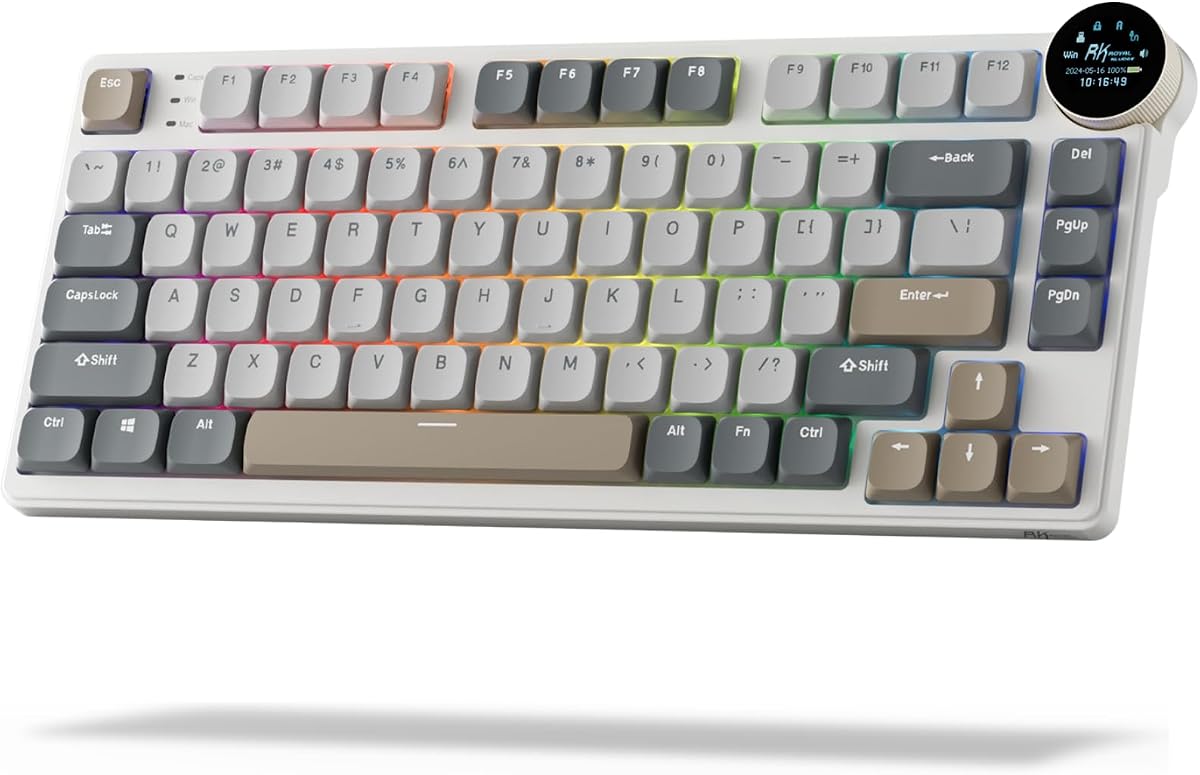
The RK N80 redefines versatility with a dynamic display screen on a compact keyboard. It holds a solid rating for users who want to visualize connection modes and battery status.
We may earn a commission when you buy through this link, at no additional cost to you.
A small screen showcases custom GIFs and connection modes while a knob controls volume and brightness. The top-mounted design offers a firm keystroke for reliability.
The triple sound-absorbing layer significantly minimizes hollow sounds. However, the display adds bulk that might not suit minimalist setups.
This keyboard is perfect for tech-savvy users who value visual feedback. If you want a smart keyboard that adapts to your mood and task this model delivers unique utility.
The dynamic display showcases dates connection modes and battery status. You can also show custom GIFs to personalize your workspace.
Dual layer sound-absorbing foams and a silicone pad minimize noise. This delivers a super smooth and quiet typing experience.
We may earn a commission when you buy through this link, at no additional cost to you.
The Flow Lite 84 is designed for a more natural wrist position with lower front height. It holds a high rating for those needing precision and comfort during long typing hours.
We may earn a commission when you buy through this link, at no additional cost to you.
Its Specter Full POM Linear Switches soften the touch and reduce muscle strain. The PBT double shot keycaps ensure characters stay sharp and durable.
The ABS body material reduces cost but lacks the premium feel of aluminum. However, the gasket design brings a soft cushioned tone to every keystroke.
This model suits writers and casual gamers prioritizing ergonomic comfort. If you want a relaxing typing experience without breaking the bank this keyboard delivers.
Low-profile mechanical keys provide effortless precision for longer hours. The lower front height allows your wrists to relax naturally.
The gasket mount enriches each keystroke with a richer tone. This design accommodates different switches to match your unique style.
We may earn a commission when you buy through this link, at no additional cost to you.
The Keychron K17 Max supports a popular 96% layout which retains commonly used keys. It is rated highly for productivity users who need numpad functionality in a slim form.
We may earn a commission when you buy through this link, at no additional cost to you.
With QMK firmware and the Keychron Launcher app it ensures transparency and security. The aluminum frame makes it one of the world's thinnest wireless mechanical keyboards.
The Gateron low-profile switches are 31% thinner than standard options. However, the 96% layout may feel crowded for users used to full-size numpads.
This model is ideal for office work and spreadsheets. If you need a slim body that still supports complex data entry this keyboard fits the bill.
The 96% layout supports 2.4 GHz and Bluetooth connections. It retains commonly used keys while saving valuable desk space.
Gateron low-profile switches are 31% thinner than standard switches. The aluminum frame ensures durability while keeping the unit lightweight.
We may earn a commission when you buy through this link, at no additional cost to you.
The Flow Lite 100 Keys offers a full-size experience in a low-profile shell. It holds a strong rating for users needing a full set of keys for comfort and utility.
We may earn a commission when you buy through this link, at no additional cost to you.
Its built-in 3000mAh battery provides up to 100 hours of working time. The Specter switches lower operating force to reduce joint fatigue.
The ABS body material adds texture but feels less premium than aluminum. The larger footprint ensures you never run out of necessary keys.
This keyboard is perfect for full-time typists. If you need a comfortable full-size board that keeps your wrists relaxed this model is a strong choice.
The 3000mAh battery provides up to 100 hours of working time. This ensures you can work for weeks on a single charge.
100 keys ensure you never run out of necessary keys. The layout supports standard Windows and Mac functions efficiently.
We may earn a commission when you buy through this link, at no additional cost to you.
The Keychron K3 Max SE offers enhanced productivity with a compact 75% layout. It is rated highly for its ultra-fast responsiveness and swappable switches.
We may earn a commission when you buy through this link, at no additional cost to you.
The innovative Milk POM switch is 31% slimmer than traditional switches. Redesigned stabilizers reduce wobble on larger keys like the spacebar.
The acoustic foam enhances stability but adds bulk to the case. However, the hot-swap support allows easy customization without soldering.
This keyboard is ideal for gamers and switch lovers. If you want a silent and stable typing experience with room for upgrades this model fits well.
Redesigned stabilizers align movement with switches for smoother keystrokes. This design reduces wobble on larger keys like spacebar and Enter.
Hot-swappable support allows you to change switches in seconds. This lets you customize without soldering or permanent modifications.
We may earn a commission when you buy through this link, at no additional cost to you.
The Razer Ornata V3 fuses snappy mechanical feedback with the feel of a membrane keyboard. It holds a strong rating for gamers seeking long hours of use with little strain.
We may earn a commission when you buy through this link, at no additional cost to you.
Mecha-Membrane switches provide precise keystrokes that are satisfying to use. UV-coated keycaps ensure legends resist fading and wear and tear.
The magnetic soft touch wrist rest provides ample comfort during play. However, the fixed rest may not suit all desk setups.
This keyboard is perfect for entry-level gamers. If you want durable keys and a comfortable rest for extended sessions this model delivers.
UV-coated keycaps ensure fade-resistant legends and protection. This ensures longevity for frequent use and wear.
The soft-touch wrist rest provides ample support for wrists. This is vital during long periods of use for comfort.
We may earn a commission when you buy through this link, at no additional cost to you.
Selecting the right keyboard requires evaluating several technical and ergonomic factors to match your specific workflow.
Low-profile switches typically offer reduced travel distance compared to full-size switches. This design improves typing speed and reduces finger strain for long sessions.
Choose linear switches for quiet and smooth action or tactile ones for feedback that confirms keystrokes without being too loud.
Most modern options support tri-mode connectivity including wired USB-C Bluetooth and 2.4GHz wireless. This ensures you can switch between devices without losing speed.
Check for stable Bluetooth chips and low-latency wireless modes to ensure your input is accurate.
Premium models often feature aluminum housings which add durability and weight. Cheaper models might use ABS plastic to reduce cost and weight.
Consider your desk space and portability needs when deciding between metal and plastic construction.
Low profile boards come in 75% 96% or TKL sizes. Each layout saves space while keeping essential keys like arrow keys or a numpad.
Match the layout to your workflow requirements to ensure you have all necessary keys without excess bulk.
PBT keycaps are generally more durable and textured than ABS options. They resist shine and provide a matte feel for better grip.
Look for double-shot legends to ensure characters remain visible over time.
Firmware like QMK or ZMK allows deep customization for macros and key remapping. This is essential for users who need complex shortcuts.
Check if the software is web-based or requires installation for ease of use.
Wireless keyboards vary in battery duration from 40 to 100 hours. Larger batteries support longer usage between charges.
Prioritize models with USB-C charging to ensure you can quickly recharge without special cables.
A low profile design naturally lowers the front height to relax your wrists. Some models also include kickstands or integrated rests for better angles.
Prioritize comfort features if you type for hours daily to prevent fatigue.
Start by pairing your device via Bluetooth or plugging in the USB-C cable for stability. Ensure you switch the OS mode to Mac or Windows using the physical toggle.
Regularly clean dust from the low-profile keycaps using a soft brush or compressed air. Keep the surface dry to prevent moisture from entering the switches.
Update the firmware via the manufacturer's web app to access new features. This maintains performance and ensures the best possible connectivity.
A low profile mechanical keyboard uses shorter switches and keycaps than traditional boards. This reduces travel distance for faster typing and improves ergonomics for wrist comfort.
Yes they often feature reduced travel distance for faster actuation. The compact design also frees up mouse space for wider movements during competitive games.
Many high-end models feature hot-swap sockets allowing switch replacement without soldering. Check the product specs to confirm if it supports this feature.
Most modern models come with Mac specific layouts or keycaps. Look for dual system compatibility to ensure all function keys work correctly on macOS.
Wireless models typically last between 40 to 100 hours per charge. Usage with backlighting will reduce this time while turning it off extends it.
They vary by switch type but many feature linear switches that are quiet. Some include sound-dampening layers to reduce hollow noise from the base.
Basic functions work out of the box without software. However, advanced macro and RGB customization usually requires the manufacturer's web or desktop app.
Choose based on desk space and typing needs. A 75% saves space while retaining arrow keys and a 96% layout keeps a full numpad.
Our top picks highlight the Redragon K618 PRO for budget, Keychron K3 V2 for customization, and K1 Ultra 8K for premium features. These models cover most common needs effectively.
Prioritize switch quality and connectivity if you type daily. Build material and battery life are secondary but important for long-term use.
Always check current availability and specs before purchasing as product details may change over time.