
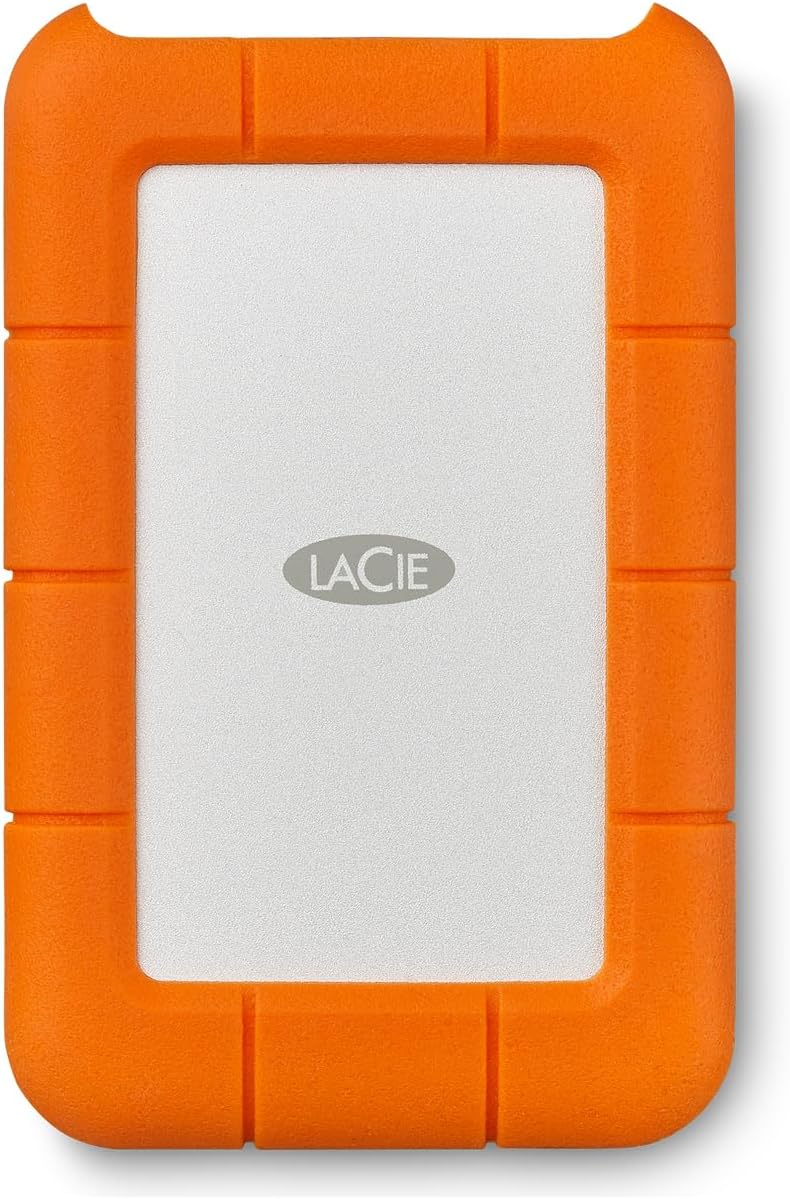
LaCie Rugged Mini USB 3.0 2TB
4.6Editor score
Compact portable design
USB 3.0 speed
Built-in password protection
Finding reliable storage is critical for professionals who work in challenging environments. The Lacie Rugged External Hard Drive series offers robust protection against drops, dust, and water while delivering fast data transfer speeds for demanding workflows.
We analyzed ten distinct models based on durability ratings, connectivity options, and storage capacity. Each product was evaluated for its ability to protect valuable data while maintaining compatibility with modern Mac and PC systems for seamless integration.
Each pick highlights specific strengths like Thunderbolt speed or massive capacity. Please note that availability and pricing fluctuate frequently so verify current details before purchasing to ensure you get the best value for your specific storage needs today.
4.6Editor score

4.4Editor score

4.4Editor score
As an Amazon Associate we earn from qualifying purchases.
The following table provides a side-by-side comparison of all ten Lacie Rugged External Hard Drive models. Review the specifications to determine which capacity and connectivity best suit your specific professional storage requirements and budget constraints.


This drive stands out as the top choice for professionals needing reliable portable storage. With a rating of 4.4 stars it balances capacity and durability effectively for everyday use in demanding environments.
We may earn a commission when you buy through this link, at no additional cost to you.
Its 4TB capacity provides ample space for large media files while the USB-C interface ensures fast data transfers on modern laptops. The rugged construction protects against drops shocks dust and rain keeping your work safe.
While the price is higher than standard drives the durability justifies the investment for field work. The lack of Thunderbolt is a trade-off for the improved USB-C compatibility found on most current systems.
Buy this if you need a versatile drive that works seamlessly with both Mac and PC. It is ideal for photographers and videographers who prioritize data safety and portability in their daily workflow.
The enclosure is designed to withstand harsh conditions ensuring your data remains intact even if the drive is dropped or exposed to elements.
Works seamlessly with Mac and PC systems allowing you to use the same drive across different devices without compatibility issues.
We may earn a commission when you buy through this link, at no additional cost to you.
This model offers incredible value with a high 4.6 star rating making it a favorite for budget-conscious users. It includes a bonus carrying case that adds extra protection for your investment.
We may earn a commission when you buy through this link, at no additional cost to you.
The 2TB capacity is sufficient for many users while the USB 3.0 interface provides decent transfer speeds. Built-in password protection helps keep your sensitive files secure without additional software.
Note that Mac users may need to reformat the drive which can be a minor hurdle. The inclusion of a Case Logic case makes it ready to use immediately upon unboxing.
Choose this if you want reliable rugged storage without breaking the bank. It is perfect for students or casual users who need extra space and basic security features on the go.
Priced significantly lower than higher capacity options this drive delivers solid performance and durability for everyday backup needs.
The bundle includes a portable hard drive case that helps protect the device during transport and extends its lifespan.
We may earn a commission when you buy through this link, at no additional cost to you.
This SSD model represents the pinnacle of portable storage technology with read speeds reaching 950 MB/s. It maintains the rugged legacy while offering the performance benefits of solid state technology.
We may earn a commission when you buy through this link, at no additional cost to you.
The drive can survive drops from up to 3 meters and is water resistant making it ideal for extreme environments. It also includes Data Rescue Service and a complimentary Adobe Creative Cloud membership.
While the capacity is lower than HDD options the speed and reliability are unmatched. The price reflects the premium components and enhanced protection features designed for professional users.
Invest in this if speed and durability are your top priorities. It is best for editors who need fast access to large files without worrying about drive failure or data loss.
Using flash memory instead of spinning platters this drive offers significantly faster read and write speeds for efficient workflows.
Built to withstand 3 meter drops and water exposure this drive offers the highest level of physical protection in the lineup.
We may earn a commission when you buy through this link, at no additional cost to you.
This drive is specifically optimized for compatibility with tablets and smartphones like iPad and iPhone. With 4TB of storage it handles large media libraries while remaining compact enough for pockets.
We may earn a commission when you buy through this link, at no additional cost to you.
The 2.5 inch form factor ensures it fits easily in bags without adding bulk. It also includes a Data Rescue Service plan to help recover lost files if hardware issues arise.
Mobile compatibility requires specific cabling which may be an inconvenience for some users. However the ability to back up mobile devices directly makes it unique in this category.
Select this if you work across multiple devices including mobile. It is perfect for content creators who need to sync and backup data from phones and tablets alongside their computers.
Designed to work with iPads and iPhones allowing seamless data transfer across Apple ecosystem devices without complex setups.
Includes a Data Rescue Service that provides professional assistance to recover corrupted or lost files during critical situations.
We may earn a commission when you buy through this link, at no additional cost to you.
This model offers an impressive 5TB of storage making it suitable for extensive archives and large video projects. The USB-C interface ensures it pairs well with newer computers and peripherals.
We may earn a commission when you buy through this link, at no additional cost to you.
Its rugged construction protects against shock dust and rain which is vital for field work. The compact design means you get significant capacity without a bulky footprint.
Lack of rating data makes it harder to assess long term reliability but the design speaks to durability. It is a strong contender for those who prioritize storage volume above all else.
Choose this if you need to store terabytes of data on the go. It is ideal for photographers or researchers who require large capacity in a portable and protected package.
With 5TB of space this drive eliminates the need for multiple smaller drives making organization simpler for large projects.
USB-C connectivity ensures future proofing and compatibility with the latest laptops and docking stations.
We may earn a commission when you buy through this link, at no additional cost to you.
Combining 5TB capacity with Thunderbolt speeds this drive delivers high performance for demanding tasks. The 4.5 star rating confirms its reliability among professionals who need consistent performance.
We may earn a commission when you buy through this link, at no additional cost to you.
Transfer speeds reach up to 130MB/s which is faster than standard USB options. It comes with a three year limited warranty and Rescue Data Recovery services for extra peace of mind.
The requirement for Thunderbolt ports may limit compatibility with older systems. However for modern workstations the speed benefits are substantial for video editing and large file handling.
Buy this if you need both speed and massive storage. It is perfect for video editors who need to move large files quickly while maintaining robust protection for their data.
Thunderbolt connectivity provides faster data transfer rates than standard USB enabling efficient editing of high resolution footage.
Includes a three year limited warranty which is longer than the standard one year offered by most manufacturers.
We may earn a commission when you buy through this link, at no additional cost to you.
This shuttle model offers an enormous 8TB of storage with flexible RAID configurations. The 4.2 star rating reflects its utility for users needing redundant or high performance storage options.
We may earn a commission when you buy through this link, at no additional cost to you.
The flat design makes it easier to pack in shipping envelopes or gear bags. It features a self encrypting password system to protect data from unauthorized access effectively.
Configuring RAID requires technical knowledge which might be a hurdle for casual users. The complexity is justified by the ability to optimize for speed or redundancy based on your needs.
Choose this if you need massive capacity and security features. It is best for studios or businesses that require both large storage and built-in data redundancy in a portable form.
Allows configuration of RAID 0 for speed or RAID 1 for data redundancy depending on your specific workflow requirements.
The flat design is optimized for shipping and packing making it unique among rugged drives for transport and delivery.
We may earn a commission when you buy through this link, at no additional cost to you.
This Triple model bridges the gap between modern and legacy systems with both USB 3.0 and FireWire 800 ports. It is designed for professionals who still use older Mac workstations.
We may earn a commission when you buy through this link, at no additional cost to you.
The 1TB capacity is modest but sufficient for specific archives. It supports daisy chaining which allows multiple drives to connect through a single port for complex setups.
The 3.8 rating suggests mixed experiences possibly due to older technology limitations. However for users with FireWire ports it remains a viable solution for data access and backup.
Select this if you have legacy equipment requiring FireWire connections. It is ideal for studios transitioning to new systems who still rely on older hardware infrastructure.
Includes FireWire 800 ports ensuring compatibility with older Mac systems that predate USB-C adoption.
Supports daisy chaining to connect multiple drives sequentially reducing cable clutter and port usage on workstations.
We may earn a commission when you buy through this link, at no additional cost to you.
This compact drive delivers Thunderbolt speeds in a lightweight package. With a 4.4 star rating it is well regarded for its performance and reliability in professional workflows.
We may earn a commission when you buy through this link, at no additional cost to you.
Transfer speeds up to 130MB/s ensure quick file access during editing sessions. It includes an integrated Thunderbolt cable that wraps around the enclosure for easy transport.
The 1TB capacity limits its use for large archives but suits daily editing projects. Its rugged design protects against drops and water making it suitable for field production work.
Buy this if you need portable performance in a small size. It is perfect for journalists and photographers who need fast access to data while traveling.
The integrated Thunderbolt cable wraps around the case reducing the risk of losing cables during travel.
Prioritizes transfer speed over capacity making it ideal for working directly off the drive rather than long term archiving.
We may earn a commission when you buy through this link, at no additional cost to you.
This 4TB model supports both Thunderbolt and USB 3.0 offering versatile connectivity options. With a 4.1 star rating it provides solid performance for users needing robust storage solutions.
We may earn a commission when you buy through this link, at no additional cost to you.
The RAID capabilities allow for performance optimization or data redundancy. This makes it a strong choice for users who need to balance speed with data protection in their workflow.
Setup can be complex for those unfamiliar with RAID systems. However the versatility it offers ensures that it can adapt to different computing environments and professional needs.
Select this if you need flexible connectivity and RAID options. It is best for professionals who work on different systems and require a secure robust storage solution.
Supports both Thunderbolt and USB 3.0 ensuring compatibility with a wide range of computers and systems.
RAID functionality offers enhanced security options for protecting critical data from loss during field work.
We may earn a commission when you buy through this link, at no additional cost to you.
Choosing the right drive requires evaluating capacity speed and durability. This guide breaks down the key factors to help you decide which model fits your workflow.
Storage capacity determines how many files you can keep on the drive. For video editing 4TB or 5TB is often necessary while 1TB or 2TB suffices for documents and photos.
Select a capacity that allows room for future growth without requiring frequent drive swaps or complex management.
Modern drives use USB-C which is fast and reversible. Thunderbolt offers even higher speeds but requires compatible ports on your computer.
Ensure your computer has the necessary ports to avoid needing adapters that can reduce speed or increase clutter.
Rugged drives are built to survive drops dust and water. Check the drop resistance height and whether the drive is rated for rain or immersion.
Higher ratings protect your data better in harsh environments like construction sites or outdoor shoots.
Some models support RAID to combine drives for speed or redundancy. RAID 0 increases speed while RAID 1 mirrors data for safety.
Choose RAID if you need performance or protection against drive failure and have the budget for advanced features.
Compact drives fit easily in pockets or small bags while larger shuttle drives offer more storage. Flat designs aid in shipping or packing.
Prioritize size if you travel frequently or have limited space in your gear bag.
Most drives work with both Mac and PC but may require reformatting. Some models offer specific support for iPads or iPhones.
Check compatibility requirements to ensure seamless use across all your devices without data access issues.
Standard warranties range from one to three years. Some drives include Data Rescue services or software subscriptions like Adobe Creative Cloud.
Longer warranties and added services provide better value and peace of mind for professional use.
Prices vary significantly based on capacity and technology. SSDs cost more than HDDs but offer better speed and durability.
Balance your budget with your needs to find the most cost effective solution that meets performance standards.
Connect the drive to a powered USB or Thunderbolt port to ensure stable data transfer. Avoid using unpowered hubs that may cause disconnection issues.
Regularly update the drive firmware using the manufacturer's tools to maintain optimal performance and security. This prevents bugs that could affect speed or stability.
Store the drive in a cool dry place when not in use to prevent internal damage. Avoid extreme temperatures that could impact the hardware longevity.
Most models work with both operating systems but may require reformatting to match the file system of your primary device. Always check product specifics for compatibility notes.
Many models include a Data Rescue service plan. Use this service or specialized recovery software to attempt file restoration from corrupted or lost data.
HDD models use spinning disks for higher capacity at lower cost. SSD models use flash memory for faster speeds and better durability but at a higher price point.
Yes especially Thunderbolt or USB-C models which offer sufficient speed for high resolution video editing. Larger capacities like 5TB are ideal for storing large footage libraries.
Most portable models are bus powered and do not need external outlets. Shuttle or larger RAID units may require a power adapter for stable operation.
It is best practice to backup data at least once a week or after significant changes. Use multiple drives to ensure your data is safely preserved.
Most drives come with a three year limited warranty. Some include additional protection plans like Data Rescue which can help recover lost files.
Certain models support connectivity with iPads and iPhones via specific cables. Check product details for mobile device compatibility requirements before purchasing.
This guide highlights ten top models offering varying capacities and speeds for different needs. From budget options to premium SSDs there is a rugged drive for every professional workflow.
Prioritize durability and connectivity to match your specific work environment. For field work look for high drop resistance and USB-C connectivity to ensure reliable performance.
Prices and availability change frequently so always check current listings before purchasing. Verify warranty terms and compatibility to ensure you make the best decision for your data security.