
TK Node Mini PC – Zorin OS Core Linux
4.3Editor score
AMD Ryzen R2314 Processor
Zorin OS Core Pre-installed
Dual NVMe SSD Slots
Discover the top Linux Mini Pcs for performance and value. We compare features, specs, and usability to help you choose the ideal compact desktop for your
Linux Mini Pcs offer powerful computing in a tiny form factor. They are ideal for home labs, office work, and media centers where space is limited but performance matters.
We evaluated ten models based on processor power, memory, storage, and OS support. Our analysis highlights which units deliver the best experience for Linux users in various scenarios.
Each pick shows real specs and verified details from the manufacturer. Prices change often, so check current listings before buying to ensure you get the best deal available today.
4.3Editor score

4.5Editor score

4.0Editor score
This table compares all ten models side by side. Look at processor type, RAM capacity, storage options, and connectivity to find the right fit for your workflow.


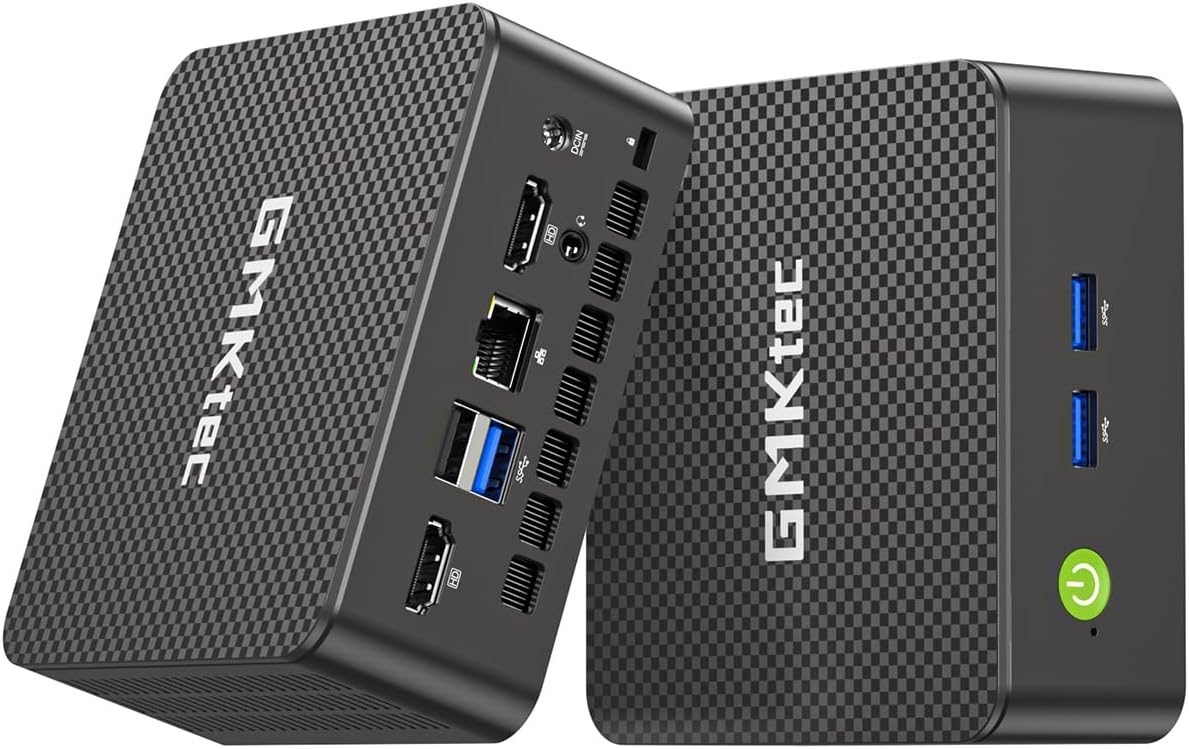
The TK Node Mini PC stands out with Zorin OS Core pre-installed, offering a familiar interface for Windows users. It features an AMD Ryzen R2314 processor and is designed for reliable 24/7 operation.
We may earn a commission when you buy through this link, at no additional cost to you.
This unit supports up to 64GB RAM and 4TB NVMe storage, making it scalable for growing workloads. It also includes a 2-Year US-Based Limited Warranty for dependable long-term support.
While the base configuration has 8GB RAM, the expandability ensures longevity. The compact size fits easily into desks or cabinets without sacrificing connectivity options.
Ideal for developers and home users needing a stable Linux box. It combines ease of use with professional-grade durability and flexible hardware options for future upgrades.
Pre-installed Zorin OS Core ensures a fast, secure start without complex setup steps.
Dual SO-DIMM and NVMe slots allow massive upgrades to meet demanding server needs.
We may earn a commission when you buy through this link, at no additional cost to you.
The Beelink SER3 offers solid value with 16GB DDR4 RAM and 500GB SSD storage. Its AMD Ryzen 3 3200U processor handles daily multitasking efficiently for home or office use.
We may earn a commission when you buy through this link, at no additional cost to you.
With dual HDMI ports, you can connect two 4K displays for productivity. It also includes WiFi and Bluetooth for versatile wireless setups.
While it may lack raw power for heavy computing, it delivers smooth performance for web tasks and media. The lifetime support adds significant peace of mind.
Perfect for those seeking a cost-effective Linux Mini Pc. It balances budget constraints with enough performance for everyday computing and media streaming.
16GB RAM and SSD storage make this an attractive option for budget-conscious users.
Beelink provides lifetime technical support and a 3-year warranty for reliability.
We may earn a commission when you buy through this link, at no additional cost to you.
The ASUS NUC 14 Pro delivers top-tier performance with Intel Ultra 7 155H and Linux Mint. It is engineered for developers, AI researchers, and power users requiring heavy compute power.
We may earn a commission when you buy through this link, at no additional cost to you.
It supports up to 64GB DDR5 RAM and 2TB SSD, handling virtualization and large data tasks effortlessly. The advanced cooling ensures silent operation under load.
This model is ideal for professional workflows needing speed and reliability. The Thunderbolt 4 connectivity offers blazing-fast data transfer and display options.
For those needing maximum power in a small package, this unit excels. It brings enterprise-grade features and Linux support to the compact desktop market.
Linux Mint and powerful hardware make coding and virtualization tasks seamless.
Thunderbolt 4 and WiFi 6E ensure high-speed connections for future-proof setups.
We may earn a commission when you buy through this link, at no additional cost to you.
The Beelink Mini S12 Pro uses the Intel N100 for efficient performance. With 16GB RAM and 500GB SSD, it suits office work and media streaming effectively.
We may earn a commission when you buy through this link, at no additional cost to you.
It supports dual 4K displays and includes WiFi 6 for fast wireless. The cooling system is upgraded to maintain stability during operation.
This unit is perfect for users who need a quiet, small desktop. It handles daily tasks well without demanding much power.
Ideal for home offices or small business setups. The balance of connectivity and efficiency makes it a practical choice for general use.
Intel N100 processor delivers good performance with low energy usage.
Multiple USB and HDMI ports ensure easy connection to peripherals.
We may earn a commission when you buy through this link, at no additional cost to you.
The KAMRUI Pinova P2 offers a strong AMD Ryzen 7 3300U processor and triple 4K display output. It is designed for home and business productivity with a sleek silver case.
We may earn a commission when you buy through this link, at no additional cost to you.
It features 16GB LPDDR4X RAM for smooth multitasking. Storage can be expanded via two M.2 slots for up to 4TB total.
This unit is great for users needing multiple screens. The compact size allows for easy transport or wall mounting.
Suitable for creative work or multitasking setups. It combines good graphics performance with a flexible expansion design.
Drive three 4K monitors simultaneously for immersive workspace setups.
Dual M.2 slots allow significant storage expansion beyond 256GB.
We may earn a commission when you buy through this link, at no additional cost to you.
The GMKtec G11 features dual 2.5GbE Ethernet for high-speed networking. It uses the Ryzen Embedded R2514 for 24/7 operation in professional environments.
We may earn a commission when you buy through this link, at no additional cost to you.
With triple 4K display support and WiFi 6E, it handles multiple tasks smoothly. The GPU outperforms many competitors in graphics tasks.
This unit is perfect for networking enthusiasts or server use. Its dual ports allow flexible firewall or NAS configurations.
Ideal for those needing robust network hardware. It delivers professional-grade stability and connectivity options.
Dual 2.5GbE ports enable high-speed NAS or firewall setups.
Triple display support ensures efficient multitasking on multiple screens.
We may earn a commission when you buy through this link, at no additional cost to you.
The CyberGeek Mini PC offers high-end performance with an Intel Core i9-11900H. It includes Ubuntu Linux and supports triple 4K displays for intense productivity.
We may earn a commission when you buy through this link, at no additional cost to you.
With 32GB RAM and 1TB SSD, it handles gaming and heavy software smoothly. The advanced cooling keeps it stable during long sessions.
This unit is suitable for demanding home or office needs. It brings desktop-level power to a smaller chassis.
Ideal for users who need serious computing power. The combination of specs and OS choice makes it versatile.
Core i9 processor delivers 30% more power than previous generations.
Triple 4K display support allows complex workflows and media playback.
We may earn a commission when you buy through this link, at no additional cost to you.
The BOSGAME E5 delivers reliable productivity with a Ryzen 3 5300U. It features dual 2.5G LAN ports for advanced networking or NAS setups.
We may earn a commission when you buy through this link, at no additional cost to you.
With 16GB DDR4 and 512GB NVMe, it offers fast boot times. The triple 4K display output maximizes screen real estate.
This unit is ideal for IT enthusiasts or office users. It balances power with compact design and rich ports.
Perfect for networking or general productivity. Its efficient cooling and port options make it a strong choice.
Dual 2.5GbE LAN ports allow high-speed server or router deployments.
Triple 4K support allows efficient multi-window editing or tracking.
We may earn a commission when you buy through this link, at no additional cost to you.
The BOSGAME E4 Air offers a compact footprint with Ryzen 5 performance. It supports triple 4K displays and handles daily workloads like browsing or video.
We may earn a commission when you buy through this link, at no additional cost to you.
With 8GB DDR4 and 256GB SSD, it ensures quick launches. Dual Gigabit Ethernet provides stable connectivity for streaming.
This unit is suitable for home entertainment or light office use. The 3-year parts warranty adds peace of mind.
Ideal for users seeking an affordable compact solution. It balances performance and cost effectively.
Triple 4K display support allows for immersive media setups.
3-year parts warranty ensures long-term support for your investment.
We may earn a commission when you buy through this link, at no additional cost to you.
The GMKtec G3S uses the Intel N95 for routine tasks. It offers dual 4K HDMI support and rich interfaces for home or business use.
We may earn a commission when you buy through this link, at no additional cost to you.
With 8GB RAM and 256GB SSD, it handles basic work smoothly. The compact design replaces bulky traditional PCs.
This unit is ideal for entry-level needs. It balances cost with sufficient performance for daily activities.
Perfect for basic office work or media. The connectivity options make it versatile for various setups.
Intel N95 processor offers 36% improvement over older chips.
Dual HDMI outputs enable efficient multitasking for work.
We may earn a commission when you buy through this link, at no additional cost to you.
Choosing the right Linux Mini Pc involves balancing performance, OS support, and ports.
The CPU determines how fast your system runs. Look for models with at least 4 cores for smooth multitasking and modern applications.
Select a processor that matches your workload requirements for efficiency.
RAM affects how many applications you can run simultaneously. 8GB is the minimum, but 16GB or more is recommended for heavy use.
Ensure the unit allows upgrades to extend its lifespan.
SSD storage is essential for fast boot times and file access. NVMe PCIe drives are faster than SATA options.
Prioritize models with expandable slots for future data growth.
Check if the unit comes with a Linux distro or allows easy installation. Some models pre-install Ubuntu or Zorin OS.
Pre-installed options save time and ensure hardware compatibility.
For productivity, multiple 4K display support is key. Look for HDMI, DisplayPort, or Type-C connections.
Verify the number of ports match your monitor setup needs.
Gigabit Ethernet and modern WiFi are standard. Ensure there are enough USB ports for peripherals.
Advanced users may need extra LAN or Thunderbolt ports.
Mini PCs run hot due to size. Good cooling fans or passive designs prevent throttling.
Choose models with tested airflow for silent operation.
Warranty terms vary by manufacturer. Aim for at least one year of support.
Longer warranties provide peace of mind for hardware issues.
Place the unit in a well-ventilated area to prevent overheating. Avoid covering vents when running intensive tasks.
Keep firmware updated via the BIOS to maintain performance. Check for security patches from the Linux vendor.
Clean dust from ports regularly to avoid connection issues. Store accessories safely to prevent damage.
Basic Linux Mini Pcs handle casual or older titles. For serious gaming, look for models with dedicated graphics or stronger integrated GPUs like AMD Radeon.
Yes, most units support standard ISOs. However, pre-installed options save setup time and ensure driver compatibility for smoother operation.
256GB suits basic use, but 512GB or more is better for media. Expandable slots allow adding external storage later.
Yes, many models support 24/7 operation. Look for Ethernet ports and low power consumption for efficient server use.
Most support dual or triple 4K displays. Verify the HDMI or DP port count before buying to match your setup needs.
Yes, once installed they work offline. Wired Ethernet is available on most units for stable connections.
We reviewed ten models ranging from budget to premium. The ASUS NUC 14 Pro and TK Node offer great value for developers.
Prioritize RAM and storage for long-term needs. Ensure the OS fits your workflow for the best experience.
Check current listings before buying to confirm prices and stock. The right choice depends on your specific use case.