
MNN 15.6" Portable Monitor
4.3Editor score
Full HD IPS display
Dual USB-C ports
Lightweight slim design
Finding the right External Monitor for MacBook Neo can transform your workflow significantly. Whether you are coding or creating, a second screen helps you manage tasks efficiently without constant switching.
We evaluated ten portable monitors based on compatibility, display quality, and build durability. Our analysis focuses on how well each unit pairs with modern Apple devices for seamless integration.
Each pick highlights specific strengths like resolution, connectivity, and portability. Prices and availability can change frequently so please verify the latest offers before making your final purchase decision.
4.3Editor score

4.8Editor score
4.8Editor score
As an Amazon Associate we earn from qualifying purchases.
The following table provides a side-by-side overview of all ten selected monitors to help you compare key specifications and features at a glance.


The VisionOwl Portable Monitor stands out as the top choice for users seeking high resolution and smooth performance. With a rating of 4.8 stars it delivers exceptional value for professionals and gamers alike.
We may earn a commission when you buy through this link, at no additional cost to you.
Its 2.5K resolution and 144Hz refresh rate ensure that both static content and moving images look incredibly sharp and fluid. The 16:10 aspect ratio matches the native screen of many MacBooks providing a seamless mirroring experience without black bars.
While it is a bit heavier than standard portable screens the metal construction ensures durability during travel. The price is higher than basic models but the enhanced visual fidelity and build quality justify the investment for serious users.
If you need a reliable second screen for coding design or gaming this monitor is the ideal partner for your MacBook. It offers the best balance of performance and portability in its class.
The 16:10 aspect ratio ensures that the screen fits perfectly with MacBook displays allowing for full screen usage without unnecessary letterboxing or wasted space.
With 144Hz refresh rate users experience significantly reduced motion blur making this screen excellent for fast paced gaming and smooth video playback during presentations.
We may earn a commission when you buy through this link, at no additional cost to you.
The MNN Portable Monitor is an excellent entry level option for those needing a second screen without breaking the bank. It achieves a solid 4.3 rating by balancing cost and functionality effectively.
We may earn a commission when you buy through this link, at no additional cost to you.
It features a Full HD IPS display that provides wide viewing angles and accurate colors for daily tasks. The dual Type-C ports allow for flexible power delivery making it easier to connect to modern laptops.
The main trade-off is the standard 60Hz refresh rate which is fine for office work but not ideal for competitive gaming. However the included smart cover adds value by protecting the screen during transit.
For students or remote workers on a tight budget this monitor delivers everything needed for a dual screen setup. It is a reliable and cost effective solution for extending your workspace.
This monitor provides a significant productivity boost for a fraction of the cost of traditional monitors making dual screen workflows accessible to more users.
Weighing very little and coming with a protective cover this unit slips easily into backpacks ensuring your external display stays safe during daily commutes.
We may earn a commission when you buy through this link, at no additional cost to you.
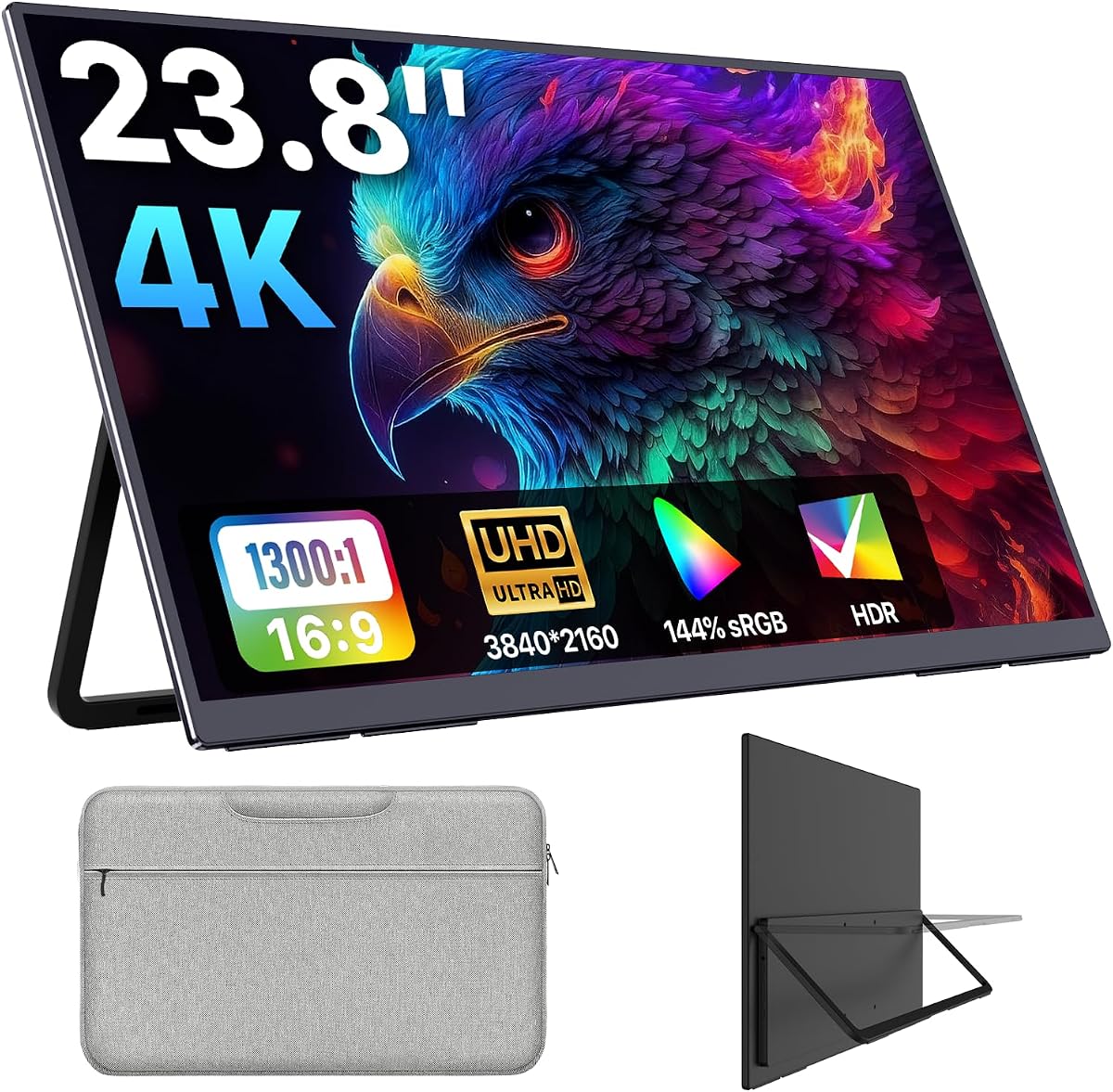
The Upperizon 4K Monitor offers a larger screen real estate that is perfect for detailed creative work or extensive data analysis. Its impressive 4.8 rating reflects the high quality of its display panel.
We may earn a commission when you buy through this link, at no additional cost to you.
With 3840×2160 resolution and 144% sRGB coverage users get sharp text and vibrant colors that are essential for graphic design and video editing. The anti-glare coating ensures comfort even during long sessions.
The size makes it less pocketable than smaller monitors so it is better suited for semi-permanent setups or travel where weight is less of a concern. The VESA mount option adds versatility for different desk configurations.
If your priority is visual clarity and screen space over extreme portability this is the best choice available. It transforms any laptop into a powerful workstation capable of handling demanding professional tasks.
The wide color gamut ensures that what you see on screen matches your final output which is critical for designers and photographers working remotely.
The large 23 inch display allows you to have multiple complex windows open side by side without the need for excessive scrolling or resizing.
We may earn a commission when you buy through this link, at no additional cost to you.
InnoView offers a balanced solution for users needing a reliable display with basic audio capabilities. It is well received with a 4.3 rating for its ease of use and solid build quality.
We may earn a commission when you buy through this link, at no additional cost to you.
The inclusion of built-in speakers removes the need for external headphones during casual video playback or calls. Connectivity is flexible with both USB-C and HDMI ports ensuring it works with almost any device.
While it does not have advanced features like high refresh rates it handles standard productivity tasks with ease. The protective case ensures durability making it a practical choice for frequent travelers.
This monitor is a smart pick for those who want a simple plug-and-play experience without extra cables. It provides a dependable extension to your laptop screen for both work and entertainment.
Having both USB-C and HDMI ports means you can connect to older laptops or gaming consoles without needing specific adapters for every device.
The included case shields the screen from scratches and dust ensuring your investment stays in good condition even when tossed into a busy backpack.
We may earn a commission when you buy through this link, at no additional cost to you.
This model from InnoView is designed for users who need flexible viewing angles in a slim package. It holds a strong 4.4 rating for its comfort and usability in various positions.
We may earn a commission when you buy through this link, at no additional cost to you.
The 90-degree adjustable stand allows you to position the screen exactly how you need it for reading or typing. Its ultra-slim design makes it one of the thinnest options available on the market.
The trade-off is that the stand is not as robust as heavier metal models but it is sufficient for desk use. The included sleeve adds extra value by protecting the device during travel.
It is an ideal choice for students or professionals who move between desks or coffee shops. The adjustability ensures comfortable viewing regardless of the surface you are working on.
Being able to tilt the screen to different angles helps reduce neck strain during long working hours by allowing a natural posture.
The slim form factor ensures it takes up minimal space in your bag allowing you to carry it effortlessly alongside your laptop and chargers.
We may earn a commission when you buy through this link, at no additional cost to you.
The cocopar monitor is a top-tier option for users who prioritize build quality and visual performance. It has earned a high 4.8 rating for its premium feel and smooth display.
We may earn a commission when you buy through this link, at no additional cost to you.
Constructed with a full metal chassis it feels durable and looks professional compared to plastic alternatives. The 144Hz refresh rate combined with 110% sRGB coverage makes it great for both work and play.
While the metal build adds to the durability it also adds slight weight compared to plastic units. The audio is surprisingly good for a portable unit making it suitable for media consumption on the go.
This is a fantastic pick for professionals who need a rugged and stylish monitor that performs well under heavy use. It offers a complete package with excellent visuals and a premium feel.
The metal chassis not only looks better but also helps dissipate heat and protects the internal components from bumps and drops during travel.
High refresh rates make scrolling through documents and websites feel much smoother and more responsive than standard screens.
We may earn a commission when you buy through this link, at no additional cost to you.
KEFEYA offers a unique dual screen design that attaches directly to your laptop for maximum portability. This design has received a 4.5 rating for its ability to boost productivity instantly.
We may earn a commission when you buy through this link, at no additional cost to you.
By attaching to your existing screen you get a second display without needing extra cables to a separate stand. The 180 degree rotation allows you to adjust the angle for optimal viewing comfort.
The main drawback is that it adds weight to your laptop screen so it is best used while the laptop is stationary or on a stable surface. However the convenience of a portable dual setup is unmatched.
This is perfect for traders programmers or anyone who needs extra space and cannot afford a second full monitor. It is a clever solution for expanding your workspace anywhere.
This unit allows you to open two windows side by side without the clutter of separate monitors significantly increasing your workflow efficiency.
The ability to rotate the screen means you can switch between landscape and portrait modes easily to suit different types of content.
We may earn a commission when you buy through this link, at no additional cost to you.
The kksmart monitor provides a wide 18.5 inch screen that offers ample room for content without the complexity of 4K. It scores a strong 4.8 for its balance of size and usability.
We may earn a commission when you buy through this link, at no additional cost to you.
The frameless design gives it a modern aesthetic and maximizes the screen-to-body ratio. With a 100Hz refresh rate you get smoother motion which is better than standard 60Hz panels for dynamic content.
It is slightly larger than typical portable monitors which may make it harder to fit in small bags. However the added screen space is excellent for spreadsheets or video editing on the go.
This unit is recommended for users who want more space than a 15 inch screen without committing to a heavy desktop monitor. It offers a great middle ground for portable productivity.
The 18 inch panel provides enough room to view multiple documents or code files at once reducing the need to constantly switch windows.
The borderless look makes the display feel more immersive and modern aligning well with the aesthetic of modern laptops like the MacBook Neo.
We may earn a commission when you buy through this link, at no additional cost to you.
ASUS is a trusted brand and this screen delivers reliable performance with a focus on eye health. It holds a 4.5 rating thanks to its robust build and certified eye care features.
We may earn a commission when you buy through this link, at no additional cost to you.
The anti-glare surface is perfect for outdoor use or bright environments where reflections can be distracting. TUV Rheinland certification ensures that the screen reduces flicker and blue light for comfortable viewing.
While it lacks some advanced features like HDR the warranty provides peace of mind for long-term use. The hybrid signal support ensures compatibility with a wide range of devices beyond just laptops.
This is a great choice for professionals who prioritize eye comfort and brand reliability. It is a solid workhorse that gets the job done without unnecessary frills.
Certified eye care technologies help reduce strain during long work days making it a healthier choice for extended use without headaches.
The anti-glare coating ensures clear visibility even in bright rooms or near windows which is essential for travelers working in different lighting.
We may earn a commission when you buy through this link, at no additional cost to you.
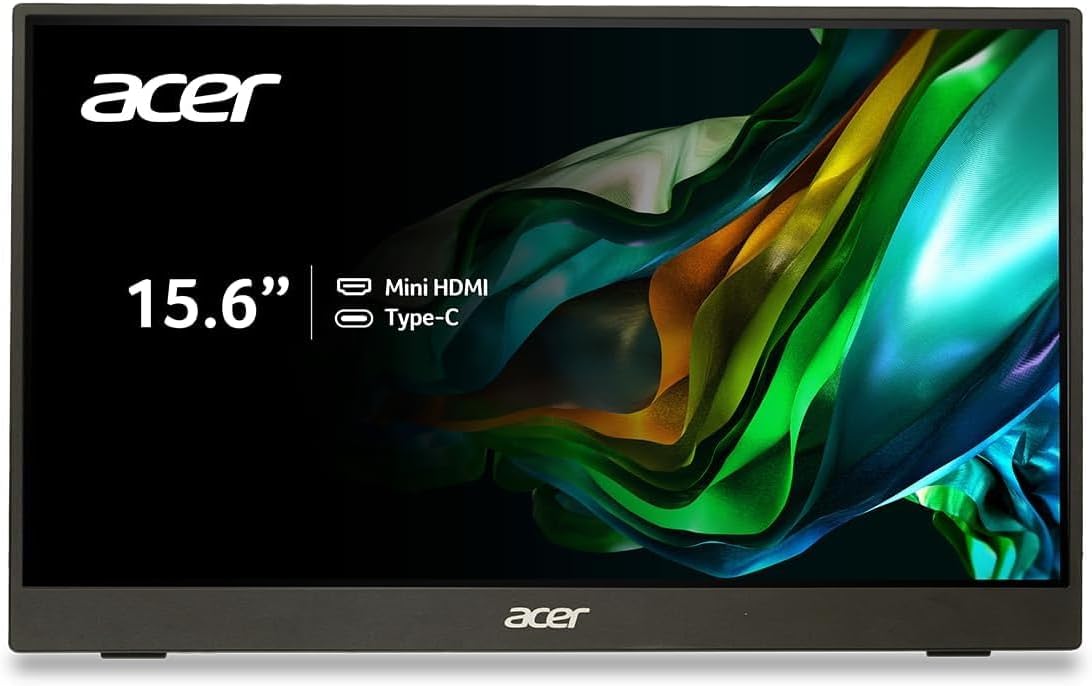
The Acer PM161Q is a no-fuss monitor that fits well in a minimalist setup. It has achieved a 4.3 rating for its clean design and consistent performance in daily tasks.
We may earn a commission when you buy through this link, at no additional cost to you.
Its ultra-slim design makes it easy to stack with a laptop or slide into a tight bag. AMD FreeSync support helps reduce screen tearing which is a nice touch for multimedia consumption.
It does not offer extra features like speakers or HDR but it does the basics well. The slim profile is its strongest selling point for those who value space saving above all else.
This monitor is ideal for users who want a simple clean display without bulk. It is a practical choice for light users who just need a second screen occasionally.
The thin profile ensures it fits easily alongside your laptop in a slim bag without adding bulk or weight to your daily carry.
Low response time and FreeSync ensure that even casual video playback looks smooth and free from distracting screen tearing artifacts.
We may earn a commission when you buy through this link, at no additional cost to you.
Selecting the right external monitor involves evaluating several key factors to ensure compatibility and performance for your specific needs.
Resolution determines the clarity of your text and images. For general office work 1080P is sufficient but for design or coding 1440P or 4K offers sharper details that reduce eye strain.
Size impacts portability. 15 to 16 inch screens are ideal for travel while 18 inch or larger units offer more workspace but are heavier to carry.
Modern laptops often rely on USB-C for both power and video. Ensure the monitor supports USB-C power delivery and DisplayPort Alt Mode to avoid needing extra adapters.
HDMI is a universal backup. A monitor with both USB-C and HDMI ports provides flexibility if your laptop has limited ports or you need to connect older devices.
Refresh rate affects how smooth motion looks. A standard 60Hz is fine for documents but 100Hz or higher provides smoother scrolling and better motion for video and gaming.
Response time measures how quickly pixels change. Lower response times reduce motion blur making the screen feel more responsive during active use.
For creative work color accuracy is critical. Look for high sRGB coverage to ensure your designs look consistent across different devices and print media.
Standard monitors may have lower color ranges. If you are not editing photos a standard panel is sufficient but professionals should prioritize high gamut options.
Since these are portable monitors weight and build matter. Metal chassis units are more durable but plastic ones are lighter. Consider how often you will move the screen daily.
Check the included accessories. A good carrying case or sleeve is essential to prevent scratches. Also verify if the stand is stable for desk use.
Some monitors draw enough power from a single USB-C cable while others need an external adapter. A single-cable solution reduces desk clutter and is easier to pack.
Ensure your laptop has enough power output to run the monitor without draining its battery too quickly. An extra power brick might be necessary for larger screens.
Standard 16:9 is common for media but 16:10 is often better for productivity. The extra vertical space on 16:10 screens allows you to see more lines of code or text.
MacBooks often use 16:10 so matching that ratio can reduce black bars when mirroring. If you watch movies 16:9 is standard and works well with most content.
Prolonged screen time can cause fatigue. Monitors with flicker-free technology and low blue light modes help reduce eye strain during long work sessions.
Anti-glare coatings are also important for outdoor use. They prevent reflections from lighting or windows so you can view the screen clearly in bright conditions.
Connect your monitor using a high-quality USB-C or HDMI cable. Once connected your MacBook should automatically detect it. You can adjust the arrangement in System Settings to match your physical layout.
Clean the screen with a soft dry microfiber cloth to avoid scratching. Avoid using harsh chemicals or abrasive materials that could damage the anti-glare coating or the bezel.
Store the monitor in its protective case when not in use. If you are not using it for a while turn it off to save power and prevent any potential electrical issues from overheating.
Most modern monitors can run on power from the laptop if it has a strong USB-C output. Larger models might need a separate adapter to ensure stable performance without draining your battery.
Yes most of these units support USB-C connection to Apple mobile devices. Check your specific iPad or iPhone model compatibility as older devices might need an adapter for video output.
Open System Settings and go to Displays to arrange your screens. You can choose to mirror your display or extend it to use the new monitor as additional workspace.
Yes some models like the Upperizon offer 4K resolution. However 4K requires more power and bandwidth so ensure your laptop has a high-speed port to support it effectively.
Yes if you choose one with a high refresh rate like 120Hz or 144Hz. These models reduce motion blur and provide a smoother experience for casual gaming on the go.
Use a dry microfiber cloth to wipe away dust and smudges. Avoid spraying liquid directly on the screen and never use paper towels which can scratch the surface.
Choosing the right external monitor can significantly enhance your productivity and creative workflow. Our top picks like the VisionOwl and MNN offer excellent balance of performance and value for most users.
When selecting a model focus on resolution and connectivity to ensure it fits your daily tasks. Portability is also key if you travel often so consider the weight and included accessories carefully.
Prices and availability change frequently so always check the latest offers on Amazon before buying. We hope this guide helps you find the perfect screen to pair with your MacBook Neo.