
ASUS TUF F16 RTX 4050
4.0Editor score
Intel Core 5 210H Processor
NVIDIA RTX 4050 Graphics
32GB DDR5 RAM and 1TB SSD
Choosing the right laptop for Fusion 360 requires balancing powerful processing with reliable graphics capabilities. Engineers and designers need machines that handle complex 3D modeling smoothly without lag during critical design sessions.
We evaluated ten real products based on processor speed, memory capacity, and graphical performance. Our comparison focuses on hardware specs that directly impact rendering times and assembly handling in professional CAD environments.
Each pick highlights specific strengths for different user needs and budget ranges. Please note that product availability and pricing change frequently, so verify current details before making your final purchasing decision today.
4.0Editor score

4.5Editor score
4.0Editor score
As an Amazon Associate we earn from qualifying purchases.
This side-by-side comparison highlights the key specifications of each laptop to help you identify the model that best fits your specific Fusion 360 modeling and rendering requirements.




This HP Victus laptop stands out as the top recommendation for Fusion 360 users due to its robust hardware configuration. It combines a strong Intel i5 processor with dedicated NVIDIA graphics to ensure smooth operation of complex 3D modeling tasks. The high rating reflects user satisfaction with its speed and reliability in demanding professional environments.
We may earn a commission when you buy through this link, at no additional cost to you.
The 8-Core Intel i5-13420H processor delivers exceptional performance for multitasking and heavy computational loads common in CAD work. With 32GB of DDR4 RAM, you can run Fusion 360 alongside other applications like browsers or communication tools without experiencing slowdowns. The NVIDIA RTX 3050 graphics card accelerates rendering and visualizations, making detailed designs look sharp and responsive. The 1TB SSD provides ample space for large project files and ensures quick boot times for your workflow.
While the design leans towards gaming aesthetics with a backlit keyboard and aggressive styling, these features offer practical benefits for long work sessions. The numeric keypad helps with precise data entry, which is useful for engineering calculations. However, the unit might be slightly heavier than ultra-portable options, so consider your mobility needs. The price is higher than entry-level devices but justified by the performance gains.
For professional engineers, students, and designers who need a reliable machine for Fusion 360, this laptop offers the best balance of power and storage. It is ideal for those who want to run simulations and renderings without waiting. The inclusion of Windows 11 Pro and WiFi 6 ensures modern connectivity and security features. Choosing this model means investing in a tool that will support your creative and technical projects efficiently.
The RTX 3050 graphics card significantly speeds up rendering times, allowing you to preview high-fidelity visuals in real time.
With 32GB of RAM, you can keep multiple tabs, applications, and large assembly files open simultaneously without system lag.
We may earn a commission when you buy through this link, at no additional cost to you.
The ASUS TUF F16 represents a premium choice for those who need top-tier performance for Fusion 360. It features the latest DDR5 RAM and a powerful RTX 4050 GPU, making it capable of handling complex assemblies and heavy simulations. The build quality and thermal management are designed to sustain high performance during extended use.
We may earn a commission when you buy through this link, at no additional cost to you.
Its Intel Core 5 210H processor delivers efficient computing power that rivals higher-end chips. The 32GB DDR5 RAM offers faster data access compared to DDR4, which helps in loading large models quickly. The 16-inch display provides more screen real estate for viewing detailed designs and toolbars side by side. The included laptop cooler ensures the system stays cool even during intensive rendering sessions.
The inclusion of a specialized cooler suggests that this machine runs hot under load, which is typical for high-performance laptops. While this adds to the bundle value, it also means you need to carry extra gear. The RGB keyboard is aesthetically pleasing but might not be necessary for every professional setting. The price reflects these advanced components and cooling solutions.
This laptop is best suited for power users and professionals who require maximum speed and reliability for their CAD work. It is a great choice for those who want the latest memory and graphics technology. The large screen and high RAM capacity make it versatile for both design and content creation. Consider this model if you need a workstation-level experience in a portable form factor.
DDR5 RAM provides faster bandwidth for quicker file loading and smoother multitasking across demanding applications.
The dedicated cooling bundle helps maintain optimal temperatures during long rendering or simulation tasks.
We may earn a commission when you buy through this link, at no additional cost to you.
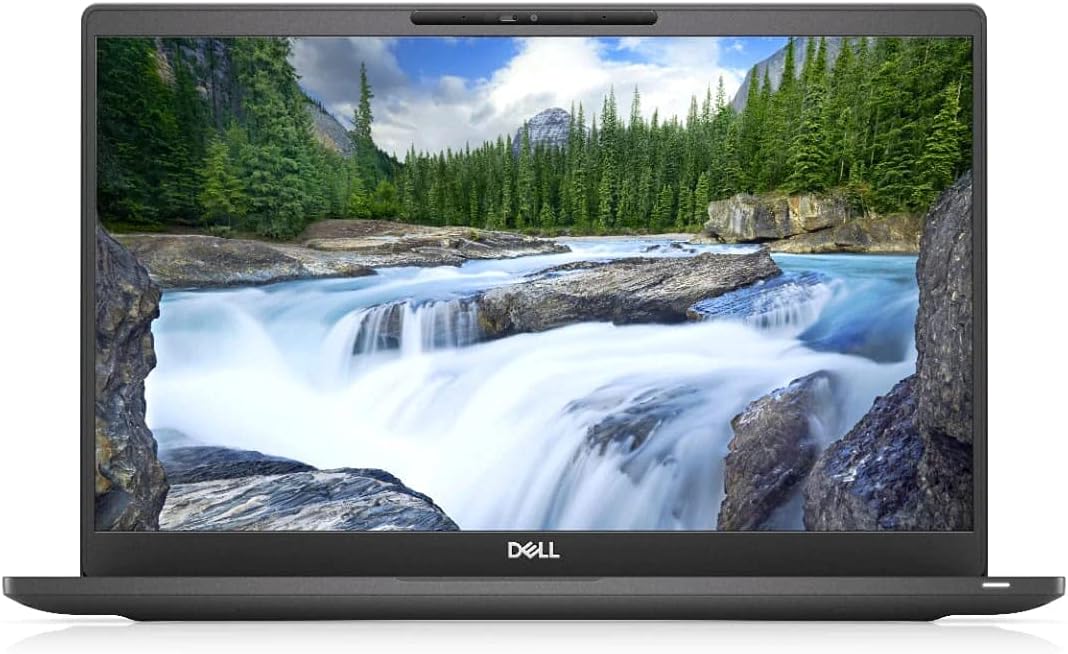
The Dell Latitude 7400 is an excellent budget-friendly option for Fusion 360 users who need substantial memory without breaking the bank. It offers 32GB of RAM which is critical for handling large files. The refreshed build ensures reliability for daily professional tasks. Its 14-inch screen is compact yet clear for detailed work.
We may earn a commission when you buy through this link, at no additional cost to you.
The Core i7-8665U processor provides solid performance for general modeling tasks although it is an older generation. However, the generous 32GB RAM compensates by allowing smooth multitasking and efficient data handling. The SSD ensures quick boot times which keeps you productive. The FHD display delivers sharp visuals necessary for precision design work.
Storage is limited to 256GB which might require external drives for extensive project archives. The processor is not the newest but it still handles standard CAD operations effectively. This unit is renewed so check warranty details before buying. It is a great choice for those needing a professional chassis at a lower price.
For students or professionals needing a cost-effective machine for Fusion 360, this model strikes a good balance. It prioritizes RAM capacity which is often the bottleneck in CAD software. The lightweight design makes it easy to carry to class or client meetings. Consider this if you can work with standard internal storage and an older CPU.
32GB RAM allows for smooth operation of Fusion 360 even with large open projects and browser tabs.
The Latitude series is known for durability and ergonomic design suitable for long daily work sessions.
We may earn a commission when you buy through this link, at no additional cost to you.
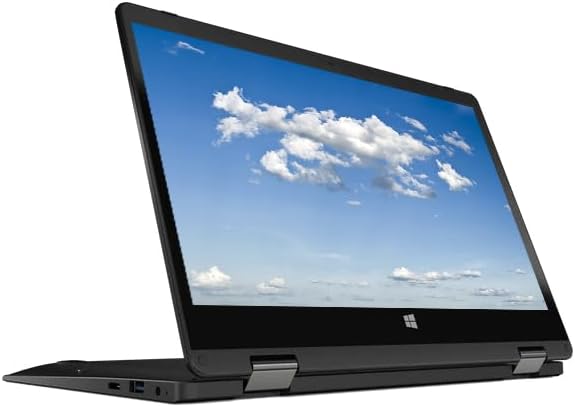
The HP 2026 X360 offers a flexible design that allows you to use the laptop as a tablet or tent. It is lightweight and easy to carry making it good for students or casual users. The touchscreen can be useful for reviewing designs though it lacks power for heavy modeling. The price is low which makes it accessible for limited budgets.
We may earn a commission when you buy through this link, at no additional cost to you.
The processor and memory are basic so complex 3D modeling will be slow. This device is better suited for viewing and editing simple files rather than creating them from scratch. The 11.6-inch screen is small which might strain your eyes during long sessions. However, the connectivity options are adequate for basic peripherals.
The 8GB of RAM is the minimum for modern operating systems but it limits multitasking. The 128GB storage will fill up quickly with design files. You will need cloud storage or an external drive for projects. The HD resolution is decent for casual use but not ideal for detailed engineering work.
This laptop is a starting point for those just beginning to use Fusion 360 or needing a secondary device. It is not recommended for professional heavy-duty work due to performance constraints. If you need portability above all else this model delivers. Always check reviews for specific unit conditions when buying renewed.
The 360-degree hinge allows you to switch between laptop, tablet, and tent modes for various scenarios.
Its small form factor makes it easy to carry in a backpack for daily commutes.
We may earn a commission when you buy through this link, at no additional cost to you.
The Acer Gateway 11.6 is an entry-level device that prioritizes cost savings over performance. It is suitable for light browsing and basic document editing. The IPS screen offers better viewing angles which is helpful for reviewing design mockups. Its compact size makes it easy to store in tight spaces.
We may earn a commission when you buy through this link, at no additional cost to you.
With only 4GB of RAM Fusion 360 will struggle to run efficiently. This model is best for looking at files rather than creating them. The 64GB storage is very limited and you may need external solutions immediately. The processor is slow for complex rendering tasks.
The 360-degree rotation allows you to use it as a tablet for presentations or note-taking. This feature adds value for general use but does not compensate for the hardware limitations. The battery life should be checked carefully as budget models often vary. It is a viable option only for very specific low-intensity tasks.
This laptop is recommended for users who need a second screen for basic checks. It is not a primary machine for professional design work. If your budget is extremely tight this might be an option for light usage. Always verify the condition of renewed units before purchase.
The IPS panel provides better color accuracy and viewing angles compared to standard TN panels.
This is one of the most affordable options available for basic computing needs.
We may earn a commission when you buy through this link, at no additional cost to you.
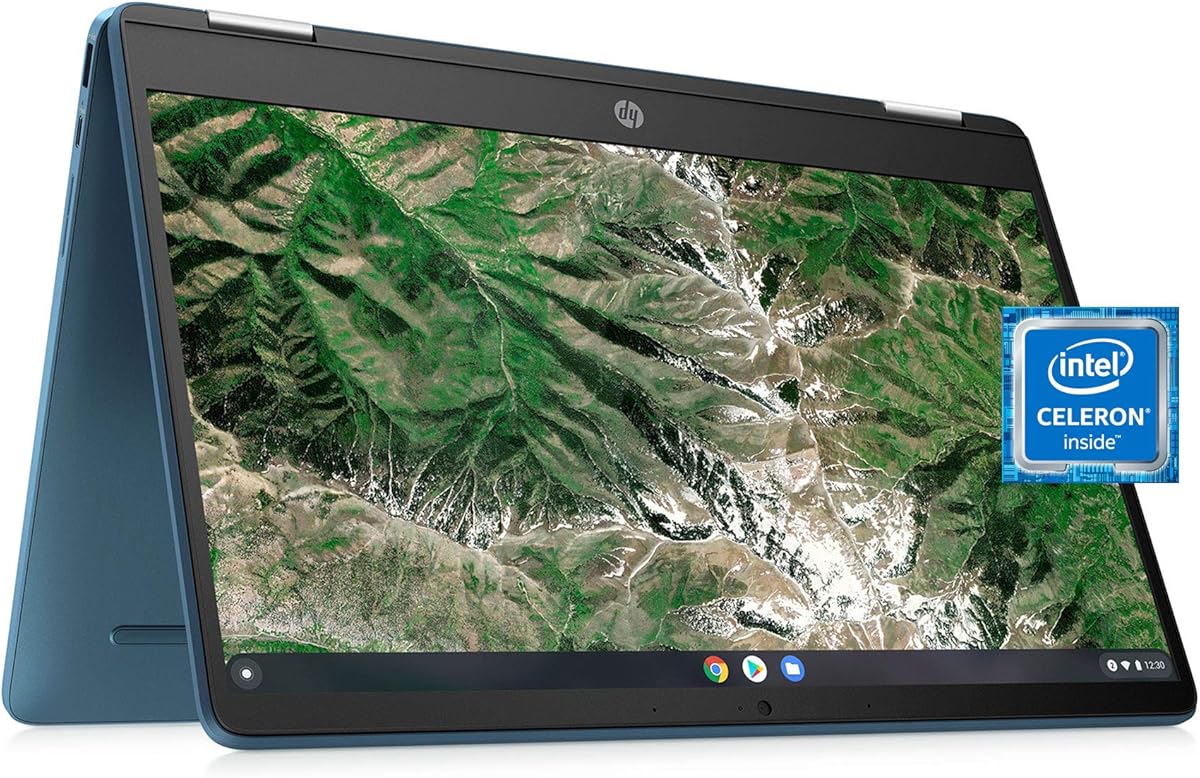
This HP Chromebook is designed for users who work primarily in the browser. It is fast for web tasks and has a nice touch display. The build is solid for the price and it looks modern. The speakers and webcam are decent for online meetings.
We may earn a commission when you buy through this link, at no additional cost to you.
However Fusion 360 desktop version does not run on Chrome OS. This limits its utility for professional CAD work significantly. You would need to use the web version of the tool which might have fewer features. The hardware is not powerful enough for heavy local processing.
The Celeron processor is efficient but lacks the speed for complex engineering tasks. It is great for students or home users who need basic computing. The 64GB storage is minimal but manageable for cloud files. You should consider other options if you need full software functionality.
For general productivity and media consumption this device performs well. It is not a solution for running Fusion 360 locally. If you rely on cloud apps this Chromebook is a reliable choice. Always check app compatibility before purchasing for specific needs.
Chrome OS allows for quick setup and easy access to Google services.
The 14-inch form factor is balanced between screen space and ease of transport.
We may earn a commission when you buy through this link, at no additional cost to you.
This model is similar to the previous ASUS option but listed again as a strong contender for Fusion 360. It excels in raw performance due to its latest generation components. The cooling system is robust which helps maintain performance over time. It is a solid choice for desktop replacement.
We may earn a commission when you buy through this link, at no additional cost to you.
The RTX 4050 ensures that rendering and modeling tasks are handled smoothly. The 16-inch screen gives you plenty of space to work on detailed designs. The DDR5 RAM makes multitasking seamless even with heavy applications. It is a premium device built for those who need top specs.
Due to its power it is heavier than standard laptops. You should consider this if you mostly work at a desk. The price reflects the high-end components included in the package. It is a great investment for long-term productivity and reliability.
For professionals and serious students this laptop offers excellent value for money. It handles complex projects with ease and provides a smooth user experience. The included accessories add to the overall utility of the device. Choose this if you want a high performance machine.
The 16-inch display provides ample space for toolbars and complex design interfaces.
Advanced cooling helps sustain high performance during long work sessions.
We may earn a commission when you buy through this link, at no additional cost to you.
This HP Chromebook offers a high quality build and screen for its class. It is a great device for web-based work and streaming. The 8GB RAM helps with multitasking within the browser. The convertible design allows for flexible use in different positions.
We may earn a commission when you buy through this link, at no additional cost to you.
However it cannot run the desktop version of Fusion 360. This is a key limitation for engineering students. The processor is designed for efficiency not heavy computation. It is suitable for checking designs online but not creating them.
The display is clear and vibrant which makes for a good viewing experience. The backlit keyboard aids in low light conditions. Storage is manageable for documents but you will need cloud space for large files. It is a strong option for general productivity.
For users who need a reliable laptop for web tasks this model is excellent. It is not intended for professional CAD work. If you work primarily online it might serve your needs well. Always check software compatibility before buying.
The IPS panel offers good color and clarity for media and basic design.
The 2-in-1 design allows for use as a tablet or laptop.
We may earn a commission when you buy through this link, at no additional cost to you.
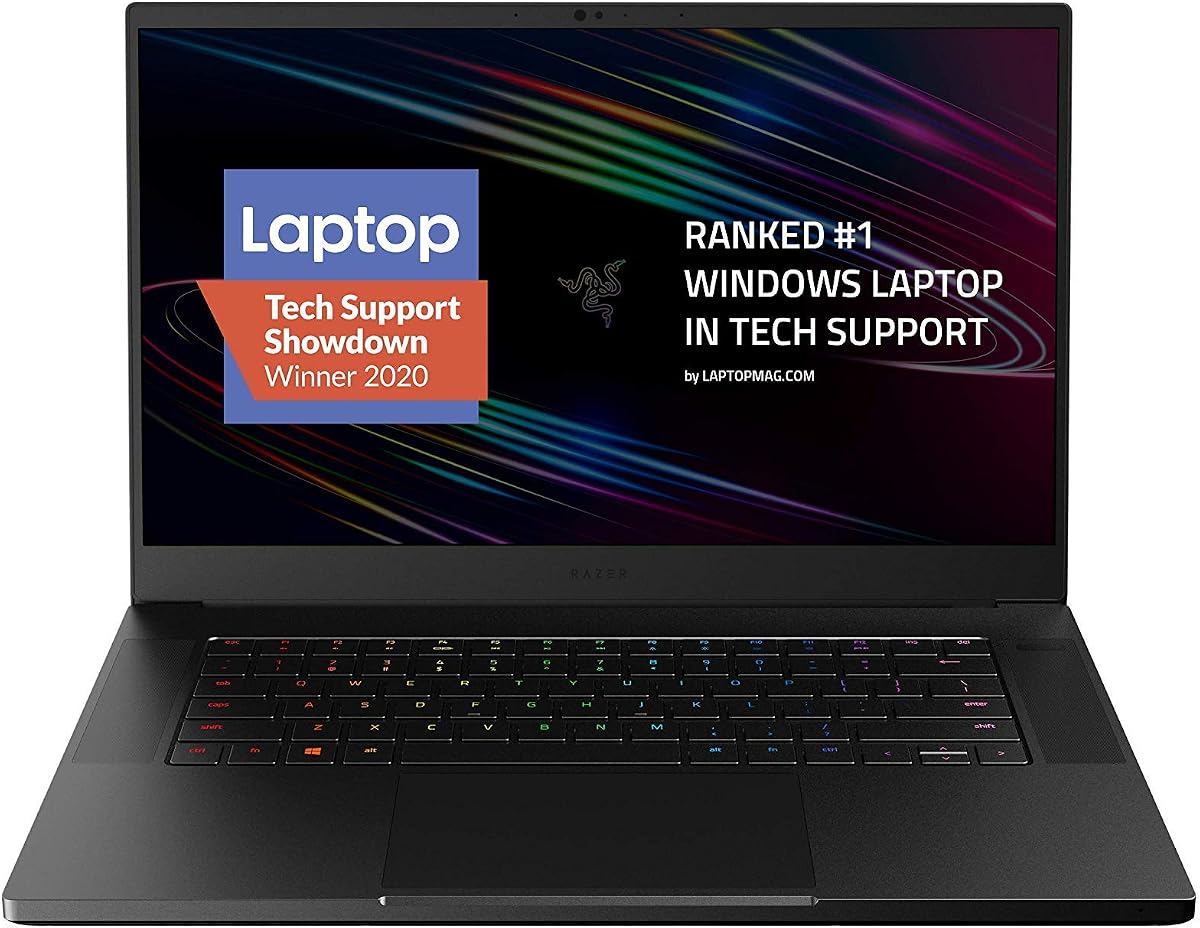
The Razer Blade 15 is known for its sleek aluminum design and high performance. It was a top choice for creators in its time. The screen is smooth and fast which is good for animations. The build quality is solid and durable.
We may earn a commission when you buy through this link, at no additional cost to you.
However it is an older model from 2020. The battery life may be lower than newer devices. It still has strong graphics which can handle Fusion 360 well. The Thunderbolt port allows for external monitors and docks.
The price might be high for an older unit. You should compare it to newer options before buying. It is a good choice if you need a powerful portable machine. The keyboard and trackpad are precise for detailed work.
For designers who value build quality and screen smoothness this is a strong contender. It is less efficient than new devices but still powerful. If you find it at a good price it can be a great tool. Check battery health when purchasing.
The CNC aluminum chassis is durable and sleek.
The 300Hz screen offers very smooth visuals.
We may earn a commission when you buy through this link, at no additional cost to you.
This ASUS TUF model is a rugged gaming laptop that can handle design tasks. It is a good option for those on a budget. The build is durable and can withstand daily use. The screen is fast and clear for viewing.
We may earn a commission when you buy through this link, at no additional cost to you.
The graphics are capable of running Fusion 360 smoothly for simple projects. The RAM is low which may limit multitasking. You can upgrade RAM to improve performance if possible. It comes with Windows 10 which is nearing end of support.
The design is utilitarian but functional for work environments. It is heavier than standard laptops due to its cooling system. The price is competitive for the specs offered. It is a good entry into gaming hardware for creators.
For those needing a durable machine this laptop is a strong choice. It is not the most portable but it is reliable. Consider upgrading RAM before heavy use. It is a solid option for students on a budget.
Built to military standards for resilience.
144Hz screen allows for smooth visual work.
We may earn a commission when you buy through this link, at no additional cost to you.
This Acer Chromebook is a great portable tool for casual tasks. It is light and easy to carry around. The screen is durable and clear. It works well for web browsing and notes.
We may earn a commission when you buy through this link, at no additional cost to you.
It does not support the full Fusion 360 app. You must use the web version or other tools. This limits its use for serious engineering work. The processor is not strong enough for complex rendering. It is a budget device for light users.
The battery life is good for travel and daily use. The keyboard is comfortable for typing. It is a good secondary device for students. Consider this for general tasks not for CAD.
For those who need a travel laptop this model is a good pick. It is not for heavy design work. It is best for browsing and writing. Verify your needs before buying to ensure it fits.
Light weight design makes it great for travel.
Low price point helps save money.
We may earn a commission when you buy through this link, at no additional cost to you.
Selecting the right laptop for Fusion 360 involves evaluating several key hardware components that directly impact software performance. Here are the most important factors to consider.
Fusion 360 relies heavily on single-core performance for modeling tasks. Look for a processor with high clock speeds and at least four cores to handle complex operations smoothly.
Prioritize Intel Core i5 or i7 series or AMD Ryzen 5 or 7 equivalents for best results.
RAM determines how many programs you can run at once. For Fusion 360 16GB is the recommended minimum to avoid lag during large assembly work.
Upgrading to 32GB provides headroom for future-proofing and heavy multitasking.
A dedicated GPU accelerates rendering and real-time visualizations. NVIDIA RTX or AMD Radeon Pro cards are ideal for professional CAD work.
Integrated graphics can handle basic sketches but struggle with complex renders.
Solid State Drives (SSD) drastically reduce boot and load times. Choose a drive with at least 512GB of space for software and files.
NVMe SSDs offer the fastest performance compared to SATA options.
A clear high resolution display is essential for precision modeling. Look for Full HD or higher with good color accuracy.
Larger screens provide more workspace for toolbars and detailed designs.
If you work on the go check the battery endurance. CAD tasks drain power quickly so larger batteries are preferable.
Balance battery size with portability to ensure the laptop remains manageable.
Ensure there are enough ports for external monitors and peripherals. USB-C and HDMI ports are standard for modern setups.
Wi-Fi 6 provides reliable internet for cloud backups and collaboration.
A sturdy build ensures the laptop can handle daily transport. Military-grade materials like aluminum are more resistant to wear.
Check warranty options to protect your investment against hardware failures.
To maintain performance keep your system drivers up to date regularly. This ensures compatibility with the latest software updates and security patches.
Manage your storage by clearing temporary files and using external drives for large projects. This helps prevent the drive from filling up and slowing down operations.
Use proper ventilation to prevent overheating during long rendering sessions. A cooling pad can help maintain optimal temperatures for extended work.
Yes gaming laptops are excellent for Fusion 360 due to their powerful processors and dedicated graphics cards. These features allow for smooth modeling and fast rendering which are essential for professional design work.
For Fusion 360 at least 16GB of RAM is recommended. If you plan to run multiple applications or work with large assemblies 32GB will provide better performance and stability.
No you cannot run the desktop version of Fusion 360 on a Chromebook. You would need to use the web version which has limited features and performance compared to the full desktop application.
NVIDIA RTX series GPUs are generally preferred for Fusion 360. They offer dedicated video memory that accelerates 3D rendering and allows for smoother navigation of complex models.
Screen size is important for workspace. A larger screen like 15 or 16 inches helps you see toolbars and details better. However a smaller portable screen can work if you use an external monitor.
Both Windows and Mac are supported by Fusion 360. However Windows laptops offer more hardware choices and often better performance for the price. Macs are good for Apple ecosystem users.
To extend your laptop life keep it clean and avoid extreme temperatures. Regularly clear storage and update software to maintain performance. Using a cooling pad helps prevent overheating during heavy tasks.
Choosing the right laptop for Fusion 360 depends on your specific needs and budget. The top picks include the HP Victus for its excellent balance and the Dell Latitude for budget performance.
Prioritize models with strong processors and plenty of RAM to ensure smooth workflow. A dedicated GPU will help with rendering tasks and improve overall speed.
Always check the latest pricing and availability before you decide. Your laptop is a key tool so invest wisely to match your professional requirements.