
MXZ Intel Core i7 13700F
4.5Editor score
i7-13700F Processor
RTX 4070 Graphics
16GB DDR4 Memory
This comprehensive guide compares the top Gaming Pcs with Rtx 4070 available in October 2026, analyzing performance, design, and value for gamers.
Finding the right gaming desktop requires balancing power and price. The RTX 4070 offers excellent 1440p performance for modern titles. You need a machine that handles high settings without breaking your budget or thermal limits.
We compared ten prebuilt systems focusing on CPU synergy, cooling, and upgradeability. Each unit features an RTX 4070 or Super variant paired with modern processors. Our analysis highlights real-world gaming potential and build quality differences.
Each pick showcases specific strengths like airflow, RGB, or pure speed. Remember that stock levels and prices change frequently online. Check current availability before purchasing to ensure you get the exact configuration shown here.
4.5Editor score

4.6Editor score

5.0Editor score
This table compares all ten desktops side by side. Look at CPU generation, GPU variant, RAM speed, and storage capacity to find the right fit for your needs.


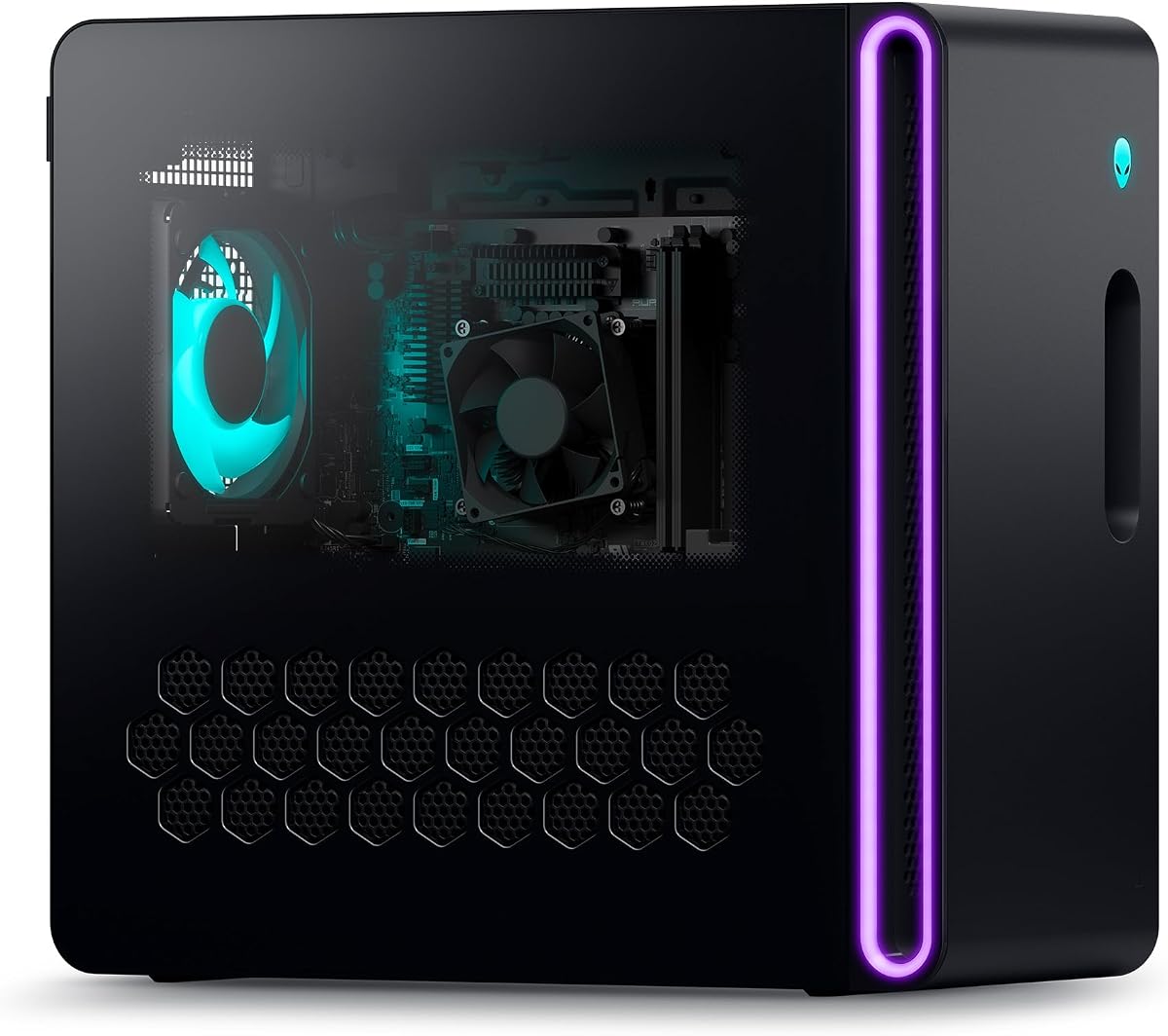

This desktop delivers strong performance for the price. It pairs a powerful i7 processor with the RTX 4070. Users appreciate the DDR5 RAM and fast SSD for quick boot times.
We may earn a commission when you buy through this link, at no additional cost to you.
The system handles modern titles well at high settings. Multitasking remains smooth during streaming sessions. The build focuses on utility over flashy aesthetics which suits practical gamers.
Cooling is functional but not exceptional. Some users might find fan noise noticeable under load. The case design limits airflow compared to open-frame options.
Buy this if you want a solid workhorse without overspending. It is ideal for students and professionals who game in their free time.
The CPU handles office tasks while the GPU runs AAA games smoothly.
DDR5 support ensures the system stays relevant for years to come.
We may earn a commission when you buy through this link, at no additional cost to you.
This unit stands out for offering high specs at a low cost. The 13700F provides excellent multicore performance for the price. It is a great entry point into mid range PC gaming.
We may earn a commission when you buy through this link, at no additional cost to you.
Gaming performance is excellent across popular titles. The inclusion of RTX 4070 technology makes ray tracing accessible. Fans provide decent airflow while adding visual flair.
DDR4 RAM is slightly slower than DDR5 but still capable. Upgrades will be needed as games demand more memory bandwidth. Case quality feels standard for the price range.
Choose this if budget is your main priority. You get a powerful rig without paying for premium chassis designs or brand markup.
16 cores ensure smooth multitasking even when background apps are open.
RGB fans add a custom look without needing extra purchases.
We may earn a commission when you buy through this link, at no additional cost to you.
This system balances power and style effectively. The Super variant of the 4070 offers more headroom than the standard model. AMD Ryzen 7700 keeps thermal output reasonable during intense sessions.
We may earn a commission when you buy through this link, at no additional cost to you.
DDR5 6000 MHz RAM maximizes frame rates in CPU bound titles. The 750W PSU leaves room for future upgrades. The white build stands out on any desk.
The case design prioritizes airflow over cable hiding. Dust filters help keep fans clean but require regular cleaning. No bloatware ensures a clean Windows experience.
Pick this for a premium feel without extreme pricing. It is perfect for streamers who want a clean visual setup.
The Super chip boosts performance for ray tracing and DLSS 3.
Air cooler and case fans work together to manage heat well.
We may earn a commission when you buy through this link, at no additional cost to you.
This PC uses the newest Zen 5 architecture. The 9700X offers great efficiency and speed. It pairs well with the 4070 Super for high FPS gaming.
We may earn a commission when you buy through this link, at no additional cost to you.
The 800W PSU provides ample headroom. DDR5 memory ensures low latency. The build aims to offer future proofing at a lower tier.
However reviews suggest some quality control issues. You may need to handle shipping carefully. Warranty service might be slower than major brands.
Consider this if you are comfortable with lesser known brands. It offers high raw power for the cost but needs verification.
Newer architecture improves performance per watt significantly.
Lower power draw means less heat and quieter operation.
We may earn a commission when you buy through this link, at no additional cost to you.
This model steps into the next generation of GPUs. The 5070 brings Blackwell architecture for better efficiency. It is a forward looking choice for early adopters.
We may earn a commission when you buy through this link, at no additional cost to you.
Alienware build quality remains top notch. The chassis is designed for airflow and looks. Onsite support gives peace of mind to gamers.
The use of proprietary components can make upgrades hard. You rely on OEM parts for replacements. This increases long term maintenance costs.
Buy if you want the latest tech and support. It is a strong choice for users who want a reliable brand experience.
Generational leap in ray tracing and rasterization performance.
Dell will send a technician to your home for issues.
We may earn a commission when you buy through this link, at no additional cost to you.
This unit focuses on memory and storage. 32GB RAM allows heavy multitasking. The 2TB drive fits many games without external drives.
We may earn a commission when you buy through this link, at no additional cost to you.
RTX 5070 ensures high performance. AMD 8700F handles gaming well. The build quality is typical MSI with a solid feel.
The CPU might bottleneck the GPU in some titles. It is a balanced system but could be more powerful. Price reflects the storage and RAM advantages.
Select this for media consumption and gaming. It is a great hybrid machine for work and play needs.
32GB RAM handles creative apps and games simultaneously.
Two terabytes of space means no need to delete games.
We may earn a commission when you buy through this link, at no additional cost to you.
This system balances specs for VR and gaming. The 5070 handles VR titles with ease. 32GB RAM ensures smooth background processing.
We may earn a commission when you buy through this link, at no additional cost to you.
The case allows upgrades without hassle. Standard parts make repairs easy. MSI software helps control fans and lighting.
The i5 CPU has fewer cores than i7. Streaming while gaming might show limits. It is better for pure gaming over production.
Pick this for VR or high frame gaming. It offers solid value for those focused on frame rates.
Hardware meets requirements for high fidelity VR experiences.
Standard sockets mean easy future swaps for CPU or GPU.
We may earn a commission when you buy through this link, at no additional cost to you.
This system is a premium choice for high end users. Liquid cooling keeps temperatures low during stress. The Ultra 7 265K pushes high speeds.
We may earn a commission when you buy through this link, at no additional cost to you.
AI features assist with performance tuning. The design looks sleek with minimal cable clutter. It handles content creation well alongside gaming.
Liquid cooling adds complexity but reduces noise. Maintenance involves occasional checks. The price is high but justified by the features.
Buy this if you want top tier performance. It is best for enthusiasts who need silent and fast operation.
A360mm radiator ensures the CPU stays cool under load.
NVIDIA AI helps optimize frames and image quality.
We may earn a commission when you buy through this link, at no additional cost to you.
This chassis is designed for airflow and looks. The Super GPU brings strong performance. Alienware branding adds a premium touch.
We may earn a commission when you buy through this link, at no additional cost to you.
12-phase VRM helps CPU performance. The case design helps quiet acoustics. Custom lighting adds visual flair.
Reviews note some quality inconsistencies. The price is high for the specs. You pay for the brand name.
Consider this for the design and service. It works well for brand loyalists who value aesthetics.
Command Center software tailors lights to your game.
12-phase VRM keeps the CPU stable under load.
We may earn a commission when you buy through this link, at no additional cost to you.
This unit focuses on visual appeal. RGB RAM adds a custom look. It includes peripherals which saves money.
We may earn a commission when you buy through this link, at no additional cost to you.
Performance is strong for 1440p gaming. The i7 CPU handles multitasking. Storage is generous for a full library.
The case can be noisy under load. It is large and needs desk space. Some users prefer quiet systems.
Choose this if you love RGB. It is a great all in one for gamers who value aesthetics.
Stunning lights on RAM make the inside look great.
Free keyboard and mouse help you start fast.
We may earn a commission when you buy through this link, at no additional cost to you.
Choosing the right system involves checking several parts to ensure it meets your needs.
A balanced CPU prevents bottlenecks. Look for i7 or Ryzen 7 for best results. Older chips may limit frame rates.
Ensure the CPU matches the GPU power.
DDR5 offers better bandwidth than DDR4. 16GB is a standard minimum for gaming. 32GB helps with multitasking.
Prioritize DDR5 for future proofing.
Air cooling is common but liquid is quieter. Good airflow prevents thermal throttling. Check fan count and design.
Cooling matters for long gaming sessions.
SSDs load games faster than HDDs. 1TB is common but 2TB allows more games. NVME drives are best for speed.
Pick enough space for your library.
Cases affect airflow and cable management. Metal builds last longer than plastic. Open cases help cooling but gather dust.
Quality cases help system health.
Check warranty terms before buying. Onsite support saves time. Major brands offer better service.
Good warranty reduces risk.
Standard parts make upgrades easier. Proprietary cases limit future options. Check slot availability.
Choose open systems for growth.
Wi-Fi 6 or 6E helps speed. Port count matters for peripherals. USB 3.0 is useful.
Check ports for your devices.
Place your PC in a well ventilated area. Avoid enclosed cabinets to prevent heat buildup. Ensure at least six inches of space around vents.
Update drivers regularly for stability. NVIDIA GeForce Experience helps manage this. Keep Windows updated for best security and patches.
Clean dust every three months. Use compressed air on fans and filters. Dust reduces cooling efficiency and increases noise.
16GB is enough for most games. 32GB helps if you stream or edit. Check future needs before buying.
Use software like HWMonitor or MSI Afterburner. Track CPU and GPU heat. Ideal temps stay under 80C.
Check the PSU wattage and case size. Some cases limit long cards. Ensure the power supply fits.
Wi-Fi 6E gives lower latency. It uses the 6GHz band. Useful for online gaming over wireless.
The 4070 is great for 1440p. It can handle 4K with DLSS. Expect high FPS at 2K.
Most do come with Windows 11. Check the listing to confirm. Avoid paying extra for activation later.
We reviewed ten systems ranging from value to premium. Each has unique strengths. The Skytech King 95 leads for value.
Prioritize cooling and CPU pairing. A balanced system lasts longer. Do not skip on PSU quality.
Prices shift often so verify offers. Check reviews before purchase for quality. Good research ensures satisfaction.