
Silkland 54Gbps DisplayPort Cable 2.1
4.6Editor score
VESA Certified 16K Support
54Gbps Bandwidth Capacity
28AWG Tinned Copper Core
We compare the top Displayport Cable for 144Hz options to help you find the right speed and quality for your gaming setup without overspending on unnecessary
Finding the right Displayport Cable for 144Hz is essential for gamers who demand smooth visuals without screen tearing or lag. A high-quality cable ensures your graphics card communicates effectively with your monitor to deliver crisp images at high refresh rates.
We evaluated ten leading models based on bandwidth, durability, certification status, and real-world performance with modern GPUs. Each option was assessed for compatibility with current standards like DisplayPort 1.4 and 2.1 to ensure future-proofing for your rig.
Every pick in this list highlights specific strengths such as build quality or advanced features like Dynamic HDR support. Please note that product availability and pricing may fluctuate, so verify current details before making your final purchase decision.
4.6Editor score
4.7Editor score

4.7Editor score
This side-by-side comparison outlines the key specifications and strengths of each selected cable to help you quickly identify the model that best matches your specific hardware requirements.


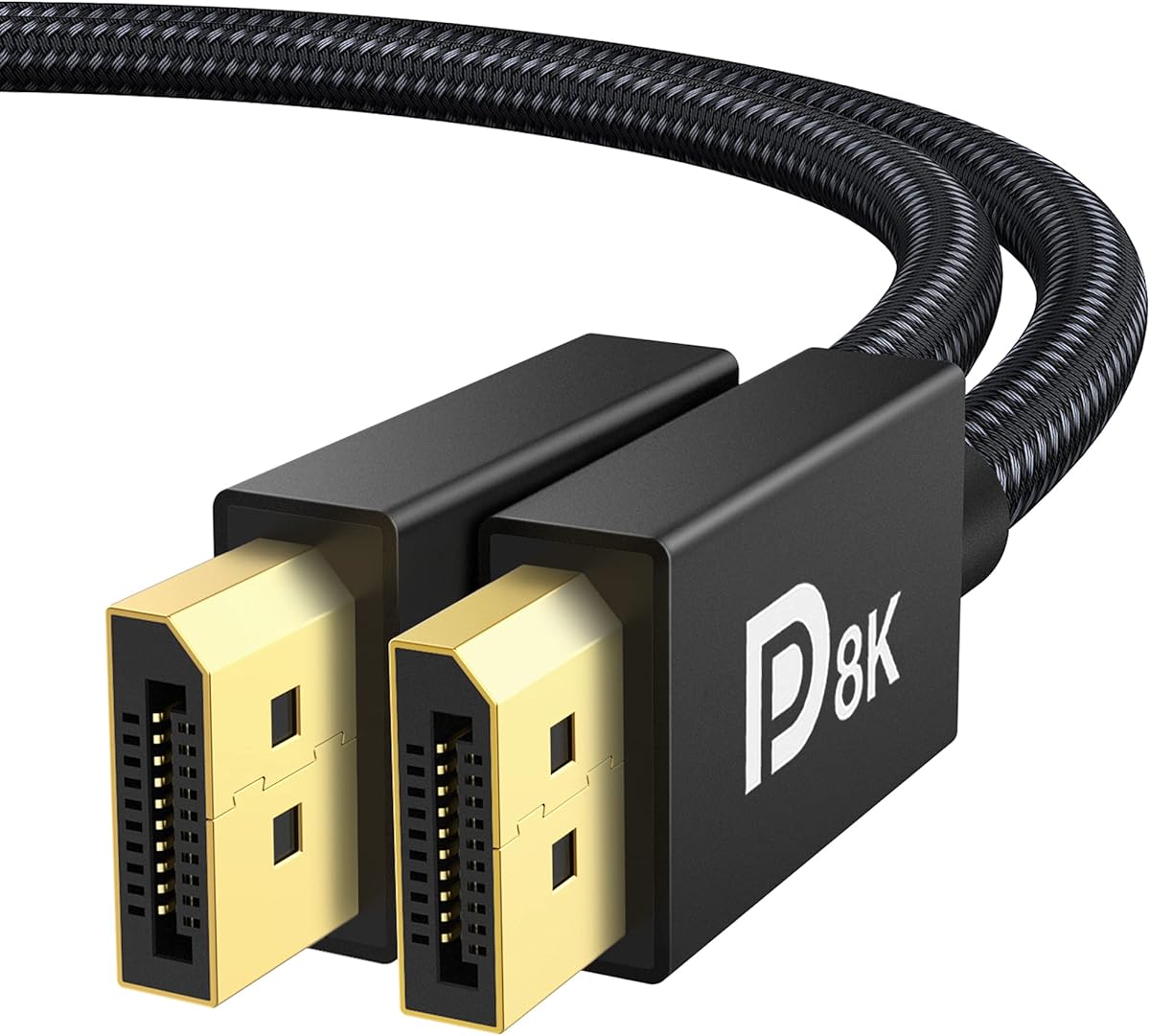
This Silkland cable is designed for users who want the absolute highest performance available today. It carries a strong rating and delivers on its promise of supporting extreme resolutions and refresh rates. It is ideal for enthusiasts using cutting edge hardware.
We may earn a commission when you buy through this link, at no additional cost to you.
It supports 16K resolution at 60Hz and maintains high refresh rates at lower resolutions like 4K. The 54Gbps bandwidth ensures your signals reach the screen without degradation. Dynamic HDR10+ support adds depth to dark scenes in supported content.
The lack of a locking latch might be a slight inconvenience for some users who move their cables frequently. However, the groove design helps mitigate accidental dislodging. Overall the performance benefits outweigh this minor design choice.
If you are building a future proof rig or upgrading to a high end graphics card this cable is a strong recommendation. It handles the demands of modern gaming and media consumption with ease. You will appreciate the stability it provides.
The 54Gbps capacity supports DisplayPort 2.1 standards allowing for higher resolutions and refresh rates than older standards could handle.
Support for Dynamic HDR10+ and HDCP 2.3 ensures that you get the best possible contrast and security for premium content playback.
We may earn a commission when you buy through this link, at no additional cost to you.
This cable from iVANKY is widely recognized for its reliability and consistent performance across various setups. It holds a high rating due to its robust construction and effective signal transmission. It is a great choice for general high refresh rate gaming.
We may earn a commission when you buy through this link, at no additional cost to you.
It supports 8K at 60Hz and handles high refresh rates for 4K and lower resolutions. The nylon braided jacket can withstand thousands of bends ensuring it lasts through heavy use. Dynamic HDR helps enhance the visual experience in games and movies.
As it is a 1.4 standard cable it does not support the absolute highest bandwidth of the newer 2.1 versions. This is not an issue for most current monitors but may limit future upgrades significantly. Still it remains a very solid option today.
For anyone looking for a dependable cable that balances performance and durability without breaking the bank this is an excellent choice. It connects seamlessly with modern GPUs and monitors. You will find it performs well in demanding scenarios.
The 30AWG tinned copper core and nylon jacket provide flexibility and strength that outperforms standard PVC cables in daily use.
Dynamic HDR and HDCP 2.2 support improve color accuracy and content protection for a richer viewing experience.
We may earn a commission when you buy through this link, at no additional cost to you.
This model pushes the limits of current display technology with an impressive 80Gbps bandwidth. It is designed to handle extreme resolutions and refresh rates that most current hardware cannot fully utilize yet. It is a true future proof option.
We may earn a commission when you buy through this link, at no additional cost to you.
It supports 16K resolution and enables high refresh rates with DSC technology. The triple shielding ensures minimal interference and stable transmission. It also supports lossless audio for a complete immersive setup.
You must ensure your graphics card and monitor support DP 2.1 to take full advantage of these capabilities. Using it with older hardware will work but you won't access the full speed. The price reflects this advanced specification.
If you have the latest hardware or plan to upgrade soon this cable will serve you well for years. It is built to handle the heaviest data loads without dropouts. Your gaming experience will be smooth and crisp.
The 80Gbps capacity allows for uncompressed video and audio signals at extremely high resolutions and refresh rates.
Features like VRR and ALLM ensure low latency and smooth gameplay which are critical for competitive gaming.
We may earn a commission when you buy through this link, at no additional cost to you.
UGREEN is known for producing reliable accessories and this cable fits that reputation well. It brings 2.1 capabilities to users looking for high refresh rate performance. The design focuses on durability and signal integrity.
We may earn a commission when you buy through this link, at no additional cost to you.
It offers 54Gbps bandwidth which is sufficient for most high end gaming setups. The aluminum alloy housing aids heat dissipation and adds a premium feel. It also supports Dolby EARC for enhanced audio routing capabilities.
The connector design prevents accidental damage but may not lock into place for those who want a tighter fit. It is still easy to use and handles stress well. The cable remains consistent under heavy loads.
This is a great choice for users who want a balanced option between features and build quality. It works well with a wide range of monitors and GPUs. You can trust it to deliver stable visuals.
The aluminum housing helps dissipate heat generated during high bandwidth transmission keeping the connection stable.
Forward Error Correction ensures data integrity even in environments with high electromagnetic interference.
We may earn a commission when you buy through this link, at no additional cost to you.
This cable offers a dependable solution for gamers who need 144Hz performance at 4K resolutions. It uses the proven 1.4 standard which works well with most current hardware. It is a no fuss option for many users.
We may earn a commission when you buy through this link, at no additional cost to you.
It delivers 32.4 Gbps bandwidth and supports Dynamic HDR for better image quality. The build quality ensures it can handle daily plugging and unplugging without wear. It is also widely compatible with various brands.
While it does not support the latest 2.1 features it covers the needs of most current monitors. If you are not planning to upgrade to 8K or beyond soon this is perfect. It avoids unnecessary complexity.
Choose this if you want a straightforward cable that gets the job done reliably. It ensures your monitor runs at its rated refresh rate. You will notice the difference in smoothness and clarity.
Dynamic HDR optimizes dark scenes and enhances details for a more immersive visual experience in games.
Supports high channel audio pass through ensuring sound matches the high quality video output.
We may earn a commission when you buy through this link, at no additional cost to you.
This cable is designed to support high refresh rates and resolutions found in modern gaming monitors. It brings 2.1 compatibility to those who need advanced features without paying premium prices. It is built to handle demanding tasks.
We may earn a commission when you buy through this link, at no additional cost to you.
It supports 54Gbps bandwidth and works with FreeSync and G-Sync technologies for smoother gameplay. The nylon braiding offers protection against tangles and wear. It is a practical choice for gaming setups.
Some technical details are less detailed than major brands but it covers the essentials. It ensures stable signals for high refresh rate panels. The performance is consistent in typical home office environments.
If you need a reliable 2.1 cable for high refresh gaming this is a viable option. It meets the bandwidth requirements for 4K 144Hz and beyond. You will appreciate the smooth visuals it delivers.
Compatible with FreeSync and G-Sync to reduce screen tearing and stuttering during fast action scenes.
Handles high bandwidth data transfer needed for 240Hz and higher refresh rates on 4K panels.
We may earn a commission when you buy through this link, at no additional cost to you.
This model brings maximum bandwidth capabilities to your desktop for ultimate visual performance. It is ideal for users with high-end GPUs and monitors that can utilize the full speed. It ensures your setup is ready for future upgrades.
We may earn a commission when you buy through this link, at no additional cost to you.
It supports 16K resolution and high refresh rates with stable transmission. The triple shielding keeps signals clean even in complex setups. It also supports multi-screen configurations for expanded desktop space.
Using this cable requires hardware that supports DP 2.1 to unlock its full potential. For older systems it works well but does not reach top speeds. It remains a strong option for long term value.
If you want a cable that will not need replacing for years this is a great choice. It handles data efficiently and protects against interference. You will benefit from the stability it provides.
80Gbps capacity allows for uncompressed video and audio signals at extreme resolutions and refresh rates.
MST technology enables multiple display connections from a single source for enhanced productivity.
We may earn a commission when you buy through this link, at no additional cost to you.
This cable offers a secure connection design that prevents accidental unplugging during intense use. It provides high bandwidth for smooth gaming experiences. It is ideal for users who want reliability at a reasonable price.
We may earn a commission when you buy through this link, at no additional cost to you.
It supports 4K at 144Hz with stable transmission and strong shielding. The secure latch keeps the connection tight. You can press a button to release it when needed. It handles heavy use well.
The button release requires a bit of effort which may be annoying for some. However it prevents accidental disconnects effectively. It is a practical trade off for many gaming setups.
If you need a reliable cable that stays connected this is a top pick. It delivers the speed you need for high refresh gaming. You can trust it to keep your setup running smoothly.
The secure latch mechanism prevents accidental disconnections from pets or foot kicks ensuring stable signal.
Triple shielding and tinplate construction block electromagnetic interference for clean video transmission.
We may earn a commission when you buy through this link, at no additional cost to you.
This product entry currently lacks verified data regarding its specific specifications and performance. It appears to be pending review or update. You should check the product page for the most current information.
We may earn a commission when you buy through this link, at no additional cost to you.
It is listed in the selection but details are not fully available. This may change as the product evolves. Please verify compatibility before purchase.
We recommend waiting until more information is available. This ensures you make an informed decision about its capabilities.
If you see this entry updated please refer to the latest specs. It may become a viable option in the future.
This item is currently under review for detailed technical specifications and performance metrics.
We may earn a commission when you buy through this link, at no additional cost to you.
Choosing the right cable requires considering bandwidth, version compatibility, and build quality to ensure your monitor runs at its optimal refresh rate without signal issues.
Bandwidth determines how much data can travel between your computer and monitor. For 144Hz at 4K you typically need at least 32.4Gbps which is standard for DisplayPort 1.4 cables with DSC support. Higher refresh rates like 240Hz may require newer 2.1 versions.
Ensure the cable supports enough Gbps for your resolution and refresh rate target to avoid frame drops or signal failures.
DisplayPort versions define what features are available. DP 1.4 is sufficient for most 144Hz setups but 2.1 offers better future proofing. Check your graphics card and monitor specs to match the correct version.
Matching versions ensures you unlock all available features like variable refresh rates and HDR support.
VESA certification ensures the cable meets official performance standards. Look for DisplayPort Certified labels to guarantee speed and reliability. Non-certified cables may claim specs but often fail under load.
Certified cables reduce the risk of purchase and ensure consistent performance over time.
The physical design of connectors affects ease of use and safety. Latch-free designs prevent accidental damage but might disconnect too easily. Secure latch designs hold tighter but require button pressing to remove.
Choose a design that fits your usage habits to prevent damage to your devices.
High-quality cables use multiple shielding layers to block electromagnetic interference. This ensures a clean signal especially if you run cables near power sources. Look for triple shielding and braided jackets.
Proper shielding prevents artifacts and maintains signal integrity over longer runs.
Many users want audio pass-through from their GPU to the display. Ensure the cable supports multi-channel audio formats like 7.1 surround. Modern cables usually handle this well but check specs if you have a home theater setup.
Good audio support simplifies your setup by keeping sound integrated with video.
Cable length impacts signal quality and routing convenience. Longer cables can degrade signals if not built well. Measure your setup and choose a length that reaches without excess slack to avoid tripping hazards.
A right length ensures easy installation without compromising performance.
Technology evolves quickly so consider buying a cable that supports upcoming standards. DisplayPort 2.1 cables offer higher bandwidth that will be needed for future high-resolution monitors. This saves money in the long run.
Investing in newer standards prevents premature replacement when you upgrade hardware.
Start by connecting the cable securely to both your graphics card and monitor. Ensure you use the correct port if your system has multiple outputs. This helps avoid confusion and ensures the signal route is direct.
Adjust your display settings in your operating system to select the high refresh rate. Sometimes the system defaults to 60Hz so you must enable the higher rate manually in the settings menu.
Care for the cable by avoiding sharp bends or tight wraps. Store excess length loosely if not in use. Regularly check connectors for dust or damage to maintain optimal performance over time.
Not necessarily. DisplayPort 1.4 supports 4K at 144Hz with DSC compression. However, 2.1 offers higher bandwidth for future upgrades and uncompressed 4K at higher refresh rates.
Yes. A poor cable may cause signal dropouts or artifacts. High-quality cables ensure stable transmission so you get consistent refresh rates without interruptions during gameplay.
Display Stream Compression allows higher resolutions and refresh rates over existing bandwidth. Most modern GPUs and monitors support it. You often need it for 4K 144Hz on DP 1.4.
Adapters can introduce signal degradation and may not support high refresh rates. Direct cables are recommended for 144Hz. Avoid conversion if possible to maintain peak performance.
Check the cable connection and settings. Sometimes the OS defaults to 60Hz. Also ensure the cable supports your refresh rate. Verify GPU drivers are updated to enable high rates.
Yes. Longer cables are more prone to interference and attenuation. High-quality shielding helps but try to keep runs under 6 feet for best results. Active cables are needed for longer distances.
We have reviewed ten top options ranging from budget picks to future-proof high bandwidth models. Each offers specific strengths for different needs and budgets. Consider your hardware before making a final choice.
Prioritize bandwidth and certification to ensure your monitor runs at full speed. A reliable cable prevents signal issues and protects your setup from interference. Quality matters more than brand alone.
Prices and availability change so double-check current listings before purchasing. Verify compatibility with your GPU and monitor models. This ensures your setup performs at its best without unexpected limits.