
Creative Pebble V3
4.4Editor score
USB-C and Bluetooth 5.0
Clear Dialog processing
45-degree elevated drivers
This guide compares the top 10 MacBook external speakers setup options including sound quality, connectivity, and design for immersive audio experiences in
Enhancing your MacBook experience with external speakers transforms mundane listening into immersive audio. Whether you work from home or enjoy media, the right setup matters greatly.
We evaluated ten top-rated speakers based on sound quality, connectivity options, and ease of integration with macOS devices. Our analysis ensures you find the perfect match for your desk.
Each selection highlights key strengths and weaknesses to help you decide quickly. Note that product availability and pricing fluctuate regularly across different online retailers.
4.4Editor score
4.5Editor score

4.4Editor score
This table provides a quick side-by-side comparison of the top ten external speaker options suitable for MacBook users seeking improved audio output and convenience.




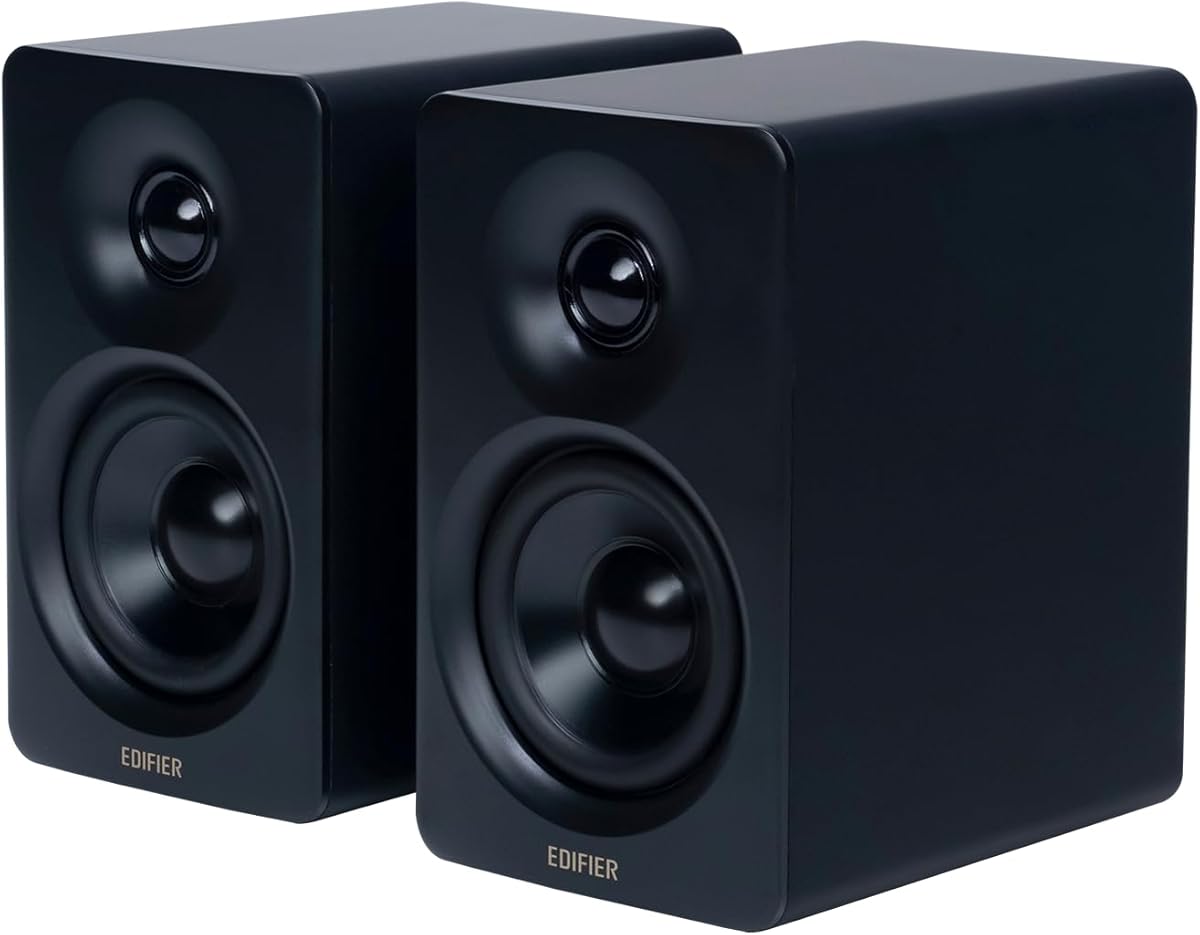
The Edifier M60 stands out as a top tier option for MacBook users seeking professional grade audio. It holds a solid 4.5 rating from users who value clarity and power.
We may earn a commission when you buy through this link, at no additional cost to you.
Its 66W RMS output ensures that even at high volumes the sound remains crisp without distortion. The Hi-Res Audio certification means you get studio quality playback for music and media.
While it is more expensive than entry level options the build quality justifies the cost. The aluminum stands help position drivers at ear level reducing listening fatigue over long sessions.
Anyone who edits video or listens to critical music will appreciate the accuracy. It transforms a basic MacBook setup into a powerful multimedia workstation easily.
The dual 3 inch drivers and silk dome tweeters deliver a balanced frequency response that rivals much larger speaker systems found in professional studios.
With Bluetooth 5.3 and LDAC codec support you can stream high fidelity audio wirelessly without compromising on sound quality or introducing latency.
We may earn a commission when you buy through this link, at no additional cost to you.
Creative Pebble V3 offers impressive performance for a fraction of the cost of premium rivals. It maintains a 4.4 rating due to its ease of use and sound clarity.
We may earn a commission when you buy through this link, at no additional cost to you.
The USB-C connection eliminates the need for separate power adapters keeping your desk tidy. Clear Dialog processing ensures voices in videos and calls remain intelligible even at low volumes.
Although it lacks the deep bass of larger units it fills a room well. The 45 degree angle directs sound straight to your ears optimizing the listening experience.
Students and casual users will find this setup perfect for daily tasks. It upgrades MacBook audio significantly without requiring technical expertise or a large budget.
Using a single USB-C cable for both power and audio reduces clutter significantly on modern laptops that often have limited port availability.
Beyond USB-C you can connect via Bluetooth or a 3.5mm jack allowing you to use the speakers with phones or other devices easily.
We may earn a commission when you buy through this link, at no additional cost to you.
The Logitech Z207 is a versatile choice for those who want to switch between devices seamlessly. It holds a strong 4.4 rating for reliability and sound consistency.
We may earn a commission when you buy through this link, at no additional cost to you.
Its Easy-Switch technology allows you to pause one device and play another without re-pairing. This feature is invaluable for users who work across phones and Macs simultaneously.
While it uses an older Bluetooth version the connection remains stable. The physical controls on the speaker make volume adjustments faster than navigating system settings.
If you prioritize convenience and wireless freedom this model delivers well. It fits neatly into diverse workflows without demanding constant attention or setup changes.
You can connect to two Bluetooth devices at once and switch between them instantly by simply playing audio on the desired source.
Physical buttons for power volume and pairing are placed within easy reach ensuring you never have to look at a screen to adjust settings.
We may earn a commission when you buy through this link, at no additional cost to you.
This soundbar design solves space issues for users with limited desk real estate. It holds a 4.2 rating for its unique placement options and solid audio performance.
We may earn a commission when you buy through this link, at no additional cost to you.
The adaptive channel switching ensures left and right audio are correct regardless of mount position. The G-sensor automatically detects orientation and adjusts output accordingly.
While the sound is loud enough for most tasks the bass may feel slightly synthetic. The touch controls provide a modern feel but require a light touch to avoid accidental mutes.
Ideal for users with multi-monitor setups this speaker clears valuable desk space. It connects easily via USB making it plug and play for macOS systems.
The spring clamp allows you to attach the speaker directly to your monitor freeing up surface area for keyboards and notebooks.
A built-in G-sensor detects if the speaker is upside down and flips the audio channels so stereo imaging remains accurate.
We may earn a commission when you buy through this link, at no additional cost to you.
Amazon Basics speakers offer a no fuss solution for basic audio needs. They hold a 4.4 rating primarily because they work reliably without technical headaches.
We may earn a commission when you buy through this link, at no additional cost to you.
The USB power source means you do not need an extra outlet. Inline volume control on the cable lets you adjust levels quickly without using system volume.
The sound is clear for speech but lacks low end punch. The metal finish gives a slightly more premium look than other budget options in this price range.
Perfect for office environments or students this pair is practical. It boosts MacBook sound without costing much or taking up much space.
The black finish and simple shape blend well with most laptop colors and office furniture styles without drawing attention.
Having the volume knob on the wire means you can reach it easily without moving your hands from the keyboard or mouse.
We may earn a commission when you buy through this link, at no additional cost to you.
Edifier MR3 is designed for creators who need accurate sound reproduction. It holds a 4.5 rating among users who produce music or edit video professionally.
We may earn a commission when you buy through this link, at no additional cost to you.
The Hi-Res Audio certification ensures you hear details often lost in standard speakers. Balanced inputs reduce noise and interference for cleaner signal transmission.
While the flat response is great for work it may sound neutral for casual listening. The app allows you to tweak EQ to suit movies and music if desired.
If you want studio quality at home this monitor speaker delivers. It pairs well with MacBook Pro and Air for precise audio editing work.
The audio is tuned to be flat rather than colored allowing you to hear exactly what is in the mix without artificial boosts.
Having TRS RCA and AUX inputs ensures compatibility with a wide range of audio interfaces and devices for maximum flexibility.
We may earn a commission when you buy through this link, at no additional cost to you.
These speakers focus on delivering loud clear sound without complex wiring. They hold a 4.2 rating for their ability to fill a room with volume easily.
We may earn a commission when you buy through this link, at no additional cost to you.
The dual 3W drivers and passive radiator work together to produce deep bass. This feature makes them suitable for movies and gaming where impact is key.
While they are loud the bass can sometimes overpower mids at max volume. The single cable design means you do not need a separate power adapter or aux cord.
Anyone who needs volume for large rooms will appreciate this unit. It connects directly via USB and works instantly with macOS settings.
A passive radiator increases air movement allowing the speakers to produce lower frequencies than typical drivers of this size can achieve.
Compatibility with Windows macOS ChromeOS and Linux means you can use these speakers on virtually any computer without driver issues.
We may earn a commission when you buy through this link, at no additional cost to you.
This FUNLOGY model fits on tight desks while still delivering clear audio. It holds a 4.2 rating for its thoughtful physical design and quiet operation.
We may earn a commission when you buy through this link, at no additional cost to you.
The 30 degree tilt aims sound directly at your ears improving clarity. This ergonomic feature ensures you get better sound without turning the speakers around.
The build quality feels premium with a matte finish and gold aux jack. Noise reduction design ensures static or interference is minimal even at high volumes.
Small desk owners will find this ideal for saving space. It offers a premium look and feel without requiring expensive high-end specifications.
The upward tilt optimizes the acoustic path to your head ensuring direct sound waves reach you without bouncing off the desk.
Using gold plated connectors reduces oxidation and signal loss keeping the audio path clean and reliable over long periods.
We may earn a commission when you buy through this link, at no additional cost to you.
This device is optimized for professional conferencing and business calls. It holds a 4.2 rating due to its reliable performance in virtual meetings.
We may earn a commission when you buy through this link, at no additional cost to you.
AI noise cancellation filters out background sounds so your voice stays clear. Full duplex audio allows multiple people to speak at once without cutting out.
LED lights indicate call status so you know if you are muted quickly. While it handles music it is not as rich as dedicated audio speakers.
Remote workers who take calls all day will find this essential. It streamlines the process for MacBook users in corporate environments.
Certification for Zoom and Teams ensures compatibility and stable performance during critical business calls without setup issues.
Built-in algorithms detect and remove keyboard noise or background chatter ensuring your voice comes through clearly to others.
We may earn a commission when you buy through this link, at no additional cost to you.
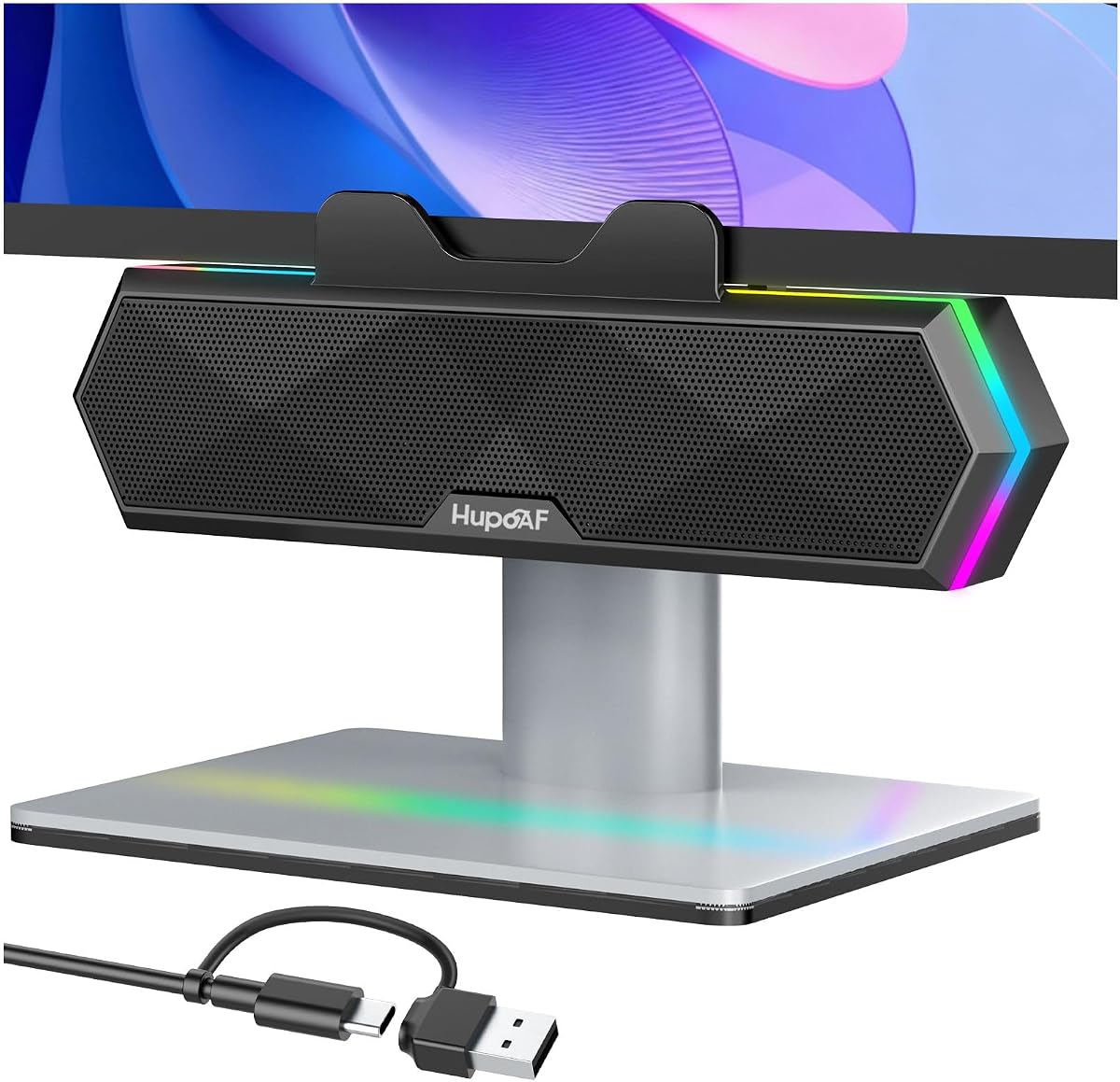
This clip-on speaker stands out with dynamic lighting that matches gaming rigs. It holds a high 4.6 rating for aesthetic appeal and straightforward audio use.
We may earn a commission when you buy through this link, at no additional cost to you.
Six RGB modes let you cycle colors to match your mood or setup. The clamp fits most monitor edges securely without scratching the surface.
While the bass is decent it is not as deep as larger units. The USB plug and play setup works instantly with macOS without any driver installation required.
Gaming enthusiasts will love the visual flair combined with audio. It enhances your desk setup visually and functionally for a cohesive experience.
Changing the lighting modes allows you to match your PC theme or gaming mood without needing complex software.
A non-slip spring clamp ensures the speaker stays secure on top of bottom edges of monitors during active use.
We may earn a commission when you buy through this link, at no additional cost to you.
Selecting the right external speakers involves balancing performance design and connectivity. This guide highlights the essential factors you should consider.
Modern MacBooks rely on USB-C so choose speakers that support this standard directly. Bluetooth is also crucial if you want wireless freedom from cables.
Look for speakers with USB-C or Bluetooth to avoid using dongles that clutter your workspace.
Speakers with more wattage produce louder audio with less distortion. Look for RMS power ratings to understand real world performance rather than peak ratings.
Prioritize models with higher RMS wattage for clear sound at higher volumes.
Compact speakers save room for laptops and notebooks. Consider monitor clip designs or mini bars if you have a small workspace.
Choose a form factor that leaves enough room for your daily tools.
Some speakers offer Hi-Res Audio certification or specialized processing like Clear Dialog. These features improve clarity for media consumption and calls.
Check for audio enhancement features if you watch video or listen to music often.
Speakers with metal components or aluminum stands often last longer and vibrate less. Plastic models are cheaper but may feel less durable over time.
Invest in solid build materials if you plan to keep the speakers for years.
Physical volume knobs or touch panels make adjustments easier than software controls. Mute buttons are valuable for quick silence during calls.
Select models with easy access controls to improve your daily workflow.
Prices range from budget friendly under twenty dollars to premium hundreds of dollars. Determine how much you are willing to spend before shopping.
Set a budget range early to narrow down options effectively.
If you work in audio production look for studio monitors with flat response. Business users might prefer speakerphones with noise cancellation.
Align your purchase with your primary usage scenario for better value.
Connect the speakers to your MacBook using the appropriate cable like USB-C or Bluetooth. If using a USB speaker ensure the system recognizes the device in sound settings.
Place the speakers on a flat surface or mount them securely to a monitor. Avoid placing them near heat sources or direct sunlight to prevent damage.
Clean the drivers with a soft brush or cloth to remove dust. Check cables regularly for wear and ensure connections are tight for consistent audio.
Most modern external speakers use plug and play technology so no drivers are needed. The system recognizes USB or Bluetooth devices automatically upon connection.
Yes but you will need a USB-C to USB-A adapter or dongle. Many speakers include this adapter in the box but check before you buy.
Check your MacBook sound settings to ensure the speaker is selected as the output device. Verify that the volume is not muted or set too low.
Bluetooth can introduce slight latency which might affect video syncing. Look for speakers with low latency Bluetooth versions like 5.0 or higher.
Look for Hi-Res Audio certification logos on the product packaging or description. Check the supported bit depth and sample rates in the specs.
Most clip-on speakers use spring clamps that fit standard monitor edges securely. Ensure the monitor thickness is within the range supported by the clamp.
Choosing the best external speakers enhances your MacBook experience significantly. Our top picks offer variety from budget friendly to premium options for every need.
Prioritize connectivity and build quality to ensure long term satisfaction. A well chosen pair of speakers will serve you well across work and entertainment.
Remember to check current availability and features before making a purchase. Prices and models evolve so verify details on official product pages.