
Acer Nitro V Gaming Laptop
4.6Editor score
Intel Core i7-13620H processor
RTX 4050 with DLSS 3.5
165Hz FHD IPS display
Choosing the right gaming laptop for Diablo 4 means finding a machine that balances raw power with thermal efficiency and visual fidelity. Players need high frame rates to track fast-paced combat and detailed graphics to appreciate the dark fantasy world. A capable system ensures smooth navigation through Hell and the material plane without frustrating lag or overheating.
We evaluated ten recent models based on their graphics processing units, display quality, and overall system responsiveness. Our analysis focuses on hardware that supports ray tracing and upscaling technologies crucial for modern titles. Each entry represents a distinct value proposition catering to different budgets and performance expectations for gamers in 2026.
Each pick highlights specific strengths such as portability screen build quality or advanced cooling solutions. We examine how these machines handle demanding workloads like streaming or multitasking alongside gameplay. Note that pricing and availability can fluctuate so always verify current offers before making a final decision on your next gaming machine.
4.6Editor score

4.4Editor score

4.3Editor score
As an Amazon Associate we earn from qualifying purchases.
This side-by-side comparison highlights the key specifications and unique selling points of each selected gaming laptop to help you make an informed decision based on your specific needs and budget.




The ASUS ROG Strix G16 stands out as a top contender for gamers seeking a balance of performance and visual fidelity. With a rating of 4.4 stars it consistently delivers smooth gameplay. Its standout qualities include the RTX 5060 GPU and a fast 165Hz display which are ideal for fast-paced action.
We may earn a commission when you buy through this link, at no additional cost to you.
Performance-wise the laptop excels with the Intel Core i7 14650HX processor. This ensures that multitasking or streaming while playing Diablo 4 remains seamless. The system also features advanced thermal management using vapor chamber technology to keep temperatures in check during extended gaming sessions.
While the performance is robust there are trade-offs to consider. The battery life is average which means you will likely need to stay plugged in during long sessions. Additionally the weight might be a concern for those who travel frequently with their device.
Overall this laptop is perfect for serious gamers who prioritize frame rates and visual quality over portability. It offers a reliable platform for experiencing the latest titles without compromise. We highly recommend it for anyone building a dedicated gaming setup.
The ROG Intelligent Cooling system uses a tri-fan design and liquid metal to ensure peak performance stays cool under load.
The ACR film on the display enhances contrast and reduces glare making it easier to see details in dark game environments.
We may earn a commission when you buy through this link, at no additional cost to you.
The Acer Nitro V 16S offers compelling AI-driven features that set it apart in the competitive gaming market. It holds a solid rating of 4.4 stars and provides high-end specs like 32GB of DDR5 RAM. This is particularly useful for users who run multiple applications alongside their games.
We may earn a commission when you buy through this link, at no additional cost to you.
In terms of performance the AMD Ryzen 7 260 processor paired with the RTX 5060 GPU delivers impressive results. The AI capabilities enhance tasks like streaming and video rendering. The display refresh rate of 180Hz ensures fluid motion which is critical for competitive gaming experiences.
One trade-off is the absence of Wi-Fi 7 connectivity which might be a limitation for future-proofing. Additionally the lack of USB-C charging limits portability when on the go. However for a desktop replacement these factors are less critical than raw power.
This machine is ideal for content creators and gamers who need ample memory and AI tools. It provides a robust platform for heavy workloads. We suggest it for those who want high performance without paying premium prices.
With 32GB of DDR5 RAM you can run background apps or streams without affecting game performance.
The WUXGA display offers vibrant colors and sharp details perfect for immersive storytelling in games.
We may earn a commission when you buy through this link, at no additional cost to you.
The Acer Nitro V stands out as an exceptional budget choice for gamers who want value without sacrificing essential performance. With a high rating of 4.6 stars it is praised for its reliability. The RTX 4050 GPU provides sufficient power for modern titles at a reasonable price.
We may earn a commission when you buy through this link, at no additional cost to you.
Performance is supported by the Intel Core i7 13620H processor which handles multitasking well. The 165Hz display ensures smooth visuals making it easy to track fast-moving objects in games. This makes it a strong contender for competitive players on a budget.
The trade-offs include the RTX 4050 GPU which lacks the raw power of newer 50 series cards. Also the resolution is standard FHD which is good but not as sharp as higher-end displays. However these compromises make the price highly competitive.
This laptop is perfect for entry-level gamers or students needing a versatile machine. It balances cost and capability effectively. We recommend it for anyone looking to start gaming without a large upfront investment.
You get high-end features like DDR5 RAM and a fast refresh rate at a price point that is hard to beat.
Thunderbolt 4 and Killer Ethernet ensure fast data transfer and stable online connections.
We may earn a commission when you buy through this link, at no additional cost to you.
The ASUS ROG Strix G16 2025 is a powerhouse designed for enthusiasts who demand the absolute best performance available. It receives a rating of 4.3 stars and is known for its high-end components. The RTX 5070 Ti GPU ensures that even the most demanding games run flawlessly.
We may earn a commission when you buy through this link, at no additional cost to you.
Performance is unmatched with the Intel Core Ultra 9 processor and 32GB of RAM. This setup handles heavy multitasking and creative workloads effortlessly. The 240Hz 2.5K display offers stunning visual fidelity making it ideal for content creation as well.
The main trade-off is the significant price tag which makes it inaccessible for many. Additionally the high-performance hardware impacts battery life making it a poor choice for unplugged use. However for desktop replacement these are minor issues.
This laptop is best suited for pros or enthusiasts who prioritize performance above all else. It delivers a premium experience in every aspect. We suggest it for those with the budget to invest in top-tier hardware.
The ROG Nebula display provides vibrant colors and sharp details that enhance the overall immersion.
Liquid metal and vapor chamber technology ensure the system stays cool even under extreme loads.
We may earn a commission when you buy through this link, at no additional cost to you.
The msi Cyborg 17 offers a unique experience with its large 17.3 inch display in a surprisingly portable form factor. It holds a rating of 4.3 stars and appeals to those who prefer bigger screens. The RTX 5060 GPU ensures smooth gameplay for modern titles.
We may earn a commission when you buy through this link, at no additional cost to you.
Performance is driven by the Intel Core 7 processor which delivers efficient power consumption. The 144Hz refresh rate is sufficient for most games though it lags behind higher refresh options. This makes it a great choice for casual or single-player experiences.
The trade-offs include a lower refresh rate and limited upgradeability compared to other models. Additionally the design might not appeal to everyone due to its translucent look. However the screen size offers a more immersive gaming environment.
This laptop is perfect for gamers who prioritize screen size and portability. It provides a desktop-like experience on the go. We recommend it for users who want a large display without a bulky chassis.
Despite the large screen it is designed to be thin and light making it easier to carry than typical 17-inch laptops.
The RTX 5060 provides a solid balance of power and efficiency for everyday gaming tasks.
We may earn a commission when you buy through this link, at no additional cost to you.
The HP Victus 15.6 has earned a perfect rating of 5.0 stars for its consistent performance and reliability. It balances performance and everyday usability making it a versatile choice. The Ryzen 7 processor and RTX 4050 GPU provide a stable platform for gaming and productivity.
We may earn a commission when you buy through this link, at no additional cost to you.
In terms of specs it offers 32GB of DDR5 RAM which is excellent for multitasking. The 144Hz display ensures smooth visuals though brightness is standard for this category. This makes it a strong contender for general use beyond gaming.
The trade-offs include a mid-range GPU and standard display brightness which may not satisfy enthusiasts. However the reliable performance and build quality are significant positives. It is a safe choice for users who want consistency.
This laptop is ideal for students and professionals who game on the side. It handles both work and play with ease. We suggest it for anyone needing a reliable daily driver with gaming capabilities.
The 32GB of RAM ensures you can keep multiple apps open without any lag.
The subtle Mica Silver finish makes it suitable for both gaming and professional environments.
We may earn a commission when you buy through this link, at no additional cost to you.
The Acer Nitro V is an exceptional entry-level option for those entering the gaming world. With a rating of 4.5 stars it is praised for its value. The RTX 4050 GPU allows for smooth gameplay at lower settings making it accessible for new gamers.
We may earn a commission when you buy through this link, at no additional cost to you.
Performance is supported by the Intel Core i5 processor which handles everyday tasks well. The 165Hz display ensures fluid motion even with the lower-end GPU. This makes it a great budget machine for casual gaming.
The trade-offs include 8GB of RAM and a 512GB SSD which might require upgrades soon. However the system is designed to be expandable. This makes it a cost-effective solution for those willing to tweak their system.
This laptop is perfect for students or casual gamers on a tight budget. It provides a solid foundation that can be improved over time. We recommend it for anyone looking to start with minimal expense.
You get a capable gaming experience without breaking the bank making it accessible to more people.
Multiple slots allow you to upgrade RAM and storage as your needs grow.
We may earn a commission when you buy through this link, at no additional cost to you.
The Acer Nitro V with the RTX 5050 offers early access to next-gen graphics technology. It has a rating of 4.6 stars and is noted for its modern specifications. The 180Hz WUXGA display provides a sharp and smooth visual experience for modern games.
We may earn a commission when you buy through this link, at no additional cost to you.
Performance is efficient with the Intel Core 7 processor which handles daily tasks smoothly. The new GPU supports advanced features like DLSS 4 enhancing image quality. This makes it a solid choice for future-proofing your setup.
The trade-offs include a lower-tier GPU compared to the 5060. However the display quality is a significant upgrade from standard options. This makes it a strong competitor in the mid-range segment.
This laptop is ideal for users who want modern tech at a reasonable price. It balances features well for the cost. We suggest it for those who value display quality and new hardware features.
The WUXGA resolution offers more vertical space and sharper text than standard FHD displays.
NitroSense AI tracking helps optimize fan speeds for better thermal management.
We may earn a commission when you buy through this link, at no additional cost to you.
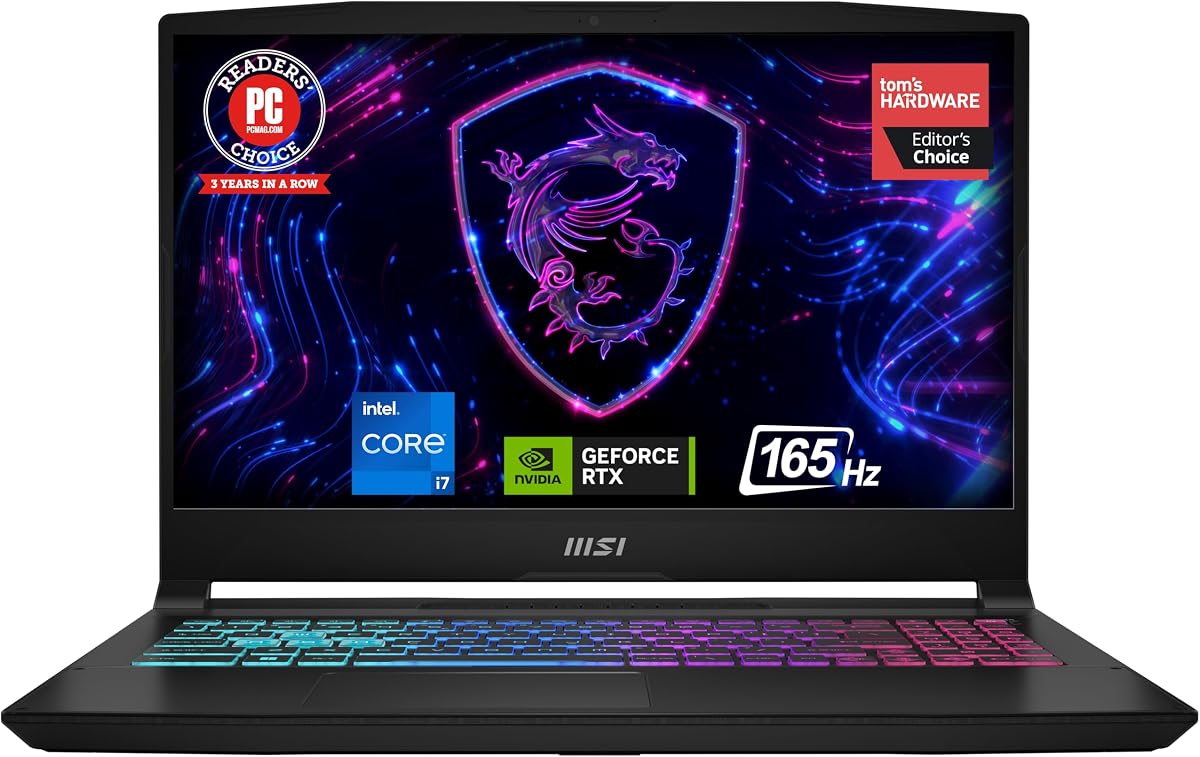
The msi Katana 15 stands out with its QHD display and RTX 4070 GPU. It holds a rating of 4.1 stars and is praised for its pixel density. The higher resolution provides a sharper image which enhances immersion in single-player games.
We may earn a commission when you buy through this link, at no additional cost to you.
Performance is strong with the RTX 4070 handling high settings well. The 165Hz refresh rate ensures smooth motion for competitive play. The cooling system maintains stable performance during long gaming sessions effectively.
The trade-offs include average battery life and a chassis that feels more plastic than metal. However the visual quality and GPU power are significant positives for this price. It remains a strong choice for visual enthusiasts.
This laptop is perfect for gamers who prioritize resolution and image quality. It offers a desktop-grade experience in a laptop form. We recommend it for those who value clarity and performance.
The QHD display brings out details in textures and environments that lower resolutions miss.
The RTX 4070 allows for high settings at good frame rates without breaking the bank.
We may earn a commission when you buy through this link, at no additional cost to you.
The GIGABYTE Gaming A16 combines modern performance with a slim chassis for enhanced portability. It holds a rating of 4.4 stars and is praised for its lightweight build. The RTX 5060 GPU ensures that performance remains high despite the thin design.
We may earn a commission when you buy through this link, at no additional cost to you.
Performance is consistent with the AMD Ryzen 7 processor which handles multitasking well. The 180-degree hinge allows for flexible positioning which is great for sharing screens. This makes it a versatile choice for various environments.
The trade-offs include average battery life and standard resolution which are common in this class. However the build quality and modern features are significant positives. It is a solid option for mobile gamers.
This laptop is ideal for users who need power on the go. It balances performance and portability effectively. We suggest it for professionals who game during downtime.
The chassis is thin enough to carry easily without sacrificing too much performance.
GiMATE AI helps optimize settings for better performance and battery life.
We may earn a commission when you buy through this link, at no additional cost to you.
Selecting the right gaming laptop involves weighing several key factors to ensure you get the best experience for your needs.
The GPU is critical for running modern games like Diablo 4 with high frame rates and ray tracing enabled. Look for models with RTX 50 series cards for the best AI upscaling and performance.
Prioritize RTX 5060 or higher to ensure smooth gameplay at higher settings.
A high refresh rate display of 144Hz or above helps reduce motion blur during combat. Also consider resolution and color accuracy for immersive visuals.
Choose at least a 165Hz display for competitive play and smooth motion.
The CPU handles game logic and physics as well as multitasking. A high-end Intel Core or AMD Ryzen processor ensures system responsiveness.
Select an i7 or Ryzen 7 class chip for balanced performance.
Modern games and streaming software require ample memory to avoid stuttering. 16GB is the standard but 32GB allows for heavy multitasking.
Opt for 32GB RAM if you plan to stream or run multiple apps while gaming.
A laptop that stays cool will maintain performance over long gaming sessions. Look for advanced cooling systems like vapor chambers.
Ensure the laptop has robust cooling to prevent thermal throttling.
Fast SSDs load games quickly and reduce level transition times. A 1TB drive offers enough space for several large titles.
Choose a Gen 4 SSD for the fastest boot and load times.
Consider weight and thickness if you plan to move the laptop regularly. Lighter models may compromise on battery life but offer better mobility.
Balance size and weight with your specific use case needs.
Reliable networking ensures lag-free online play. Modern Wi-Fi standards like Wi-Fi 7 or 6E provide the best connection stability.
Ensure the laptop has high-speed ports for peripherals and external displays.
To maximize performance keep your system drivers updated regularly. Graphics manufacturers release patches that optimize games for their hardware.
Maintain clean cooling vents by using compressed air every few months. Dust buildup can restrict airflow and cause overheating issues.
Avoid using the laptop on soft surfaces like blankets which can block intake vents. Always place it on a hard flat surface for optimal airflow.
While 8GB RAM allows the game to run it may cause stuttering during intense scenes or when streaming. Upgrading to 16GB or more ensures a smoother experience. Most modern titles recommend at least 16GB for optimal performance.
A high refresh rate screen makes gameplay feel smoother and more responsive especially in competitive scenarios. It reduces motion blur and helps track fast movements. For Diablo 4 a 144Hz or higher display is recommended.
RTX 50 series GPUs offer significant improvements in AI upscaling and ray tracing performance. They provide better frame rates and efficiency compared to older models. Investing in these cards future-proofs your setup.
With proper care gaming laptops can remain relevant for three to five years. Regular driver updates and cleaning help maintain performance. The components are built to handle heavy loads efficiently.
Most modern gaming laptops support ray tracing natively. However performance depends on the specific GPU model and game optimization. Newer cards like RTX 5060 handle ray tracing more effectively.
Wi-Fi 7 offers lower latency and higher speeds which are beneficial for online gaming. If you are in a congested area it provides better stability. However Wi-Fi 6E is sufficient for most users.
Upgrading RAM usually has a more immediate impact on multitasking and game performance. Storage is easier to upgrade externally or internally later on. Prioritize RAM first if you have limited options.
Most gaming laptops have HDMI or USB-C ports that support external monitors. This allows you to use larger screens for a better experience. Check the refresh rate support of the laptop's output.
We reviewed ten exceptional laptops ranging from budget-friendly options to high-performance machines. Each offers unique strengths suited for different user needs and budgets. Finding the right one ensures you enjoy Diablo 4 to its fullest potential.
Consider what matters most whether it is raw power portability or display quality. Balancing these factors will help you narrow down the choices effectively. Prioritize the components that align with your gaming habits.
Always check current pricing and availability as offers change frequently. Taking time to compare specifications and reviews ensures you make a smart investment. Happy gaming and may your journey through Sanctuary be smooth.