
Thermaltake CT200 PWM
4.3Editor score
Hydraulic bearing design
Daisy chain connectors
901.6 CFM airflow
Choosing the right 200mm case fan can significantly impact your PC’s thermal performance and acoustic comfort. These larger fans move more air at lower speeds, reducing noise while keeping components cool during heavy workloads or gaming sessions.
We evaluated ten leading models based on airflow efficiency, noise levels, build quality, and compatibility. Each product was analyzed against key criteria to ensure the list reflects real-world performance and value for diverse build requirements.
Each pick highlights unique strengths and ideal use cases for your system. Prices and availability may change, so always verify current details before purchasing. This guide helps you find the perfect balance of airflow and silence.
4.3Editor score
4.8Editor score

4.6Editor score
As an Amazon Associate we earn from qualifying purchases.
This side-by-side comparison outlines key specifications for each model to help you quickly identify airflow, noise, and mounting differences across the top contenders.


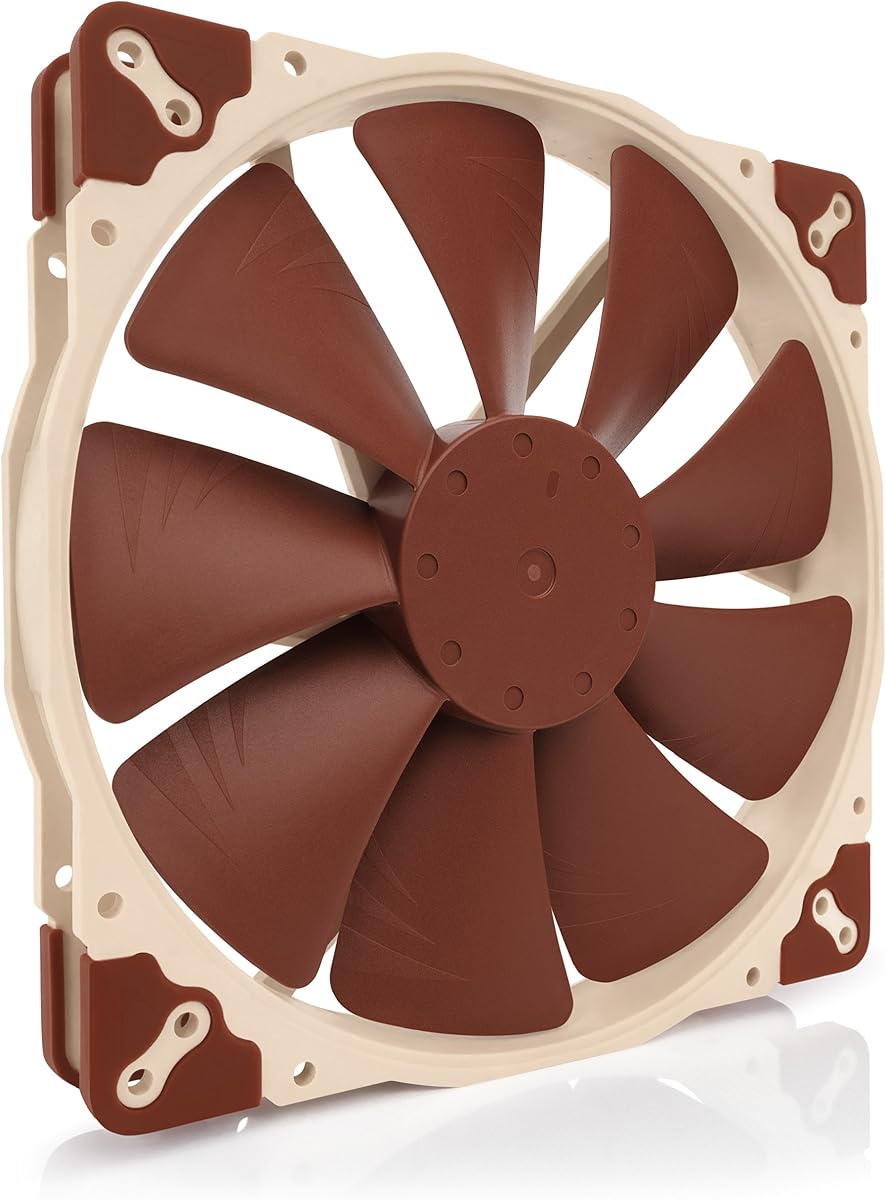
The Noctua NF-A20 PWM stands out as a top choice for quiet, high-performance cooling. Its 4.8 rating reflects consistent user satisfaction with reliability and noise levels.
We may earn a commission when you buy through this link, at no additional cost to you.
This fan uses Flow Acceleration Channels and Advanced Acoustic Optimisation to maximize airflow while minimizing noise. The 4-pin PWM allows dynamic speed control based on system temperature.
While it is more expensive than budget options, the long lifespan and included accessories justify the cost. The 30mm thickness is standard, so verify case clearance.
Ideal for users prioritizing silence and cooling performance. It suits premium builds where acoustic comfort is essential.
Flow Acceleration Channels reduce turbulence and noise, creating smooth airflow even at maximum RPM.
Three sets of mounting holes ensure compatibility with diverse PC case designs and mounting standards.
We may earn a commission when you buy through this link, at no additional cost to you.
The chromax.Black.swap version offers premium aesthetics without sacrificing performance. It maintains the same quiet cooling characteristics as the standard NF-A20 PWM model.
We may earn a commission when you buy through this link, at no additional cost to you.
With swappable red, black, white, blue, yellow, and green anti-vibration pads, users can customize fan colors to match their build theme. This flexibility appeals to enthusiasts.
Performance matches the standard version with 18.1 dB(A) noise and excellent airflow. The all-black design fits modern build aesthetics.
Recommended for users wanting premium looks alongside top-tier cooling. Ideal for dark-themed builds.
Four pads of each color allow easy matching with cables, lighting, or case accents.
Advanced Acoustic Optimisation and Flow Acceleration Channels ensure silence remains intact.
We may earn a commission when you buy through this link, at no additional cost to you.
The Thermaltake CT200 PWM delivers strong airflow at a budget-friendly price. With a 4.3 rating, users appreciate its value and performance in everyday use.
We may earn a commission when you buy through this link, at no additional cost to you.
Its nine optimized blades push 131.6 CFM of air while the hydraulic bearing ensures silent and reliable operation. The 4-Pin PWM daisy chain connectors simplify multi-fan setups.
While it does not match premium acoustic quality, it remains quiet enough for most builds. The price-to-performance ratio is excellent.
Best for users seeking high airflow without high cost. Ideal for mid-range builds or secondary fans.
Nine blades are optimized to deliver maximum airflow while minimizing turbulence noise.
Connect multiple fans through one PWM header to save connectors and manage speeds easily.
We may earn a commission when you buy through this link, at no additional cost to you.
The Pure 20 Series fan features a thick 30mm profile designed for high air pressure and airflow. Its 4.5 rating reflects solid performance and build reliability.
We may earn a commission when you buy through this link, at no additional cost to you.
Enhanced blade design focuses airflow to reduce noise while maintaining high performance. The anti-vibration mounting system minimizes resonance and ensures stable operation.
The shaved frame improves compatibility with various chassis models. LED versions offer added aesthetics, but standard models prioritize cooling.
Recommended for users needing high airflow with minimal noise. Good for thermally demanding cases.
Thicker design increases pressure, pushing more air through restrictive radiators and vents.
Long life sleeve bearing offers better reliability and extends overall fan lifespan significantly.
We may earn a commission when you buy through this link, at no additional cost to you.
The SickleFlow 200 aRGB delivers high airflow with eye-catching Gen2 lighting. Its frosted blade design enhances light dispersion for a uniform glow.
We may earn a commission when you buy through this link, at no additional cost to you.
Dynamic PWM allows speed adjustment between 0 and 800 RPM to balance noise and cooling. The hybrid frame minimizes resonance for quieter performance.
The two-tier sealing mechanism prevents dust and oil leakage, extending lifespan. A flexible frame design helps with stability.
Ideal for builders wanting RGB aesthetics with efficient cooling. Best for RGB sync setups.
Frosted blades scatter light evenly for smooth visual effects without harsh hot spots.
Two-tier sealing keeps dust out and prevents oil leakage for long-term reliability.
We may earn a commission when you buy through this link, at no additional cost to you.
The FLX version offers simple 3-pin control with fixed speeds for near-silent operation. Its 4.7 rating reflects consistent quiet performance and durability.
We may earn a commission when you buy through this link, at no additional cost to you.
Two speeds are available via Low-Noise Adaptor, allowing flexibility between airflow and silence. The 3-pin Molex makes it easy to connect to older systems.
While PWM speed control is absent, the fixed speeds work well for passive cooling setups. The adaptor ensures adaptability.
Best for users prioritizing simplicity and silence. Ideal for passive or older PC builds.
Fixed 550 and 800 RPM speeds provide predictable performance without complex headers.
Flow Acceleration Channels ensure high airflow performance even at low RPMs.
We may earn a commission when you buy through this link, at no additional cost to you.
This unique 5V PWM fan runs on USB ports or power banks. The 4.7 rating confirms its reliability in specialized setups like mini-PCs.
We may earn a commission when you buy through this link, at no additional cost to you.
Polarity protection ensures safety, while the USB adaptor offers flexible powering. OmniJoin connectors support proprietary headers.
Though speed is limited to 800 RPM, noise levels stay extremely low. Ideal for silent or portable setups.
Best for users needing flexible power options. Good for portable or specialized builds.
USB power adaptor lets you run the fan from phones, power banks, or USB ports.
Connection adaptors allow compatibility with unique motherboard fan headers.
We may earn a commission when you buy through this link, at no additional cost to you.
The MF200R RGB blends high airflow with RGB lighting for vibrant builds. Its 4.4 rating reflects solid performance across aesthetics and cooling.
We may earn a commission when you buy through this link, at no additional cost to you.
Jet Engine and helicopter blade design balance static pressure and airflow. A smart fan sensor stops the motor if jammed to protect components.
Sound absorbing pads reduce noise while RGB works with major motherboard software. Requires an RGB controller for lighting control.
Ideal for RGB builds needing silent cooling. Good for cases supporting standard RGB controllers.
Sensor stops the motor automatically if jammed to prevent damage to the fan.
Certified compatible with Asus Aura, MSI, Gigabyte Fusion, and ASRock RGB systems.
We may earn a commission when you buy through this link, at no additional cost to you.
This budget-friendly fan offers solid hydraulic reliability and RGB syncing. Its 4.5 rating shows satisfaction with performance for the price.
We may earn a commission when you buy through this link, at no additional cost to you.
Nine optimized blades deliver 95 CFM of airflow, while hydraulic bearing ensures quiet operation. 34 LEDS create a vibrant glow.
Motherboard sync supports 5V 3pin ARGB standards. Standard 4PIN PWM allows speed control.
Best for budget RGB setups needing reliable cooling. Ideal for entry-level builds.
Advanced engineering reduces friction and ensures stable performance over an extended lifespan.
Ten LEDs on inner circle and 24 on outer ensure uniform light dispersion.
We may earn a commission when you buy through this link, at no additional cost to you.
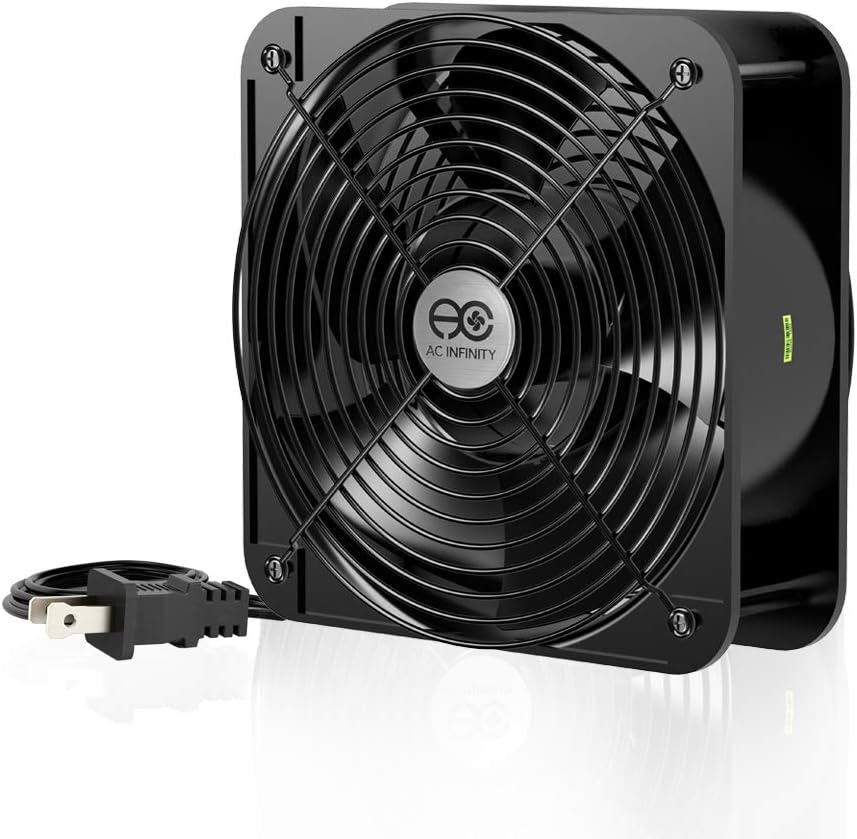
The AXIAL 2060 offers industrial-grade airflow at 425 CFM. Its 4.5 rating reflects reliability for high-demand applications.
We may earn a commission when you buy through this link, at no additional cost to you.
Sixty-millimeter thickness ensures high pressure, while dual-ball bearings provide a 67,000-hour lifespan. The aluminum fan is durable.
However, at 3200 RPM, noise reaches 65 dBA. Requires 120V AC rather than standard PC headers.
Best for industrial or server cooling needing extreme airflow. Not for quiet builds.
Designed to maximize airflow for demanding ventilation projects.
Dual-ball bearings allow fans to lay flat or stand upright.
We may earn a commission when you buy through this link, at no additional cost to you.
Choosing a 200mm case fan requires balancing airflow, noise, and compatibility. This guide outlines key factors to ensure the best fit.
Airflow measured in CFM determines how effectively heat is removed. Higher CFM improves cooling but may increase noise unless controlled.
Prioritize models with high CFM for performance builds but balance with acoustic specs.
Noise level impacts your workspace comfort. Quiet fans typically operate under 25 dB(A), while high airflow models may exceed 30 dB(A).
Check dB ratings carefully and opt for PWM or low-noise adaptors to control noise.
Bearing type affects durability and noise. Hydraulic and dual-ball bearings offer long life and reliability for continuous operation.
Choose fans with MTTF over 150,000 hours for long-term value and reliability.
PWM fans allow dynamic speed control via motherboard headers. Voltage fans use fixed or manual control options via adaptors.
Use PWM for smart temperature-based speed adjustments and voltage control for simpler setups.
Check fan thickness and hole patterns. Many 200mm fans use 30mm thickness with multiple mounting options for case flexibility.
Verify case clearance and mounting holes before purchasing to avoid fit issues.
RGB fans offer visual customization but may require controllers and extra ports. Frosted blades improve light diffusion.
Prioritize lighting features if build aesthetics matter. Ensure compatibility with your motherboard RGB system.
Premium fans cost more but offer longer lifespans and better acoustic quality. Budget fans provide solid airflow at lower costs.
Select based on priorities. Budget fans suit cost-sensitive builds; premium fans suit performance and silence.
Connector types determine motherboard and power supply compatibility. 4-pin PWM, 3-pin Molex, and USB adaptors serve different needs.
Ensure connectors match your hardware. Daisy chain options simplify multi-fan setups and cable management.
Install fans with proper orientation: front and bottom fans usually intake air while rear fans exhaust. Match case ventilation layouts.
Connect fans to the correct headers. PWM fans use 4-pin headers; voltage fans use 3-pin. Use Y-cables or daisy chain connectors as needed.
Clean fans regularly to remove dust buildup that slows performance. Use compressed air to prevent friction and noise increase over time.
A 200mm case fan moves more air at lower RPM than smaller fans. This reduces noise while maintaining high cooling efficiency, ideal for quiet builds.
Most cases designed for 200mm have larger clearance. Check your case specs. Smaller fans won't fit without adapters; some cases support multiple sizes.
No. Only specific models include RGB. Standard fans focus on airflow and silence. If lighting matters, choose fans with RGB compatibility.
High-quality models stay under 25 dB(A). Budget fans may reach 30 dB(A) under max speed. Check noise ratings carefully.
Most require a motherboard header. Some include controllers. Check if your motherboard supports 5V ARGB or 12V RGB to avoid issues.
Premium fans last 150,000+ hours. Budget fans typically last 50,000 to 70,000 hours. Bearing type influences lifespan significantly.
Yes. Use Y-cables, daisy chain connectors, or fan hubs. Ensure total current draw stays within header limits.
Noctua NF-A20 PWM models lead in silence due to acoustic optimization. They balance quiet operation with strong cooling performance.
The top picks highlight performance and balance: Noctua NF-A20 PWM delivers overall quality, while Thermaltake CT200 offers budget value. RGB fans add style.
Prioritize airflow and noise ratings based on your build goals. Silent builds favor PWM; performance builds favor high CFM. RGB models suit aesthetic-focused users.
Always verify pricing and availability before purchasing. Prices fluctuate, and new models may emerge. This guide helps ensure you make the right choice.