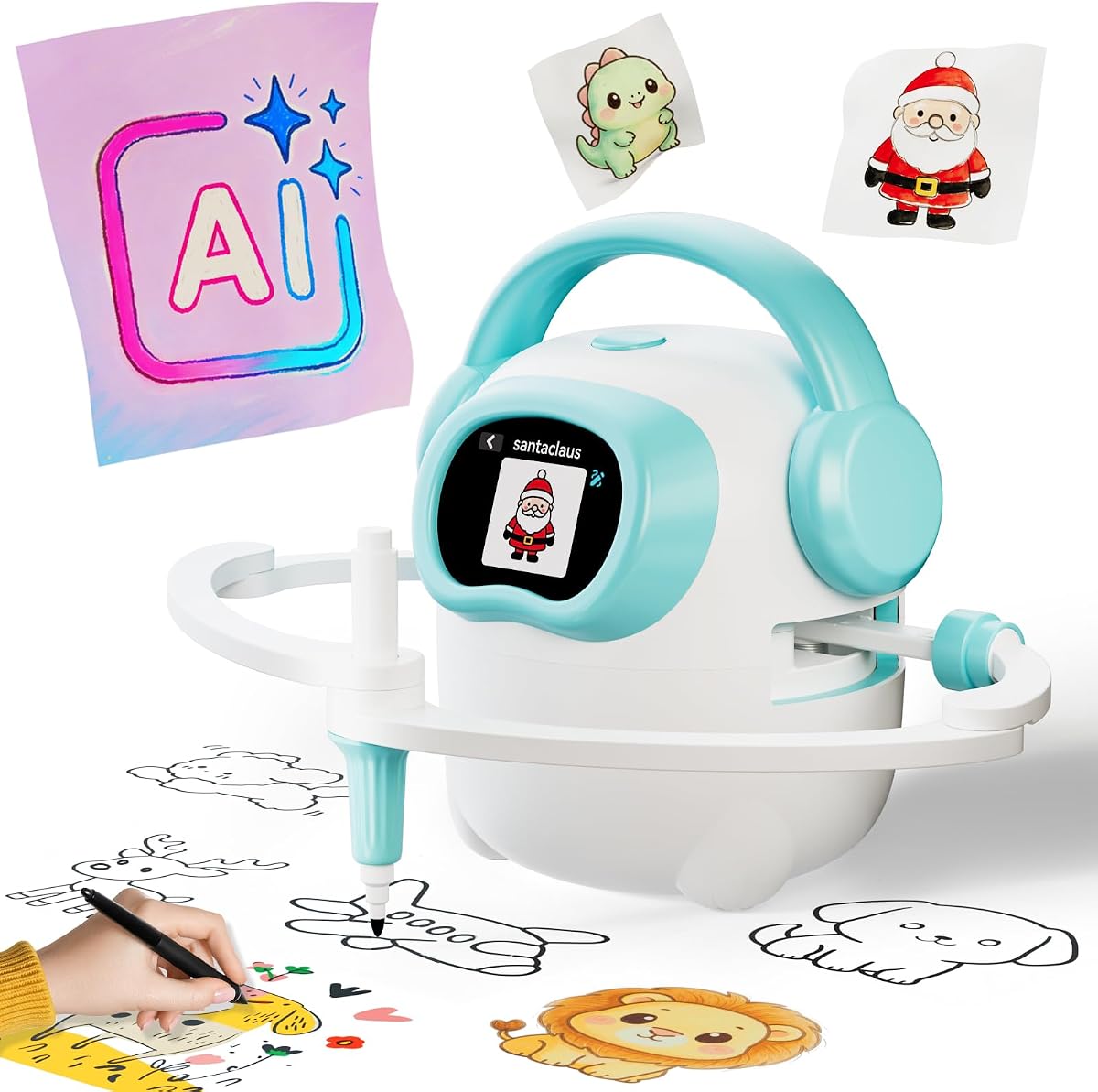
AI Drawing Robot for Kids with 10000 Free Images
4.5Editor score
AI-powered image generation
High-definition touchscreen
WiFi cloud library updates
This guide compares ten top drawing robots for kids featuring interactive cards, AI features, and educational benefits to help you find the perfect creative
Drawing robots for kids combine art and technology to inspire creativity in young learners. These educational toys guide children through step-by-step drawing processes while teaching fine motor skills and vocabulary in a fun engaging way.
We compared ten highly rated drawing robots based on card variety, ease of use, educational value, and safety features. Our analysis covers models ranging from simple card-based systems to advanced AI-powered drawing companions for different age groups.
Each pick below highlights unique strengths like voice interaction, touchscreen capabilities, or extensive card libraries. Prices and availability can change frequently so please check current listings before purchasing your child's next creative adventure toy.
4.5Editor score
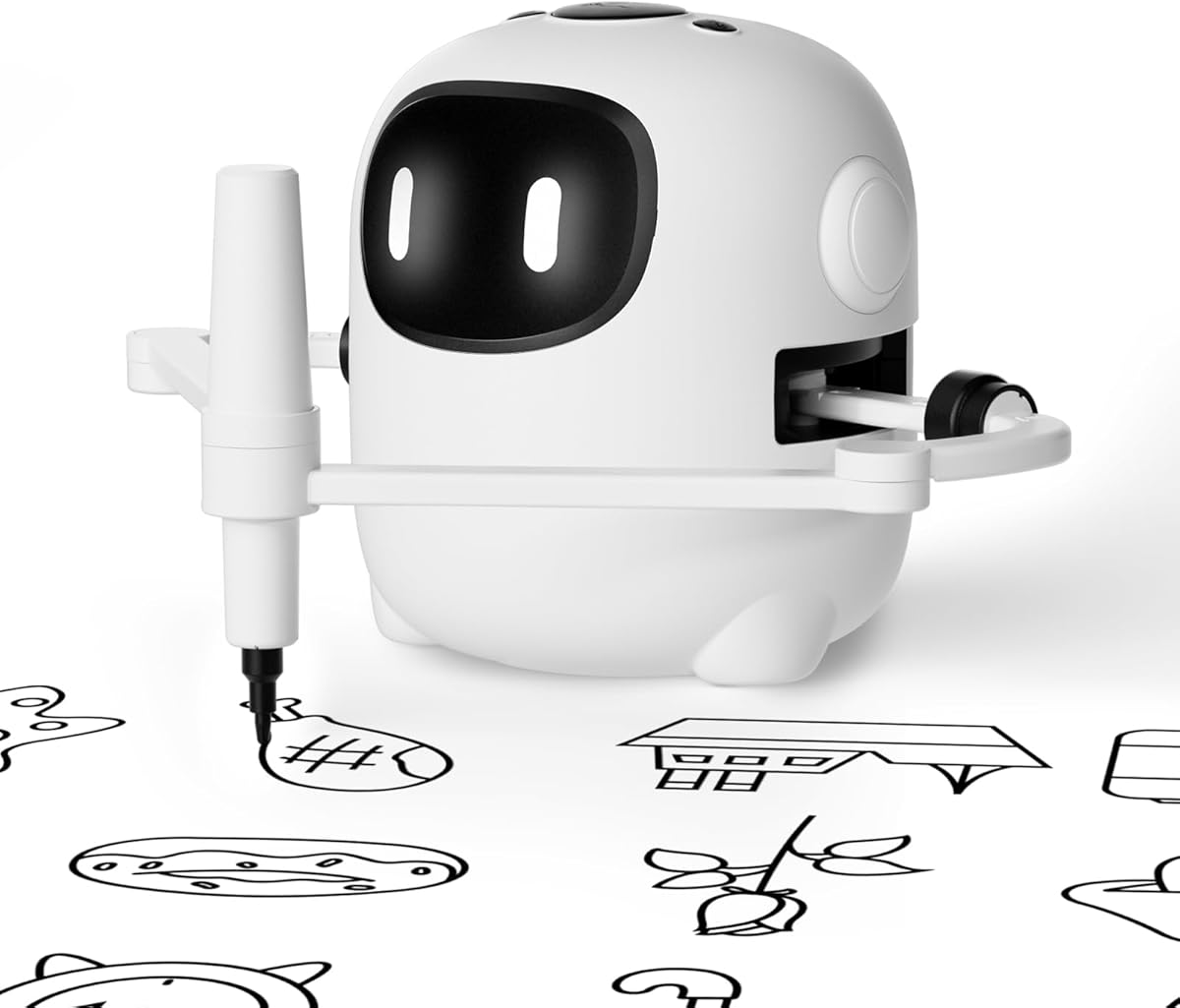
4.6Editor score
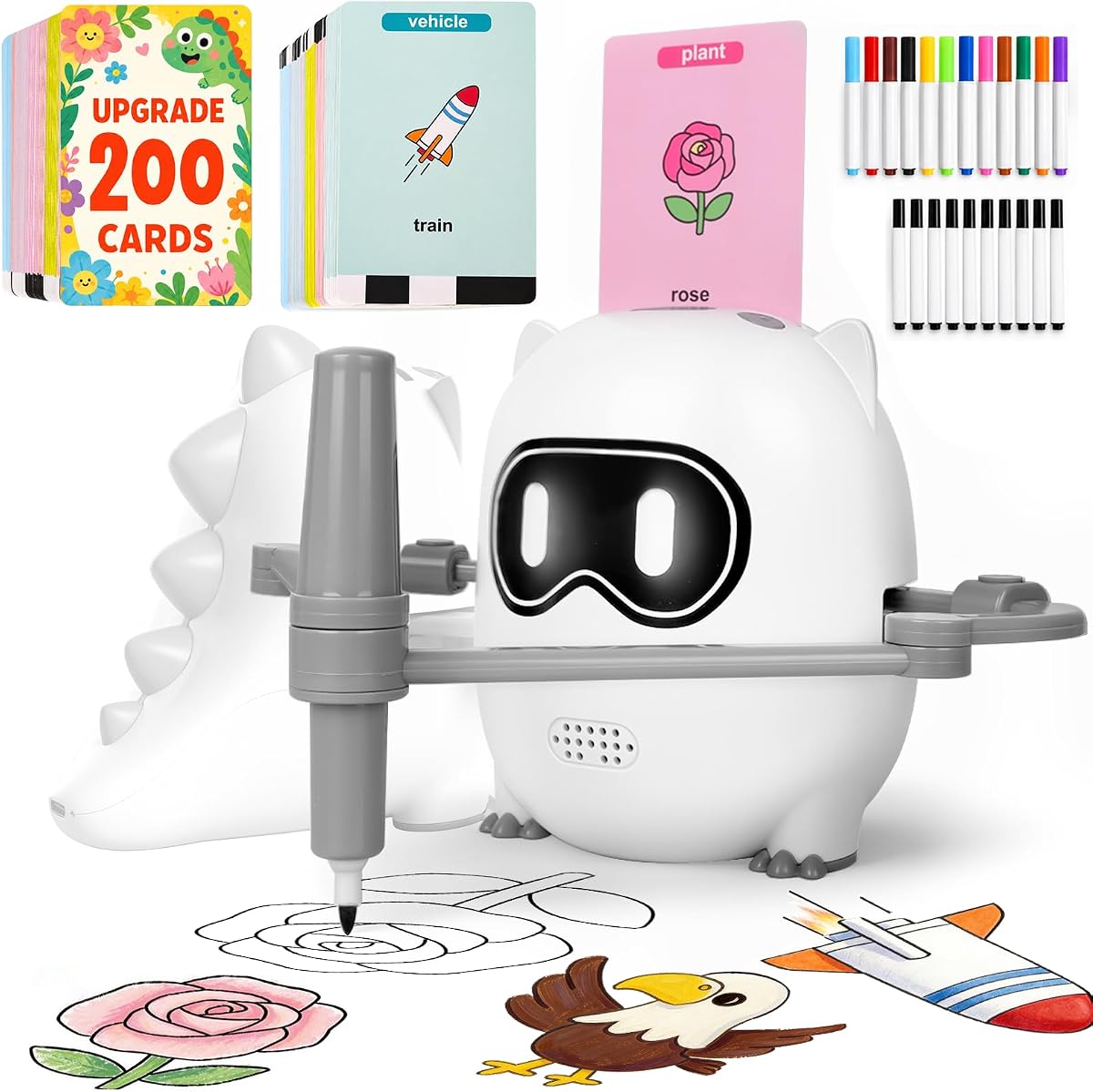
4.5Editor score
This side-by-side comparison table outlines the key specifications and unique features of each drawing robot to help you make an informed decision for your child's learning needs.
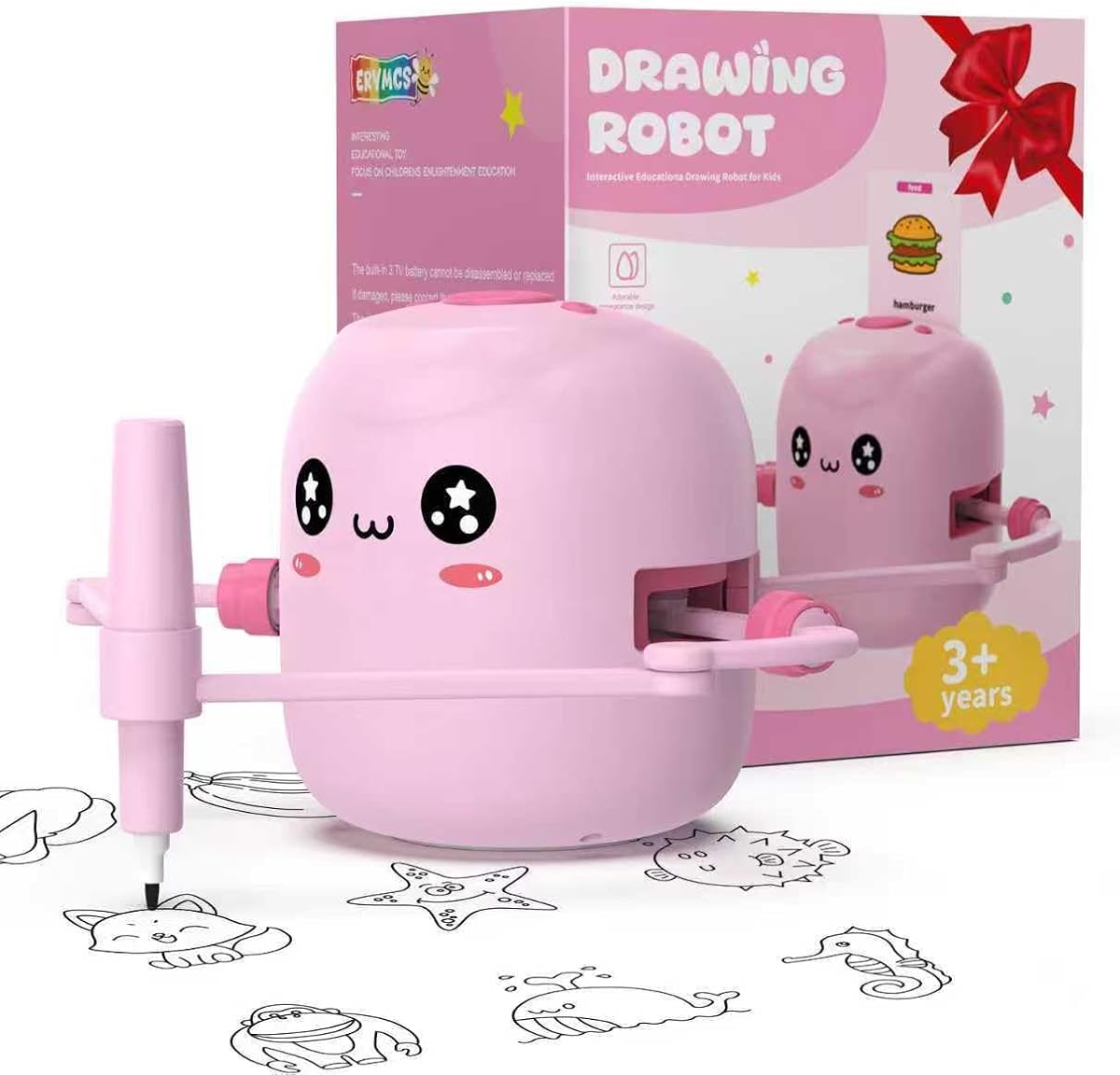


The RIVGOT Drawing Robot stands out as a top choice for parents seeking educational value. With a 4.6 star rating, it offers a blend of fun and learning that engages children effectively.
We may earn a commission when you buy through this link, at no additional cost to you.
Its Montessori-based design encourages independent thinking and fine motor skill development. The voice interactive feature helps children learn vocabulary while the 150 drawing cards provide endless creative opportunities.
While it requires a specific power adapter for charging, the setup remains straightforward. The included markers and pens ensure kids can start creating artwork immediately after unboxing the kit.
This robot is ideal for ages three to eight seeking a structured art experience. It makes a strong gift choice for birthdays or holidays where educational entertainment is a priority for parents.
Children develop problem-solving skills through guided drawing activities that promote independence and focus.
The 150 cards cover diverse themes ensuring fresh creative sessions without needing extra purchases.
We may earn a commission when you buy through this link, at no additional cost to you.
The AI Drawing Robot introduces children to artificial intelligence through a creative drawing interface. It boasts a 4.5 rating and features over 10,000 free images for endless exploration.
We may earn a commission when you buy through this link, at no additional cost to you.
Kids can use voice commands to generate new drawings which teaches prompt engineering basics. The touchscreen allows easy selection of images without physical cards and the cloud updates keep content fresh.
Privacy is a major focus with a parental mode that disables network access. However the need for WiFi connectivity may limit use in areas with unstable internet access for families.
This model suits families interested in modern tech integration for early learning. It offers a unique blend of art and coding concepts that prepare children for future digital skills.
Children learn to communicate with AI through voice prompts enhancing logical and language skills.
Regular content additions via WiFi ensure the robot stays engaging over time without extra costs.
We may earn a commission when you buy through this link, at no additional cost to you.
This drawing robot offers excellent value with a high card count at an accessible price point. It maintains a 4.5 rating and focuses on simple screen-free operation for young children.
We may earn a commission when you buy through this link, at no additional cost to you.
The 200 cards across ten themes provide massive variety without requiring internet connectivity. It includes 22 markers for coloring allowing kids to finish the robot outlines creatively.
While voice interaction is present it is less advanced than premium models. Card storage requires parental organization to prevent loss but the included box helps manage the bulk of cards.
Ideal for families wanting creative play without complex tech this robot delivers. It is perfect for quiet time or art parties where simplicity and volume of content matter most.
No app or tablet required ensures children focus on physical drawing and hand coordination.
With 22 markers included kids can color finished drawings freely to expand creativity.
We may earn a commission when you buy through this link, at no additional cost to you.
The ERYMCS drawing robot is designed for safe and focused creative learning. With a 4.5 rating it prioritizes high-quality child-safe materials and an easy to use design for small hands.
We may earn a commission when you buy through this link, at no additional cost to you.
Its operation requires just inserting a card and pressing a button which builds confidence. The robot helps children learn words while drawing supports hand-eye coordination and literacy skills effectively.
Some themes may be basic compared to others but the core learning remains strong. Battery life might be shorter for long sessions but the USB-C charging makes refilling simple and quick.
This robot is a great gift for birthdays where educational value is desired. It suits children ready to learn basic drawing steps with a reliable and safe partner.
Built with child-safe materials ensuring safe play and durability during active creative sessions.
Voice guidance helps children learn words alongside drawing to boost early learning skills.
We may earn a commission when you buy through this link, at no additional cost to you.
This robot adds a musical element to drawing time making it more engaging. It holds a 4.3 rating and focuses on playful rhythm to keep children interested during art sessions.
We may earn a commission when you buy through this link, at no additional cost to you.
Music accompanies the drawing process helping children listen and follow along. The 16 color pens allow for vibrant results after the robot finishes the outlines on paper.
The card count is lower at 100 which means less variety than some competitors. Music is fixed and cannot be customized which may not suit all preferences for background audio.
It is a fun option for kids who enjoy sound with their art. Ideal for playdates where music adds an extra layer of entertainment for creative groups.
Built-in music keeps kids focused and adds a playful layer to the drawing experience.
16 color pens allow children to create vibrant finished artworks easily.
We may earn a commission when you buy through this link, at no additional cost to you.
With a 4.7 star rating this robot excels in connecting words to visual learning. It offers 200 cards and reads words aloud to help children build vocabulary during play.
We may earn a commission when you buy through this link, at no additional cost to you.
The robot draws lines while kids listen to word pronunciation which supports literacy. Music can be turned off for quieter learning sessions when focus is the main goal.
Managing 200 cards requires space but the content volume ensures long play value. The setup is so simple that even very young children can start drawing independently.
This is a top choice for parents prioritizing literacy alongside art. It is perfect for toddlers and preschoolers eager to learn words through fun drawing activities.
Robot reads words aloud while drawing to reinforce learning for young kids.
200 cards ensure children have enough themes to stay interested for months.
We may earn a commission when you buy through this link, at no additional cost to you.
This robot carries a 4.8 star rating which reflects high customer satisfaction. It is built with durable ABS plastic and features rounded edges for safe handling by kids.
We may earn a commission when you buy through this link, at no additional cost to you.
The simple one-touch operation design allows independent play without frustrating setups. Voice features help children follow steps and learn while creating art on the included board.
While music is cheerful it lacks customization options for different moods. The 200 cards are stored in a box which requires organization but provides plenty of art options.
A top pick for safety and simplicity this model is great for early learners. It suits parents who want a durable toy that encourages independence and creativity.
Rounded edges and ABS plastic ensure safety during independent play sessions.
Simple power button lets kids begin drawing instantly without complicated steps.
We may earn a commission when you buy through this link, at no additional cost to you.
The GROWNSY robot features audio-visual effects that make drawing interactive and fun. With a 4.2 rating it includes lighting that adjusts to the environment for eye protection.
We may earn a commission when you buy through this link, at no additional cost to you.
Responsive lighting and step-by-step voice guidance provide a rich sensory experience. The standby mode helps conserve battery life allowing for longer play sessions over time.
Some find the interface basic compared to touchscreen models. Lighting adjustments are automatic which works well but offers no manual control for older kids.
Best for children who enjoy lights and sounds with art. It is a solid choice for families seeking sensory-friendly creative tools at home.
Lighting adjusts to environment and protects eyes during extended drawing sessions.
Auto standby saves power so kids can draw longer without constant charging.
We may earn a commission when you buy through this link, at no additional cost to you.
Shovira positions itself as a STEM toy for early learning. It holds a 4.3 rating and simplifies complex drawings into steps kids can follow easily.
We may earn a commission when you buy through this link, at no additional cost to you.
Children learn patterns and shapes through the step-by-step guidance. 12 colored markers are included to color the outlines after the robot finishes the drawing lines.
The rounded design is safe and smooth for independent handling. Music is cheerful but not customizable and card storage needs to be managed by parents.
A great pick for parents wanting to introduce STEM concepts. It fits well for children ready to learn structured patterns and art basics.
Turns complex drawings into simple steps for early STEM skill building.
Rounded edges and smooth plastic ensure safe handling by young kids.
We may earn a commission when you buy through this link, at no additional cost to you.
This category includes various generic robots available on Amazon for testing. Ratings vary by brand but all offer some form of guided drawing for kids.
We may earn a commission when you buy through this link, at no additional cost to you.
Quality depends on specific manufacturer details listed on the product page. Many follow similar card insertion designs and may differ in battery life or card counts.
Always check current specs before buying generic options to ensure value. Amazon offers return policies that protect buyers if the toy does not meet expectations.
Best for families who want flexibility in choosing a model. It allows comparison shopping for specific needs like color or included accessories.
Different brands offer varied specs so check listings for the best fit.
Amazon return policies help if the generic model doesn't suit your child.
We may earn a commission when you buy through this link, at no additional cost to you.
Choosing a drawing robot involves weighing features like card count, educational focus, and safety to match your child's age and interests.
More cards mean longer play time and more creative themes to explore. Look for robots with 150 or more cards to ensure your child stays interested.
Aim for at least 150 cards to keep sessions fresh and exciting for months.
Some robots focus on vocabulary and Montessori principles while others teach tech skills. Decide if you want art learning or STEM exposure for your child.
Choose Montessori or STEM focus based on your child's learning goals.
Simple button presses and card insertion work best for young children. Avoid models requiring complex app setups or Wi-Fi connections if you want simplicity.
Prioritize screen-free button operation for independent play without hassle.
Materials like ABS plastic with rounded edges prevent injuries during play. Ensure the product meets safety certifications for children's toys.
Check for ABS plastic and rounded edges to prevent minor injuries.
USB-C charging is standard and convenient for modern households. Check if a power adapter is included or if you need to buy one separately.
Ensure USB-C charging and check if a power adapter is included.
Voice guidance and music enhance engagement but may be distracting for some. Decide if you want sound features or a quiet environment for art.
Select models with adjustable volume for audio features during art time.
Prices vary by features but higher cost doesn't always mean better quality. Compare card counts and markers included to find the best value.
Compare card counts and markers to find the best value per dollar.
Start by charging the robot fully using the provided USB-C cable. Insert a drawing card into the slot and press the start button to begin the drawing process.
Allow the robot to draw the outline before kids add their own colors with the included markers. Store cards in a dry place to prevent bending or wear over time.
Clean the drawing surface with a soft dry cloth to remove marker residue. Turn off the robot when not in use to save battery life for the next session.
Most drawing robots are designed with child-safe materials and rounded edges to prevent injuries. However, it is best to supervise toddlers to ensure they do not choke on small parts like markers.
Many models like the RIVGOT and ERYMCS do not require Wi-Fi for basic drawing. Only AI-enabled models need an internet connection for generating new images.
Yes, most kits include markers for children to color in the robot outlines. This adds an extra step to the art process and encourages creativity.
Battery life typically ranges from two to three hours per charge depending on usage. USB-C charging ensures you can recharge quickly for more drawing sessions.
These robots are generally designed for ages three to eight. They help develop fine motor skills and vocabulary appropriate for early childhood learning.
Many sets include washable markers for easy cleanup on tables and clothes. Always check the product details to confirm if the markers are safe for skin.
We reviewed ten drawing robots ranging from budget-friendly to AI-powered options. Top picks like RIVGOT and the AI Drawing Robot offer distinct educational value for different needs.
When choosing prioritize features like card count and safety to match your child's age. Ensure the robot supports independent play so kids can create freely without constant setup.
Always check current prices and availability on Amazon for the best deals. Products may have seasonal discounts so timing your purchase can save money on your child's creative toy.