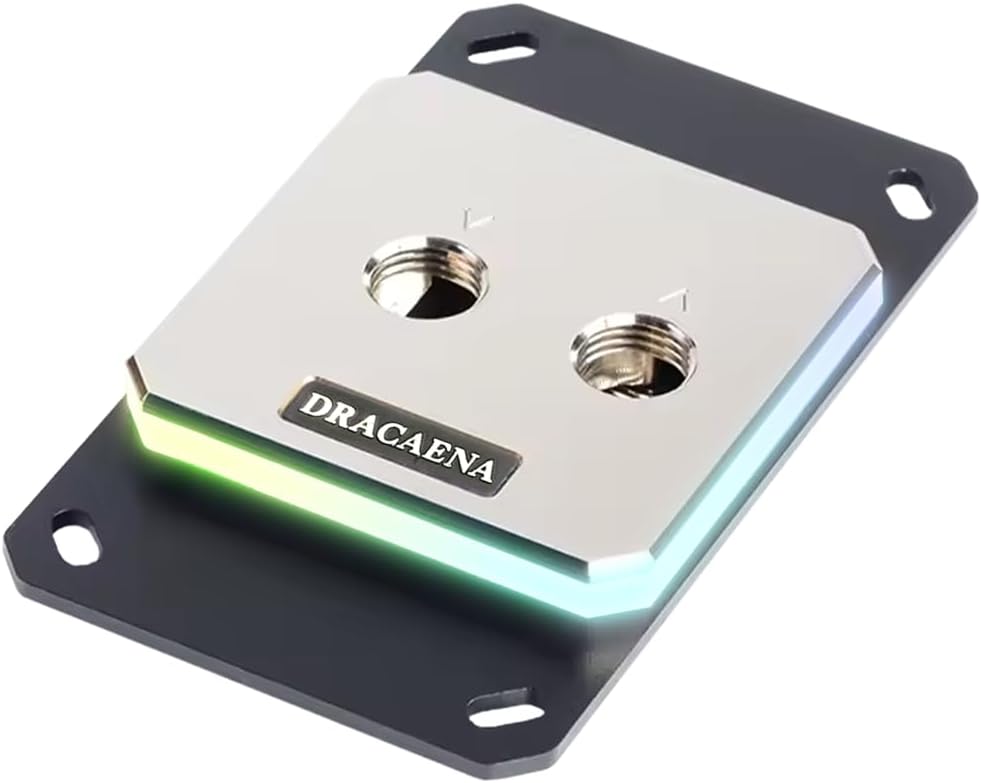
Dracaena.io CPU Water Block for AM5/AM4
4.6Editor score
Broad AMD socket support
All-copper water loop
5V ARGB sync
CPU water blocks are essential components for high-performance liquid cooling systems. They transfer heat directly from the processor to the coolant, ensuring stable temperatures during demanding tasks like gaming or rendering.
We analyzed ten top-rated models based on thermal efficiency, build quality, and aesthetic features. Our comparison covers a range of options from budget-friendly choices to premium units with integrated displays and advanced RGB lighting.
Each selection highlights specific strengths such as socket support, microfin density, and installation ease. Please note that availability and pricing may change, so verify details before purchasing to ensure the best fit for your build.
4.6Editor score

4.6Editor score

3.6Editor score
As an Amazon Associate we earn from qualifying purchases.
The following table provides a side-by-side overview of the ten selected CPU water blocks. It highlights key specifications and features to help you quickly identify the model that best suits your cooling needs and system compatibility.




The EK-Quantum Velocity 3 stands out as a top performer for modern CPU platforms. It achieves significant thermal gains over its predecessor through optimized internal geometry and precise mounting pressure. This makes it ideal for high-end builds where every degree of cooling matters.
We may earn a commission when you buy through this link, at no additional cost to you.
Crafted with a nickel-plated copper cold plate, it ensures superior heat transfer efficiency. The block supports AMD AM5 and Intel LGA 1700/1851 platforms, making it a future-proof choice for recent processors. Its design focuses on maximizing contact area for faster heat dissipation.
While the price is higher than average, the performance benefit justifies the cost for serious overclockers. The precise mounting ensures consistent pressure across the CPU die, preventing hot spots. Users may find the installation slightly more involved than generic blocks.
Enthusiasts seeking maximum thermal efficiency should prioritize this model. It is particularly suited for those running demanding workloads or pushing their CPUs to the limit. The investment in a high-quality block pays off in system stability and longevity.
The redesigned flow path reduces turbulence and ensures coolant reaches all critical areas of the cold plate efficiently.
Consistent pressure application across the CPU surface maximizes thermal contact and reduces the risk of uneven cooling.
We may earn a commission when you buy through this link, at no additional cost to you.
The XC7 RGB Elite LCD combines high performance with a striking 480×480 IPS screen. Users can display temperatures or custom content like memes. The Hexa-Flow engine ensures even cooling across multi-core processors, which is vital for modern workloads.
We may earn a commission when you buy through this link, at no additional cost to you.
USB-C connectivity simplifies installation by removing the need for a separate controller. The block integrates directly into the iCUE ecosystem, allowing for synchronized lighting and monitoring. The screen offers ultra-bright backlighting for visibility in dark environments.
The added complexity of the display means it is not for minimalists. It also requires specific software to function fully, which might be a hurdle for some users. However, the visual impact and cooling performance are substantial.
This block is best for builders who want their cooling system to be a focal point. If you value aesthetics alongside performance, this model offers a unique blend. It is a strong choice for show PCs and high-end gaming rigs.
Showcase your creativity with real-time data or custom media on a high-resolution screen integrated directly into the water block.
Mitigates laminar flow to ensure all CPU cores receive even cooling for exceptional thermal stability under load.
We may earn a commission when you buy through this link, at no additional cost to you.
This block is an excellent value for AMD users seeking reliable cooling without premium costs. It covers virtually every AMD platform for the last 15 years without needing adapters. The all-copper construction ensures maximum heat transfer efficiency.
We may earn a commission when you buy through this link, at no additional cost to you.
The 0.4mm microfin base plate provides a large surface area for heat dissipation. It includes a complete install kit with ARGB controller and backplate. This makes setup straightforward for builders who may lack specialized mounting hardware.
While it lacks the advanced features of expensive models, it performs well for standard cooling needs. The metal top offers durability without compromising thermal performance. It is a practical choice for budget builds focused on function.
Buyers looking for a straightforward cooling solution will appreciate its versatility. It is particularly useful for systems with older AMD CPUs that still require efficient liquid cooling. The inclusion of RGB sync adds aesthetic value at a low price.
Compatible with AM5 AM4 and older sockets ensuring long-term value for users upgrading their systems over time.
Full copper internal water channels and a microfin base plate maximize thermal conductivity without aluminum intrusion.
We may earn a commission when you buy through this link, at no additional cost to you.
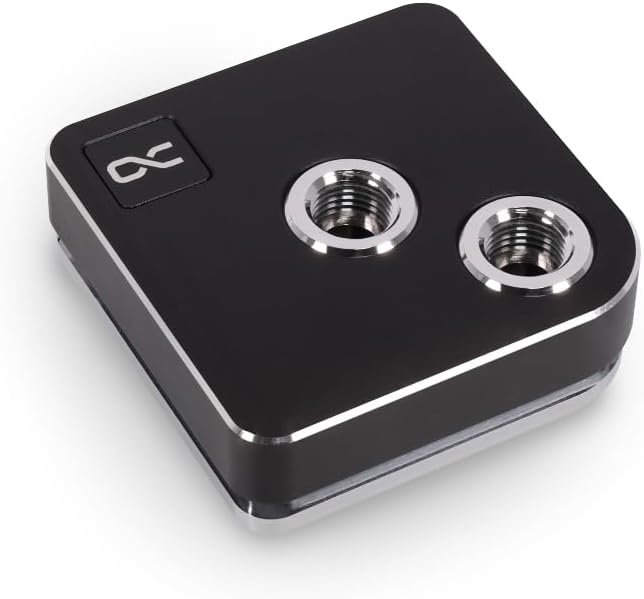
Alphacool is known for reliable cooling components. This Core 1 model offers a simple black design that blends into any build. It supports major Intel and AMD sockets, ensuring versatility for different system configurations.
We may earn a commission when you buy through this link, at no additional cost to you.
The focus is on function rather than flashy features. It uses standard nickel-plated copper for effective heat transfer. The block is pressure-tested to ensure longevity and leak-free operation under normal system conditions.
Users who prefer a clean, distraction-free look will find this appealing. It avoids complex electronics or lighting that might fail over time. The dimensions are compact, fitting easily into most PC cases.
This block is ideal for professional workstations or quiet home setups. It provides the necessary cooling without adding unnecessary complexity. For those prioritizing reliability over aesthetics, it is a strong contender.
The minimal black finish allows the block to integrate seamlessly into various system designs without drawing too much attention.
Support for Intel and AMD platforms makes this a flexible choice for builders who might switch systems in the future.
We may earn a commission when you buy through this link, at no additional cost to you.
This entry-level block offers a budget-friendly path into liquid cooling. It features a large copper base for heat dissipation and chrome-plated faucets for durability. It supports a range of older sockets including Intel 775 and AMD AM2.
We may earn a commission when you buy through this link, at no additional cost to you.
The large water contact area helps carry heat away from the CPU quickly. It is a straightforward option for those with older hardware or limited cooling needs. The simplicity means fewer points of failure.
Quality control might vary compared to branded products. It is best suited for hobbyists or retro builds where high-end features are not critical. Thermal performance is adequate for standard loads but not extreme overclocking.
Buyers on a strict budget can consider this for older systems. It provides the basics of liquid cooling without a significant investment. Ensure compatibility with your specific motherboard before purchase.
The design maximizes the surface area between the copper base and the water for efficient heat transfer.
Offers a low-cost solution for those experimenting with custom loops or cooling legacy hardware.
We may earn a commission when you buy through this link, at no additional cost to you.
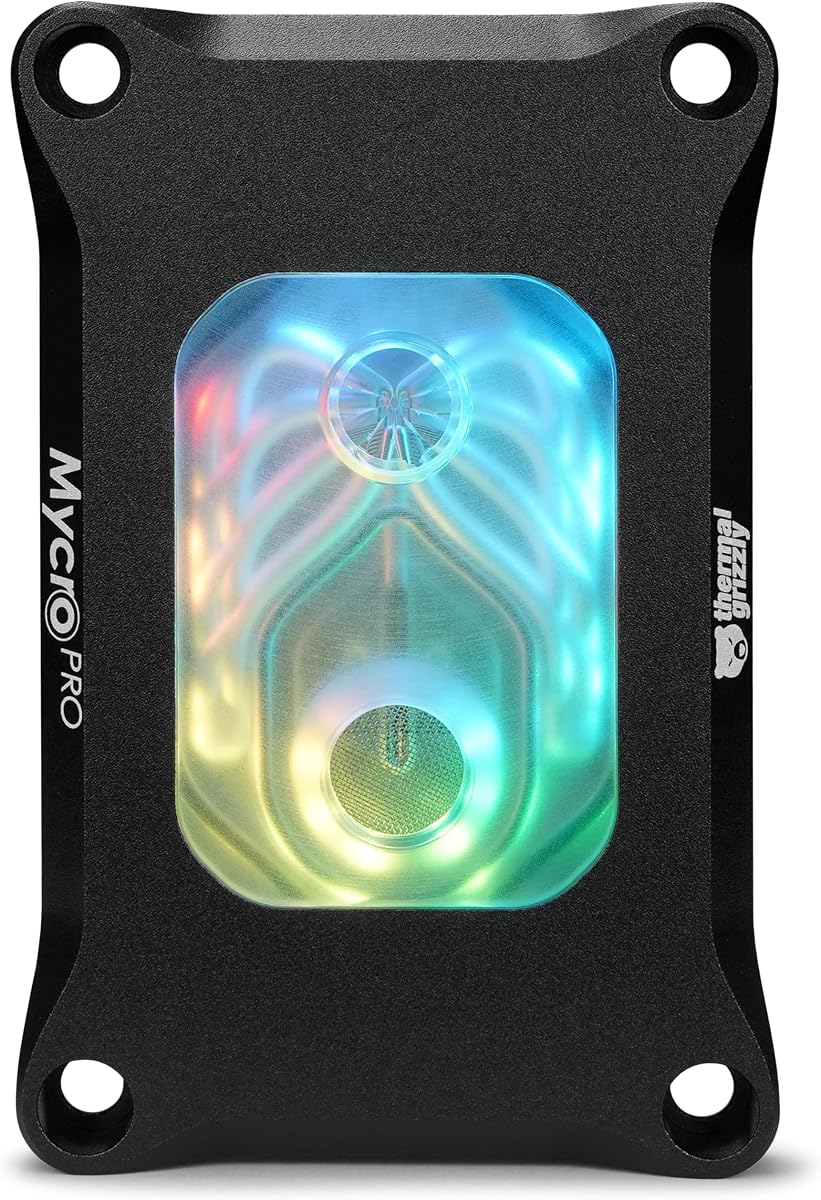
Thermal Grizzly brings precision engineering to this block with 68 microfins featuring a 0.2mm structure. This design increases surface area for maximum heat transfer. It is built for high-end custom liquid cooling systems requiring efficient dissipation.
We may earn a commission when you buy through this link, at no additional cost to you.
The integrated fine mesh filter helps trap particles and ensures consistent coolant flow. This protects the microfin structure from clogging over time. The block uses nickel-plated copper for durability and thermal conductivity.
RGB lighting is integrated subtly to add an illuminated look without overwhelming the design. The standardized ports make loop integration easy. It is a strong choice for those valuing engineering details.
Enthusiasts focused on thermal performance should appreciate the microfin structure. It is well-suited for custom loops where flow consistency matters. The balance of cooling capability and aesthetics makes it a versatile high-end option.
Precision-machined 0.2mm microfins increase surface area for superior thermal performance under load.
Helps trap particles and supports consistent coolant flow through the microfin structure to prevent clogging.
We may earn a commission when you buy through this link, at no additional cost to you.
This block features a curved 6.67 inch 2K AMOLED screen with 60Hz refresh rate. It creates immersive visual effects that stand out from conventional blocks. The KANALI software provides easy screen adjustment and media browsing.
We may earn a commission when you buy through this link, at no additional cost to you.
Uniquely, it includes a built-in VRM fan to cool motherboard voltage regulators. This adds targeted airflow for stability during heavy overclocking. The thermal architecture is based on Asetek Gen8 V2 for rapid heat transfer.
The high price and software dependencies might deter some users. However, for those seeking a showpiece, it offers unique customization. The VRM fan adds functional value beyond just the display.
It is best for enthusiasts who want their PC to be an art piece. If you enjoy customization and have a system that benefits from VRM cooling, this is a compelling choice. It combines high-end cooling with high-end visuals.
Delivers 372PPI pixel density with vivid color reproduction for an immersive anamorphic visual experience.
Delivers targeted airflow to motherboard voltage regulators for stable overclocking under heavy loads.
We may earn a commission when you buy through this link, at no additional cost to you.
The XP3 model offers a practical solution with an acetal top and nickel plated copper cooling surface. It supports both Intel and AMD processors for broad compatibility. The compact dimensions fit well in most standard cases.
We may earn a commission when you buy through this link, at no additional cost to you.
The acetal material adds durability and ease of maintenance. It does not suffer from discoloration like some acrylics. The block is designed for straightforward installation and reliable operation over time.
It lacks flashy features but focuses on core cooling performance. This makes it a good choice for users who want simplicity. The price point is reasonable for the materials used.
If you value durability and ease of use over aesthetics, this block is a strong candidate. It provides the essential functions needed for liquid cooling. It is a reliable option for general-purpose builds.
The acetal material offers durability and resistance to discoloration for a clean look over time.
Support for both Intel and AMD platforms ensures flexibility for a variety of system configurations.
We may earn a commission when you buy through this link, at no additional cost to you.
The iCUE Link version emphasizes intelligent design and ease of setup. It features a transparent flow chamber to visualize coolant movement. The Hexa-Flow engine ensures even cooling across all cores for multi-chip CPUs.
We may earn a commission when you buy through this link, at no additional cost to you.
Connectivity is handled via universal connectors in the iCUE Link ecosystem. This reduces cable clutter and simplifies daisy-chaining components. A built-in temperature sensor allows for precise cooling control through iCUE.
The need for a specific hub may be a barrier for those not already invested in the ecosystem. However, the management convenience is significant for compatible builds. The RGB lighting is vibrant and customizable.
This block is best for users building within the iCUE environment. If you value cable management and system integration, it is a strong option. It offers excellent cooling with modern connectivity features.
Mitigates laminar flow to ensure all CPU cores are more evenly cooled on multi-chip packages.
Universal connectors reduce cable clutter and simplify system setup when used with the iCUE Link Hub.
We may earn a commission when you buy through this link, at no additional cost to you.
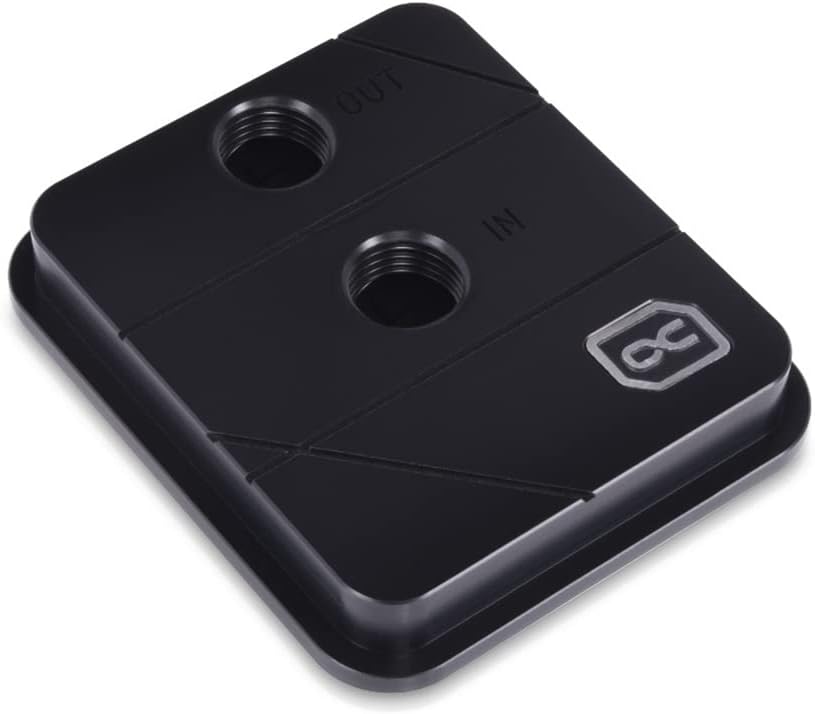
The LT model features an acrylic finish with digital RGB lighting for a polished look. It supports Intel and AMD sockets for wide compatibility. The dimensions are slightly smaller than standard, fitting well in tighter spaces.
We may earn a commission when you buy through this link, at no additional cost to you.
Acrylic allows for light transmission and vibrant lighting effects. It is durable enough for regular use but requires careful handling to avoid scratches. The block maintains standard thermal performance for general cooling.
It is an aesthetic-focused variant of the Core 1 line. Users who prioritize visual appeal over extreme performance will find this suitable. The digital RGB adds a modern touch to the build.
This block is recommended for stylish builds where looks are as important as function. It provides adequate cooling for most use cases. Ensure you have compatible software to control the RGB features.
The acrylic material enhances light transmission for RGB effects while maintaining structural integrity.
Integrated digital RGB provides customizable illumination to match your overall PC theme.
We may earn a commission when you buy through this link, at no additional cost to you.
Selecting the right water block involves assessing compatibility, materials, and design features. Consider these factors to ensure optimal cooling and aesthetics.
Ensure the block supports your CPU socket such as LGA 1700 or AM5 to fit properly.
Check the manufacturer specs before buying.
Nickel-plated copper provides excellent thermal conductivity and prevents corrosion.
Look for all-copper channels for consistent cooling.
Higher fin density increases surface area for better heat dissipation.
Balance density with flow rate to avoid pump strain.
Precise mounting ensures even pressure across the CPU die.
Backplates should be included for structural support.
RGB lighting or displays can add visual appeal to your build.
Decide if extra features justify the cost.
Check if the block uses standard G1/4 ports for easy loop integration.
Some models need specific hubs or controllers.
Built-in filters prevent debris from clogging the microfin structure.
This helps maintain long-term cooling efficiency.
Premium blocks cost more but often offer better durability.
A longer warranty indicates manufacturer confidence.
Install the block securely onto the CPU using the provided mounting kit and ensure proper thermal paste application.
Connect the inlet and outlet tubes to your radiator and pump for a closed-loop system.
Monitor coolant levels and clean the block annually to maintain peak performance.
A CPU water block transfers heat from the processor to liquid coolant. It acts as the primary contact point between the CPU and the water cooling loop.
No, water blocks are designed for specific sockets. Always check compatibility with your motherboard's CPU socket before purchasing.
Nickel-plated copper resists corrosion while maintaining high thermal conductivity. It provides durability and efficient heat transfer.
No, a pump is required to circulate coolant through the block. A passive block without flow will not cool effectively.
It is recommended to replace coolant every 12 to 18 months. This prevents algae growth and maintains flow efficiency.
Microfins increase the surface area inside the block. This allows more heat to transfer from the copper to the water quickly.
We reviewed ten distinct CPU water blocks ranging from basic to advanced models with displays and RGB.
Prioritize compatibility and material quality to ensure your system stays cool under stress.
Check current product details and pricing before finalizing your purchase decision.