
Wireless Caregiver Pager, 1 Call Button + 1 Receiver for Elderly at Home
4.7Editor score
1500 ft range
Adjustable volume levels
IP55 water proof
Finding the right gadgets for elderly parents can significantly improve their quality of life and safety at home. Modern devices offer peace of mind for caregivers while maintaining independence for seniors through intuitive designs and reliable performance.
We compared ten highly rated products focusing on ease of use, range, and features tailored to senior needs. Our selection includes wireless pagers smart clocks and video cameras designed to support daily routines and emergency situations effectively.
Each pick highlights specific strengths such as waterproofing long battery life or large displays for better visibility. Please note that product availability and pricing may change over time so verify details before purchasing your chosen device today.
4.7Editor score

4.8Editor score

4.4Editor score
As an Amazon Associate we earn from qualifying purchases.
This table provides a quick side-by-side overview of key specifications and features across all ten selected gadgets to help you compare options at a glance.


This WiFi Caregiver Pager offers a comprehensive solution for monitoring elderly parents with instant alerts and no recurring costs. It holds a high rating of 4.8 due to its reliable performance and ease of connecting family members globally through an app interface.
We may earn a commission when you buy through this link, at no additional cost to you.
Key strengths include the waterproof call button which ensures usability even in bathrooms where falls are common. The system penetrates walls effectively with a range up to 656 feet ensuring alerts reach caregivers no matter where they are in the home or yard.
Trade-offs involve the dependency on a stable 2.4 GHz WiFi network which may limit placement in areas with weak signals. Additionally initial app setup requires some technical familiarity but once configured the system runs smoothly without constant intervention.
Ideal for families seeking a modern smart alert system without subscription fees this pager provides peace of mind through instant digital notifications. Its flexible mounting options and waterproof design make it a versatile choice for diverse home environments.
Family members receive push notifications on their smartphones instantly allowing for rapid response even when away from the house.
The waterproof call button withstands splashes and moisture making it safe for installation in high risk areas like bathrooms.
We may earn a commission when you buy through this link, at no additional cost to you.
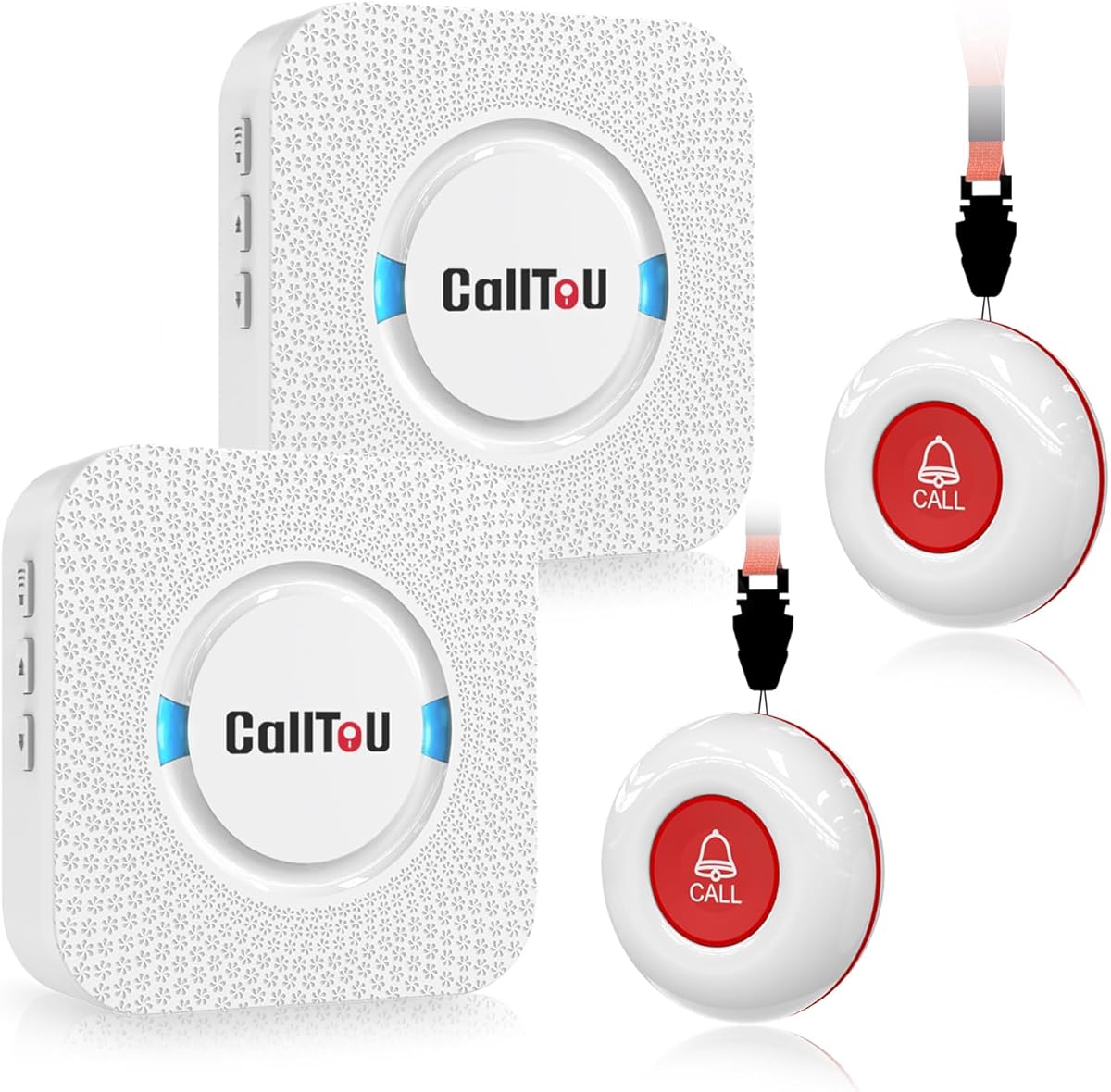
This wireless pager system stands out for its exceptional range and budget friendly pricing making it accessible for many households. With a 4.7 rating it delivers reliable communication between seniors and caregivers without complex setup requirements or ongoing costs.
We may earn a commission when you buy through this link, at no additional cost to you.
The 1500 ft transmission range ensures alerts reach caregivers even in large properties or multi story homes. Its IP55 waterproof and dustproof rating means it can handle various environmental conditions while the 58 ringtones offer customization for different needs.
While it lacks smart app integration the simplicity of plug and play operation reduces technical barriers for older users. The requirement for an outlet near the receiver might limit placement flexibility but this is a minor trade-off for the stability it provides.
Best for users seeking a straightforward no fuss alert system this pager offers great value for money. The 18-month warranty further supports long-term reliability making it a practical choice for everyday care needs.
A 1500 ft range covers large yards and multiple floors ensuring caregivers never miss an alert during daily activities.
Fifty eight unique ringtones allow families to assign distinct sounds to different users for quick identification of callers.
We may earn a commission when you buy through this link, at no additional cost to you.
This monitoring camera combines video calling with safety features offering a premium solution for seniors who face loneliness. Its 4.4 rating reflects user satisfaction with the ease of video interaction and the built-in screen which eliminates smartphone dependency for elderly users.
We may earn a commission when you buy through this link, at no additional cost to you.
The one-touch video calling feature allows seniors to see family faces instantly reducing feelings of isolation. Advanced features like fall sound detection and auto-tracking PTZ ensure safety while the physical privacy shutter gives control over when recording or viewing occurs.
Cost and power are considerations as the device needs a constant power source and initial wifi setup. However the absence of monthly fees makes it financially sustainable over time compared to subscription-based monitoring services.
Families valuing visual connection and privacy controls will find this camera an ideal premium investment. It bridges the gap between safety monitoring and emotional connection providing peace of mind for both seniors and caregivers alike.
Seniors can see loved ones on a clear screen without navigating complex apps which reduces technology barriers significantly.
A mechanical lens rotation ensures 100% physical privacy when needed which builds trust and comfort in shared spaces.
We may earn a commission when you buy through this link, at no additional cost to you.
This pager system is designed for households with multiple residents needing assistance. It includes two wireless call buttons allowing different users to have personal emergency access which enhances flexibility and reduces waiting times during emergencies.
We may earn a commission when you buy through this link, at no additional cost to you.
The receiver is portable and moves with the caregiver ensuring help is always within reach. With 55 ring tones and adjustable volume levels caregivers can customize alerts to suit their hearing sensitivity or environmental noise levels effectively.
Trade-offs include the limited 500 ft range compared to other models and the need to plug the receiver into an outlet. However for smaller homes or apartments this system provides reliable coverage without requiring additional hardware investment.
Ideal for families with more than one senior or patient this setup ensures everyone has direct access to support. The durable waterproof design and included manual make it a straightforward addition to home care routines.
Two included buttons allow simultaneous access for multiple seniors ensuring everyone can request help independently and safely.
The movable receiver ensures caregivers stay connected no matter where they are in the home or moving between rooms.
We may earn a commission when you buy through this link, at no additional cost to you.
This pager system offers a convenient wristband option which is ideal for active seniors who may not always be seated. The 4.5 rating indicates solid reliability for home use and the wristband adds versatility for those who move frequently.
We may earn a commission when you buy through this link, at no additional cost to you.
The 1000 ft range ensures consistent connection across larger living spaces. Features like a silent LED flash mode are helpful for light sleepers or environments where loud sounds would be disruptive to others in the household.
While the button is splash proof it should not be immersed in water so bathing requires removal. This limitation is minor given the overall utility and the system's design for quick efficient emergency communication during daily routines.
Best for seniors who need hands-free access to help the wristband design provides immediate response capability. This system balances mobility with safety offering a flexible solution for varying care requirements and daily activities.
The wristband option keeps help within reach even during movement making it suitable for active seniors throughout the day.
Silent LED flashing alerts ensure notifications are received without noise which is perfect for quiet night time environments.
We may earn a commission when you buy through this link, at no additional cost to you.
This digital clock is specifically designed for seniors with memory loss using clear text and visual cues to reduce confusion. The 4.6 rating highlights user appreciation for its simple interface which helps maintain orientation and daily routines without complex settings.
We may earn a commission when you buy through this link, at no additional cost to you.
Key features include a 7 inch HD display that spells out time in words instead of numbers reducing reading strain. Auto night dimming ensures comfort during sleep hours while multiple language options make it accessible for diverse household needs.
Although it resets to correct time after power outages this ensures accuracy but may require occasional attention. The inclusion of alarm tags for meals and medicine adds practical value for daily health management and scheduling tasks at home.
Ideal for seniors with cognitive challenges this clock provides essential time and date clarity. Its plug-and-play setup and visual indicators make it a supportive tool for maintaining independence and routine in daily life.
Written time formats remove numerical confusion helping seniors with dementia stay oriented and comfortable throughout the day.
Icons and colors distinguish day from night which aids in natural sleep cycles and reduces disorientation for seniors.
We may earn a commission when you buy through this link, at no additional cost to you.
This clock combines visual clarity with voice announcements to assist seniors who may struggle with reading small text. A 4.7 rating reflects its effectiveness in supporting those with vision loss through loud clear spoken time updates and large bold lettering.
We may earn a commission when you buy through this link, at no additional cost to you.
The voice timing function allows quick time checks with a simple button press reducing eye strain. Large fonts and day and date displays offer clear information while auto DST updates ensure accuracy without manual adjustments changing twice a year.
Setup requires using a remote control which might be challenging for those with dexterity issues. However once set the clock runs reliably with dimming options that protect sleep quality by reducing light intensity during night hours.
Best for seniors needing auditory assistance this clock simplifies time checking and daily alerts. Its focus on accessibility and simple operation makes it a practical choice for independent living with necessary support features.
Voice announcements help those with vision challenges check time easily without straining their eyes in dim lighting.
Multiple alarm slots allow specific reminders for health tasks ensuring consistent adherence to daily medication schedules.
We may earn a commission when you buy through this link, at no additional cost to you.
This system integrates seamlessly with smartphone apps providing real-time alerts when any button is pressed. The 4.3 rating shows it is valued for its ability to notify distant caregivers instantly making it useful for those who travel or live far away.
We may earn a commission when you buy through this link, at no additional cost to you.
Shared alerts allow multiple family members to receive notifications ensuring someone is always available to respond. Customizable button sounds and volume settings through the app help identify who is calling without looking at a physical receiver.
Dependency on internet stability means poor connectivity could delay alerts though phone notification upgrades can mitigate this. The physical alarm receiver plugs into an outlet ensuring local notification even if app connections face intermittent issues at times.
Best for tech-savvy families wanting remote monitoring this pager connects loved ones regardless of location. The included wristband and flexible mounting options enhance usability making it a versatile choice for varied home environments.
App alerts reach family phones anywhere ensuring help is always available even when caregivers are out of the house.
Multiple family members receive the same alert creating a reliable support network that reduces caregiver burnout effectively.
We may earn a commission when you buy through this link, at no additional cost to you.
This clock offers extensive customization with up to twenty alarms and reminders supporting detailed daily schedules. Its 4.4 rating reflects appreciation for flexible settings allowing users to tailor alerts for medicine meals or personal appointments easily.
We may earn a commission when you buy through this link, at no additional cost to you.
The 7 inch HD display supports different themes and colors improving visibility for various preferences. Photo playback via USB or SD adds a personal touch making the device functional and decorative for living spaces.
Battery backup stores settings during outages though it does not keep time without power. The snooze and sleep modes provide convenience for restful mornings and uninterrupted night sleep enhancing the overall user experience significantly.
Ideal for seniors needing structured routines this clock supports memory and independence through clear reminders. Its combination of utility and personalization makes it a versatile addition to any home care setup for older adults.
Multiple alarms help seniors organize daily tasks and medications ensuring nothing is missed throughout the day.
Photo display turns the clock into a digital frame keeping memories close and reducing feelings of isolation at home.
We may earn a commission when you buy through this link, at no additional cost to you.
This simple pager system provides reliable alerts with two buttons for versatile use. A 4.6 rating confirms its practicality for home care ensuring caregivers can attend to other tasks while staying connected to residents' needs.
We may earn a commission when you buy through this link, at no additional cost to you.
The portable pager with a belt clip allows caregivers to move freely while keeping alerts within reach. Simple operation with distinct alarm and chime modes ensures clear communication without confusing settings for elderly users or staff.
The range of 500 ft is adequate for smaller homes but may fall short in larger properties. However the focus on simplicity and reliability makes it a solid choice for those prioritizing easy setup and immediate functionality.
Best for small family homes this system offers essential monitoring capabilities without complexity. The inclusion of extra buttons and support services enhances its value for maintaining safety and peace of mind daily.
The belt clip allows caregivers to stay mobile without missing alerts which improves efficiency during daily household tasks.
Distinct chime and siren modes provide clear signals ensuring help is requested and received quickly during emergencies.
We may earn a commission when you buy through this link, at no additional cost to you.
Selecting the right gadgets for elderly parents involves balancing features usability and safety to meet specific care needs.
Look for devices with large buttons clear displays and simple interfaces to avoid frustration. The best gadgets should require minimal setup and be intuitive for seniors with varying tech skills.
Prioritize simplicity to ensure consistent daily use without relying on constant technical support.
Ensure the wireless range covers all areas where your parent spends time including bathrooms and gardens. WiFi systems need stable network coverage to send alerts effectively to smartphones.
Choose a system that matches your home layout to prevent communication gaps during emergencies.
Since falls often occur in wet areas like bathrooms waterproof buttons are essential for reliable safety. Check IP ratings to confirm the device can handle splashes or moisture.
Waterproofing ensures the device remains functional in high risk environments protecting both the hardware and safety.
Devices offering multiple ringtones or volume settings allow you to tailor alerts to your parent's hearing. Custom sounds help identify who is calling especially in multi-user households.
Customizable alerts improve response times by providing clear information about the source of the call.
Consider whether the device runs on batteries or requires constant power which impacts placement options. Long-lasting batteries reduce maintenance but rechargeable units are eco-friendly for daily use.
Balanced power options ensure reliability without frequent interruptions for battery changes or charging.
Privacy controls like physical shutters on cameras maintain dignity while allowing necessary monitoring. These features help seniors feel secure about their personal space.
Privacy mechanisms build trust and comfort encouraging seniors to accept helpful technology into their homes.
Many alert systems charge monthly fees which add up over time so check if the device requires a subscription. One-time purchase gadgets with no monthly costs are often more sustainable.
Avoiding recurring fees makes long-term safety monitoring more affordable and accessible for families.
Reliable customer support and a good warranty protect against technical issues. Ensure the manufacturer offers help with setup or troubleshooting when needed.
Strong support ensures peace of mind and quick resolution if any device problems arise unexpectedly.
Start by placing buttons within easy reach such as near the bed in the bathroom or beside a favorite chair to ensure immediate access during emergencies. Test the system regularly to confirm alerts reach caregivers promptly.
Keep devices clean and free of dust by wiping them with a dry cloth to maintain responsiveness. Avoid exposing buttons to direct water immersion unless rated as fully waterproof for safe use.
Monitor battery levels or power connections to prevent disruptions. Replace batteries as needed and check that plugs are secure to ensure continuous monitoring and timely responses.
Most of the selected gadgets do not require monthly subscriptions allowing one-time purchase benefits. However some advanced app features might need optional fees for enhanced notifications.
Yes devices like digital clocks with clear displays and voice assistance help seniors with dementia manage daily routines. Their intuitive interfaces reduce confusion and support memory.
Wireless pagers function without WiFi using radio signals to connect buttons and receivers. WiFi models need internet for app alerts but can still work locally without internet connection.
Most devices are plug-and-play requiring only a power outlet or minimal setup via an app. Instructions are simple and often include user manuals to guide initial configuration quickly.
Many call buttons have waterproof ratings suitable for bathroom use and splashes. Check product specs to confirm the specific level of water resistance before installation.
Devices with battery backup or rechargeable batteries continue working during power outages. Some models reset time after power returns but alerts may still function if battery is available.
Choosing the right gadgets for elderly parents can transform daily life by enhancing safety independence and connection. The top picks reviewed here offer diverse solutions tailored to different needs from simple pagers to smart monitoring systems.
Prioritize ease of use reliability and features that align with your parent's daily routine to ensure consistent adoption. Look for devices that support privacy and provide clear alerts to maintain trust and security at home.
Remember to check current availability and pricing as these factors may change over time. Investing in the right technology provides lasting peace of mind for both seniors and their caring families.